ECO KIA SORENTO 2022 Navigation System Quick Reference Guide
[x] Cancel search | Manufacturer: KIA, Model Year: 2022, Model line: SORENTO, Model: KIA SORENTO 2022Pages: 324, PDF Size: 10.45 MB
Page 251 of 324
9-63
Previous Destinations Settings
You can set to automatically save the previous destination and display the previous
destinations when the navigation system starts.
\225Save Previous Destinations: The previous destination is automatically saved.
\225Show Previous Destinations after Navigation Start-up: When the navigation system
starts, the list of recent destinations appear on a pop-up window.
Fuel Price Information (if equipped)
When displaying gas stations or LPG charging stations on the map, the fuel prices below a
specific range can be displayed.
0000
A
Select Display Fuel Price Info on Map to view recommended fuel prices based on the
prices offered in the area.
0000
A
Fuel prices on the map may differ from actual ones.
User Data
You can import location data from a USB device to the system, or export the data on the
system to a USB device.
0000
A
When importing or exporting the location data, you can uses only the USB device
formatted in exFAT, FAT16/32, or NTFS.
\225Import Address Book from USB Device: You can import the location data on a USB
device to the system.
0000
A
The previous location data on the system is to be deleted.
0000
A
If location information is imported from a different navigation device or system,
the locations may appear differently because the device/system uses a different
coordinate system.
\225Export Address Book to USB Device: You can export the location data on the system to
a USB device.
0000
A
The location data on the USB device is deleted.
Page 252 of 324
9-64
GPS Information
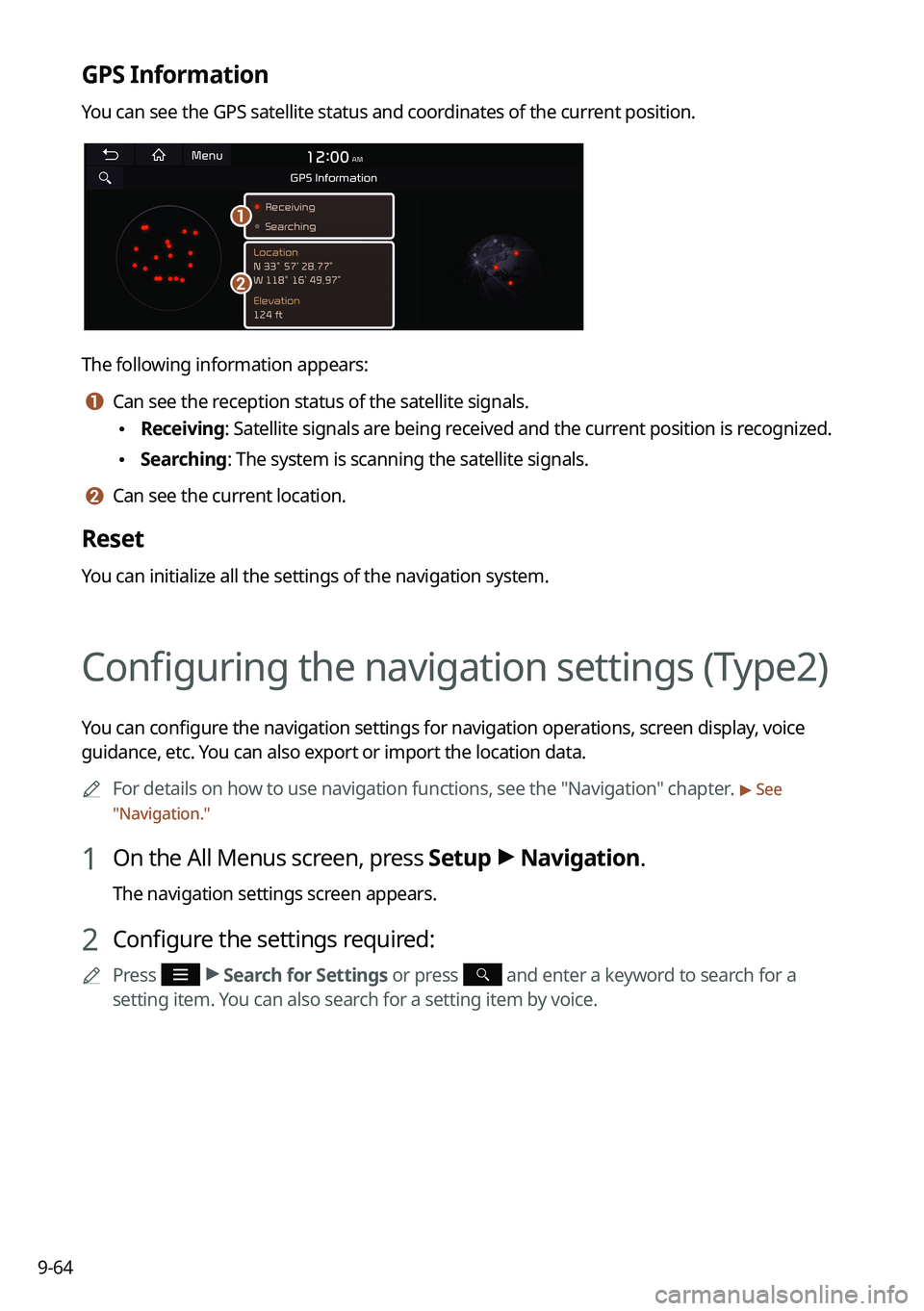
You can see the GPS satellite status and coordinates of the current position.
\037
\036
The following information appears:
a a Can see the reception status of the satellite signals.
\225Receiving: Satellite signals are being received and the current position is recognized.
\225Searching: The system is scanning the satellite signals.
b b Can see the current location.
Reset
You can initialize all the settings of the navigation system.
Configuring the navigation settings (Type2)
You can configure the navigation settings for navigation operations, screen display, voice
guidance, etc. You can also export or import the location data.
0000
A
For details on how to use navigation functions, see the "Navigation" chapter.
> See
" Navigation."
1 On the All Menus screen, press Setup >
Navigation.
The navigation settings screen appears.
2 Configure the settings required:
0000
A
Press >
Search for Settings or press and enter a keyword to search for a
setting item. You can also search for a setting item by voice.
Page 253 of 324
9-65
Map (if equipped)
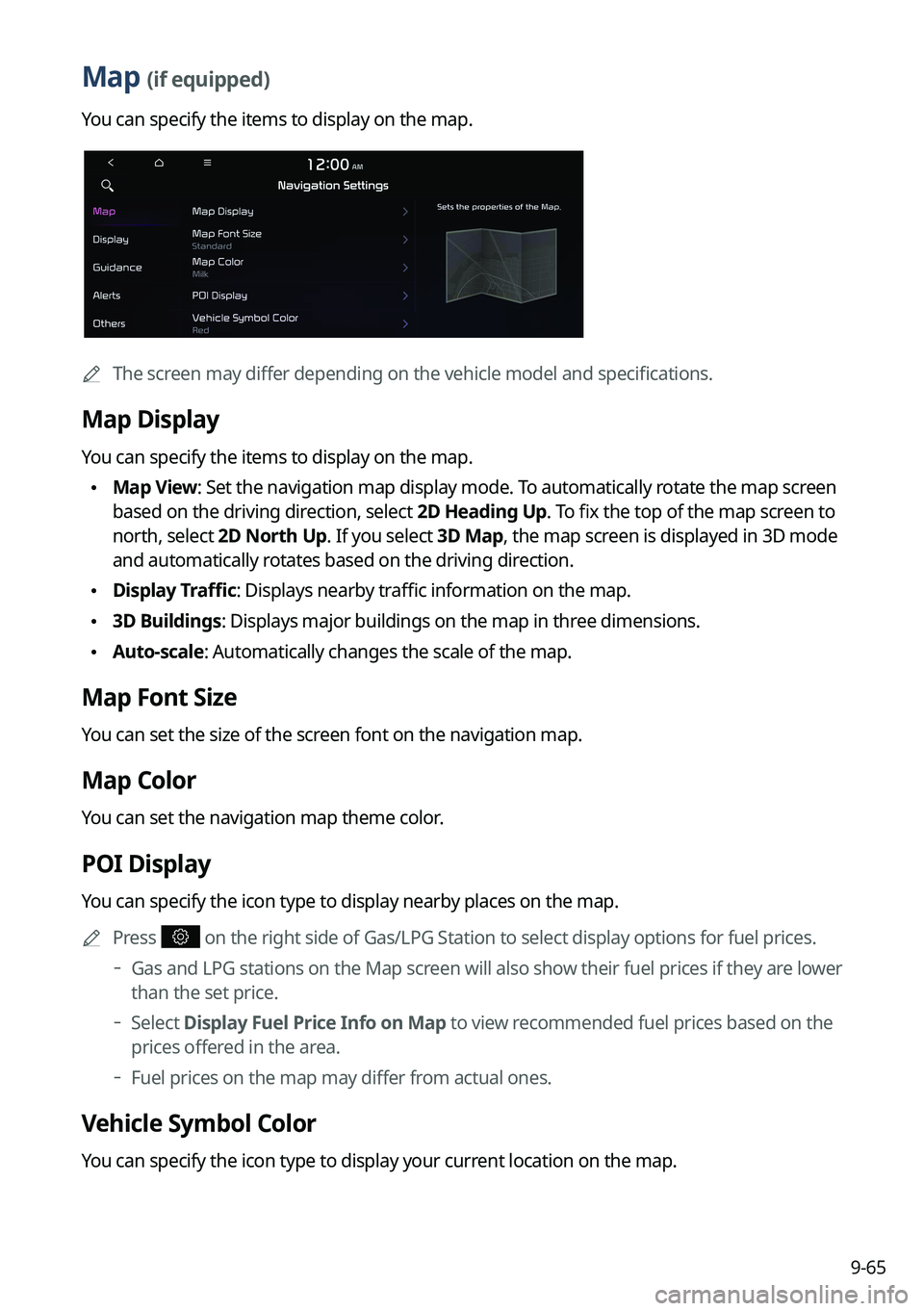
You can specify the items to display on the map.
0000
A
The screen may differ depending on the vehicle model and specifications.
Map Display
You can specify the items to display on the map.
\225Map View: Set the navigation map display mode. To automatically rotate the map screen
based on the driving direction, select 2D Heading Up. To fix the top of the map screen to
north, select 2D North Up. If you select 3D Map, the map screen is displayed in 3D mode
and automatically rotates based on the driving direction.
\225Display Traffic: Displays nearby traffic information on the map.
\2253D Buildings: Displays major buildings on the map in three dimensions.
\225Auto-scale: Automatically changes the scale of the map.
Map Font Size
You can set the size of the screen font on the navigation map.
Map Color
You can set the navigation map theme color.
POI Display
You can specify the icon type to display nearby places on the map.
0000
A
Press
on the right side of Gas/LPG Station to select display options for fuel prices.
000DGas and LPG stations on the Map screen will also show their fuel prices if they are lower
than the set price.
000DSelect Display Fuel Price Info on Map to view recommended fuel prices based on the
prices offered in the area.
000DFuel prices on the map may differ from actual ones.
Vehicle Symbol Color
You can specify the icon type to display your current location on the map.
Page 254 of 324
9-66
Set Map Auto-scale
You can set the scales for each vehicle speed zone0000
A
For example, when "700 ft" is selected for the "21-40 mi/h" zone and "0.25 mi" for the
"41–60 mi/h" zone, the map scale on the navigation screen becomes 700 ft when vehicle
speed is 40 mi/h and 0.25 mi when vehicle speed is 41 mi/h.
Display
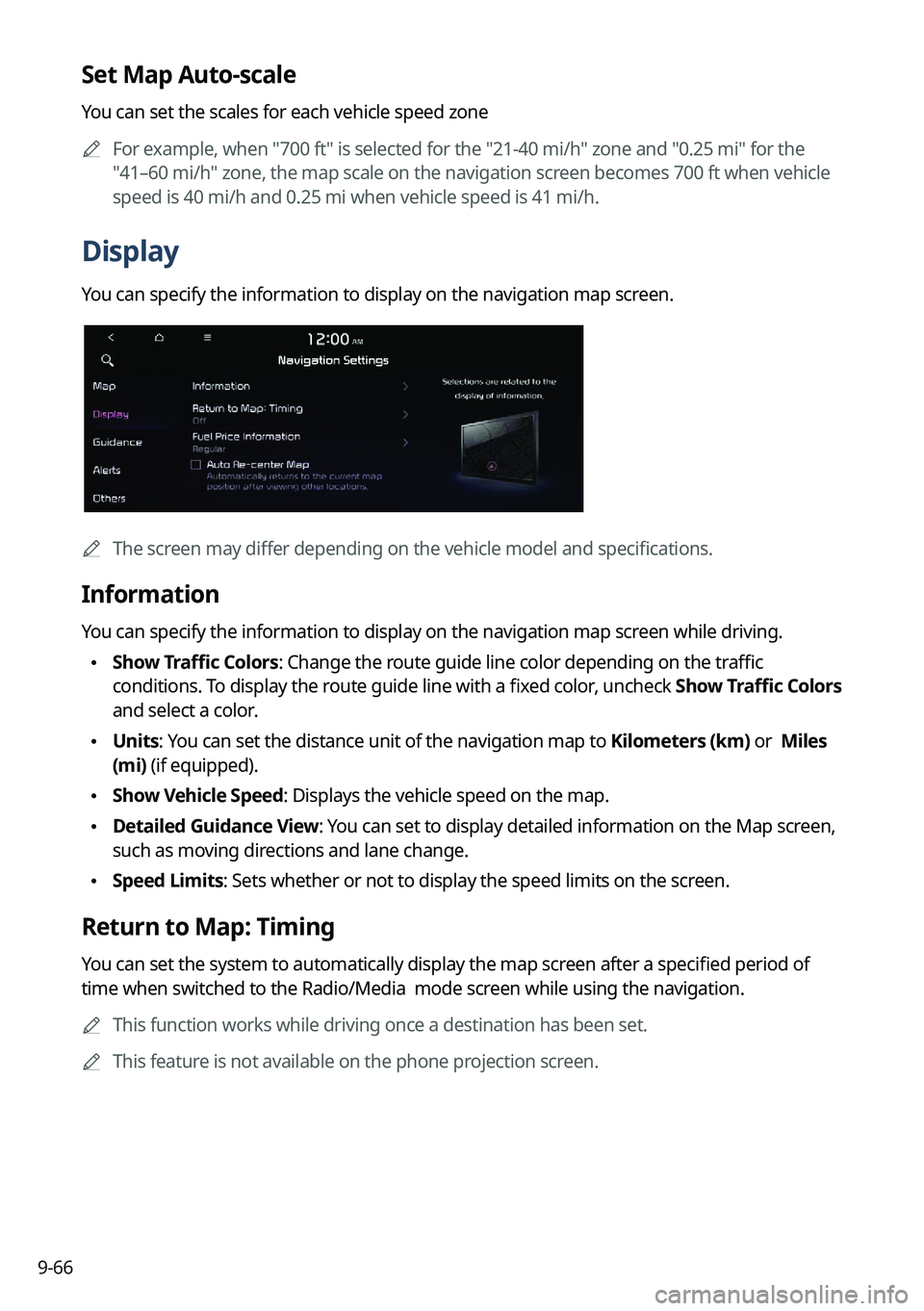
You can specify the information to display on the navigation map screen.
0000AThe screen may differ depending on the vehicle model and specifications.
Information
You can specify the information to display on the navigation map screen while driving.
\225Show Traffic Colors: Change the route guide line color depending on the traffic
conditions. To display the route guide line with a fixed color, uncheck
Show Traffic Colors
and select a color.
\225 Units: You can set the distance unit of the navigation map to Kilometers (km) or Miles
(mi) (if equipped).
\225Show Vehicle Speed: Displays the vehicle speed on the map.
\225Detailed Guidance View: You can set to display detailed information on the Map screen,
such as moving directions and lane change.
\225Speed Limits: Sets whether or not to display the speed limits on the screen.
Return to Map: Timing
You can set the system to automatically display the map screen after a specified period of
time when switched to the Radio/Media mode screen while using the navigation.
0000
A
This function works while driving once a destination has been set.
0000
A
This feature is not available on the phone projection screen.
Page 255 of 324
9-67
Fuel Price Information (if equipped)
When displaying gas stations or LPG charging stations on the map, the fuel prices below a
specific range can be displayed.0000
A
Select Display Fuel Price Info on Map to view recommended fuel prices based on the
prices offered in the area.
0000
A
Fuel prices on the map may differ from actual ones.
Auto Re-center Map
You can set the system to automatically display the current position when the specified
period of time elapses after changing to another position on the map.
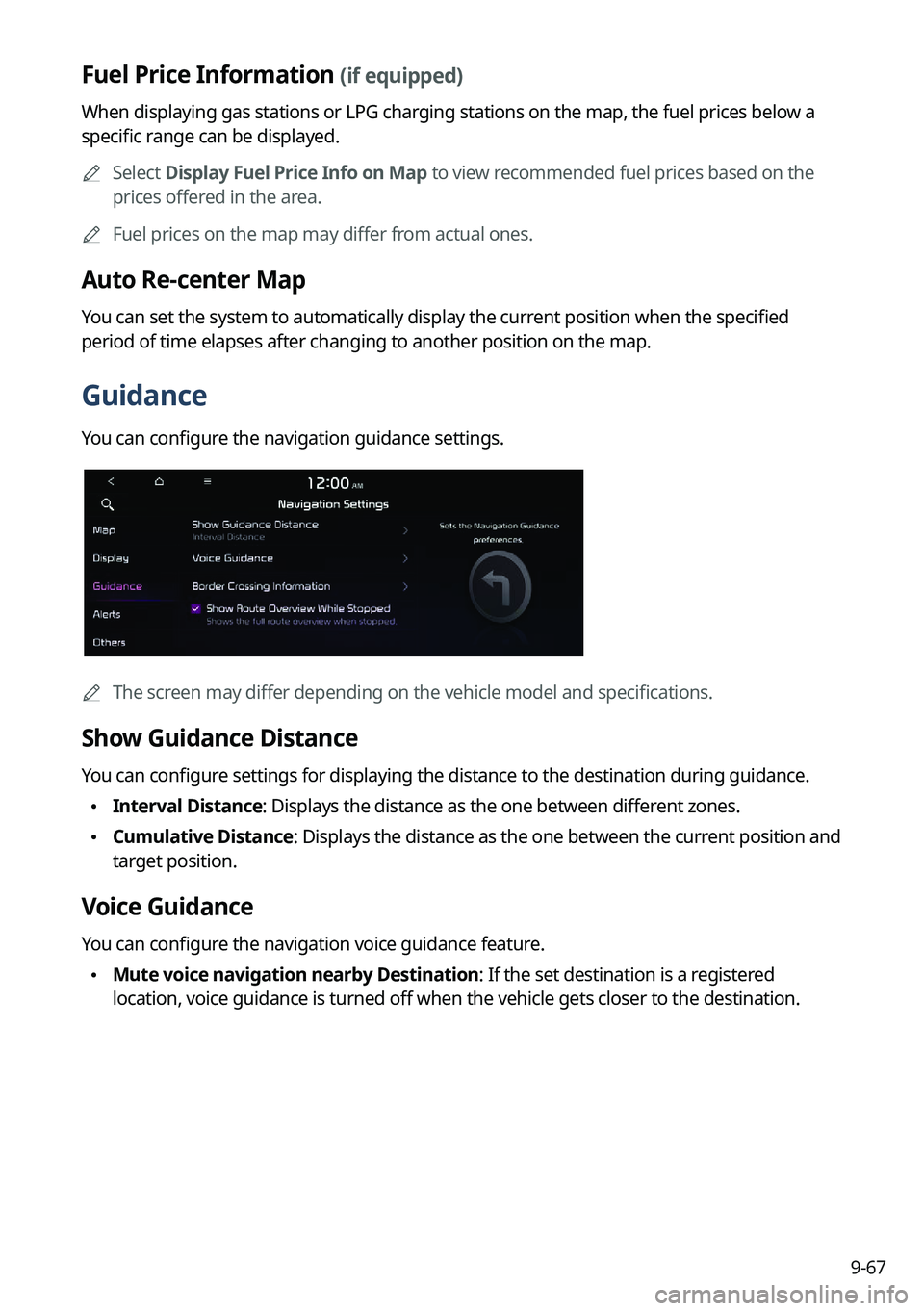
Guidance
You can configure the navigation guidance settings.
0000AThe screen may differ depending on the vehicle model and specifications.
Show Guidance Distance
You can configure settings for displaying the distance to the destination during guidance.
\225Interval Distance: Displays the distance as the one between different zones.
\225Cumulative Distance: Displays the distance as the one between the current position and
target position.
Voice Guidance
You can configure the navigation voice guidance feature.
\225Mute voice navigation nearby Destination: If the set destination is a registered
location, voice guidance is turned off when the vehicle gets closer to the destination.
Page 257 of 324
9-69
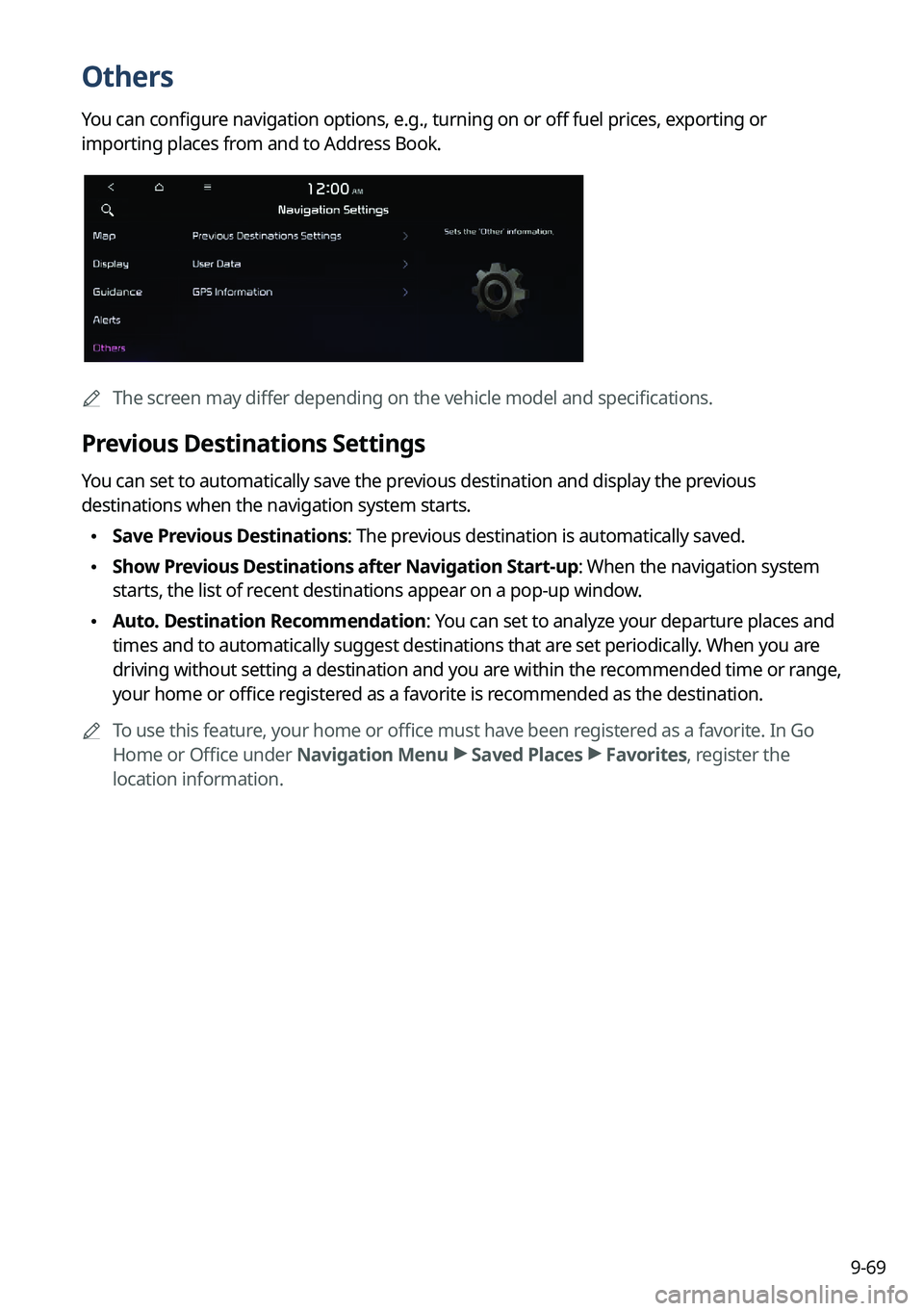
Others
You can configure navigation options, e.g., turning on or off fuel prices, exporting or
importing places from and to Address Book.
0000AThe screen may differ depending on the vehicle model and specifications.
Previous Destinations Settings
You can set to automatically save the previous destination and display the previous
destinations when the navigation system starts.
\225Save Previous Destinations: The previous destination is automatically saved.
\225Show Previous Destinations after Navigation Start-up: When the navigation system
starts, the list of recent destinations appear on a pop-up window.
\225Auto. Destination Recommendation: You can set to analyze your departure places and
times and to automatically suggest destinations that are set periodically. When you are
driving without setting a destination and you are within the recommended time or range,
your home or office registered as a favorite is recommended as the destination.
0000
A
To use this feature, your home or office must have been registered as a favorite. In Go
Home or Office under Navigation Menu >
Saved Places >
Favorites, register the
location information.
Page 258 of 324
9-70
User Data
You can import location data from a USB device to the system, or export the data on the
system to a USB device.0000
A
When importing or exporting the location data, you can uses only the USB device
formatted in exFAT, FAT16/32, or NTFS.
\225Import Saved Places/Previous Destinations from USB Device: You can import
registered location and destination information, saved on your USB storage device, to the
system.
0000
A
Previous information saved on the system will be deleted.
0000
A
If location information is imported from a different navigation device or system,
the locations may appear differently because the device/system uses a different
coordinate system.
\225Export Saved Places/Previous Destinations to USB Device: You can export registered
location and destination information, saved on the system, to your USB storage device.
0000
A
Previous information saved on the USB storage device will be deleted.
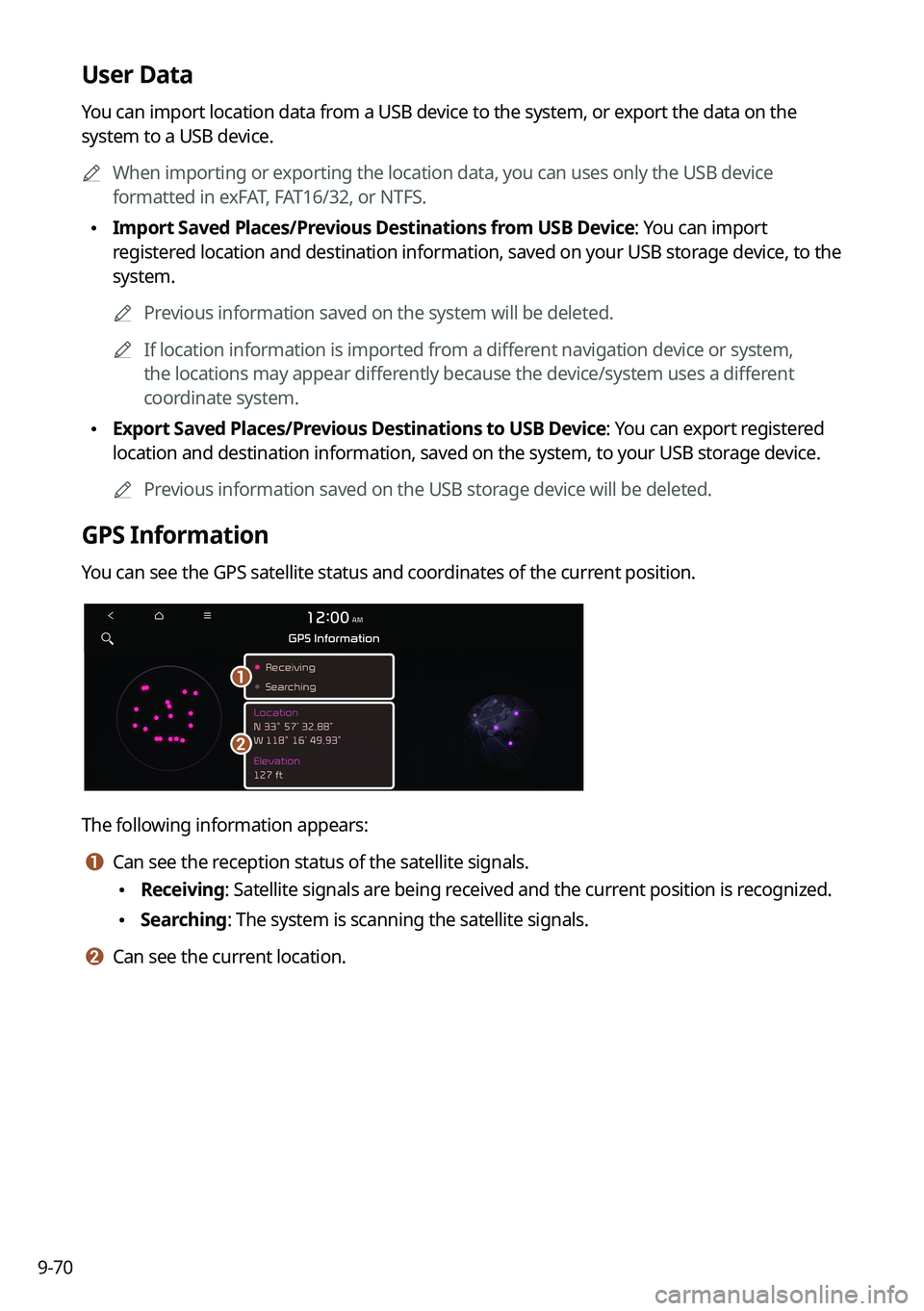
GPS Information
You can see the GPS satellite status and coordinates of the current position.
\037
\036
The following information appears:
a a Can see the reception status of the satellite signals.
\225Receiving: Satellite signals are being received and the current position is recognized.
\225Searching: The system is scanning the satellite signals.
b b Can see the current location.
Page 268 of 324
9-80
GPS Time
After receiving the time from GPS, it sets the system date and time automatically.0000
A
To manually set the date and time, uncheck GPS Time, press the current date and time
below GPS Time, and then set the date and time.
24 Hours
The system time is displayed in the 24-hour format.
Daylight Saving Time
Displays the system time in the format of Daylight Saving Time.
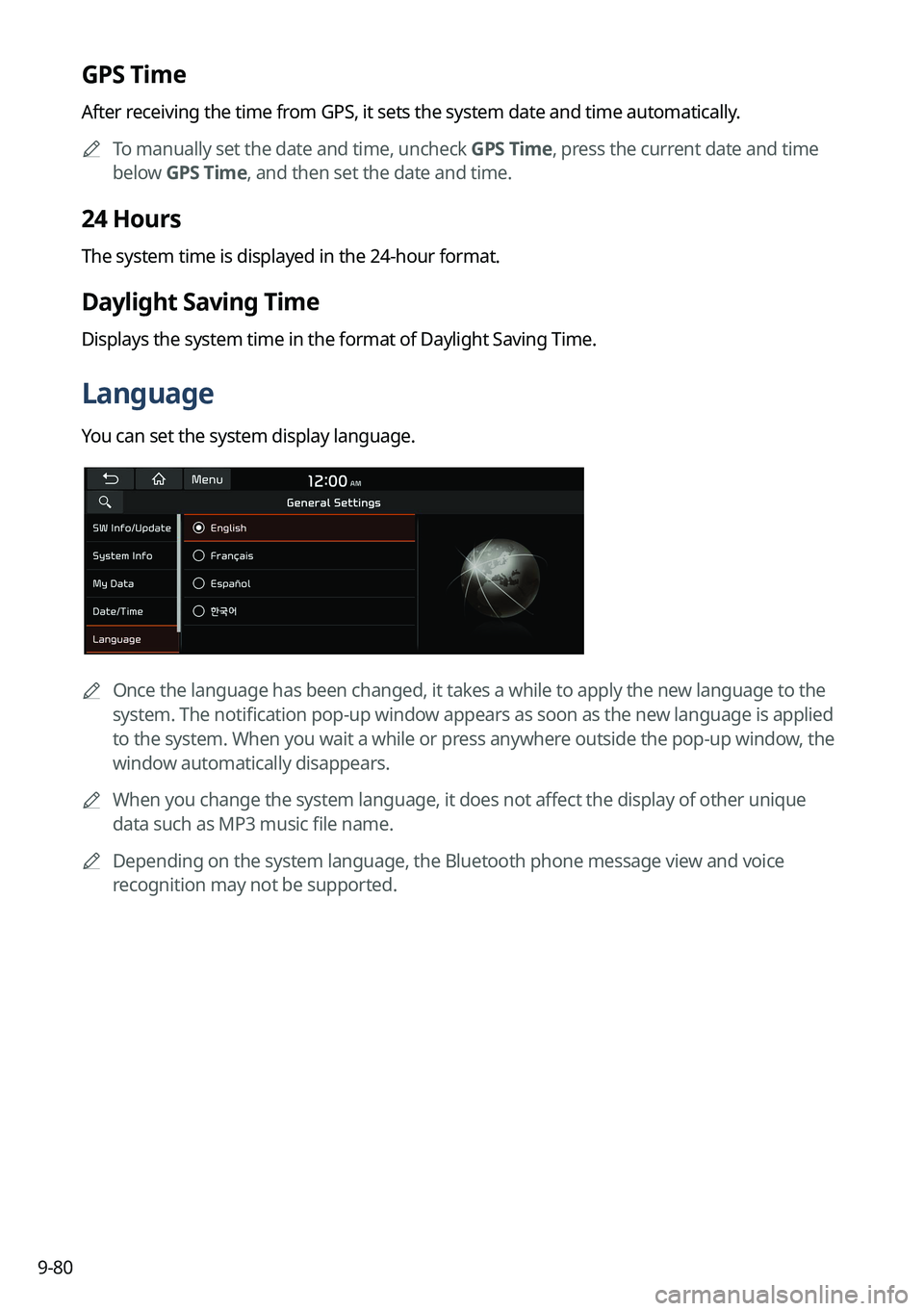
Language
You can set the system display language.
0000
A
Once the language has been changed, it takes a while to apply the new language to the
system. The notification pop-up window appears as soon as the new language is applied
to the system. When you wait a while or press anywhere outside the pop-up window, the
window automatically disappears.
0000
A
When you change the system language, it does not affect the display of other unique
data such as MP3 music file name.
0000
A
Depending on the system language, the Bluetooth phone message view and voice
recognition may not be supported.
Page 269 of 324
9-81
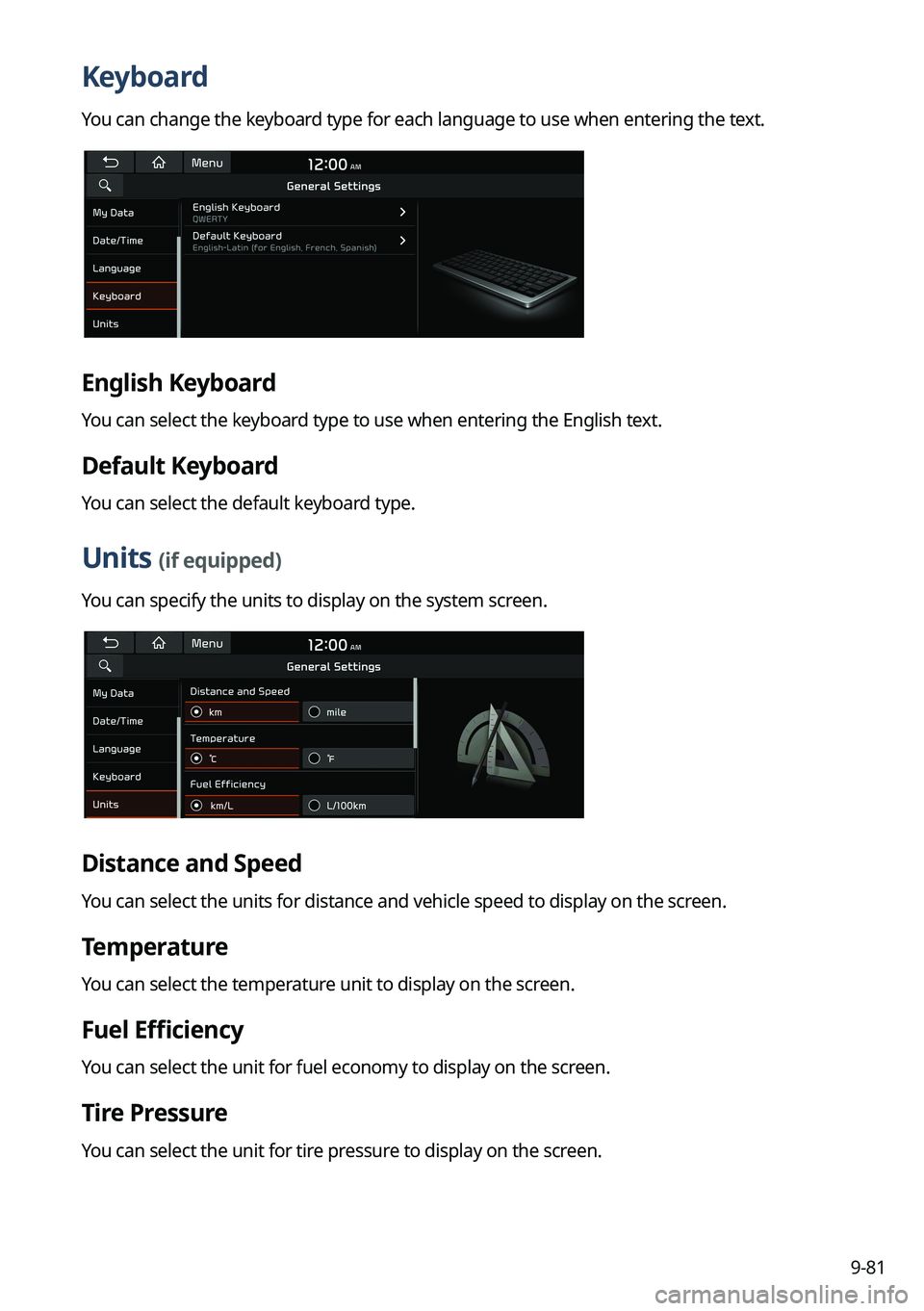
Keyboard
You can change the keyboard type for each language to use when entering the text.
English Keyboard
You can select the keyboard type to use when entering the English text.
Default Keyboard
You can select the default keyboard type.
Units (if equipped)
You can specify the units to display on the system screen.
Distance and Speed
You can select the units for distance and vehicle speed to display on the screen.
Temperature
You can select the temperature unit to display on the screen.
Fuel Efficiency
You can select the unit for fuel economy to display on the screen.
Tire Pressure
You can select the unit for tire pressure to display on the screen.
Page 273 of 324
9-85
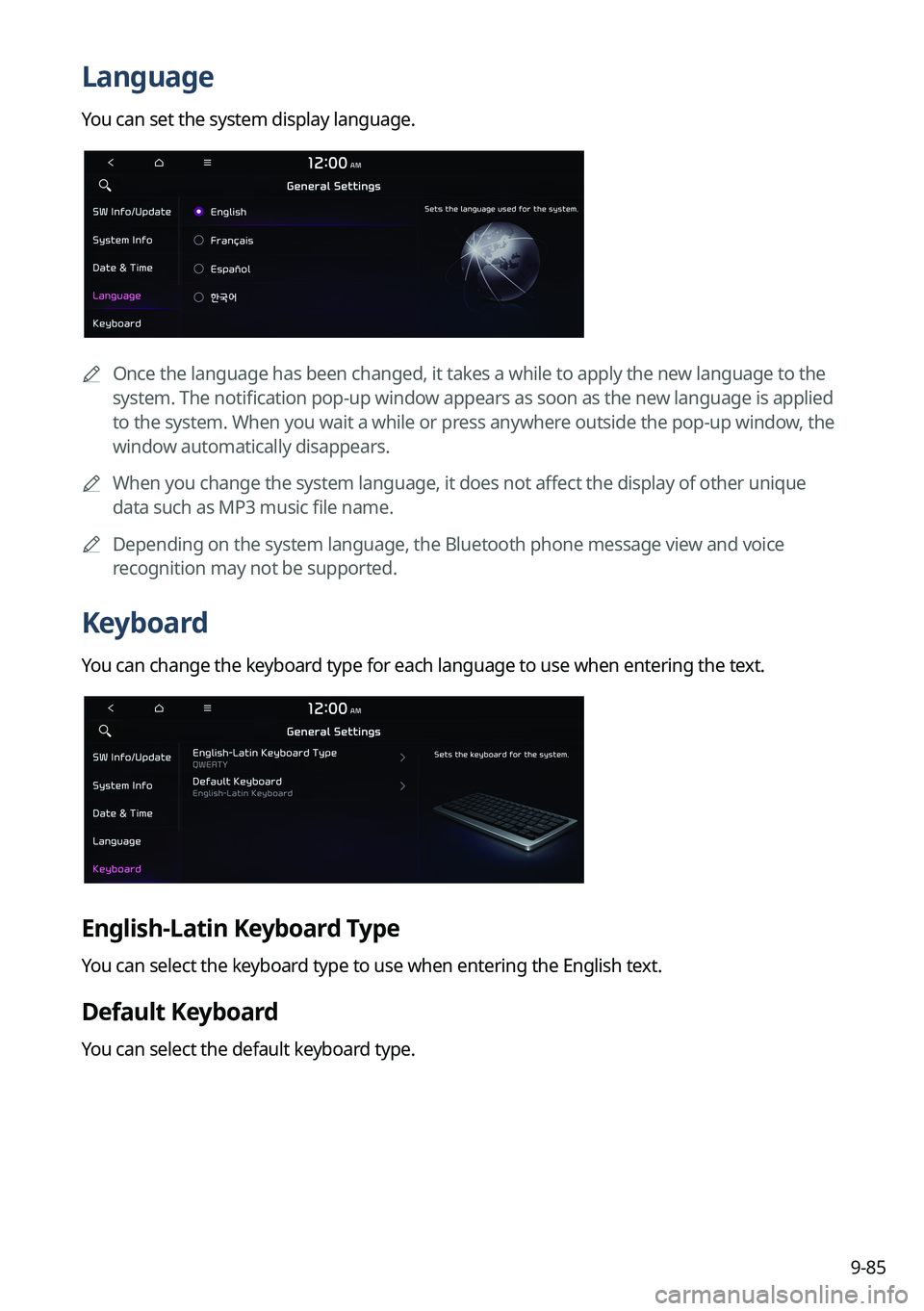
Language
You can set the system display language.
0000
A
Once the language has been changed, it takes a while to apply the new language to the
system. The notification pop-up window appears as soon as the new language is applied
to the system. When you wait a while or press anywhere outside the pop-up window, the
window automatically disappears.
0000
A
When you change the system language, it does not affect the display of other unique
data such as MP3 music file name.
0000
A
Depending on the system language, the Bluetooth phone message view and voice
recognition may not be supported.
Keyboard
You can change the keyboard type for each language to use when entering the text.
English-Latin Keyboard Type
You can select the keyboard type to use when entering the English text.
Default Keyboard
You can select the default keyboard type.