lights KIA Soul 2013 1.G User Guide
[x] Cancel search | Manufacturer: KIA, Model Year: 2013, Model line: Soul, Model: KIA Soul 2013 1.GPages: 393, PDF Size: 8.76 MB
Page 129 of 393
Features of your vehicle
50
4
Warnings and indicators
All warning lights are checked by
turning the ignition switch ON (do not
start the engine). Any light that does
not illuminate should be checked by
an authorized Kia dealer.
After starting the engine, check to
make sure that all warning lights are
off. If any warning lights are still on,
this indicates a situation that needs
attention. When releasing the park-
ing brake, the brake system warning
light should go off. The fuel warning
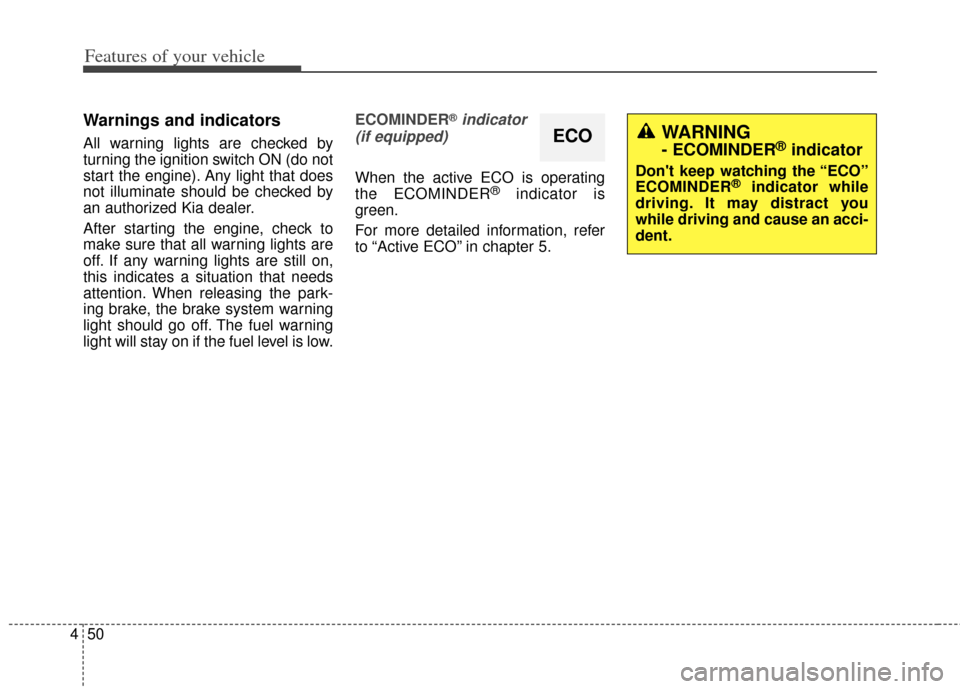
light will stay on if the fuel level is low. ECOMINDER
®indicator
(if equipped)
When the active ECO is operating
the ECOMINDER®indicator is
green.
For more detailed information, refer
to “Active ECO” in chapter 5.
ECOWARNING
- ECOMINDER®indicator
Don't keep watching the “ECO”
ECOMINDER®indicator while
driving. It may distract you
while driving and cause an acci-
dent.
Page 130 of 393
451
Features of your vehicle
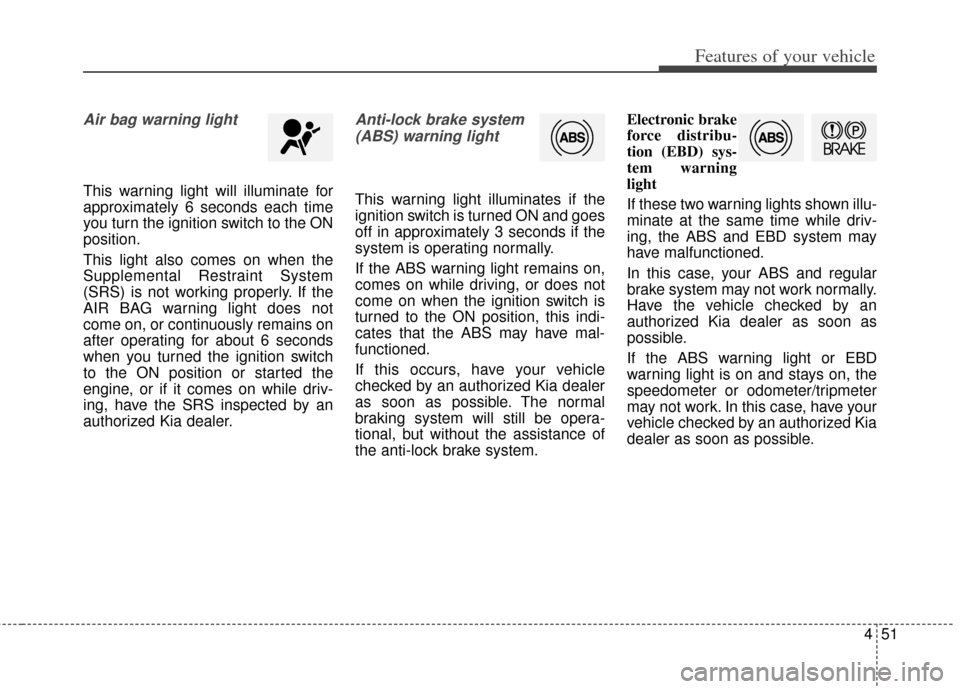
Air bag warning light
This warning light will illuminate for
approximately 6 seconds each time
you turn the ignition switch to the ON
position.
This light also comes on when the
Supplemental Restraint System
(SRS) is not working properly. If the
AIR BAG warning light does not
come on, or continuously remains on
after operating for about 6 seconds
when you turned the ignition switch
to the ON position or started the
engine, or if it comes on while driv-
ing, have the SRS inspected by an
authorized Kia dealer.
Anti-lock brake system(ABS) warning light
This warning light illuminates if the
ignition switch is turned ON and goes
off in approximately 3 seconds if the
system is operating normally.
If the ABS warning light remains on,
comes on while driving, or does not
come on when the ignition switch is
turned to the ON position, this indi-
cates that the ABS may have mal-
functioned.
If this occurs, have your vehicle
checked by an authorized Kia dealer
as soon as possible. The normal
braking system will still be opera-
tional, but without the assistance of
the anti-lock brake system. Electronic brake
force distribu-
tion (EBD) sys-
tem warning
light
If these two warning lights shown illu-
minate at the same time while driv-
ing, the ABS and EBD system may
have malfunctioned.
In this case, your ABS and regular
brake system may not work normally.
Have the vehicle checked by an
authorized Kia dealer as soon as
possible.
If the ABS warning light or EBD
warning light is on and stays on, the
speedometer or odometer/tripmeter
may not work. In this case, have your
vehicle checked by an authorized Kia
dealer as soon as possible.
Page 131 of 393
Features of your vehicle
52
4
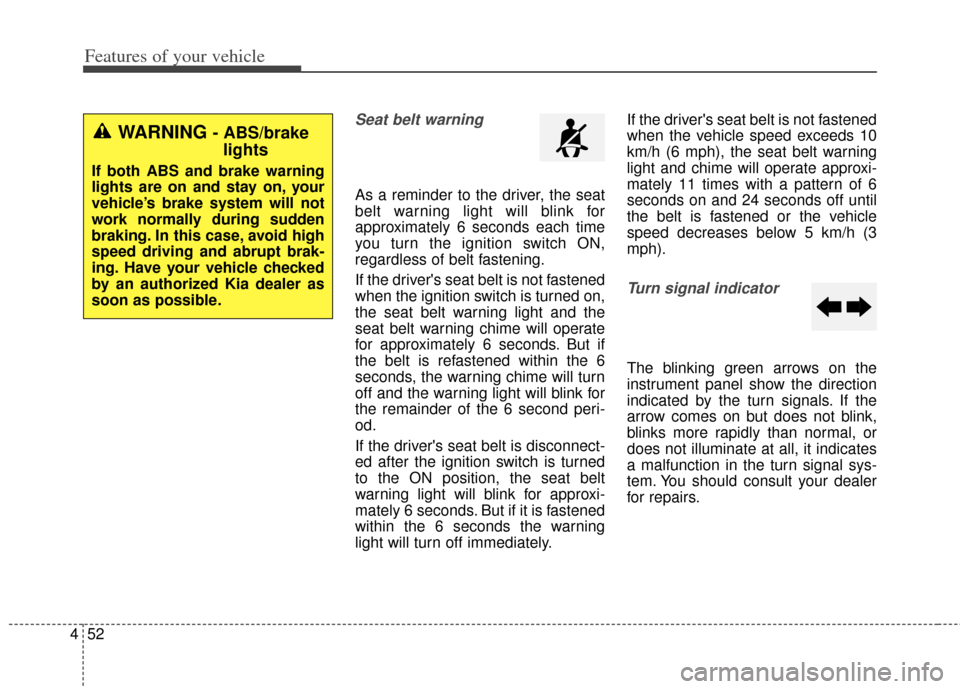
Seat belt warning
As a reminder to the driver, the seat
belt warning light will blink for
approximately 6 seconds each time
you turn the ignition switch ON,
regardless of belt fastening.
If the driver's seat belt is not fastened
when the ignition switch is turned on,
the seat belt warning light and the
seat belt warning chime will operate
for approximately 6 seconds. But if
the belt is refastened within the 6
seconds, the warning chime will turn
off and the warning light will blink for
the remainder of the 6 second peri-
od.
If the driver's seat belt is disconnect-
ed after the ignition switch is turned
to the ON position, the seat belt
warning light will blink for approxi-
mately 6 seconds. But if it is fastened
within the 6 seconds the warning
light will turn off immediately. If the driver's seat belt is not fastened
when the vehicle speed exceeds 10
km/h (6 mph), the seat belt warning
light and chime will operate approxi-
mately 11 times with a pattern of 6
seconds on and 24 seconds off until
the belt is fastened or the vehicle
speed decreases below 5 km/h (3
mph).
Turn signal indicator
The blinking green arrows on the
instrument panel show the direction
indicated by the turn signals. If the
arrow comes on but does not blink,
blinks more rapidly than normal, or
does not illuminate at all, it indicates
a malfunction in the turn signal sys-
tem. You should consult your dealer
for repairs.
WARNING - ABS/brake
lights
If both ABS and brake warning
lights are on and stay on, your
vehicle’s brake system will not
work normally during sudden
braking. In this case, avoid high
speed driving and abrupt brak-
ing. Have your vehicle checked
by an authorized Kia dealer as
soon as possible.
Page 132 of 393
453
Features of your vehicle
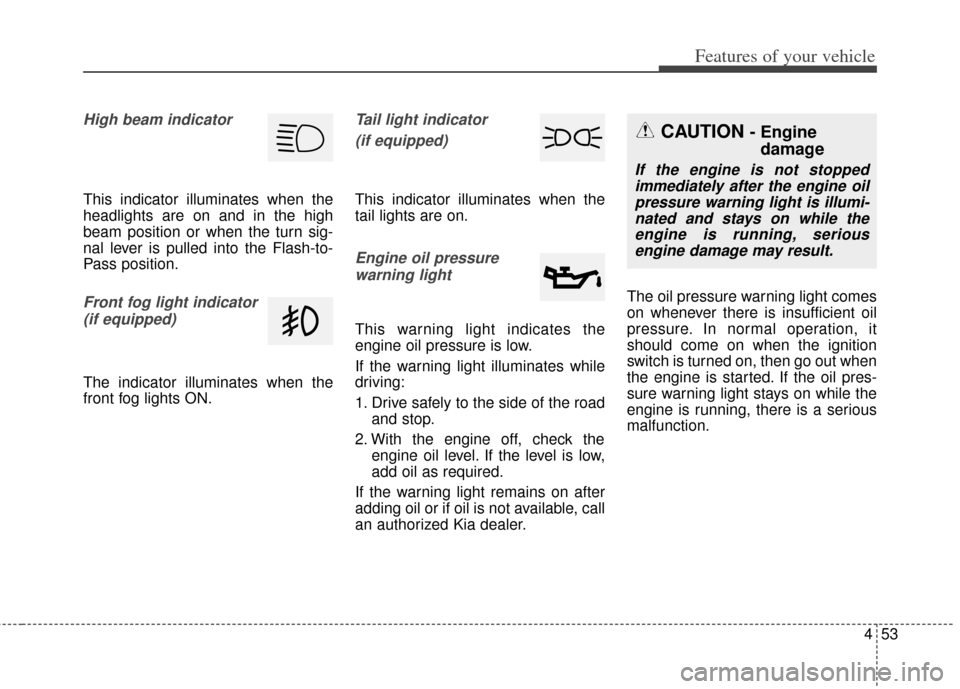
High beam indicator
This indicator illuminates when the
headlights are on and in the high
beam position or when the turn sig-
nal lever is pulled into the Flash-to-
Pass position.
Front fog light indicator (if equipped)
The indicator illuminates when the
front fog lights ON.
Tail light indicator
(if equipped)
This indicator illuminates when the
tail lights are on.
Engine oil pressurewarning light
This warning light indicates the
engine oil pressure is low.
If the warning light illuminates while
driving:
1. Drive safely to the side of the road and stop.
2. With the engine off, check the engine oil level. If the level is low,
add oil as required.
If the warning light remains on after
adding oil or if oil is not available, call
an authorized Kia dealer. The oil pressure warning light comes
on whenever there is insufficient oil
pressure. In normal operation, it
should come on when the ignition
switch is turned on, then go out when
the engine is started. If the oil pres-
sure warning light stays on while the
engine is running, there is a serious
malfunction.
CAUTION - Engine
damage
If the engine is not stopped
immediately after the engine oilpressure warning light is illumi-nated and stays on while theengine is running, seriousengine damage may result.
Page 136 of 393
457
Features of your vehicle
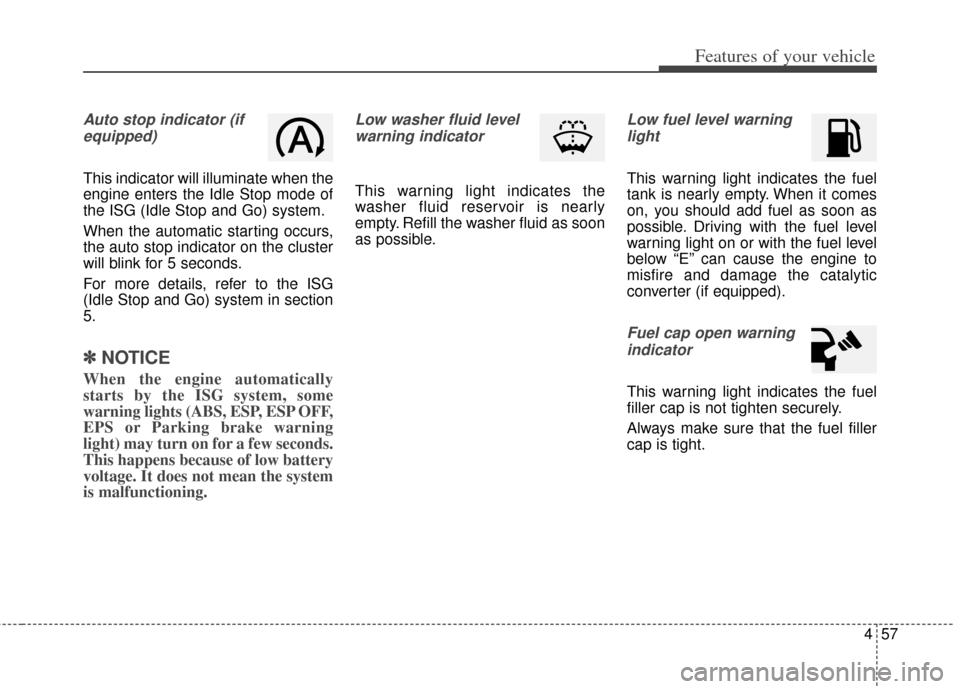
Auto stop indicator (ifequipped)
This indicator will illuminate when the
engine enters the Idle Stop mode of
the ISG (Idle Stop and Go) system.
When the automatic starting occurs,
the auto stop indicator on the cluster
will blink for 5 seconds.
For more details, refer to the ISG
(Idle Stop and Go) system in section
5.
✽ ✽ NOTICE
When the engine automatically
starts by the ISG system, some
warning lights (ABS, ESP, ESP OFF,
EPS or Parking brake warning
light) may turn on for a few seconds.
This happens because of low battery
voltage. It does not mean the system
is malfunctioning.
Low washer fluid level
warning indicator
This warning light indicates the
washer fluid reservoir is nearly
empty. Refill the washer fluid as soon
as possible.
Low fuel level warninglight
This warning light indicates the fuel
tank is nearly empty. When it comes
on, you should add fuel as soon as
possible. Driving with the fuel level
warning light on or with the fuel level
below “E” can cause the engine to
misfire and damage the catalytic
converter (if equipped).
Fuel cap open warningindicator
This warning light indicates the fuel
filler cap is not tighten securely.
Always make sure that the fuel filler
cap is tight.
Page 143 of 393
Features of your vehicle
64
4
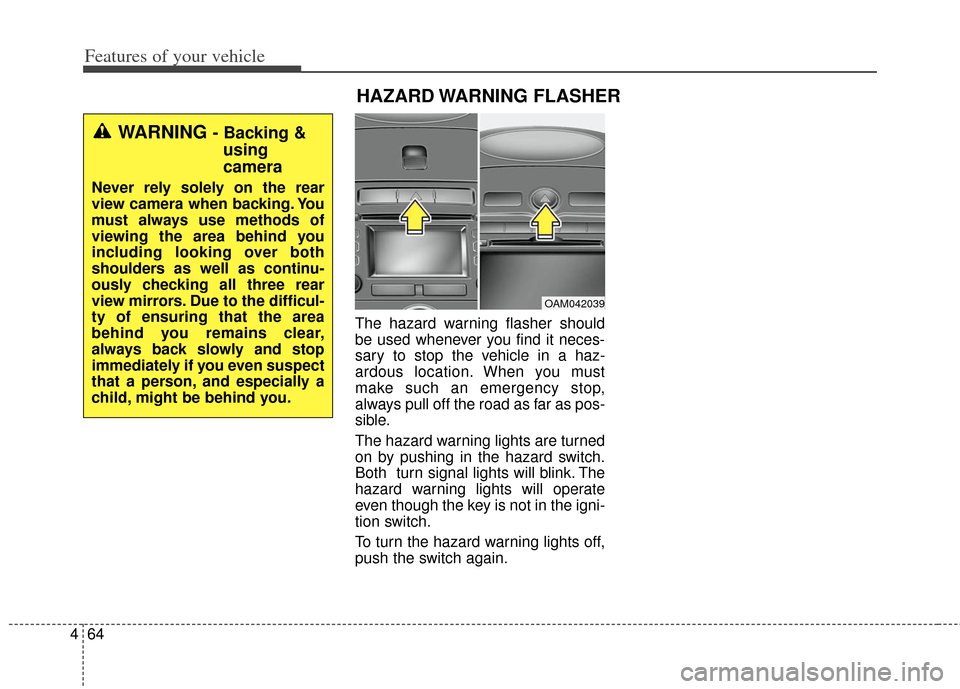
The hazard warning flasher should
be used whenever you find it neces-
sary to stop the vehicle in a haz-
ardous location. When you must
make such an emergency stop,
always pull off the road as far as pos-
sible.
The hazard warning lights are turned
on by pushing in the hazard switch.
Both turn signal lights will blink. The
hazard warning lights will operate
even though the key is not in the igni-
tion switch.
To turn the hazard warning lights off,
push the switch again.
OAM042039
HAZARD WARNING FLASHER
WARNING - Backing &
using
camera
Never rely solely on the rear
view camera when backing. You
must always use methods of
viewing the area behind you
including looking over both
shoulders as well as continu-
ously checking all three rear
view mirrors. Due to the difficul-
ty of ensuring that the area
behind you remains clear,
always back slowly and stop
immediately if you even suspect
that a person, and especially a
child, might be behind you.
Page 144 of 393
465
Features of your vehicle
Headlamp escort (if equipped)
If you turn the ignition switch to the
ACC or OFF position with the head-
lights ON, the headlights remain on
for about 20 minutes. However, if the
driver’s door is opened and closed,
the headlights are turned off after 30
seconds.
The headlights can be turned off by
pressing the lock button on the trans-
mitter (or smart key) twice or turning
the light switch to the OFF or Auto
position. However, if you turn the light
switch to the Auto position when it is
dark outside, the headlights will not
be turned off immediately.
Battery saver function
The purpose of this feature is toprevent the battery from being dis-
charged. The system automatically
turns off the parking lights when
the driver removes the ignition key
and opens the driver-side door (in
that order).
With this feature, the parking lights will turn off automatically if the driv-
er parks on the side of the road at
night.
If necessary, to keep the lights on
when the ignition key is removed,
perform the following:
1) Open the driver-side door.
2) Turn the parking lights OFF and ON again using the light switch
on the steering column.
Daytime running light
Daytime Running Lights (DRL) can
make it easier for others to see the
front of your vehicle during the day.
DRL can be helpful in many different
driving conditions, and it is especial-
ly helpful after dawn and before sun-
set.
The DRL system turns OFF when:
1. The headlight are ON.
2. The parking brake is applied.
3. Engine stops.
4. The turn signal light is ON.
LIGHTING
Page 145 of 393
Features of your vehicle
66
4
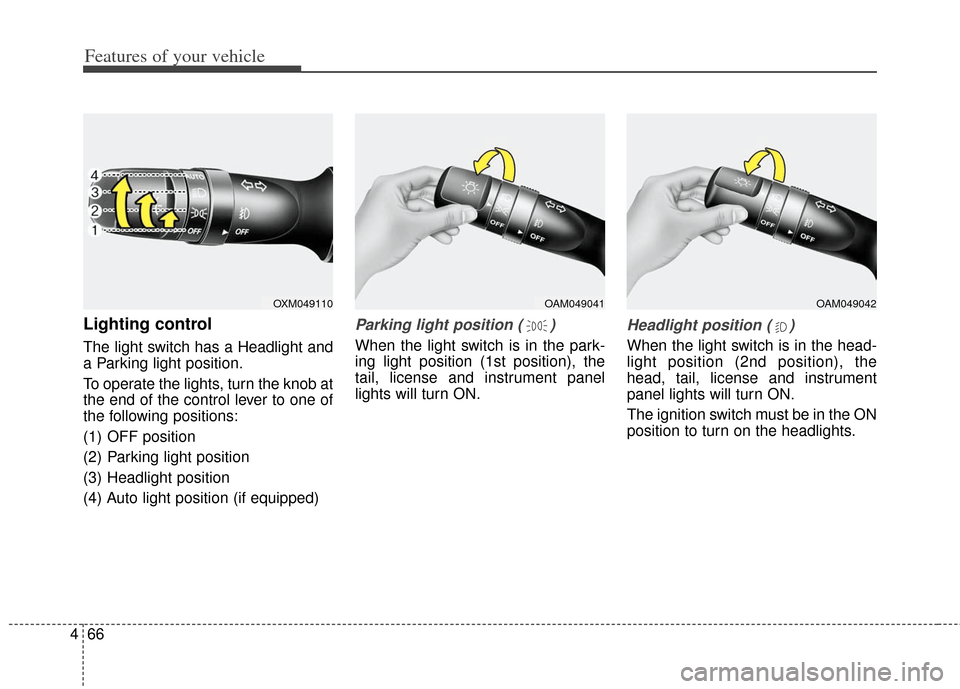
Lighting control
The light switch has a Headlight and
a Parking light position.
To operate the lights, turn the knob at
the end of the control lever to one of
the following positions:
(1) OFF position
(2) Parking light position
(3) Headlight position
(4) Auto light position (if equipped)
Parking light position ( )
When the light switch is in the park-
ing light position (1st position), the
tail, license and instrument panel
lights will turn ON.
Headlight position ( )
When the light switch is in the head-
light position (2nd position), the
head, tail, license and instrument
panel lights will turn ON.
The ignition switch must be in the ON
position to turn on the headlights.
OXM049110OAM049041OAM049042
Page 146 of 393
467
Features of your vehicle
Auto light position (if equipped)
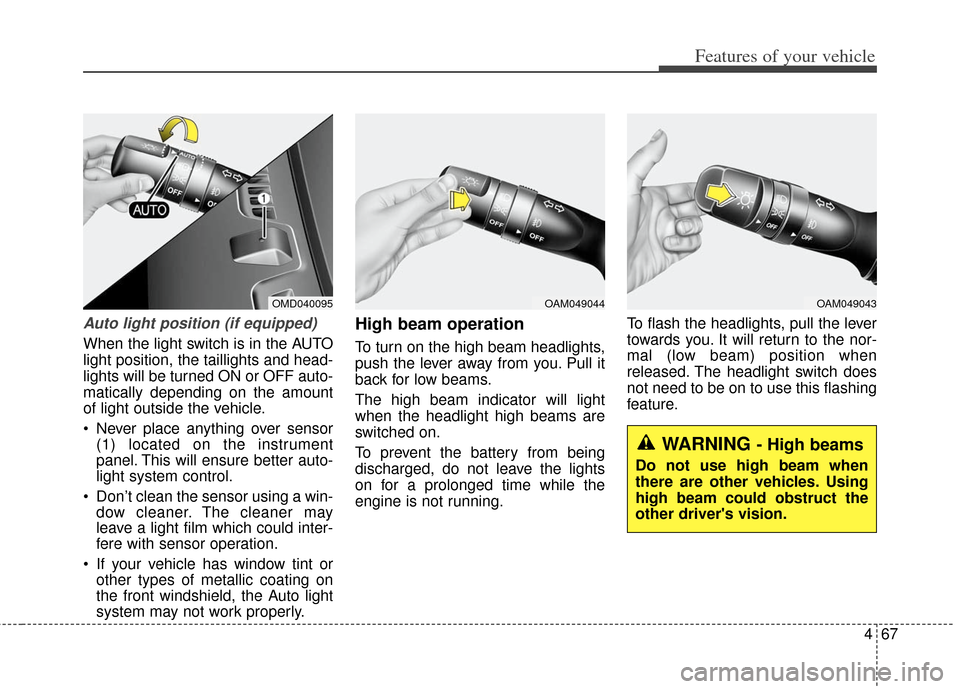
When the light switch is in the AUTO
light position, the taillights and head-
lights will be turned ON or OFF auto-
matically depending on the amount
of light outside the vehicle.
Never place anything over sensor(1) located on the instrument
panel. This will ensure better auto-
light system control.
Don’t clean the sensor using a win- dow cleaner. The cleaner may
leave a light film which could inter-
fere with sensor operation.
If your vehicle has window tint or other types of metallic coating on
the front windshield, the Auto light
system may not work properly.
High beam operation
To turn on the high beam headlights,
push the lever away from you. Pull it
back for low beams.
The high beam indicator will light
when the headlight high beams are
switched on.
To prevent the battery from being
discharged, do not leave the lights
on for a prolonged time while the
engine is not running. To flash the headlights, pull the lever
towards you. It will return to the nor-
mal (low beam) position when
released. The headlight switch does
not need to be on to use this flashing
feature.
OMD040095OAM049044OAM049043
WARNING - High beams
Do not use high beam when
there are other vehicles. Using
high beam could obstruct the
other driver's vision.
Page 147 of 393
Features of your vehicle
68
4
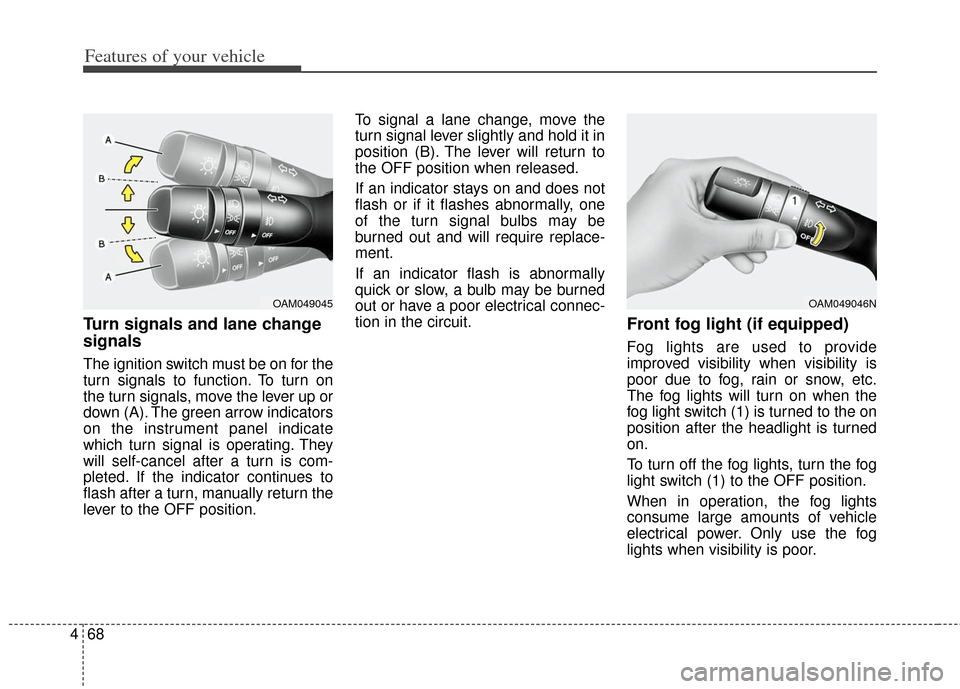
Turn signals and lane change
signals
The ignition switch must be on for the
turn signals to function. To turn on
the turn signals, move the lever up or
down (A). The green arrow indicators
on the instrument panel indicate
which turn signal is operating. They
will self-cancel after a turn is com-
pleted. If the indicator continues to
flash after a turn, manually return the
lever to the OFF position. To signal a lane change, move the
turn signal lever slightly and hold it in
position (B). The lever will return to
the OFF position when released.
If an indicator stays on and does not
flash or if it flashes abnormally, one
of the turn signal bulbs may be
burned out and will require replace-
ment.
If an indicator flash is abnormally
quick or slow, a bulb may be burned
out or have a poor electrical connec-
tion in the circuit.
Front fog light (if equipped)
Fog lights are used to provide
improved visibility when visibility is
poor due to fog, rain or snow, etc.
The fog lights will turn on when the
fog light switch (1) is turned to the on
position after the headlight is turned
on.
To turn off the fog lights, turn the fog
light switch (1) to the OFF position.
When in operation, the fog lights
consume large amounts of vehicle
electrical power. Only use the fog
lights when visibility is poor.
OAM049045OAM049046N