lock KIA Soul 2013 1.G Owner's Guide
[x] Cancel search | Manufacturer: KIA, Model Year: 2013, Model line: Soul, Model: KIA Soul 2013 1.GPages: 393, PDF Size: 8.76 MB
Page 51 of 393
Safety features of your vehicle
28
3
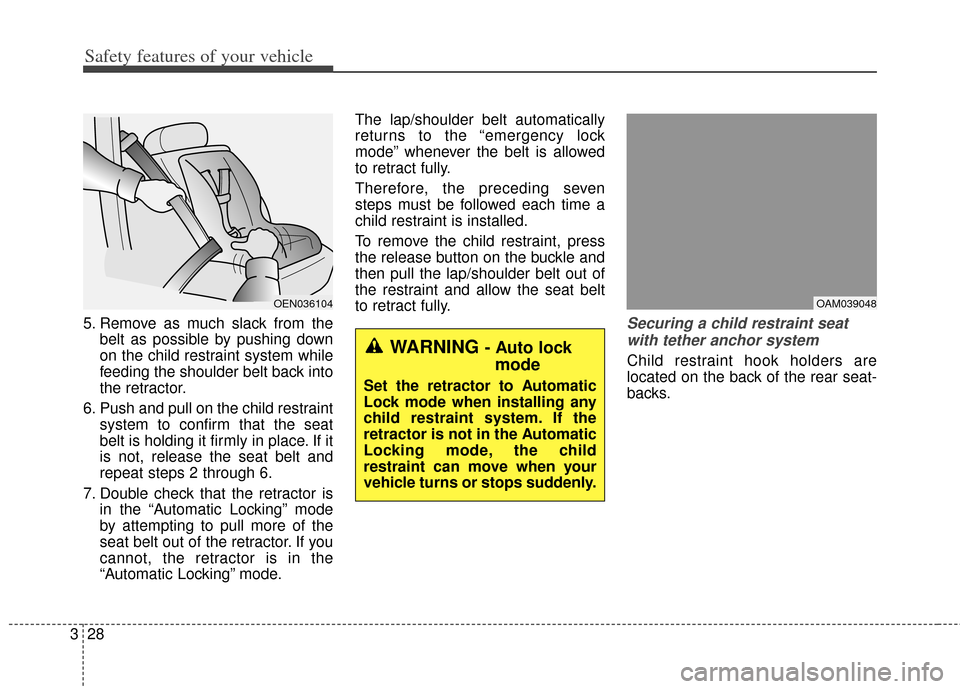
5. Remove as much slack from the
belt as possible by pushing down
on the child restraint system while
feeding the shoulder belt back into
the retractor.
6. Push and pull on the child restraint system to confirm that the seat
belt is holding it firmly in place. If it
is not, release the seat belt and
repeat steps 2 through 6.
7. Double check that the retractor is in the “Automatic Locking” mode
by attempting to pull more of the
seat belt out of the retractor. If you
cannot, the retractor is in the
“Automatic Locking” mode. The lap/shoulder belt automatically
returns to the “emergency lock
mode” whenever the belt is allowed
to retract fully.
Therefore, the preceding seven
steps must be followed each time a
child restraint is installed.
To remove the child restraint, press
the release button on the buckle and
then pull the lap/shoulder belt out of
the restraint and allow the seat belt
to retract fully.Securing a child restraint seat
with tether anchor system
Child restraint hook holders are
located on the back of the rear seat-
backs.
OEN036104OAM039048
WARNING - Auto lock mode
Set the retractor to Automatic
Lock mode when installing any
child restraint system. If the
retractor is not in the Automatic
Locking mode, the child
restraint can move when your
vehicle turns or stops suddenly.
Page 53 of 393
Safety features of your vehicle
30
3
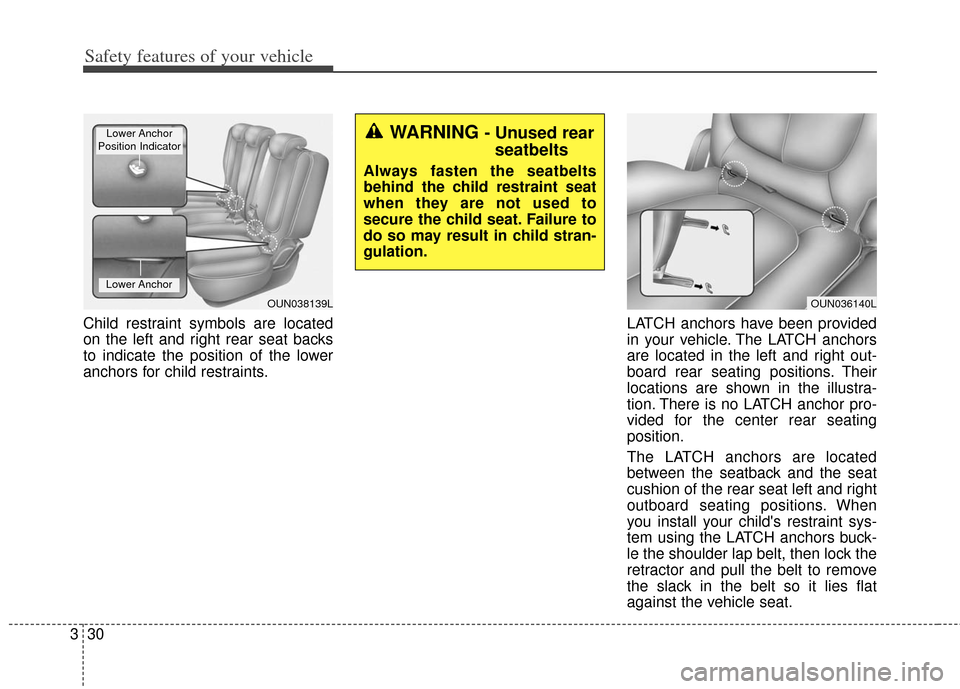
Child restraint symbols are located
on the left and right rear seat backs
to indicate the position of the lower
anchors for child restraints. LATCH anchors have been provided
in your vehicle. The LATCH anchors
are located in the left and right out-
board rear seating positions. Their
locations are shown in the illustra-
tion. There is no LATCH anchor pro-
vided for the center rear seating
position.
The LATCH anchors are located
between the seatback and the seat
cushion of the rear seat left and right
outboard seating positions. When
you install your child's restraint sys-
tem using the LATCH anchors buck-
le the shoulder lap belt, then lock the
retractor and pull the belt to remove
the slack in the belt so it lies flat
against the vehicle seat.
OUN038139L
Lower Anchor
Lower Anchor
Position Indicator
OUN036140L
WARNING - Unused rear seatbelts
Always fasten the seatbelts
behind the child restraint seat
when they are not used to
secure the child seat. Failure to
do so may result in child stran-
gulation.
Page 61 of 393
Safety features of your vehicle
38
3
✽
✽
NOTICE
Before you replace a fuse or discon-
nect a battery terminal, turn the
ignition switch to the LOCK posi-
tion and remove the ignition switch.
Never remove or replace the air bag
related fuse(s) when the ignition
switch is in the ON position. Failure
to heed this warning will cause the
SRS air bag warning light to illumi-
nate.
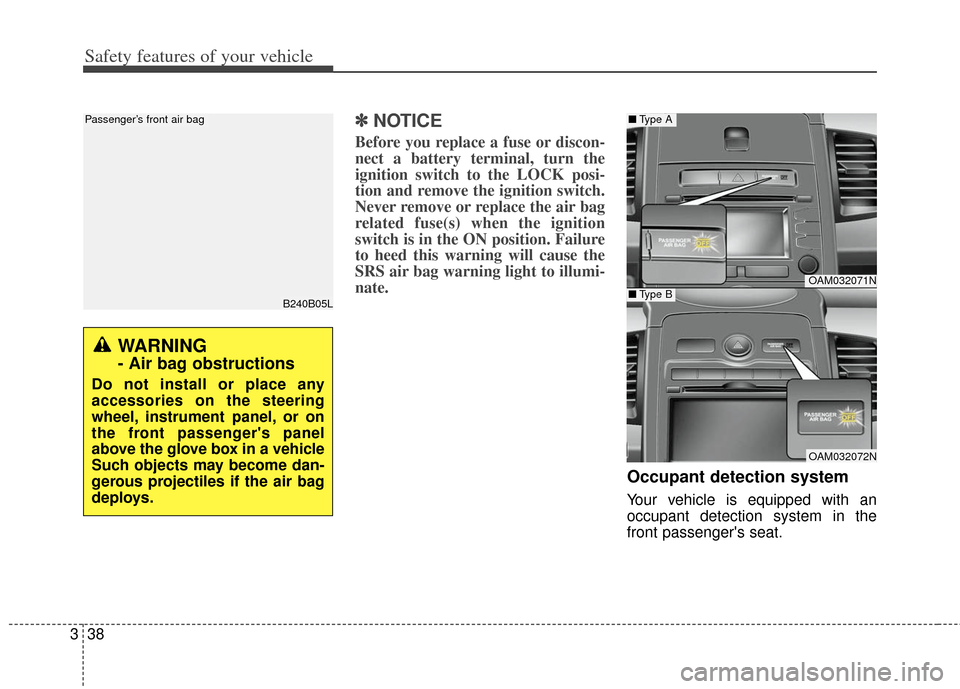
Occupant detection system
Your vehicle is equipped with an
occupant detection system in the
front passenger's seat.
B240B05L
Passenger’s front air bag
OAM032071N
OAM032072N
■ Type A
■Type B
WARNING
- Air bag obstructions
Do not install or place any
accessories on the steering
wheel, instrument panel, or on
the front passenger's panel
above the glove box in a vehicle
Such objects may become dan-
gerous projectiles if the air bag
deploys.
Page 66 of 393
343
Safety features of your vehicle
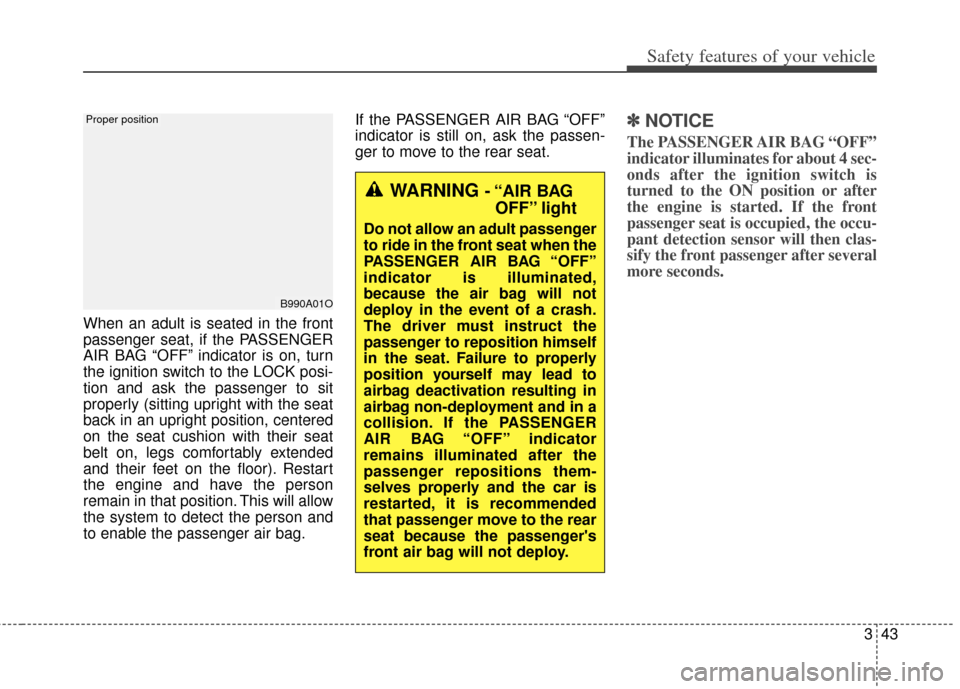
When an adult is seated in the front
passenger seat, if the PASSENGER
AIR BAG “OFF” indicator is on, turn
the ignition switch to the LOCK posi-
tion and ask the passenger to sit
properly (sitting upright with the seat
back in an upright position, centered
on the seat cushion with their seat
belt on, legs comfortably extended
and their feet on the floor). Restart
the engine and have the person
remain in that position. This will allow
the system to detect the person and
to enable the passenger air bag.If the PASSENGER AIR BAG “OFF”
indicator is still on, ask the passen-
ger to move to the rear seat.
✽ ✽
NOTICE
The PASSENGER AIR BAG “OFF”
indicator illuminates for about 4 sec-
onds after the ignition switch is
turned to the ON position or after
the engine is started. If the front
passenger seat is occupied, the occu-
pant detection sensor will then clas-
sify the front passenger after several
more seconds.
B990A01O
Proper position
WARNING - “AIR BAG
OFF” light
Do not allow an adult passenger
to ride in the front seat when the
PASSENGER AIR BAG “OFF”
indicator is illuminated,
because the air bag will not
deploy in the event of a crash.
The driver must instruct the
passenger to reposition himself
in the seat. Failure to properly
position yourself may lead to
airbag deactivation resulting in
airbag non-deployment and in a
collision. If the PASSENGER
AIR BAG “OFF” indicator
remains illuminated after the
passenger repositions them-
selves properly and the car is
restarted, it is recommended
that passenger move to the rear
seat because the passenger's
front air bag will not deploy.
Page 80 of 393
4
Keys / 4-2
Remote keyless entry / 4-6
Smart key / 4-9
Door locks / 4-16
Tailgate / 4-20
Windows / 4-22
Hood / 4-25
Fuel filler door / 4-27
Sunroof / 4-30
Steering wheel / 4-34
Mirrors / 4-36
Instrument cluster / 4-40
Rearview camera / 4-63
Hazard warning flasher / 4-64
Lighting / 4-65
Wipers and washers / 4-69
Interior light / 4-72
Defroster / 4-75
Manual climate control system / 4-76
Automatic climate control system / 4-85
Windshield defrosting and defogging / 4-94
Storage compartment / 4-98
Interior features / 4-100
Exterior feature / 4-107
Audio system / 4-109
Features of your vehicle
Page 81 of 393
Features of your vehicle
24
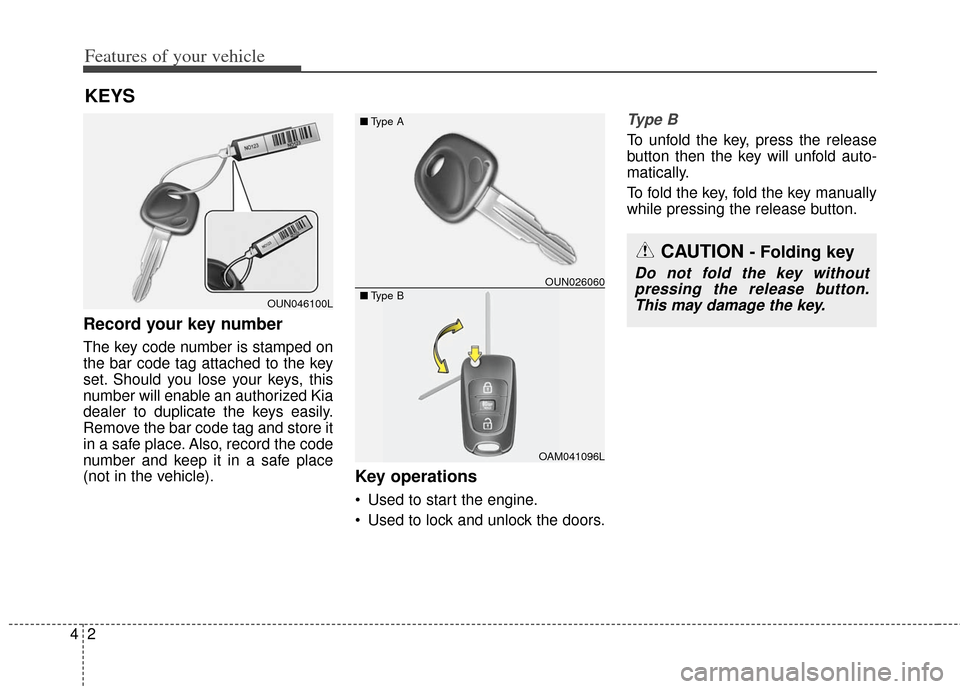
Record your key number
The key code number is stamped on
the bar code tag attached to the key
set. Should you lose your keys, this
number will enable an authorized Kia
dealer to duplicate the keys easily.
Remove the bar code tag and store it
in a safe place. Also, record the code
number and keep it in a safe place
(not in the vehicle).
Key operations
• Used to start the engine.
Used to lock and unlock the doors.
Ty p e B
To unfold the key, press the release
button then the key will unfold auto-
matically.
To fold the key, fold the key manually
while pressing the release button.
KEYS
OUN046100L
OUN026060
OAM041096L
■
Type A
■ Type B
CAUTION - Folding key
Do not fold the key without
pressing the release button.This may damage the key.
Page 85 of 393
Features of your vehicle
64
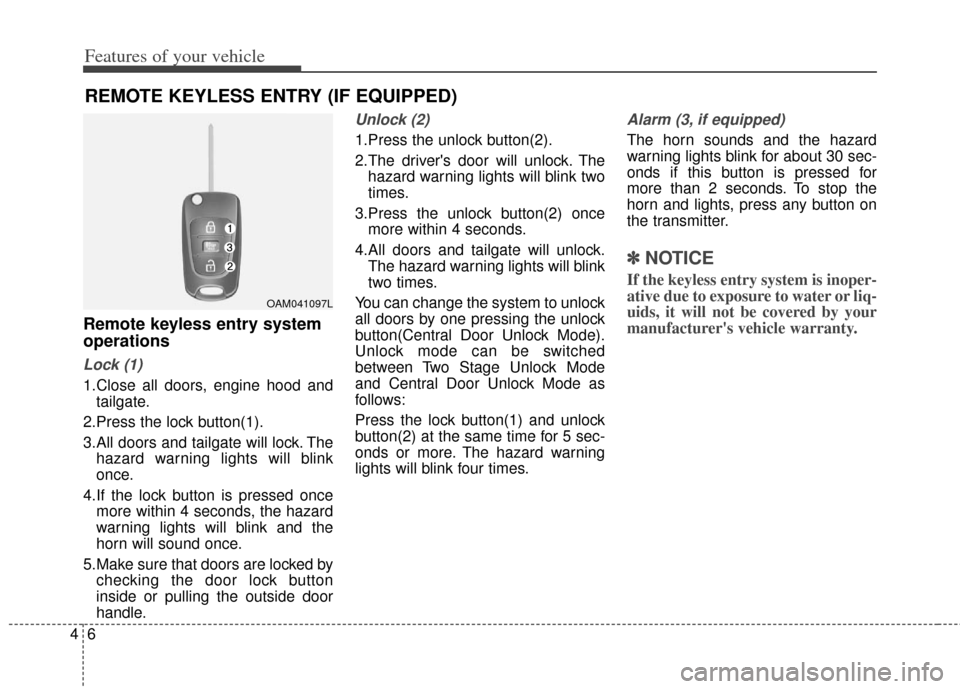
Remote keyless entry system
operations
Lock (1)
1.Close all doors, engine hood andtailgate.
2.Press the lock button(1).
3.All doors and tailgate will lock. The hazard warning lights will blink
once.
4.If the lock button is pressed once more within 4 seconds, the hazard
warning lights will blink and the
horn will sound once.
5.Make sure that doors are locked by checking the door lock button
inside or pulling the outside door
handle.
Unlock (2)
1.Press the unlock button(2).
2.The driver's door will unlock. Thehazard warning lights will blink two
times.
3.Press the unlock button(2) once more within 4 seconds.
4.All doors and tailgate will unlock. The hazard warning lights will blink
two times.
You can change the system to unlock
all doors by one pressing the unlock
button(Central Door Unlock Mode).
Unlock mode can be switched
between Two Stage Unlock Mode
and Central Door Unlock Mode as
follows:
Press the lock button(1) and unlock
button(2) at the same time for 5 sec-
onds or more. The hazard warning
lights will blink four times.
Alarm (3, if equipped)
The horn sounds and the hazard
warning lights blink for about 30 sec-
onds if this button is pressed for
more than 2 seconds. To stop the
horn and lights, press any button on
the transmitter.
✽ ✽ NOTICE
If the keyless entry system is inoper-
ative due to exposure to water or liq-
uids, it will not be covered by your
manufacturer's vehicle warranty.
REMOTE KEYLESS ENTRY (IF EQUIPPED)
OAM041097L
Page 86 of 393
47
Features of your vehicle
Transmitter precautions
The transmitter will not work if any of
the following occurs:
The ignition key is in the ignitionswitch.
You exceed the operating distance limit (about 30 m [90 feet]).
The battery in the transmitter is weak.
Other vehicles or objects may be blocking the signal.
The weather is extremely cold.
The transmitter is close to a radio transmitter such as a radio station
or an airport which can interfere
with normal operation of the trans-
mitter.
When the transmitter does not work
properly, open and close the door
with the ignition key. If you have a
problem with the transmitter, contact
an authorized Kia dealer. This device complies with
Industry Canada Standard RSS-
210.
Operation is subject to the following
two conditions:
1. This device may not cause harm-
ful interference, and
2. This device must accept any inter- ference received, including inter-
ference that may cause undesired
operation.
✽ ✽NOTICE
Changes or modifications not
expressly approved by the party
responsible for compliance could
void the user’s authority to operate
the equipment. If the keyless entry
system is inoperative due to changes
or modifications not expressly
approved by the party responsible
for compliance, it will not be cov-
ered by your manufacturer’s vehicle
warranty.
Battery replacement
A transmitter uses a 3 volt lithium
battery which will normally last for
several years. When replacement is
necessary, use the following proce-
dure.
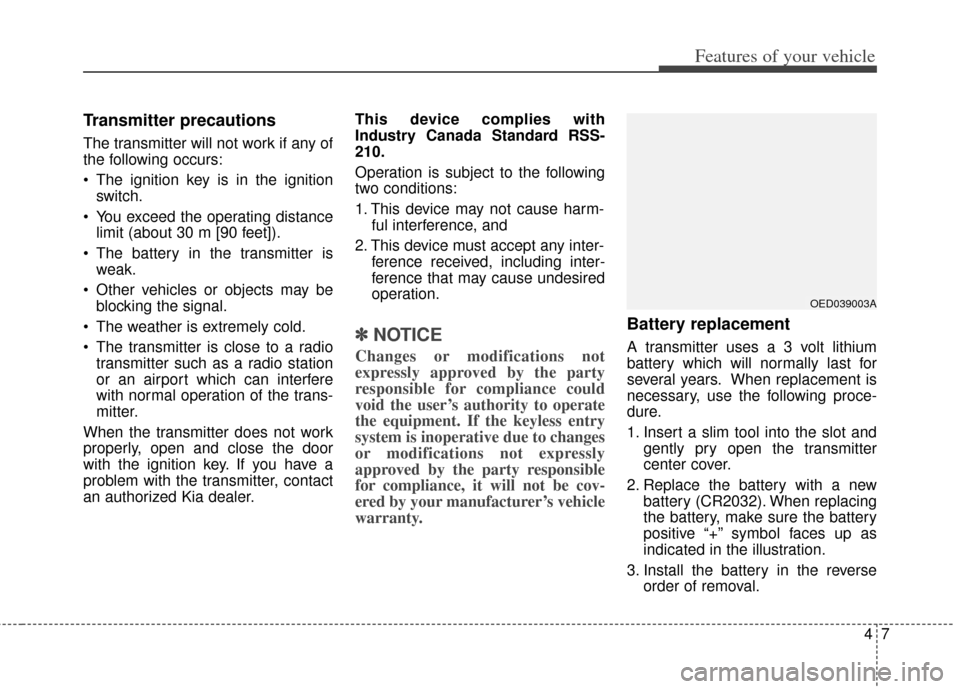
1. Insert a slim tool into the slot and
gently pry open the transmitter
center cover.
2. Replace the battery with a new battery (CR2032). When replacing
the battery, make sure the battery
positive “+” symbol faces up as
indicated in the illustration.
3. Install the battery in the reverse order of removal.
OED039003A
Page 88 of 393
49
Features of your vehicle
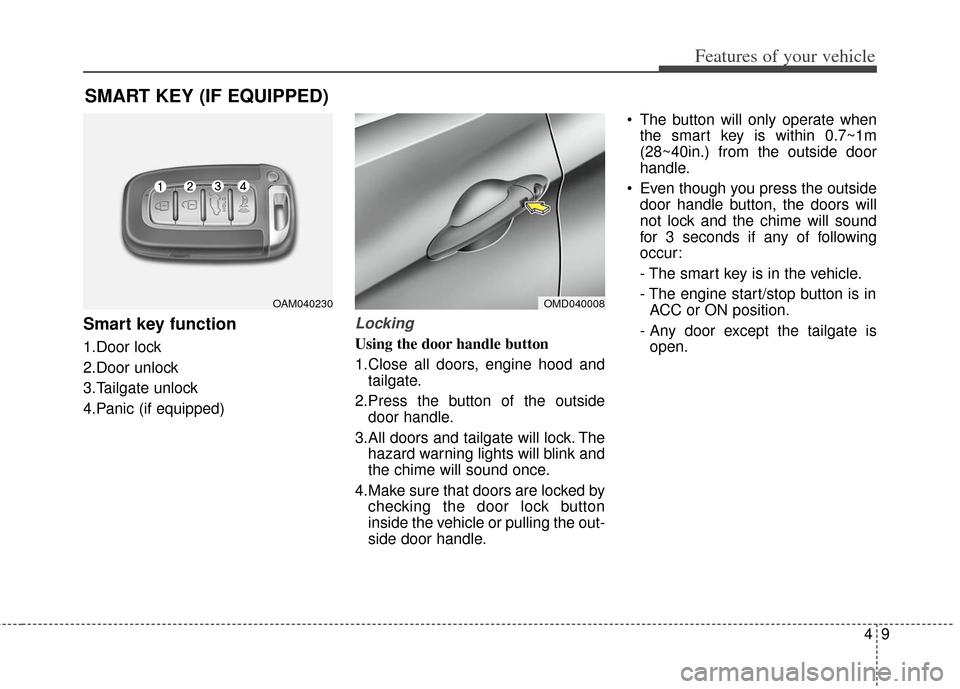
Smart key function
1.Door lock
2.Door unlock
3.Tailgate unlock
4.Panic (if equipped)
Locking
Using the door handle button
1.Close all doors, engine hood andtailgate.
2.Press the button of the outside door handle.
3.All doors and tailgate will lock. The hazard warning lights will blink and
the chime will sound once.
4.Make sure that doors are locked by checking the door lock button
inside the vehicle or pulling the out-
side door handle. The button will only operate when
the smart key is within 0.7~1m
(28~40in.) from the outside door
handle.
Even though you press the outside door handle button, the doors will
not lock and the chime will sound
for 3 seconds if any of following
occur:
- The smart key is in the vehicle.
- The engine start/stop button is inACC or ON position.
- Any door except the tailgate is open.
SMART KEY (IF EQUIPPED)
OMD040008OAM040230
Page 89 of 393
Features of your vehicle
10
4
Using the button on the smart key
1 Close all doors, engine hood and
tailgate.
2.Press the lock button(1).
3.All doors and tailgate will lock. The hazard warning lights will blink and
the chime will sound once.
4.Make sure that doors are locked by checking the door lock button
inside or pulling the outside door
handle.Unlocking
Using the door handle
1.Press the button of the driver's out-side door handle.
2.The driver’s door will unlock. The hazard warning lights will blink and
the chime will sound two times.
3.Press the button once more within 4 seconds.
4.All doors and tailgate will unlock and the hazard warning lights will
blink and the chime will sound two
times.
❈ If you press the button of the front
passenger’s outside door handle
while carrying the smart key, all
doors will unlock. When the smart key is recognized
in the area of 0.7~1m (28~40in.)
from the front outside door handle,
other people can also open the
doors.
After unlocking the driver’s door or all doors, the door(s) will lock auto-
matically unless the door is
opened.