Button A KIA Soul 2014 2.G Owners Manual
[x] Cancel search | Manufacturer: KIA, Model Year: 2014, Model line: Soul, Model: KIA Soul 2014 2.GPages: 500, PDF Size: 13.89 MB
Page 267 of 500
4181
Features of your vehicle
Pairing Key / Key
on the Steering Remote
Controller
When No Devices have beenPaired
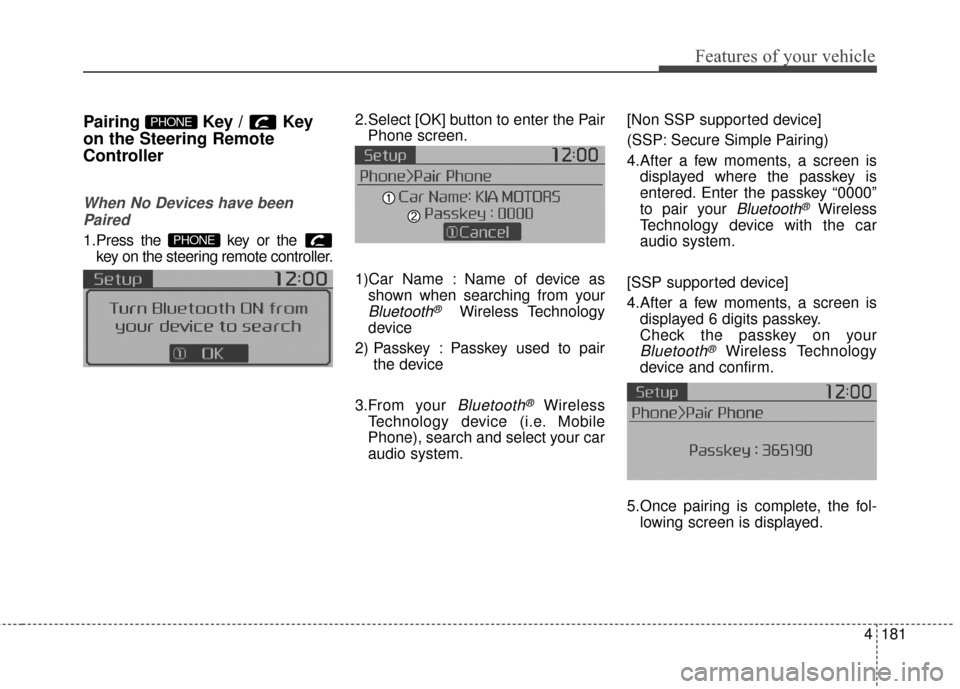
1.Press the key or the key on the steering remote controller.
The following screen is displayed. 2.Select [OK] button to enter the Pair
Phone screen.
1)Car Name : Name of device as shown when searching from your
Bluetooth®Wireless Technology
device
2) Passkey : Passkey used to pair the device
3.From your
Bluetooth®Wireless
Technology device (i.e. Mobile
Phone), search and select your car
audio system. [Non SSP supported device]
(SSP: Secure Simple Pairing)
4.After a few moments, a screen is
displayed where the passkey is
entered. Enter the passkey “0000”
to pair your
Bluetooth®Wireless
Technology device with the car
audio system.
[SSP supported device]
4.After a few moments, a screen is displayed 6 digits passkey.
Check the passkey on your
Bluetooth®Wireless Technology
device and confirm.
5.Once pairing is complete, the fol- lowing screen is displayed.
PHONE
PHONE
Page 268 of 500
Features of your vehicle
182
4
During the pairing process, make sure
that all connection requests on the
phone are accepted for phonebook
download and to allow acceptance of
all future connection requests. " and
"Visit http://www.kia.com/us/#/blue-
tooth for additional information on
pairing your Bluetooth-enabled
mobile phone, and to view a phone
compatibility list.
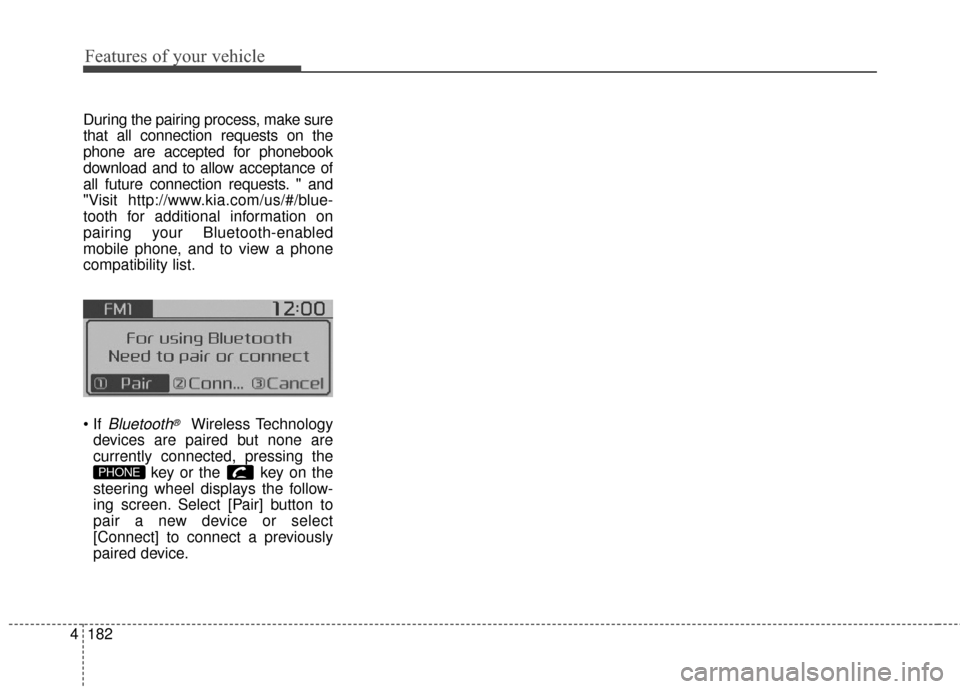
Bluetooth®Wireless Technology
devices are paired but none are
currently connected, pressing the key or the key on the
steering wheel displays the follow-
ing screen. Select [Pair] button to
pair a new device or select
[Connect] to connect a previously
paired device.
PHONE
Page 271 of 500
4185
Features of your vehicle
Changing Priority
What is Priority?
It is possible to pair up to five
Bluetooth®Wireless Technology
devices with the car audio system.
The "Change Priority" feature is used
to set the connection priority of
paired phones.
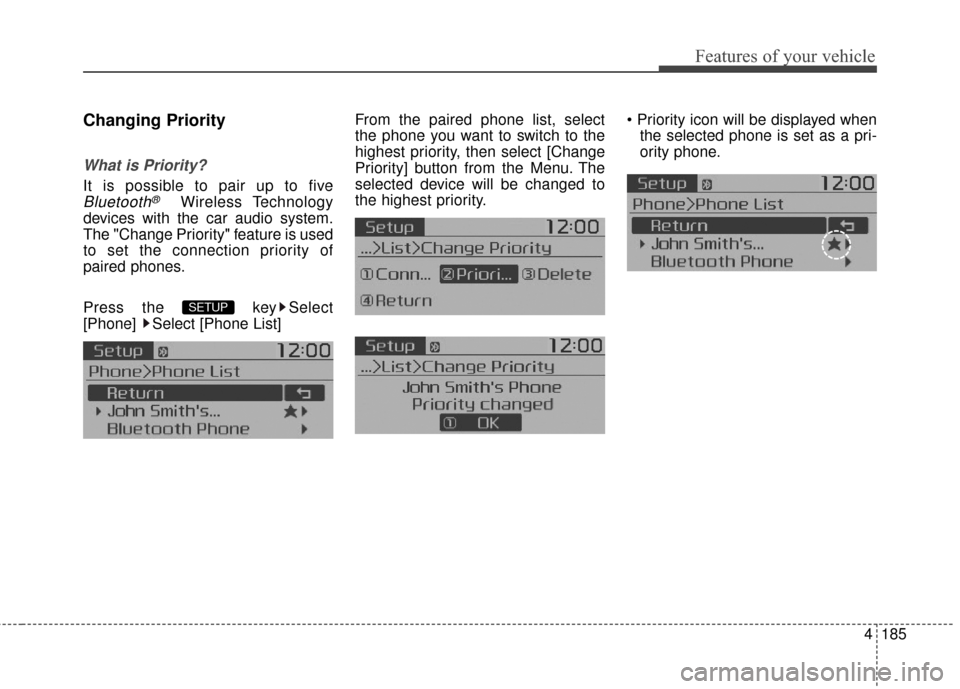
Press the key Select
[Phone] Select [Phone List] From the paired phone list, select
the phone you want to switch to the
highest priority
, then select [Change
Priority] button from the Menu. The
selected device will be changed to
the highest priority.
the selected phone is set as a pri-
ority phone.
SETUP
Page 272 of 500
![KIA Soul 2014 2.G Owners Manual Features of your vehicle
186
4
Disconnecting a Device
Press the key Select
[Phone] Select [Phone List]
From the paired phone list, select the
currently connected device and
select [Disconnect] button](/img/2/2958/w960_2958-271.png "KIA Soul 2014 2.G Owners Manual Features of your vehicle
186
4
Disconnecting a Device
Press the key Select
[Phone] Select [Phone List]
From the paired phone list, select the
currently connected device and
select [Disconnect] button")
Features of your vehicle
186
4
Disconnecting a Device
Press the key Select
[Phone] Select [Phone List]
From the paired phone list, select the
currently connected device and
select [Disconnect] button.
Deleting a Device
Press the key Select
[Phone] Select [Phone List]
From the paired phone list, select the
device you want to delete and select
[Delete] button. When deleting the currently con-
nected device, the device will auto-
matically be disconnected to pro-
ceed with the deleting process.
If a paired
Bluetooth®Wireless
Technology device is deleted, the
device’s call history and contacts
data will also be deleted.
To re-use a deleted device, you must pair the device again.
SETUPSETUP
Page 288 of 500
Driving your vehicle
Before driving . . . . . . . . . . . . . . . . . . . . . . . . . . . . . . 5-4
• Before entering vehicle . . . . . . . . . . . . . . . . . . . . . . . . . 5-4
. . . . . . . . . . . . . . . . . . . . . . . . . . 5-4
. . . . . . . . . . . . . . . . . . . . . . . . . . . . . . . 5-5
Key positions . . . . . . . . . . . . . . . . . . . . . . . . . . . . . . . 5-7
. . . . . . . . . . . . . . . . . . . . . 5-7
. . . . . . . . . . . . . . . . . . . . . . . . . 5-7
. . . . . . . . . . . . . . . . . . . . . . . . . . . . 5-9
Engine start/stop button . . . . . . . . . . . . . . . . . . . . 5-10
. . . . . . . . . . . . . 5-10
. . . . . . . . . . . . 5-13
Manual transaxle . . . . . . . . . . . . . . . . . . . . . . . . . . 5-15
. . . . . . . . . . . . . . . . . . . . 5-15
. . . . . . . . . . . . . . . . . . . . . . . . 5-17
Automatic transaxle . . . . . . . . . . . . . . . . . . . . . . . . 5-19
. . . . . . . . . . . . . . . . . . 5-19
. . . . . . . . . . . . . . . . . . . . . . . . 5-24
Brake system . . . . . . . . . . . . . . . . . . . . . . . . . . . . . . 5-26
. . . . . . . . . . . . . . . . . . . . . . . . . . . . . . . . 5-26
. . . . . . . . . . . . . . . . . . 5-30
. . . . . . . . . . . . . . . 5-32
. . . . . . . . . . . . 5-36 . . . . . . . . . . . . . . . . . . 5-37
Cruise control system. . . . . . . . . . . . . . . . . . . . . . . 5-40
. . . . . . . . . . . . . . . . . . . . . . . . . 5-41
. . . . . . . . . . . . . . . . . . . . . 5-41
. . . . . . . . . . . . . . . . . . 5-42
control on . . . . . . . . . . . . . . . . . . . . . . . . . . . . . . . . . . 5-43\
do one of the following . . . 5-43
approximately 20 mph (30 km/h) . . . . . . . . . . . . . . 5-44
do one of the following . . . 5-44
Active ECO system. . . . . . . . . . . . . . . . . . . . . . . . . 5-45
. . . . . . . . . . . . . . . . . . . . . . . . . 5-45
. . . . . . . . . . . . . . . . . . 5-45
. . . . . . . . . . . . . 5-45
ISG (Idle Stop and Go) system . . . . . . . . . . . . . . . 5-46
. . . . . . . . . . . . . . . . . . . . . . . . . . . . . . . . . . . 5-\
46
. . . . . . . . . . . . . . . . . . . . . . . . . . . . . . . . . . . 5-\
47
. . . . . . . . . . . . . . 5-48
. . . . . . . . . . . . . . . . . . . . . . . 5-49
. . . . . . . . . . . . . . . . . . . . . . . 5-50
5
Page 297 of 500
Driving your vehicle
10
5
Illuminated ENGINE
START/STOP button
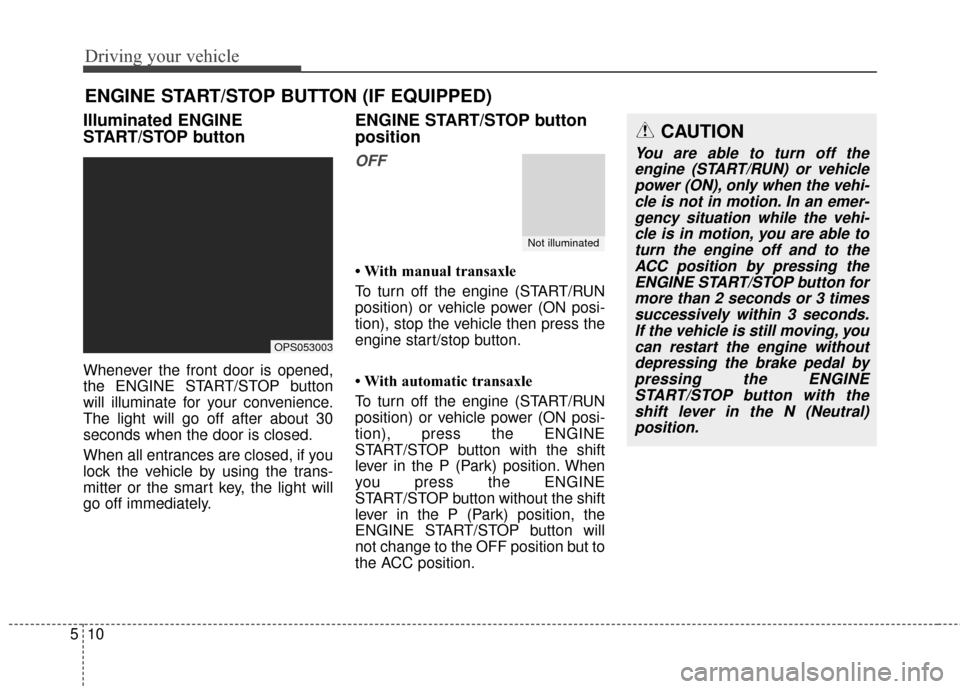
Whenever the front door is opened,
the ENGINE START/STOP button
will illuminate for your convenience.
The light will go off after about 30
seconds when the door is closed.
When all entrances are closed, if you
lock the vehicle by using the trans-
mitter or the smart key, the light will
go off immediately.
ENGINE START/STOP button
position
OFF
• With manual transaxle
To turn off the engine (START/RUN
position) or vehicle power (ON posi-
tion), stop the vehicle then press the
engine start/stop button.
• With automatic transaxle
To turn off the engine (START/RUN
position) or vehicle power (ON posi-
tion), press the ENGINE
START/STOP button with the shift
lever in the P (Park) position. When
you press the ENGINE
START/STOP button without the shift
lever in the P (Park) position, the
ENGINE START/STOP button will
not change to the OFF position but to
the ACC position.
ENGINE START/STOP BUTTON (IF EQUIPPED)
OPS053003
CAUTION
You are able to turn off the
engine (START/RUN) or vehiclepower (ON), only when the vehi-cle is not in motion. In an emer-gency situation while the vehi-cle is in motion, you are able toturn the engine off and to theACC position by pressing theENGINE START/STOP button formore than 2 seconds or 3 timessuccessively within 3 seconds.If the vehicle is still moving, youcan restart the engine withoutdepressing the brake pedal bypressing the ENGINESTART/STOP button with theshift lever in the N (Neutral)position.
Not illuminated
Page 298 of 500
511
Driving your vehicle
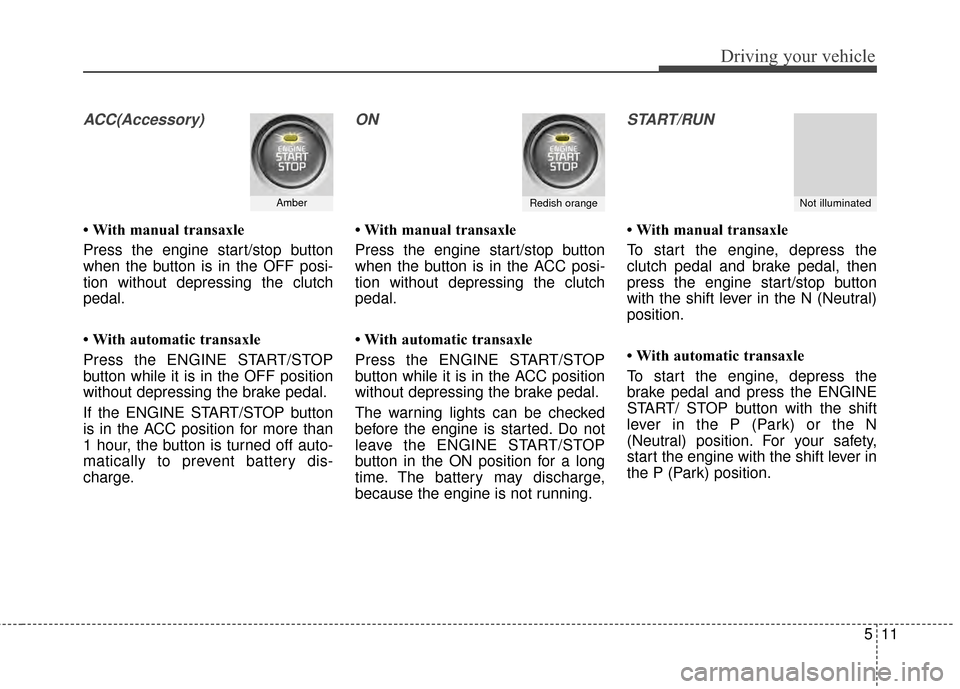
ACC(Accessory)
• With manual transaxle
Press the engine start/stop button
when the button is in the OFF posi-
tion without depressing the clutch
pedal.
• With automatic transaxle
Press the ENGINE START/STOP
button while it is in the OFF position
without depressing the brake pedal.
If the ENGINE START/STOP button
is in the ACC position for more than
1 hour, the button is turned off auto-
matically to prevent battery dis-
charge.
ON
• With manual transaxle
Press the engine start/stop button
when the button is in the ACC posi-
tion without depressing the clutch
pedal.
• With automatic transaxle
Press the ENGINE START/STOP
button while it is in the ACC position
without depressing the brake pedal.
The warning lights can be checked
before the engine is started. Do not
leave the ENGINE START/STOP
button in the ON position for a long
time. The battery may discharge,
because the engine is not running.
START/RUN
• With manual transaxle
To start the engine, depress the
clutch pedal and brake pedal, then
press the engine start/stop button
with the shift lever in the N (Neutral)
position.
• With automatic transaxle
To start the engine, depress the
brake pedal and press the ENGINE
START/ STOP button with the shift
lever in the P (Park) or the N
(Neutral) position. For your safety,
start the engine with the shift lever in
the P (Park) position.
AmberRedish orangeNot illuminated
Page 299 of 500
Driving your vehicle
12
5
✽
✽
NOTICE
If you press the ENGINE
START/STOP button without
depressing the clutch pedal for man-
ual transaxle vehicles or without
depressing the brake pedal for auto-
matic transaxle vehicles, the engine
will not start and the ENGINE
START/STOP button changes as fol-
low:
OFF ➔ ➔
ACC ➔
➔
ON ➔
➔
OFF or ACC
✽
✽
NOTICE
If you leave the ENGINE START/
STOP button in the ACC or ON
position for a long time, the battery
will discharge.
WARNING
Never press the ENGINE
START/STOP button while the
vehicle is in motion except in
an emergency. If the engine
stops while the vehicle is in
motion, this would result in
loss of directional control and
braking function, which could
cause an accident.
Before leaving the driver's seat, always make sure the
shift lever is engaged in P
(Park), set the parking brake
fully and shut the engine off.
Unexpected and sudden vehi-
cle movement may occur if
these precautions are not
taken.
(Continued)
(Continued)
Never reach for the ENGINESTART/STOP button or any
other controls through the
steering wheel while the vehi-
cle is in motion. The presence
of your hand or arm in the
area could cause loss of vehi-
cle control, an accident and
serious bodily injury or death.
Do not place any movable objects around the driver's
seat as they may move while
driving, interfere with the driv-
er and lead to an accident.
Page 300 of 500
513
Driving your vehicle
Starting the engine with a
smart key (if equipped)
1.Carry the smart key or leave itinside the vehicle.
2.Make sure the parking brake is firmly applied
3. Manual Transaxle - Depress the
clutch pedal fully and shift the
transaxle into Neutral. Keep the
clutch pedal and brake pedal
depressed while starting the engine.
Automatic transaxle - Place the
transaxle shift lever in P (Park).
Depress the brake pedal fully.
You can also start the engine when the shift lever is in the N (Neutral)position.
4.Press the ENGINE START/STOP button while depressing the brake
pedal.
It should be started withoutdepressing the accelerator.
5.Do not wait for the engine to warm up while the vehicle remains sta-
tionary.
Start driving at moderate engine
speeds. (Steep accelerating and
decelerating should be avoided.) Even if the smart key is in the vehi-
cle, if it is far away from you, the
engine may not start.
When the ENGINE START/STOP button is in the ACC position or
above, if any door is opened, the
system checks for the smart key. If
the smart key is not in the vehicle,
a message "key is not in the vehi-
cle" will appear on the LCD display.
And if all doors are closed, the
chime will sound for 5 seconds.
The indicator or warning will turn
off while the vehicle is moving.
Always have the smart key with
you.
WARNING
The engine will start, only when
the smart key is in the vehicle.
Never allow children or any per-
son who is unfamiliar with the
vehicle to touch the ENGINE
START/STOP button or related
parts.
CAUTION
If the engine stalls while thevehicle is in motion, do notattempt to move the shift leverto the P (Park) position. If thetraffic and road conditions per-mit, you may put the shift leverin the N (Neutral) position whilethe vehicle is still moving andpress the ENGINE START/STOPbutton in an attempt to restartthe engine.
Page 301 of 500
Driving your vehicle
14
5
✽
✽
NOTICE
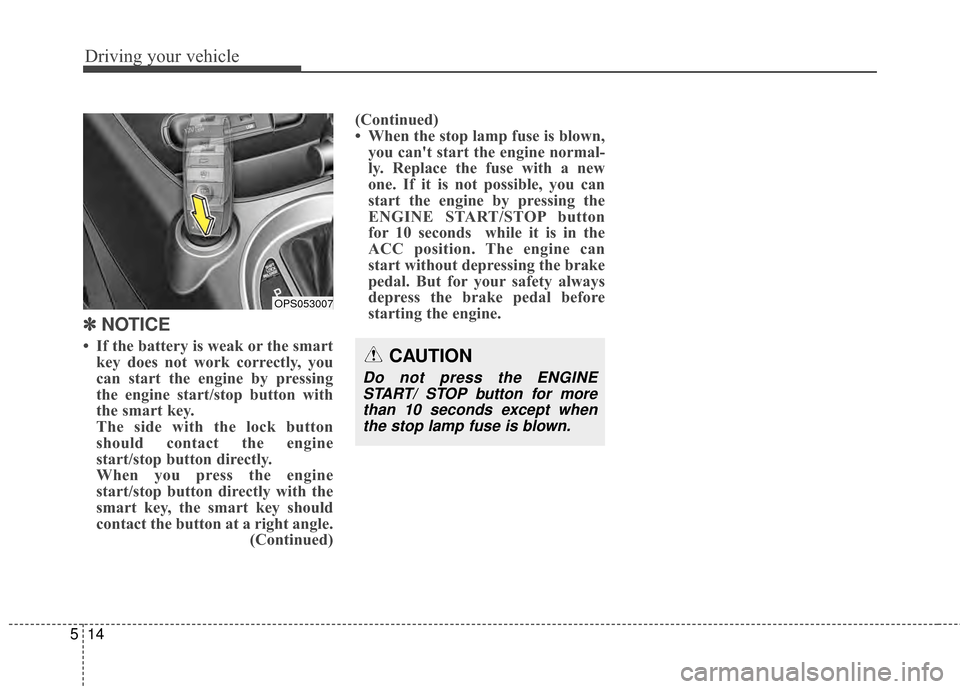
• If the battery is weak or the smart
key does not work correctly, you
can start the engine by pressing
the engine start/stop button with
the smart key.
The side with the lock button
should contact the engine
start/stop button directly.
When you press the engine
start/stop button directly with the
smart key, the smart key should
contact the button at a right angle. (Continued)(Continued)
• When the stop lamp fuse is blown,
you can't start the engine normal-
ly. Replace the fuse with a new
one. If it is not possible, you can
start the engine by pressing the
ENGINE START/STOP button
for 10 seconds while it is in the
ACC position. The engine can
start without depressing the brake
pedal. But for your safety always
depress the brake pedal before
starting the engine.CAUTION
Do not press the ENGINE
START/ STOP button for morethan 10 seconds except whenthe stop lamp fuse is blown.
OPS053007