Button A KIA Soul 2014 2.G Repair Manual
[x] Cancel search | Manufacturer: KIA, Model Year: 2014, Model line: Soul, Model: KIA Soul 2014 2.GPages: 500, PDF Size: 13.89 MB
Page 184 of 500
Features of your vehicle
98
4
ROOM (2) :
- The map lamp and room lampstays on at all times.
- To turn off the ROOM mode, press the ROOM button (2) once
again (not pressed.)
DOOR (3) : - The map lamp and room lampcomes on when a door is opened.
The lamps go out after approxi-
mately 30 seconds.
- The map lamp and room lamp comes on for approximately 30
seconds when doors are unlocked
with a transmitter or smart key as
long as the doors are not opened.
- The map lamp and room lamp will stay on for approximately 20 min-
utes if a door is opened with the
ignition switch in the ACC or
LOCK/OFF position.
- The map lamp and room lamp will stay on continuously if the door is
opened with the ignition switch in
the ON position. - The map lamp and room lamp will
go out immediately if the ignition
switch is changed to the ON posi-
tion or all doors are locked.
- To turn off the DOOR mode, press the DOOR button (3) once
again (not pressed).
✽ ✽ NOTICE
• When the lamp is turned on by
pressing the lens (1), the lamp does
not turn off even if the DOOR
mode or ROOM mode is not
selected (not pressed).
• If the ROOM button and DOOR button are pressed at the same
time, the map lamp and room
lamp will stay on at all times
(ROOM mode will be selected).
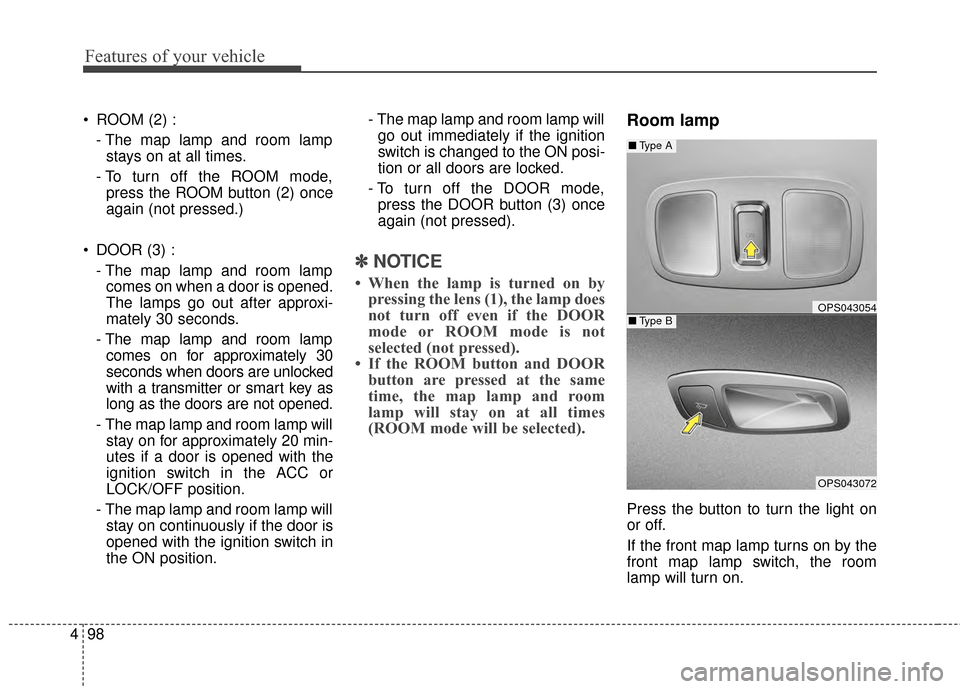
Room lamp
Press the button to turn the light on
or off.
If the front map lamp turns on by the
front map lamp switch, the room
lamp will turn on.
OPS043054
OPS043072
■ Type B
■Type A
Page 185 of 500
499
Features of your vehicle
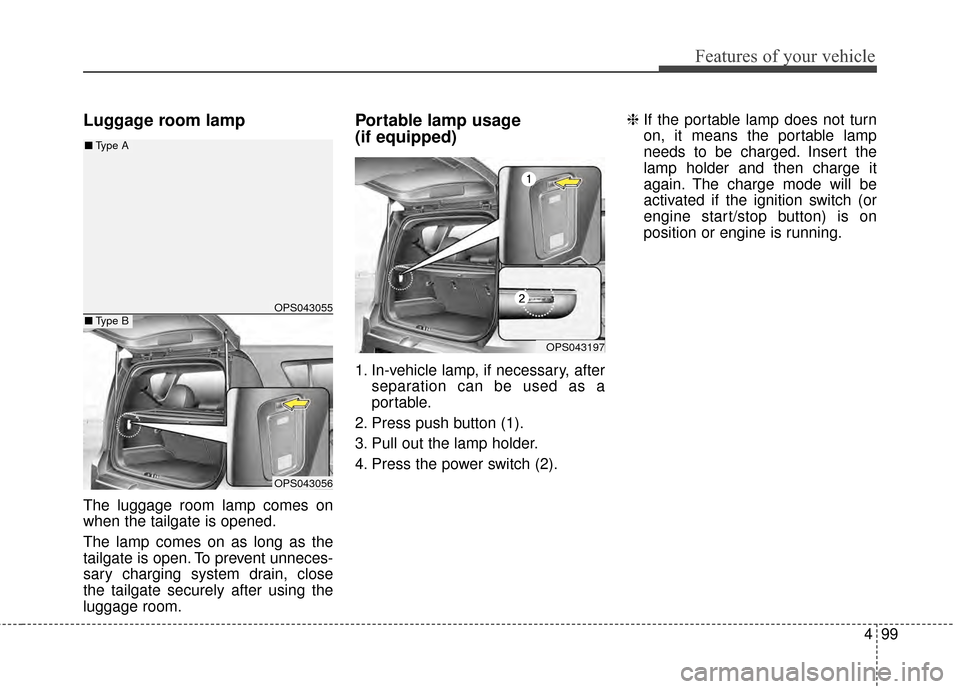
Luggage room lamp
The luggage room lamp comes on
when the tailgate is opened.
The lamp comes on as long as the
tailgate is open. To prevent unneces-
sary charging system drain, close
the tailgate securely after using the
luggage room.
Portable lamp usage
(if equipped)
1. In-vehicle lamp, if necessary, afterseparation can be used as a
portable.
2. Press push button (1).
3. Pull out the lamp holder.
4. Press the power switch (2). ❈
If the portable lamp does not turn
on, it means the portable lamp
needs to be charged. Insert the
lamp holder and then charge it
again. The charge mode will be
activated if the ignition switch (or
engine start/stop button) is on
position or engine is running.
OPS043055
OPS043056
■Type B
■Type A
OPS043197
Page 187 of 500
4101
Features of your vehicle
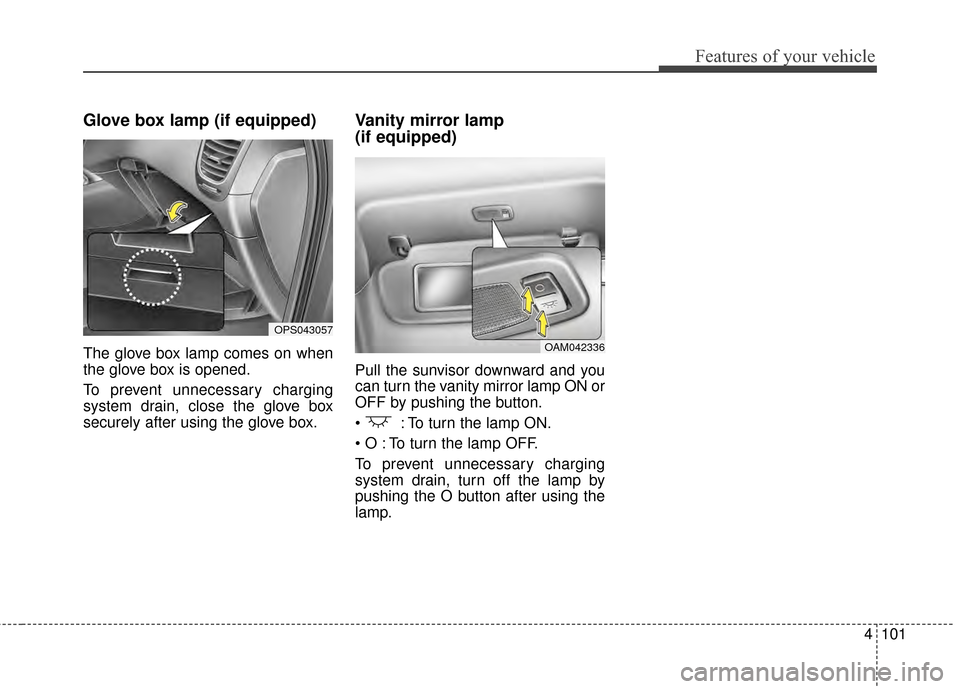
Glove box lamp (if equipped)
The glove box lamp comes on when
the glove box is opened.
To prevent unnecessary charging
system drain, close the glove box
securely after using the glove box.
Vanity mirror lamp
(if equipped)
Pull the sunvisor downward and you
can turn the vanity mirror lamp ON or
OFF by pushing the button.
: To turn the lamp ON.
To turn the lamp OFF.
To prevent unnecessary charging
system drain, turn off the lamp by
pushing the O button after using the
lamp.
OPS043057
OAM042336
Page 188 of 500
Features of your vehicle
102
4
If you want to defrost and defog the
front windshield, refer to “Windshield
defrosting and defogging” in this sec-
tion.
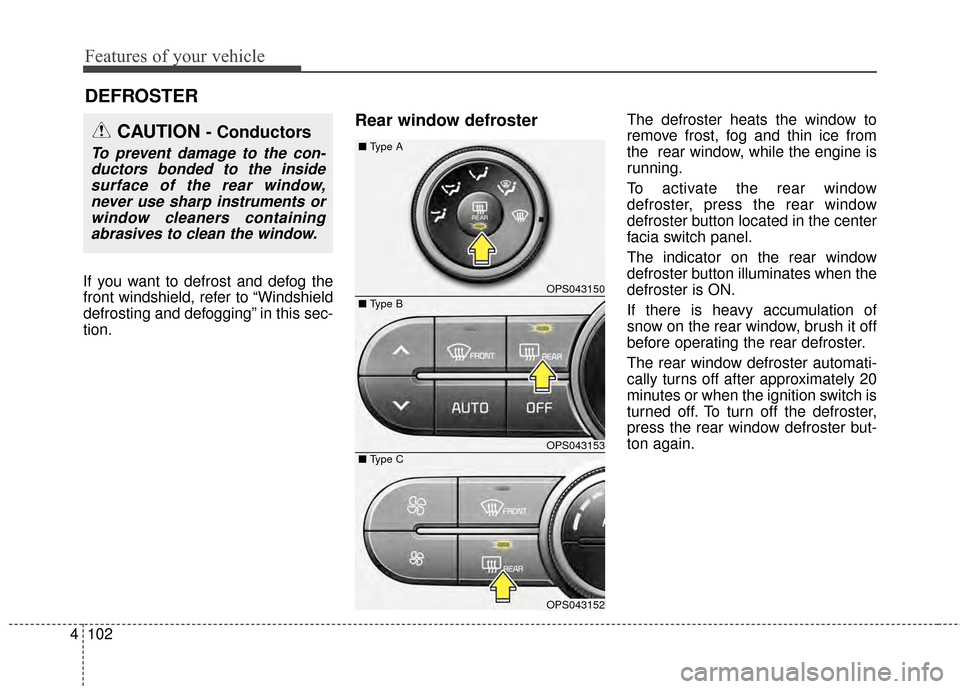
Rear window defrosterThe defroster heats the window to
remove frost, fog and thin ice from
the rear window, while the engine is
running.
To activate the rear window
defroster, press the rear window
defroster button located in the center
facia switch panel.
The indicator on the rear window
defroster button illuminates when the
defroster is ON.
If there is heavy accumulation of
snow on the rear window, brush it off
before operating the rear defroster.
The rear window defroster automati-
cally turns off after approximately 20
minutes or when the ignition switch is
turned off. To turn off the defroster,
press the rear window defroster but-
ton again.
DEFROSTER
CAUTION - Conductors
To prevent damage to the con-
ductors bonded to the insidesurface of the rear window,never use sharp instruments orwindow cleaners containingabrasives to clean the window.
OPS043150
OPS043153
OPS043152
■
Type A
■ Type C
■ Type B
Page 190 of 500
Features of your vehicle
104
4
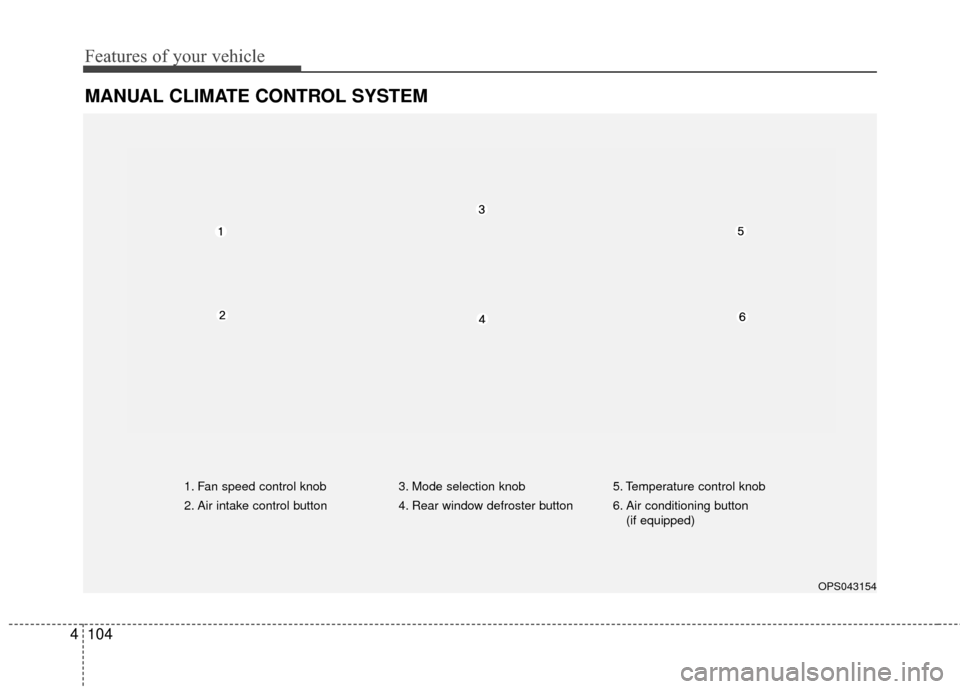
MANUAL CLIMATE CONTROL SYSTEM
OPS043154
1. Fan speed control knob
2. Air intake control button 3. Mode selection knob
4. Rear window defroster button5. Temperature control knob
6. Air conditioning button
(if equipped)
Page 194 of 500
Features of your vehicle
108
4
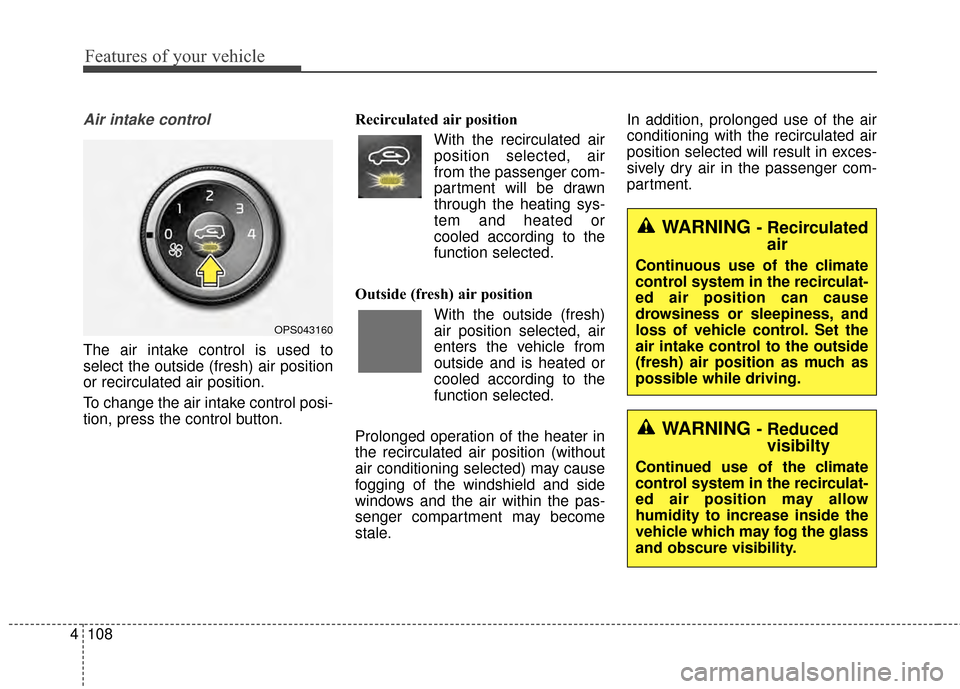
Air intake control
The air intake control is used to
select the outside (fresh) air position
or recirculated air position.
To change the air intake control posi-
tion, press the control button. Recirculated air position
With the recirculated airposition selected, air
from the passenger com-
partment will be drawn
through the heating sys-
tem and heated or
cooled according to the
function selected.
Outside (fresh) air position With the outside (fresh)
air position selected, air
enters the vehicle from
outside and is heated or
cooled according to the
function selected.
Prolonged operation of the heater in
the recirculated air position (without
air conditioning selected) may cause
fogging of the windshield and side
windows and the air within the pas-
senger compartment may become
stale. In addition, prolonged use of the air
conditioning with the recirculated air
position selected will result in exces-
sively dry air in the passenger com-
partment.
OPS043160
WARNING - Recirculated
air
Continuous use of the climate
control system in the recirculat-
ed air position can cause
drowsiness or sleepiness, and
loss of vehicle control. Set the
air intake control to the outside
(fresh) air position as much as
possible while driving.
WARNING - Reducedvisibilty
Continued use of the climate
control system in the recirculat-
ed air position may allow
humidity to increase inside the
vehicle which may fog the glass
and obscure visibility.
Page 195 of 500
4109
Features of your vehicle
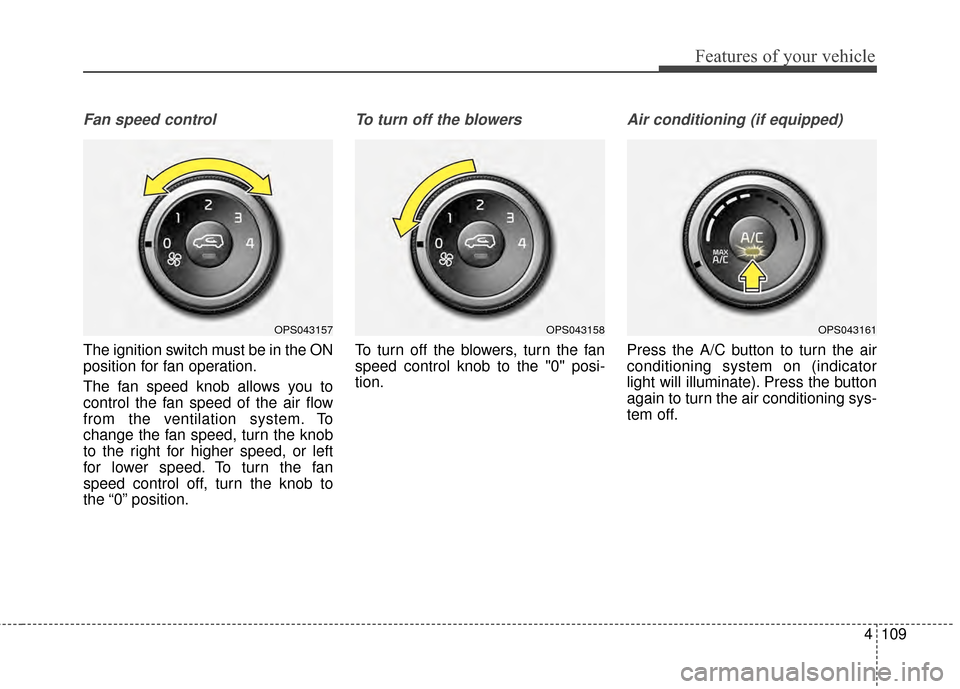
Fan speed control
The ignition switch must be in the ON
position for fan operation.
The fan speed knob allows you to
control the fan speed of the air flow
from the ventilation system. To
change the fan speed, turn the knob
to the right for higher speed, or left
for lower speed. To turn the fan
speed control off, turn the knob to
the “0” position.
To turn off the blowers
To turn off the blowers, turn the fan
speed control knob to the "0" posi-
tion.
Air conditioning (if equipped)
Press the A/C button to turn the air
conditioning system on (indicator
light will illuminate). Press the button
again to turn the air conditioning sys-
tem off.
OPS043157OPS043158OPS043161
Page 196 of 500
Features of your vehicle
110
4
System operation
Ventilation
1. Set the mode to the position.
2. Set the air intake control to the
outside (fresh) air position.
3. Set the temperature control to the desired position.
4. Set the fan speed control to the desired speed.
Heating
1. Set the mode to the position.
2. Set the air intake control to theoutside (fresh) air position.
3. Set the temperature control to the desired position.
4. Set the fan speed control to the desired speed.
5. If dehumidified heating is desired, turn the air conditioning system (if
equipped) on.
If the windshield fogs up, set the mode to the
orposition. Operation Tips
To keep dust or unpleasant fumes
from entering the vehicle through
the ventilation system, temporarily
set the air intake control to the
recirculated air position. Be sure to
return the control to the fresh air
position when the irritation has
passed to keep fresh air in the
vehicle. This will help keep the driv-
er alert and comfortable.
Air for the heating/cooling system is drawn in through the grilles just
ahead of the windshield. Care
should be taken that these are not
blocked by leaves, snow, ice or
other obstructions.
To prevent interior fog on the wind- shield, set the air intake control to
the fresh air position and fan speed
to the desired position, turn on the
air conditioning system, and adjust
the temperature control to desired
temperature.
Air conditioning (if equipped)
All Kia Air Conditioning Systems are
filled with R-134a refrigerant.
1. Start the engine. Press the air con- ditioning button.
2. Set the mode to the position.
3. Set the air intake control to the outside air or recirculated air posi-
tion.
4. Adjust the fan speed control and temperature control to maintain
maximum comfort.
When maximum cooling is desired, set the temperature control to the
extreme left position, set the mode
control to the MAX A/C position,
then set the fan speed control to
the highest speed.
Page 199 of 500
4113
Features of your vehicle
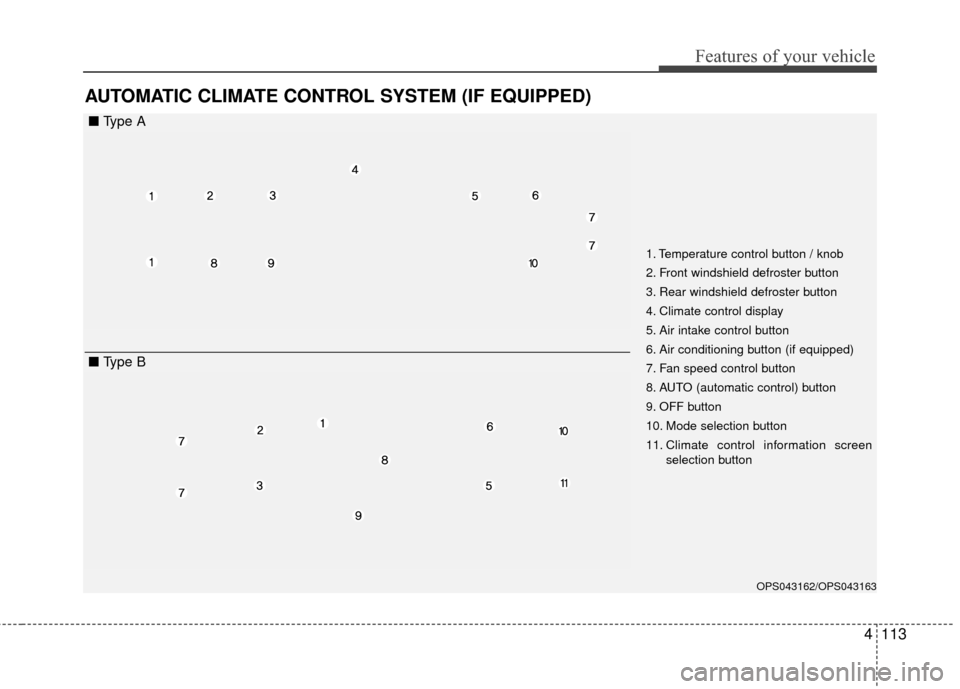
AUTOMATIC CLIMATE CONTROL SYSTEM (IF EQUIPPED)
OPS043162/OPS043163
1. Temperature control button / knob
2. Front windshield defroster button
3. Rear windshield defroster button
4. Climate control display
5. Air intake control button
6. Air conditioning button (if equipped)
7. Fan speed control button
8. AUTO (automatic control) button
9. OFF button
10. Mode selection button
11. Climate control information screenselection button
■ Type A
■ Type B
Page 200 of 500
Features of your vehicle
114
4
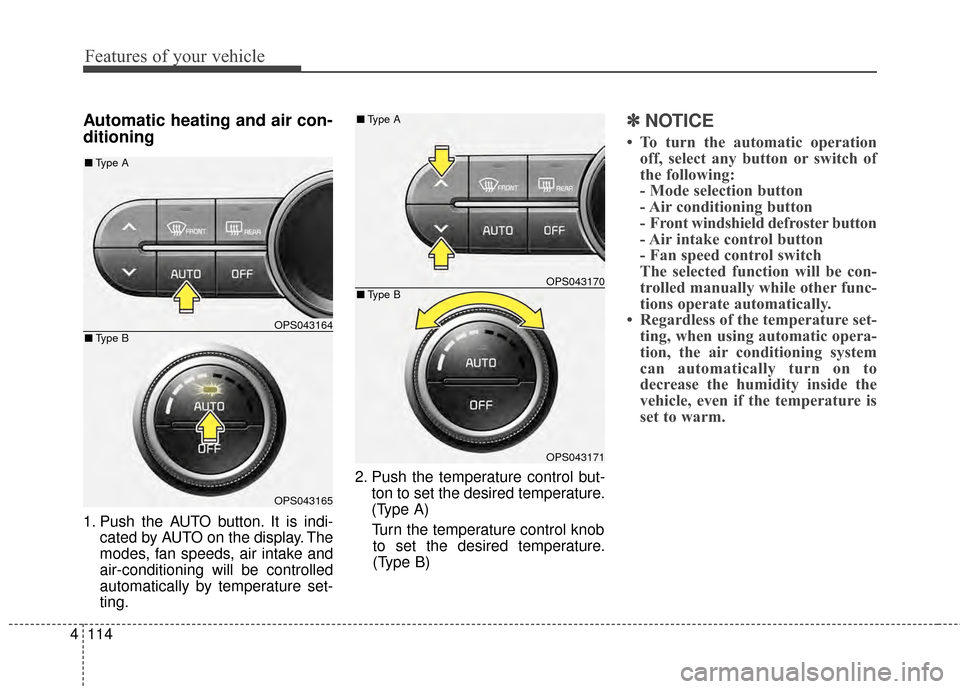
Automatic heating and air con-
ditioning
1. Push the AUTO button. It is indi-
cated by AUTO on the display. The
modes, fan speeds, air intake and
air-conditioning will be controlled
automatically by temperature set-
ting. 2. Push the temperature control but-
ton to set the desired temperature.
(Type A)
Turn the temperature control knob to set the desired temperature.
(Type B)
✽ ✽ NOTICE
• To turn the automatic operation
off, select any button or switch of
the following:
- Mode selection button
- Air conditioning button
- Front windshield defroster button
- Air intake control button
- Fan speed control switch
The selected function will be con-
trolled manually while other func-
tions operate automatically.
• Regardless of the temperature set- ting, when using automatic opera-
tion, the air conditioning system
can automatically turn on to
decrease the humidity inside the
vehicle, even if the temperature is
set to warm.
OPS043164
OPS043165
■ Type B
■Type A
OPS043170
OPS043171
■Type B
■Type A