radio KIA Soul 2014 2.G User Guide
[x] Cancel search | Manufacturer: KIA, Model Year: 2014, Model line: Soul, Model: KIA Soul 2014 2.GPages: 500, PDF Size: 13.89 MB
Page 247 of 500
(11)
Go to previous depth(no previous
screen)
(12)
Radio mode
- SiriusXM
TMRADIO : Category
Search
- USB mode : Folder Search (13) TUNE knob
AM/FM mode :
- Changes frequency by turning the
knob left/right.
SiriusXM
TMRadio Mode:
- Changes the station by turning the knob left/right. Press knob to
select station.
USB, iPod
®, My Music mode:
- Searches songs (files) by turning the knob left/right.
❈ When the desired song is displayed,
press the knob to play the song.
Moves focus in all selection menus
and selects menus.
CAT
FOLDER
BACK
Features of your vehicle
161
4
Page 248 of 500
![KIA Soul 2014 2.G User Guide SETUP
Display Settings
Press the key Select [Display]
through TUNE knob or key
Select menu through TUNE knob
Mode Pop up
[Mode Pop up] Changes /
selection mode
or key to display the mode
change](/img/2/2958/w960_2958-247.png "KIA Soul 2014 2.G User Guide SETUP
Display Settings
Press the key Select [Display]
through TUNE knob or key
Select menu through TUNE knob
Mode Pop up
[Mode Pop up] Changes /
selection mode
or key to display the mode
change")
SETUP
Display Settings
Press the key Select [Display]
through TUNE knob or key
Select menu through TUNE knob
Mode Pop up
[Mode Pop up] Changes /
selection mode
or key to display the mode
change pop up screen.
Text Scroll
[Text Scroll] Set /
Maintains scroll
: Scrolls only one (1) time.
Media Display
When playing an MP3 file, select the
desired display info from ‘Folder/File’
or ‘Album/Artist/Song’.
Off
On
OffOn
MEDIA
RADIO
OffOn
1
SETUP
4162
Features of your vehicle
Page 252 of 500
Features of your vehicle
166
4
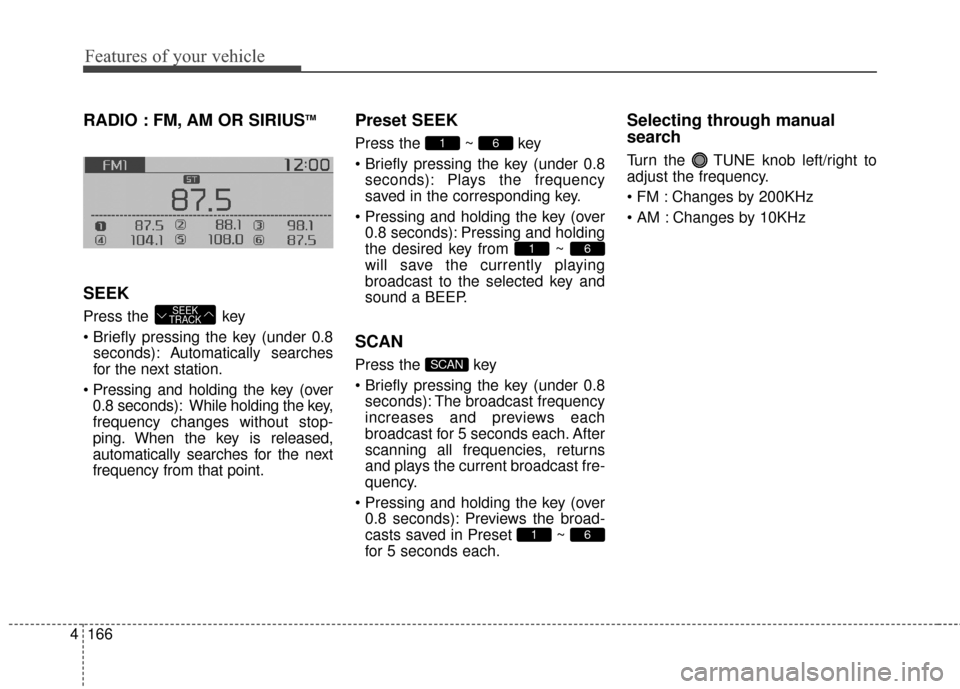
RADIO : FM, AM OR SIRIUSTM
SEEK
Press the key
pressing the key (under 0.8
seconds): A utomatically searches
for the next station.
0.8 seconds): While holding the key,
frequency changes without stop-
ping. When the key is released,
automatically searches for the next
frequency from that point.
Preset SEEK
Press the ~ key
pressing the key (under 0.8 seconds): Plays the frequency
saved in the corresponding key.
0.8 seconds): Pressing and holding
the desired key from ~
will save the currently playing
broadcast to the selected key and
sound a BEEP.
SCAN
Press the key
pressing the key (under 0.8seconds): The broadcast frequency
increases and previews each
broadcast for 5 seconds each. After
scanning all frequencies, returns
and plays the current broadcast fre-
quency.
0.8 seconds): Previews the broad-
casts saved in Preset ~
for 5 seconds each.
Selecting through manual
search
Turn the TUNE knob left/right to
adjust the frequency.
Changes by 200KHz
Changes by 10KHz
61
SCAN
61
61
SEEK
TRACK
Page 254 of 500
Features of your vehicle
168
4
Satellite Radio channels:
SiriusXMTMSatellite Radio offers
150+ channels with 100% commer-
cial-free music, plus sports, news,
talk and entertainment, available
nationwide in your vehicle. For more
information and a complete list of
SiriusXM
TMSatellite Radio channels,
visit www.siriusxm.com in the United
States, sirius-canada.ca in Canada,
or call SiriusXM
TMat 1-800-643-2112.
Satellite Radio reception factors:
To receive the satellite signal, your
vehicle has been equipped with a
satellite radio antenna located on the
roof of your vehicle. The vehicle roof
provides the best location for an
unobstructed, open view of the sky, a
requirement of a satellite radio sys-
tem. Like AM/FM, there are several
factors that can affect satellite radio
reception performance:
Antenna obstructions: For optimal reception performance, keep the
antenna clear of snow and ice build-
up and keep luggage and other
material as far away from the anten-
na as possible. Terrain: Hills, mountains, tall build-
ings, bridges, tunnels, freeway over-
passes, parking garages, dense
tree foliage and thunderstorms can
interfere with your reception.
SiriusXM
TMSatellite Radio service:
SiriusXMTMSatellite Radio is a sub-
scription-based satellite radio service
that broadcasts music, sports, news
and entertainment programming to
radio receivers, which are available for
installation in motor vehicles or factory
installed, as well as for the home,
portable and wireless devices, and
through an Internet connection on per-
sonal computer.
Vehicles that are equipped with a fac-
tory installed SiriusXM
TMSatellite
Radio system include:
Hardware and an introductory trial
subscription term, which begins on
the date of sale or lease of the vehicle.
For a small upgrade fee, access to SiriusXM
TMmusic channels, and other
select channels over the Internet
using any computer connected to the
Internet (U.S. customers only).
For information on extended sub-
scription terms, contact SiriusXMTM
at 1-866-635-2349. NOTE:
All SiriusXM
TMservices require a
subscription, sold separately or
as a package, after 3-month trial
included with vehicle purchase or
lease. If you decide to continue
your SiriusXM
TMservice at the end
of your trial subscription, the plan
you choose will automatically
renew and bill at then-current
rates until you call us at 1-866-
635-2349 to cancel. See our
Customer Agreement for com-
plete terms at www.siriusxm.com.
Other fees and taxes apply. All
fees and programming are subject
to change. Sirius satellite service
is available only to those at least
18 and older in the 48 contiguous
USA, D.C., and PR (with coverage
limitations). Our Internet radio
service is available throughout
our satellite service area and in
AK and HI. Certain channels are
not available on our Internet radio
service or on mobile devices.
© 2013 Sirius XM Radio Inc. Sirius,
XM and all related marks and logos
are trademarks of SiriusXM
TM
Radio Inc. All rights reserved
SiriusXMTMSatellite Radio information
Page 255 of 500
4169
Features of your vehicle
SiriusXMTMRADIO
Using
SiriusXMTMSatellite
Radio
Your Kia vehicle is equipped with a 3
month complimentary period of
SiriusXM
TMSatellite Radio so you
have access to over 220 channels of
music, information, and entertain-
ment programming.
Activation
In order to extend or reactivate your
subscription to SiriusXMTMSatellite
Radio, you will need to contact
SiriusXM
TMCustomer Care at 1-800-
643-2112. Have your 12 digit SID
(Sirius Identification Number) / ESN
(Electronic Serial Number) ready. To
retrieve the SID / ESN, turn on the
radio, press the [RADIO] button, and
tune to channel zero. Please note that the vehicle will need
to be turned on, in Sirius mode, and
have an unobstructed view of the sky
in order for the radio to receive the
activation signal.
SEEK
Press the key
Shortly pressing the key (under 0.8
seconds): select previous or next
channel.
Pressing and holding the key (over 0.8 seconds): continuously move
to previous or next channel.
❈ If the “Category” icon is displayed,
channels are changed within the
current category.
SCAN
Press the key
Shortly pressing the key (under 0.8
seconds): Previews each broad-
cast for 10 seconds each
❈ Press the key again to
continue listening to the current
frequency
❈ If the “Category” icon is displayed,
channels are changed within the
current category.
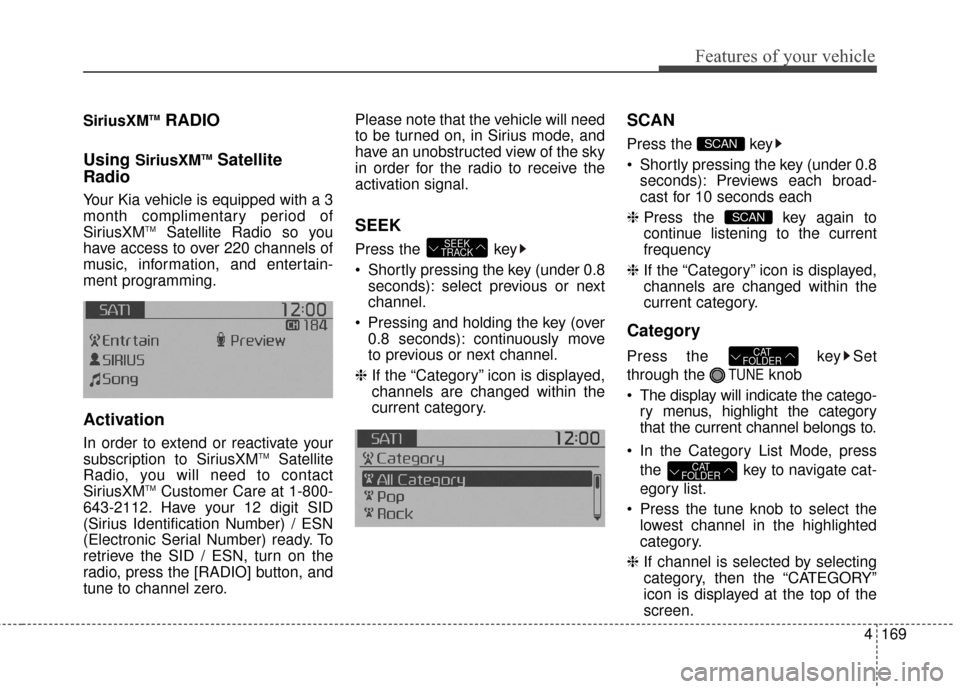
Category
Press the key Set
through the
TUNEknob
The display will indicate the catego- ry menus, highlight the category
that the current channel belongs to.
In the Category List Mode, press the key to navigate cat-
egory list.
Press the tune knob to select the lowest channel in the highlighted
category.
❈ If channel is selected by selecting
category, then the “CATEGORY”
icon is displayed at the top of the
screen.
CAT
FOLDER
CAT
FOLDER
SCAN
SCAN
SEEK
TRACK
Page 256 of 500
Features of your vehicle
170
4
Preset
Press the key ~
Briefly pressing the key (under 0.8
seconds): Plays the frequency
saved in the corresponding key.
Pressing and holding the key (over 0.8 seconds): Pressing and holding
the desired key from ~
will save the current broadcast to
the selected key and sound a
BEEP.
✽ ✽ Troubleshooting
1. Antenna Error
If this message is displayed, the anten-
na or antenna cable is broken or
unplugged. Please consult with your
Kia dealership.
2. Acquiring Signal If this message is displayed, it means
that the antenna is covered and that
the SIRIUS
TMSatellite Radio signal is
not available. Ensure the antenna is
uncovered and has a clear view of the
sky.
Tune
Rotate TUNE knob : Changes
the channel number or scrolls cat-
egory list.
Press TUNE knob : Selects the menu.
Menu
Select category menu through the
TUNE knob Press the key
Select [ Info] through the TUNE
knob or key
Info (Information)
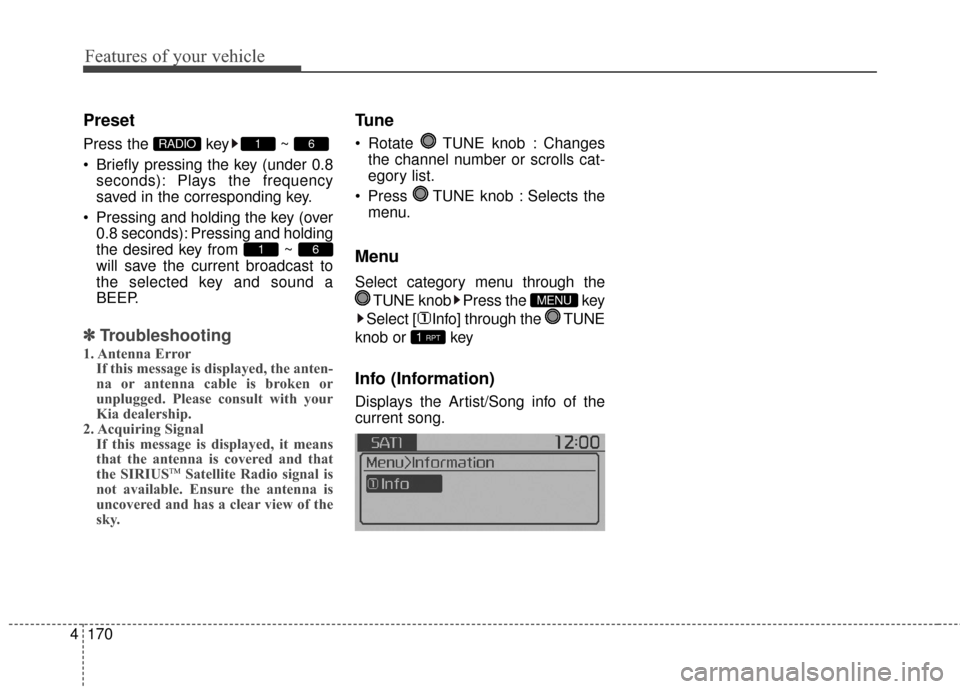
Displays the Artist/Song info of the
current song.
1 RPT
MENU
61
61RADIO
Page 265 of 500
4179
Features of your vehicle
PHONE(IF EQUIPPED)
Before using the Bluetooth®Wireless
Technology phone features
Bluetooth®Wireless
Technology phone, you must first
pair and connect the
Bluetooth®
Wireless Technology mobile phone.
connected, it is not possible to
enter Phone mode. Once a phone
is paired or connected, the guid-
ance screen will be displayed.
tion (IGN/ACC ON), the
Bluetooth®
Wireless Technology phone will be
automatically connected. Even if
you are outside, the
Bluetooth®
Wireless Technology phone will be
automatically connected once you
are in the vicinity of the vehicle. If
you do not want automatic
Bluetooth®Wireless Technology
phone connection, set the
Bluetooth®Wireless Technology
power to OFF
Making a call using the
Steering-wheel mounted controls
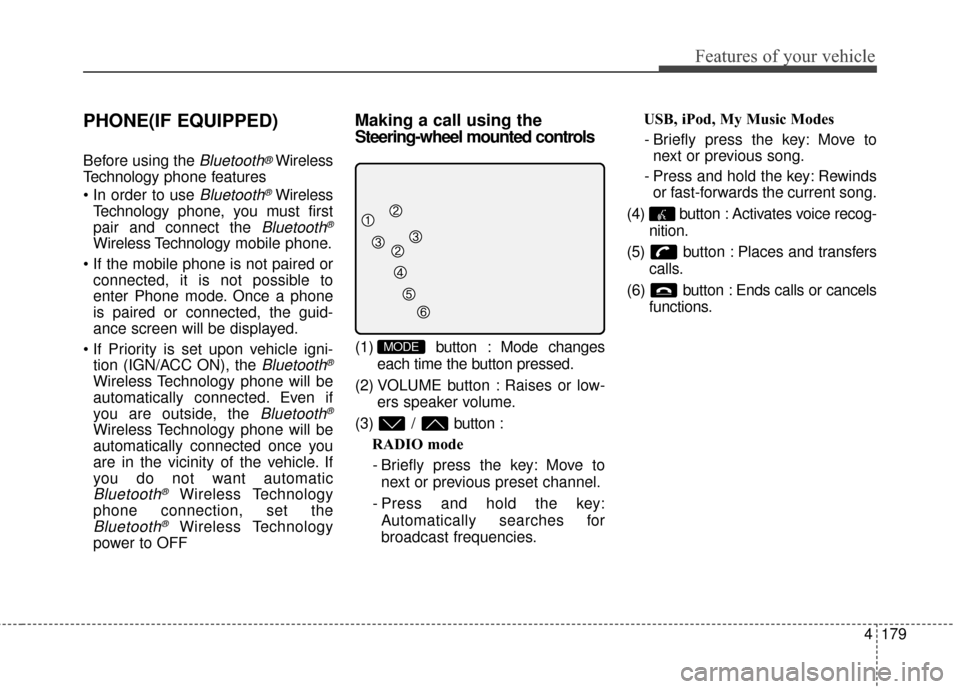
(1) button : Mode changes
each time the button pressed.
(2) VOLUME button : Raises or low- ers speaker volume.
(3) / button : RADIO mode
- Briefly press the key: Move to next or previous preset channel.
- Press and hold the key: Automatically searches for
broadcast frequencies. USB, iPod, My Music Modes
- Briefly press the key: Move to next or previous song.
- Press and hold the key: Rewinds or fast-forwards the current song.
(4) button : Activates voice recog- nition.
(5) button : Places and transfers calls.
(6) button : Ends calls or cancels functions.MODE
Page 281 of 500
4195
Features of your vehicle
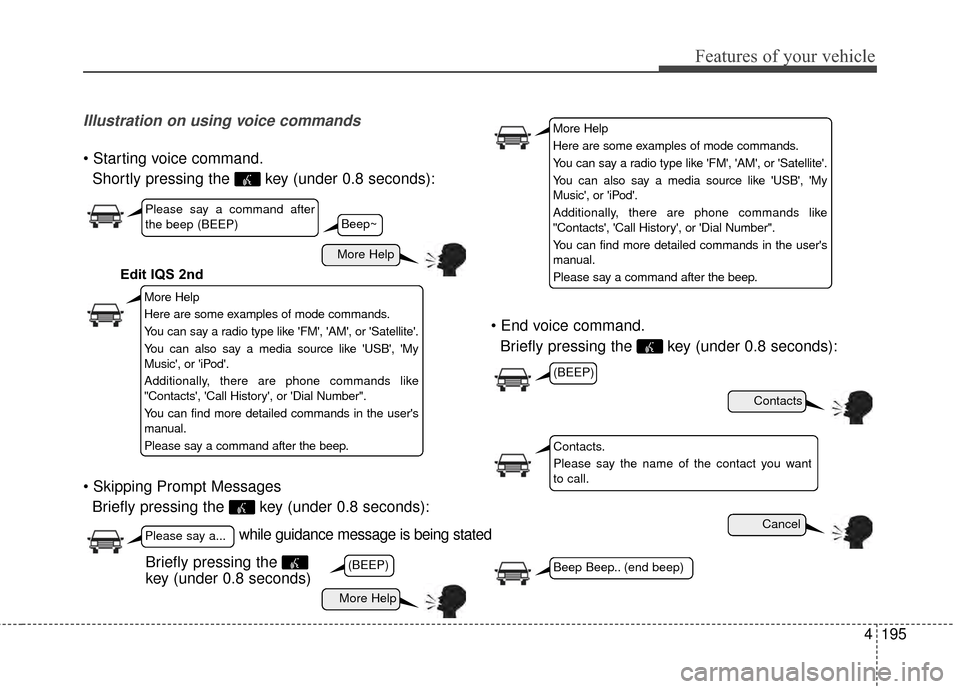
Illustration on using voice commands
Shortly pressing the key (under 0.8 seconds):
Briefly pressing the key (under 0.8 seconds):
Briefly pressing the key (under 0.8 seconds):
while guidance message is being stated
More Help
Contacts
Cancel
More Help
Please say a command after
the beep (BEEP)
Please say a...
Contacts.
Please say the name of the contact you want
to call.
(BEEP)
(BEEP)
Beep Beep.. (end beep)Briefly pressing the
key (under 0.8 seconds)
Beep~
More Help
Here are some examples of mode commands.
You can say a radio type like 'FM', 'AM', or 'Satellite'.
You can also say a media source like 'USB', 'My
Music', or 'iPod'.
Additionally, there are phone commands like
"Contacts', 'Call History', or 'Dial Number".
You can find more detailed commands in the user's
manual.
Please say a command after the beep.
More Help
Here are some examples of mode commands.
You can say a radio type like 'FM', 'AM', or 'Satellite'.
You can also say a media source like 'USB', 'My
Music', or 'iPod'.
Additionally, there are phone commands like
"Contacts', 'Call History', or 'Dial Number".
You can find more detailed commands in the user's
manual.
Please say a command after the beep.
Edit IQS 2nd
Page 282 of 500
Features of your vehicle
196
4
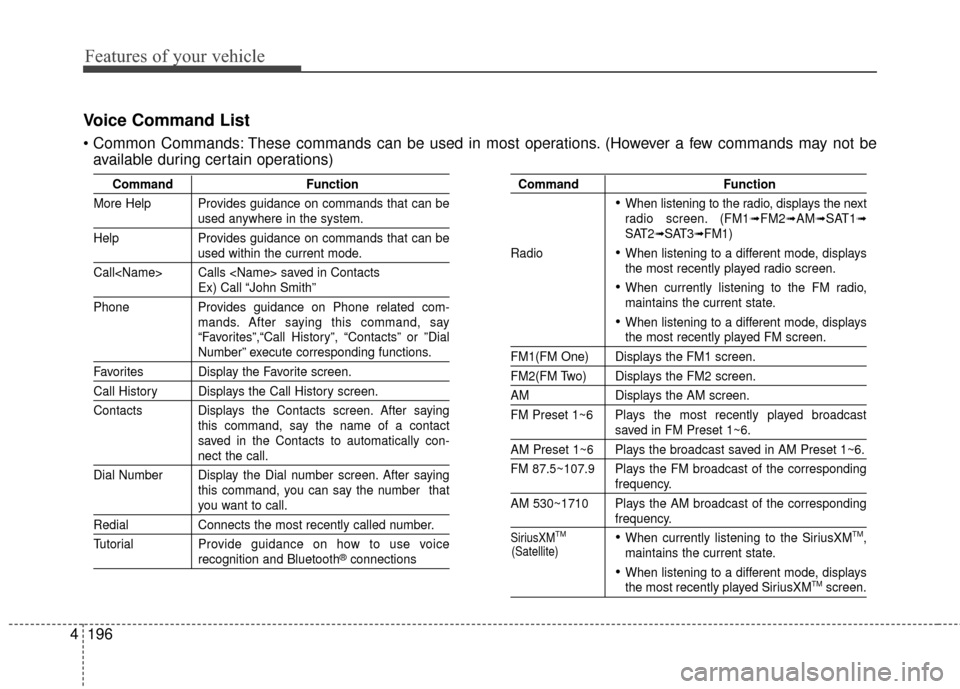
Voice Command List
These commands can be used in most operations. (However a few commands may not be
available during certain operations)
Command Function
More Help Provides guidance on commands that can be
used anywhere in the system.
Help Provides guidance on commands that can be
used within the current mode.
Call
Ex) Call “John Smith”
Phone Provides guidance on Phone related com- mands. After saying this command, say
“Favorites”,“Call History”, “Contacts” or ”Dial
Number” execute corresponding functions.
Favorites Display the Favorite screen.
Call History Displays the Call History screen.
Contacts Displays the Contacts screen. After sayingthis command, say the name of a contact
saved in the Contacts to automatically con-
nect the call.
Dial Number Display the Dial number screen. After saying this command, you can say the number that
you want to call.
RedialConnects the most recently called number.
Tutorial Pro vide guidance on how to use voice
recognition and Bluetooth®connections
Command Function
When listening to the radio, displays the next
radio screen. (FM1➟FM2➟AM➟SAT1➟SAT2➟SAT3➟FM1)
Radio
When listening to a different mode, displays
the most recently played radio screen.
When currently listening to the FM radio,
maintains the current state.
When listening to a different mode, displaysthe most recently played FM screen.
FM1(FM One) Displays the FM1 screen.
FM2(FM Two) Displays the FM2 screen.
AM Displays the AM screen.
FM Preset 1~6 Plays the most recently played broadcast
saved in FM Preset 1~6.
AM Preset 1~6 Plays the broadcast saved in AM Preset 1~6.
FM 87.5~107.9 Plays the FM broadcast of the corresponding
frequency.
AM 530~1710 Plays the AM broadcast of the corresponding
frequency.
SiriusXMTMWhen currently listening to the SiriusXMTM,
maintains the current state.
When listening to a different mode, displaysthe most recently played SiriusXMTMscreen.
(Satellite)
Page 284 of 500
Features of your vehicle
198
4
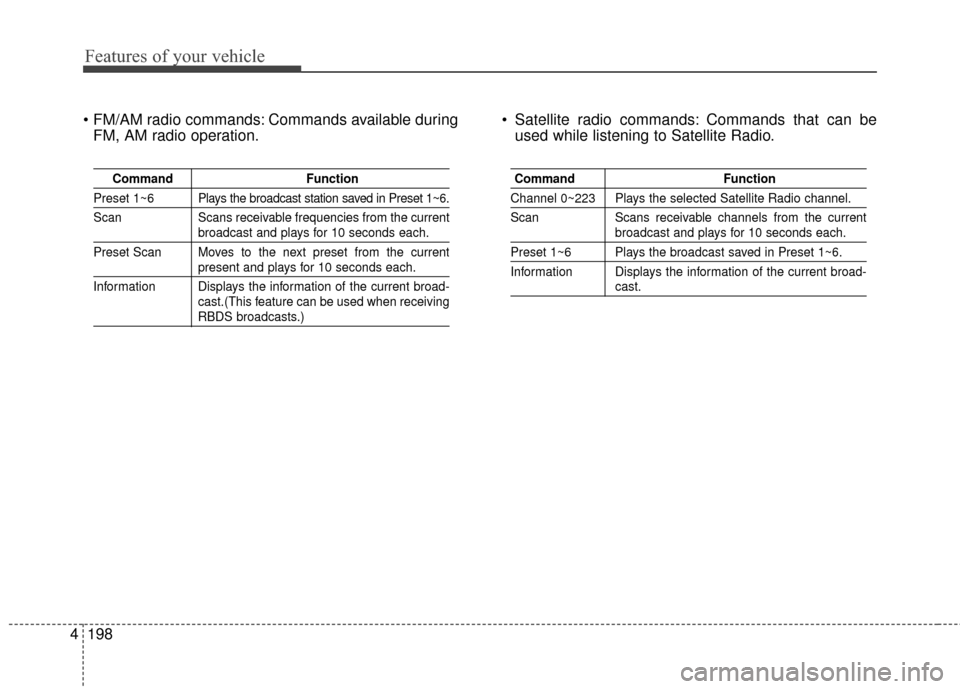
Commands available during
FM, AM radio operation. Satellite radio commands: Commands that can be
used while listening to Satellite Radio.
Command Function
Preset 1~6 Plays the broadcast station saved in Preset 1~6.
Scan Scans receivable frequencies from the current
broadcast and plays for 10 seconds each.
Preset Scan Moves to the next preset from the current
present and plays for 10 seconds each.
Information Displays the information of the current broad- cast.(This feature can be used when receiving
RBDS broadcasts.)
Command Function
Channel 0~223 Plays the selected Satellite Radio channel.
Scan Scans receivable channels from the current
broadcast and plays for 10 seconds each.
Preset 1~6 Plays the broadcast saved in Preset 1~6.
Information Displays the information of the current broad-
cast.