battery KIA Soul 2014 2.G Owner's Guide
[x] Cancel search | Manufacturer: KIA, Model Year: 2014, Model line: Soul, Model: KIA Soul 2014 2.GPages: 500, PDF Size: 13.89 MB
Page 204 of 500
Features of your vehicle
118
4
The temperature will decrease to the
minimum (Lo) by pushing the button
().
When pushing the button, the tem-
perature will increase or decrease by
0.5°C/1°F. When set to the lowest
temperature setting, the air condi-
tioning will operate continuously.
B
The temperature will increase to the
maximum (HI) by turning the knob to
the right extremely.
The temperature will decrease to the
minimum (Lo) by turning the knob to
the left extremely.
When turning the knob, the tempera-
ture will increase or decrease by
0.5°C/1°F. When set to the lowest
temperature setting, the air condi-
tioning will operate continuously. Temperature scale conversion
If the battery has been discharged or
disconnected, the temperature mode
display will reset to Centigrade.
This is normal condition. You can
switch the temperature scale as fol-
lows;
While pressing the AUTO button,
press the OFF button for 3 seconds
or more. The temperature scale will
change from Centigrade to
Fahrenheit, or from Fahrenheit to
Centigrade.
The temperature unit (from °C to °F
or from °F to °C) can be changed by
using the “User Settings” mode of the
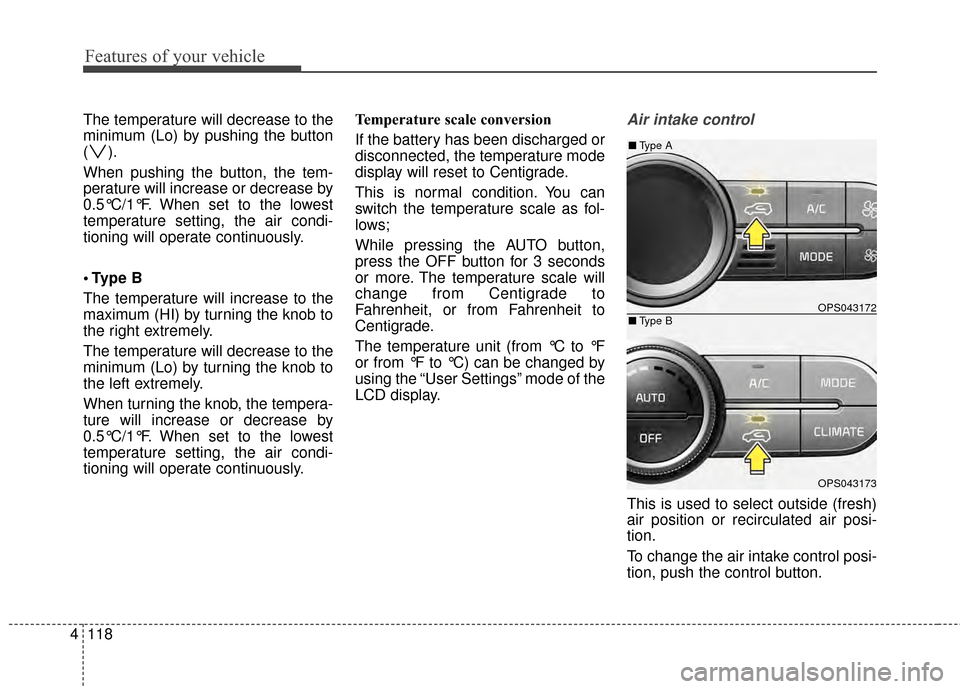
LCD display.Air intake control
This is used to select outside (fresh)
air position or recirculated air posi-
tion.
To change the air intake control posi-
tion, push the control button.
OPS043172
OPS043173
■
Type B
■Type A
Page 214 of 500
Features of your vehicle
128
4
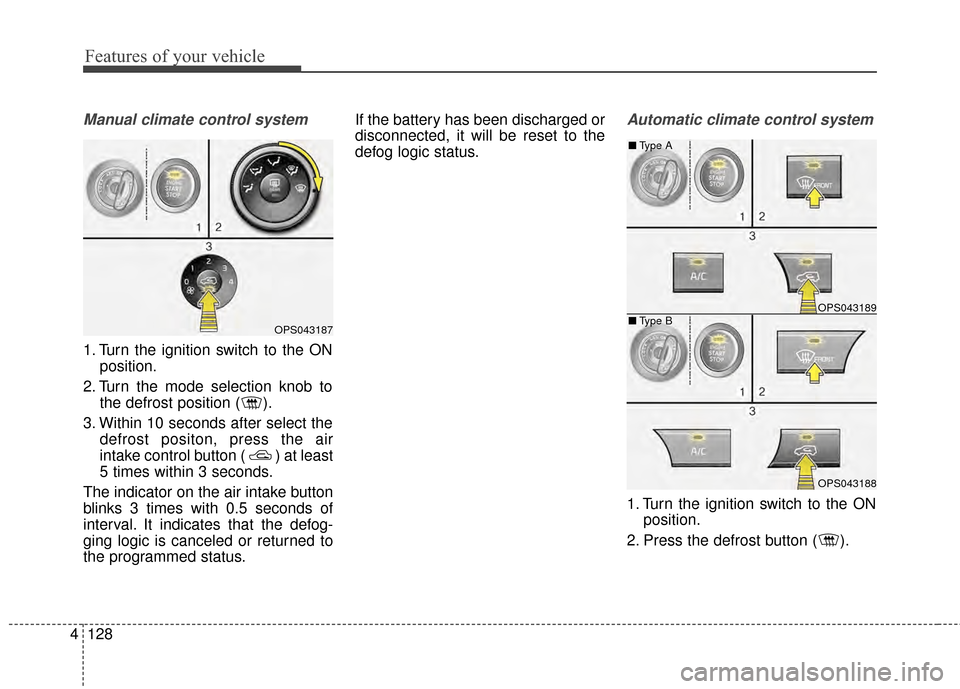
Manual climate control system
1. Turn the ignition switch to the ON
position.
2. Turn the mode selection knob to the defrost position ( ).
3. Within 10 seconds after select the defrost positon, press the air
intake control button ( ) at least
5 times within 3 seconds.
The indicator on the air intake button
blinks 3 times with 0.5 seconds of
interval. It indicates that the defog-
ging logic is canceled or returned to
the programmed status. If the battery has been discharged or
disconnected, it will be reset to the
defog logic status.
Automatic climate control system
1. Turn the ignition switch to the ON
position.
2. Press the defrost button ( ).
OPS043187
OPS043189
OPS043188
■ Type B
■
Type A
Page 215 of 500
4129
Features of your vehicle
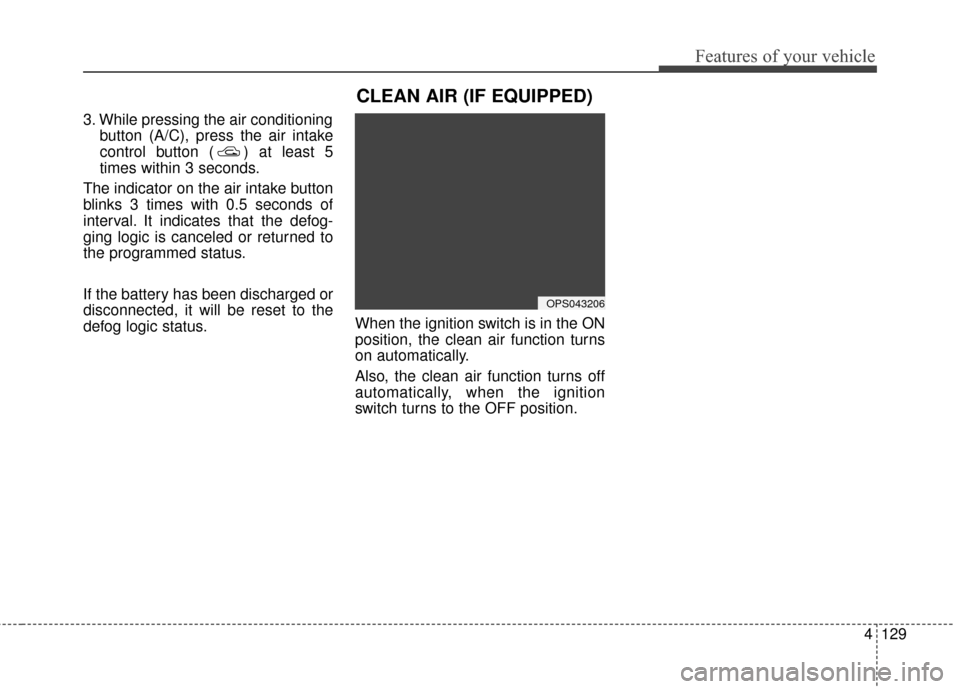
3. While pressing the air conditioningbutton (A/C), press the air intake
control button ( ) at least 5
times within 3 seconds.
The indicator on the air intake button
blinks 3 times with 0.5 seconds of
interval. It indicates that the defog-
ging logic is canceled or returned to
the programmed status.
If the battery has been discharged or
disconnected, it will be reset to the
defog logic status. When the ignition switch is in the ON
position, the clean air function turns
on automatically.
Also, the clean air function turns off
automatically, when the ignition
switch turns to the OFF position.
OPS043206
CLEAN AIR (IF EQUIPPED)
Page 220 of 500
Features of your vehicle
134
4
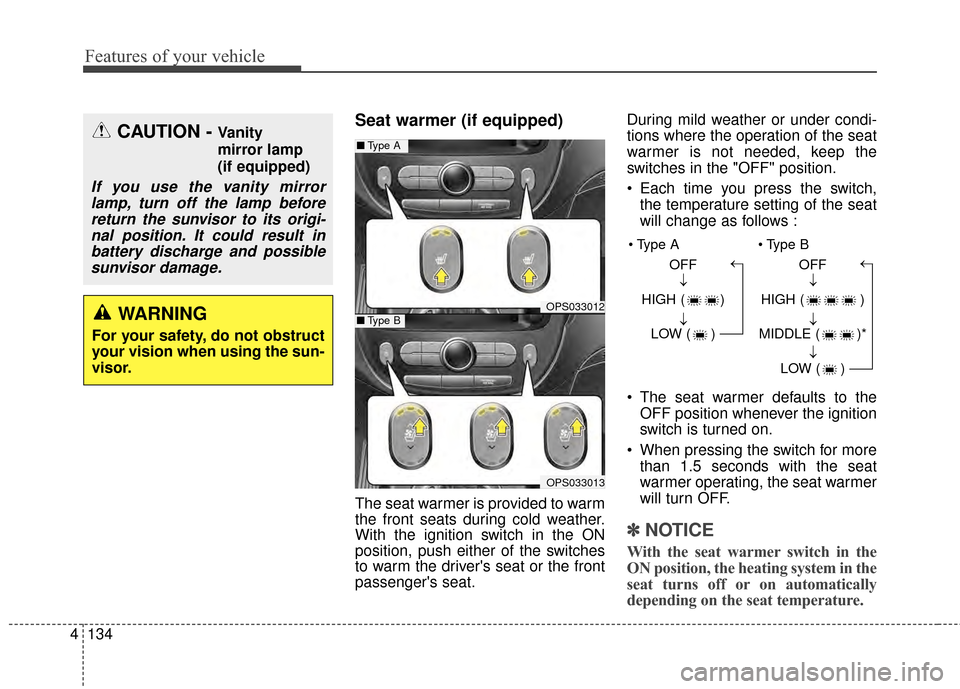
Seat warmer (if equipped)
The seat warmer is provided to warm
the front seats during cold weather.
With the ignition switch in the ON
position, push either of the switches
to warm the driver's seat or the front
passenger's seat. During mild weather or under condi-
tions where the operation of the seat
warmer is not needed, keep the
switches in the "OFF" position.
Each time you press the switch,
the temperature setting of the seat
will change as follows :
The seat warmer defaults to the OFF position whenever the ignition
switch is turned on.
When pressing the switch for more than 1.5 seconds with the seat
warmer operating, the seat warmer
will turn OFF.
✽ ✽ NOTICE
With the seat warmer switch in the
ON position, the heating system in the
seat turns off or on automatically
depending on the seat temperature.
CAUTION - Vanity
mirror lamp
(if equipped)
If you use the vanity mirror
lamp, turn off the lamp beforereturn the sunvisor to its origi-nal position. It could result inbattery discharge and possiblesunvisor damage.
WARNING
For your safety, do not obstruct
your vision when using the sun-
visor.
OPS033012
■ Type A
OPS033013
■Type B
OFF
HIGH ( ) LOW ( )→→→ OFF
HIGH ( )
MIDDLE ( )* LOW ( )
→→→→
Page 224 of 500
Features of your vehicle
138
4
Use the power outlet only when the
engine is running and remove the
accessory plug after use. Using the
accessory plug for prolonged peri-
ods of time with the engine off could
cause the battery to discharge.
Only use 12V electric accessories which are less than 10A(Driver’s
side) or 15A(Passenger’s side) in
electric capacity.
Adjust the air-conditioner or heater to the lowest operating level when
using the power outlet.
Close the cover when not in use.
Some electronic devices can cause electronic interference when
plugged into a vehicle’s power out-
let. These devices may cause
excessive audio static and malfunc-
tions in other electronic systems or
devices used in your vehicle.Clothes hanger (if equipped)
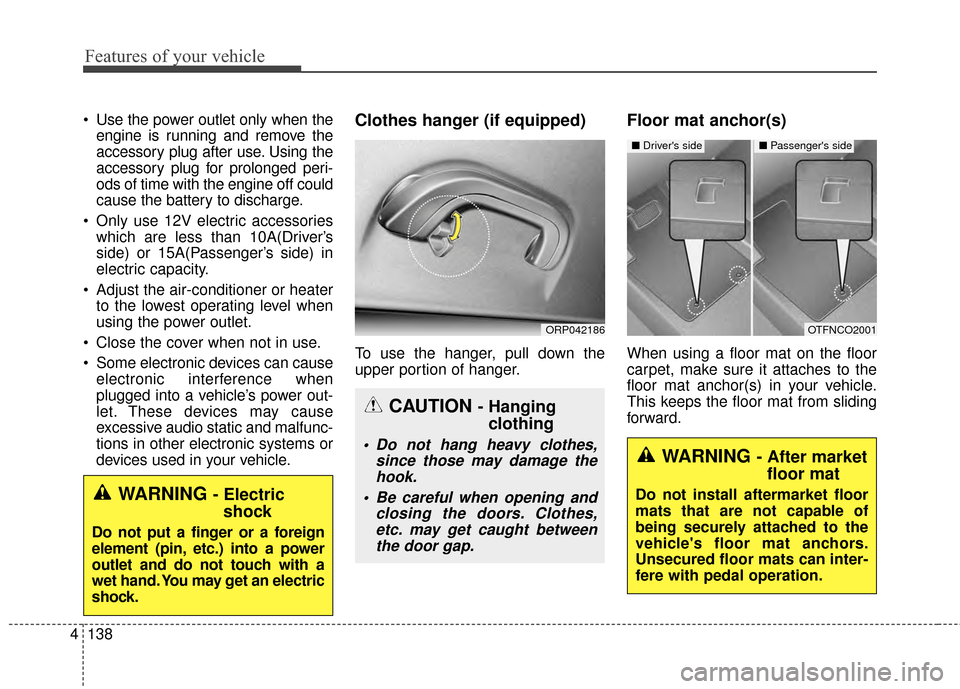
To use the hanger, pull down the
upper portion of hanger.
Floor mat anchor(s)
When using a floor mat on the floor
carpet, make sure it attaches to the
floor mat anchor(s) in your vehicle.
This keeps the floor mat from sliding
forward.
OTFNCO2001
■ Driver's side■ Passenger's side
WARNING - After market
floor mat
Do not install aftermarket floor
mats that are not capable of
being securely attached to the
vehicle's floor mat anchors.
Unsecured floor mats can inter-
fere with pedal operation.WARNING - Electricshock
Do not put a finger or a foreign
element (pin, etc.) into a power
outlet and do not touch with a
wet hand. You may get an electric
shock.
CAUTION - Hanging clothing
Do not hang heavy clothes,
since those may damage thehook.
Be careful when opening and closing the doors. Clothes,etc. may get caught betweenthe door gap.
ORP042186
Page 232 of 500
Advanced lighting speaker
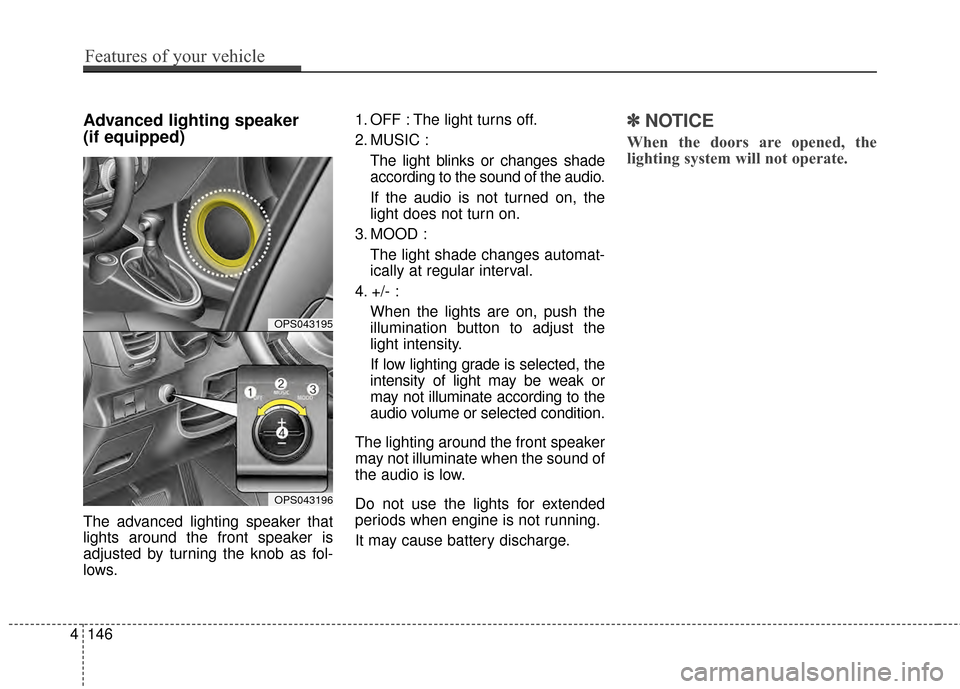
(if equipped)
The advanced lighting speaker that
lights around the front speaker is
adjusted by turning the knob as fol-
lows.1. OFF : The light turns off.
2. MUSIC :
The light blinks or changes shade
according to the sound of the audio.
If the audio is not turned on, the
light does not turn on.
3. MOOD : The light shade changes automat-
ically at regular interval.
4. +/- : When the lights are on, push the
illumination button to adjust the
light intensity.
If low lighting grade is selected, the
intensity of light may be weak or
may not illuminate according to the
audio volume or selected condition.
The lighting around the front speaker
may not illuminate when the sound of
the audio is low.
Do not use the lights for extended
periods when engine is not running.
It may cause battery discharge.
✽ ✽ NOTICE
When the doors are opened, the
lighting system will not operate.
4146
Features of your vehicle
OPS043195
OPS043196
Page 236 of 500
CAUTION
Using the audio system whiledriving could lead to acci-dents due to a lack of atten-tion to external surroundings.First park the vehicle beforeoperating the device.
Adjust the volume to levels that allow the driver to hearsounds from outside of thevehicle. Driving in a statewhere external sounds cannotbe heard may lead to acci-dents.
Pay attention to the volume setting when turning thedevice on. A sudden output ofextreme volume upon turningthe device on could lead tohearing impairment. (Adjustthe volume to a suitable levelsbefore turning off the device.)
(Continued)
(Continued)
Please refrain from use if the screen is blank or no sound
can be heard as these signs
may indicate product mal-
function. Continued use
in such conditions could lead
to accidents(fires, electric
shock) or product malfunc-
tions.
Do not touch the antenna dur- ing thunder or lightening as
such acts may lead to light-
ning induced electric shock.
Do not stop or park in park- ing-restricted areas to operate
the product. Such acts could
lead to traffic accidents.
Use the system with the vehi- cle ignition turned on.
Prolonged use with the igni-
tion turned off could result in
battery discharge.(Continued)
Turn on the car ignition before using the audio system Do notoperate the audio system forlong periods of time with theignition turned off as suchoperations may lead to batterydischarge.
Do not subject the device to severe shock or impact. Directpressure onto the front side ofthe monitor may cause dam-age to the LCD or touchscreen.
When cleaning the device, make sure to turn off theaudio system and use a dryand smooth cloth. Never usetough materials, chemicalcloths, or solvents (alcohol,benzene, thinners, etc.) assuch materials may damagethe device panel or causecolor/quality deterioration
(Continued)
4150
Features of your vehicle
Page 240 of 500
USING iPod®DEVICE
iPod®is a registered trademark of
Apple Inc.
iPhone
®is a registered grademark of
Apple inc.
Some iPod
®models may not sup-
port communication protocol and
files may not properly play.
Supported iPod
®models:
- iPhone
®3GS/4
- iPod
®touch 1st~4th generation
- iPod
®nano 1st~6th generation
- iPod
®classic
The order of search or playback of songs in the iPod
®can be different
from the order searched in the
audio system.
If the iPod
®is disabled due to its
own malfunction, reset the iPod®.
(Reset: Refer to iPod®manual)
An iPod
®may not operate normally
on low battery.
(Continued) (Continued)
Some iPod
®devices, such as the
iPhone®, can be connected
through the
Bluetooth®Wireless
Technology interface. The device
must have audio
Bluetooth®
Wireless Technology capability
(such as for stereo headphone
Bluetooth®Wireless Technology ).
The device can play, but it will not
be controlled by the audio system.
To use iPod
®features within the
audio, use the cable provided upon
purchasing an iPod
®device.
Skipping or improper operation may occur depending on the char-
acteristics of your iPod
®/iPhone®
device.
If your iPhone
®is connected to
both the
Bluetooth®Wireless
Technology and USB, only support
iPod
®mode because the sound
may not be properly played in
Bluetooth®Audio Streaming. To
use
Bluetooth®Audio Streaming,
disconnect iPod®cable with
iPhone®.
(Continued) (Continued)
When connecting iPod
®with the
iPod®Power Cable, insert the con-
nector to the multimedia socket
completely. If not inserted com-
pletely, communications between
iPod
®and audio may be interrupt-
ed.
When adjusting the sound effects of the iPod
®and the audio system,
the sound effects of both devices
will overlap and might reduce or
distort the quality of the sound.
Deactivate (turn off) the equalizer function of an iPod
®when adjust-
ing the audio system’s volume, and
turn off the equalizer of the audio
system when using the equalizer of
an iPod
®.
When not using iPod
®with car
audio, detach the iPod®cable from
iPod®. Otherwise, iPod®may
remain in accessory mode, and
may not work properly.
4154
Features of your vehicle
Page 295 of 500
Driving your vehicle
85
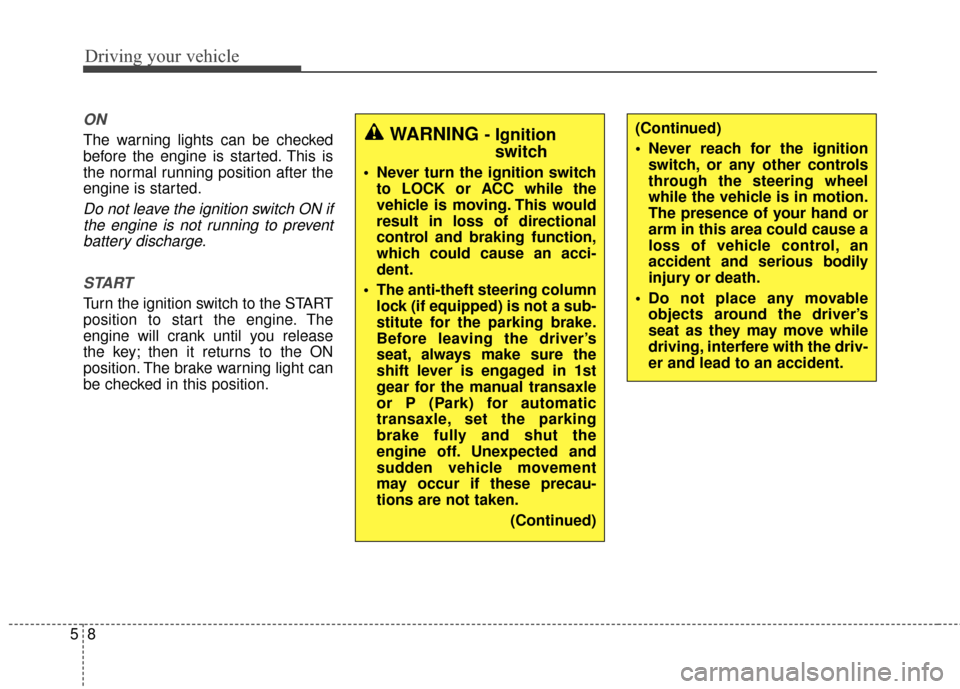
ON
The warning lights can be checked
before the engine is started. This is
the normal running position after the
engine is started.
Do not leave the ignition switch ON ifthe engine is not running to preventbattery discharge.
START
Turn the ignition switch to the START
position to start the engine. The
engine will crank until you release
the key; then it returns to the ON
position. The brake warning light can
be checked in this position.
WARNING - Ignition switch
Never turn the ignition switch
to LOCK or ACC while the
vehicle is moving. This would
result in loss of directional
control and braking function,
which could cause an acci-
dent.
The anti-theft steering column lock (if equipped) is not a sub-
stitute for the parking brake.
Before leaving the driver’s
seat, always make sure the
shift lever is engaged in 1st
gear for the manual transaxle
or P (Park) for automatic
transaxle, set the parking
brake fully and shut the
engine off. Unexpected and
sudden vehicle movement
may occur if these precau-
tions are not taken.
(Continued)
(Continued)
Never reach for the ignitionswitch, or any other controls
through the steering wheel
while the vehicle is in motion.
The presence of your hand or
arm in this area could cause a
loss of vehicle control, an
accident and serious bodily
injury or death.
Do not place any movable objects around the driver’s
seat as they may move while
driving, interfere with the driv-
er and lead to an accident.
Page 298 of 500
511
Driving your vehicle
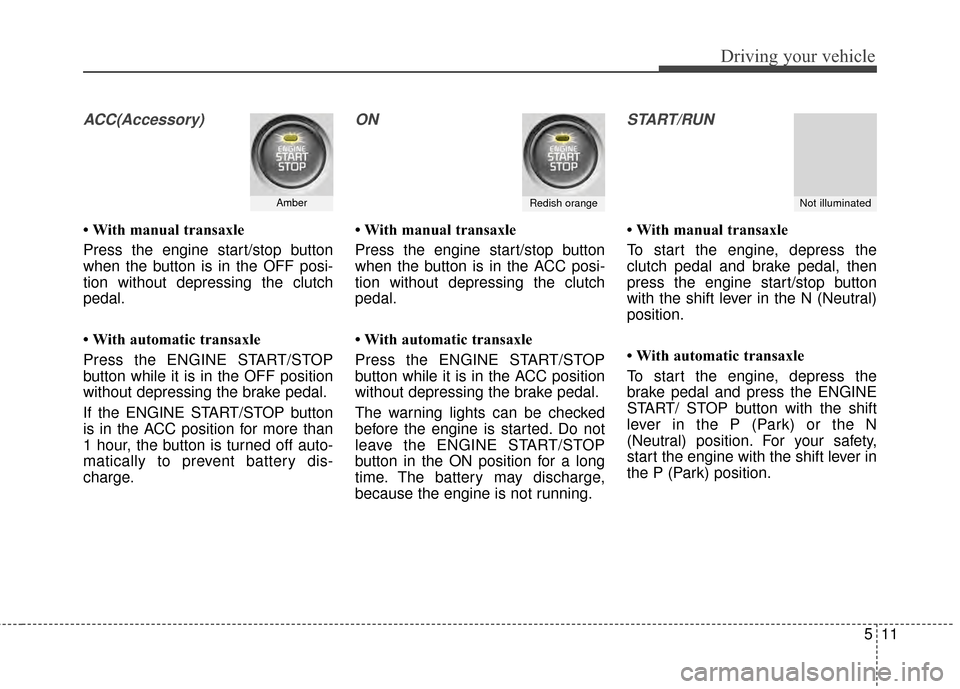
ACC(Accessory)
• With manual transaxle
Press the engine start/stop button
when the button is in the OFF posi-
tion without depressing the clutch
pedal.
• With automatic transaxle
Press the ENGINE START/STOP
button while it is in the OFF position
without depressing the brake pedal.
If the ENGINE START/STOP button
is in the ACC position for more than
1 hour, the button is turned off auto-
matically to prevent battery dis-
charge.
ON
• With manual transaxle
Press the engine start/stop button
when the button is in the ACC posi-
tion without depressing the clutch
pedal.
• With automatic transaxle
Press the ENGINE START/STOP
button while it is in the ACC position
without depressing the brake pedal.
The warning lights can be checked
before the engine is started. Do not
leave the ENGINE START/STOP
button in the ON position for a long
time. The battery may discharge,
because the engine is not running.
START/RUN
• With manual transaxle
To start the engine, depress the
clutch pedal and brake pedal, then
press the engine start/stop button
with the shift lever in the N (Neutral)
position.
• With automatic transaxle
To start the engine, depress the
brake pedal and press the ENGINE
START/ STOP button with the shift
lever in the P (Park) or the N
(Neutral) position. For your safety,
start the engine with the shift lever in
the P (Park) position.
AmberRedish orangeNot illuminated