maintenance KIA SOUL 2017 Owners Manual
[x] Cancel search | Manufacturer: KIA, Model Year: 2017, Model line: SOUL, Model: KIA SOUL 2017Pages: 589, PDF Size: 13.3 MB
Page 4 of 589
ii
1
2
3
4
5
6
7
8I
Introduction
Your vehicle at a glance
Safety features of your vehicle
Features of your vehicle
Audio system
Driving your vehicle
What to do in an emergency
Maintenance
9Specifications, Consumer information and Reporting safety defects
Index
table of contents
Page 13 of 589
Your vehicle at a glance
22
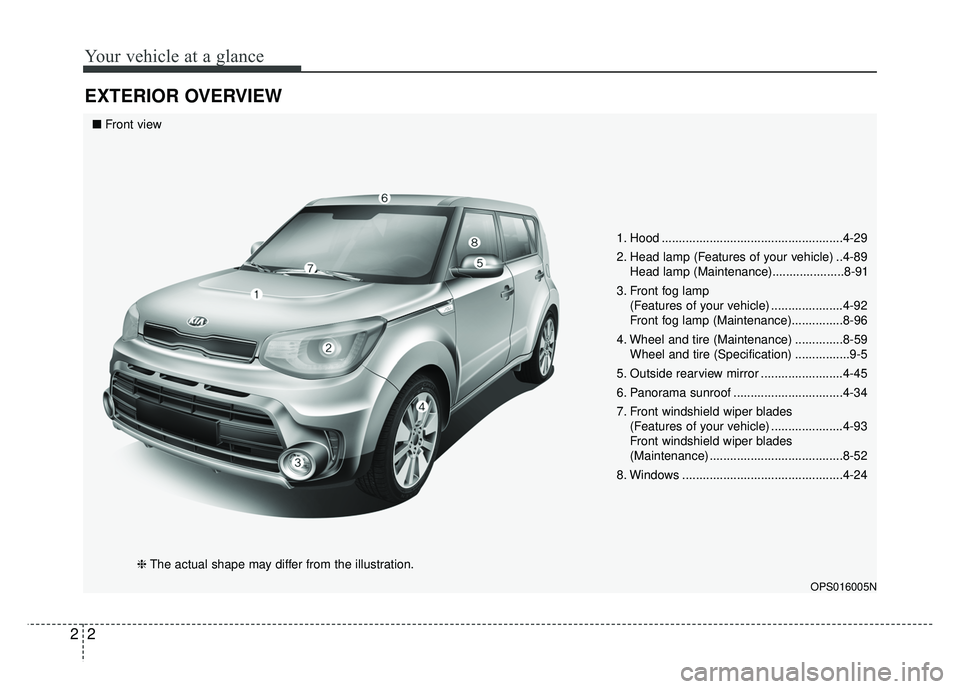
EXTERIOR OVERVIEW
1. Hood .....................................................4-29
2. Head lamp (Features of your vehicle) ..4-89Head lamp (Maintenance).....................8-91
3. Front fog lamp (Features of your vehicle) .....................4-92
Front fog lamp (Maintenance)...............8-96
4. Wheel and tire (Maintenance) ..............8-59 Wheel and tire (Specification) ................9-5
5. Outside rearview mirror ........................4-45
6. Panorama sunroof ................................4-34
7. Front windshield wiper blades (Features of your vehicle) .....................4-93
Front windshield wiper blades
(Maintenance) .......................................8-52
8. Windows ...............................................4-24
OPS016005N
■ Front view
❈The actual shape may differ from the illustration.
Page 14 of 589
23
Your vehicle at a glance
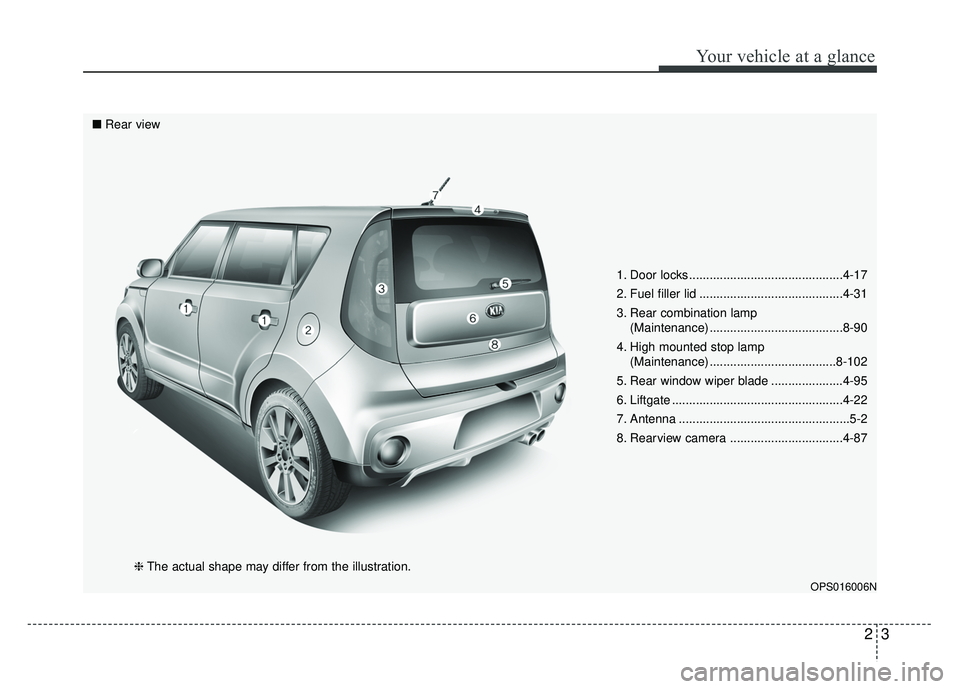
1. Door locks .............................................4-17
2. Fuel filler lid ..........................................4-31
3. Rear combination lamp(Maintenance) .......................................8-90
4. High mounted stop lamp (Maintenance) .....................................8-102
5. Rear window wiper blade .....................4-95
6. Liftgate ..................................................4-22
7. Antenna ..................................................5-2
8. Rearview camera .................................4-87
OPS016006N
■ Rear view
❈The actual shape may differ from the illustration.
Page 21 of 589
33
Safety features of your vehicle
• ALWAYS set up your mobiledevices (i.e., MP3 players, phones,
navigation units, etc.) when your
vehicle is parked or safely stopped.
ONLY use your mobile device when allowed by laws and when
conditions permit safe use. NEVER
text or email while driving. Most
states have laws prohibiting drivers
from texting. Some states and
cities also prohibit drivers from
using handheld phones.
NEVER let the use of a mobile device distract you from driving.
You have a responsibility to your
passengers and others on the road
to always drive safely, with your
hands on the wheel as well as your
eyes and attention on the road.Control your speed
Excessive speed is a major factor in
crash injuries and deaths. Generally,
the higher the speed, the greater the
risk, but serious injuries can also
occur at lower speeds. Never drive
faster than is safe for current condi-
tions, regardless of the maximum
speed posted.
Keep your vehicle in safe con-
dition
Having a tire blowout or a mechani-
cal failure can be extremely haz-
ardous. To reduce the possibility of
such problems, check your tire pres-
sures and condition frequently, and
perform all regularly scheduled
maintenance.
Page 81 of 589
363
Safety features of your vehicle
Problems may arise if the sensorinstallation angles are changed
due to the deformation of the front
bumper, front end module, body or
front doors and/or B pillar where
side collision sensors are installed.
Have the vehicle checked and
repaired by an authorized Kia deal-
er.
Installing bumper guards (or side step or running board) or replacing
a bumper (or front door module)
with non-genuine parts may
adversely affect your vehicle’s col-
lision and air bag deployment per-
formance.Air bag inflation conditions
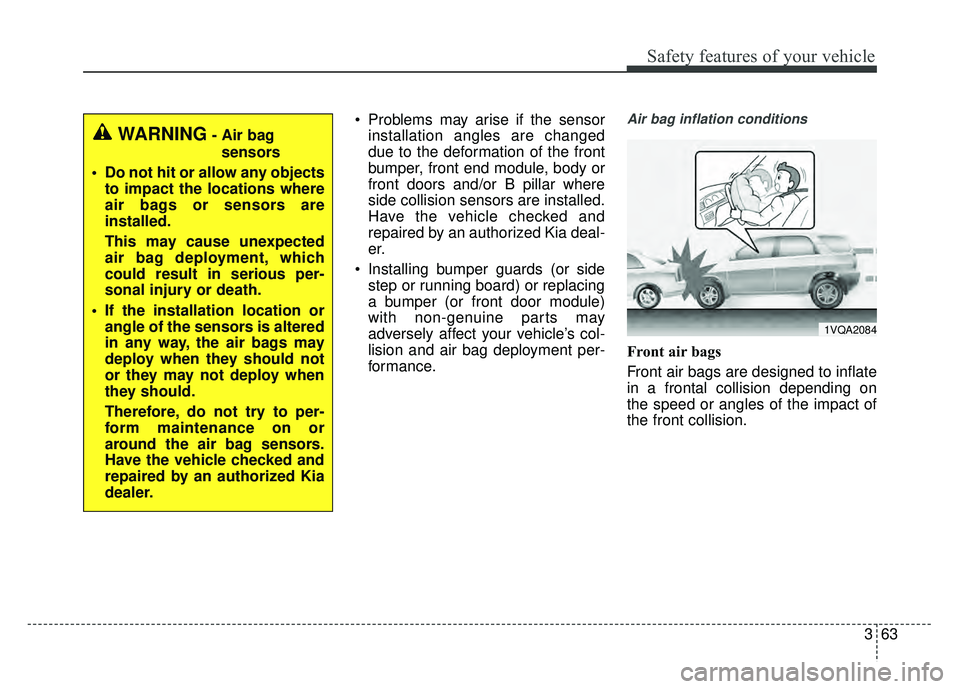
Front air bags
Front air bags are designed to inflate
in a frontal collision depending on
the speed or angles of the impact of
the front collision.
1VQA2084
WARNING- Air bag
sensors
Do not hit or allow any objects to impact the locations where
air bags or sensors are
installed.
This may cause unexpected
air bag deployment, which
could result in serious per-
sonal injury or death.
If the installation location or angle of the sensors is altered
in any way, the air bags may
deploy when they should not
or they may not deploy when
they should.
Therefore, do not try to per-
form maintenance on or
around the air bag sensors.
Have the vehicle checked and
repaired by an authorized Kia
dealer.
Page 85 of 589
367
Safety features of your vehicle
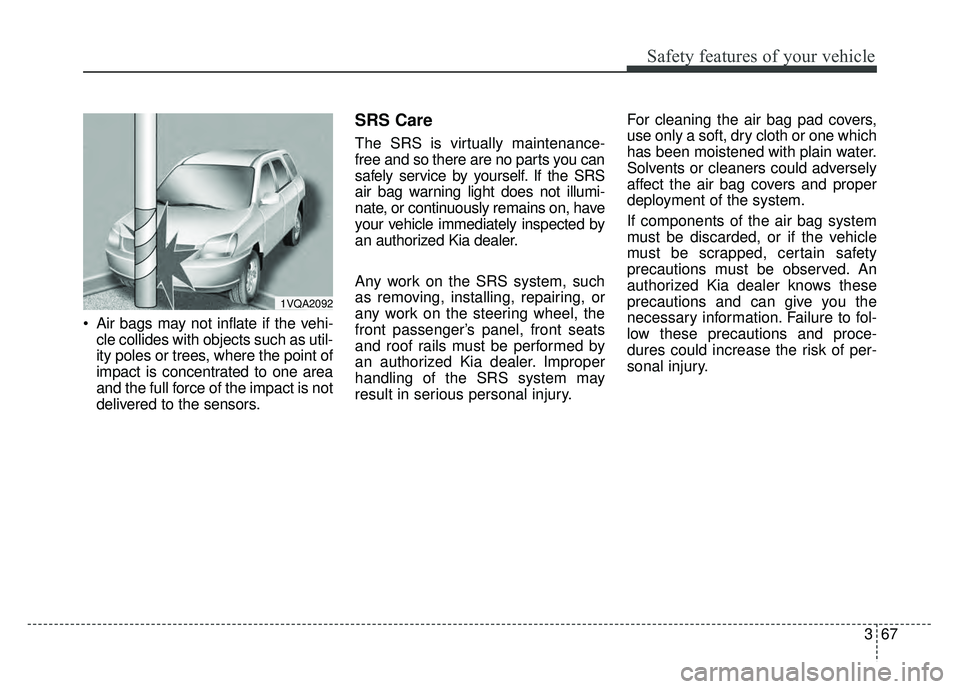
Air bags may not inflate if the vehi-cle collides with objects such as util-
ity poles or trees, where the point of
impact is concentrated to one area
and the full force of the impact is not
delivered to the sensors.
SRS Care
The SRS is virtually maintenance-
free and so there are no parts you can
safely service by yourself. If the SRS
air bag warning light does not illumi-
nate, or continuously remains on, have
your vehicle immediately inspected by
an authorized Kia dealer.
Any work on the SRS system, such
as removing, installing, repairing, or
any work on the steering wheel, the
front passenger’s panel, front seats
and roof rails must be performed by
an authorized Kia dealer. Improper
handling of the SRS system may
result in serious personal injury. For cleaning the air bag pad covers,
use only a soft, dry cloth or one which
has been moistened with plain water.
Solvents or cleaners could adversely
affect the air bag covers and proper
deployment of the system.
If components of the air bag system
must be discarded, or if the vehicle
must be scrapped, certain safety
precautions must be observed. An
authorized Kia dealer knows these
precautions and can give you the
necessary information. Failure to fol-
low these precautions and proce-
dures could increase the risk of per-
sonal injury.
1VQA2092
Page 139 of 589
453
Features of your vehicle
Odometer
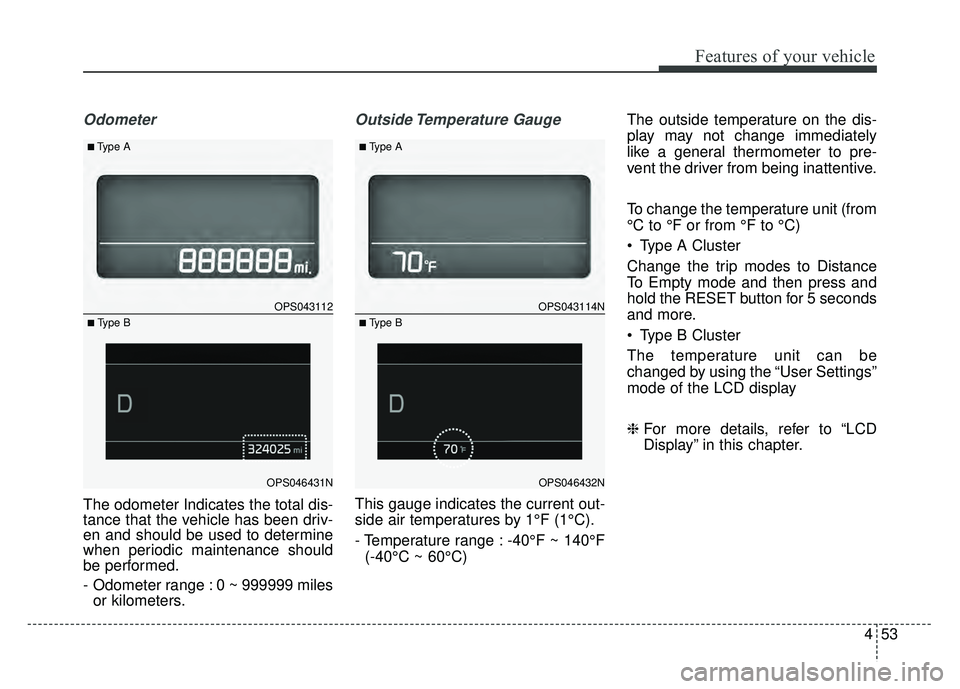
The odometer Indicates the total dis-
tance that the vehicle has been driv-
en and should be used to determine
when periodic maintenance should
be performed.
- Odometer range : 0 ~ 999999 milesor kilometers.
Outside Temperature Gauge
This gauge indicates the current out-
side air temperatures by 1°F (1°C).
- Temperature range : -40°F ~ 140°F
(-40°C ~ 60°C) The outside temperature on the dis-
play may not change immediately
like a general thermometer to pre-
vent the driver from being inattentive.
To change the temperature unit (from
°C to °F or from °F to °C)
Type A Cluster
Change the trip modes to Distance
To Empty mode and then press and
hold the RESET button for 5 seconds
and more.
Type B Cluster
The temperature unit can be
changed by using the “User Settings”
mode of the LCD display
❈
For more details, refer to “LCD
Display” in this chapter.
OPS043112
OPS046431N
■Type A
■ Type B
OPS043114N
OPS046432N
■Type A
■ Type B
Page 143 of 589
457
Features of your vehicle
Service Mode
Service Interval
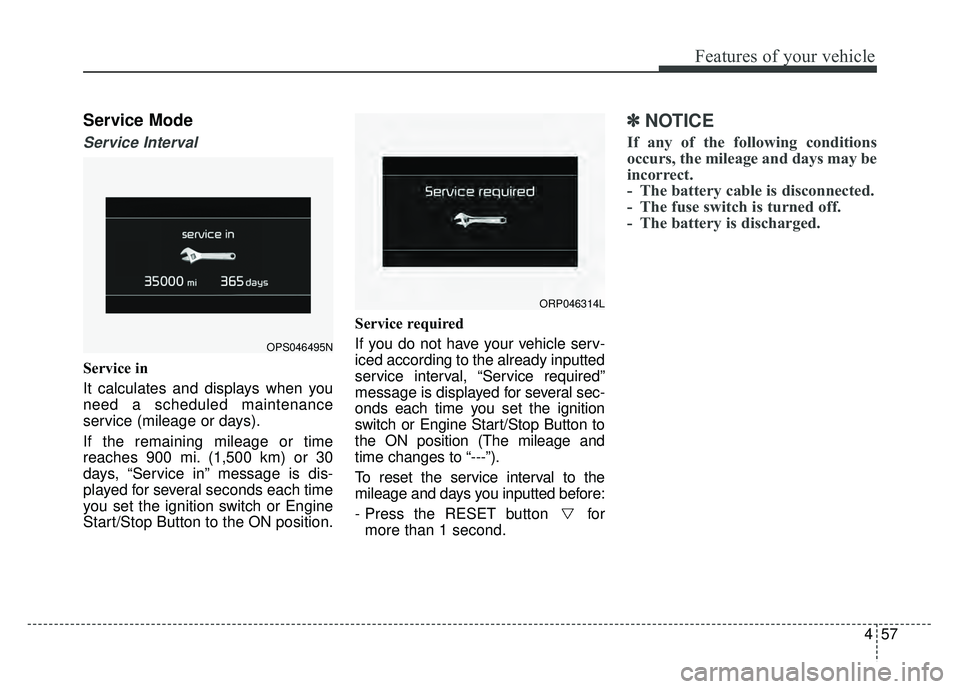
Service in
It calculates and displays when you
need a scheduled maintenance
service (mileage or days).
If the remaining mileage or time
reaches 900 mi. (1,500 km) or 30
days, “Service in” message is dis-
played for several seconds each time
you set the ignition switch or Engine
Start/Stop Button to the ON position.Service required
If you do not have your vehicle serv-
iced according to the already inputted
service interval, “Service required”
message is displayed for several sec-
onds each time you set the ignition
switch or Engine Start/Stop Button to
the ON position (The mileage and
time changes to “---”).
To reset the service interval to the
mileage and days you inputted before:
- Press the RESET button for
more than 1 second.
✽ ✽ NOTICE
If any of the following conditions
occurs, the mileage and days may be
incorrect.
- The battery cable is disconnected.
- The fuse switch is turned off.
- The battery is discharged.
OPS046495N
ORP046314L
Page 249 of 589
Audio system
14
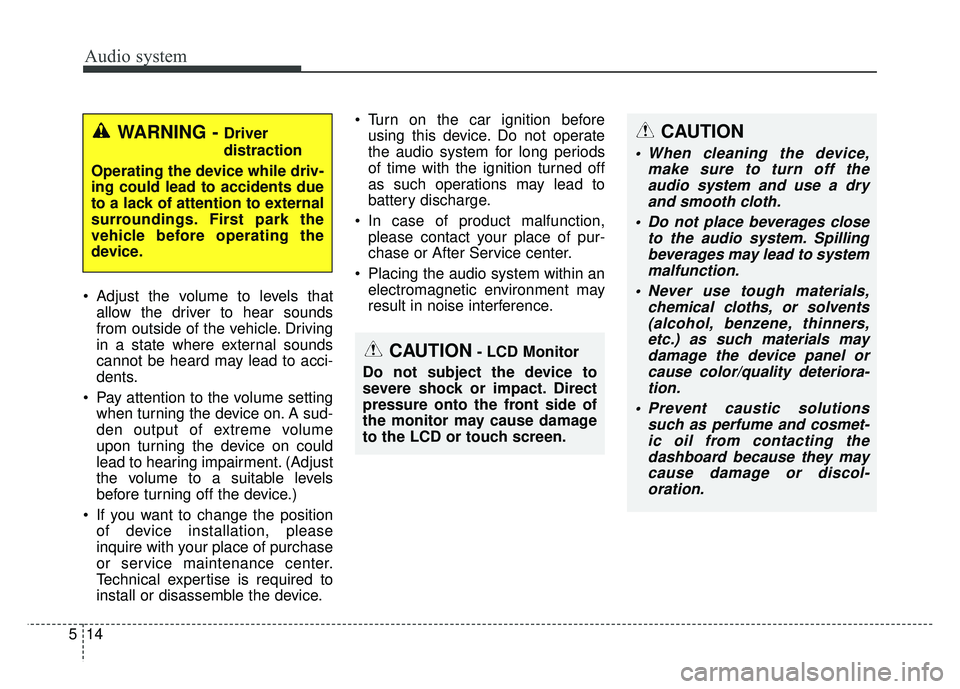
5 Adjust the volume to levels that
allow the driver to hear sounds
from outside of the vehicle. Driving
in a state where external sounds
cannot be heard may lead to acci-
dents.
Pay attention to the volume setting when turning the device on. A sud-
den output of extreme volume
upon turning the device on could
lead to hearing impairment. (Adjust
the volume to a suitable levels
before turning off the device.)
If you want to change the position of device installation, please
inquire with your place of purchase
or service maintenance center.
Technical expertise is required to
install or disassemble the device. Turn on the car ignition before
using this device. Do not operate
the audio system for long periods
of time with the ignition turned off
as such operations may lead to
battery discharge.
In case of product malfunction, please contact your place of pur-
chase or After Service center.
Placing the audio system within an electromagnetic environment may
result in noise interference.
WARNING - Driver
distraction
Operating the device while driv-
ing could lead to accidents due
to a lack of attention to external
surroundings. First park the
vehicle before operating the
device.CAUTION
When cleaning the device, make sure to turn off theaudio system and use a dryand smooth cloth.
Do not place beverages close to the audio system. Spillingbeverages may lead to systemmalfunction.
Never use tough materials, chemical cloths, or solvents(alcohol, benzene, thinners,etc.) as such materials maydamage the device panel orcause color/quality deteriora-tion.
Prevent caustic solutions such as perfume and cosmet-ic oil from contacting thedashboard because they maycause damage or discol-oration.
CAUTION- LCD Monitor
Do not subject the device to
severe shock or impact. Direct
pressure onto the front side of
the monitor may cause damage
to the LCD or touch screen.
Page 285 of 589
Audio system
50
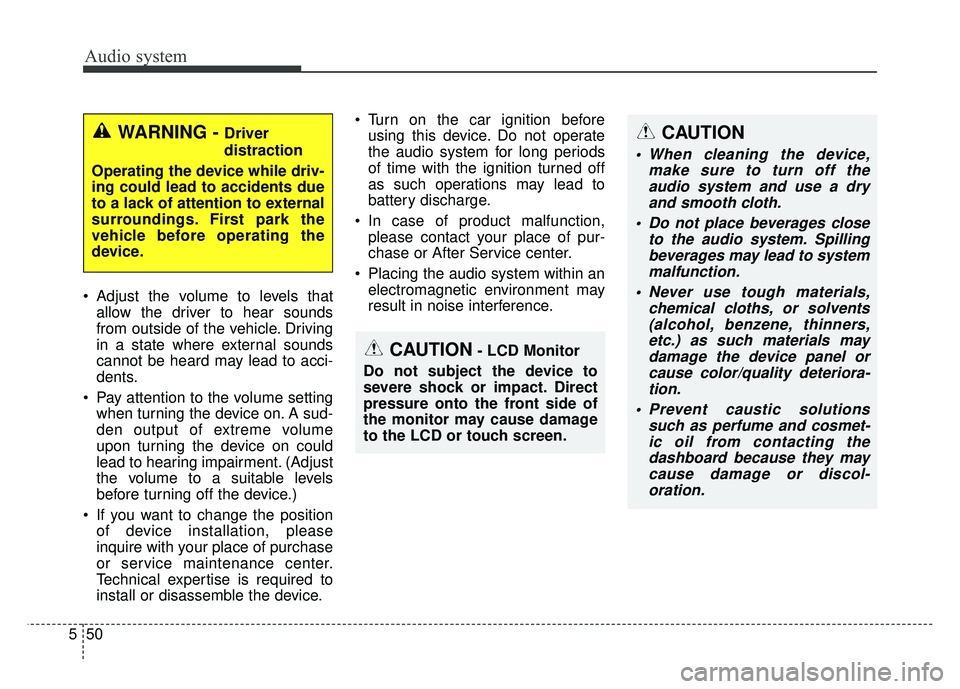
5 Adjust the volume to levels that
allow the driver to hear sounds
from outside of the vehicle. Driving
in a state where external sounds
cannot be heard may lead to acci-
dents.
Pay attention to the volume setting when turning the device on. A sud-
den output of extreme volume
upon turning the device on could
lead to hearing impairment. (Adjust
the volume to a suitable levels
before turning off the device.)
If you want to change the position of device installation, please
inquire with your place of purchase
or service maintenance center.
Technical expertise is required to
install or disassemble the device. Turn on the car ignition before
using this device. Do not operate
the audio system for long periods
of time with the ignition turned off
as such operations may lead to
battery discharge.
In case of product malfunction, please contact your place of pur-
chase or After Service center.
Placing the audio system within an electromagnetic environment may
result in noise interference.
WARNING - Driver
distraction
Operating the device while driv-
ing could lead to accidents due
to a lack of attention to external
surroundings. First park the
vehicle before operating the
device.
CAUTION- LCD Monitor
Do not subject the device to
severe shock or impact. Direct
pressure onto the front side of
the monitor may cause damage
to the LCD or touch screen.
CAUTION
When cleaning the device, make sure to turn off theaudio system and use a dryand smooth cloth.
Do not place beverages close to the audio system. Spillingbeverages may lead to systemmalfunction.
Never use tough materials, chemical cloths, or solvents(alcohol, benzene, thinners,etc.) as such materials maydamage the device panel orcause color/quality deteriora-tion.
Prevent caustic solutions such as perfume and cosmet-ic oil from contacting thedashboard because they maycause damage or discol-oration.