service KIA SOUL 2018 User Guide
[x] Cancel search | Manufacturer: KIA, Model Year: 2018, Model line: SOUL, Model: KIA SOUL 2018Pages: 620, PDF Size: 13.29 MB
Page 213 of 620
4127
Features of your vehicle
Checking the amount of air
conditioner refrigerant and
compressor lubricant
When the amount of refrigerant is
low, the performance of the air con-
ditioning is reduced. Overfilling also
has a negative impact on the air con-
ditioning system.
Therefore, if abnormal operation is
found, have the system inspected by
an authorized Kia dealer.
✽ ✽NOTICE
It is important that the correct type
and amount of oil and refrigerant is
used. Otherwise, damage to the
compressor and abnormal system
operation may occur.
WARNING
The oil and refrigerant in your
vehicle's air conditioning sys-
tem is under very high pres-
sure. If proper service proce-
dures are not followed an explo-
sion may result. To reduce the
risk of serious injury or death,
the air conditioning system in
your vehicle should only be
serviced by trained and certi-
fied technicians.
Page 249 of 620
Audio system
14
5 Adjust the volume to levels that
allow the driver to hear sounds
from outside of the vehicle. Driving
in a state where external sounds
cannot be heard may lead to acci-
dents.
Pay attention to the volume setting when turning the device on. A sud-
den output of extreme volume
upon turning the device on could
lead to hearing impairment. (Adjust
the volume to a suitable levels
before turning off the device.)
If you want to change the position of device installation, please
inquire with your place of purchase
or service maintenance center.
Technical expertise is required to
install or disassemble the device. Turn on the car ignition before
using this device. Do not operate
the audio system for long periods
of time with the ignition turned off
as such operations may lead to
battery discharge.
In case of product malfunction, please contact your place of pur-
chase or After Service center.
Placing the audio system within an electromagnetic environment may
result in noise interference.
WARNING - Driver
distraction
Operating the device while driv-
ing could lead to accidents due
to a lack of attention to external
surroundings. First park the
vehicle before operating the
device.CAUTION
When cleaning the device, make sure to turn off theaudio system and use a dryand smooth cloth.
Do not place beverages close to the audio system. Spillingbeverages may lead to systemmalfunction.
Never use tough materials, chemical cloths, or solvents(alcohol, benzene, thinners,etc.) as such materials maydamage the device panel orcause color/quality deteriora-tion.
Prevent caustic solutions such as perfume and cosmet-ic oil from contacting thedashboard because they maycause damage or discol-oration.
CAUTION- LCD Monitor
Do not subject the device to
severe shock or impact. Direct
pressure onto the front side of
the monitor may cause damage
to the LCD or touch screen.
Page 252 of 620
Audio system
517
✽
✽NOTICE - SiriusXM®Satellite
Radio information
• Satellite Radio channels: Enjoy SiriusXM Satellite Radio
with a 3-month trial subscription
to the Sirius Select package. You’ll
get over variable channels, includ-
ing commercialfree music, plus all
your favorite sports, exclusive
talk, entertainment, and a selec-
tion of premium programming.
For more information and a com-
plete list of SiriusXM channels,
visit siriusxm.com in the United
States, siriusxm.ca in Canada, or
call SiriusXM at 1-888-539-7474.
• Satellite Radio reception factors: To receive the satellite signal, your
vehicle has been equipped with a
satellite radio antenna located on
the roof of your vehicle. The vehi-
cle roof provides the best location
for an unobstructed, open view of
the sky, a requirement of a satellite
radio system. Like AM/FM, there
are several factors that can affect
satellite radio reception perform-
ance: (Continued)(Continued)
- Antenna obstructions: For opti-mal reception performance, keep
the antenna clear of snow and
ice build-up and keep luggage
and other material as far away
from the antenna as possible.
• SiriusXM Satellite Radio service: SiriusXM is a subscription-based
satellite radio service that broad-
casts music, sports, news and
entertainment programming to
radio receivers, which are avail-
able for installation in motor vehi-
cles or factory installed, as well as
for the home, portable and wire-
less devices, and through an Internet
connection on a personal computer.
Vehicles that are equipped with a
factory installed SiriusXM Satellite
Radio system include:
- Hardware and an introductorytrial subscription term, which
begins on the date of sale or lease
of the vehicle.
- For a small upgrade fee, access to SiriusXM music channels, and
other select channels over the
Internet using any computer con-
nected to the Internet (U.S. cus-
tomers only).
(Continued)(Continued)
• SiriusXM services require a sub-
scription sold separately, or as a
package, by Sirius XM Radio Inc.
If you decide to continue service
after your trial, the subscription
plan you choose will automatically
renew thereafter and you will be
charged according to your chosen
payment method at then-current
rates. Fees and taxes apply. To
cancel you must call SiriusXM at
1-866-635-2349. See SiriusXM
Customer Agreement for complete
terms at www.siriusxm.com.
SiriusXM U.S. satellite and data
services are available only in the
48 contiguous states, DC and
Puerto Rico (with coverage limita-
tions). SiriusXM satellite service is
also available in Canada; see
www.siriusxm. ca. All fees and
programming subject to change.
Sirius, XM and all related marks
and logos are trademarks of Sirius
XM Radio Inc.
Page 285 of 620
Audio system
50
5 Adjust the volume to levels that
allow the driver to hear sounds
from outside of the vehicle. Driving
in a state where external sounds
cannot be heard may lead to acci-
dents. Pay attention to the volume setting
when turning the device on. A sud-
den output of extreme volume
upon turning the device on could
lead to hearing impairment. (Adjust
the volume to a suitable levels
before turning off the device.)
If you want to change the position of device installation, please
inquire with your place of purchase
or service maintenance center.
Technical expertise is required to
install or disassemble the device.
Turn on the car ignition before using this device. Do not operate
the audio system for long periods
of time with the ignition turned off
as such operations may lead to
battery discharge.
In case of product malfunction, please contact your place of pur-
chase or After Service center.
Placing the audio system within an electromagnetic environment may
result in noise interference.
WARNING - Driver dis-
traction
Driving while distracted can
result in a loss of vehicle con-
trol that may lead to an acci-
dent, severe personal injury,
and death. The driver's primary
responsibility is in the safe and
legal operation of a vehicle, and
use of any handheld devices,
other equipment, or vehicle sys-
tems which take the driver's
eyes, attention and focus away
from the safe operation of a
vehicle or which are not permis-
sible by law should never be
used during operation of the
vehicle.CAUTION- LCD Monitor
Do not subject the device to
severe shock or impact. Direct
pressure onto the front side of
the monitor may cause damage
to the LCD or touch screen.
Page 289 of 620
Audio system
54
5
✽
✽
NOTICE - SiriusXM®Satellite
Radio information
• Satellite Radio channels: Enjoy SiriusXM Satellite Radio
with a 3-month trial subscription
to the Sirius Select package. You’ll
get over variable channels, includ-
ing commercialfree music, plus all
your favorite sports, exclusive
talk, entertainment, and a selec-
tion of premium programming.
For more information and a com-
plete list of SiriusXM channels,
visit siriusxm.com in the United
States, siriusxm.ca in Canada, or
call SiriusXM at 1-888-539-7474.
• Satellite Radio reception factors: To receive the satellite signal, your
vehicle has been equipped with a
satellite radio antenna located on
the roof of your vehicle. The vehi-
cle roof provides the best location
for an unobstructed, open view of
the sky, a requirement of a satellite
radio system. Like AM/FM, there
are several factors that can affect
satellite radio reception perform-
ance: (Continued)(Continued)
- Antenna obstructions: For opti-mal reception performance, keep
the antenna clear of snow and
ice build-up and keep luggage
and other material as far away
from the antenna as possible.
• SiriusXM Satellite Radio service: SiriusXM is a subscription-based
satellite radio service that broad-
casts music, sports, news and
entertainment programming to
radio receivers, which are avail-
able for installation in motor vehi-
cles or factory installed, as well as
for the home, portable and wire-
less devices, and through an Internet
connection on a personal computer.
Vehicles that are equipped with a
factory installed SiriusXM Satellite
Radio system include:
- Hardware and an introductorytrial subscription term, which
begins on the date of sale or lease
of the vehicle.
- For a small upgrade fee, access to SiriusXM music channels, and
other select channels over the
Internet using any computer con-
nected to the Internet (U.S. cus-
tomers only).
(Continued)(Continued)
• SiriusXM services require a sub-
scription sold separately, or as a
package, by Sirius XM Radio Inc.
If you decide to continue service
after your trial, the subscription
plan you choose will automatically
renew thereafter and you will be
charged according to your chosen
payment method at then-current
rates. Fees and taxes apply. To
cancel you must call SiriusXM at
1-866-635-2349. See SiriusXM
Customer Agreement for complete
terms at www.siriusxm.com.
SiriusXM U.S. satellite and data
services are available only in the
48 contiguous states, DC and
Puerto Rico (with coverage limita-
tions). SiriusXM satellite service is
also available in Canada; see
www.siriusxm. ca. All fees and
programming subject to change.
Sirius, XM and all related marks
and logos are trademarks of Sirius
XM Radio Inc.
Page 313 of 620
![KIA SOUL 2018 User Guide Audio system
78
5
Operation during calls
Incoming call with Bluetooth®
Wireless Technology connected ➟
Select [Accept].
(1) Call duration: Call duration display.
(2) Caller name: If the caller nu](/img/2/54631/w960_54631-312.png "KIA SOUL 2018 User Guide Audio system
78
5
Operation during calls
Incoming call with Bluetooth®
Wireless Technology connected ➟
Select [Accept].
(1) Call duration: Call duration display.
(2) Caller name: If the caller nu")
Audio system
78
5
Operation during calls
Incoming call with Bluetooth®
Wireless Technology connected ➟
Select [Accept].
(1) Call duration: Call duration display.
(2) Caller name: If the caller number is in your contacts, the corresponding
name is displayed.
(3) Incoming phone number: Incoming phone number is displayed.
(4) Keypad: Number keypad for Automatic Response Service input
is displayed.
(5) Private: Call is transferred to a cell phone.
(6) Outgoing Volume: Adjust outgo- ing voice volume.
(7) End: End call.
✽ ✽ NOTICE
• Some Bluetooth®Wireless Technology
devices may not support the
Private function.
• The outgoing voice volume may vary depending on the type of
Bluetooth
®Wireless Technology
device. If the outgoing voice vol-
ume is too high or low, adjust the
Out Vol.
Favorites
Select the [PHONE] button on the
audio system ➟ Select [Favorites] ➟
Favorites list displayed.
(1) Favorites list: A list of paired favorites is displayed.
Connect a call when selected. (2) Add to Favorites: Add a down-
loaded phone number to favorites.
(3) Delete: Delete a saved favorites.
✽ ✽ NOTICE
• Up to 20 favorites can be paired
for each paired Bluetooth®
Wireless Technology device.
• Favorites can be accessed when the Bluetooth
®Wireless Technology
device they were paired from is
connected.
• The audio system does not down- load favorites from Bluetooth
®
Wireless Technology devices.
Favorites must be newly saved
before use.
• To add to favorites, contacts must be downloaded first.
• Saved favorites are not updated even if the contacts of the connected
Bluetooth
®Wireless Technology
device are changed. In this case,
favorites need to be deleted and
added again.
Page 339 of 620
Driving your vehicle
20
6
For smooth operation, depress the
brake pedal and the lock release but-ton when shifting from N (Neutral) toa forward or reverse gear.When stopped on an incline, do not
hold the vehicle with the engine
power. Use the service brake or the
parking brake.
Transaxle ranges
The indicator in the instrument clus-
ter displays the shift lever position
when the ignition switch is in the ON
position.
P (Park)
Always come to a complete stop
before shifting into P (Park). This
position locks the transaxle and pre-
vents the drive wheels from rotating.
Shifting into P (Park) while the vehi-
cle is in motion will cause the drive
wheels to lock which will cause you
to lose control of the vehicle. R (Reverse)
Use this position to drive the vehicle
backward.
N (Neutral)
The wheels and transaxle are not
engaged. The vehicle will roll freely
even on the slightest incline unless
the parking brake or service brakes
are applied.
CAUTION- Transaxle
To avoid damage to your
transaxle, do not accelerate theengine in R (Reverse) or any for-ward gear position with thebrakes on. The transaxle may bedamaged if you shift into P(Park) while the vehicle is inmotion.
WARNING- Leaving the
Vehicle
To avoid unexpected or sudden
vehicle movement, never leave
your vehicle if the transmission
is not locked in the P (Park)
position and the parking brake
is fully engaged. Before leaving
the driver's seat, always make
sure the shift lever is engaged in
P (Park), set the parking brake
fully and shut the engine off.
CAUTION- Shifting
Always come to a complete stop before shifting into or out of R(Reverse); you may damage thetransaxle if you shift into R(Reverse) while the vehicle is inmotion, except when “Rockingthe vehicle” explained in thissection.
Page 343 of 620
Driving your vehicle
24
6
Ignition key interlock system
The ignition key cannot be removed
unless the shift lever is in the P
(Park) position. Even if the ignition
switch is in the LOCK position, the
key also cannot be removed.
If your vehicle is equipped with
ENGINE START/STOP button, the
button will not change to the OFF
position unless the shift lever is in the
P (Park) position.
Good driving practices
Never move the gear shift lever
from P (Park) to any other position
with the accelerator pedal
depressed.
Never move the gear shift lever into P (Park) when the vehicle is in
motion.
Slow down before shifting to a lower gear. Otherwise, the lower
gear may not be engaged.
Always use the parking brake. Do not depend on placing the
transaxle in P (Park) to keep the
vehicle from moving.
Optimum vehicle performance and economy is obtained by smoothly
depressing and releasing the
accelerator pedal.
Moving up a steep grade from a
standing start
To move up a steep grade from a
standing start, depress the brake
pedal, shift the shift lever to D
(Drive). Select the appropriate gear
depending on load weight and steep-
ness of the grade, and release the
parking brake. Depress the accelera-
tor gradually while releasing the
service brakes.
Page 345 of 620
Driving your vehicle
26
6
The Dual Clutch Transmission
gives the driving feel of a manual
transmission, yet provides the
ease of a fully automatic transmis-
sion. Unlike a traditional automatic
transmission, the gear shifting can
be felt (and heard) on the dual
clutch transmission
- Think of it as an automaticallyshifting manual transmission.
- Shift into Drive range and get fully automatic shifting, similar to a con-
ventional automatic transmission.
Dual clutch transmission adopts dry-type dual clutch, which is dif-
ferent from torque converter of
automatic transmission, and
shows better acceleration perform-
ance during driving. But, initial
launch might be little bit slower
than Automatic Transmission.
The dry-type clutch transfers torque and provides a direct driv-
ing feeling which may feel different
from a conventional automatic
transmission with a torque convert-
er. This may be more noticeable
when starting from a stop or low
vehicle speed.
WARNING
To reduce the risk of serious
injury or death:
ALWAYS check the surround-ing areas near your vehicle for
people, especially children,
before shifting a vehicle into
D (Drive) or R (Reverse).
Before leaving the driver's seat, always make sure the
shift lever is in the P (Park)
position, then set the parking
brake, and place the ignition
switch in the LOCK/OFF posi-
tion. Unexpected and sudden
vehicle movement can occur
if these preNOTICEs are not
followed.
Do not use the engine braking (shifting from a high gear to
lower gear) rapidly on slip-
pery roads. The vehicle may
slip causing an accident.
CAUTION
To avoid damage to your transmission, do not try toaccelerate in R (Reverse) orany forward gear position withthe brakes on.
When stopped on slope, do not hold the vehicle withaccelerator pedal. Use theservice brake or the parkingbrake.
Page 353 of 620
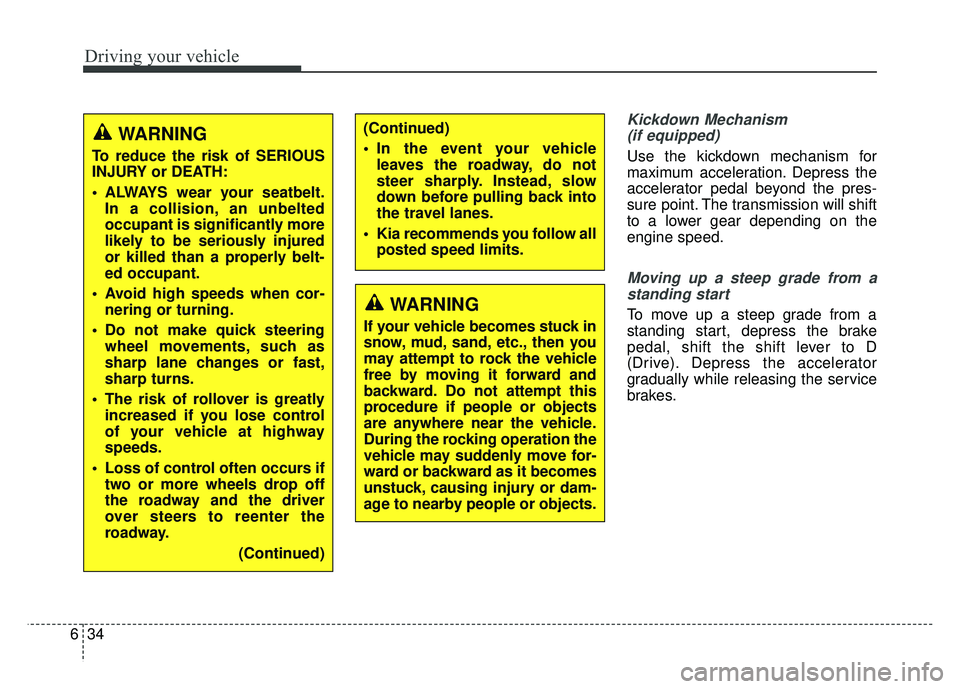
Driving your vehicle
34
6
Kickdown Mechanism
(if equipped)
Use the kickdown mechanism for
maximum acceleration. Depress the
accelerator pedal beyond the pres-
sure point. The transmission will shift
to a lower gear depending on the
engine speed.
Moving up a steep grade from astanding start
To move up a steep grade from a
standing start, depress the brake
pedal, shift the shift lever to D
(Drive). Depress the accelerator
gradually while releasing the service
brakes.WARNING
If your vehicle becomes stuck in
snow, mud, sand, etc., then you
may attempt to rock the vehicle
free by moving it forward and
backward. Do not attempt this
procedure if people or objects
are anywhere near the vehicle.
During the rocking operation the
vehicle may suddenly move for-
ward or backward as it becomes
unstuck, causing injury or dam-
age to nearby people or objects.
(Continued)
In the event your vehicle leaves the roadway, do not
steer sharply. Instead, slow
down before pulling back into
the travel lanes.
Kia recommends you follow all posted speed limits.WARNING
To reduce the risk of SERIOUS
INJURY or DEATH:
ALWAYS wear your seatbelt.In a collision, an unbelted
occupant is significantly more
likely to be seriously injured
or killed than a properly belt-
ed occupant.
Avoid high speeds when cor- nering or turning.
Do not make quick steering wheel movements, such as
sharp lane changes or fast,
sharp turns.
The risk of rollover is greatly increased if you lose control
of your vehicle at highway
speeds.
Loss of control often occurs if two or more wheels drop off
the roadway and the driver
over steers to reenter the
roadway.
(Continued)