battery KIA SOUL EV 2018 Workshop Manual
[x] Cancel search | Manufacturer: KIA, Model Year: 2018, Model line: SOUL EV, Model: KIA SOUL EV 2018Pages: 496, PDF Size: 15.13 MB
Page 186 of 496
455
Features of your vehicle
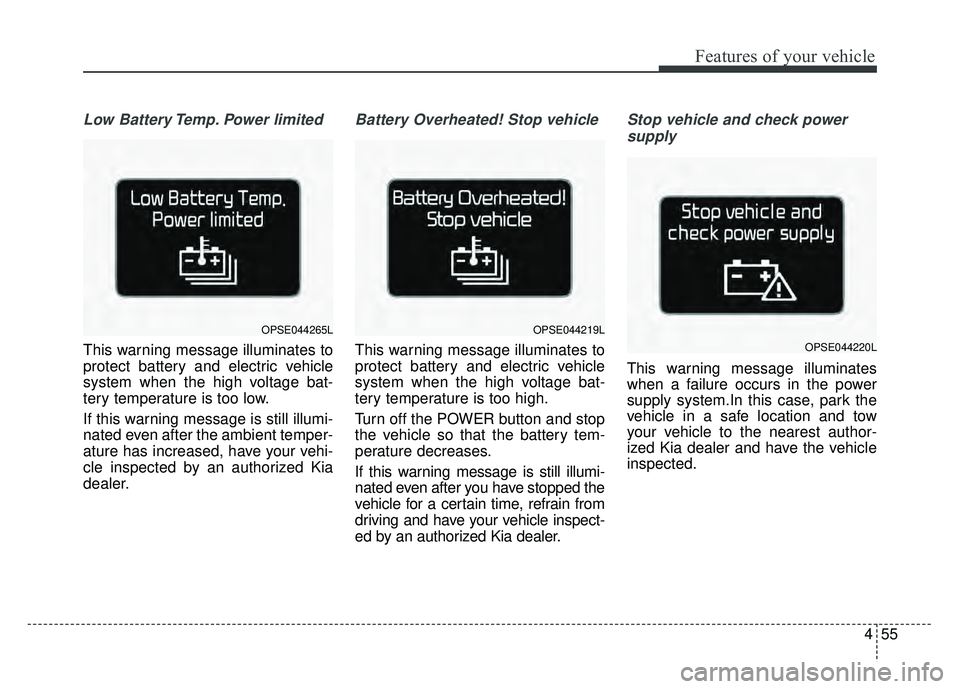
Low Battery Temp. Power limited
This warning message illuminates to
protect battery and electric vehicle
system when the high voltage bat-
tery temperature is too low.
If this warning message is still illumi-
nated even after the ambient temper-
ature has increased, have your vehi-
cle inspected by an authorized Kia
dealer.
Battery Overheated! Stop vehicle
This warning message illuminates to
protect battery and electric vehicle
system when the high voltage bat-
tery temperature is too high.
Turn off the POWER button and stop
the vehicle so that the battery tem-
perature decreases.
If this warning message is still illumi-
nated even after you have stopped the
vehicle for a certain time, refrain from
driving and have your vehicle inspect-
ed by an authorized Kia dealer.
Stop vehicle and check powersupply
This warning message illuminates
when a failure occurs in the power
supply system.In this case, park the
vehicle in a safe location and tow
your vehicle to the nearest author-
ized Kia dealer and have the vehicle
inspected.
OPSE044265LOPSE044219L
OPSE044220L
Page 188 of 496
457
Features of your vehicle
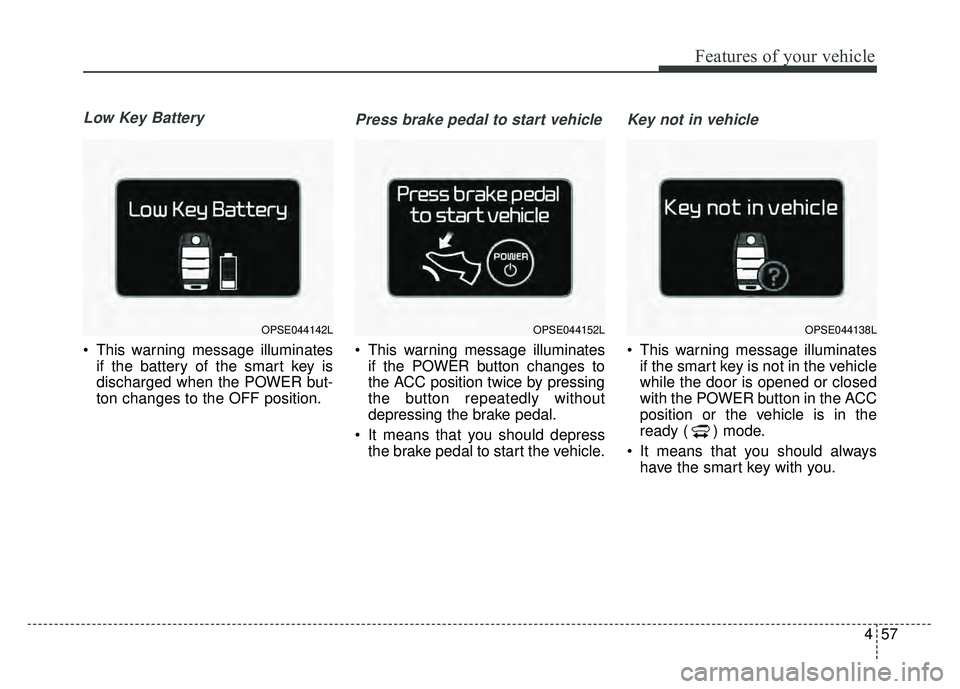
Low Key Battery
This warning message illuminatesif the battery of the smart key is
discharged when the POWER but-
ton changes to the OFF position.
Press brake pedal to start vehicle
This warning message illuminatesif the POWER button changes to
the ACC position twice by pressing
the button repeatedly without
depressing the brake pedal.
It means that you should depress the brake pedal to start the vehicle.
Key not in vehicle
This warning message illuminatesif the smart key is not in the vehicle
while the door is opened or closed
with the POWER button in the ACC
position or the vehicle is in the
ready ( ) mode.
It means that you should always have the smart key with you.
OPSE044142LOPSE044152LOPSE044138L
Page 192 of 496
461
Features of your vehicle
Overview
Description
The trip computer is a microcomput-
er-controlled driver information sys-
tem that displays information related
to driving.
✽ ✽NOTICE
Some driving information stored in
the trip computer (for example
Average Vehicle Speed) resets if the
battery is disconnected.
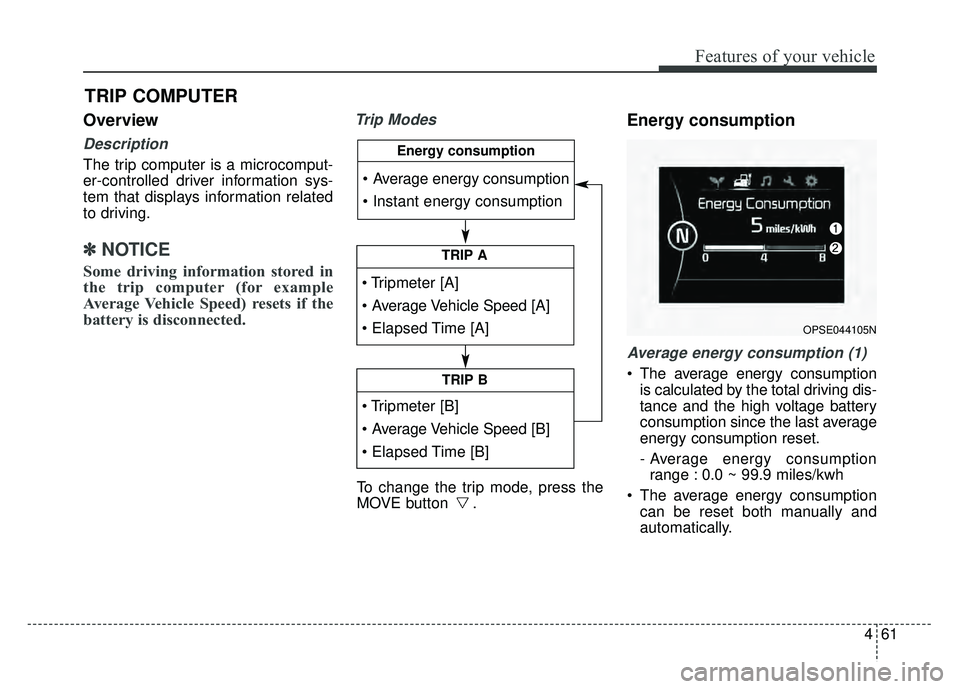
Trip ModesEnergy consumption
Average energy consumption (1)
The average energy consumption
is calculated by the total driving dis-
tance and the high voltage battery
consumption since the last average
energy consumption reset.
- Average energy consumptionrange : 0.0 ~ 99.9 miles/kwh
The average energy consumption can be reset both manually and
automatically.
TRIP COMPUTER
To change the trip mode, press the
MOVE button .
TRIP A
TRIP B
Energy consumption
OPSE044105N
Page 194 of 496
463
Features of your vehicle
Average Vehicle Speed (2)
The average vehicle speed is cal-culated by the total driving dis-
tance and driving time since the
last average vehicle speed reset.
- Speed range: 160 MPH or 200km/h
To reset the average vehicle speed, press the RESET ( ) button on
the steering wheel for more than 1
second when the average vehicle
speed is displayed.
✽ ✽ NOTICE
• The average vehicle speed is not dis-
played if the driving distance is less
than 0.03 miles (50 meters) or the
driving time is less than 10 seconds
since the POWER button is turned
to ON.
• Even if the vehicle is not in motion, the average vehicle speed
keeps going while the vehicle is in
the ready ( ) mode.
Elapsed Time (3)
The elapsed time is the total driv-
ing time since the last elapsed time
reset.
- Time range (hh:mm): 00:00 ~ 99:59
To reset the elapsed time, press the RESET ( ) button on the
steering wheel for more than 1
second when the elapsed time is
displayed.
✽ ✽ NOTICE
Even if the vehicle is not in motion,
the elapsed time keeps going while
the vehicle is in the ready ( )
mode.
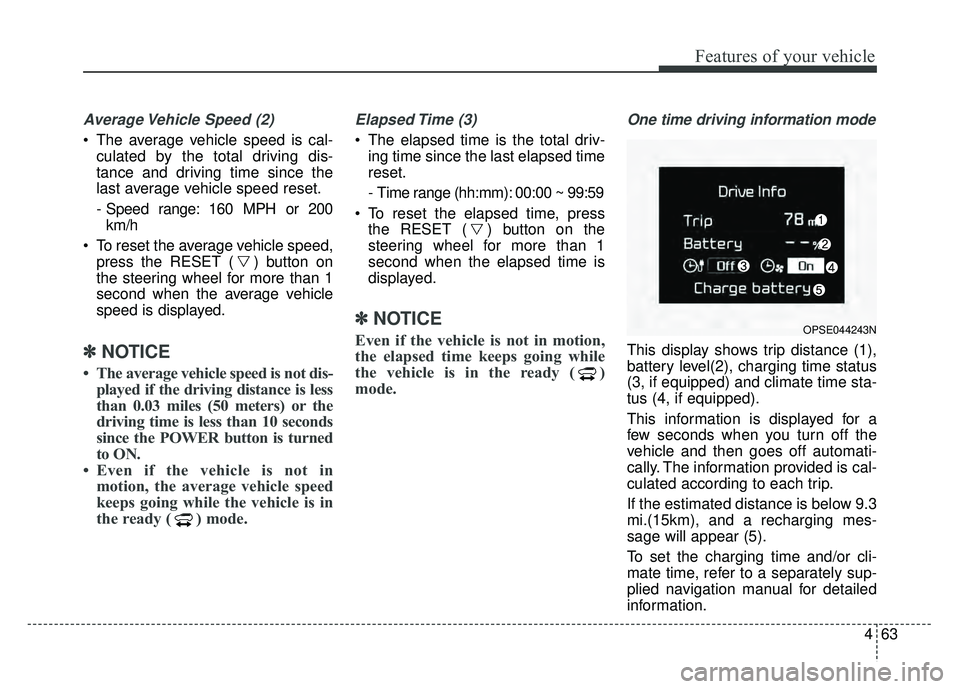
One time driving information mode
This display shows trip distance (1),
battery level(2), charging time status
(3, if equipped) and climate time sta-
tus (4, if equipped).
This information is displayed for a
few seconds when you turn off the
vehicle and then goes off automati-
cally. The information provided is cal-
culated according to each trip.
If the estimated distance is below 9.3
mi.(15km), and a recharging mes-
sage will appear (5).
To set the charging time and/or cli-
mate time, refer to a separately sup-
plied navigation manual for detailed
information.
OPSE044243N
Page 195 of 496
Features of your vehicle
64
4
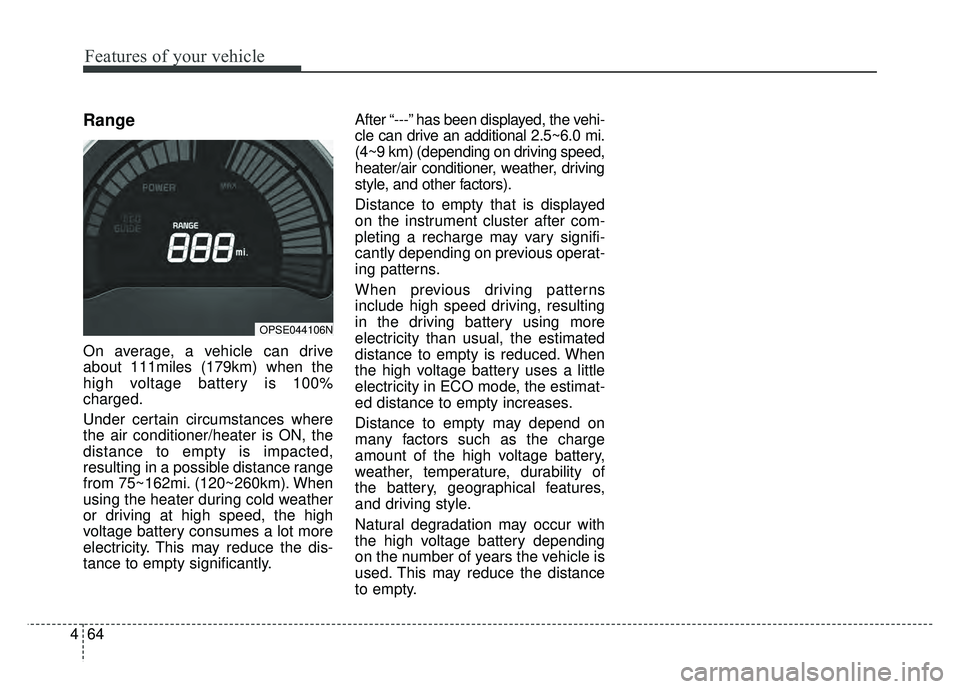
Range
On average, a vehicle can drive
about 111miles (179km) when the
high voltage battery is 100%
charged.
Under certain circumstances where
the air conditioner/heater is ON, the
distance to empty is impacted,
resulting in a possible distance range
from 75~162mi. (120~260km). When
using the heater during cold weather
or driving at high speed, the high
voltage battery consumes a lot more
electricity. This may reduce the dis-
tance to empty significantly. After “---” has been displayed, the vehi-
cle can drive an additional 2.5~6.0 mi.
(4~9 km) (depending on driving speed,
heater/air conditioner, weather, driving
style, and other factors).
Distance to empty that is displayed
on the instrument cluster after com-
pleting a recharge may vary signifi-
cantly depending on previous operat-
ing patterns.
When previous driving patterns
include high speed driving, resulting
in the driving battery using more
electricity than usual, the estimated
distance to empty is reduced. When
the high voltage battery uses a little
electricity in ECO mode, the estimat-
ed distance to empty increases.
Distance to empty may depend on
many factors such as the charge
amount of the high voltage battery,
weather, temperature, durability of
the battery, geographical features,
and driving style.
Natural degradation may occur with
the high voltage battery depending
on the number of years the vehicle is
used. This may reduce the distance
to empty.
OPSE044106N
Page 196 of 496
465
Features of your vehicle
Warning lights
✽
✽NOTICE - Warning lights
Make sure that all warning lights
are OFF after starting the vehicle. If
any light is still ON, this indicates a
situation that needs attention.
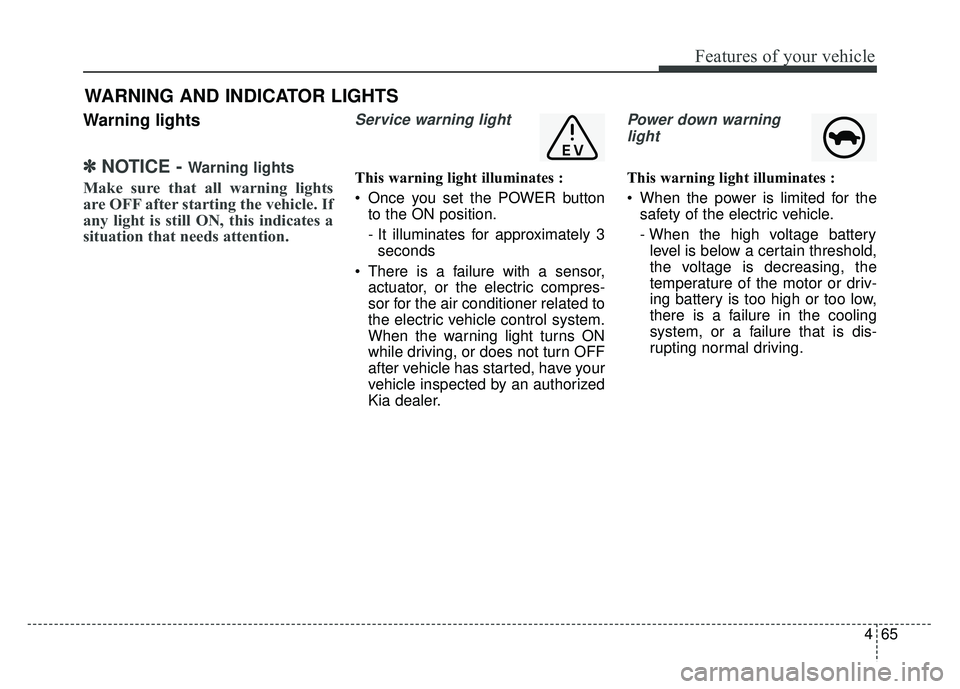
Service warning light
This warning light illuminates :
Once you set the POWER button
to the ON position.
- It illuminates for approximately 3seconds
There is a failure with a sensor, actuator, or the electric compres-
sor for the air conditioner related to
the electric vehicle control system.
When the warning light turns ON
while driving, or does not turn OFF
after vehicle has started, have your
vehicle inspected by an authorized
Kia dealer.
Power down warning
light
This warning light illuminates :
When the power is limited for the safety of the electric vehicle.
- When the high voltage batterylevel is below a certain threshold,
the voltage is decreasing, the
temperature of the motor or driv-
ing battery is too high or too low,
there is a failure in the cooling
system, or a failure that is dis-
rupting normal driving.
WARNING AND INDICATOR LIGHTS
Page 197 of 496
Features of your vehicle
66
4
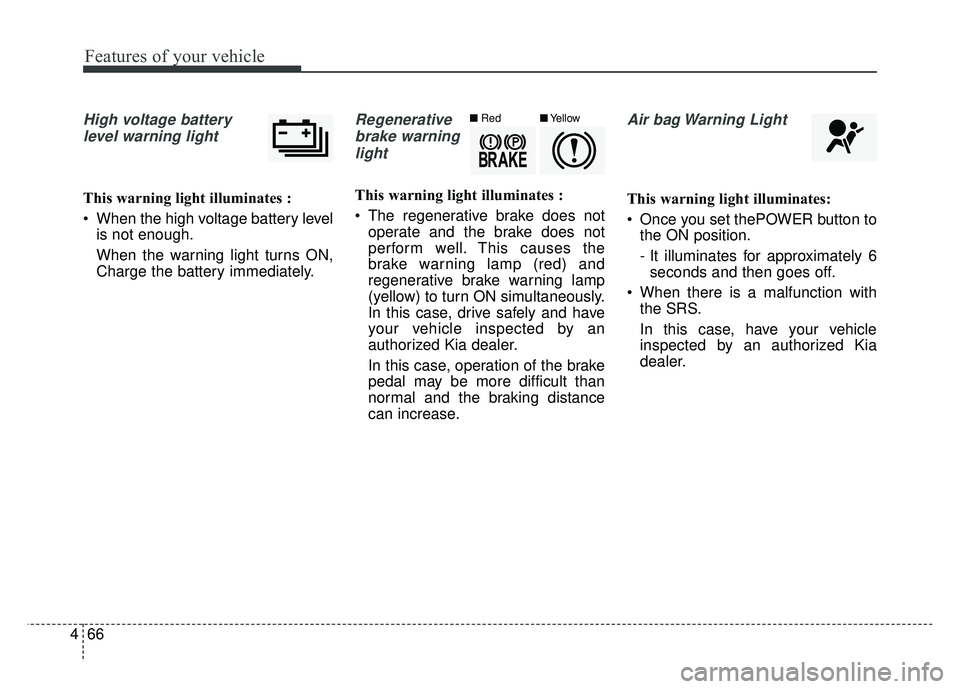
High voltage battery
level warning light
This warning light illuminates :
When the high voltage battery level is not enough.
When the warning light turns ON,
Charge the battery immediately.
Regenerative
brake warninglight
This warning light illuminates :
The regenerative brake does not operate and the brake does not
perform well. This causes the
brake warning lamp (red) and
regenerative brake warning lamp
(yellow) to turn ON simultaneously.
In this case, drive safely and have
your vehicle inspected by an
authorized Kia dealer.
In this case, operation of the brake
pedal may be more difficult than
normal and the braking distance
can increase.
Air bag Warning Light
This warning light illuminates:
Once you set thePOWER button tothe ON position.
- It illuminates for approximately 6seconds and then goes off.
When there is a malfunction with the SRS.
In this case, have your vehicle
inspected by an authorized Kia
dealer.
■ Red■Yellow
Page 201 of 496
Features of your vehicle
70
4
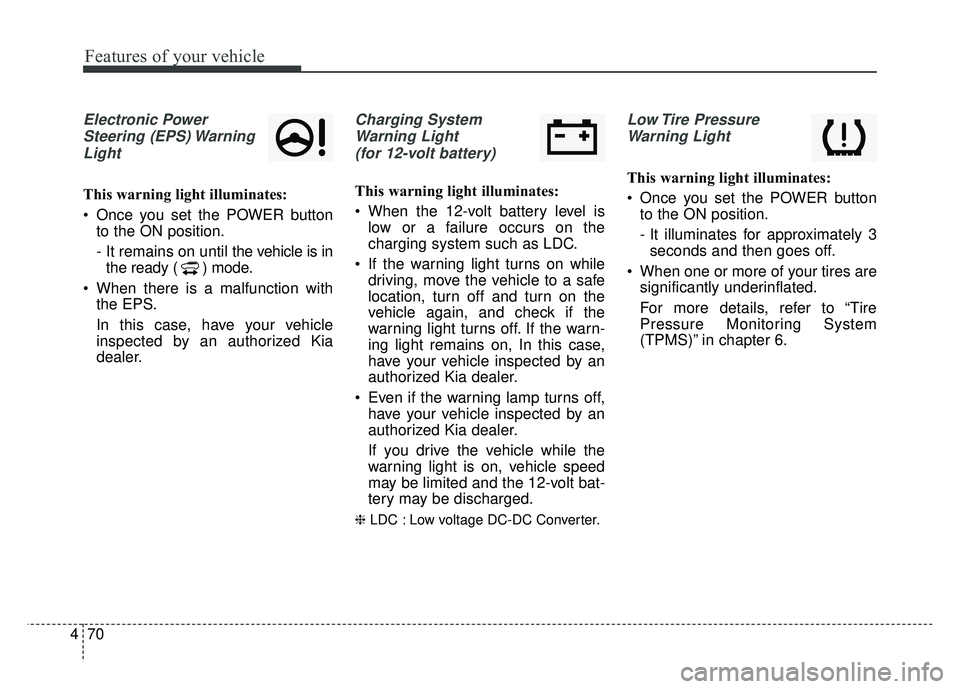
Electronic Power
Steering (EPS) WarningLight
This warning light illuminates:
Once you set the POWER button to the ON position.
- It remains on until the vehicle is inthe ready ( ) mode.
When there is a malfunction with the EPS.
In this case, have your vehicle
inspected by an authorized Kia
dealer.
Charging System
Warning Light (for 12-volt battery)
This warning light illuminates:
When the 12-volt battery level is low or a failure occurs on the
charging system such as LDC.
If the warning light turns on while driving, move the vehicle to a safe
location, turn off and turn on the
vehicle again, and check if the
warning light turns off. If the warn-
ing light remains on, In this case,
have your vehicle inspected by an
authorized Kia dealer.
Even if the warning lamp turns off, have your vehicle inspected by an
authorized Kia dealer.
If you drive the vehicle while the
warning light is on, vehicle speed
may be limited and the 12-volt bat-
tery may be discharged.
❈ LDC : Low voltage DC-DC Converter.
Low Tire Pressure
Warning Light
This warning light illuminates:
Once you set the POWER button to the ON position.
- It illuminates for approximately 3seconds and then goes off.
When one or more of your tires are significantly underinflated.
For more details, refer to “Tire
Pressure Monitoring System
(TPMS)” in chapter 6.
Page 203 of 496
Features of your vehicle
72
4
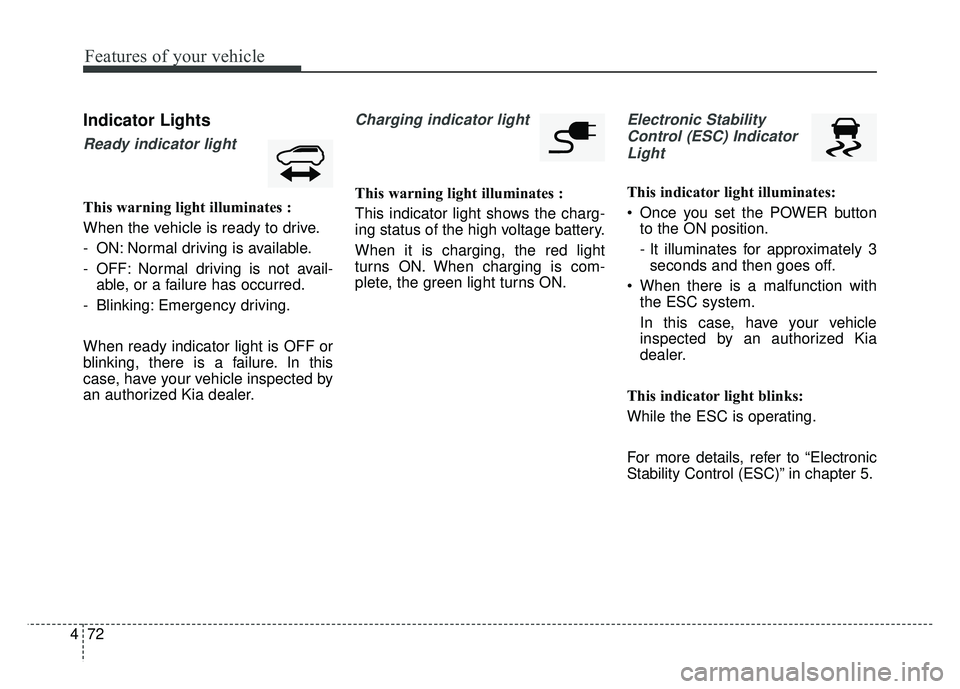
Indicator Lights
Ready indicator light
This warning light illuminates :
When the vehicle is ready to drive.
- ON: Normal driving is available.
- OFF: Normal driving is not avail-
able, or a failure has occurred.
- Blinking: Emergency driving.
When ready indicator light is OFF or
blinking, there is a failure. In this
case, have your vehicle inspected by
an authorized Kia dealer.
Charging indicator light
This warning light illuminates :
This indicator light shows the charg-
ing status of the high voltage battery.
When it is charging, the red light
turns ON. When charging is com-
plete, the green light turns ON.
Electronic Stability Control (ESC) IndicatorLight
This indicator light illuminates:
Once you set the POWER button to the ON position.
- It illuminates for approximately 3seconds and then goes off.
When there is a malfunction with the ESC system.
In this case, have your vehicle
inspected by an authorized Kia
dealer.
This indicator light blinks:
While the ESC is operating.
For more details, refer to “Electronic
Stability Control (ESC)” in chapter 5.
Page 205 of 496
Features of your vehicle
74
4
This indicator light illuminates for 2
seconds and goes off:
When the vehicle can not detect
the smart key which is in the vehi-
cle while the POWER button is ON.
In this case, have your vehicle
inspected by an authorized Kia
dealer.
This indicator light blinks:
When the battery of the smart key is weak.
- At this time, you can not start thevehicle. However, you can start the
vehicle if you press the POWER
button with the smart key. (For
more details, refer to “Starting the
vehicle” in chapter 5).
When there is a malfunction with the immobilizer system.
In this case, have your vehicle
inspected by an authorized Kia
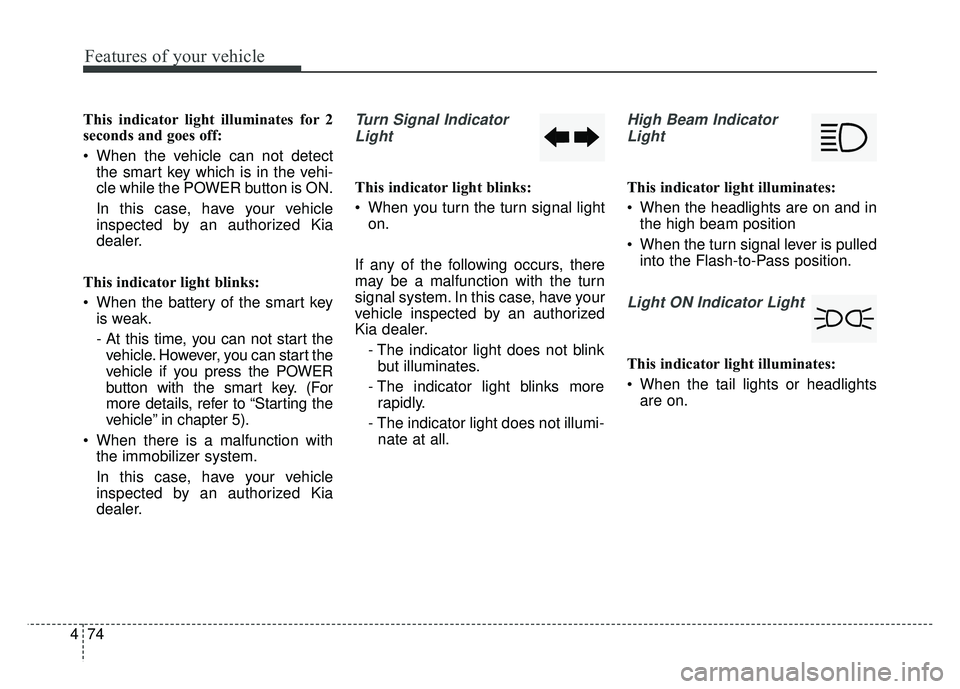
dealer.Turn Signal Indicator
Light
This indicator light blinks:
When you turn the turn signal light on.
If any of the following occurs, there
may be a malfunction with the turn
signal system. In this case, have your
vehicle inspected by an authorized
Kia dealer. - The indicator light does not blinkbut illuminates.
- The indicator light blinks more rapidly.
- The indicator light does not illumi- nate at all.
High Beam Indicator
Light
This indicator light illuminates:
When the headlights are on and in the high beam position
When the turn signal lever is pulled into the Flash-to-Pass position.
Light ON Indicator Light
This indicator light illuminates:
When the tail lights or headlightsare on.