charging door KIA SOUL EV 2019 User Guide
[x] Cancel search | Manufacturer: KIA, Model Year: 2019, Model line: SOUL EV, Model: KIA SOUL EV 2019Pages: 455, PDF Size: 15.52 MB
Page 42 of 455
![KIA SOUL EV 2019 User Guide 35
3. While the brake pedal is pressed,engage the parking brake.
4. Turn OFF all switches, place the shift lever in P (Park), and turn
OFF the vehicle. 5. Press the charging door open
switch [ ] to op](/img/2/55102/w960_55102-41.png "KIA SOUL EV 2019 User Guide 35
3. While the brake pedal is pressed,engage the parking brake.
4. Turn OFF all switches, place the shift lever in P (Park), and turn
OFF the vehicle. 5. Press the charging door open
switch [ ] to op")
35
3. While the brake pedal is pressed,engage the parking brake.
4. Turn OFF all switches, place the shift lever in P (Park), and turn
OFF the vehicle. 5. Press the charging door open
switch [ ] to open the charging
door. Charging door open switch
can be operated only when vehi-
cle is turned off.
6. If you cannot open the charging door due to freezing weather :
1) Remove any ice near the charg-ing door.
2) Pull the emergency cable to open the charging door.
(When the charging door does not
open, refer to “How to Unlock
Charging Door in Emergencies.”) 7. Open the charging door and press
the normal charging inlet release
tab (1) to open the normal charg-
ing inlet cover.
8. Before connecting the charging connector, make sure the door
lock is released.
When the door is locked, the
charging connector lock system
will be triggered. And the charging
connector will not be connected.
CHARGING ELECTRIC VEHICLE
(TRICKLE CHARGE)
OPSE0Q4011
OPSE0Q4012
Page 43 of 455
36
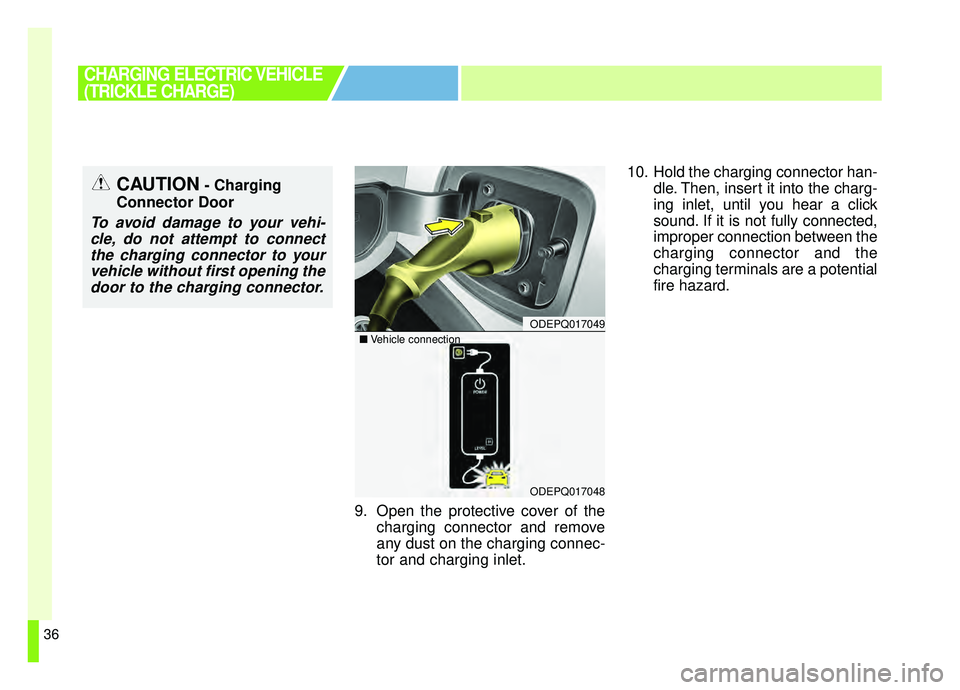
9. Open the protective cover of thecharging connector and remove
any dust on the charging connec-
tor and charging inlet. 10. Hold the charging connector han-
dle. Then, insert it into the charg-
ing inlet, until you hear a click
sound. If it is not fully connected,
improper connection between the
charging connector and the
charging terminals are a potential
fire hazard.
CAUTION- Charging
Connector Door
To avoid damage to your vehi- cle, do not attempt to connectthe charging connector to yourvehicle without first opening thedoor to the charging connector.
CHARGING ELECTRIC VEHICLE
(TRICKLE CHARGE)
ODEPQ017049
ODEPQ017048
■ Vehicle connection
Page 45 of 455
38
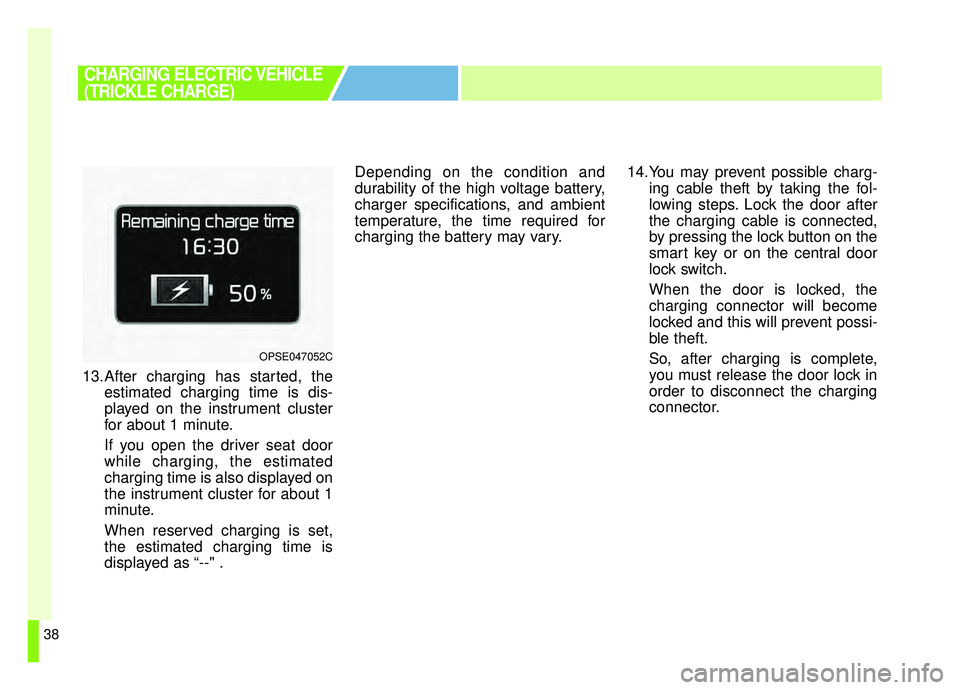
13.After charging has started, theestimated charging time is dis-
played on the instrument cluster
for about 1 minute.
If you open the driver seat door
while charging, the estimated
charging time is also displayed on
the instrument cluster for about 1
minute.
When reserved charging is set,
the estimated charging time is
displayed as “--" . Depending on the condition and
durability of the high voltage battery,
charger specifications, and ambient
temperature, the time required for
charging the battery may vary.
14.You may prevent possible charg-
ing cable theft by taking the fol-
lowing steps. Lock the door after
the charging cable is connected,
by pressing the lock button on the
smart key or on the central door
lock switch.
When the door is locked, the
charging connector will become
locked and this will prevent possi-
ble theft.
So, after charging is complete,
you must release the door lock in
order to disconnect the charging
connector.
CHARGING ELECTRIC VEHICLE
(TRICKLE CHARGE)
OPSE047052C
Page 46 of 455
39
■ ■Unlock Charging Door in
Emergency
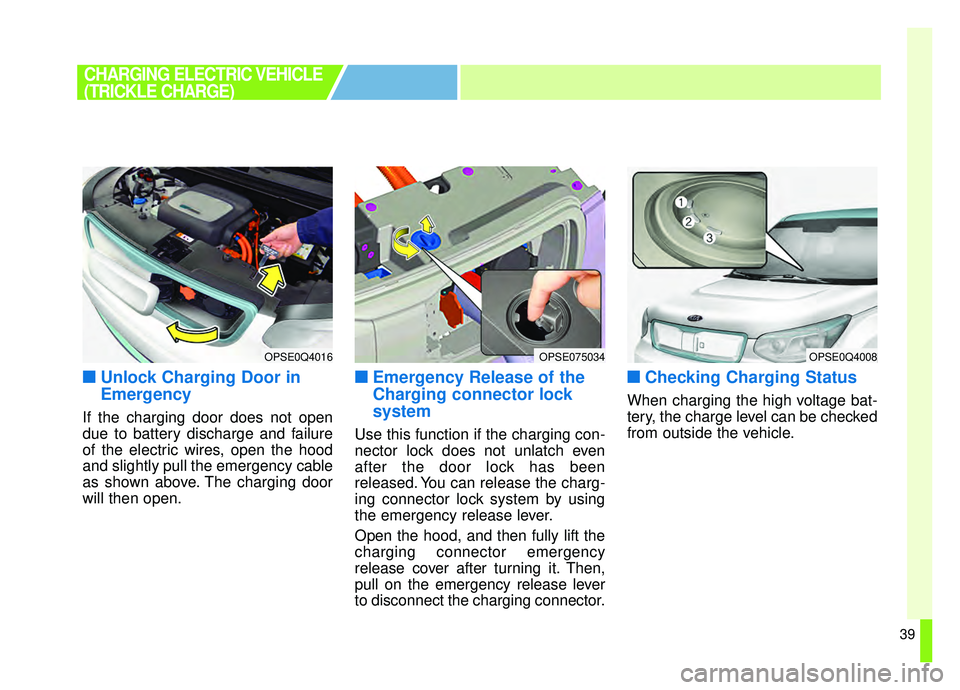
If the charging door does not open
due to battery discharge and failure
of the electric wires, open the hood
and slightly pull the emergency cable
as shown above. The charging door
will then open.
■ ■Emergency Release of the
Charging connector lock
system
Use this function if the charging con-
nector lock does not unlatch even
after the door lock has been
released. You can release the charg-
ing connector lock system by using
the emergency release lever.
Open the hood, and then fully lift the
charging connector emergency
release cover after turning it. Then,
pull on the emergency release lever
to disconnect the charging connector.
■ ■Checking Charging Status
When charging the high voltage bat-
tery, the charge level can be checked
from outside the vehicle.
OPSE0Q4016OPSE075034OPSE0Q4008
CHARGING ELECTRIC VEHICLE
(TRICKLE CHARGE)
Page 52 of 455
45
■ ■How to Disconnect Portable
Charging Cable
(ICCB: In-Cable Control Box)
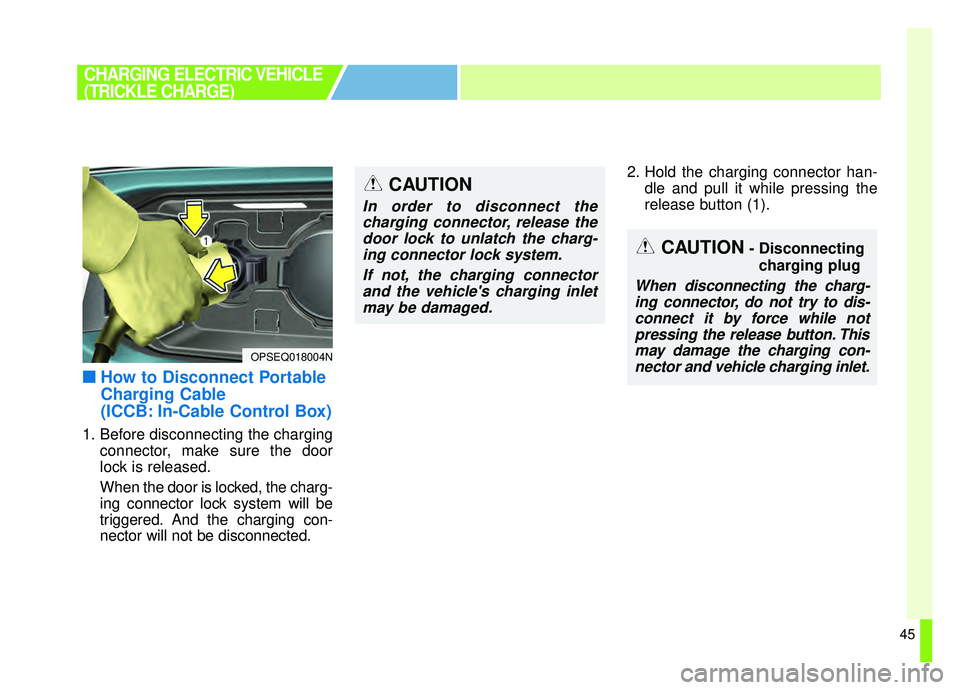
1. Before disconnecting the charging
connector, make sure the door
lock is released.
When the door is locked, the charg-
ing connector lock system will be
triggered. And the charging con-
nector will not be disconnected. 2. Hold the charging connector han-
dle and pull it while pressing the
release button (1).
CHARGING ELECTRIC VEHICLE
(TRICKLE CHARGE)
OPSEQ018004N
CAUTION- Disconnecting
charging plug
When disconnecting the charg-ing connector, do not try to dis-connect it by force while notpressing the release button. Thismay damage the charging con-nector and vehicle charging inlet.
CAUTION
In order to disconnect thecharging connector, release thedoor lock to unlatch the charg-ing connector lock system.
If not, the charging connectorand the vehicle's charging inletmay be damaged.
Page 53 of 455
46
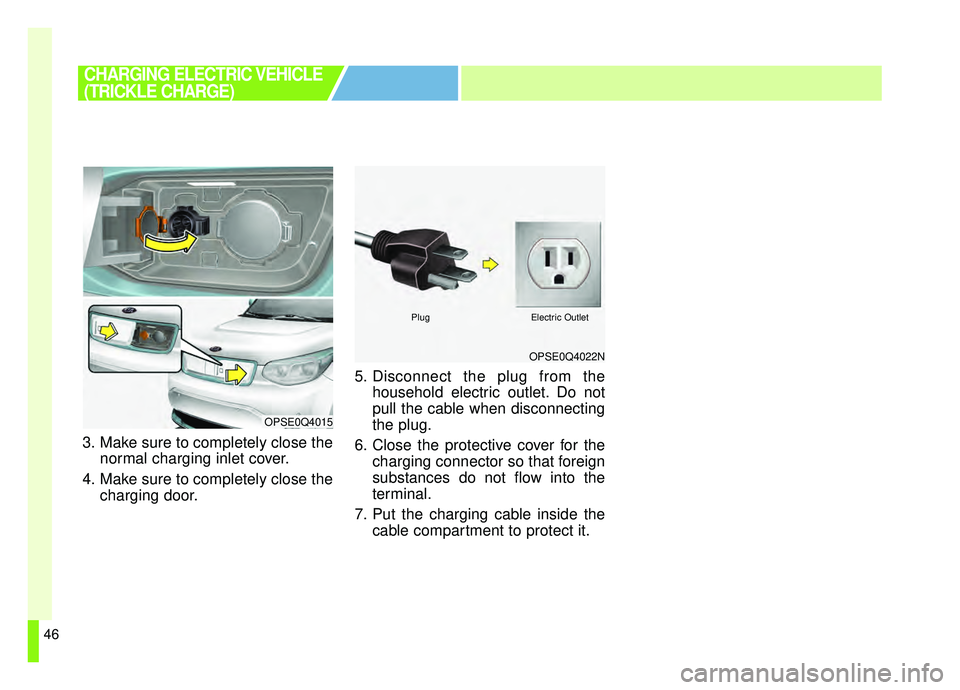
3. Make sure to completely close thenormal charging inlet cover.
4. Make sure to completely close the charging door. 5. Disconnect the plug from the
household electric outlet. Do not
pull the cable when disconnecting
the plug.
6. Close the protective cover for the charging connector so that foreign
substances do not flow into the
terminal.
7. Put the charging cable inside the cable compartment to protect it.
CHARGING ELECTRIC VEHICLE
(TRICKLE CHARGE)
OPSE0Q4022N
PlugElectric Outlet
OPSE0Q4015
Page 63 of 455
56
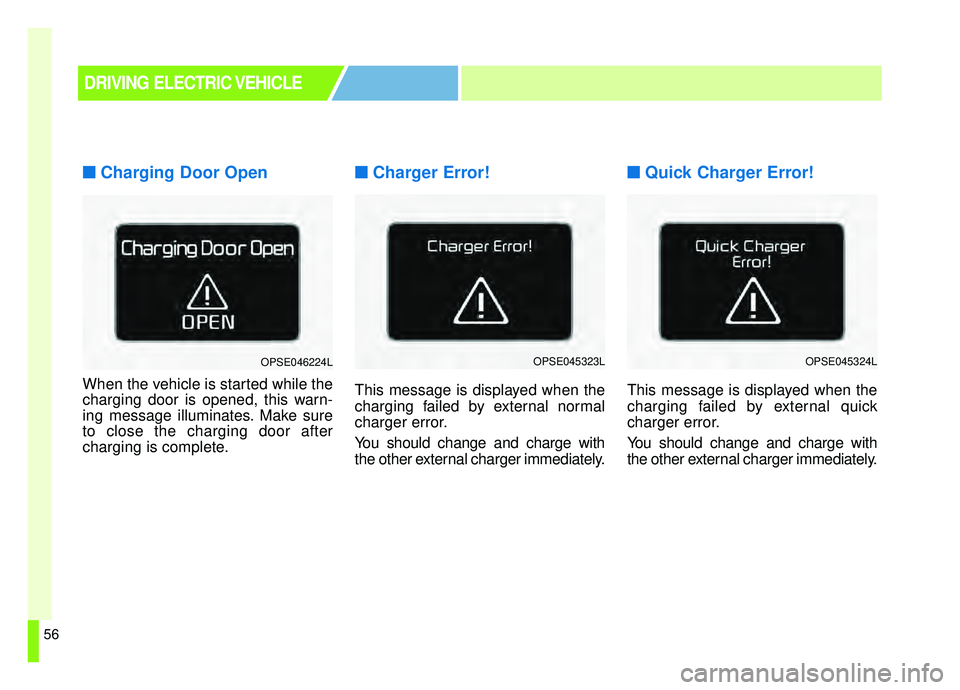
■ ■Charging Door Open
When the vehicle is started while the
charging door is opened, this warn-
ing message illuminates. Make sure
to close the charging door after
charging is complete.
■ ■Charger Error!
This message is displayed when the
charging failed by external normal
charger error.
You should change and charge with
the other external charger immediately.
■ ■Quick Charger Error!
This message is displayed when the
charging failed by external quick
charger error.
You should change and charge with
the other external charger immediately.
DRIVING ELECTRIC VEHICLE
OPSE046224LOPSE045323LOPSE045324L
Page 75 of 455
Your vehicle at a glance
22
EXTERIOR OVERVIEW
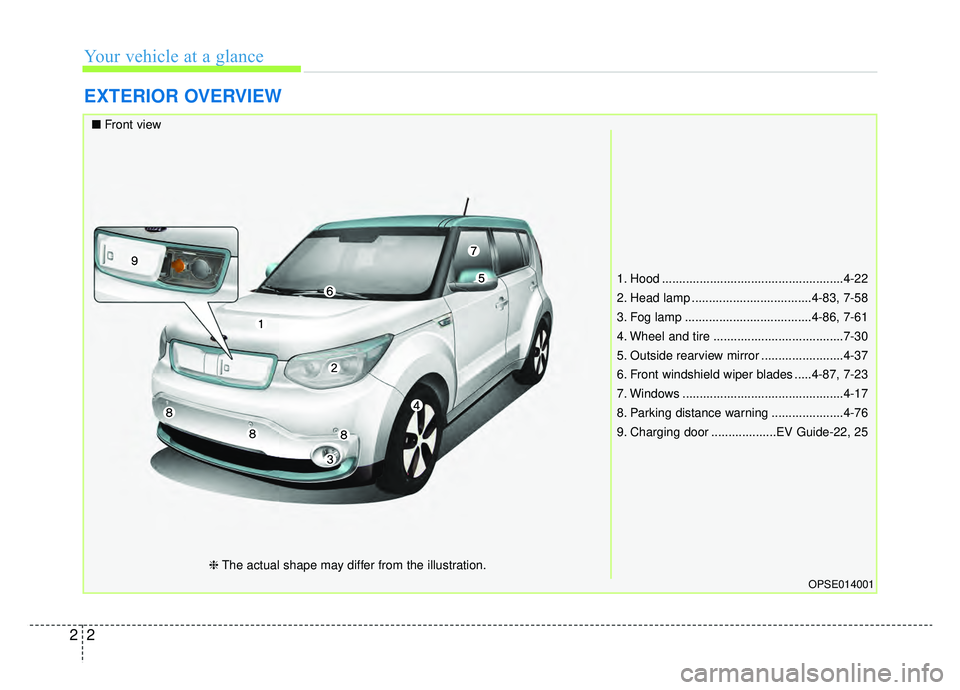
1. Hood .....................................................4-22
2. Head lamp ...................................4-83, 7-58
3. Fog lamp .....................................4-86, 7-61
4. Wheel and tire ......................................7-30
5. Outside rearview mirror ........................4-37
6. Front windshield wiper blades .....4-87, 7-23
7. Windows ...............................................4-17
8. Parking distance warning .....................4-76
9. Charging door ...................EV Guide-22, 25
OPSE014001
■Front view
❈The actual shape may differ from the illustration.
Page 77 of 455
Your vehicle at a glance
42
INTERIOR OVERVIEW
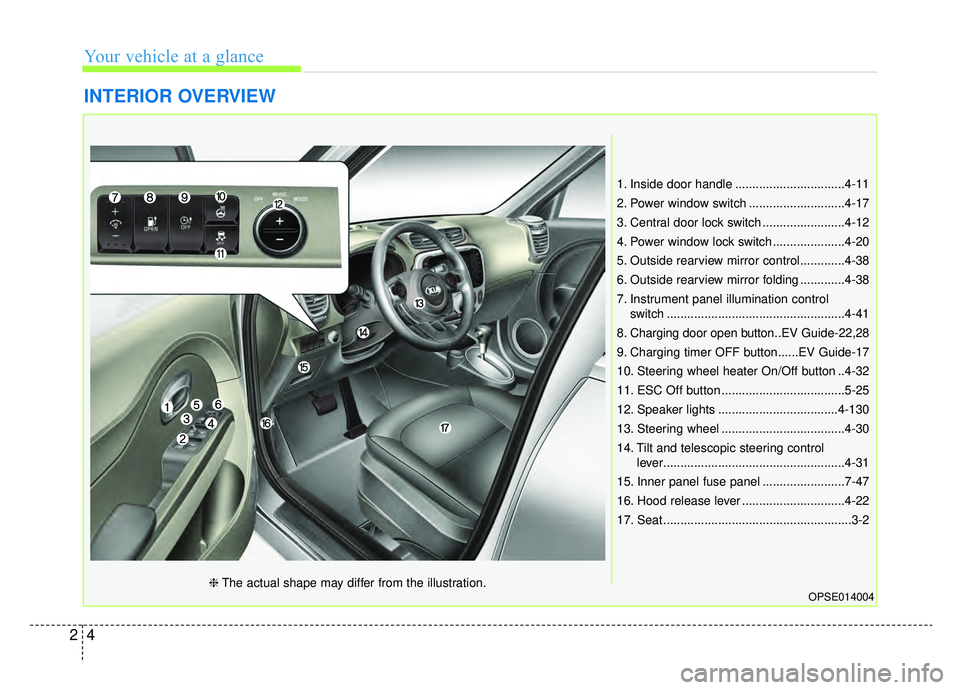
1. Inside door handle ................................4-11
2. Power window switch ............................4-17
3. Central door lock switch ........................4-12
4. Power window lock switch .....................4-20
5. Outside rearview mirror control.............4-38
6. Outside rearview mirror folding .............4-38
7. Instrument panel illumination controlswitch ....................................................4-41
8. Charging door open button..EV Guide-22,28
9. Charging timer OFF button......EV Guide-17
10. Steering wheel heater On/Off button ..4-32
11. ESC Off button ....................................5-25
12. Speaker lights ...................................4-130
13. Steering wheel ....................................4-30
14. Tilt and telescopic steering control lever.....................................................4-31
15. Inner panel fuse panel ........................7-47
16. Hood release lever ..............................4-22
17. Seat .......................................................3-2
OPSE014004❈ The actual shape may differ from the illustration.
Page 191 of 455
Features of your vehicle
54
4
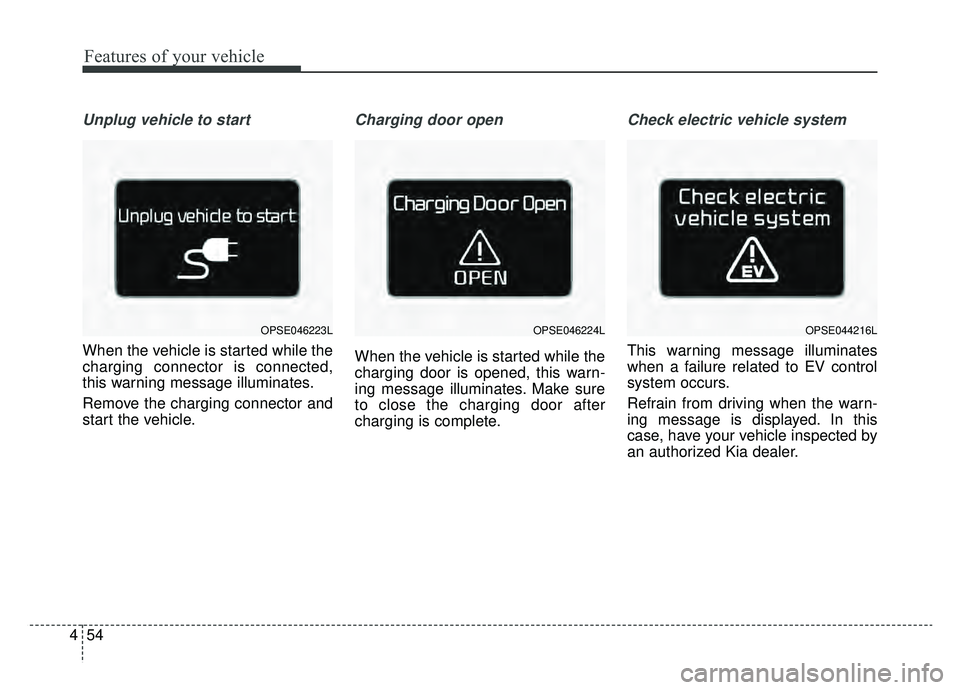
Unplug vehicle to start
When the vehicle is started while the
charging connector is connected,
this warning message illuminates.
Remove the charging connector and
start the vehicle.
Charging door open
When the vehicle is started while the
charging door is opened, this warn-
ing message illuminates. Make sure
to close the charging door after
charging is complete.
Check electric vehicle system
This warning message illuminates
when a failure related to EV control
system occurs.
Refrain from driving when the warn-
ing message is displayed. In this
case, have your vehicle inspected by
an authorized Kia dealer.
OPSE044216LOPSE046223LOPSE046224L