reset KIA SOUL EV 2019 User Guide
[x] Cancel search | Manufacturer: KIA, Model Year: 2019, Model line: SOUL EV, Model: KIA SOUL EV 2019Pages: 455, PDF Size: 15.52 MB
Page 243 of 455
Features of your vehicle
106
4
Climate information screen
selection (if equipped)
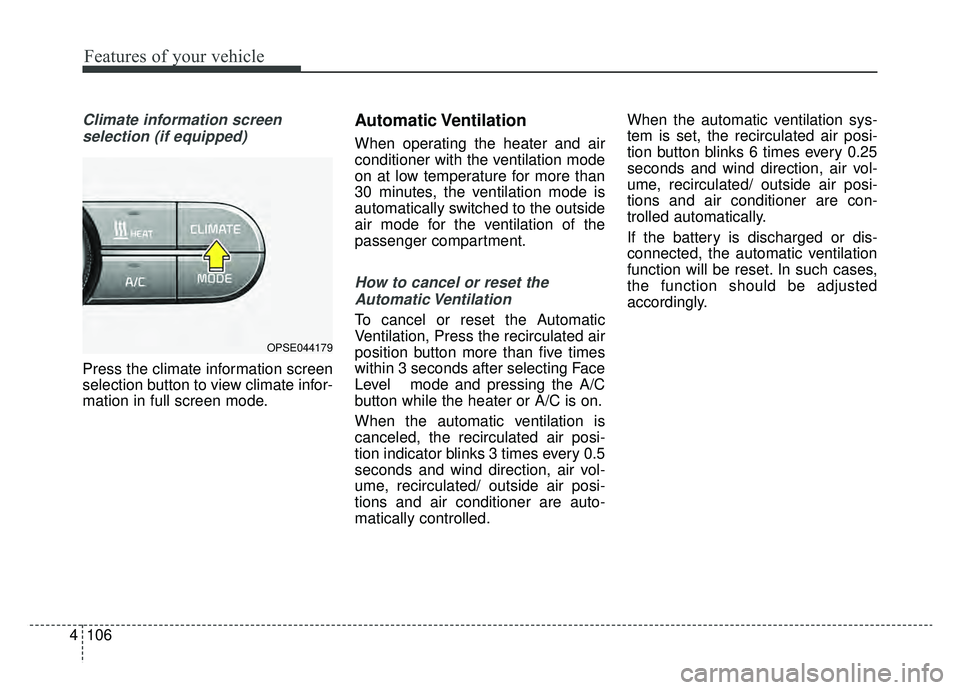
Press the climate information screen
selection button to view climate infor-
mation in full screen mode.
Automatic Ventilation
When operating the heater and air
conditioner with the ventilation mode
on at low temperature for more than
30 minutes, the ventilation mode is
automatically switched to the outside
air mode for the ventilation of the
passenger compartment.
How to cancel or reset theAutomatic Ventilation
To cancel or reset the Automatic
Ventilation, Press the recirculated air
position button more than five times
within 3 seconds after selecting Face
Level mode and pressing the A/C
button while the heater or A/C is on.
When the automatic ventilation is
canceled, the recirculated air posi-
tion indicator blinks 3 times every 0.5
seconds and wind direction, air vol-
ume, recirculated/ outside air posi-
tions and air conditioner are auto-
matically controlled. When the automatic ventilation sys-
tem is set, the recirculated air posi-
tion button blinks 6 times every 0.25
seconds and wind direction, air vol-
ume, recirculated/ outside air posi-
tions and air conditioner are con-
trolled automatically.
If the battery is discharged or dis-
connected, the automatic ventilation
function will be reset. In such cases,
the function should be adjusted
accordingly.
OPSE044179
Page 250 of 455
4113
Features of your vehicle
Defogging logic
To reduce the possibility of fogging up
the inside of the windshield, the air
intake or air-conditioning and heater
are controlled automatically accord-
ing to certain conditions such as
or position. To cancel or return to
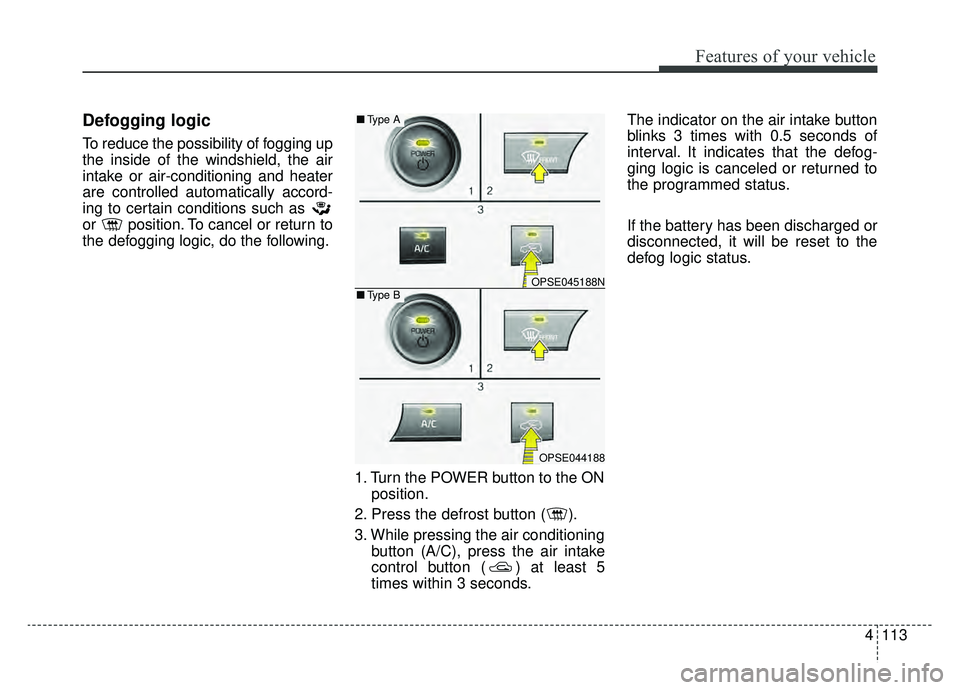
the defogging logic, do the following.1. Turn the POWER button to the ONposition.
2. Press the defrost button ( ).
3. While pressing the air conditioning button (A/C), press the air intake
control button ( ) at least 5
times within 3 seconds. The indicator on the air intake button
blinks 3 times with 0.5 seconds of
interval. It indicates that the defog-
ging logic is canceled or returned to
the programmed status.
If the battery has been discharged or
disconnected, it will be reset to the
defog logic status.
OPSE045188N
OPSE044188
■
Type B
■Type A
Page 252 of 455
4115
Features of your vehicle
AUTO DEFOGGING SYSTEM
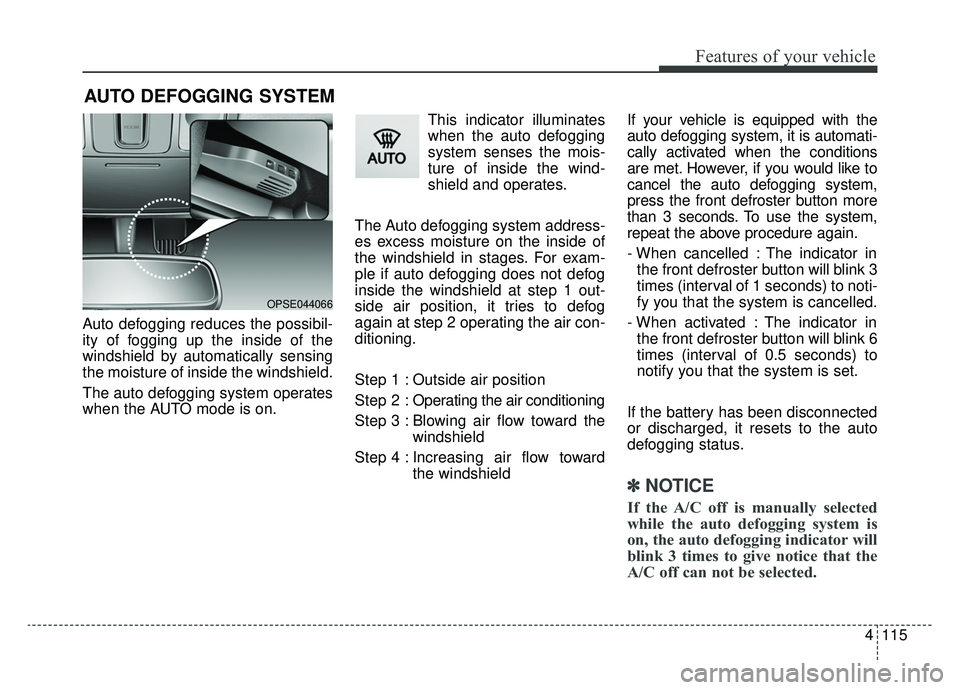
Auto defogging reduces the possibil-
ity of fogging up the inside of the
windshield by automatically sensing
the moisture of inside the windshield.
The auto defogging system operates
when the AUTO mode is on.This indicator illuminates
when the auto defogging
system senses the mois-
ture of inside the wind-
shield and operates.
The Auto defogging system address-
es excess moisture on the inside of
the windshield in stages. For exam-
ple if auto defogging does not defog
inside the windshield at step 1 out-
side air position, it tries to defog
again at step 2 operating the air con-
ditioning.
Step 1 : Outside air position
Step 2 : Operating the air conditioning
Step 3 : Blowing air flow toward the windshield
Step 4 : Increasing air flow toward the windshield If your vehicle is equipped with the
auto defogging system, it is automati-
cally activated when the conditions
are met. However, if you would like to
cancel the auto defogging system,
press the front defroster button more
than 3 seconds. To use the system,
repeat the above procedure again.
- When cancelled : The indicator in
the front defroster button will blink 3
times (interval of 1 seconds) to noti-
fy you that the system is cancelled.
- When activated : The indicator in the front defroster button will blink 6
times (interval of 0.5 seconds) to
notify you that the system is set.
If the battery has been disconnected
or discharged, it resets to the auto
defogging status.
✽ ✽ NOTICE
If the A/C off is manually selected
while the auto defogging system is
on, the auto defogging indicator will
blink 3 times to give notice that the
A/C off can not be selected.
OPSE044066
Page 273 of 455
Features of your vehicle
136
4
USING iPod®DEVICE
iPhone®is a registered grademark of
Apple inc.
Some iPod
®models may not sup-
port communication protocol and
files may not properly play.
Supported iPod
®models:
- iPhone
®3GS/4
- iPod
®touch 1st~4th generation
- iPod
®nano 1st~6th generation
- iPod
®classic
The order of search or playback of songs in the iPod
®can be different
from the order searched in the
audio system.
If the iPod
®is disabled due to its
own malfunction, reset the iPod®.
(Reset: Refer to iPod®manual)
An iPod
®may not operate normally
on low battery.
(Continued)
(Continued)
Some USB flash memory read-
ers (such as CF, SD, micro SD,
etc.) or external-HDD type
devices can be unrecognizable.
Music files protected by DRM (DIGITAL RIGHTS MANAGE-
MENT) are not recognizable.
The data in the USB memory may be lost while using this
audio. Always back up important
data on a personal storage
device.
Please avoid using USB memory prod-
ucts which can be
used as key chains or
cellular phone acces-
sories as they could cause dam-
age to the USB jack. Please
make certain only to use plug
type connector products.
(Continued)
If you use devices such as aUSB hub purchased separately,
the vehicle’s audio system may
not recognize the USB device. In
that case, connect the USB
device directly to the multimedia
terminal of the vehicle.
If the USB device is divided by logical drives, only the music
files on the highest-priority drive
are recognized by car audio.
Devices such as MP3 Player/ Cellular phone/Digital camera
can be unrecognizable by stan-
dard USB I/F can be unrecogniz-
able.
Charging through the USB may not be supported in some mobile
devices.
USB HDD or USB types liable to connection failures due to vehi-
cle vibrations are not supported.
(i-stick type)
Some non-standard USB devices (METAL COVER TYPE
USB) can be unrecognizable.
(Continued)
Page 315 of 455
Driving your vehicle
36
5
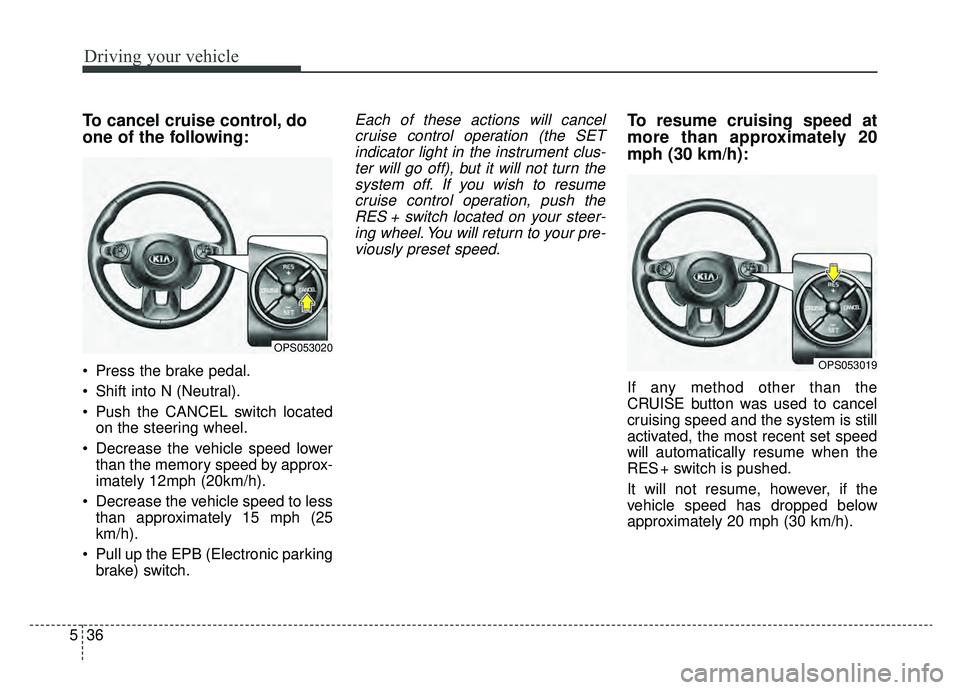
To cancel cruise control, do
one of the following:
Press the brake pedal.
Shift into N (Neutral).
Push the CANCEL switch located
on the steering wheel.
Decrease the vehicle speed lower than the memory speed by approx-
imately 12mph (20km/h).
Decrease the vehicle speed to less than approximately 15 mph (25
km/h).
Pull up the EPB (Electronic parking brake) switch.
Each of these actions will cancelcruise control operation (the SETindicator light in the instrument clus-ter will go off), but it will not turn thesystem off. If you wish to resumecruise control operation, push theRES + switch located on your steer-ing wheel. You will return to your pre-viously preset speed.To resume cruising speed at
more than approximately 20
mph (30 km/h):
If any method other than the
CRUISE button was used to cancel
cruising speed and the system is still
activated, the most recent set speed
will automatically resume when the
RES + switch is pushed.
It will not resume, however, if the
vehicle speed has dropped below
approximately 20 mph (30 km/h).
OPS053020
OPS053019
Page 387 of 455
729
Maintenance
When recharging the battery,
observe the following precautions:
The battery must be removed fromthe vehicle and placed in an area
with good ventilation.
Do not allow cigarettes, sparks, or flame near the battery.
Watch the battery during charging, and stop or reduce the charging
rate if the battery cells begin
gassing (boiling) violently or if the
temperature of the electrolyte of
any cell exceeds 120°F (49°C).
Wear eye protection when check- ing the battery during charging.
Disconnect the battery charger in the following order. 1.Turn off the battery charger main
switch.
2.Unhook the negative clamp from the negative battery terminal.
3.Unhook the positive clamp from the positive battery terminal.
Before performing maintenance or recharging the battery, turn off all
accessories and stop the vehicle.
The negative battery cable must be removed first and installed last
when the battery is disconnected.Reset items
Items should be reset after the bat-
tery has been discharged or the bat-
tery has been disconnected.
Auto up/down window (See chapter 4)
Trip computer (See chapter 4)
Climate control system (See chapter 4)
Audio (See chapter 4)
Page 391 of 455
733
Maintenance
Disc brake pads should be inspectedfor wear whenever tires are rotated.
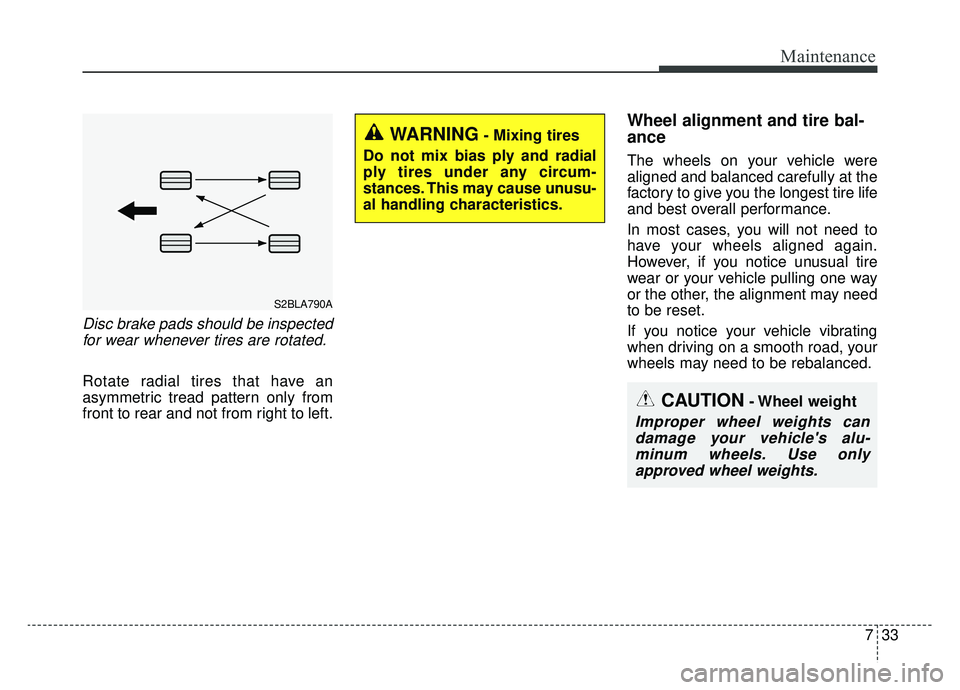
Rotate radial tires that have an
asymmetric tread pattern only from
front to rear and not from right to left.
Wheel alignment and tire bal-
ance
The wheels on your vehicle were
aligned and balanced carefully at the
factory to give you the longest tire life
and best overall performance.
In most cases, you will not need to
have your wheels aligned again.
However, if you notice unusual tire
wear or your vehicle pulling one way
or the other, the alignment may need
to be reset.
If you notice your vehicle vibrating
when driving on a smooth road, your
wheels may need to be rebalanced.
CAUTION- Wheel weight
Improper wheel weights candamage your vehicle's alu-minum wheels. Use onlyapproved wheel weights.
WARNING- Mixing tires
Do not mix bias ply and radial
ply tires under any circum-
stances. This may cause unusu-
al handling characteristics.
S2BLA790A
Page 406 of 455
Maintenance
48
7
Fuse switch
Always, put the fuse switch at the ON
position.
If you move the switch to the OFF
position, some items such as audio
and digital clock must be reset and
transmitter (or smart key) may not
work properly.
✽ ✽
NOTICE
If the vehicle is going to be unused
for over 1 month, set all switches to
OFF to prevent the batteries from
draining.
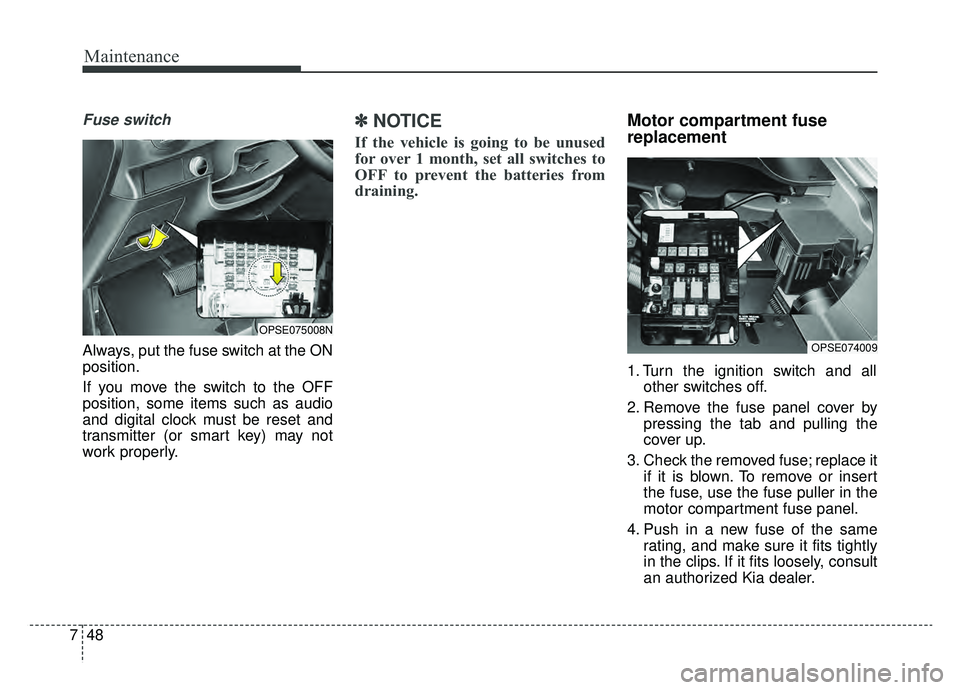
Motor compartment fuse
replacement
1. Turn the ignition switch and all
other switches off.
2. Remove the fuse panel cover by pressing the tab and pulling the
cover up.
3. Check the removed fuse; replace it if it is blown. To remove or insert
the fuse, use the fuse puller in the
motor compartment fuse panel.
4. Push in a new fuse of the same rating, and make sure it fits tightly
in the clips. If it fits loosely, consult
an authorized Kia dealer.
OPSE074009
OPSE075008N
Page 448 of 455
Index
2I
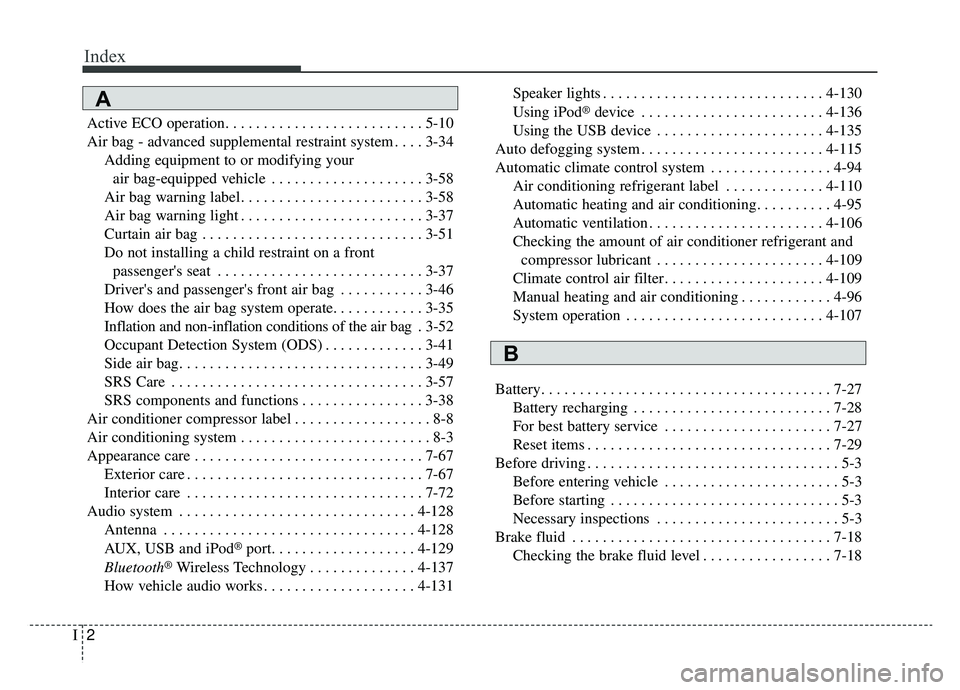
Active ECO operation. . . . . . . . . . . . . . . . . . . . . . . . . . 5-10
Air bag - advanced supplemental restraint system . . . . 3-34Adding equipment to or modifying your air bag-equipped vehicle . . . . . . . . . . . . . . . . . . . . 3-58
Air bag warning label. . . . . . . . . . . . . . . . . . . . . . . . 3-58
Air bag warning light . . . . . . . . . . . . . . . . . . . . . . . . 3-37
Curtain air bag . . . . . . . . . . . . . . . . . . . . . . . . . . . . . 3-51
Do not installing a child restraint on a front passenger's seat . . . . . . . . . . . . . . . . . . . . . . . . . . . 3-37
Driver's and passenger's front air bag . . . . . . . . . . . 3-46
How does the air bag system operate. . . . . . . . . . . . 3-35
Inflation and non-inflation conditions of the air bag . 3-52
Occupant Detection System (ODS) . . . . . . . . . . . . . 3-41
Side air bag. . . . . . . . . . . . . . . . . . . . . . . . . . . . . . . . 3-49
SRS Care . . . . . . . . . . . . . . . . . . . . . . . . . . . . . . . . . 3-57
SRS components and functions . . . . . . . . . . . . . . . . 3-38
Air conditioner compressor label . . . . . . . . . . . . . . . . . . 8-8
Air conditioning system . . . . . . . . . . . . . . . . . . . . . . . . . 8-3
Appearance care . . . . . . . . . . . . . . . . . . . . . . . . . . . . . . 7-67 Exterior care . . . . . . . . . . . . . . . . . . . . . . . . . . . . . . . 7-67
Interior care . . . . . . . . . . . . . . . . . . . . . . . . . . . . . . . 7-72
Audio system . . . . . . . . . . . . . . . . . . . . . . . . . . . . . . . 4-128 Antenna . . . . . . . . . . . . . . . . . . . . . . . . . . . . . . . . . 4-128
AUX, USB and iPod
®port. . . . . . . . . . . . . . . . . . . 4-129
Bluetooth®Wireless Technology . . . . . . . . . . . . . . 4-137
How vehicle audio works . . . . . . . . . . . . . . . . . . . . 4-131 Speaker lights . . . . . . . . . . . . . . . . . . . . . . . . . . . . . 4-130
Using iPod
®device . . . . . . . . . . . . . . . . . . . . . . . . 4-136
Using the USB device . . . . . . . . . . . . . . . . . . . . . . 4-135
Auto defogging system . . . . . . . . . . . . . . . . . . . . . . . . 4-115
Automatic climate control system . . . . . . . . . . . . . . . . 4-94 Air conditioning refrigerant label . . . . . . . . . . . . . 4-110
Automatic heating and air conditioning. . . . . . . . . . 4-95
Automatic ventilation . . . . . . . . . . . . . . . . . . . . . . . 4-106
Checking the amount of air conditioner refrigerant and compressor lubricant . . . . . . . . . . . . . . . . . . . . . . 4-109
Climate control air filter. . . . . . . . . . . . . . . . . . . . . 4-109
Manual heating and air conditioning . . . . . . . . . . . . 4-96
System operation . . . . . . . . . . . . . . . . . . . . . . . . . . 4-107
Battery. . . . . . . . . . . . . . . . . . . . . . . . . . . . . . . . . . . . \
. . 7-27 Battery recharging . . . . . . . . . . . . . . . . . . . . . . . . . . 7-28
For best battery service . . . . . . . . . . . . . . . . . . . . . . 7-27
Reset items . . . . . . . . . . . . . . . . . . . . . . . . . . . . . . . . 7-29
Before driving . . . . . . . . . . . . . . . . . . . . . . . . . . . . . . . . . 5-3 Before entering vehicle . . . . . . . . . . . . . . . . . . . . . . . 5-3
Before starting . . . . . . . . . . . . . . . . . . . . . . . . . . . . . . 5-3
Necessary inspections . . . . . . . . . . . . . . . . . . . . . . . . 5-3
Brake fluid . . . . . . . . . . . . . . . . . . . . . . . . . . . . . . . . . . 7-18\
Checking the brake fluid level . . . . . . . . . . . . . . . . . 7-18A
B
Page 451 of 455
I5
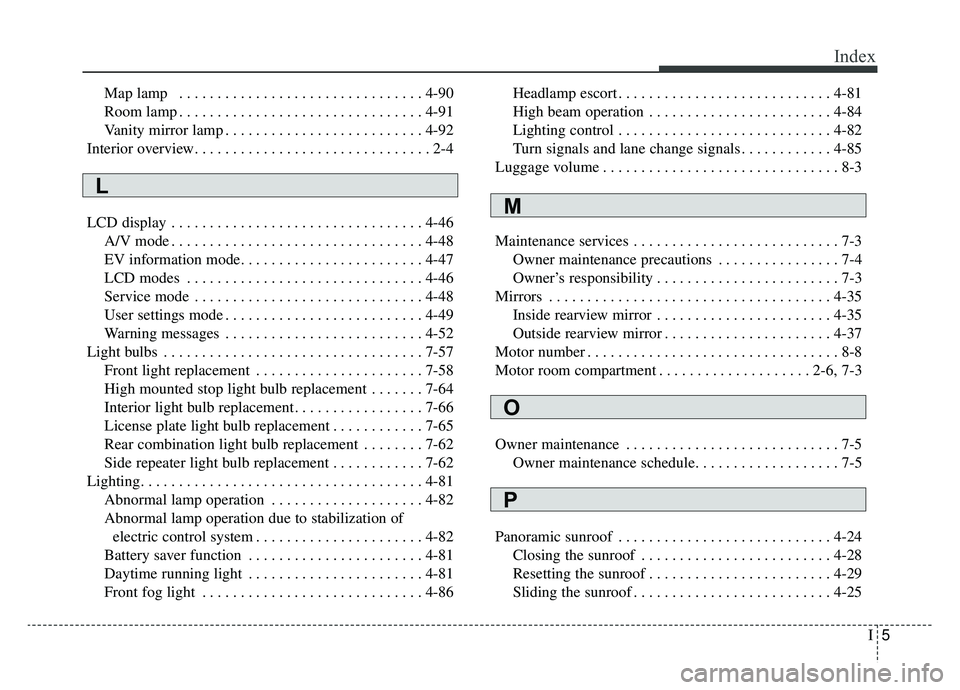
Index
Map lamp . . . . . . . . . . . . . . . . . . . . . . . . . . . . . . . . 4-90
Room lamp . . . . . . . . . . . . . . . . . . . . . . . . . . . . . . . . 4-91
Vanity mirror lamp . . . . . . . . . . . . . . . . . . . . . . . . . . 4-92
Interior overview. . . . . . . . . . . . . . . . . . . . . . . . . . . . . . . 2-4
LCD display . . . . . . . . . . . . . . . . . . . . . . . . . . . . . . . . . 4-46 A/V mode . . . . . . . . . . . . . . . . . . . . . . . . . . . . . . . . . 4-48
EV information mode. . . . . . . . . . . . . . . . . . . . . . . . 4-47
LCD modes . . . . . . . . . . . . . . . . . . . . . . . . . . . . . . . 4-46
Service mode . . . . . . . . . . . . . . . . . . . . . . . . . . . . . . 4-48
User settings mode . . . . . . . . . . . . . . . . . . . . . . . . . . 4-49
Warning messages . . . . . . . . . . . . . . . . . . . . . . . . . . 4-52
Light bulbs . . . . . . . . . . . . . . . . . . . . . . . . . . . . . . . . . . 7-57\
Front light replacement . . . . . . . . . . . . . . . . . . . . . . 7-58
High mounted stop light bulb replacement . . . . . . . 7-64
Interior light bulb replacement. . . . . . . . . . . . . . . . . 7-66
License plate light bulb replacement . . . . . . . . . . . . 7-65
Rear combination light bulb replacement . . . . . . . . 7-62
Side repeater light bulb replacement . . . . . . . . . . . . 7-62
Lighting. . . . . . . . . . . . . . . . . . . . . . . . . . . . . . . . . . . . \
. 4-81 Abnormal lamp operation . . . . . . . . . . . . . . . . . . . . 4-82
Abnormal lamp operation due to stabilization of electric control system . . . . . . . . . . . . . . . . . . . . . . 4-82
Battery saver function . . . . . . . . . . . . . . . . . . . . . . . 4-81
Daytime running light . . . . . . . . . . . . . . . . . . . . . . . 4-81
Front fog light . . . . . . . . . . . . . . . . . . . . . . . . . . . . . 4-86 Headlamp escort . . . . . . . . . . . . . . . . . . . . . . . . . . . . 4-81
High beam operation . . . . . . . . . . . . . . . . . . . . . . . . 4-84
Lighting control . . . . . . . . . . . . . . . . . . . . . . . . . . . . 4-82
Turn signals and lane change signals . . . . . . . . . . . . 4-85
Luggage volume . . . . . . . . . . . . . . . . . . . . . . . . . . . . . . . 8-3
Maintenance services . . . . . . . . . . . . . . . . . . . . . . . . . . . 7-3 Owner maintenance precautions . . . . . . . . . . . . . . . . 7-4
Owner’s responsibility . . . . . . . . . . . . . . . . . . . . . . . . 7-3
Mirrors . . . . . . . . . . . . . . . . . . . . . . . . . . . . . . . . . . . . \
. 4-35 Inside rearview mirror . . . . . . . . . . . . . . . . . . . . . . . 4-35
Outside rearview mirror . . . . . . . . . . . . . . . . . . . . . . 4-37
Motor number . . . . . . . . . . . . . . . . . . . . . . . . . . . . . . . . . 8-8
Motor room compartment . . . . . . . . . . . . . . . . . . . . 2-6, 7-3
Owner maintenance . . . . . . . . . . . . . . . . . . . . . . . . . . . . 7-5 Owner maintenance schedule. . . . . . . . . . . . . . . . . . . 7-5
Panoramic sunroof . . . . . . . . . . . . . . . . . . . . . . . . . . . . 4-24 Closing the sunroof . . . . . . . . . . . . . . . . . . . . . . . . . 4-28
Resetting the sunroof . . . . . . . . . . . . . . . . . . . . . . . . 4-29
Sliding the sunroof . . . . . . . . . . . . . . . . . . . . . . . . . . 4-25
L
M
O
P