light KIA SOUL EV 2019 Service Manual
[x] Cancel search | Manufacturer: KIA, Model Year: 2019, Model line: SOUL EV, Model: KIA SOUL EV 2019Pages: 455, PDF Size: 15.52 MB
Page 172 of 455
435
Features of your vehicle
MIRRORS
Inside rearview mirror
Adjust the rearview mirror so that the
center view through the rear window
is seen. Make this adjustment before
you start driving.
Do not place objects in the rear seat or
cargo area which would interfere with
your vision through the rear window.
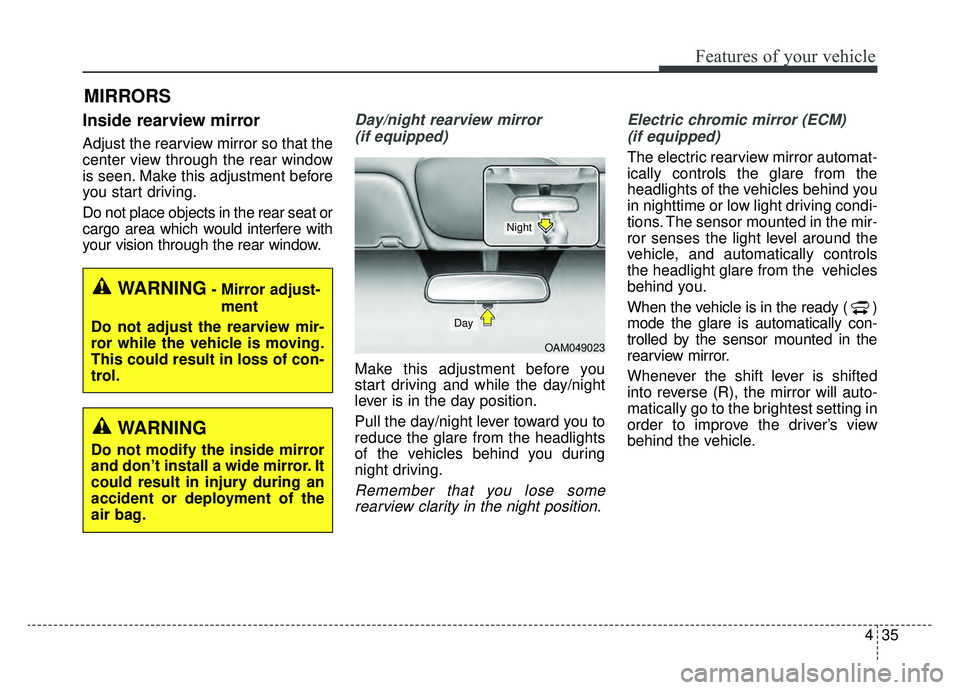
Day/night rearview mirror (if equipped)
Make this adjustment before you
start driving and while the day/night
lever is in the day position.
Pull the day/night lever toward you to
reduce the glare from the headlights
of the vehicles behind you during
night driving.
Remember that you lose somerearview clarity in the night position. Electric chromic mirror (ECM)
(if equipped)
The electric rearview mirror automat-
ically controls the glare from the
headlights of the vehicles behind you
in nighttime or low light driving condi-
tions. The sensor mounted in the mir-
ror senses the light level around the
vehicle, and automatically controls
the headlight glare from the vehicles
behind you.
When the vehicle is in the ready ( )
mode the glare is automatically con-
trolled by the sensor mounted in the
rearview mirror.
Whenever the shift lever is shifted
into reverse (R), the mirror will auto-
matically go to the brightest setting in
order to improve the driver’s view
behind the vehicle.
OAM049023
Day
Night
WARNING- Mirror adjust- ment
Do not adjust the rearview mir-
ror while the vehicle is moving.
This could result in loss of con-
trol.
WARNING
Do not modify the inside mirror
and don’t install a wide mirror. It
could result in injury during an
accident or deployment of the
air bag.
Page 173 of 455
Features of your vehicle
36
4
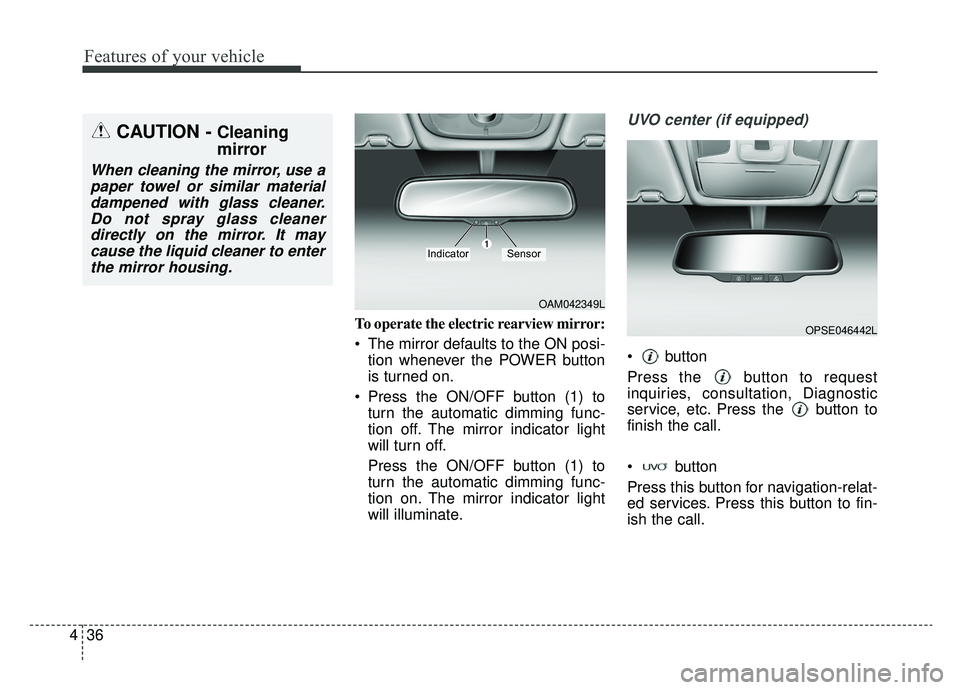
To operate the electric rearview mirror:
The mirror defaults to the ON posi-
tion whenever the POWER button
is turned on.
Press the ON/OFF button (1) to turn the automatic dimming func-
tion off. The mirror indicator light
will turn off.
Press the ON/OFF button (1) to
turn the automatic dimming func-
tion on. The mirror indicator light
will illuminate.
UVO center (if equipped)
button
Press the button to request
inquiries, consultation, Diagnostic
service, etc. Press the button to
finish the call.
button
Press this button for navigation-relat-
ed services. Press this button to fin-
ish the call.
CAUTION - Cleaning
mirror
When cleaning the mirror, use apaper towel or similar materialdampened with glass cleaner.Do not spray glass cleanerdirectly on the mirror. It maycause the liquid cleaner to enterthe mirror housing.
OAM042349L
IndicatorSensor
OPSE046442L
Page 177 of 455
Features of your vehicle
40
4
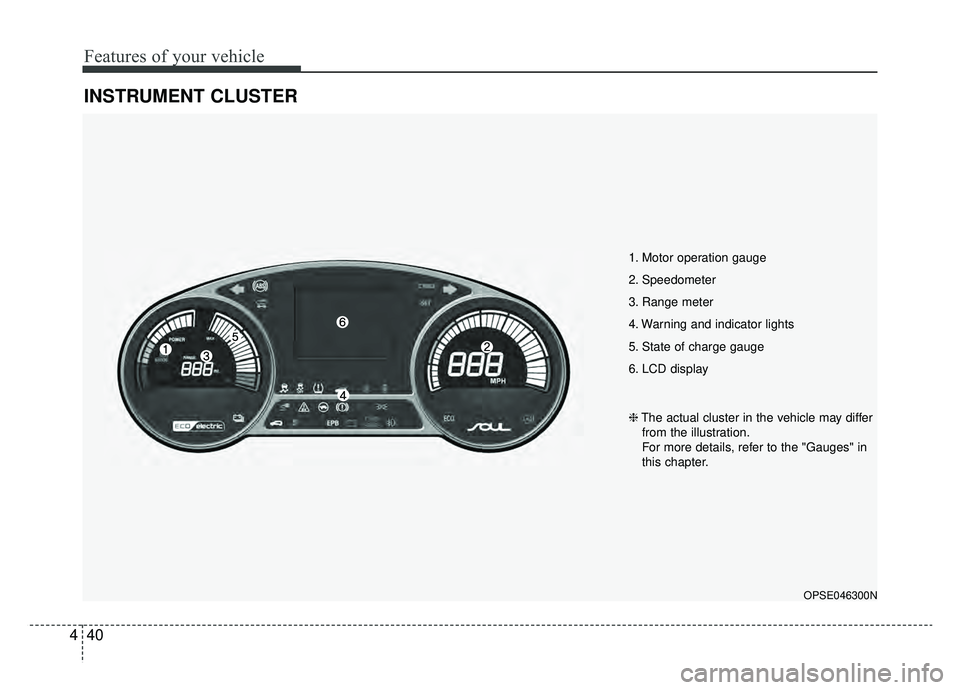
INSTRUMENT CLUSTER
1. Motor operation gauge
2. Speedometer
3. Range meter
4. Warning and indicator lights
5. State of charge gauge
6. LCD display
OPSE046300N
❈ The actual cluster in the vehicle may differ
from the illustration.
For more details, refer to the "Gauges" in
this chapter.
Page 178 of 455
441
Features of your vehicle
Instrument Cluster Control
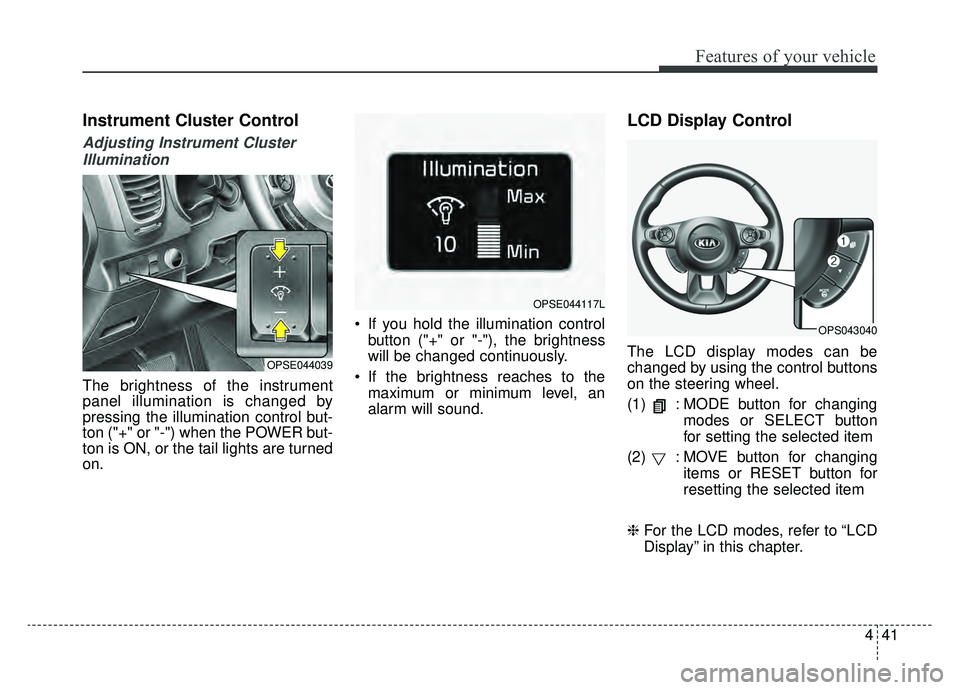
Adjusting Instrument ClusterIllumination
The brightness of the instrument
panel illumination is changed by
pressing the illumination control but-
ton ("+" or "-") when the POWER but-
ton is ON, or the tail lights are turned
on. If you hold the illumination control
button ("+" or "-"), the brightness
will be changed continuously.
If the brightness reaches to the maximum or minimum level, an
alarm will sound.
LCD Display Control
The LCD display modes can be
changed by using the control buttons
on the steering wheel.
(1) : MODE button for changing modes or SELECT button
for setting the selected item
(2) : MOVE button for changing items or RESET button for
resetting the selected item
❈ For the LCD modes, refer to “LCD
Display” in this chapter.OPSE044039
OPSE044117L
OPS043040
Page 186 of 455
449
Features of your vehicle
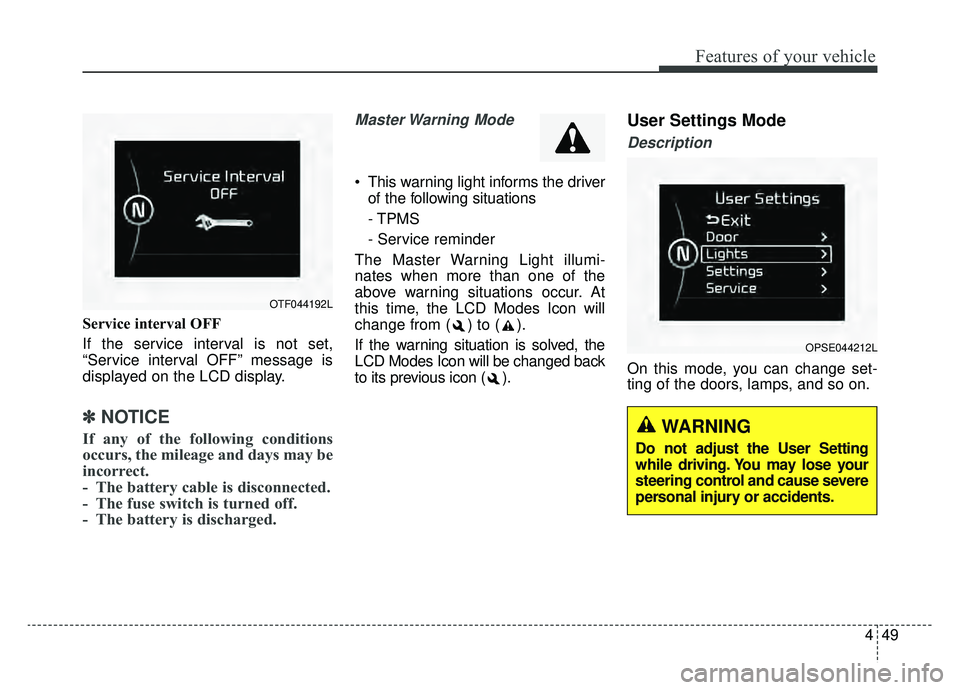
Service interval OFF
If the service interval is not set,
“Service interval OFF” message is
displayed on the LCD display.
✽ ✽NOTICE
If any of the following conditions
occurs, the mileage and days may be
incorrect.
- The battery cable is disconnected.
- The fuse switch is turned off.
- The battery is discharged.
Master Warning Mode
This warning light informs the driver
of the following situations
- TPMS
- Service reminder
The Master Warning Light illumi-
nates when more than one of the
above warning situations occur. At
this time, the LCD Modes Icon will
change from ( ) to ( ).
If the warning situation is solved, the
LCD Modes Icon will be changed back
to its previous icon ( ).
User Settings Mode
Description
On this mode, you can change set-
ting of the doors, lamps, and so on.
OPSE044212L
OTF044192L
WARNING
Do not adjust the User Setting
while driving. You may lose your
steering control and cause severe
personal injury or accidents.
Page 188 of 455
451
Features of your vehicle
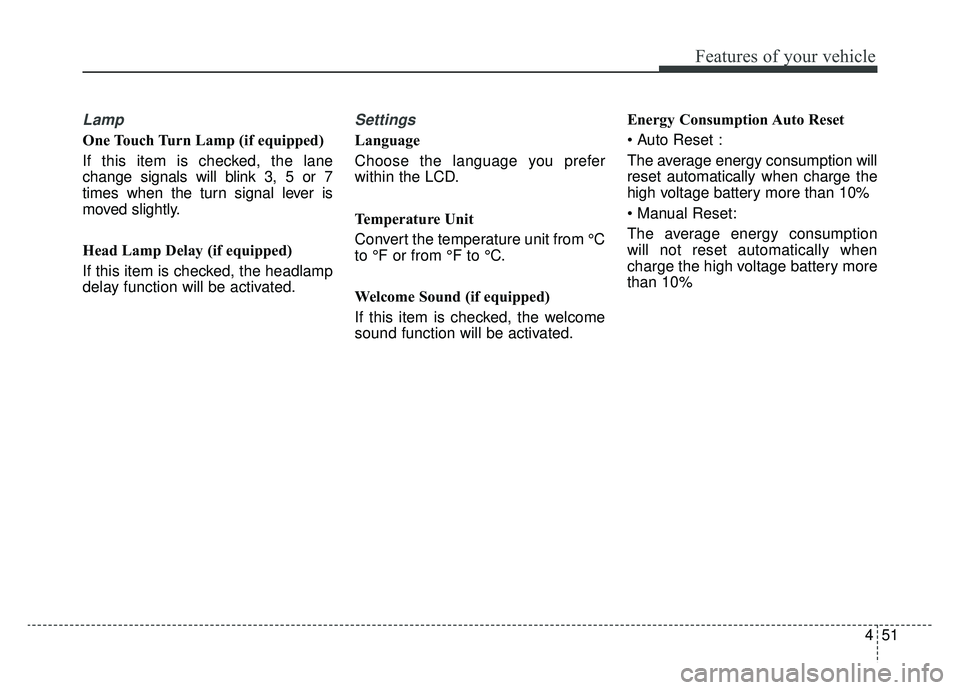
Lamp
One Touch Turn Lamp (if equipped)
If this item is checked, the lane
change signals will blink 3, 5 or 7
times when the turn signal lever is
moved slightly.
Head Lamp Delay (if equipped)
If this item is checked, the headlamp
delay function will be activated.
Settings
Language
Choose the language you prefer
within the LCD.
Temperature Unit
Convert the temperature unit from °C
to °F or from °F to °C.
Welcome Sound (if equipped)
If this item is checked, the welcome
sound function will be activated.Energy Consumption Auto Reset
The average energy consumption will
reset automatically when charge the
high voltage battery more than 10%
The average energy consumption
will not reset automatically when
charge the high voltage battery more
than 10%
Page 195 of 455
Features of your vehicle
58
4
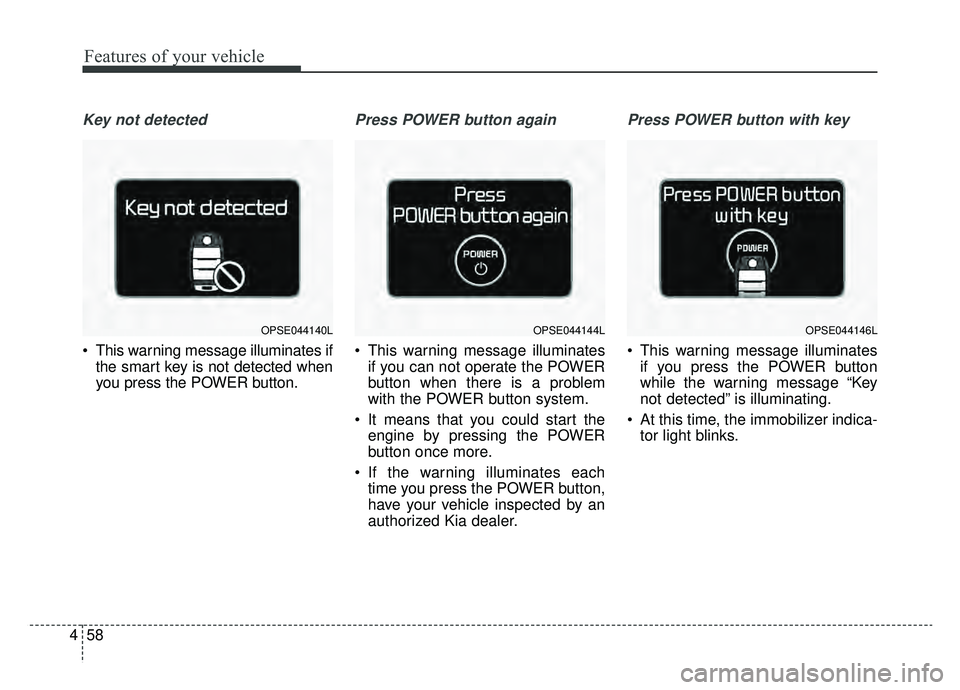
Key not detected
This warning message illuminates if
the smart key is not detected when
you press the POWER button.
Press POWER button again
This warning message illuminatesif you can not operate the POWER
button when there is a problem
with the POWER button system.
It means that you could start the engine by pressing the POWER
button once more.
If the warning illuminates each time you press the POWER button,
have your vehicle inspected by an
authorized Kia dealer.
Press POWER button with key
This warning message illuminatesif you press the POWER button
while the warning message “Key
not detected” is illuminating.
At this time, the immobilizer indica- tor light blinks.
OPSE044140LOPSE044144LOPSE044146L
Page 202 of 455
465
Features of your vehicle
Warning lights
✽ ✽NOTICE - Warning lights
Make sure that all warning lights
are OFF after starting the vehicle. If
any light is still ON, this indicates a
situation that needs attention.
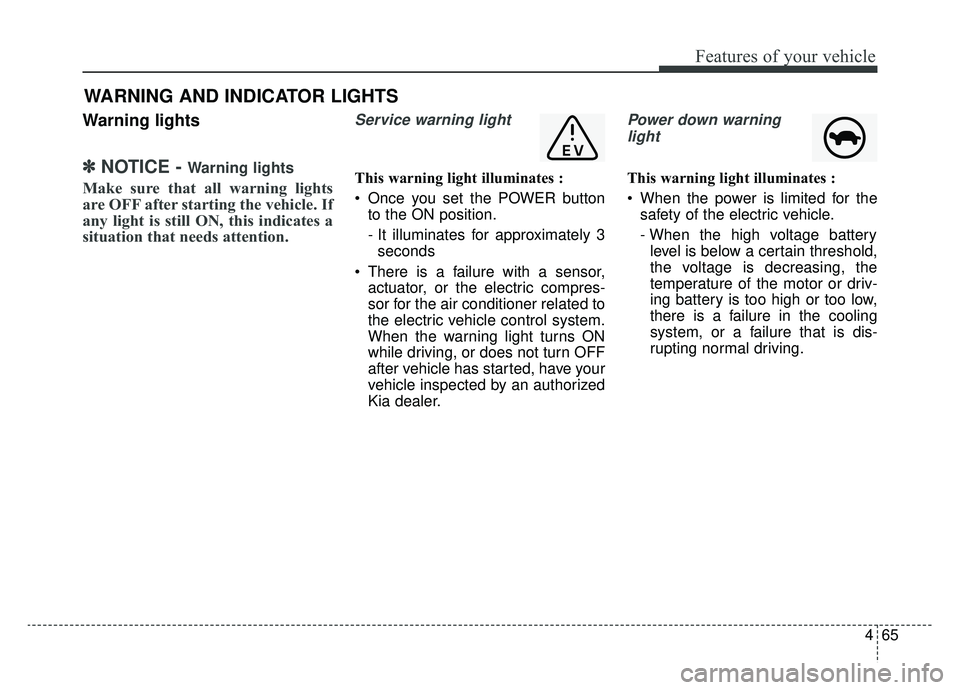
Service warning light
This warning light illuminates :
Once you set the POWER button
to the ON position.
- It illuminates for approximately 3seconds
There is a failure with a sensor, actuator, or the electric compres-
sor for the air conditioner related to
the electric vehicle control system.
When the warning light turns ON
while driving, or does not turn OFF
after vehicle has started, have your
vehicle inspected by an authorized
Kia dealer.
Power down warning
light
This warning light illuminates :
When the power is limited for the safety of the electric vehicle.
- When the high voltage batterylevel is below a certain threshold,
the voltage is decreasing, the
temperature of the motor or driv-
ing battery is too high or too low,
there is a failure in the cooling
system, or a failure that is dis-
rupting normal driving.
WARNING AND INDICATOR LIGHTS
Page 203 of 455
Features of your vehicle
66
4
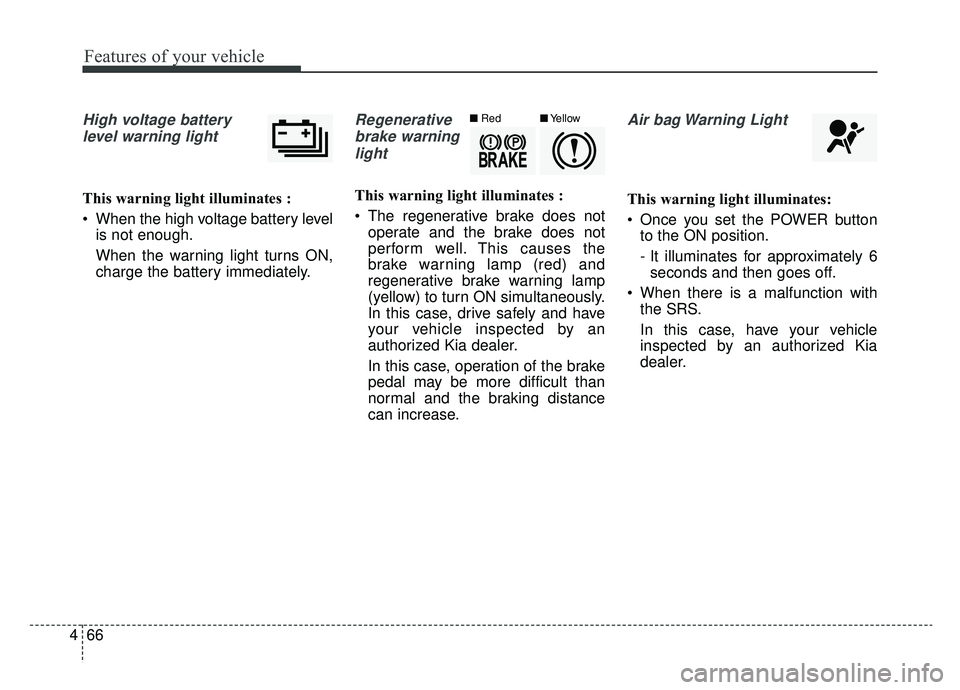
High voltage battery
level warning light
This warning light illuminates :
When the high voltage battery level is not enough.
When the warning light turns ON,
charge the battery immediately.
Regenerative
brake warninglight
This warning light illuminates :
The regenerative brake does not operate and the brake does not
perform well. This causes the
brake warning lamp (red) and
regenerative brake warning lamp
(yellow) to turn ON simultaneously.
In this case, drive safely and have
your vehicle inspected by an
authorized Kia dealer.
In this case, operation of the brake
pedal may be more difficult than
normal and the braking distance
can increase.
Air bag Warning Light
This warning light illuminates:
Once you set the POWER buttonto the ON position.
- It illuminates for approximately 6seconds and then goes off.
When there is a malfunction with the SRS.
In this case, have your vehicle
inspected by an authorized Kia
dealer.
■ Red■Yellow
Page 204 of 455
467
Features of your vehicle
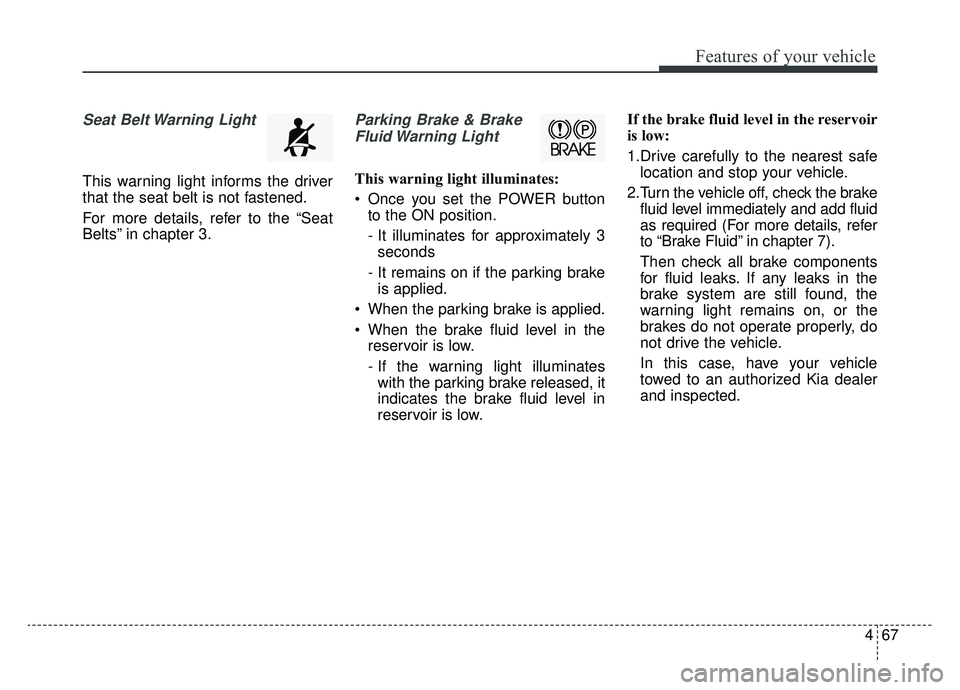
Seat Belt Warning Light
This warning light informs the driver
that the seat belt is not fastened.
For more details, refer to the “Seat
Belts” in chapter 3.
Parking Brake & BrakeFluid Warning Light
This warning light illuminates:
Once you set the POWER button to the ON position.
- It illuminates for approximately 3seconds
- It remains on if the parking brake is applied.
When the parking brake is applied.
When the brake fluid level in the reservoir is low.
- If the warning light illuminateswith the parking brake released, it
indicates the brake fluid level in
reservoir is low. If the brake fluid level in the reservoir
is low:
1.Drive carefully to the nearest safe
location and stop your vehicle.
2.Turn the vehicle off, check the brake fluid level immediately and add fluid
as required (For more details, refer
to “Brake Fluid” in chapter 7).
Then check all brake components
for fluid leaks. If any leaks in the
brake system are still found, the
warning light remains on, or the
brakes do not operate properly, do
not drive the vehicle.
In this case, have your vehicle
towed to an authorized Kia dealer
and inspected.