lock KIA SOUL EV 2019 Repair Manual
[x] Cancel search | Manufacturer: KIA, Model Year: 2019, Model line: SOUL EV, Model: KIA SOUL EV 2019Pages: 455, PDF Size: 15.52 MB
Page 254 of 455
4117
Features of your vehicle
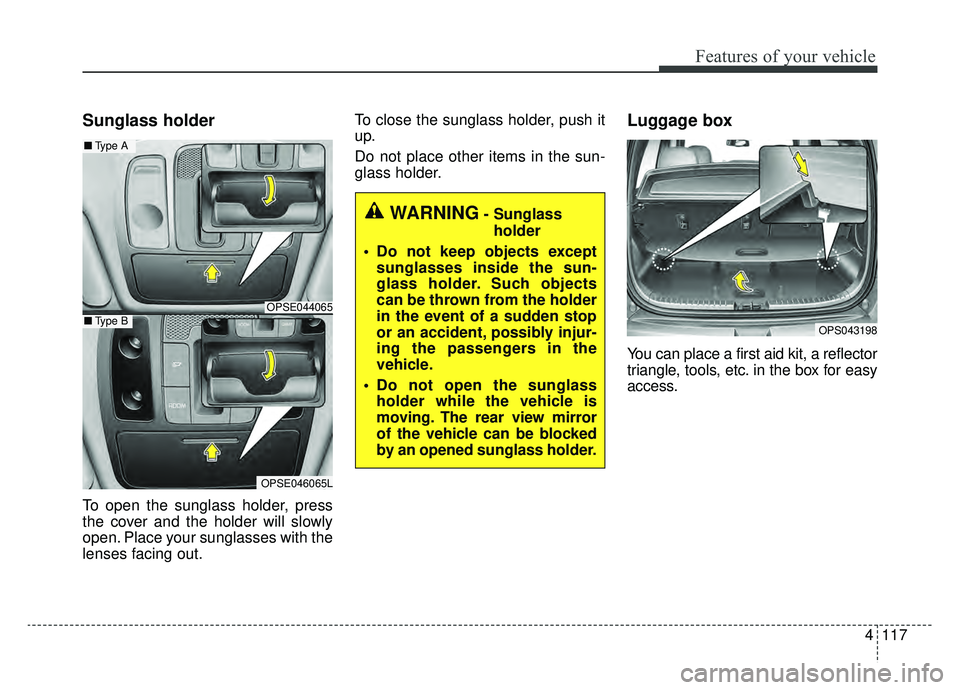
Sunglass holder
To open the sunglass holder, press
the cover and the holder will slowly
open. Place your sunglasses with the
lenses facing out.To close the sunglass holder, push it
up.
Do not place other items in the sun-
glass holder.
Luggage box
You can place a first aid kit, a reflector
triangle, tools, etc. in the box for easy
access.
OPS043198
WARNING- Sunglass
holder
Do not keep objects except sunglasses inside the sun-
glass holder. Such objects
can be thrown from the holder
in the event of a sudden stop
or an accident, possibly injur-
ing the passengers in the
vehicle.
Do not open the sunglass holder while the vehicle is
moving. The rear view mirror
of the vehicle can be blocked
by an opened sunglass holder.
OPSE044065
■ Type A
OPSE046065L
■Type B
Page 264 of 455
4127
Features of your vehicle
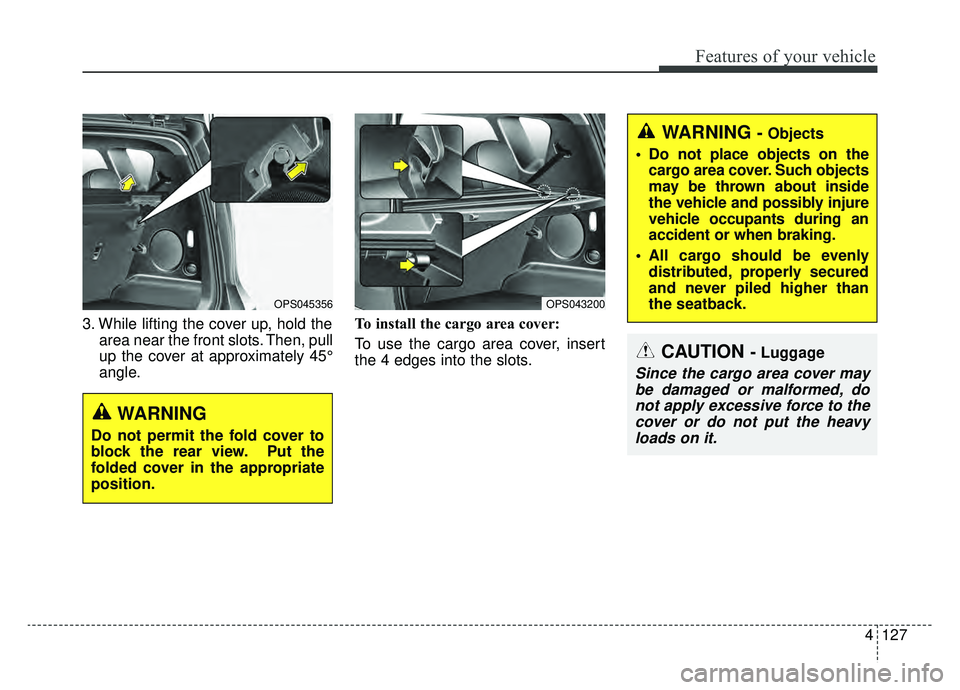
3. While lifting the cover up, hold thearea near the front slots. Then, pull
up the cover at approximately 45°
angle. To install the cargo area cover:
To use the cargo area cover, insert
the 4 edges into the slots.
OPS043200
WARNING - Objects
Do not place objects on the cargo area cover. Such objects
may be thrown about inside
the vehicle and possibly injure
vehicle occupants during an
accident or when braking.
All cargo should be evenly distributed, properly secured
and never piled higher than
the seatback.
CAUTION - Luggage
Since the cargo area cover maybe damaged or malformed, donot apply excessive force to thecover or do not put the heavyloads on it.
WARNING
Do not permit the fold cover to
block the rear view. Put the
folded cover in the appropriate
position.
OPS045356
Page 265 of 455
Features of your vehicle
128
4
AUDIO SYSTEM
If you install aftermarket HID head
lamps, your vehicle’s audio and elec-
tronic devices may malfunction.Antenna
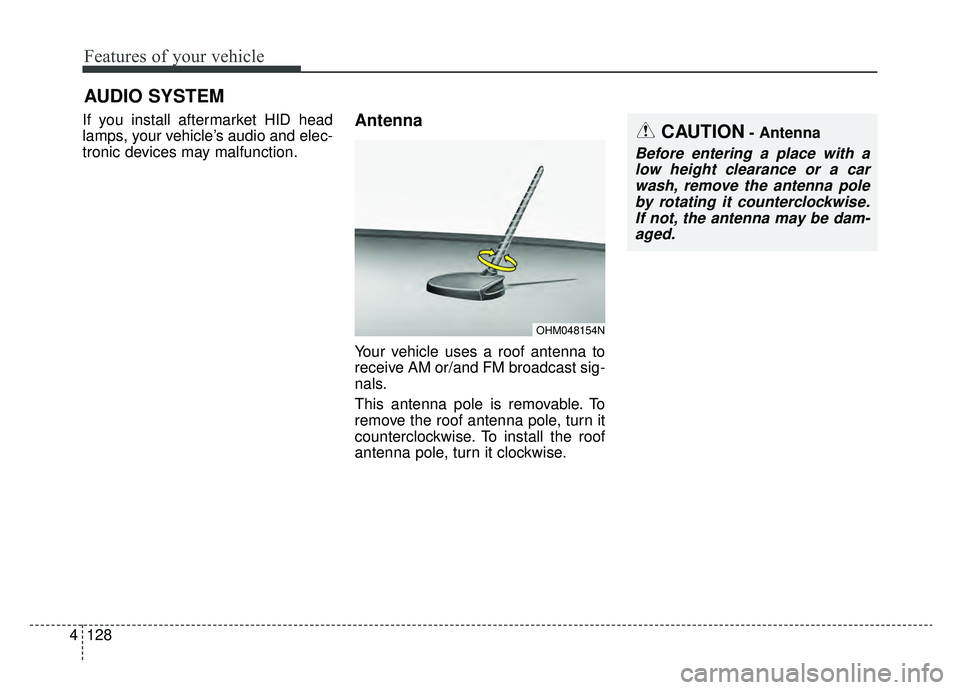
Your vehicle uses a roof antenna to
receive AM or/and FM broadcast sig-
nals.
This antenna pole is removable. To
remove the roof antenna pole, turn it
counterclockwise. To install the roof
antenna pole, turn it clockwise.
OHM048154N
CAUTION- Antenna
Before entering a place with a
low height clearance or a carwash, remove the antenna poleby rotating it counterclockwise.If not, the antenna may be dam-aged.
Page 269 of 455
Features of your vehicle
132
4
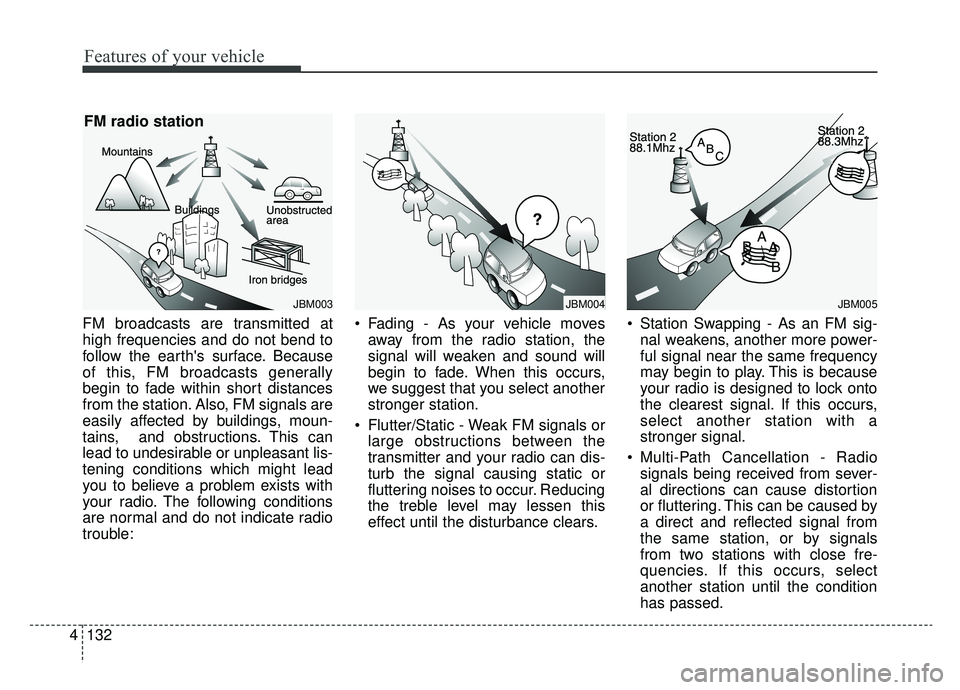
FM broadcasts are transmitted at
high frequencies and do not bend to
follow the earth's surface. Because
of this, FM broadcasts generally
begin to fade within short distances
from the station. Also, FM signals are
easily affected by buildings, moun-
tains, and obstructions. This can
lead to undesirable or unpleasant lis-
tening conditions which might lead
you to believe a problem exists with
your radio. The following conditions
are normal and do not indicate radio
trouble: Fading - As your vehicle moves
away from the radio station, the
signal will weaken and sound will
begin to fade. When this occurs,
we suggest that you select another
stronger station.
Flutter/Static - Weak FM signals or large obstructions between the
transmitter and your radio can dis-
turb the signal causing static or
fluttering noises to occur. Reducing
the treble level may lessen this
effect until the disturbance clears. Station Swapping - As an FM sig-
nal weakens, another more power-
ful signal near the same frequency
may begin to play. This is because
your radio is designed to lock onto
the clearest signal. If this occurs,
select another station with a
stronger signal.
Multi-Path Cancellation - Radio signals being received from sever-
al directions can cause distortion
or fluttering. This can be caused by
a direct and reflected signal from
the same station, or by signals
from two stations with close fre-
quencies. If this occurs, select
another station until the condition
has passed.
JBM003
FM radio station
JBM005JBM004
Page 282 of 455
53
Driving your vehicle
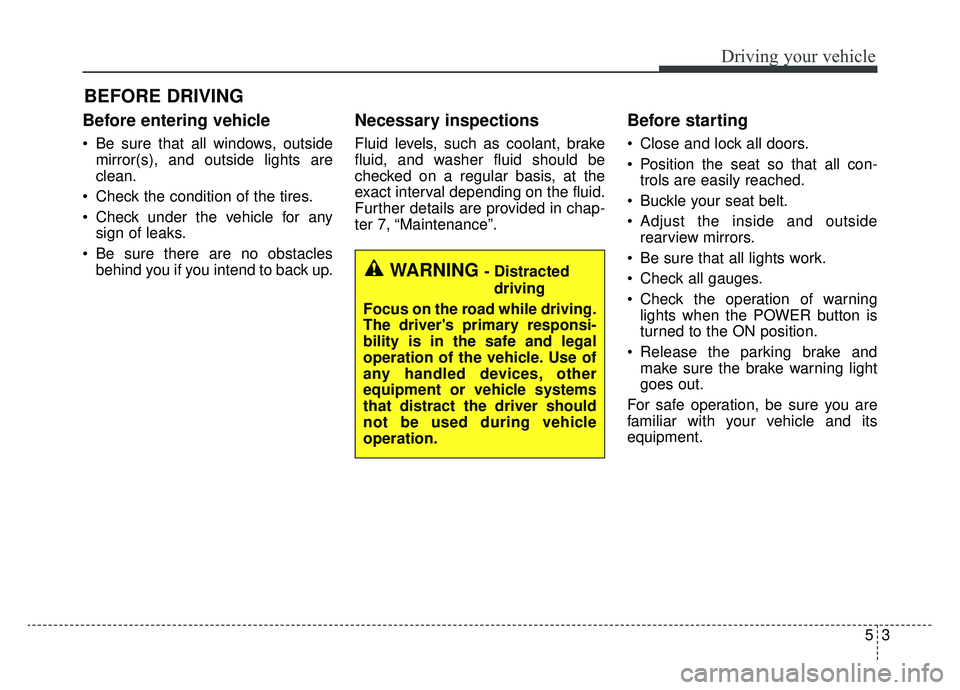
Before entering vehicle
• Be sure that all windows, outsidemirror(s), and outside lights are
clean.
Check the condition of the tires.
Check under the vehicle for any sign of leaks.
Be sure there are no obstacles behind you if you intend to back up.
Necessary inspections
Fluid levels, such as coolant, brake
fluid, and washer fluid should be
checked on a regular basis, at the
exact interval depending on the fluid.
Further details are provided in chap-
ter 7, “Maintenance”.
Before starting
Close and lock all doors.
Position the seat so that all con-trols are easily reached.
Buckle your seat belt.
Adjust the inside and outside rearview mirrors.
Be sure that all lights work.
Check all gauges.
Check the operation of warning lights when the POWER button is
turned to the ON position.
Release the parking brake and make sure the brake warning light
goes out.
For safe operation, be sure you are
familiar with your vehicle and its
equipment.
BEFORE DRIVING
WARNING - Distracted driving
Focus on the road while driving.
The driver's primary responsi-
bility is in the safe and legal
operation of the vehicle. Use of
any handled devices, other
equipment or vehicle systems
that distract the driver should
not be used during vehicle
operation.
Page 284 of 455
55
Driving your vehicle
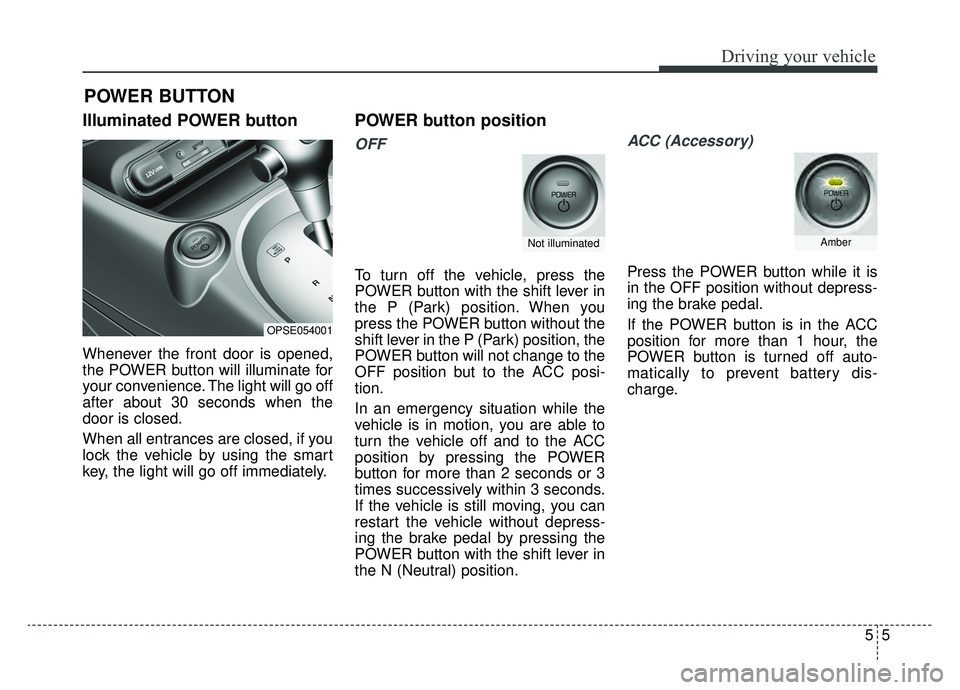
Illuminated POWER button
Whenever the front door is opened,
the POWER button will illuminate for
your convenience. The light will go off
after about 30 seconds when the
door is closed.
When all entrances are closed, if you
lock the vehicle by using the smart
key, the light will go off immediately.
POWER button position
OFF
To turn off the vehicle, press the
POWER button with the shift lever in
the P (Park) position. When you
press the POWER button without the
shift lever in the P (Park) position, the
POWER button will not change to the
OFF position but to the ACC posi-
tion.
In an emergency situation while the
vehicle is in motion, you are able to
turn the vehicle off and to the ACC
position by pressing the POWER
button for more than 2 seconds or 3
times successively within 3 seconds.
If the vehicle is still moving, you can
restart the vehicle without depress-
ing the brake pedal by pressing the
POWER button with the shift lever in
the N (Neutral) position.
ACC (Accessory)
Press the POWER button while it is
in the OFF position without depress-
ing the brake pedal.
If the POWER button is in the ACC
position for more than 1 hour, the
POWER button is turned off auto-
matically to prevent battery dis-
charge.
POWER BUTTON
OPSE054001
Not illuminatedAmber
Page 285 of 455
Driving your vehicle
65
ON
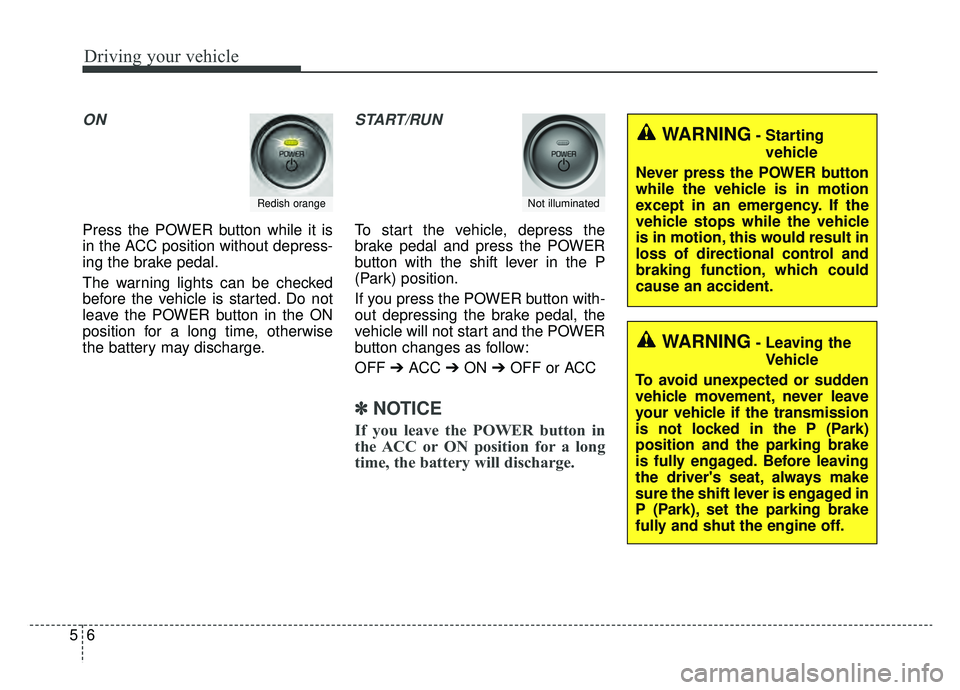
Press the POWER button while it is
in the ACC position without depress-
ing the brake pedal.
The warning lights can be checked
before the vehicle is started. Do not
leave the POWER button in the ON
position for a long time, otherwise
the battery may discharge.
START/RUN
To start the vehicle, depress the
brake pedal and press the POWER
button with the shift lever in the P
(Park) position.
If you press the POWER button with-
out depressing the brake pedal, the
vehicle will not start and the POWER
button changes as follow:
OFF ➔ACC ➔ON ➔OFF or ACC
✽ ✽
NOTICE
If you leave the POWER button in
the ACC or ON position for a long
time, the battery will discharge.
Redish orangeNot illuminated
WARNING- Starting
vehicle
Never press the POWER button
while the vehicle is in motion
except in an emergency. If the
vehicle stops while the vehicle
is in motion, this would result in
loss of directional control and
braking function, which could
cause an accident.
WARNING- Leaving the Vehicle
To avoid unexpected or sudden
vehicle movement, never leave
your vehicle if the transmission
is not locked in the P (Park)
position and the parking brake
is fully engaged. Before leaving
the driver's seat, always make
sure the shift lever is engaged in
P (Park), set the parking brake
fully and shut the engine off.
Page 287 of 455
Driving your vehicle
85
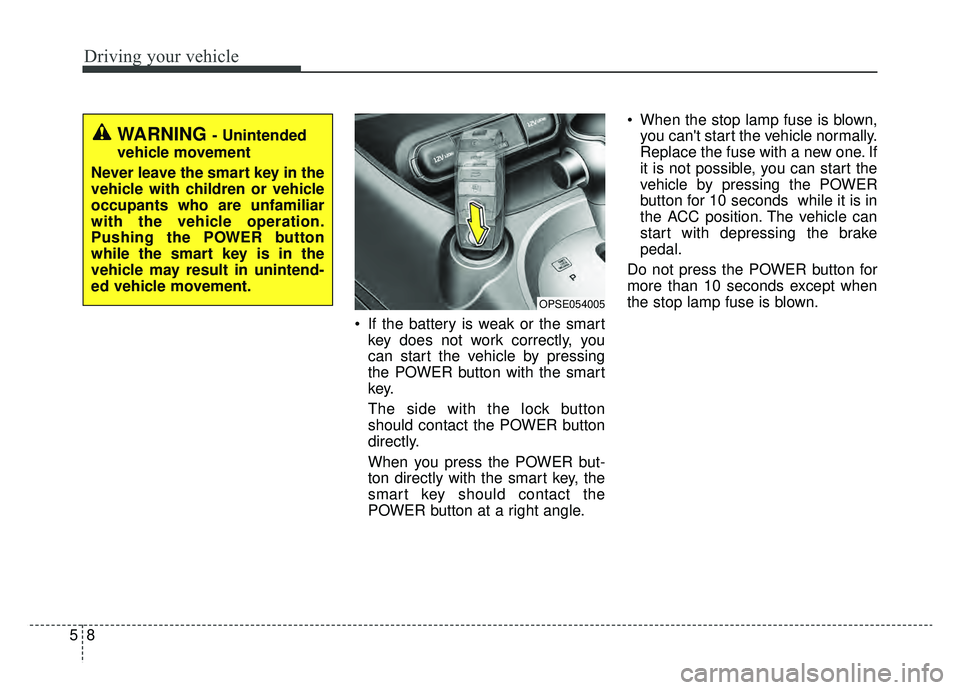
If the battery is weak or the smartkey does not work correctly, you
can start the vehicle by pressing
the POWER button with the smart
key.
The side with the lock button
should contact the POWER button
directly.
When you press the POWER but-
ton directly with the smart key, the
smart key should contact the
POWER button at a right angle. When the stop lamp fuse is blown,
you can't start the vehicle normally.
Replace the fuse with a new one. If
it is not possible, you can start the
vehicle by pressing the POWER
button for 10 seconds while it is in
the ACC position. The vehicle can
start with depressing the brake
pedal.
Do not press the POWER button for
more than 10 seconds except when
the stop lamp fuse is blown.
OPSE054005
WARNING - Unintended
vehicle movement
Never leave the smart key in the
vehicle with children or vehicle
occupants who are unfamiliar
with the vehicle operation.
Pushing the POWER button
while the smart key is in the
vehicle may result in unintend-
ed vehicle movement.
Page 290 of 455
511
Driving your vehicle
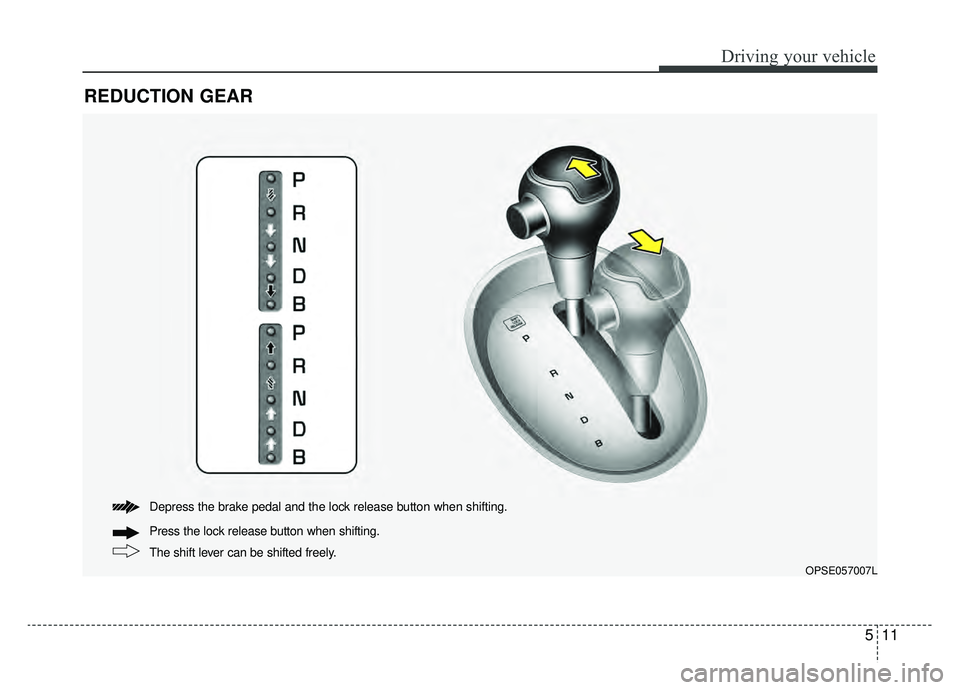
REDUCTION GEAR
The shift lever can be shifted freely. Press the lock release button when shifting. Depress the brake pedal and the lock release button when shifting.
OPSE057007L
Page 291 of 455
Driving your vehicle
12
5
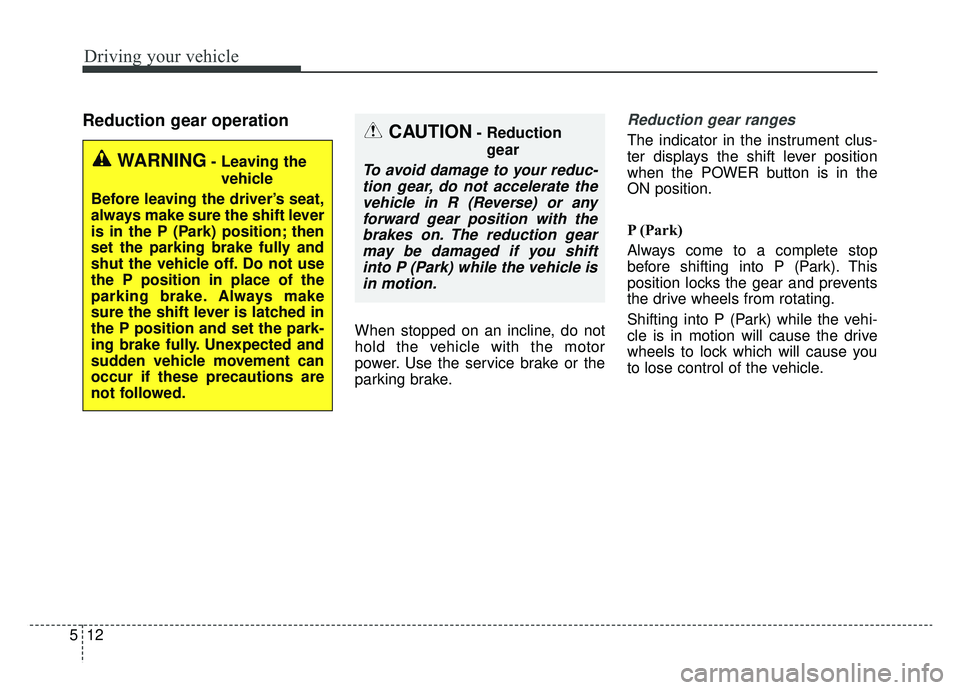
Reduction gear operation
When stopped on an incline, do not
hold the vehicle with the motor
power. Use the service brake or the
parking brake.
Reduction gear ranges
The indicator in the instrument clus-
ter displays the shift lever position
when the POWER button is in the
ON position.
P (Park)
Always come to a complete stop
before shifting into P (Park). This
position locks the gear and prevents
the drive wheels from rotating.
Shifting into P (Park) while the vehi-
cle is in motion will cause the drive
wheels to lock which will cause you
to lose control of the vehicle.
WARNING- Leaving the
vehicle
Before leaving the driver’s seat,
always make sure the shift lever
is in the P (Park) position; then
set the parking brake fully and
shut the vehicle off. Do not use
the P position in place of the
parking brake. Always make
sure the shift lever is latched in
the P position and set the park-
ing brake fully. Unexpected and
sudden vehicle movement can
occur if these precautions are
not followed.
CAUTION- Reduction gear
To avoid damage to your reduc-tion gear, do not accelerate thevehicle in R (Reverse) or anyforward gear position with thebrakes on. The reduction gearmay be damaged if you shiftinto P (Park) while the vehicle isin motion.