battery KIA Sportage 2008 JE_ / 2.G User Guide
[x] Cancel search | Manufacturer: KIA, Model Year: 2008, Model line: Sportage, Model: KIA Sportage 2008 JE_ / 2.GPages: 350, PDF Size: 6.42 MB
Page 173 of 350
455
Driving your vehicle
1
2
3
4
5
6
7
8
9
4) Make sure the vehicle windshield
wipers are turned off.
5) Drive your vehicle in at least 2
complete (either clockwise or
counter-clockwise) circles at less
than 8 km/h (5 mph) until the com-
pass heading appears. Driving in
a circle in right-handed direction
and opposite direction is possible
and if possible, stop the wiper
operation.
6) If the vehicle's compass headings
become inaccurate again, repeat
steps 1 through 6 above.
✽
NOTICE
If new vehicle is first driven or if the
battery has been disconnected, do
the calibration procedure as above.
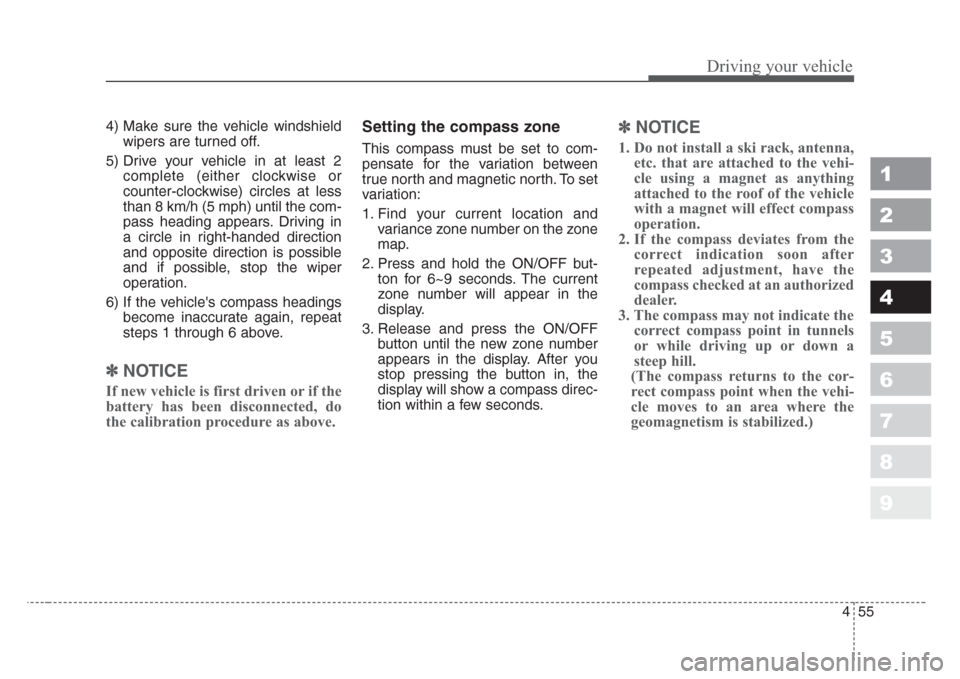
Setting the compass zone
This compass must be set to com-
pensate for the variation between
true north and magnetic north. To set
variation:
1. Find your current location and
variance zone number on the zone
map.
2. Press and hold the ON/OFF but-
ton for 6~9 seconds. The current
zone number will appear in the
display.
3. Release and press the ON/OFF
button until the new zone number
appears in the display. After you
stop pressing the button in, the
display will show a compass direc-
tion within a few seconds.
✽
NOTICE
1. Do not install a ski rack, antenna,
etc. that are attached to the vehi-
cle using a magnet as anything
attached to the roof of the vehicle
with a magnet will effect compass
operation.
2. If the compass deviates from the
correct indication soon after
repeated adjustment, have the
compass checked at an authorized
dealer.
3. The compass may not indicate the
correct compass point in tunnels
or while driving up or down a
steep hill.
(The compass returns to the cor-
rect compass point when the vehi-
cle moves to an area where the
geomagnetism is stabilized.)
Page 175 of 350
457
Driving your vehicle
1
2
3
4
5
6
7
8
9
Battery saver function
• The purpose of this feature is to
prevent the battery from being dis-
charged. The system automatically
turns off the headlights and park-
ing lights when the driver removes
the ignition key and opens the dri-
ver- side door.
• With this feature, the parklight will
be turned off automatically if the
driver parks on the side of road at
night.
If necessary, to keep the lights on
when the ignition key is removed,
perform the following :
1) Open the driver-side door.
2) Turn the parklights OFF and ON
again using the light switch on the
steering column.
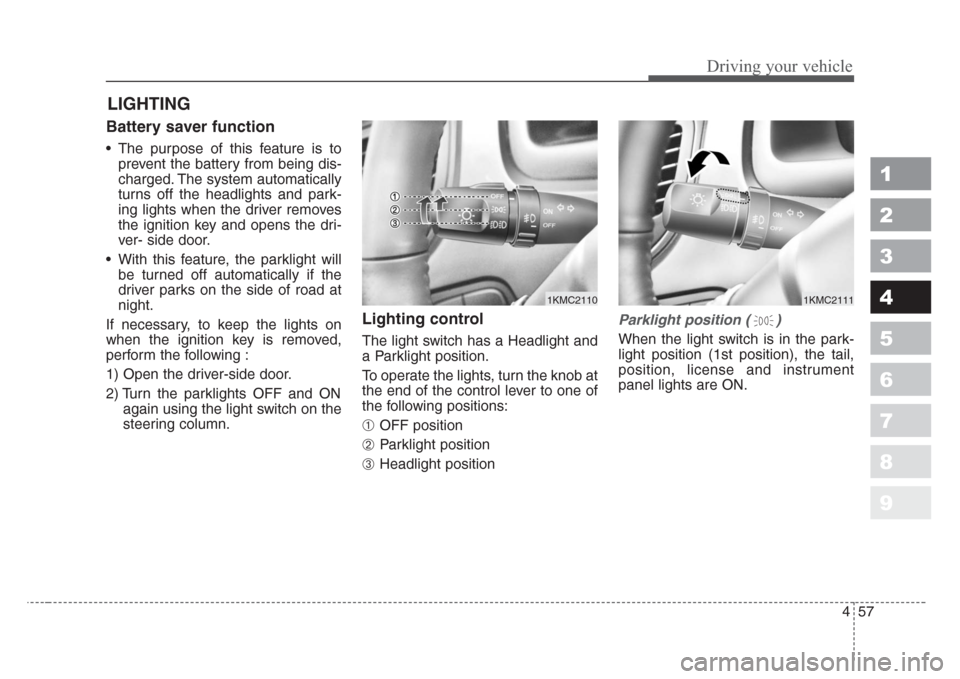
Lighting control
The light switch has a Headlight and
a Parklight position.
To operate the lights, turn the knob at
the end of the control lever to one of
the following positions:
➀ OFF position
➁ Parklight position
➂ Headlight position
Parklight position ( )
When the light switch is in the park-
light position (1st position), the tail,
position, license and instrument
panel lights are ON.
LIGHTING
1KMC21111KMC2110
Page 176 of 350
Driving your vehicle
58 4
1
2
3
4
5
6
7
8
9
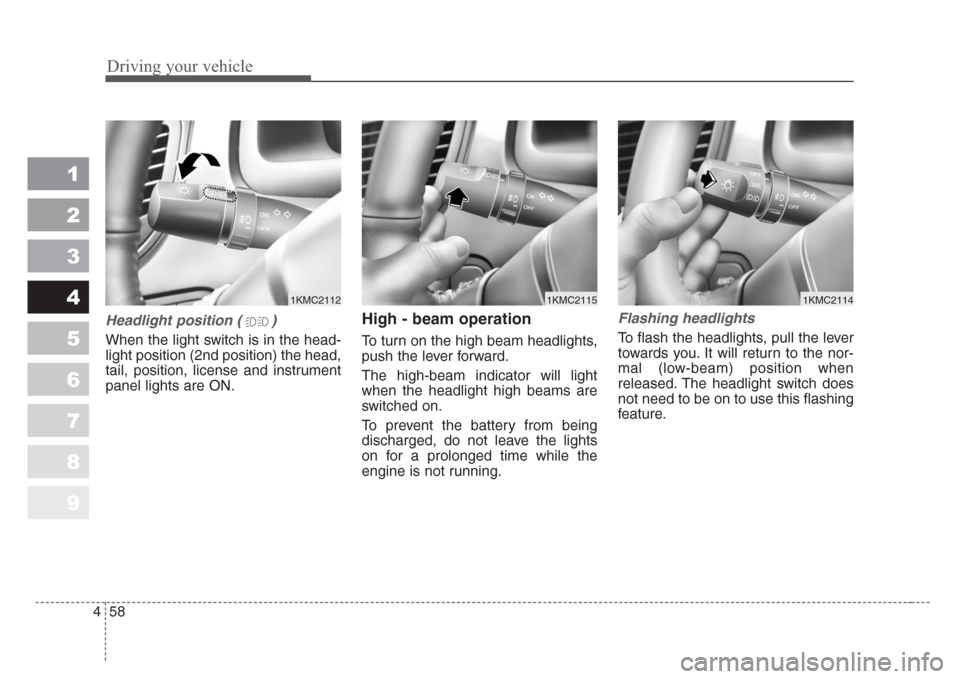
Headlight position ( )
When the light switch is in the head-
light position (2nd position) the head,
tail, position, license and instrument
panel lights are ON.
High - beam operation
To turn on the high beam headlights,
push the lever forward.
The high-beam indicator will light
when the headlight high beams are
switched on.
To prevent the battery from being
discharged, do not leave the lights
on for a prolonged time while the
engine is not running.
Flashing headlights
To flash the headlights, pull the lever
towards you. It will return to the nor-
mal (low-beam) position when
released. The headlight switch does
not need to be on to use this flashing
feature.
1KMC21121KMC21141KMC2115
Page 178 of 350
Driving your vehicle
60 4
1
2
3
4
5
6
7
8
9
✽
NOTICE
When in operation, the fog lights
consume large amounts of vehicle
electrical power. Only use the fog
lights when visibility is poor.
Unnecessary battery and generator
drain could occur if the fog lights
are used excessively.
Daytime running light
(if equipped)
Daytime Running Lights (DRL) can
make it easier for others to see the
front of your vehicle during the day.
DRL can be helpful in many different
driving conditions, and it is especial-
ly helpful after dawn and before sun-
set.
The DRL system will make your
high-beam headlights turn OFF
when:
1. The head light switch is ON.
2. The parking brake engaged.
3. Engine stops.
Page 182 of 350
Driving your vehicle
64 4
1
2
3
4
5
6
7
8
9
If the rear hatch window is open
( ), the rear wiper will not oper-
ate. Check the rear hatch window
warning light in the instrument clus-
ter, and make sure the rear hatch
window is closed completely.
- Spraying washer fluid and wip-
ing
OFF - Wiper is not in operation
INT - Intermittent wiper operation (if
equipped)
ON - Normal wiper opertion
- Spraying washer fluid and wip-
ing
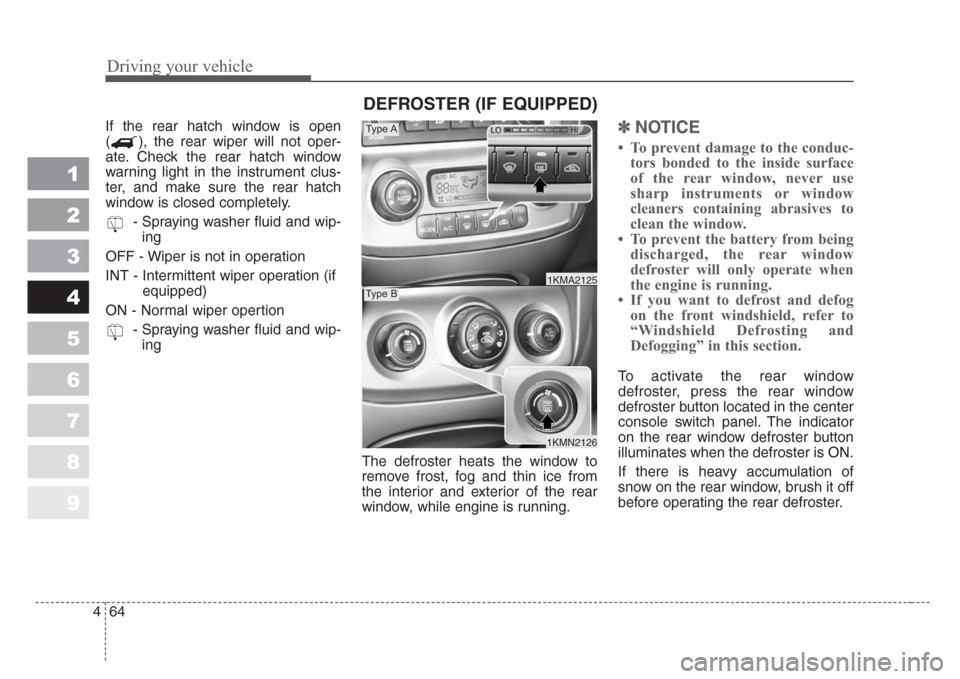
The defroster heats the window to
remove frost, fog and thin ice from
the interior and exterior of the rear
window, while engine is running.✽
NOTICE
• To prevent damage to the conduc-
tors bonded to the inside surface
of the rear window, never use
sharp instruments or window
cleaners containing abrasives to
clean the window.
• To prevent the battery from being
discharged, the rear window
defroster will only operate when
the engine is running.
• If you want to defrost and defog
on the front windshield, refer to
“Windshield Defrosting and
Defogging” in this section.
To activate the rear window
defroster, press the rear window
defroster button located in the center
console switch panel. The indicator
on the rear window defroster button
illuminates when the defroster is ON.
If there is heavy accumulation of
snow on the rear window, brush it off
before operating the rear defroster.
1KMN2126
1KMA2125
Type A
Type B
DEFROSTER (IF EQUIPPED)
Page 195 of 350
477
Driving your vehicle
1
2
3
4
5
6
7
8
9
Manual operation
The heating and cooling system can
be controlled manually as well by
pushing buttons other than the AUTO
button. In this case, the system
works sequentially according to the
order of buttons selected.
When pressing any button except
AUTO button while automatic opera-
tion, the functions of the buttons not
selected will be controlled automati-
cally.
Press the AUTO button in order to
convert to full automatic control of
the system.
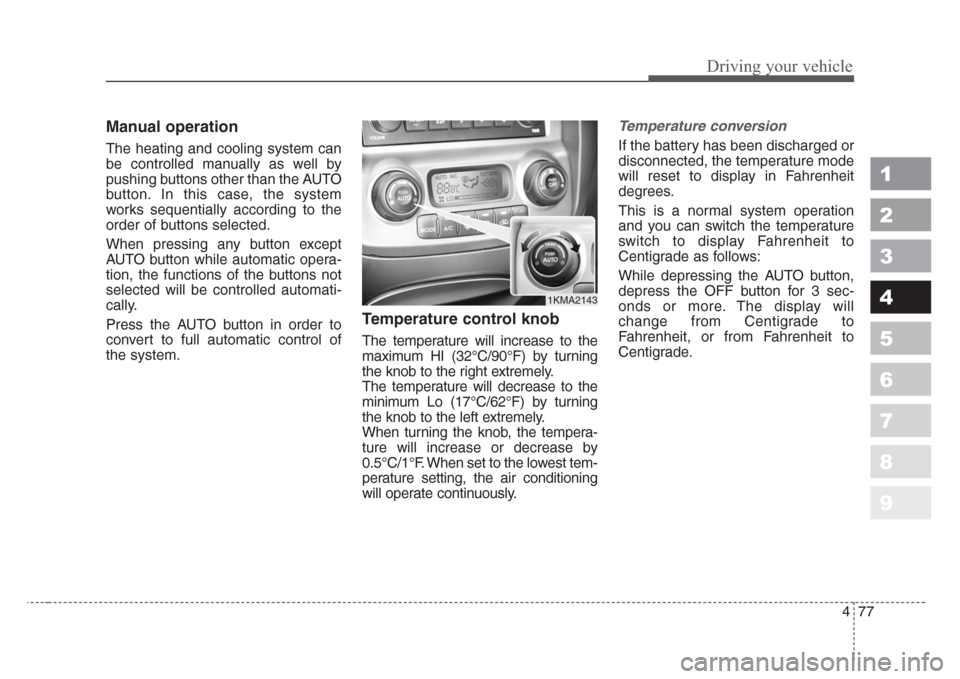
Temperature control knob
The temperature will increase to the
maximum HI (32°C/90°F) by turning
the knob to the right extremely.
The temperature will decrease to the
minimum Lo (17°C/62°F) by turning
the knob to the left extremely.
When turning the knob, the tempera-
ture will increase or decrease by
0.5°C/1°F. When set to the lowest tem-
perature setting, the air conditioning
will operate continuously.
Temperature conversion
If the battery has been discharged or
disconnected, the temperature mode
will reset to display in Fahrenheit
degrees.
This is a normal system operation
and you can switch the temperature
switch to display Fahrenheit to
Centigrade as follows:
While depressing the AUTO button,
depress the OFF button for 3 sec-
onds or more. The display will
change from Centigrade to
Fahrenheit, or from Fahrenheit to
Centigrade.
1KMA2143
Page 209 of 350
491
Driving your vehicle
1
2
3
4
5
6
7
8
9
The indicator light in the air intake
control button will blink 3 times at 0.5
second intervals. This indicates that
the defogging logic is canceled or
has returned to the programmed
condition.
If the battery has been discharged or
disconnected, the defog logic is reset
to the original condition.Automatic climate control system
To reduce the probability of fogging
up inside of the windshield, the air
intake control is set to outside (fresh)
air position automatically if any of fol-
lowing occur.
• The ignition switch is turned on
while the mode is selected to the
, , .
• The OFF button is pushed.
• The mode is selected to the ,
or position.
Press the air intake control button to
select the recirculated air position
while the ignition switch is on.How to cancel or return defogging
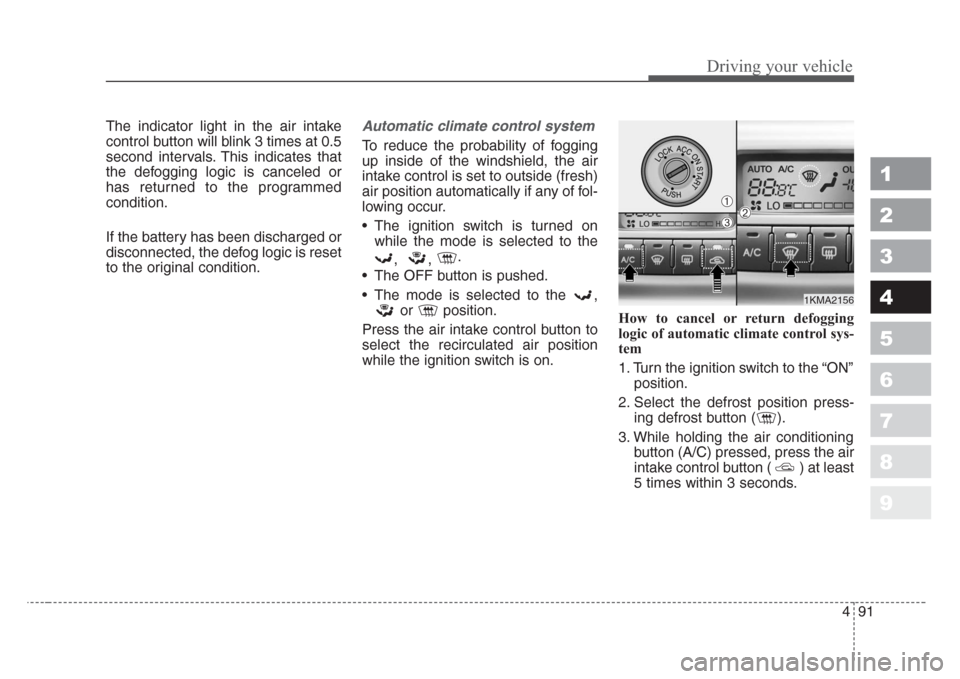
logic of automatic climate control sys-
tem
1. Turn the ignition switch to the “ON”
position.
2. Select the defrost position press-
ing defrost button ( ).
3. While holding the air conditioning
button (A/C) pressed, press the air
intake control button ( ) at least
5 times within 3 seconds.
1KMA2156
➀➁➂
Page 210 of 350
Driving your vehicle
92 4
1
2
3
4
5
6
7
8
9
The A/C display will blink 3 times at
0.5 second intervals. This indicates
that the defogging logic is canceled
or has returned to the programmed
condition.
If the battery has been discharged or
disconnected, the defog logic is reset
to the original condition.
Page 220 of 350
Driving tips
10 5
1
2
3
4
5
6
7
8
9
Driving in the rain
Rain and wet roads can make driving
dangerous, especially if you’re not
prepared for the slick pavement.
Here are a few things to consider
when driving in the rain:
• A heavy rainfall will make it harder
to see and will increase the dis-
tance needed to stop your vehicle,
so slow down.
• Keep your windshield wiping
equipment in good shape. Replace
your windshield wiper blades when
they show signs of streaking or
missing areas on the windshield.• If your tires are not in good condi-
tion, making a quick stop on wet
pavement can cause a skid and
possibly lead to an accident. Be
sure your tires are in good shape.
• Turn on your headlights to make it
easier for others to see you.
• Driving too fast through large pud-
dles can affect your brakes. If you
must go through puddles, try to
drive through them slowly.
• If you believe you may have gotten
your brakes wet, apply them lightly
while driving until normal braking
operation returns.
Winter driving
• We recommend that you carry
emergency equipment, including
tire chains, a window scraper,
windshield de-icer, a bag of sand
or salt, flares, a small shovel and
jumper cables.
• Make sure you have sufficient eth-
ylene-glycol coolant in the radiator.
• Check the battery condition and
cables. Cold temperatures reduce
the capacity of any battery, so it
must be in excellent condition to
provide enough winter starting
power.
• Make sure the engine oil viscosity
is suitable for cold weather.
• Check the ignition system for loose
connections and damage.
Page 256 of 350
Driving tips
46 5
1
2
3
4
5
6
7
8
9
Programming
Your vehicle may require the ignition
switch to be turned to the ACC posi-
tion for programming and/or opera-
tion of HomeLink. It is also recom-
mended that a new battery be
replaced in the hand-held transmitter
of the device being programmed to
HomeLink for quicker training and
accurate transmission of the radio-
frequency.
Follow these steps to train your
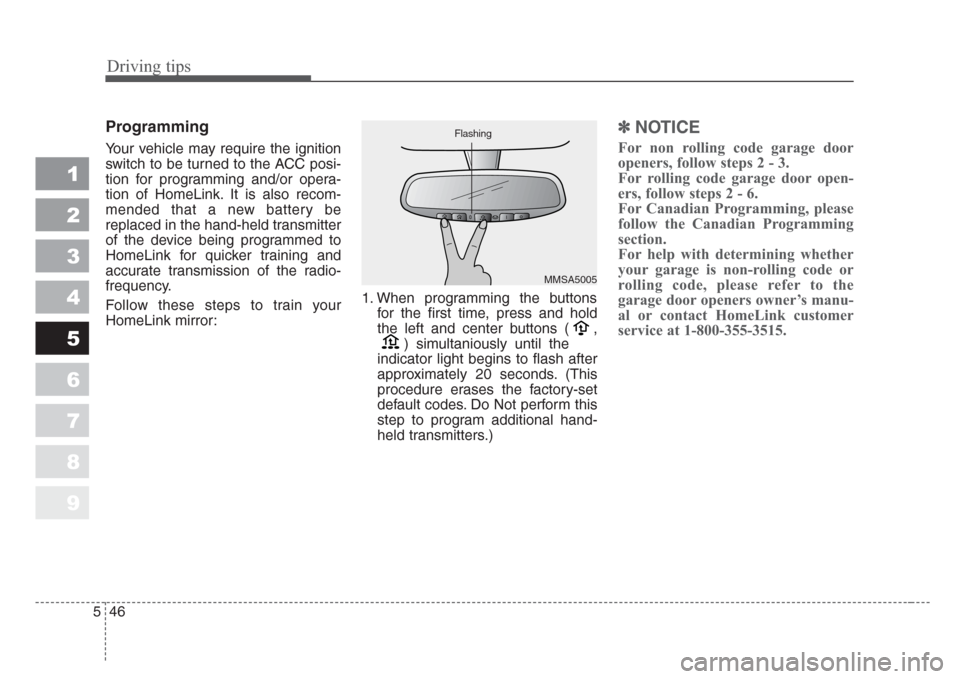
HomeLink mirror:1. When programming the buttons
for the first time, press and hold
the left and center buttons ( ,
) simultaniously until the
indicator light begins to flash after
approximately 20 seconds. (This
procedure erases the factory-set
default codes. Do Not perform this
step to program additional hand-
held transmitters.)
✽
NOTICE
For non rolling code garage door
openers, follow steps 2 - 3.
For rolling code garage door open-
ers, follow steps 2 - 6.
For Canadian Programming, please
follow the Canadian Programming
section.
For help with determining whether
your garage is non-rolling code or
rolling code, please refer to the
garage door openers owner’s manu-
al or contact HomeLink customer
service at 1-800-355-3515.
MMSA5005 Flashing