ignition KIA Sportage 2010 SL / 3.G Owner's Guide
[x] Cancel search | Manufacturer: KIA, Model Year: 2010, Model line: Sportage, Model: KIA Sportage 2010 SL / 3.GPages: 371, PDF Size: 5.23 MB
Page 87 of 371
Knowing your vehicle
78
3
1
2
3
4
5
6
7
8
9
When the ignition switch is turned
ON, the indicator light should illumi-
nate for approximately 6 seconds,
then go off.
Have the system checked if:
The light does not turn on briefly
when you turn the ignition ON.
The light stays on after the engine starts.
The light comes on while the vehi- cle is in motion.Airbag (Supplemental
Restraint System) service
Your Supplemental Restraint System
is virtually maintenance-free. There
are no parts which you can service.
You must have the system serviced
under the following circumstances:
If an airbag ever inflates, the airbagmust be replaced. Do not try to
remove or discard the airbag by
yourself. This must be done by an
authorized Kia dealer.
If the airbag warning indicator light alerts you to a problem, have the
airbag system checked as soon as
possible. Otherwise, your airbag
system may be ineffective.
WARNING- No mainte-
nance or repair
Do not work on the airbag sys- tem’s components or wiring.
This could cause the airbags
to inflate inadvertently, possi-
bly seriously injuring some-
one. Working on the system
could also disable the system
so that the airbags would not
deploy in a collision.
Any work on the airbag sys- tem, such as removing,
installing, or repairing the
steering wheel must be per-
formed by a qualified Kia tech-
nician. Improper handling of
the airbag system including
the steering wheel may result
in serious personal injury or
death.
WARNING- No modifica-
tions
Do not modify any part of the
airbag system modification
could make the airbag system
ineffective.
Page 104 of 371
395
1
2
3
4
5
6
7
8
9
Knowing your vehicle
✽ ✽NOTICE
• Use when the engine is running,
and remove a plug from the power
outlet after using the electric
appliance. Using when the engine
stops or remaining the electric
appliance with plugged in for
many hours may cause the battery
to be discharged.
• Only use 12V electric appliances which are less than 10A in electric
capacity.
• Adjust the air-conditioner or heater to the lowest operating level
when you have to use the power
socket.
• Close the cover when not in use.
• Some electronic devices can cause electronic interference when
plugged into a vehicle’s power out-
let. These devices may cause exces-
sive audio static and malfunctions
in other electronic systems or
devices used in your vehicle.
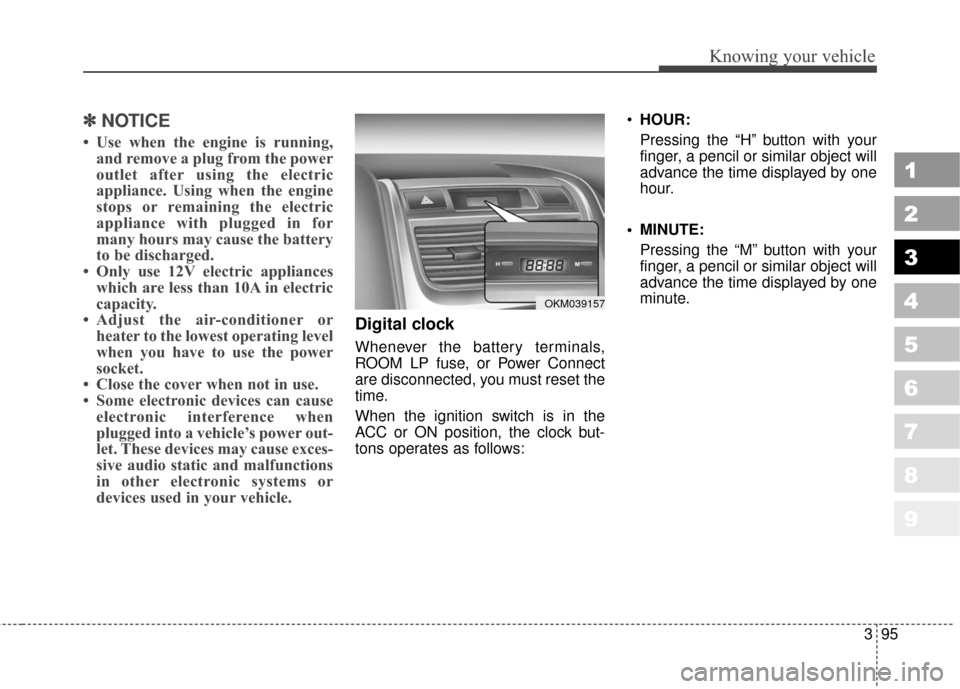
Digital clock
Whenever the battery terminals,
ROOM LP fuse, or Power Connect
are disconnected, you must reset the
time.
When the ignition switch is in the
ACC or ON position, the clock but-
tons operates as follows:
HOUR:
Pressing the “H” button with your
finger, a pencil or similar object will
advance the time displayed by one
hour.
MINUTE: Pressing the “M” button with your
finger, a pencil or similar object will
advance the time displayed by one
minute.
OKM039157
Page 106 of 371
397
1
2
3
4
5
6
7
8
9
Knowing your vehicle
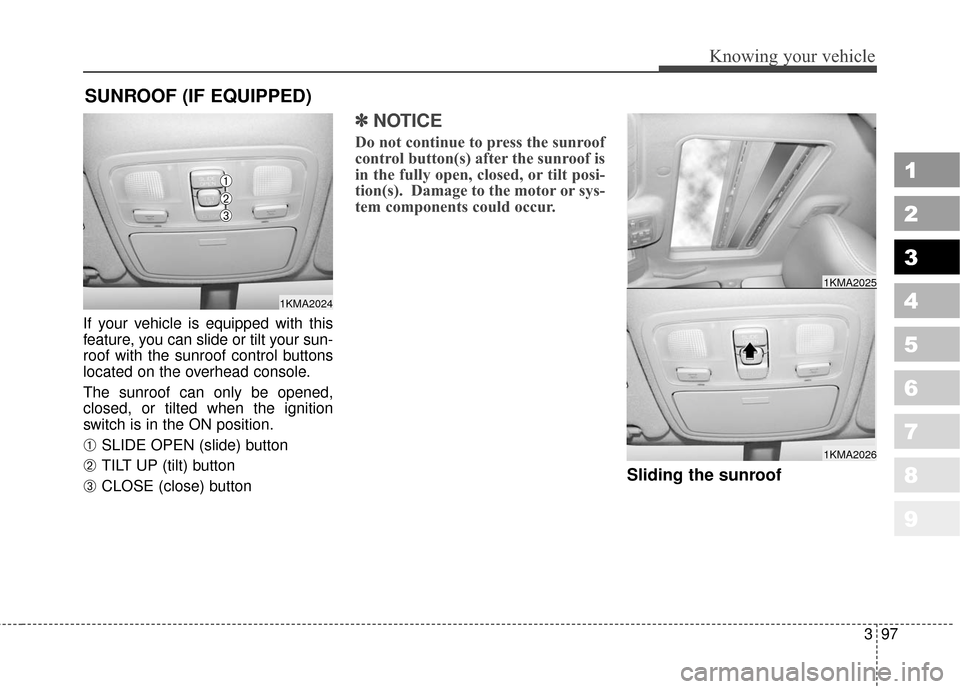
If your vehicle is equipped with this
feature, you can slide or tilt your sun-
roof with the sunroof control buttons
located on the overhead console.
The sunroof can only be opened,
closed, or tilted when the ignition
switch is in the ON position.
➀ SLIDE OPEN (slide) button
➁ TILT UP (tilt) button
➂ CLOSE (close) button
✽ ✽NOTICE
Do not continue to press the sunroof
control button(s) after the sunroof is
in the fully open, closed, or tilt posi-
tion(s). Damage to the motor or sys-
tem components could occur.
Sliding the sunroof
SUNROOF (IF EQUIPPED)
1KMA2024
➀
➁
➂
1KMA2026
1KMA2025
Page 109 of 371
Knowing your vehicle
100
3
1
2
3
4
5
6
7
8
9
Resetting the sunroof
Whenever the vehicle battery is dis-
connected or discharged, you have
to reset your sunroof system as fol-
lows:
1. Turn the ignition key to the ON
position.
2. According to the position of the sunroof, do as follows.
1) in case that the sunroof hasclosed completely or been tilt-
ed :
Press the TILT UP button until
the sunroof has tilted upward
completely.
2) in case that the sunroof has slide-opened:
Press and hold the CLOSE
button for more than 5 seconds
until the sunroof has closed
completely. Press the TILT UP
button until the sunroof has tilt-
ed upward completely. 3. Release the TILT UP button.
4. Press and hold the TILT UP button
once again until the sunroof has
returned to the original position of
TILT UP after it is raised a little
higher than the maximum TILT UP
position.
When this is complete, the sunroof
system is reset.
Page 122 of 371
3113
Knowing your vehicle
1
2
3
4
5
6
7
8
9
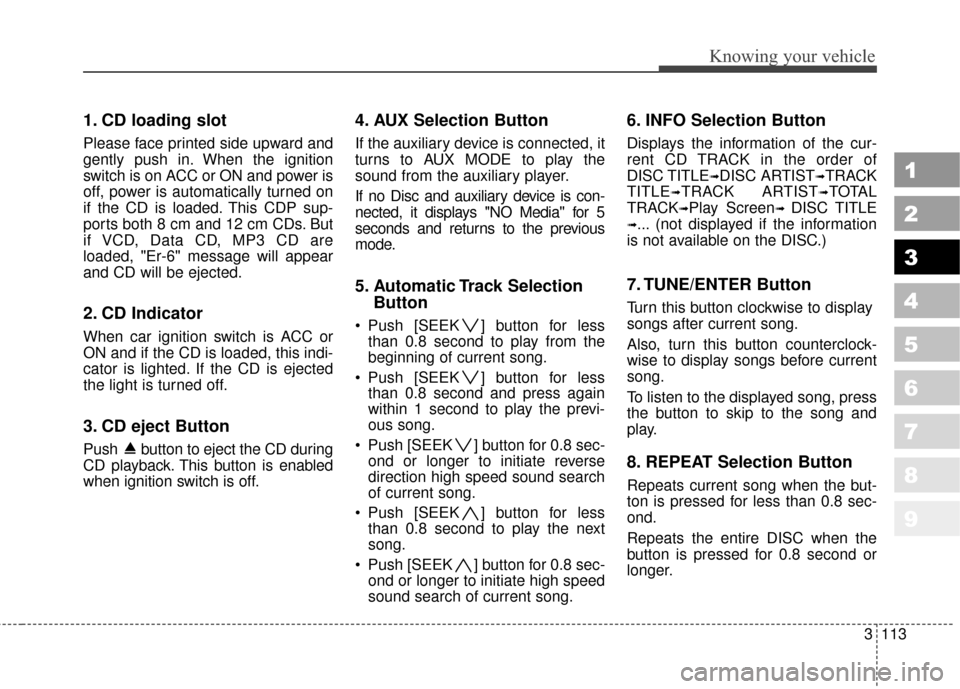
1. CD loading slot
Please face printed side upward and
gently push in. When the ignition
switch is on ACC or ON and power is
off, power is automatically turned on
if the CD is loaded. This CDP sup-
ports both 8 cm and 12 cm CDs. But
if VCD, Data CD, MP3 CD are
loaded, "Er-6" message will appear
and CD will be ejected.
2. CD Indicator
When car ignition switch is ACC or
ON and if the CD is loaded, this indi-
cator is lighted. If the CD is ejected
the light is turned off.
3. CD eject Button
Push button to eject the CD during
CD playback. This button is enabled
when ignition switch is off.
4. AUX Selection Button
If the auxiliary device is connected, it
turns to AUX MODE to play the
sound from the auxiliary player.
If no Disc and auxiliary device is con-
nected, it displays "NO Media" for 5
seconds and returns to the previous
mode.
5. Automatic Track SelectionButton
Push [SEEK ] button for less
than 0.8 second to play from the
beginning of current song.
Push [SEEK ] button for less than 0.8 second and press again
within 1 second to play the previ-
ous song.
Push [SEEK ] button for 0.8 sec- ond or longer to initiate reverse
direction high speed sound search
of current song.
Push [SEEK ] button for less than 0.8 second to play the next
song.
Push [SEEK ] button for 0.8 sec- ond or longer to initiate high speed
sound search of current song.
6. INFO Selection Button
Displays the information of the cur-
rent CD TRACK in the order of
DISC TITLE
➟DISC ARTIST➟TRACK
TITLE
➟TRACK ARTIST➟TOTAL
TRACK
➟Play Screen➟ DISC TITLE
➟... (not displayed if the information
is not available on the DISC.)
7. TUNE/ENTER Button
Turn this button clockwise to display
songs after current song.
Also, turn this button counterclock-
wise to display songs before current
song.
To listen to the displayed song, press
the button to skip to the song and
play.
8. REPEAT Selection Button
Repeats current song when the but-
ton is pressed for less than 0.8 sec-
ond.
Repeats the entire DISC when the
button is pressed for 0.8 second or
longer.
Page 135 of 371
Knowing your vehicle
126
3
1
2
3
4
5
6
7
8
9
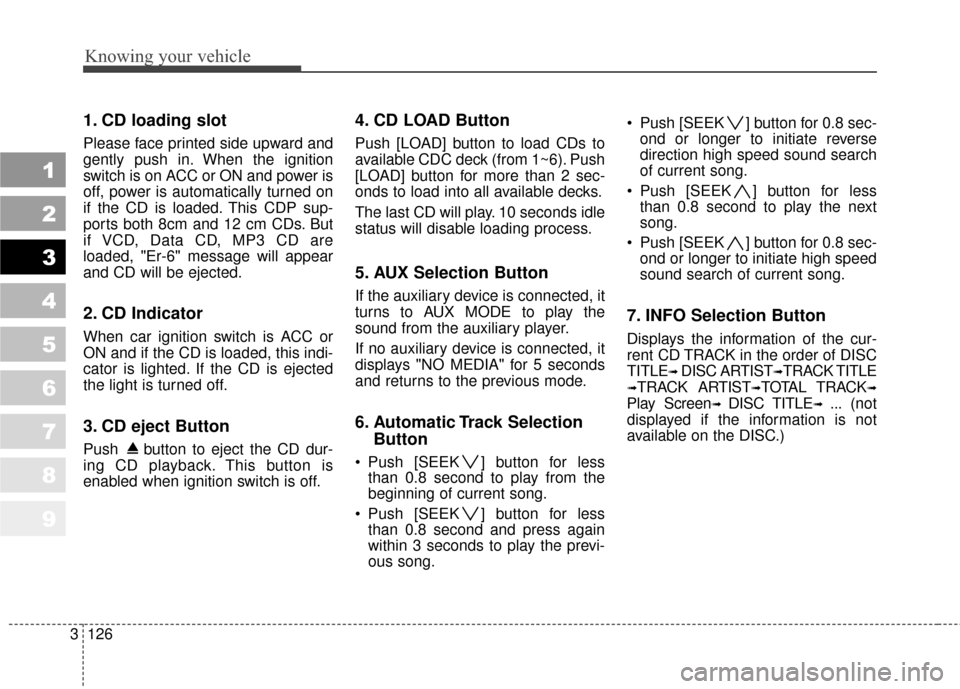
1. CD loading slot
Please face printed side upward and
gently push in. When the ignition
switch is on ACC or ON and power is
off, power is automatically turned on
if the CD is loaded. This CDP sup-
ports both 8cm and 12 cm CDs. But
if VCD, Data CD, MP3 CD are
loaded, "Er-6" message will appear
and CD will be ejected.
2. CD Indicator
When car ignition switch is ACC or
ON and if the CD is loaded, this indi-
cator is lighted. If the CD is ejected
the light is turned off.
3. CD eject Button
Push button to eject the CD dur-
ing CD playback. This button is
enabled when ignition switch is off.
4. CD LOAD Button
Push [LOAD] button to load CDs to
available CDC deck (from 1~6). Push
[LOAD] button for more than 2 sec-
onds to load into all available decks.
The last CD will play. 10 seconds idle
status will disable loading process.
5. AUX Selection Button
If the auxiliary device is connected, it
turns to AUX MODE to play the
sound from the auxiliary player.
If no auxiliary device is connected, it
displays "NO MEDIA" for 5 seconds
and returns to the previous mode.
6. Automatic Track Selection
Button
Push [SEEK ] button for less
than 0.8 second to play from the
beginning of current song.
Push [SEEK ] button for less than 0.8 second and press again
within 3 seconds to play the previ-
ous song. Push [SEEK ] button for 0.8 sec-
ond or longer to initiate reverse
direction high speed sound search
of current song.
Push [SEEK ] button for less than 0.8 second to play the next
song.
Push [SEEK ] button for 0.8 sec- ond or longer to initiate high speed
sound search of current song.
7. INFO Selection Button
Displays the information of the cur-
rent CD TRACK in the order of DISC
TITLE
➟ DISC ARTIST➟TRACK TITLE
➟TRACK ARTIST➟TOTAL TRACK➟
Play Screen➟ DISC TITLE➟ ... (not
displayed if the information is not
available on the DISC.)
Page 148 of 371
1
2
3
4
5
6
7
8
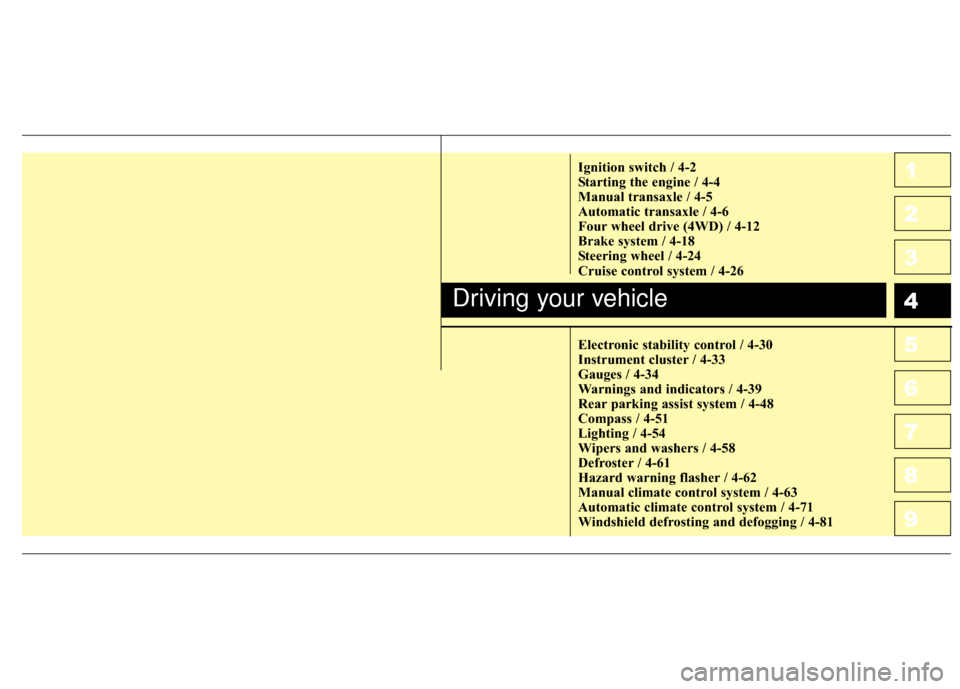
9Ignition switch / 4-2
Starting the engine / 4-4
Manual transaxle / 4-5
Automatic transaxle / 4-6
Four wheel drive (4WD) / 4-12
Brake system / 4-18
Steering wheel / 4-24
Cruise control system / 4-26
Electronic stability control / 4-30
Instrument cluster / 4-33
Gauges / 4-34
Warnings and indicators / 4-39
Rear parking assist system / 4-48
Compass / 4-51
Lighting / 4-54
Wipers and washers / 4-58
Defroster / 4-61
Hazard warning flasher / 4-62
Manual climate control system / 4-63
Automatic climate control system / 4-71
Windshield defrosting and defogging / 4-81
Driving your vehicle
10
Page 149 of 371
Driving your vehicle
24
1
2
3
4
5
6
7
8
9
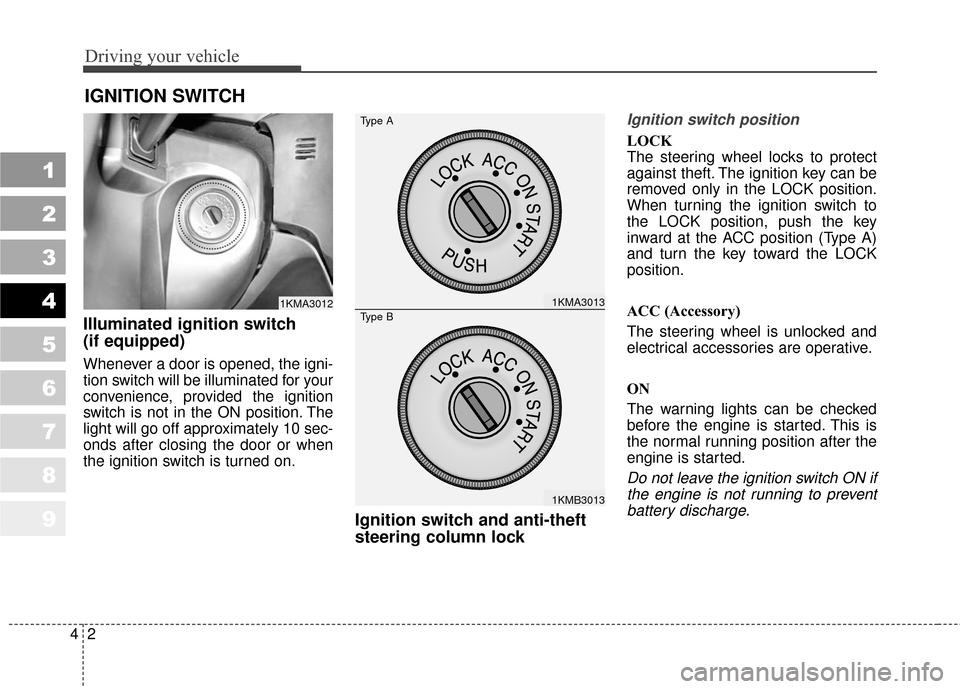
Illuminated ignition switch
(if equipped)
Whenever a door is opened, the igni-
tion switch will be illuminated for your
convenience, provided the ignition
switch is not in the ON position. The
light will go off approximately 10 sec-
onds after closing the door or when
the ignition switch is turned on.
Ignition switch and anti-theft
steering column lock
Ignition switch position
LOCK
The steering wheel locks to protect
against theft. The ignition key can be
removed only in the LOCK position.
When turning the ignition switch to
the LOCK position, push the key
inward at the ACC position (Type A)
and turn the key toward the LOCK
position.
ACC (Accessory)
The steering wheel is unlocked and
electrical accessories are operative.
ON
The warning lights can be checked
before the engine is started. This is
the normal running position after the
engine is started.
Do not leave the ignition switch ON ifthe engine is not running to preventbattery discharge.
IGNITION SWITCH
1KMA30121KMA3013
1KMB3013
Type A
Type B
Page 150 of 371
43
Driving your vehicle
1
2
3
4
5
6
7
8
9
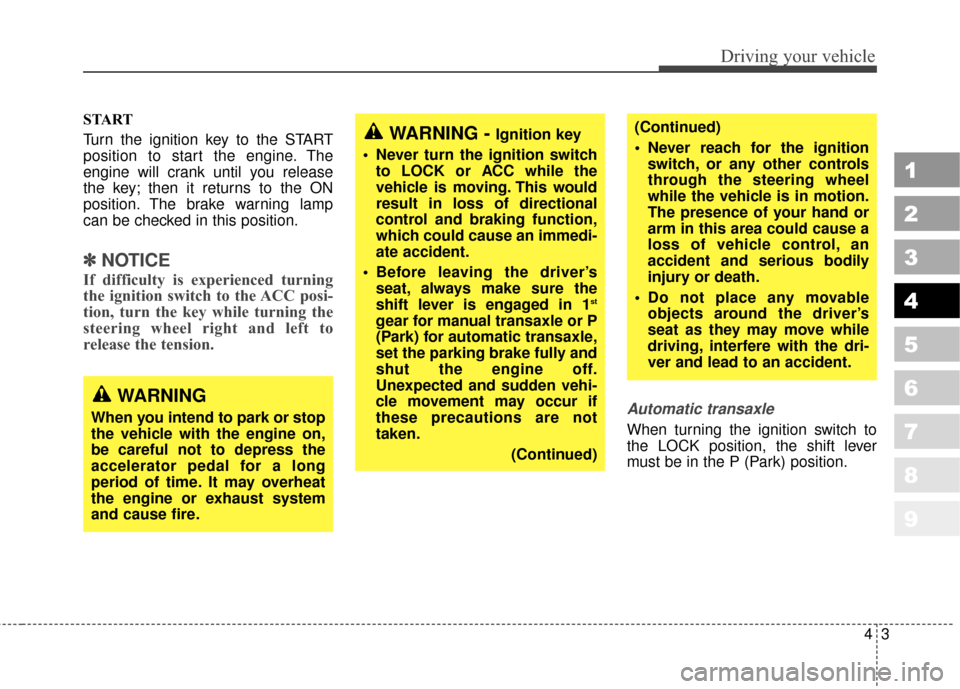
START
Turn the ignition key to the START
position to start the engine. The
engine will crank until you release
the key; then it returns to the ON
position. The brake warning lamp
can be checked in this position.
✽ ✽NOTICE
If difficulty is experienced turning
the ignition switch to the ACC posi-
tion, turn the key while turning the
steering wheel right and left to
release the tension.
Automatic transaxle
When turning the ignition switch to
the LOCK position, the shift lever
must be in the P (Park) position.
WARNING - Ignition key
• Never turn the ignition switch to LOCK or ACC while the
vehicle is moving. This would
result in loss of directional
control and braking function,
which could cause an immedi-
ate accident.
Before leaving the driver’s seat, always make sure the
shift lever is engaged in 1
st
gear for manual transaxle or P
(Park) for automatic transaxle,
set the parking brake fully and
shut the engine off.
Unexpected and sudden vehi-
cle movement may occur if
these precautions are not
taken.
(Continued)
(Continued)
Never reach for the ignitionswitch, or any other controls
through the steering wheel
while the vehicle is in motion.
The presence of your hand or
arm in this area could cause a
loss of vehicle control, an
accident and serious bodily
injury or death.
Do not place any movable objects around the driver’s
seat as they may move while
driving, interfere with the dri-
ver and lead to an accident.
WARNING
When you intend to park or stop
the vehicle with the engine on,
be careful not to depress the
accelerator pedal for a long
period of time. It may overheat
the engine or exhaust system
and cause fire.
Page 151 of 371
Driving your vehicle
44
1
2
3
4
5
6
7
8
9
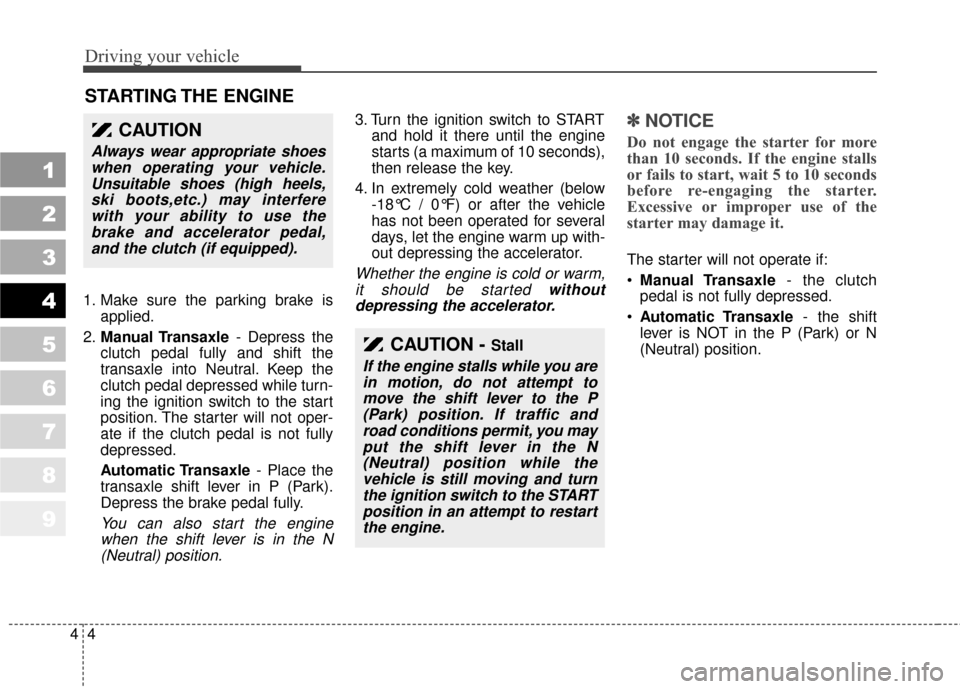
1. Make sure the parking brake isapplied.
2. Manual Transaxle - Depress the
clutch pedal fully and shift the
transaxle into Neutral. Keep the
clutch pedal depressed while turn-
ing the ignition switch to the start
position. The starter will not oper-
ate if the clutch pedal is not fully
depressed.
Automatic Transaxle - Place the
transaxle shift lever in P (Park).
Depress the brake pedal fully.
You can also start the engine when the shift lever is in the N(Neutral) position.
3. Turn the ignition switch to START and hold it there until the engine
starts (a maximum of 10 seconds),
then release the key.
4. In extremely cold weather (below -18°C / 0°F) or after the vehicle
has not been operated for several
days, let the engine warm up with-
out depressing the accelerator.
Whether the engine is cold or warm,it should be started withoutdepressing the accelerator.
✽ ✽
NOTICE
Do not engage the starter for more
than 10 seconds. If the engine stalls
or fails to start, wait 5 to 10 seconds
before re-engaging the starter.
Excessive or improper use of the
starter may damage it.
The starter will not operate if:
Manual Transaxle - the clutch
pedal is not fully depressed.
Automatic Transaxle - the shift
lever is NOT in the P (Park) or N
(Neutral) position.
STARTING THE ENGINE
CAUTION - Stall
If the engine stalls while you are in motion, do not attempt tomove the shift lever to the P(Park) position. If traffic androad conditions permit, you mayput the shift lever in the N(Neutral) position while thevehicle is still moving and turnthe ignition switch to the STARTposition in an attempt to restartthe engine.
CAUTION
Always wear appropriate shoeswhen operating your vehicle.Unsuitable shoes (high heels,ski boots,etc.) may interferewith your ability to use thebrake and accelerator pedal,and the clutch (if equipped).