sensor KIA Sportage 2014 SL / 3.G User Guide
[x] Cancel search | Manufacturer: KIA, Model Year: 2014, Model line: Sportage, Model: KIA Sportage 2014 SL / 3.GPages: 457, PDF Size: 11.61 MB
Page 89 of 457
Safety features of your vehicle
74
3
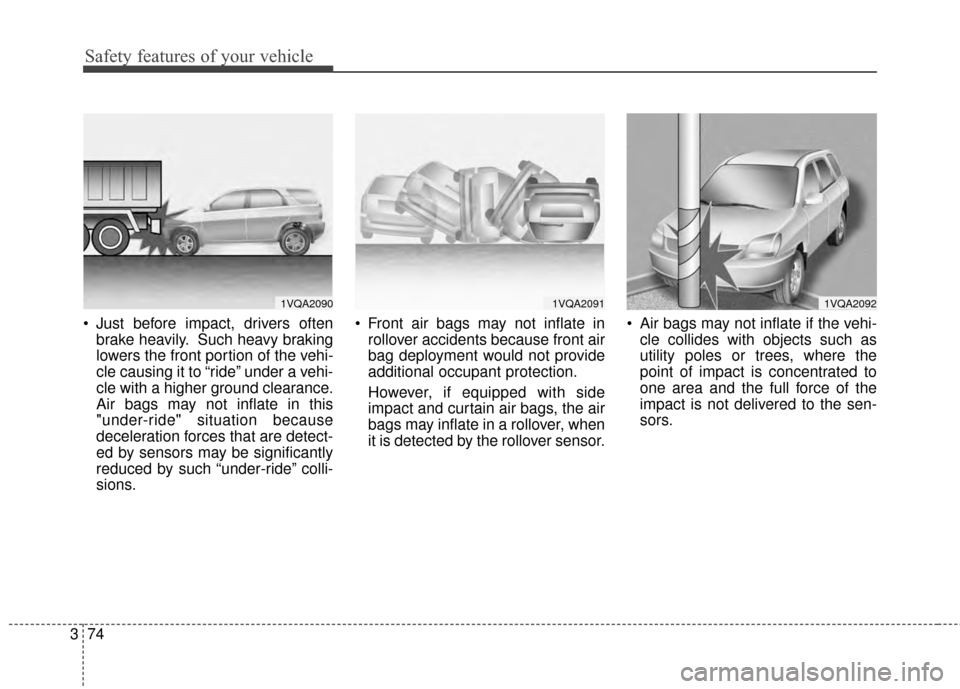
Just before impact, drivers often
brake heavily. Such heavy braking
lowers the front portion of the vehi-
cle causing it to “ride” under a vehi-
cle with a higher ground clearance.
Air bags may not inflate in this
"under-ride" situation because
deceleration forces that are detect-
ed by sensors may be significantly
reduced by such “under-ride” colli-
sions. Front air bags may not inflate in
rollover accidents because front air
bag deployment would not provide
additional occupant protection.
However, if equipped with side
impact and curtain air bags, the air
bags may inflate in a rollover, when
it is detected by the rollover sensor. Air bags may not inflate if the vehi-
cle collides with objects such as
utility poles or trees, where the
point of impact is concentrated to
one area and the full force of the
impact is not delivered to the sen-
sors.
1VQA20901VQA20911VQA2092
Page 92 of 457
377
Safety features of your vehicle
C041400AUN
Adding equipment to or modi-
fying your air bag-equipped
vehicle
If you modify your vehicle by chang-
ing your vehicle's frame, bumper sys-
tem, front end or side sheet metal or
ride height, this may affect the oper-
ation of your vehicle's air bag sys-
tem.
C041200AUN-EU
Air bag warning label
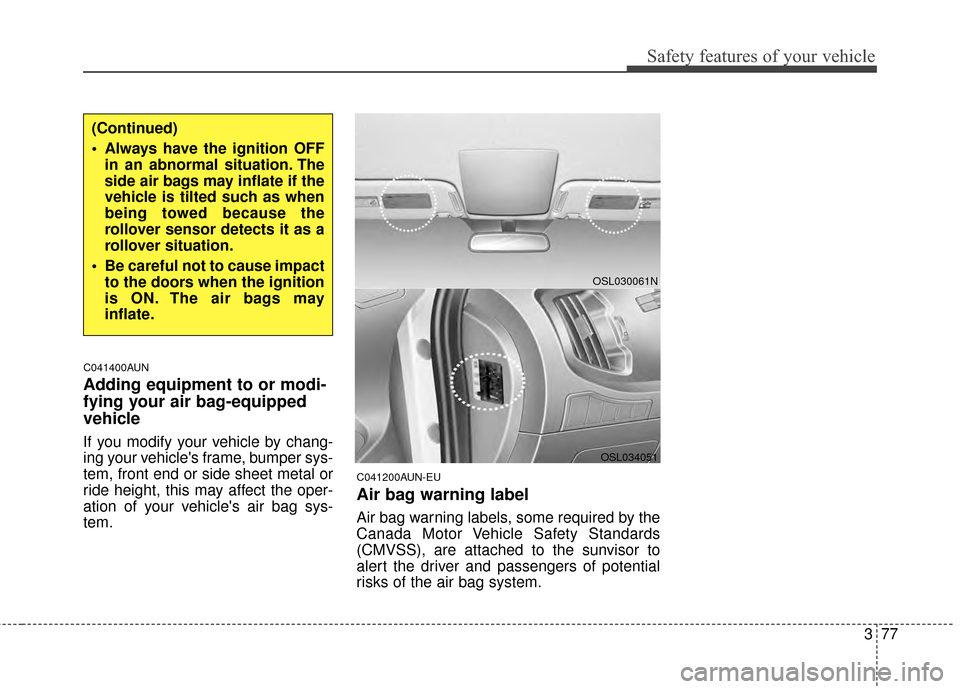
Air bag warning labels, some required by the
Canada Motor Vehicle Safety Standards
(CMVSS), are attached to the sunvisor to
alert the driver and passengers of potential
risks of the air bag system.
OSL030061N
(Continued)
Always have the ignition OFFin an abnormal situation. The
side air bags may inflate if the
vehicle is tilted such as when
being towed because the
rollover sensor detects it as a
rollover situation.
Be careful not to cause impact to the doors when the ignition
is ON. The air bags may
inflate.
OSL034051
Page 137 of 457

445
Features of your vehicle
D140102AHM-EE-C1
Electrochromic Mirror (ECM) (if equipped)
The electric rearview mirror automat-
ically controls the glare from the
headlights of the vehicles behind you
in nighttime or low light driving condi-
tions. The sensor mounted in the mir-
ror senses the light level around the
vehicle, and automatically controls
the headlight glare from the vehicles
behind you.
When the engine is running, the
glare is automatically controlled by
the sensor mounted in the rearview
mirror.
Whenever the shift lever is shifted
into reverse (R), the mirror will auto-
matically go to the brightest setting in
order to improve the drivers view
behind the vehicle.
To operate the electric rearview mir-
ror:
The mirror defaults to the ON posi-tion whenever the ignition switch is
turned on.
OXM049035
OSL040240L
■Type A
■ Type B
IndicatorSensor
1
IndicatorSensor
Rearview display
CAUTION
When cleaning the mirror, use apaper towel or similar materialdampened with glass cleaner.Do not spray glass cleanerdirectly on the mirror. It maycause the liquid cleaner to enterthe mirror housing.
Page 138 of 457
Features of your vehicle
46
4
Press the ON/OFF button (1) to
turn the automatic dimming func-
tion off. The mirror indicator light
will turn off.
Press the ON/OFF button (1) to
turn the automatic dimming func-
tion on. The mirror indicator light
will illuminate.
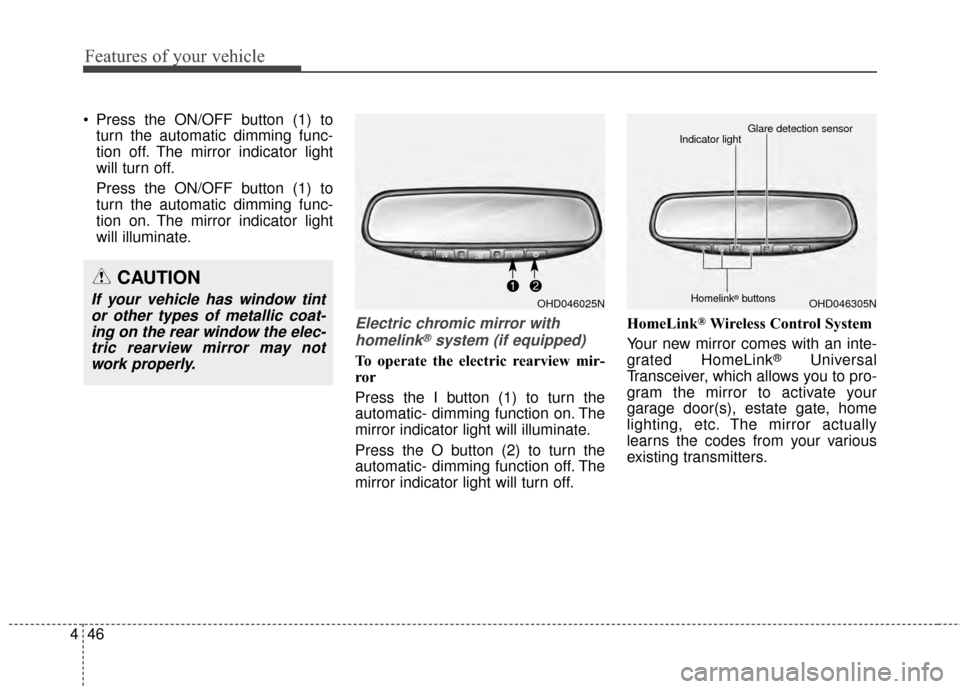
Electric chromic mirror with
homelink®system (if equipped)
To operate the electric rearview mir-
ror
Press the I button (1) to turn the
automatic- dimming function on. The
mirror indicator light will illuminate.
Press the O button (2) to turn the
automatic- dimming function off. The
mirror indicator light will turn off. HomeLink
®Wireless Control System
Your new mirror comes with an inte-
grated HomeLink
®Universal
Transceiver, which allows you to pro-
gram the mirror to activate your
garage door(s), estate gate, home
lighting, etc. The mirror actually
learns the codes from your various
existing transmitters.
CAUTION
If your vehicle has window tint or other types of metallic coat-ing on the rear window the elec-tric rearview mirror may notwork properly.OHD046025NOHD046305N
Glare detection sensor
Indicator light
Homelink®buttons
Page 168 of 457
Features of your vehicle
76
4
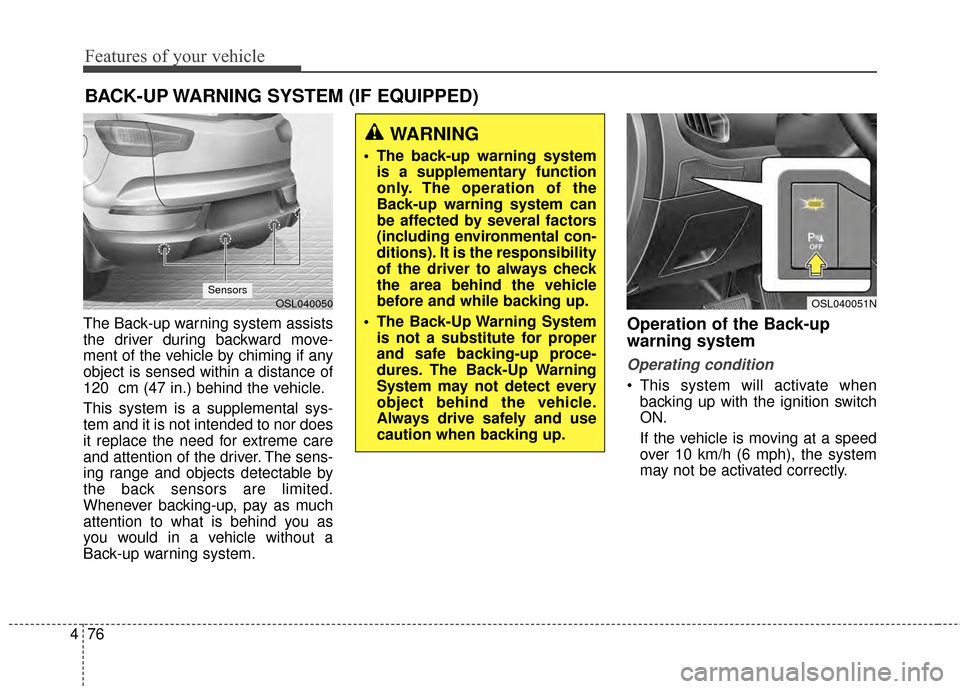
The Back-up warning system assists
the driver during backward move-
ment of the vehicle by chiming if any
object is sensed within a distance of
120 cm (47 in.) behind the vehicle.
This system is a supplemental sys-
tem and it is not intended to nor does
it replace the need for extreme care
and attention of the driver. The sens-
ing range and objects detectable by
the back sensors are limited.
Whenever backing-up, pay as much
attention to what is behind you as
you would in a vehicle without a
Back-up warning system.Operation of the Back-up
warning system
Operating condition
This system will activate when
backing up with the ignition switch
ON.
If the vehicle is moving at a speed
over 10 km/h (6 mph), the system
may not be activated correctly.
BACK-UP WARNING SYSTEM (IF EQUIPPED)
WARNING
The back-up warning systemis a supplementary function
only. The operation of the
Back-up warning system can
be affected by several factors
(including environmental con-
ditions). It is the responsibility
of the driver to always check
the area behind the vehicle
before and while backing up.
The Back-Up Warning System is not a substitute for proper
and safe backing-up proce-
dures. The Back-Up Warning
System may not detect every
object behind the vehicle.
Always drive safely and use
caution when backing up.
OSL040051NOSL040050Sensors
Page 169 of 457
477
Features of your vehicle
This system will activate when theindicator on the rear parking assist
OFF button is not illuminated. If
you desire to deactivate the Back-
up warning system, press the rear
parking assist OFF button. (The
indicator on the button will illumi-
nate.) To turn the system on, press
the button again. (The indicator on
the button will go off.)
The sensing distance while the Back-up warning system is in oper-
ation is approximately 120 cm (47
in.).
When more than two objects are sensed at the same time, the clos-
est one will be recognized first.Types of warning sound
When an object is 120 cm to 81 cm(47 in. to 32 in.) from the rear
bumper: Buzzer beeps intermit-
tently.
When an object is 80 cm to 41 cm (31 in. to 16 in.) from the rear
bumper: Buzzer beeps more fre-
quently.
When an object is within 40 cm (15 in.) of the rear bumper:
Buzzer sounds continuously.
Non-operational conditions of
Back-up warning system
The Back-up warning system may
not operate properly when:
1.Moisture is frozen to the sensor. (Itwill operate normally when the
moisture has been cleared.)
2.The sensor is covered with foreign matter, such as snow or water, or
the sensor cover is blocked. (It will
operate normally when the materi-
al is removed or the sensor is no
longer blocked.)
3.Driving on uneven road surfaces (unpaved roads, gravel, bumps,
gradient).
4.Objects generating excessive noise (vehicle horns, loud motorcy-
cle engines, or truck air brakes) are
within range of the sensor.
5.Heavy rain or water spray exists.
6.Wireless transmitters or mobile phones are within range of the
sensor.
7.The sensor is covered with snow.
8.Trailer towing
Page 170 of 457
Features of your vehicle
78
4
The detecting range may decrease
when:
1.The sensor is stained with foreign
matter such as snow or water. (The
sensing range will return to normal
when removed.)
2.Outside air temperature is extremely hot or cold.
The following objects may not be
recognized by the sensor:
1.Sharp or slim objects such as ropes, chains or small poles.
2.Objects which tend to absorb the sensor frequency such as clothes,
spongy material or snow.
3.Undetectable objects smaller than 1 m (40 in.) in height and narrower
than 14 cm (6 in.) in diameter.Back-up warning system pre-
cautions
The Back-up warning system maynot sound consistently depending
on the speed and shapes of the
objects detected.
The Back-up warning system may malfunction if the vehicle bumper
height or sensor installation has
been modified or damaged. Any
non-factory installed equipment or
accessories may also interfere with
the sensor performance.
The sensor may not recognize objects less than 40 cm (15 in.)
from the sensor, or it may sense an
incorrect distance. Use caution.
When the sensor is frozen or stained with snow, dirt, or water,
the sensor may be inoperative until
the stains are removed using a soft
cloth.
Do not push, scratch or strike the sensor. Sensor damage could
occur.
✽ ✽ NOTICE
This system can only sense objects
within the range and location of the
sensors; It can not detect objects in
other areas where sensors are not
installed. Also, small or slim objects,
such as poles or objects located
between sensors may not be detected
by the sensors.
Always visually check behind the
vehicle when backing up.
Be sure to inform any drivers of the
vehicle that may be unfamiliar with
the system regarding the systems
capabilities and limitations.
Page 171 of 457
479
Features of your vehicle
Self-diagnosis
If you don’t hear an audible warning
sound or if the buzzer sounds inter-
mittently when shifting the gear to
the R (Reverse) position, this may
indicate a malfunction in the Back-up
warning system. If this occurs, have
your vehicle checked by an author-
ized Kia dealer as soon as possible.
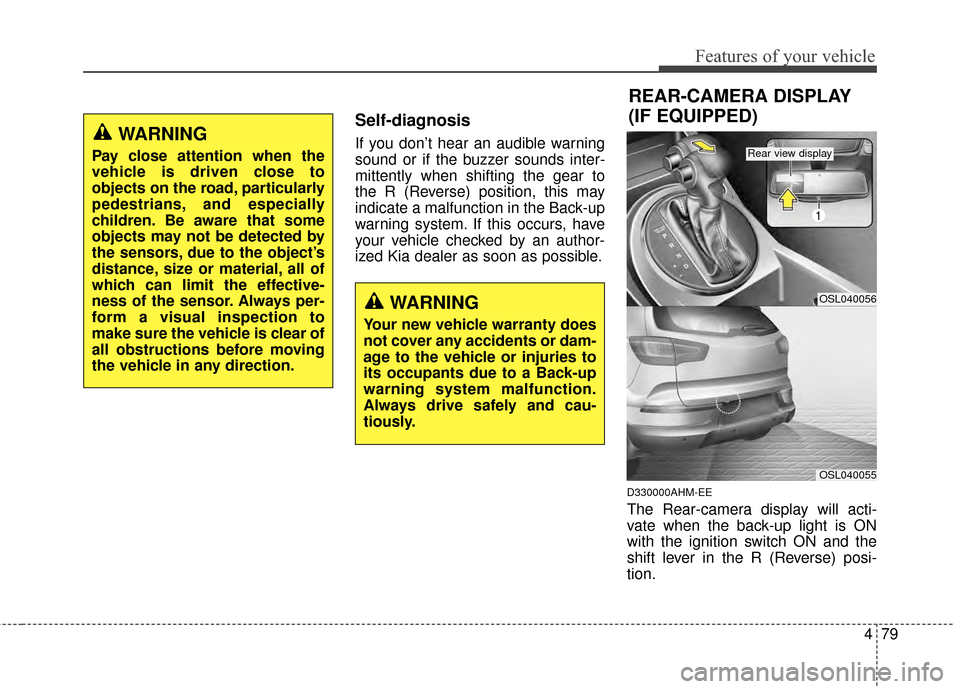
D330000AHM-EE
The Rear-camera display will acti-
vate when the back-up light is ON
with the ignition switch ON and the
shift lever in the R (Reverse) posi-
tion.
WARNING
Pay close attention when the
vehicle is driven close to
objects on the road, particularly
pedestrians, and especially
children. Be aware that some
objects may not be detected by
the sensors, due to the object’s
distance, size or material, all of
which can limit the effective-
ness of the sensor. Always per-
form a visual inspection to
make sure the vehicle is clear of
all obstructions before moving
the vehicle in any direction.
WARNING
Your new vehicle warranty does
not cover any accidents or dam-
age to the vehicle or injuries to
its occupants due to a Back-up
warning system malfunction.
Always drive safely and cau-
tiously.
REAR-CAMERA DISPLAY
(IF EQUIPPED)
OSL040056
1
OSL040055
Rear view display
Page 175 of 457
483
Features of your vehicle
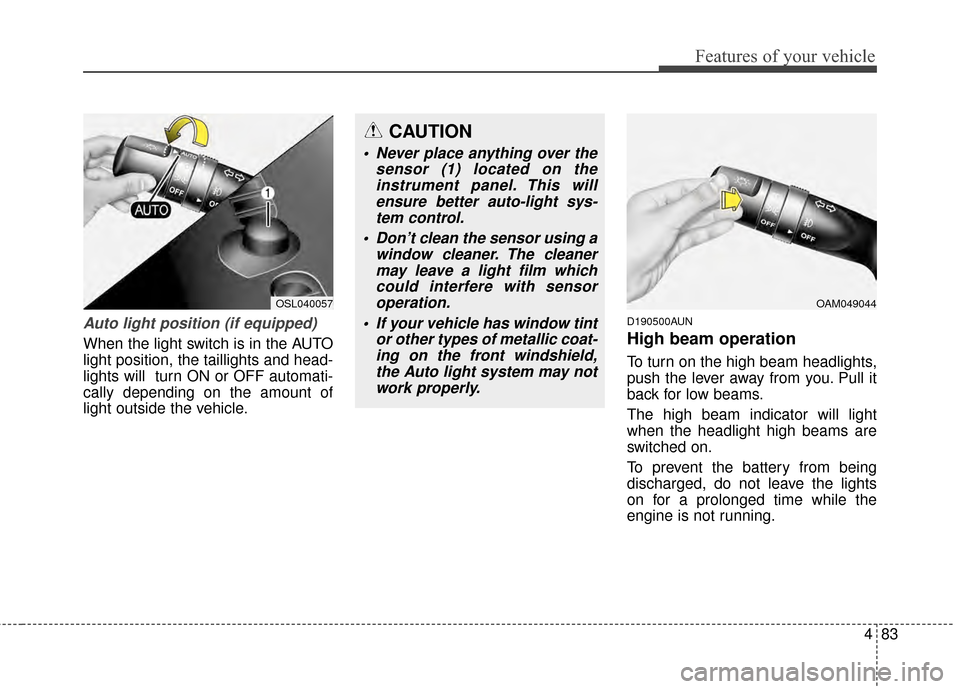
Auto light position (if equipped)
When the light switch is in the AUTO
light position, the taillights and head-
lights will turn ON or OFF automati-
cally depending on the amount of
light outside the vehicle.
D190500AUN
High beam operation
To turn on the high beam headlights,
push the lever away from you. Pull it
back for low beams.
The high beam indicator will light
when the headlight high beams are
switched on.
To prevent the battery from being
discharged, do not leave the lights
on for a prolonged time while the
engine is not running.
CAUTION
Never place anything over thesensor (1) located on theinstrument panel. This willensure better auto-light sys-tem control.
Don’t clean the sensor using a window cleaner. The cleanermay leave a light film whichcould interfere with sensoroperation.
If your vehicle has window tint or other types of metallic coat-ing on the front windshield,the Auto light system may notwork properly.
OAM049044OSL040057
Page 179 of 457
487
Features of your vehicle
Auto control (if equipped)
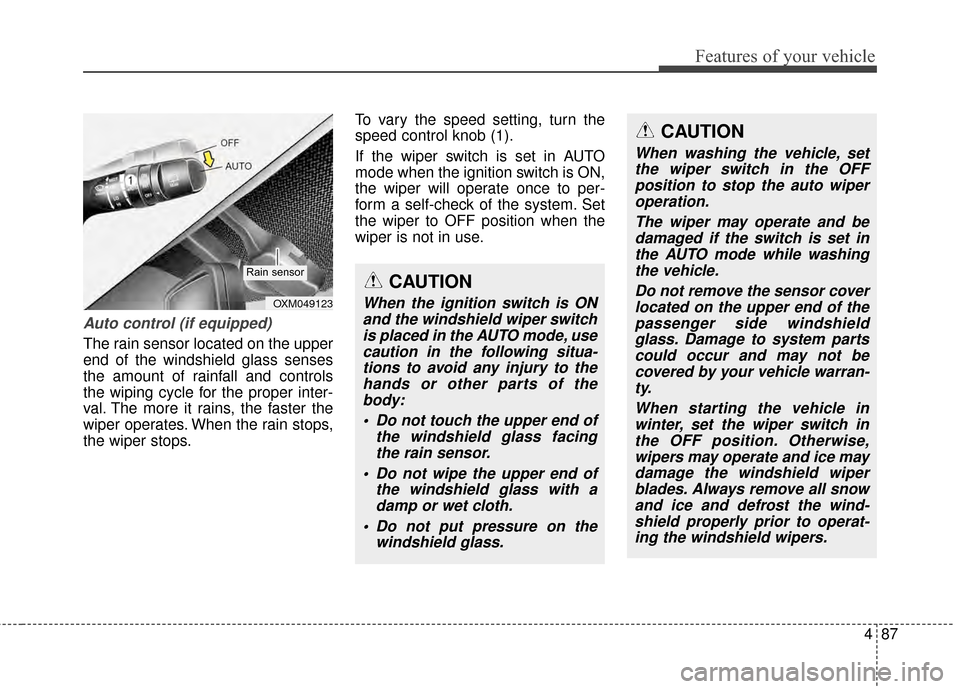
The rain sensor located on the upper
end of the windshield glass senses
the amount of rainfall and controls
the wiping cycle for the proper inter-
val. The more it rains, the faster the
wiper operates. When the rain stops,
the wiper stops.To vary the speed setting, turn the
speed control knob (1).
If the wiper switch is set in AUTO
mode when the ignition switch is ON,
the wiper will operate once to per-
form a self-check of the system. Set
the wiper to OFF position when the
wiper is not in use.
CAUTION
When the ignition switch is ON
and the windshield wiper switchis placed in the AUTO mode, usecaution in the following situa-tions to avoid any injury to thehands or other parts of thebody:
Do not touch the upper end of the windshield glass facingthe rain sensor.
Do not wipe the upper end of the windshield glass with adamp or wet cloth.
Do not put pressure on the windshield glass.OXM049123
Rain sensor
CAUTION
When washing the vehicle, setthe wiper switch in the OFFposition to stop the auto wiperoperation.
The wiper may operate and bedamaged if the switch is set inthe AUTO mode while washingthe vehicle.
Do not remove the sensor coverlocated on the upper end of thepassenger side windshieldglass. Damage to system partscould occur and may not becovered by your vehicle warran-ty.
When starting the vehicle inwinter, set the wiper switch inthe OFF position. Otherwise,wipers may operate and ice maydamage the windshield wiperblades. Always remove all snowand ice and defrost the wind-shield properly prior to operat-ing the windshield wipers.