Conditions KIA Sportage 2014 SL / 3.G Owner's Guide
[x] Cancel search | Manufacturer: KIA, Model Year: 2014, Model line: Sportage, Model: KIA Sportage 2014 SL / 3.GPages: 457, PDF Size: 11.61 MB
Page 296 of 457
519
Driving your vehicle
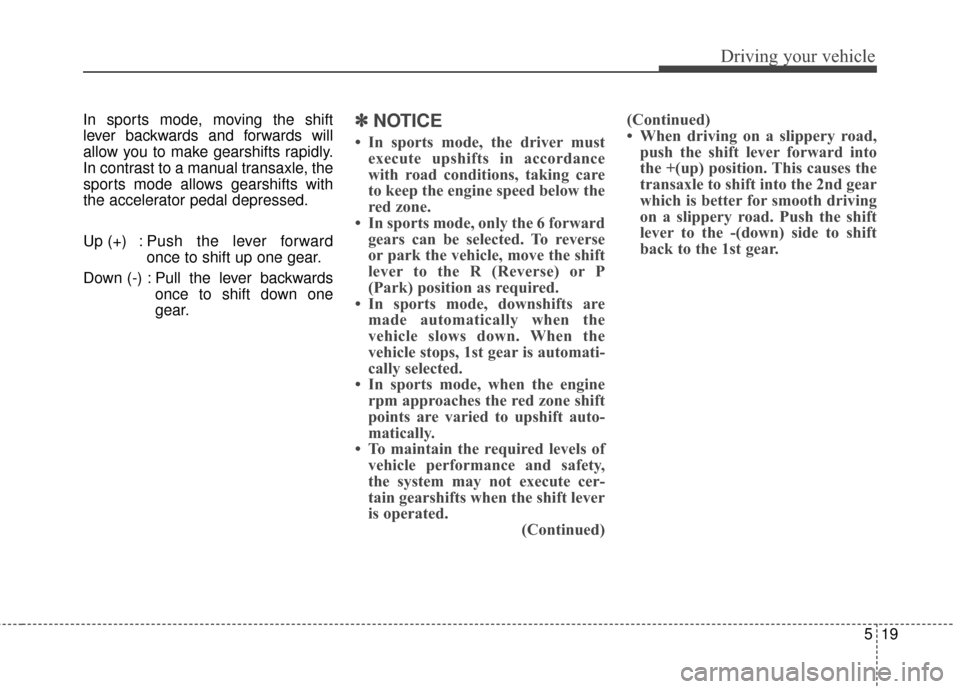
In sports mode, moving the shift
lever backwards and forwards will
allow you to make gearshifts rapidly.
In contrast to a manual transaxle, the
sports mode allows gearshifts with
the accelerator pedal depressed.
Up (+) : Push the lever forwardonce to shift up one gear.
Down (-) : Pull the lever backwards once to shift down one
gear.✽ ✽NOTICE
• In sports mode, the driver must
execute upshifts in accordance
with road conditions, taking care
to keep the engine speed below the
red zone.
• In sports mode, only the 6 forward gears can be selected. To reverse
or park the vehicle, move the shift
lever to the R (Reverse) or P
(Park) position as required.
• In sports mode, downshifts are made automatically when the
vehicle slows down. When the
vehicle stops, 1st gear is automati-
cally selected.
• In sports mode, when the engine rpm approaches the red zone shift
points are varied to upshift auto-
matically.
• To maintain the required levels of vehicle performance and safety,
the system may not execute cer-
tain gearshifts when the shift lever
is operated. (Continued)(Continued)
• When driving on a slippery road,
push the shift lever forward into
the +(up) position. This causes the
transaxle to shift into the 2nd gear
which is better for smooth driving
on a slippery road. Push the shift
lever to the -(down) side to shift
back to the 1st gear.
Page 300 of 457
523
Driving your vehicle
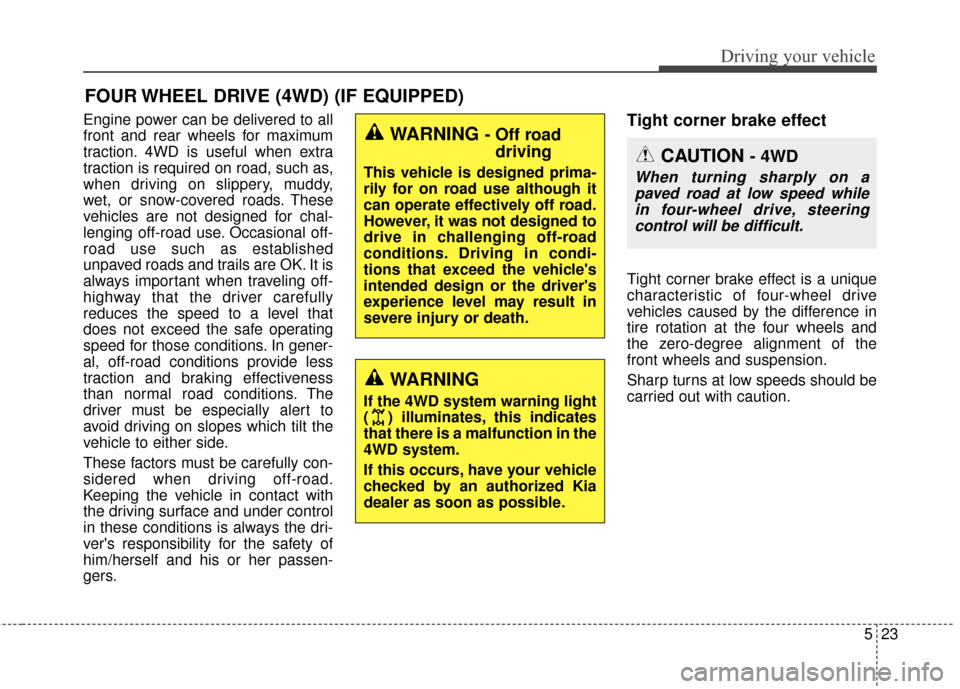
Engine power can be delivered to all
front and rear wheels for maximum
traction. 4WD is useful when extra
traction is required on road, such as,
when driving on slippery, muddy,
wet, or snow-covered roads. These
vehicles are not designed for chal-
lenging off-road use. Occasional off-
road use such as established
unpaved roads and trails are OK. It is
always important when traveling off-
highway that the driver carefully
reduces the speed to a level that
does not exceed the safe operating
speed for those conditions. In gener-
al, off-road conditions provide less
traction and braking effectiveness
than normal road conditions. The
driver must be especially alert to
avoid driving on slopes which tilt the
vehicle to either side.
These factors must be carefully con-
sidered when driving off-road.
Keeping the vehicle in contact with
the driving surface and under control
in these conditions is always the dri-
ver's responsibility for the safety of
him/herself and his or her passen-
gers.Tight corner brake effect
Tight corner brake effect is a unique
characteristic of four-wheel drive
vehicles caused by the difference in
tire rotation at the four wheels and
the zero-degree alignment of the
front wheels and suspension.
Sharp turns at low speeds should be
carried out with caution.
FOUR WHEEL DRIVE (4WD) (IF EQUIPPED)
WARNING - Off roaddriving
This vehicle is designed prima-
rily for on road use although it
can operate effectively off road.
However, it was not designed to
drive in challenging off-road
conditions. Driving in condi-
tions that exceed the vehicle's
intended design or the driver's
experience level may result in
severe injury or death.
WARNING
If the 4WD system warning light
( ) illuminates, this indicates
that there is a malfunction in the
4WD system.
If this occurs, have your vehicle
checked by an authorized Kia
dealer as soon as possible.
CAUTION - 4WD
When turning sharply on a
paved road at low speed whilein four-wheel drive, steeringcontrol will be difficult.
Page 301 of 457
Driving your vehicle
24
5
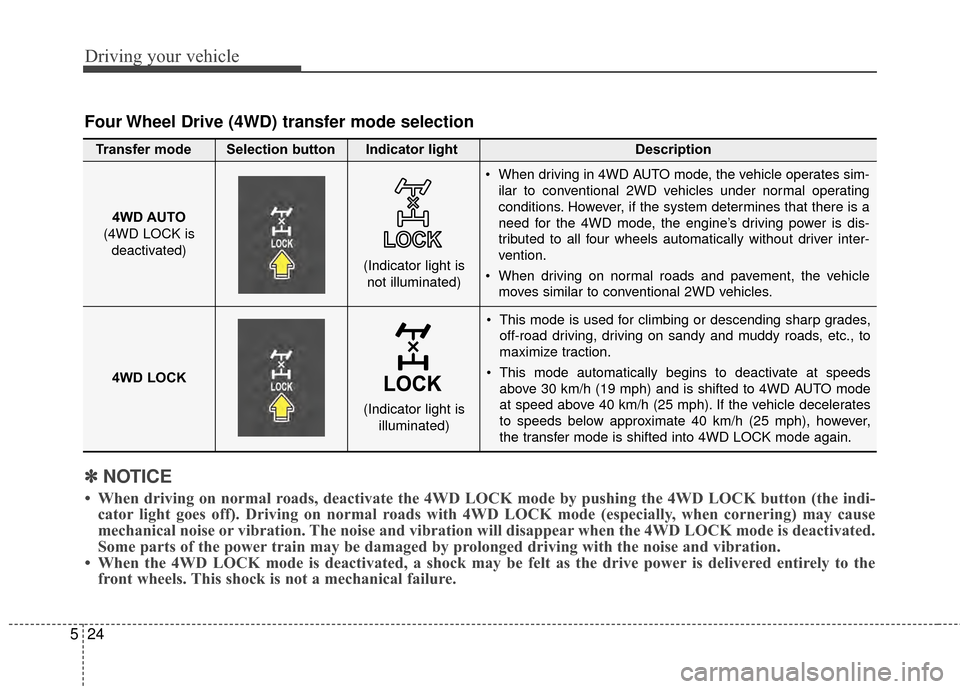
This mode is used for climbing or descending sharp grades,
off-road driving, driving on sandy and muddy roads, etc., to
maximize traction.
This mode automatically begins to deactivate at speeds above 30 km/h (19 mph) and is shifted to 4WD AUTO mode
at speed above 40 km/h (25 mph). If the vehicle decelerates
to speeds below approximate 40 km/h (25 mph), however,
the transfer mode is shifted into 4WD LOCK mode again.
4WD AUTO
(4WD LOCK is
deactivated) (Indicator light is
not illuminated)
✽ ✽ NOTICE
• When driving on normal roads, deactivate the 4WD LOCK mode by pushing the 4WD LOCK button (the \
indi-
cator light goes off). Driving on normal roads with 4WD LOCK mode (especially, when cornering) may cause
mechanical noise or vibration. The noise and vibration will disappear when the 4WD LOCK mode is deactivated.
Some parts of the power train may be damaged by prolonged driving with the noise and vibration.
• When the 4WD LOCK mode is deactivated, a shock may be felt as the drive \
power is delivered entirely to the front wheels. This shock is not a mechanical failure.
Four Wheel Drive (4WD) transfer mode selection
Transfer mode Selection button Indicator light Description
When driving in 4WD AUTO mode, the vehicle operates sim-
ilar to conventional 2WD vehicles under normal operating
conditions. However, if the system determines that there is a
need for the 4WD mode, the engine’s driving power is dis-
tributed to all four wheels automatically without driver inter-
vention.
When driving on normal roads and pavement, the vehicle moves similar to conventional 2WD vehicles.
4WD LOCK (Indicator light isilluminated)
Page 302 of 457
525
Driving your vehicle
For safe four-wheel drive oper-
ation
Do not try to drive in deep standingwater or mud since such conditions
can stall your engine and clog your
exhaust pipes. Do not drive down
steep hills since it requires extreme
skill to maintain control of the vehi-
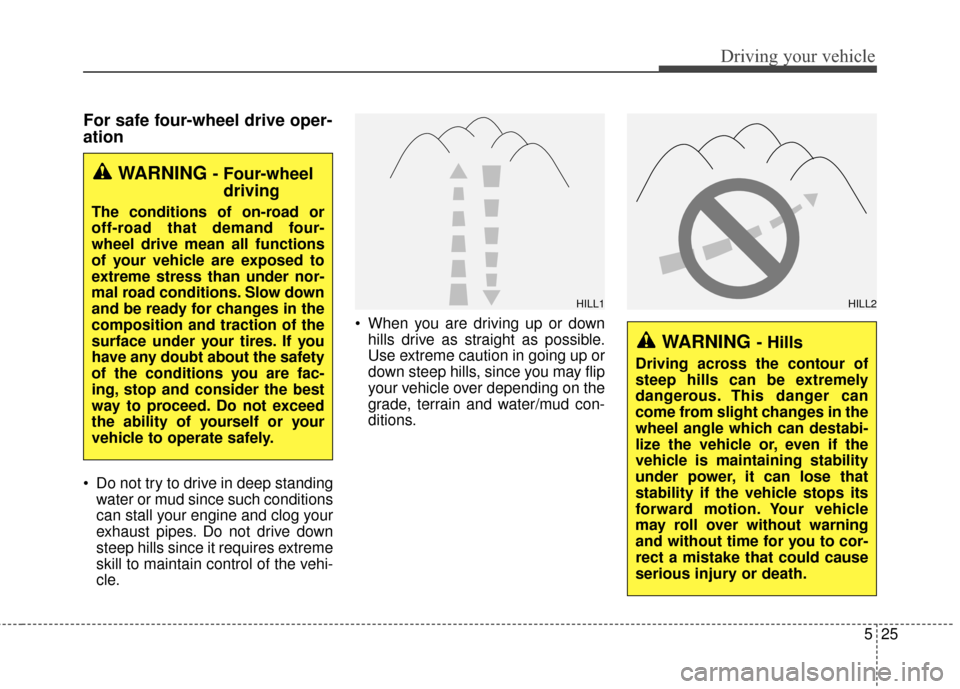
cle. When you are driving up or down
hills drive as straight as possible.
Use extreme caution in going up or
down steep hills, since you may flip
your vehicle over depending on the
grade, terrain and water/mud con-
ditions.
WARNING - Four-wheeldriving
The conditions of on-road or
off-road that demand four-
wheel drive mean all functions
of your vehicle are exposed to
extreme stress than under nor-
mal road conditions. Slow down
and be ready for changes in the
composition and traction of the
surface under your tires. If you
have any doubt about the safety
of the conditions you are fac-
ing, stop and consider the best
way to proceed. Do not exceed
the ability of yourself or your
vehicle to operate safely.
WARNING - Hills
Driving across the contour of
steep hills can be extremely
dangerous. This danger can
come from slight changes in the
wheel angle which can destabi-
lize the vehicle or, even if the
vehicle is maintaining stability
under power, it can lose that
stability if the vehicle stops its
forward motion. Your vehicle
may roll over without warning
and without time for you to cor-
rect a mistake that could cause
serious injury or death.
HILL1HILL2
Page 303 of 457
Driving your vehicle
26
5
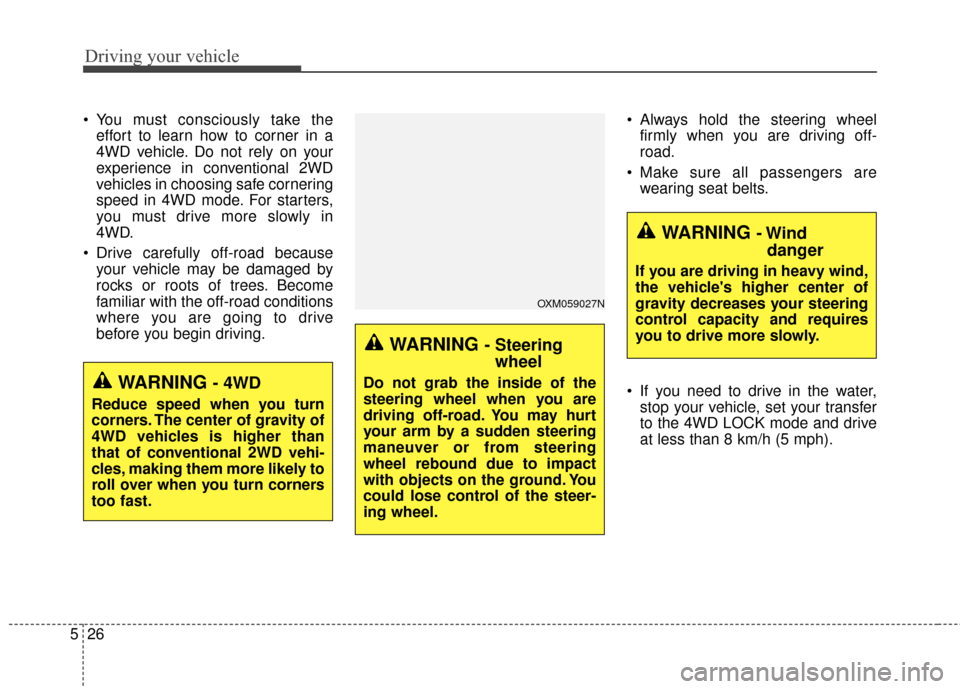
You must consciously take the
effort to learn how to corner in a
4WD vehicle. Do not rely on your
experience in conventional 2WD
vehicles in choosing safe cornering
speed in 4WD mode. For starters,
you must drive more slowly in
4WD.
Drive carefully off-road because your vehicle may be damaged by
rocks or roots of trees. Become
familiar with the off-road conditions
where you are going to drive
before you begin driving. Always hold the steering wheel
firmly when you are driving off-
road.
Make sure all passengers are wearing seat belts.
If you need to drive in the water, stop your vehicle, set your transfer
to the 4WD LOCK mode and drive
at less than 8 km/h (5 mph).
WARNING - Steeringwheel
Do not grab the inside of the
steering wheel when you are
driving off-road. You may hurt
your arm by a sudden steering
maneuver or from steering
wheel rebound due to impact
with objects on the ground. You
could lose control of the steer-
ing wheel.
WARNING - Wind danger
If you are driving in heavy wind,
the vehicle's higher center of
gravity decreases your steering
control capacity and requires
you to drive more slowly.
OXM059027N
WARNING - 4WD
Reduce speed when you turn
corners. The center of gravity of
4WD vehicles is higher than
that of conventional 2WD vehi-
cles, making them more likely to
roll over when you turn corners
too fast.
Page 304 of 457
527
Driving your vehicle
✽
✽NOTICE
• Do not drive in water if the level is
higher than the bottom of the vehi-
cle.
• Check your brake condition once you are out of mud or water. Press
the brake pedal several times as
you move slowly until you feel nor-
mal braking forces return.
• Shorten your scheduled mainte- nance interval if you drive in off-
road conditions such as sand, mud
or water (see “Maintenance under
severe usage conditions” in section
7). Always wash your vehicle thor-
oughly after off-road use, especial-
ly cleaning the bottom of the vehi-
cle.
• Since the driving torque is always applied to the 4 wheels the per-
formance of the 4WD vehicle is
greatly affected by the condition of
the tires. Be sure to equip the vehi-
cle with four tires of the same size
and type.
• A full time four wheel drive vehi- cle cannot be towed by an ordi-
nary tow truck. Make sure that
the vehicle is placed on a flat bed
truck for moving.WARNING- 4WD driving
Avoid high cornering speed.
Do not make quick steering
wheel movements, such as
sharp lane changes or fast,
sharp turns.
The risk of rollover is greatly increased if you lose control
of your vehicle at high speed.
In a collision, an unbelted per- son is significantly more like-
ly to die compared to a person
wearing a seat belt.
Loss of control often occurs if two or more wheels drop off
the roadway and the driver
oversteers to re-enter the
roadway. In the event your
vehicle leaves the roadway, do
not steer sharply. Instead,
slow down before pulling
back into the travel lanes.
WARNING - Drivingthrough
water
Drive slowly. If you are driving
too fast in water, the water can
get into the engine compart-
ment and wet the ignition sys-
tem, causing your vehicle to
suddenly stop. If this happens
and your vehicle is in a tilted
position, your vehicle may roll
over.
Page 308 of 457

531
Driving your vehicle
E070101AUN
In the event of brake failure
If service brakes fail to operate while
the vehicle is in motion, you can
make an emergency stop with the
parking brake. The stopping dis-
tance, however, will be much greater
than normal.
E070102AHM
Disc brakes wear indicator
When your brake pads are worn and
new pads are required, you will hear
a high-pitched warning sound from
your front brakes or rear brakes. You
may hear this sound come and go or
it may occur whenever you depress
the brake pedal.
Please remember that some driving
conditions or climates may cause a
brake squeal when you first apply (or
lightly apply) the brakes. This is nor-
mal and does not indicate a problem
with your brakes.
WARNING - Brake wear
This brake wear warning sound
means your vehicle needs serv-
ice. If you ignore this audible
warning, you will eventually
lose braking performance,
which could lead to a serious
accident.
CAUTION
To avoid costly brake repairs,do not continue to drive withworn brake pads.
Always replace the front or rear brake pads as pairs.
WARNING - Parkingbrake
Applying the parking brake
while the vehicle is moving at
normal speeds can cause a
sudden loss of control of the
vehicle. If you must use the
parking brake to stop the vehi-
cle, use great caution in apply-
ing the brake.
CAUTION
Do not operate the parking
brake while the vehicle is mov-ing except in an emergency sit-uation. It could damage thevehicle system and makeendanger driving safety.
Page 311 of 457
Driving your vehicle
34
5
If at all possible, cease driving the
vehicle immediately. If that is not pos-
sible, use extreme caution while
operating the vehicle and only con-
tinue to drive the vehicle until you
can reach a safe location or repair
shop.E070300AHM-EU
Anti-lock brake system (ABS)
WARNING
ABS (or ESC) will not prevent
accidents due to improper or
dangerous driving maneuvers.
Even though vehicle control is
improved during emergency
braking, always maintain a safe
distance between you and
objects ahead. Vehicle speeds
should always be reduced dur-
ing extreme road conditions.
The braking distance for vehi-
cles equipped with an anti-lock
braking system (or Electronic
Stability Control System) may
be longer than for those without
it in the following road condi-
tions.
During these conditions the
vehicle should be driven at
reduced speeds:
Rough, gravel or snow-cov-
ered roads.
(Continued)
(Continued)
On roads where the road sur-face is pitted or has different
surface height.
The safety features of an ABS
(or ESC) equipped vehicle
should not be tested by high
speed driving or cornering. This
could endanger the safety of
yourself or others.
Page 312 of 457
535
Driving your vehicle
The ABS continuously senses the
speed of the wheels. If the wheels
are going to lock, the ABS system
repeatedly modulates the hydraulic
brake pressure to the wheels.
When you apply your brakes under
conditions which may lock the
wheels, you may hear a “tik-tik’’
sound from the brakes, or feel a cor-
responding sensation in the brake
pedal. This is normal and it means
your ABS is active.
In order to obtain the maximum ben-
efit from your ABS in an emergency
situation, do not attempt to modulate
your brake pressure and do not try to
pump your brakes. Press your brake
pedal as hard as possible or as hard
as the situation allows the ABS to
control the force being delivered to
the brakes.✽ ✽NOTICE
A click sound may be heard in the
engine compartment when the vehi-
cle begins to move after the engine is
started. These conditions are normal
and indicate that the anti-lock brake
system is functioning properly.
Even with the anti-lock brake sys-
tem, your vehicle still requires suf-
ficient stopping distance. Always
maintain a safe distance from the
vehicle in front of you.
Always slow down when cornering. The anti-lock brake system cannot
prevent accidents resulting from
excessive speeds.
On loose or uneven road surfaces, operation of the anti-lock brake
system may result in a longer stop-
ping distance than for vehicles
equipped with a conventional
brake system.
CAUTION
If the ABS warning light is on and stays on, you may have aproblem with the ABS. In thiscase, however, your regularbrakes will work normally.
(Continued)
W-78
Page 314 of 457
537
Driving your vehicle
E070500AHM-EU
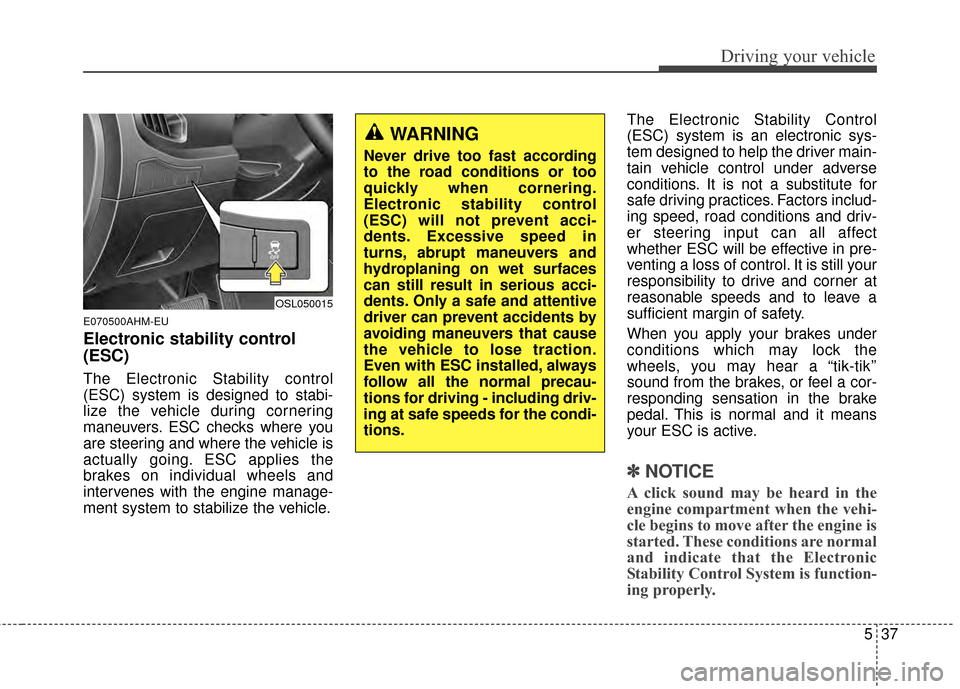
Electronic stability control
(ESC)
The Electronic Stability control
(ESC) system is designed to stabi-
lize the vehicle during cornering
maneuvers. ESC checks where you
are steering and where the vehicle is
actually going. ESC applies the
brakes on individual wheels and
intervenes with the engine manage-
ment system to stabilize the vehicle.The Electronic Stability Control
(ESC) system is an electronic sys-
tem designed to help the driver main-
tain vehicle control under adverse
conditions. It is not a substitute for
safe driving practices. Factors includ-
ing speed, road conditions and driv-
er steering input can all affect
whether ESC will be effective in pre-
venting a loss of control. It is still your
responsibility to drive and corner at
reasonable speeds and to leave a
sufficient margin of safety.
When you apply your brakes under
conditions which may lock the
wheels, you may hear a “tik-tik’’
sound from the brakes, or feel a cor-
responding sensation in the brake
pedal. This is normal and it means
your ESC is active.
✽ ✽
NOTICE
A click sound may be heard in the
engine compartment when the vehi-
cle begins to move after the engine is
started. These conditions are normal
and indicate that the Electronic
Stability Control System is function-
ing properly.
OSL050015
WARNING
Never drive too fast according
to the road conditions or too
quickly when cornering.
Electronic stability control
(ESC) will not prevent acci-
dents. Excessive speed in
turns, abrupt maneuvers and
hydroplaning on wet surfaces
can still result in serious acci-
dents. Only a safe and attentive
driver can prevent accidents by
avoiding maneuvers that cause
the vehicle to lose traction.
Even with ESC installed, always
follow all the normal precau-
tions for driving - including driv-
ing at safe speeds for the condi-
tions.