power steering KIA Sportage 2015 QL / 4.G Owner's Manual
[x] Cancel search | Manufacturer: KIA, Model Year: 2015, Model line: Sportage, Model: KIA Sportage 2015 QL / 4.GPages: 499, PDF Size: 16.07 MB
Page 14 of 499
Your vehicle at a glance
42
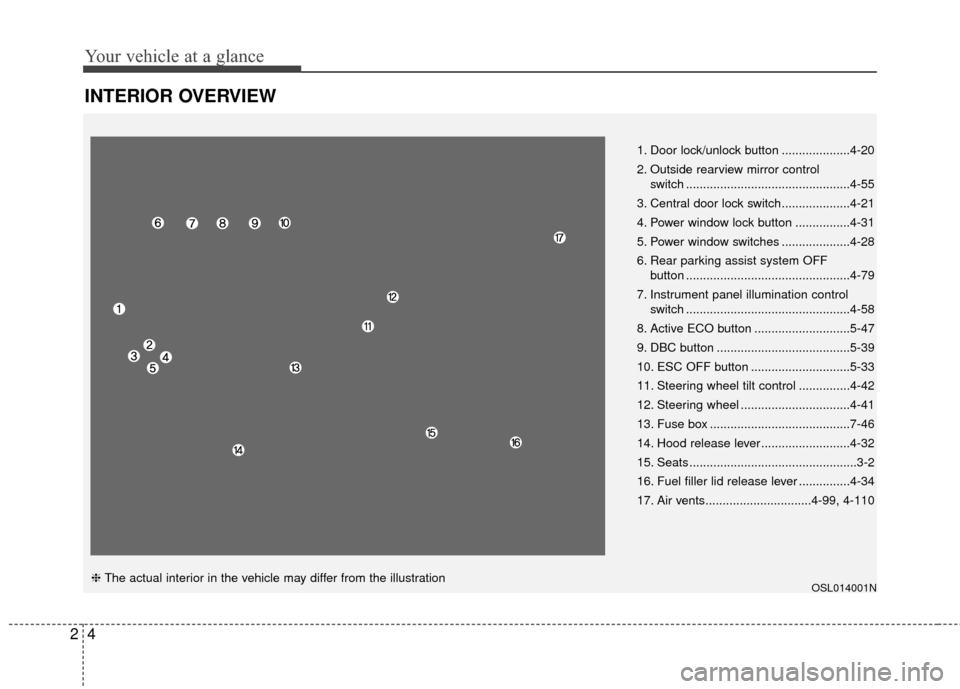
INTERIOR OVERVIEW
OSL014001N
1. Door lock/unlock button ....................4-20
2. Outside rearview mirror control switch ................................................4-55
3. Central door lock switch....................4-21
4. Power window lock button ................4-31
5. Power window switches ....................4-28
6. Rear parking assist system OFF button ................................................4-79
7. Instrument panel illumination control switch ................................................4-58
8. Active ECO button ............................5-47
9. DBC button .......................................5-39
10. ESC OFF button .............................5-33
11. Steering wheel tilt control ...............4-42
12. Steering wheel ................................4-41
13. Fuse box .........................................7-46
14. Hood release lever ..........................4-32
15. Seats .................................................3-2
16. Fuel filler lid release lever ...............4-34
17. Air vents...............................4-99, 4-110
❈ The actual interior in the vehicle may differ from the illustration
Page 15 of 499
25
Your vehicle at a glance
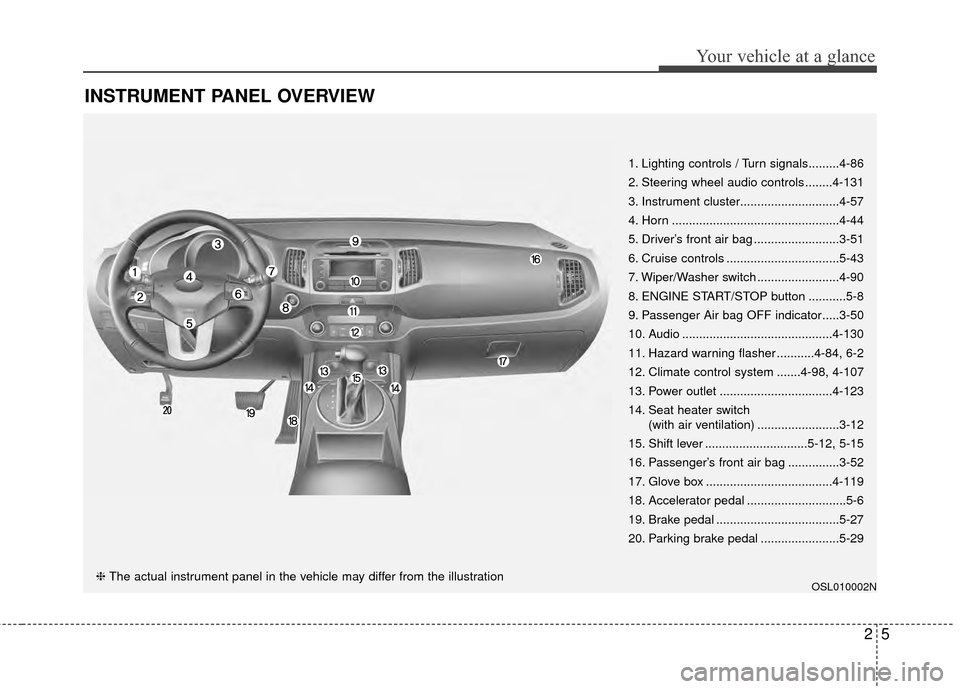
INSTRUMENT PANEL OVERVIEW
OSL010002N
1. Lighting controls / Turn signals.........4-86
2. Steering wheel audio controls ........4-131
3. Instrument cluster.............................4-57
4. Horn .................................................4-44
5. Driver’s front air bag .........................3-51
6. Cruise controls .................................5-43
7. Wiper/Washer switch ........................4-90
8. ENGINE START/STOP button ...........5-8
9. Passenger Air bag OFF indicator.....3-50
10. Audio ............................................4-130
11. Hazard warning flasher ...........4-84, 6-2
12. Climate control system .......4-98, 4-107
13. Power outlet .................................4-123
14. Seat heater switch(with air ventilation) ........................3-12
15. Shift lever ..............................5-12, 5-15
16. Passenger’s front air bag ...............3-52
17. Glove box .....................................4-119
18. Accelerator pedal .............................5-6
19. Brake pedal ....................................5-27
20. Parking brake pedal .......................5-29
❈ The actual instrument panel in the vehicle may differ from the illustration
Page 22 of 499
Safety features of your vehicle
63
C010103APB
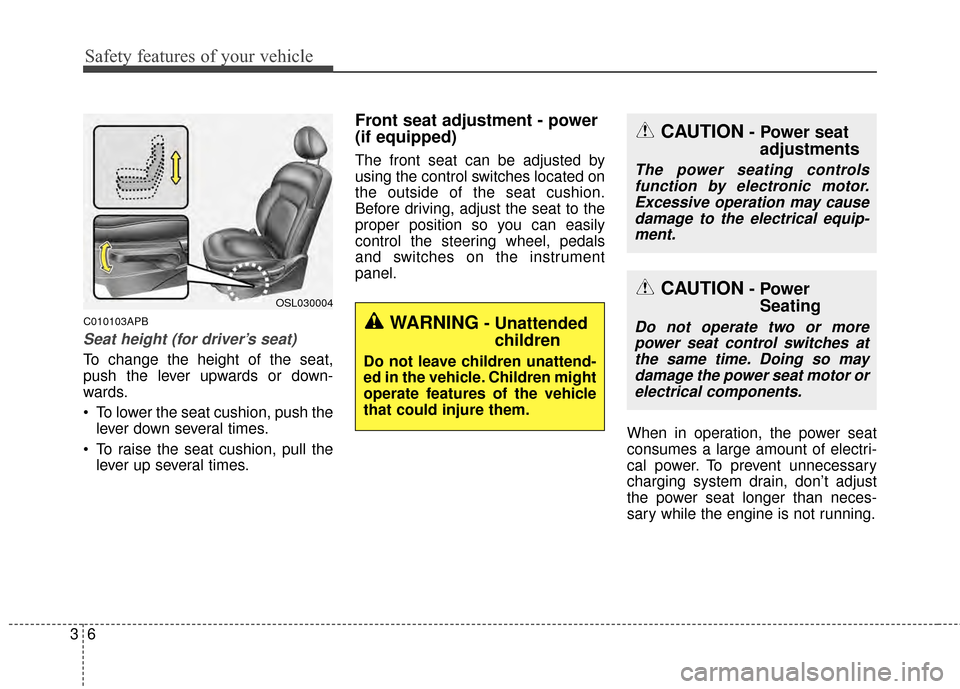
Seat height (for driver’s seat)
To change the height of the seat,
push the lever upwards or down-
wards.
To lower the seat cushion, push thelever down several times.
To raise the seat cushion, pull the lever up several times.
Front seat adjustment - power
(if equipped)
The front seat can be adjusted by
using the control switches located on
the outside of the seat cushion.
Before driving, adjust the seat to the
proper position so you can easily
control the steering wheel, pedals
and switches on the instrument
panel.
When in operation, the power seat
consumes a large amount of electri-
cal power. To prevent unnecessary
charging system drain, don’t adjust
the power seat longer than neces-
sary while the engine is not running.
OSL030004
CAUTION- Power seatadjustments
The power seating controls
function by electronic motor.Excessive operation may causedamage to the electrical equip-ment.
CAUTION- Power Seating
Do not operate two or more
power seat control switches atthe same time. Doing so maydamage the power seat motor orelectrical components.WARNING- Unattended children
Do not leave children unattend-
ed in the vehicle. Children might
operate features of the vehicle
that could injure them.
Page 128 of 499
441
Features of your vehicle
Electric power steering
Power steering uses the motor to
assist you in steering the vehicle. If
the engine is off or if the power steer-
ing system becomes inoperative, the
vehicle may still be steered, but it will
require increased steering effort.
The motor driven power steering is
controlled by the power steering con-
trol unit which senses the steering
wheel torque and vehicle speed to
command the motor.
The steering wheel becomes heavier
as the vehicle’s speed increases and
becomes lighter as the vehicle’s
speed decreases for better control of
the steering wheel.
Should you notice any change in the
effort required to steer during normal
vehicle operation, have the power
steering checked by an authorized
Kia dealer.
✽ ✽NOTICE
The following symptoms may occur
during normal vehicle operation:
• The steering effort is high immedi-
ately after turning the ignition
switch on. This happens as the sys-
tem performs the EPS system
diagnostics. When the diagnostics
is completed, the steering wheel
will return to its normal condition.
• A click noise may be heard from the EPS relay after the ignition
switch is turned to the ON or
LOCK position.
• Motor noise may be heard when the vehicle is at a stop or at a low
driving speed.
• The steering effort increases if the steering wheel is rotated continu-
ously when the vehicle is not in
motion. However, after a few min-
utes, it will return to its normal
conditions.
• When you operate the steering wheel in low temperature, abnor-
mal noise could occur. If tempera-
ture rises, the noise will disappear.
This is a normal condition.
If the EPS system does not operate
normally, the warning light will illumi-
nate on the instrument cluster. The
steering wheel may become difficult
to control or operate abnormally.
Take your vehicle to an authorized
Kia dealer and have the vehicle
checked as soon as possible.
STEERING WHEEL
Page 133 of 499
Features of your vehicle
46
4
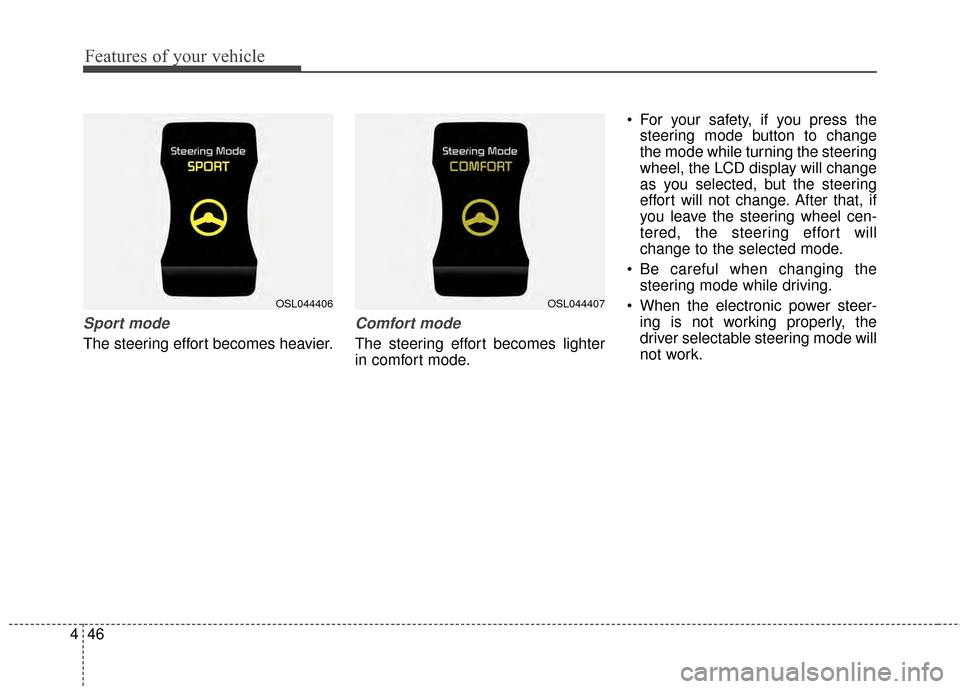
Sport mode
The steering effort becomes heavier.
Comfort mode
The steering effort becomes lighter
in comfort mode. For your safety, if you press the
steering mode button to change
the mode while turning the steering
wheel, the LCD display will change
as you selected, but the steering
effort will not change. After that, if
you leave the steering wheel cen-
tered, the steering effort will
change to the selected mode.
Be careful when changing the steering mode while driving.
When the electronic power steer- ing is not working properly, the
driver selectable steering mode will
not work.
OSL044407OSL044406
Page 159 of 499
Features of your vehicle
72
4
Electric power steering
(EPS) system warninglight
This indicator light comes on after
the ignition key is turned to the ON
position and then it will go out after
the engine is started.
This light also comes on when the
EPS has some troubles. If it comes
on while driving, have your vehicle
inspected by an authorized Kia deal-
er.
Immobilizer indicator
With smart key system
If any of the following occurs in a
vehicle equipped with the smart key,
the immobilizer indicator illuminates,
blinks or goes off.
When the smart key is in the vehicle, if the ENGINE START/STOP button
is in the ACC or ON position, the
indicator will illuminate for approxi-
mately 30 seconds to indicate that
you are able to start the engine.
However, when the smart key is not
in the vehicle, if the ENGINE
START/STOP button is pressed, the
indicator will blink for a few seconds
to indicate that you are not be able to
start the engine.
If the indicator illuminates only for 2 seconds and goes out when the
ENGINE START/STOP button is
turned to ON position with the smart
key in the vehicle, have the system
checked by an authorized Kia dealer. When the battery is weak, if the
ENGINE START/STOP button is
pressed, the indicator will blink and
you are not able to start the
engine. However, you can start the
engine if you press the Engine
Start/Stop Button with the smart
key. Also, if the smart key system
related parts have a problem, the
indicator will blink.
EPS
Page 256 of 499
4169
Features of your vehicle
PHONE
Before using the Bluetooth®Wireless
Technology phone features
Bluetooth®Wireless
Technology phone, you must first
pair and connect the
Bluetooth®
Wireless Technology mobile phone.
connected, it is not possible to
enter Phone mode. Once a phone
is paired or connected, the guid-
ance screen will be displayed.
tion (IGN/ACC ON), the
Bluetooth®
Wireless Technology phone will be
automatically connected. Even if
you are outside, the
Bluetooth®
Wireless Technology phone will be
automatically connected once you
are in the vicinity of the vehicle. If
you do not want automatic
Bluetooth®Wireless Technology
phone connection, set the
Bluetooth®Wireless Technology
power to OFF
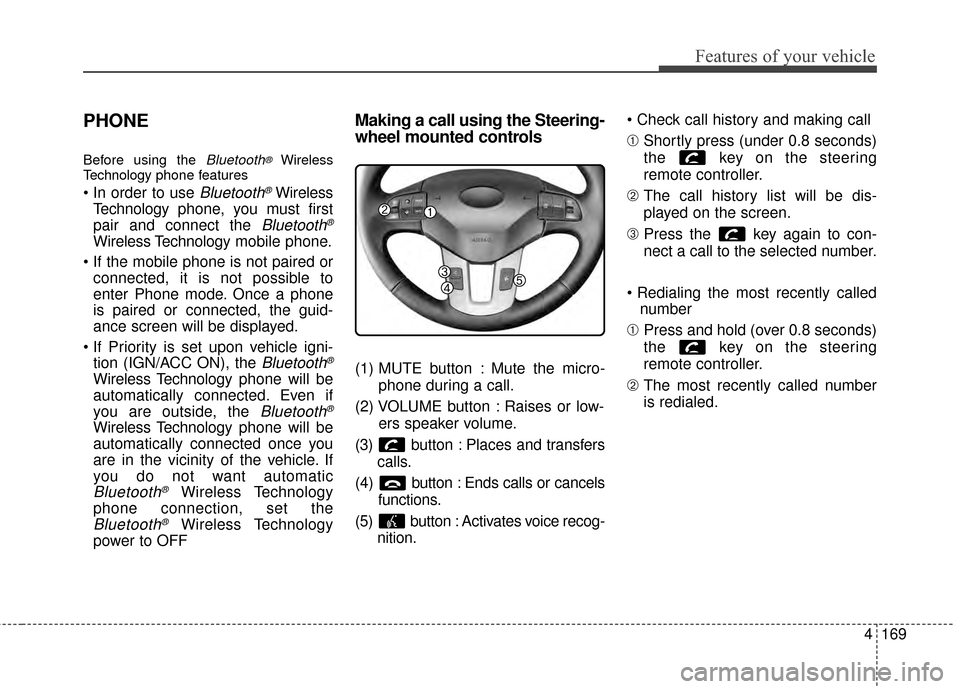
Making a call using the Steering-
wheel mounted controls
(1) MUTE button : Mute the micro-
phone during a call.
(2) VOLUME button : Raises or low- ers speaker volume.
(3) b utton : Places and transfers
calls.
(4) b utton : Ends calls or cancels
functions.
(5) button : Activates voice recog- nition.
➀
Shortly press (under 0.8 seconds)
the key on the steering
remote controller.
\b The call history list will be dis-
played on the screen.
➂ Press the key again to con-
nect a call to the selected number.
number
➀ Press and hold (over 0.8 seconds)
the key on the steering
remote controller.
\b The most recently called number
is redialed.
Page 301 of 499
Features of your vehicle
214
4
PHONE
Before using the Bluetooth®Wireless
Technology phone features
Bluetooth®Wireless
Technology phone, you must first
pair and connect the
Bluetooth®
Wireless Technology mobile phone.
connected, it is not possible to
enter Phone mode. Once a phone
is paired or connected, the guid-
ance screen will be displayed.
tion (IGN/ACC ON), the
Bluetooth®
Wireless Technology phone will be
automatically connected. Even if
you are outside, the
Bluetooth®
Wireless Technology phone will be
automatically connected once you
are in the vicinity of the vehicle. If
you do not want automatic
Bluetooth®Wireless Technology
phone connection, set the
Bluetooth®Wireless Technology
power to OFF
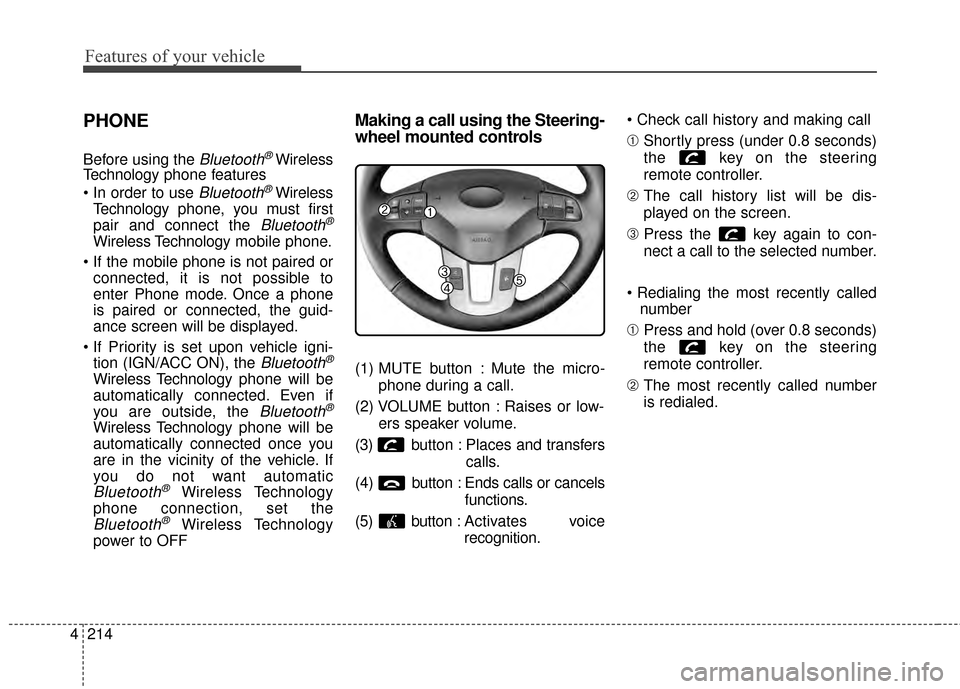
Making a call using the Steering-
wheel mounted controls
(1) MUTE button : Mute the micro-
phone during a call.
(2) VOLUME button : Raises or low- ers speaker volume.
(3) b utton : Places and transfers
calls.
(4) b utton : Ends calls or cancels
functions.
(5) button : Activates voice
recognition.
➀
Shortly press (under 0.8 seconds)
the key on the steering
remote controller.
\b The call history list will be dis-
played on the screen.
➂ Press the key again to con-
nect a call to the selected number.
number
➀ Press and hold (over 0.8 seconds)
the key on the steering
remote controller.
\b The most recently called number
is redialed.
Page 350 of 499
527
Driving your vehicle
E070100AHM
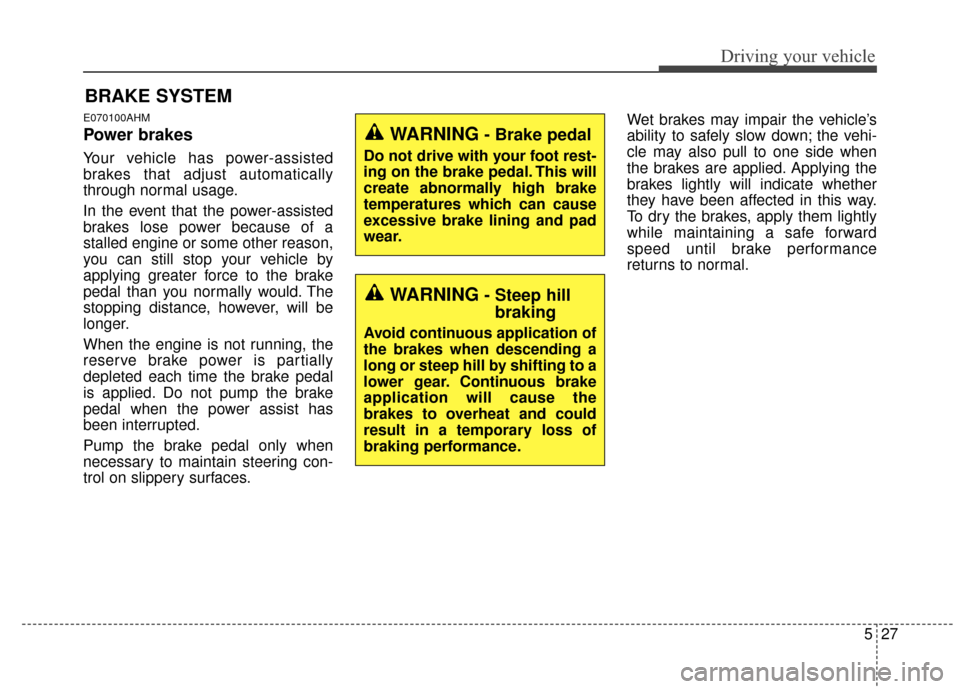
Power brakes
Your vehicle has power-assisted
brakes that adjust automatically
through normal usage.
In the event that the power-assisted
brakes lose power because of a
stalled engine or some other reason,
you can still stop your vehicle by
applying greater force to the brake
pedal than you normally would. The
stopping distance, however, will be
longer.
When the engine is not running, the
reserve brake power is partially
depleted each time the brake pedal
is applied. Do not pump the brake
pedal when the power assist has
been interrupted.
Pump the brake pedal only when
necessary to maintain steering con-
trol on slippery surfaces.Wet brakes may impair the vehicle’s
ability to safely slow down; the vehi-
cle may also pull to one side when
the brakes are applied. Applying the
brakes lightly will indicate whether
they have been affected in this way.
To dry the brakes, apply them lightly
while maintaining a safe forward
speed until brake performance
returns to normal.
BRAKE SYSTEM
WARNING- Steep hill
braking
Avoid continuous application of
the brakes when descending a
long or steep hill by shifting to a
lower gear. Continuous brake
application will cause the
brakes to overheat and could
result in a temporary loss of
braking performance.
WARNING- Brake pedal
Do not drive with your foot rest-
ing on the brake pedal. This will
create abnormally high brake
temperatures which can cause
excessive brake lining and pad
wear.
Page 361 of 499
Driving your vehicle
38
5
VSM operation off
If you press the ESC OFF button to
turn off the ESC, the VSM will also
cancel and the ESC OFF indicator
light ( ) illuminates.
To turn on the VSM, press the button
again. The ESC OFF indicator light
goes out.
Malfunction indicator
The VSM can be deactivated even if
you don’t cancel the VSM operation
by pressing the ESC OFF button. It
indicates that a malfunction has
been detected somewhere in the
Electric Power Steering system or
VSM system. If the ESC indicator
light ( ) or EPS warning light
remains on, take your vehicle to an
authorized Kia dealer and have the
system checked.
✽ ✽
NOTICE
• The VSM is designed to function
above approximately 15 km/h (9
mph) on curves.
• The VSM is designed to function above approximately 30 km/h (18
mph) when a vehicle is braking on
a split-mu road. The split-mu road
is made of surfaces which have dif-
ferent friction forces.
The Vehicle Stability Management
system is not a substitute for safe
driving practices but a supplemen-
tary function only. It is the respon-
sibility of the driver to always check
the speed and the distance to the
vehicle ahead. Always hold the
steering wheel firmly while driving.
Your vehicle is designed to activate according to the driver’s intention,
even with installed VSM. Always
follow all the normal precautions
for driving at safe speeds for the
conditions – including driving
inclement weather and on a slip-
pery road.