light KIA Sportage 2016 QL / 4.G Workshop Manual
[x] Cancel search | Manufacturer: KIA, Model Year: 2016, Model line: Sportage, Model: KIA Sportage 2016 QL / 4.GPages: 501, PDF Size: 18.95 MB
Page 159 of 501
Features of your vehicle
72
4
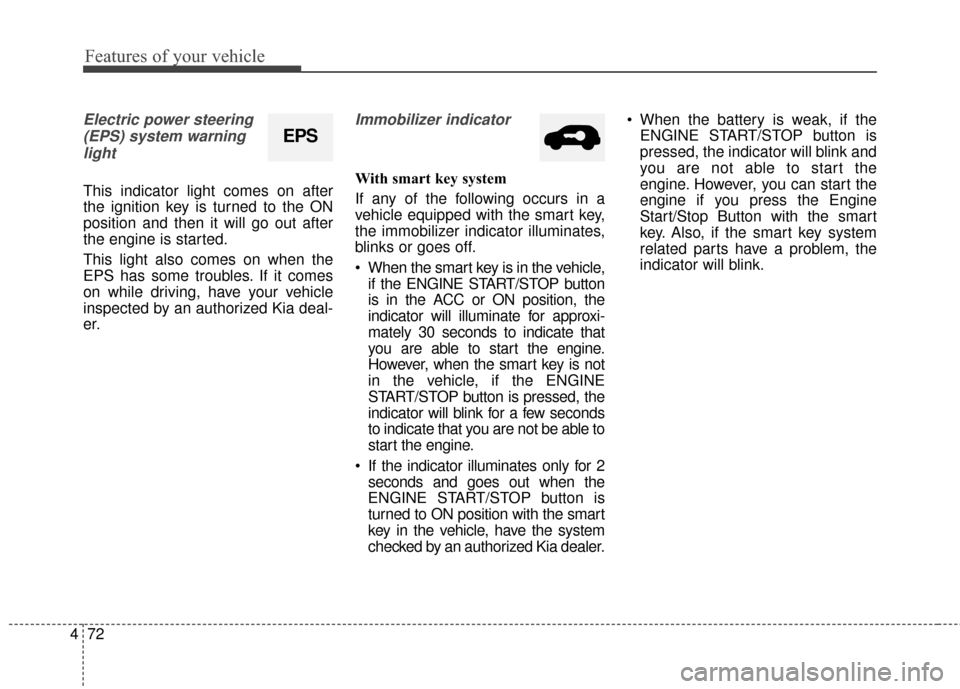
Electric power steering
(EPS) system warninglight
This indicator light comes on after
the ignition key is turned to the ON
position and then it will go out after
the engine is started.
This light also comes on when the
EPS has some troubles. If it comes
on while driving, have your vehicle
inspected by an authorized Kia deal-
er.
Immobilizer indicator
With smart key system
If any of the following occurs in a
vehicle equipped with the smart key,
the immobilizer indicator illuminates,
blinks or goes off.
When the smart key is in the vehicle, if the ENGINE START/STOP button
is in the ACC or ON position, the
indicator will illuminate for approxi-
mately 30 seconds to indicate that
you are able to start the engine.
However, when the smart key is not
in the vehicle, if the ENGINE
START/STOP button is pressed, the
indicator will blink for a few seconds
to indicate that you are not be able to
start the engine.
If the indicator illuminates only for 2 seconds and goes out when the
ENGINE START/STOP button is
turned to ON position with the smart
key in the vehicle, have the system
checked by an authorized Kia dealer. When the battery is weak, if the
ENGINE START/STOP button is
pressed, the indicator will blink and
you are not able to start the
engine. However, you can start the
engine if you press the Engine
Start/Stop Button with the smart
key. Also, if the smart key system
related parts have a problem, the
indicator will blink.
EPS
Page 160 of 501
473
Features of your vehicle
D150320AHM-EU-U1
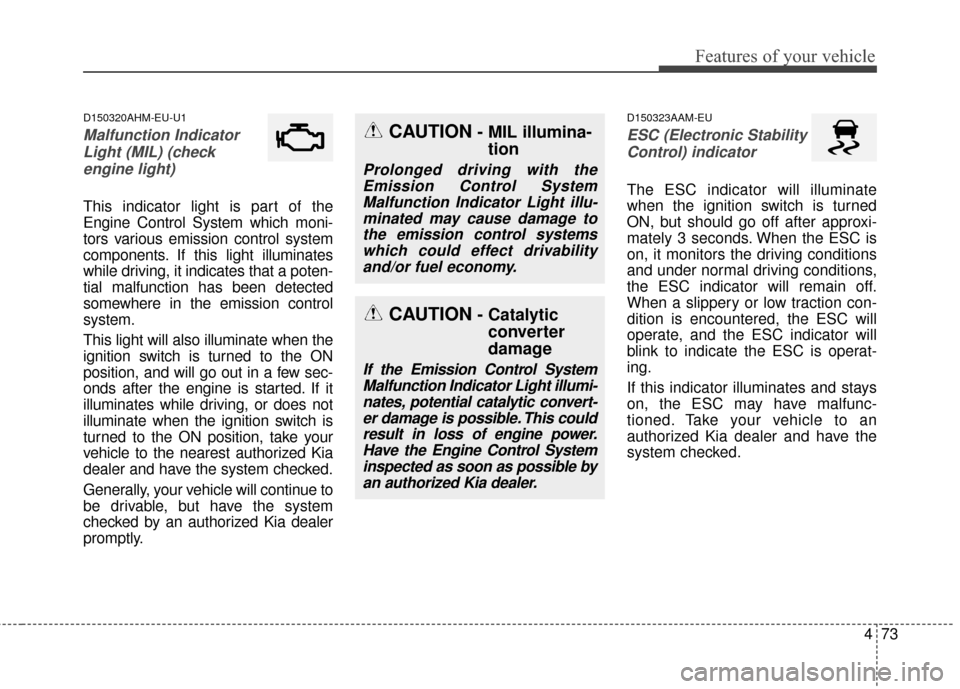
Malfunction IndicatorLight (MIL) (checkengine light)
This indicator light is part of the
Engine Control System which moni-
tors various emission control system
components. If this light illuminates
while driving, it indicates that a poten-
tial malfunction has been detected
somewhere in the emission control
system.
This light will also illuminate when the
ignition switch is turned to the ON
position, and will go out in a few sec-
onds after the engine is started. If it
illuminates while driving, or does not
illuminate when the ignition switch is
turned to the ON position, take your
vehicle to the nearest authorized Kia
dealer and have the system checked.
Generally, your vehicle will continue to
be drivable, but have the system
checked by an authorized Kia dealer
promptly.
D150323AAM-EU
ESC (Electronic StabilityControl) indicator
The ESC indicator will illuminate
when the ignition switch is turned
ON, but should go off after approxi-
mately 3 seconds. When the ESC is
on, it monitors the driving conditions
and under normal driving conditions,
the ESC indicator will remain off.
When a slippery or low traction con-
dition is encountered, the ESC will
operate, and the ESC indicator will
blink to indicate the ESC is operat-
ing.
If this indicator illuminates and stays
on, the ESC may have malfunc-
tioned. Take your vehicle to an
authorized Kia dealer and have the
system checked.
CAUTION- Catalytic converter
damage
If the Emission Control System
Malfunction Indicator Light illumi-nates, potential catalytic convert-er damage is possible. This couldresult in loss of engine power.Have the Engine Control Systeminspected as soon as possible byan authorized Kia dealer.
CAUTION- MIL illumina- tion
Prolonged driving with the
Emission Control SystemMalfunction Indicator Light illu-minated may cause damage tothe emission control systemswhich could effect drivabilityand/or fuel economy.
Page 162 of 501
475
Features of your vehicle
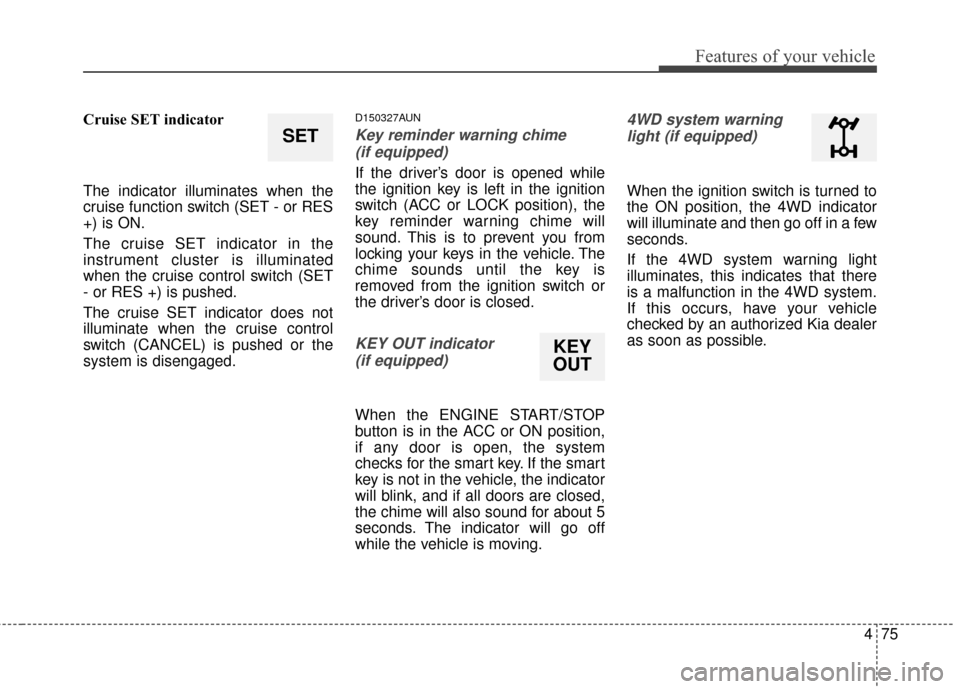
Cruise SET indicator
The indicator illuminates when the
cruise function switch (SET - or RES
+) is ON.
The cruise SET indicator in the
instrument cluster is illuminated
when the cruise control switch (SET
- or RES +) is pushed.
The cruise SET indicator does not
illuminate when the cruise control
switch (CANCEL) is pushed or the
system is disengaged.D150327AUN
Key reminder warning chime (if equipped)
If the driver’s door is opened while
the ignition key is left in the ignition
switch (ACC or LOCK position), the
key reminder warning chime will
sound. This is to prevent you from
locking your keys in the vehicle. The
chime sounds until the key is
removed from the ignition switch or
the driver’s door is closed.
KEY OUT indicator (if equipped)
When the ENGINE START/STOP
button is in the ACC or ON position,
if any door is open, the system
checks for the smart key. If the smart
key is not in the vehicle, the indicator
will blink, and if all doors are closed,
the chime will also sound for about 5
seconds. The indicator will go off
while the vehicle is moving.
4WD system warninglight (if equipped)
When the ignition switch is turned to
the ON position, the 4WD indicator
will illuminate and then go off in a few
seconds.
If the 4WD system warning light
illuminates, this indicates that there
is a malfunction in the 4WD system.
If this occurs, have your vehicle
checked by an authorized Kia dealer
as soon as possible.
SET
KEY
OUT
Page 163 of 501
Features of your vehicle
76
4
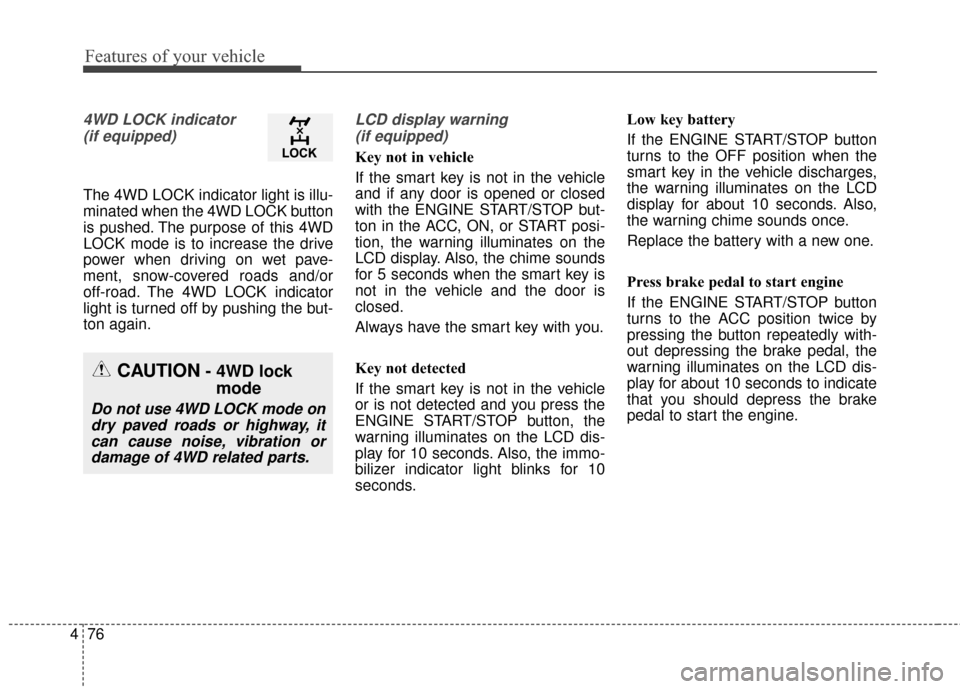
4WD LOCK indicator
(if equipped)
The 4WD LOCK indicator light is illu-
minated when the 4WD LOCK button
is pushed. The purpose of this 4WD
LOCK mode is to increase the drive
power when driving on wet pave-
ment, snow-covered roads and/or
off-road. The 4WD LOCK indicator
light is turned off by pushing the but-
ton again.
LCD display warning (if equipped)
Key not in vehicle
If the smart key is not in the vehicle
and if any door is opened or closed
with the ENGINE START/STOP but-
ton in the ACC, ON, or START posi-
tion, the warning illuminates on the
LCD display. Also, the chime sounds
for 5 seconds when the smart key is
not in the vehicle and the door is
closed.
Always have the smart key with you.
Key not detected
If the smart key is not in the vehicle
or is not detected and you press the
ENGINE START/STOP button, the
warning illuminates on the LCD dis-
play for 10 seconds. Also, the immo-
bilizer indicator light blinks for 10
seconds. Low key battery
If the ENGINE START/STOP button
turns to the OFF position when the
smart key in the vehicle discharges,
the warning illuminates on the LCD
display for about 10 seconds. Also,
the warning chime sounds once.
Replace the battery with a new one.
Press brake pedal to start engine
If the ENGINE START/STOP button
turns to the ACC position twice by
pressing the button repeatedly with-
out depressing the brake pedal, the
warning illuminates on the LCD dis-
play for about 10 seconds to indicate
that you should depress the brake
pedal to start the engine.
CAUTION- 4WD lock
mode
Do not use 4WD LOCK mode on
dry paved roads or highway, itcan cause noise, vibration ordamage of 4WD related parts.
Page 165 of 501
Features of your vehicle
78
4
Shift to "P" or "N" to start the engine
If you try to start the engine with the
shift lever not in the P (Park) or N
(Neutral) position, the warning illumi-
nates for about 10 seconds on the
LCD display.
You can also start the engine with
the shift lever in the N (Neutral) posi-
tion, but for your safety start the
engine with the shift lever in the P
(Park) position.
Low washer liquid
This warning light indicates the
washer fluid reservoir is near empty.
Refill the washer fluid as soon as
possible. Align Steering Wheel (left aligned)
If you start the engine when the
wheel is steered to the left at an
angle over 90 degrees, "Align
Steering Wheel" message will
appear on the instrument cluster for
5 seconds after a few seconds of
system check. In this condition, the
warning message will disappear if
the left steered angle comes down to
less than 30 degrees.
Align Steering Wheel (right aligned)
If you start the engine when the
wheel is steered to the right at an
angle over 90 degrees, "Align
Steering Wheel" message will
appear on the instrument cluster for
5 seconds after a few seconds of
system check. In this condition, the
warning message will disappear if
the right steered angle comes down
to less than 30 degrees.Complete
When the steering wheel is aligned
within 30 degrees (left/right) less
than 5 seconds after the "Align
Steering Wheel" message is dis-
played, "Complete" message will
appear for 2 seconds.
Sunroof open
If driver removes the ignition key
(Smart key : turns off the engine) and
opens the driver-side door when the
sunroof is not fully closed, warning
message will appear on the LCD dis-
play. Also, the warning chime sounds
for approximately 7 seconds.
Page 170 of 501
483
Features of your vehicle
D330000AHM-EE
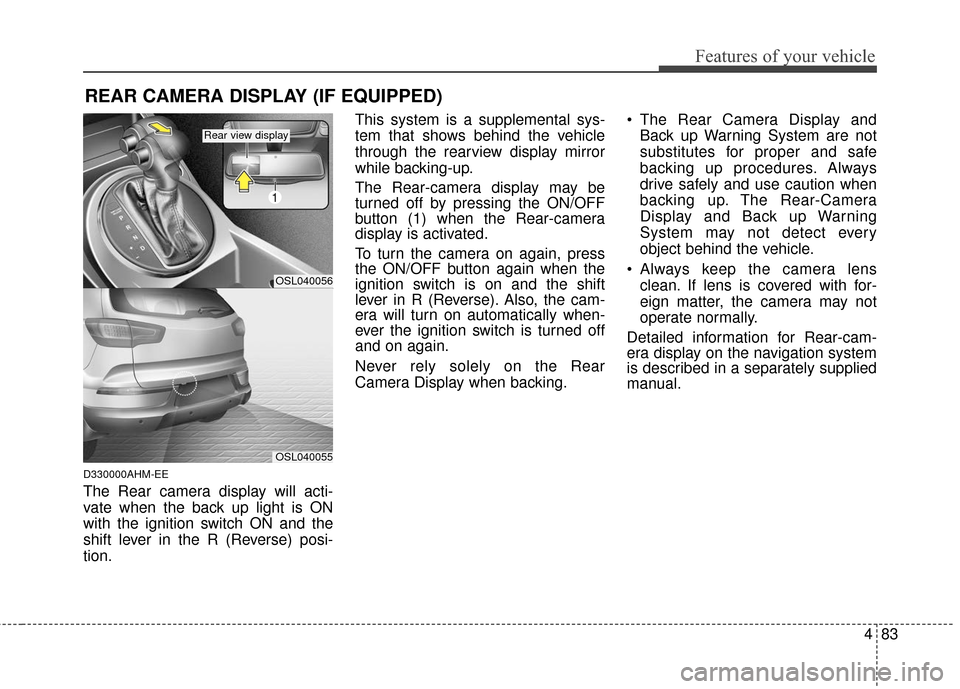
The Rear camera display will acti-
vate when the back up light is ON
with the ignition switch ON and the
shift lever in the R (Reverse) posi-
tion.This system is a supplemental sys-
tem that shows behind the vehicle
through the rearview display mirror
while backing-up.
The Rear-camera display may be
turned off by pressing the ON/OFF
button (1) when the Rear-camera
display is activated.
To turn the camera on again, press
the ON/OFF button again when the
ignition switch is on and the shift
lever in R (Reverse). Also, the cam-
era will turn on automatically when-
ever the ignition switch is turned off
and on again.
Never rely solely on the Rear
Camera Display when backing.
The Rear Camera Display and
Back up Warning System are not
substitutes for proper and safe
backing up procedures. Always
drive safely and use caution when
backing up. The Rear-Camera
Display and Back up Warning
System may not detect every
object behind the vehicle.
Always keep the camera lens clean. If lens is covered with for-
eign matter, the camera may not
operate normally.
Detailed information for Rear-cam-
era display on the navigation system
is described in a separately supplied
manual.
REAR CAMERA DISPLAY (IF EQUIPPED)
OSL040056
1
OSL040055
Rear view display
Page 171 of 501
Features of your vehicle
84
4
D180000AHM
The hazard warning flasher should
be used whenever you find it neces-
sary to stop the vehicle in a haz-
ardous location. When you must
make such an emergency stop,
always pull off the road as far as pos-
sible.
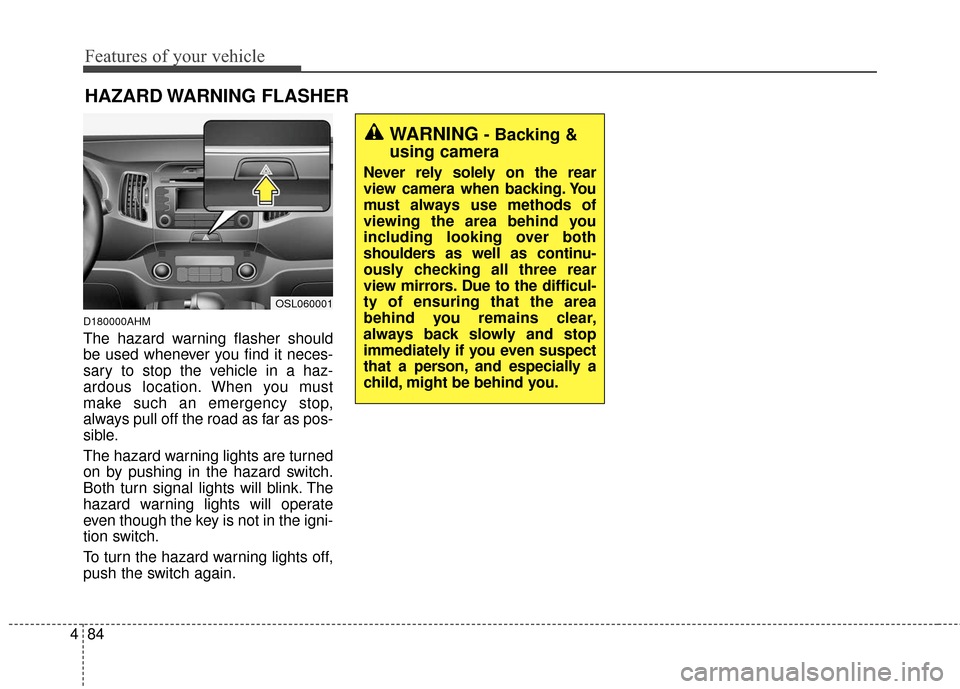
The hazard warning lights are turned
on by pushing in the hazard switch.
Both turn signal lights will blink. The
hazard warning lights will operate
even though the key is not in the igni-
tion switch.
To turn the hazard warning lights off,
push the switch again.
HAZARD WARNING FLASHER
OSL060001
WARNING- Backing &
using camera
Never rely solely on the rear
view camera when backing. You
must always use methods of
viewing the area behind you
including looking over both
shoulders as well as continu-
ously checking all three rear
view mirrors. Due to the difficul-
ty of ensuring that the area
behind you remains clear,
always back slowly and stop
immediately if you even suspect
that a person, and especially a
child, might be behind you.
Page 172 of 501
485
Features of your vehicle
D190100APB
Battery saver function
The purpose of this feature is toprevent the battery from being dis-
charged if the lights are left in the
ON position. The system automati-
cally turns off the parking lights
when the driver turns off the
engine and opens the driver-side
door.
With this feature, the parking lights will turn off automatically if the driv-
er parks on the side of the road at
night and opens the driver’s side
door.
If necessary, to keep the parking
lights on when the ignition key is
removed, perform the following:
1) Open the driver-side door.
2) Turn the parking lights OFF and ON again using the light switch
on the steering column.
Headlight escort function
(if equipped)
The headlights (and/or taillights)
remain on for approximately 5 min-
utes after the ignition key is removed
or turned to the ACC or LOCK posi-
tion. However, if the driver’s door
(and tailgate) is opened and closed,
the headlights are turned off after 15
seconds.
The headlights can be turned off by
pressing the lock button on the trans-
mitter (or smart key) twice or turning
off the light switch from the headlight
or Auto light position.
If the driver gets out of the vehicle
through other doors (except driver's
door), the battery saver function
does not operate and the headlight
escort function does not turn off
automatically. Therefore, It causes
the battery to be discharged. In this
case, make sure to turn off the lamp
before getting out of the vehicle.
Headlight welcome function
(if equipped)
When the headlight switch is in the
ON or AUTO position and all doors
(and tailgate) are closed and locked,
if you press the door unlock button
on the transmitter (or smart key), the
headlights will come on for about 15
seconds.
If the headlight switch is in the AUTO
position, the function can only oper-
ate at night.
At this time, if you press the door lock
button or unlock button (once or
twice) on the transmitter (or smart
key), the headlights will turn off
immediately.
LIGHTING
Page 173 of 501
Features of your vehicle
86
4
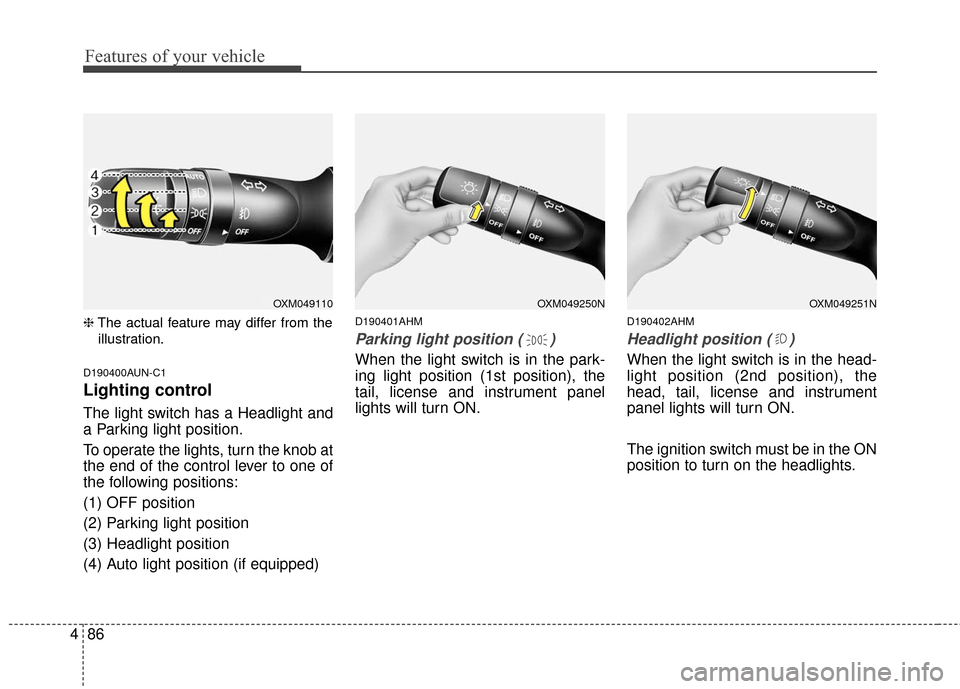
❈ The actual feature may differ from the
illustration.
D190400AUN-C1
Lighting control
The light switch has a Headlight and
a Parking light position.
To operate the lights, turn the knob at
the end of the control lever to one of
the following positions:
(1) OFF position
(2) Parking light position
(3) Headlight position
(4) Auto light position (if equipped)
D190401AHM
Parking light position ( )
When the light switch is in the park-
ing light position (1st position), the
tail, license and instrument panel
lights will turn ON.
D190402AHM
Headlight position ( )
When the light switch is in the head-
light position (2nd position), the
head, tail, license and instrument
panel lights will turn ON.
The ignition switch must be in the ON
position to turn on the headlights.
OXM049251NOXM049250NOXM049110
Page 174 of 501
487
Features of your vehicle
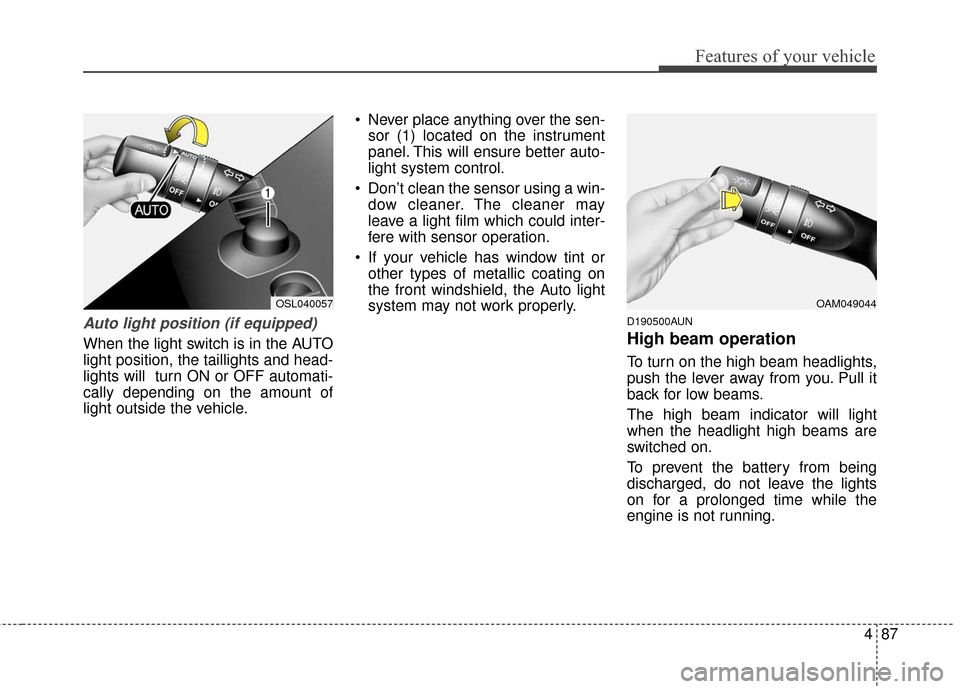
Auto light position (if equipped)
When the light switch is in the AUTO
light position, the taillights and head-
lights will turn ON or OFF automati-
cally depending on the amount of
light outside the vehicle. Never place anything over the sen-
sor (1) located on the instrument
panel. This will ensure better auto-
light system control.
Don’t clean the sensor using a win- dow cleaner. The cleaner may
leave a light film which could inter-
fere with sensor operation.
If your vehicle has window tint or other types of metallic coating on
the front windshield, the Auto light
system may not work properly.
D190500AUN
High beam operation
To turn on the high beam headlights,
push the lever away from you. Pull it
back for low beams.
The high beam indicator will light
when the headlight high beams are
switched on.
To prevent the battery from being
discharged, do not leave the lights
on for a prolonged time while the
engine is not running.
OAM049044OSL040057