start stop button KIA SPORTAGE 2018 Owner's Manual
[x] Cancel search | Manufacturer: KIA, Model Year: 2018, Model line: SPORTAGE, Model: KIA SPORTAGE 2018Pages: 605, PDF Size: 13.79 MB
Page 185 of 605
499
Features of your vehicle
✽
✽NOTICE- Electronic Brake
force Distribution (EBD)
System Warning Light
When the ABS Warning Light is on
or both ABS and Parking Brake &
Brake Fluid Warning Lights are on,
the speedometer, odometer, or trip-
meter may not work. Also, the EPS
Warning Light may illuminate and
the steering effort may increase or
decrease.
In this case, have your vehicle inspect-
ed by an authorized Kia dealer as
soon as possible.
Electronic Power Steering (EPS) WarningLight
This warning light illuminates:
Once you set the ignition switch or Engine Start/Stop Button to the ON
position.
- It remains on until the engine isstarted.
When there is a malfunction with the EPS.
In this case, have your vehicle
inspected by an authorized Kia
dealer.
Malfunction Indicator
Lamp (MIL)
This warning light illuminates:
Once you set the ignition switch or Engine Start/Stop Button to the ON
position.
- It remains on until the engine isstarted.
When there is a malfunction with the emission control system.
In this case, have your vehicle
inspected by an authorized Kia
dealer.
Page 186 of 605
Features of your vehicle
100
4
Charging System
Warning Light
This warning light illuminates:
Once you set the ignition switch or Engine Start/Stop Button to the ON
position.
- It remains on until the engine isstarted.
When there is a malfunction with either the alternator or electrical
charging system.
If there is a malfunction with either
the alternator or electrical charging
system:
1. Drive carefully to the nearest safe location and stop your vehicle.
2. Turn the engine off and check the alternator drive belt for looseness
or breakage.
If the belt is adjusted properly,
there may be a problem in the
electrical charging system.
In this case, have your vehicle
inspected by an authorized Kia
dealer as soon as possible.
Engine Oil Pressure Warning Light
This warning light illuminates:
Once you set the ignition switch or Engine Start/Stop Button to the ON
position.
- It remains on until the engine isstarted.
When the engine oil pressure is low.
If the engine oil pressure is low:
1. Drive carefully to the nearest safe location and stop your vehicle.
2. Turn the engine off and check the engine oil level (For more details,
refer to “Engine Oil” in chapter 8).
If the level is low, add oil as
required.
If the warning light remains on
after adding oil or if oil is not avail-
able, have your vehicle inspected
by an authorized Kia dealer as
soon as possible.
CAUTION - Catalytic
Converter Damage
If the Malfunction Indicator Lamp (MIL) illuminates, poten-tial catalytic converter damageis possible which could result inloss of engine power.
In this case, have your vehicleinspected by an authorized Kiadealer as soon as possible.
CAUTION - Malfunction
Indicator Lamp (MIL)
Driving with the Malfunction Indicator Lamp (MIL) on maycause damage to the emissioncontrol systems which couldaffect drivability and/or fueleconomy.
Page 187 of 605
4101
Features of your vehicle
If the warning light stays on while the
engine is running, it indicates that
there may be serious engine dam-
age or malfunction. In this case,
1. Stop the vehicle as soon as it issafe to do so.
2. Turn off the engine and check the oil level. If the oil level is low, fill the
engine oil to the proper level.
3. Start the engine again. If the warn- ing light stays on after the engine
is started, turn the engine off
immediately. In this case, have
your vehicle inspected by an
authorized Kia dealer.
Low Tire Pressure
Warning Light
This warning light illuminates:
Once you set the ignition switch or Engine Start/Stop Button to the ON
position.
- It illuminates for approximately 3seconds and then goes off.
When one or more of your tires are significantly underinflated.
For more details, refer to “Tire
Pressure Monitoring System
(TPMS)” in chapter 7.
This warning light remains on after
blinking for approximately 60 seconds
or repeats blinking and off at the
intervals of approximately 3 seconds:
When there is a malfunction with the TPMS.
In this case, have your vehicle
inspected by an authorized Kia
dealer as soon as possible.
For more details, refer to “Tire
Pressure Monitoring System
(TPMS)” in chapter 7. The TPMS cannot alert you to
severe and sudden tire damage
caused by external factors.
If you notice any vehicle instability, immediately take your foot off the
accelerator pedal, apply the brakes
gradually with light force, and slow-
ly move to a safe position off the
road.
CAUTION - Engine
damage
If the engine is not stoppedimmediately after the engine oilpressure warning light is illumi-nated and stays on while theengine is running, seriousengine damage may result.
WARNING - Low tire
pressure
Significantly low tire pressure makes the vehicle unstable
and can contribute to loss of
vehicle control and increased
braking distances.
Continued driving or low pres- sure tires will cause the tires to
overheat and fail.
Page 188 of 605
Features of your vehicle
102
4
Electronic Parking Brake
(EPB) Warning Light
This warning light illuminates:
Once you set the ignition switch or Engine Start/Stop Button to the ON
position.
- It illuminates for approximately 3seconds and then goes off.
When there is a malfunction with the EPB.
In this case, have your vehicle
inspected by an authorized Kia
dealer.
✽ ✽ NOTICE- Electronic Parking
Brake (EPB) Warning Light
The Electronic Parking Brake
(EPB) Warning Light may illumi-
nate when the Electronic Stability
control (ESC) Indicator Light comes
on to indicate that the ESC is not
working properly (This does not
indicate malfunction of the EPB).
Master Warning light (if equipped)
This warning light informs the driver of the following situations
- Blind Spot Detection (BSD) mal-function (if equipped)
- Tire Pressure Monitoring System (TPMS) malfunction (if equipped)
- Autonomous Emergency Braking (AEB) malfunction (if equipped)
- Lamp malfunction and so on.
The Master Warning Light illumi-
nates when more than one of the
above warning situations occur. At
this time, the LCD Modes Icon will
change from ( ) to ( ).
If the warning situation is solved, the
master warning light will be turned off
and the LCD Modes Icon will be
changed back to its previous icon ( ).
Autonomous Emergency Braking (AEB) Warninglight (if equipped)
This indicator light illuminates:
When there is a malfunction with the AEB.
In this case, have the vehicle inspect-
ed by an authorized Kia dealer.
All Wheel Drive (AWD) Warning Light (if equipped)
This warning light illuminates:
Once you set the ignition switch or Engine Start/Stop Button to the ON
position.
- It illuminates for approximately 3seconds and then goes off.
When there is a malfunction with the AWD system.
In this case, have your vehicle
inspected by an authorized Kia
dealer.
EPB
Page 189 of 605
4103
Features of your vehicle
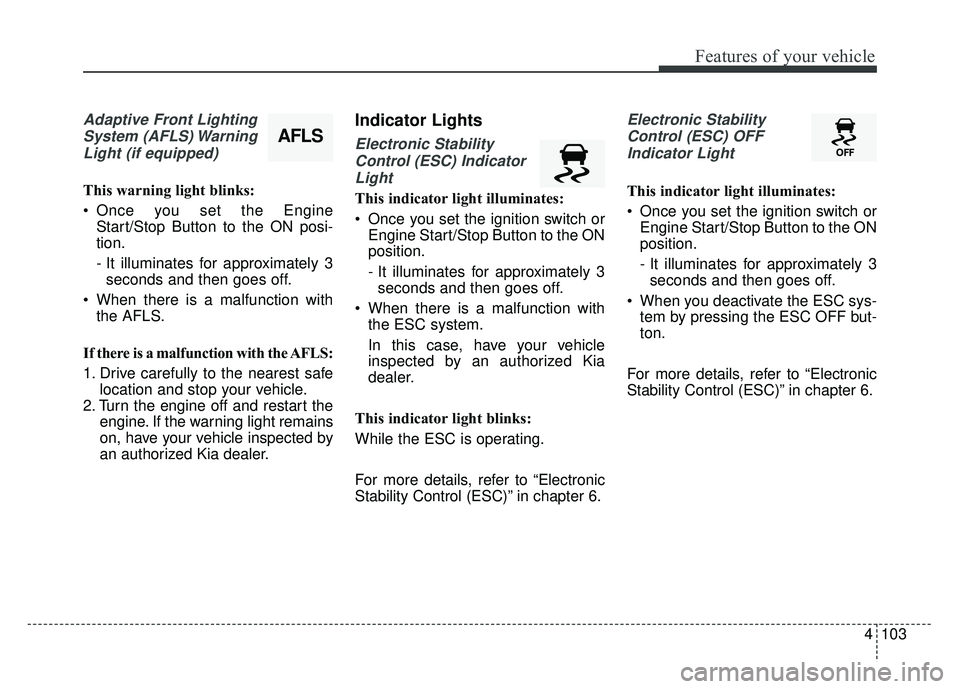
Adaptive Front LightingSystem (AFLS) WarningLight (if equipped)
This warning light blinks:
Once you set the Engine Start/Stop Button to the ON posi-
tion.
- It illuminates for approximately 3seconds and then goes off.
When there is a malfunction with the AFLS.
If there is a malfunction with the AFLS:
1. Drive carefully to the nearest safe location and stop your vehicle.
2. Turn the engine off and restart the engine. If the warning light remains
on, have your vehicle inspected by
an authorized Kia dealer.
Indicator Lights
Electronic Stability
Control (ESC) IndicatorLight
This indicator light illuminates:
Once you set the ignition switch or Engine Start/Stop Button to the ON
position.
- It illuminates for approximately 3seconds and then goes off.
When there is a malfunction with the ESC system.
In this case, have your vehicle
inspected by an authorized Kia
dealer.
This indicator light blinks:
While the ESC is operating.
For more details, refer to “Electronic
Stability Control (ESC)” in chapter 6.
Electronic Stability Control (ESC) OFFIndicator Light
This indicator light illuminates:
Once you set the ignition switch or Engine Start/Stop Button to the ON
position.
- It illuminates for approximately 3seconds and then goes off.
When you deactivate the ESC sys- tem by pressing the ESC OFF but-
ton.
For more details, refer to “Electronic
Stability Control (ESC)” in chapter 6.
AFLS
Page 190 of 605
Features of your vehicle
104
4
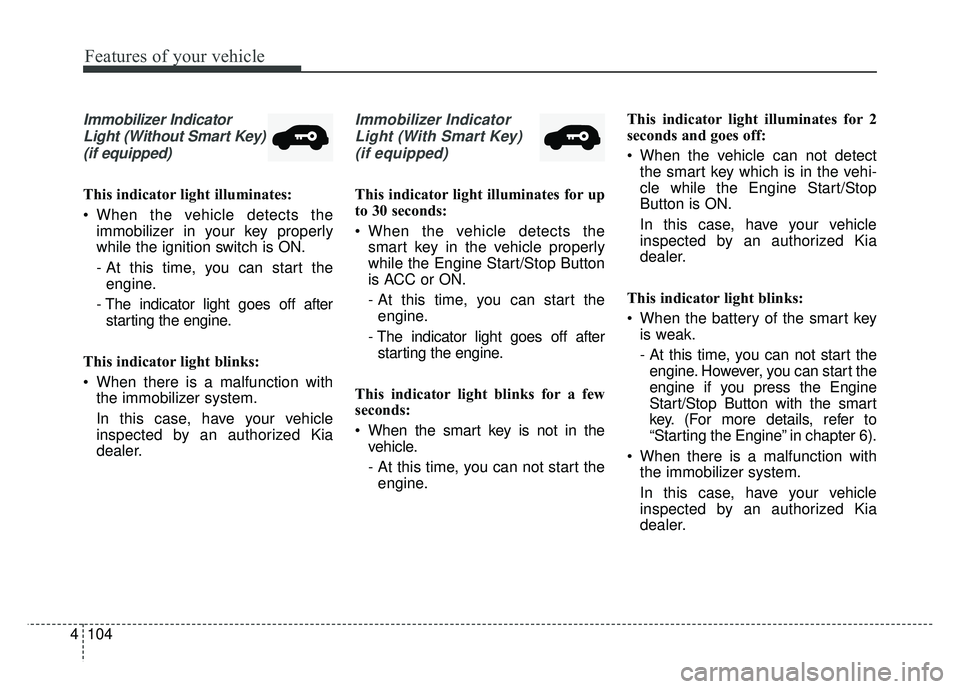
Immobilizer Indicator
Light (Without Smart Key)(if equipped)
This indicator light illuminates:
When the vehicle detects the immobilizer in your key properly
while the ignition switch is ON.
- At this time, you can start theengine.
- The indicator light goes off after starting the engine.
This indicator light blinks:
When there is a malfunction with the immobilizer system.
In this case, have your vehicle
inspected by an authorized Kia
dealer.
Immobilizer Indicator
Light (With Smart Key) (if equipped)
This indicator light illuminates for up
to 30 seconds:
When the vehicle detects the smart key in the vehicle properly
while the Engine Start/Stop Button
is ACC or ON.
- At this time, you can start theengine.
- The indicator light goes off after starting the engine.
This indicator light blinks for a few
seconds:
When the smart key is not in the vehicle.
- At this time, you can not start theengine. This indicator light illuminates for 2
seconds and goes off:
When the vehicle can not detect
the smart key which is in the vehi-
cle while the Engine Start/Stop
Button is ON.
In this case, have your vehicle
inspected by an authorized Kia
dealer.
This indicator light blinks:
When the battery of the smart key is weak.
- At this time, you can not start theengine. However, you can start the
engine if you press the Engine
Start/Stop Button with the smart
key. (For more details, refer to
“Starting the Engine” in chapter 6).
When there is a malfunction with the immobilizer system.
In this case, have your vehicle
inspected by an authorized Kia
dealer.
Page 193 of 605
4107
Features of your vehicle
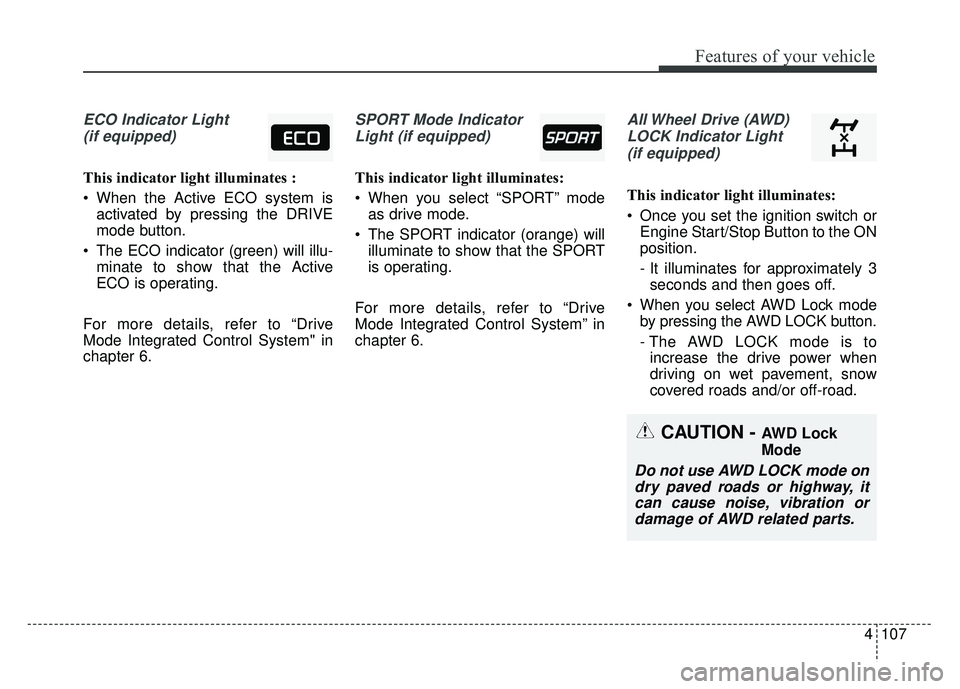
ECO Indicator Light(if equipped)
This indicator light illuminates :
When the Active ECO system is activated by pressing the DRIVE
mode button.
The ECO indicator (green) will illu- minate to show that the Active
ECO is operating.
For more details, refer to “Drive
Mode Integrated Control System" in
chapter 6.
SPORT Mode Indicator Light (if equipped)
This indicator light illuminates:
When you select “SPORT” mode as drive mode.
The SPORT indicator (orange) will illuminate to show that the SPORT
is operating.
For more details, refer to “Drive
Mode Integrated Control System” in
chapter 6.
All Wheel Drive (AWD) LOCK Indicator Light (if equipped)
This indicator light illuminates:
Once you set the ignition switch or Engine Start/Stop Button to the ON
position.
- It illuminates for approximately 3seconds and then goes off.
When you select AWD Lock mode by pressing the AWD LOCK button.
- The AWD LOCK mode is toincrease the drive power when
driving on wet pavement, snow
covered roads and/or off-road.
CAUTION - AWD Lock
Mode
Do not use AWD LOCK mode ondry paved roads or highway, itcan cause noise, vibration ordamage of AWD related parts.
Page 254 of 605
Features of your vehicle
168
4
Plug in battery equipped electronic
devices with reverse current protec-
tion. The current from the battery
may flow into the vehicle’s electri
cal/electronic system and cause
system malfunction.
✽ ✽ NOTICE
Do not use aftermarket chargers to
charge devices. Only use device cer-
tified cables to charge.
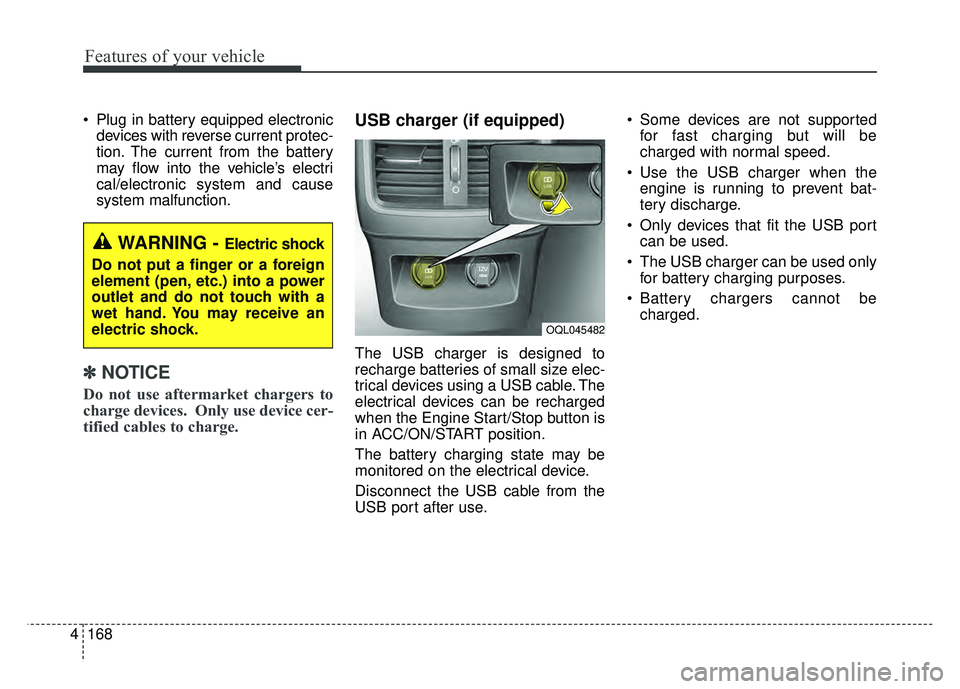
USB charger (if equipped)
The USB charger is designed to
recharge batteries of small size elec-
trical devices using a USB cable. The
electrical devices can be recharged
when the Engine Start/Stop button is
in ACC/ON/START position.
The battery charging state may be
monitored on the electrical device.
Disconnect the USB cable from the
USB port after use. Some devices are not supported
for fast charging but will be
charged with normal speed.
Use the USB charger when the engine is running to prevent bat-
tery discharge.
Only devices that fit the USB port can be used.
The USB charger can be used only for battery charging purposes.
Battery chargers cannot be charged.
WARNING - Electric shock
Do not put a finger or a foreign
element (pen, etc.) into a power
outlet and do not touch with a
wet hand. You may receive an
electric shock.
OQL045482
Page 301 of 605
Audio system
539
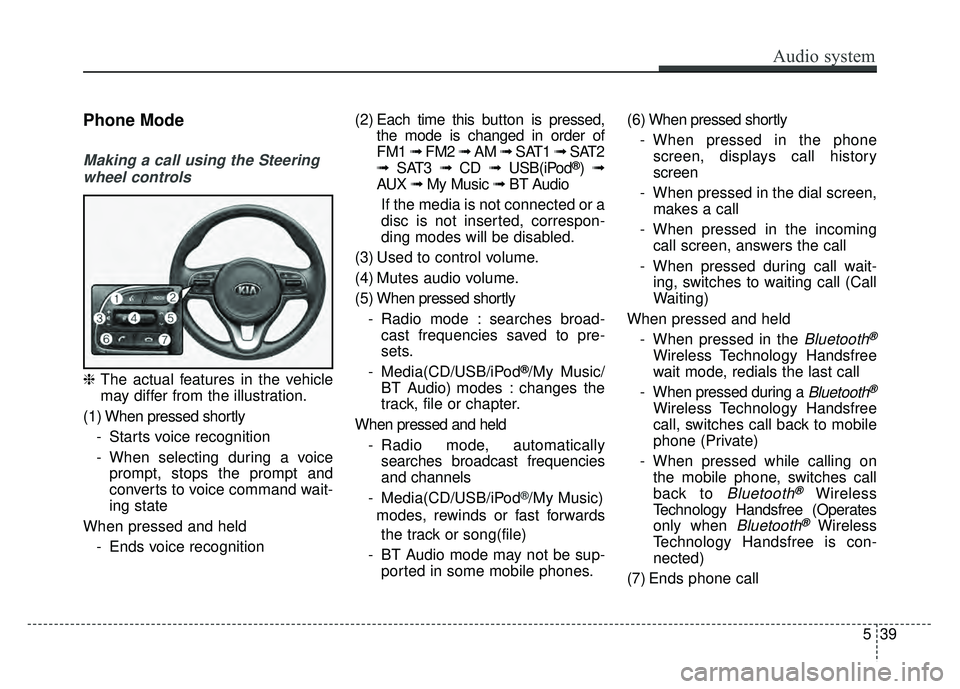
Phone Mode
Making a call using the Steeringwheel controls
❈ The actual features in the vehicle
may differ from the illustration.
(1) When pressed shortly - Starts voice recognition
- When selecting during a voiceprompt, stops the prompt and
converts to voice command wait-
ing state
When pressed and held - Ends voice recognition (2) Each time this button is
pressed,
the mode is changed in order of
FM1 ➟ FM2 ➟ AM ➟ SAT1 ➟ SAT2
➟ SAT3 ➟ CD ➟ USB(iPod
®)➟
AUX ➟ My Music ➟ BT Audio
If the media is not connected or a
disc is not inserted, correspon-
ding modes will be disabled.
(3) Used to control volume.
(4) Mutes audio volume.
(5) When pressed shortly - Radio mode : searches broad-cast frequencies saved to pre-
sets.
- Media(CD/USB/iPod
®/My Music/
BT Audio) modes : changes the
track, file or chapter.
When pressed and held - Radio mode, automaticallysearches broadcast frequencies
and channels
- Media(CD/USB/iPod
®/My Music)
modes, rewinds or fast forwards
the track or song(file)
- BT Audio mode may not be sup- ported in some mobile phones. (6) When pressed shortly
- When pressed in the phonescreen, displays call history
screen
- When pressed in the dial screen, makes a call
- When pressed in the incoming call screen, answers the call
- When pressed during call wait- ing, switches to waiting call (Call
Waiting)
When pressed and held - When pressed in the
Bluetooth®
Wireless Technology Handsfree
wait mode, redials the last call
- When pressed during a
Bluetooth®
Wireless Technology Handsfree
call, switches call back to mobile
phone (Private)
- When pressed while calling on the mobile phone, switches call
back to
Bluetooth®Wireless
Technology Handsfree (Operates
only when
Bluetooth®Wireless
Technology Handsfree is con-
nected)
(7) Ends phone call
Page 328 of 605
Driving your vehicle
Before driving . . . . . . . . . . . . . . . . . . . . . . . . . . . . . . 6-4
• Before entering vehicle . . . . . . . . . . . . . . . . . . . . . . . . . 6-4
. . . . . . . . . . . . . . . . . . . . . . . . . . 6-4
. . . . . . . . . . . . . . . . . . . . . . . . . . . . . . . 6-4
Key positions . . . . . . . . . . . . . . . . . . . . . . . . . . . . . . . 6-6
. . . . . . . . . . . . . . . . . . . . . 6-6
. . . . . . . . . . . . . . . . . . . . . . . . . 6-6
. . . . . . . . . . . . . . . . . . . . . . . . . . . . 6-7
ENGINE START/STOP button . . . . . . . . . . . . . . . 6-9
. . . . . . . 6-9
. . . . . . . . . . . 6-9
. . . . . . . . . . . . 6-11
Automatic transaxle . . . . . . . . . . . . . . . . . . . . . . . . 6-13
. . . . . . . . . . . . . . . . . . 6-13
. . . . . . . . . . . . . . . . . . . . . . . . 6-19
All wheel drive (AWD) . . . . . . . . . . . . . . . . . . . . . . 6-20
. . . . . . . . . . . . . . . . . . . . . . 6-21
. . . 6-22
. . . . . . . . . . . . . . . 6-23
. . . . . . . . . . . . . . . . . 6-26
Brake system . . . . . . . . . . . . . . . . . . . . . . . . . . . . . . 6-28
. . . . . . . . . . . . . . . . . . . . . . . . . . . . . . . . 6-28
. . . . . . . . . . . . . . . . . . . . . 6-30
. . . . . . . . . . . . . . . . 6-31
. . . . . . . . . . . . . . . . . . . . . . . . . . . . . . . . 6-38 . . . . . . . . . . . . . . . . . . . . . . . . . . . . 6-40
. . . . . . . . . . . . . . . . . . 6-42
. . . . . . . . . . . . . . . 6-44
. . . . . . . . . . . . 6-48
. . . . . . . . . . . . . . . . . . 6-49
Autonomous emergency braking (AEB) . . . . . . . 6-51
. . . . . . . . . . . . . . . . . . . 6-51
. . . . . . . . 6-54
. . . . . . . . . . . . . . . . . . . . . . . . . . . . . . 6-55
vehicle in front (front radar) . . . . . . . . . . . . . . . . . . 6-56
. . . . . . . . . . . . . . . . . . . . . . . . . . . 6-57
. . . . . . . . . . . . . . . . . . . . . . . 6-58
. . . . . . . . . . . . . . . . . . . . . . . 6-61
. . . . . . . . . . . . . . . . . 6-62
. . . . . . . . . . . . . . . . . . . . . . . 6-64
Cruise Control system . . . . . . . . . . . . . . . . . . . . . . 6-66
. . . . . . . . . . . . . . . . . . . . 6-67
. . . . . . . . . . . . . 6-67
. . . . . . . . . . . . . . . . . 6-68
6-68
do one of the following: . . 6-68
approximately 20 mph (30 km/h): . . . . . . . . . . . . . . 6-69
do one of the following: . 6-69
6