audio KIA SPORTAGE 2021 User Guide
[x] Cancel search | Manufacturer: KIA, Model Year: 2021, Model line: SPORTAGE, Model: KIA SPORTAGE 2021Pages: 631, PDF Size: 10.56 MB
Page 366 of 631
Driving your vehicle
805
✽NOTICE
• Do not apply license plate moldingor foreign objects such as a
bumper sticker or a bumper guard
licence plate molding near the
radar sensor. Doing so may
adversely affect the sensing per-
formance of the radar.
• Always keep the radar sensor and the radar cover clean and free of
dirt and debris.
• Use only a soft cloth to wash the vehicle. Do not spray pressurized
water directly on the sensor or
sensor cover.
• Be careful not to apply unneces- sary force on the radar sensor or
sensor cover. If the sensor is
forcibly moved out of proper
alignment, FCA may not operate
correctly. In this case, a warning
message may not be displayed. In
this case, we recommend you have
the vehicle inspected by an
authorized Kia dealer. (Continued)(Continued)
• If the front bumper becomes dam-
aged in the area around the radar
sensor, FCA system may not oper-
ate properly. In this case, we rec-
ommend you have the vehicle
inspected by an authorized Kia
dealer.
• Use only genuine parts to repair or replace a damaged sensor or sen-
sor cover. Do not paint to the sen-
sor cover.
• Never install any accessories or stickers on the front windshield,
or tint the front windshield.
• Never place any reflective objects (i.e. white paper, mirror) over the
dashboard. Any light reflection
may cause a malfunction of the
system.
• Make sure the frontal camera does not get wet.
• Never disassemble the camera assembly, or apply any impact on
the camera assembly.
• Playing the vehicle audio system at high volume may prevent occu-
pants from hearing FCA warn-
ings. (Continued)(Continued)
• Be careful not to apply unneces-
sary force on the sensor. If the sen-
sor is forcibly moved out of proper
alignment, the system may not
operate correctly. In this case, a
warning message may not be dis-
played. In this case, we recom-
mend you have the vehicle inspect-
ed by an authorized Kia dealer.
Page 377 of 631
5 91
Driving your vehicle
✽NOTICE
• The operation of the LKA can becanceled or not work properly
according to road condition and
surroundings. Always be cautious
when driving.
• Do not disassemble the front view camera temporarily for tinting
windows or attaching any types of
coatings and accessories.
Do not disassemble the camera.
take your vehicle to an authorized
Kia dealer and have the system
checked to need a calibration.
• When you replace the windshield glass, front view camera or parts
of the steering, take your vehicle
to an authorized Kia dealer and
have the system checked to need a
calibration. (Continued)(Continued)
• The system is designed to detect
lane markers using a front view
camera. If the lane markers are
hard to detect, then the system
may be limited. Always be cau-
tious when using the system.
• When the lane markers are hard to detect, please refer to “Driver’s
Attention”.
• Do not remove or damage the related parts of LKA.
• Do not place objects on the dash- board that reflects light such as
mirrors, white paper, etc. It may
cause malfunction of LKA if the
sunlight is reflected.
• You may not hear warning sound of LKA if the audio volume is
high. (Continued)(Continued)
• If you drive with your hands off
the steering wheel, LKA will stop
controlling the steering wheel
after the hands off alarm. If you
drive with your hands on the
steering wheel again, the control
will be activated again.
• If the vehicle speed is high, steer- ing torque for assistance will not
be enough to keep your vehicle
within the lane. If so, the vehicle
may move out of its lane. Obey
speed limit when using LKA.
• If you attach objects to the steer- ing wheel, the system may not
assist steering.
• If you attach objects to the steer- ing wheel, hands off alarm may
not work properly.
Page 388 of 631
Driving your vehicle
1025
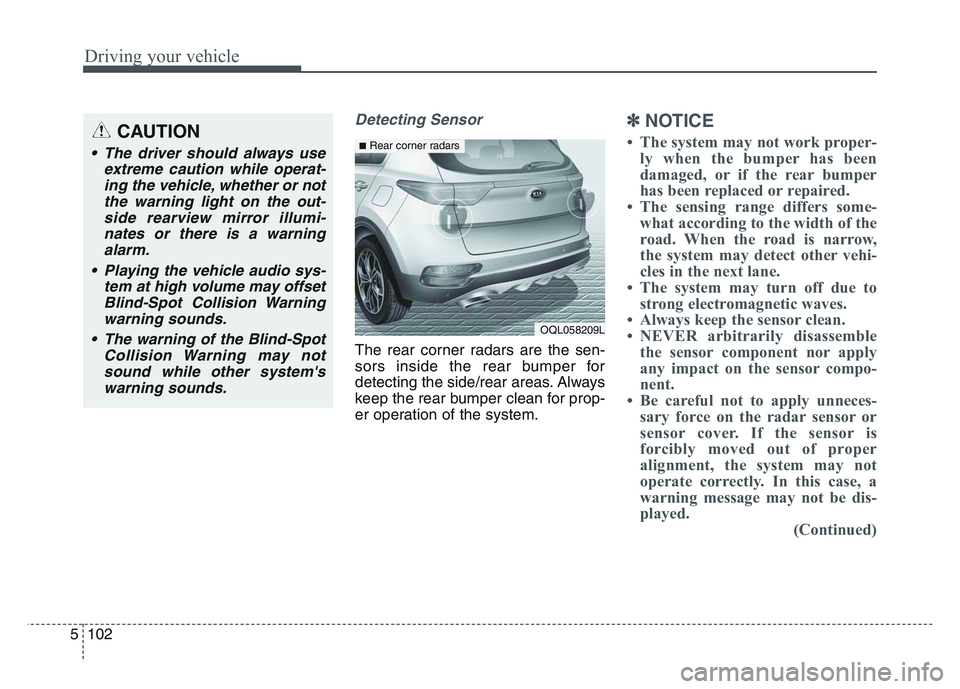
Detecting Sensor
The rear corner radars are the sen-
sors inside the rear bumper for
detecting the side/rear areas. Always
keep the rear bumper clean for prop-
er operation of the system.
✽NOTICE
• The system may not work proper-ly when the bumper has been
damaged, or if the rear bumper
has been replaced or repaired.
• The sensing range differs some- what according to the width of the
road. When the road is narrow,
the system may detect other vehi-
cles in the next lane.
• The system may turn off due to strong electromagnetic waves.
• Always keep the sensor clean.
• NEVER arbitrarily disassemble the sensor component nor apply
any impact on the sensor compo-
nent.
• Be careful not to apply unneces- sary force on the radar sensor or
sensor cover. If the sensor is
forcibly moved out of proper
alignment, the system may not
operate correctly. In this case, a
warning message may not be dis-
played. (Continued)CAUTION
• The driver should always use
extreme caution while operat-ing the vehicle, whether or notthe warning light on the out-side rearview mirror illumi-nates or there is a warningalarm.
• Playing the vehicle audio sys- tem at high volume may offsetBlind-Spot Collision Warningwarning sounds.
• The warning of the Blind-Spot Collision Warning may notsound while other system'swarning sounds.
OQL058209L
■Rear corner radars
Page 414 of 631
Driving your vehicle
1285
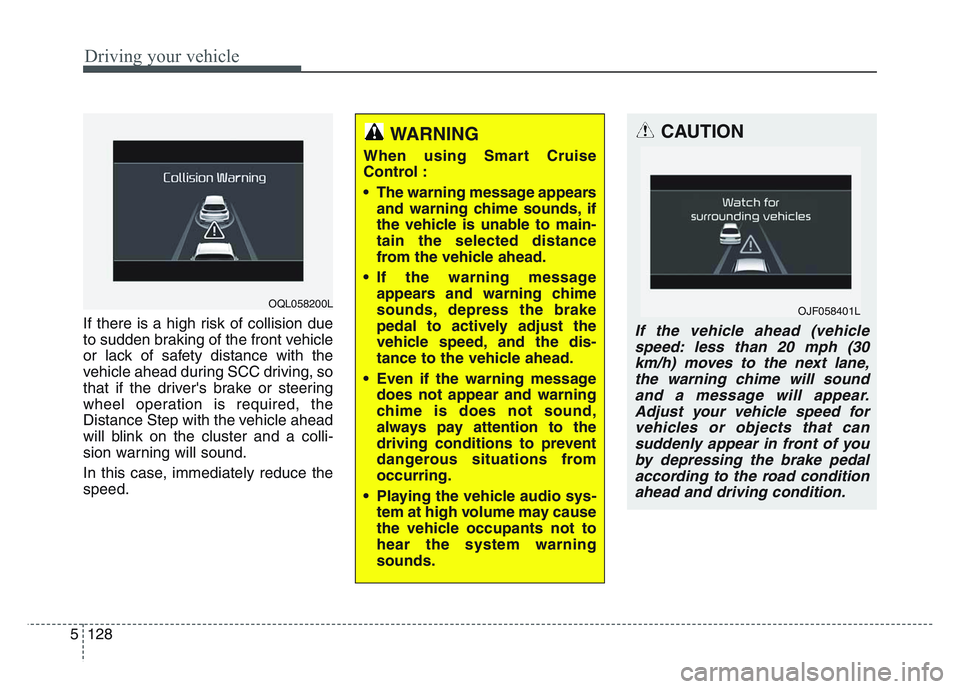
If there is a high risk of collision due
to sudden braking of the front vehicle
or lack of safety distance with the
vehicle ahead during SCC driving, so
that if the driver's brake or steering
wheel operation is required, the
Distance Step with the vehicle ahead
will blink on the cluster and a colli-
sion warning will sound.
In this case, immediately reduce the
speed.
CAUTION
If the vehicle ahead (vehiclespeed: less than 20 mph (30km/h) moves to the next lane,the warning chime will soundand a message will appear.Adjust your vehicle speed forvehicles or objects that cansuddenly appear in front of youby depressing the brake pedalaccording to the road conditionahead and driving condition.
OJF058401L
WARNING
When using Smart Cruise
Control :
• The warning message appears and warning chime sounds, if
the vehicle is unable to main-
tain the selected distance
from the vehicle ahead.
• If the warning message appears and warning chime
sounds, depress the brake
pedal to actively adjust the
vehicle speed, and the dis-
tance to the vehicle ahead.
• Even if the warning message does not appear and warning
chime is does not sound,
always pay attention to the
driving conditions to prevent
dangerous situations from
occurring.
• Playing the vehicle audio sys- tem at high volume may cause
the vehicle occupants not to
hear the system warning
sounds.
OQL058200L
Page 427 of 631
5 141
Driving your vehicle
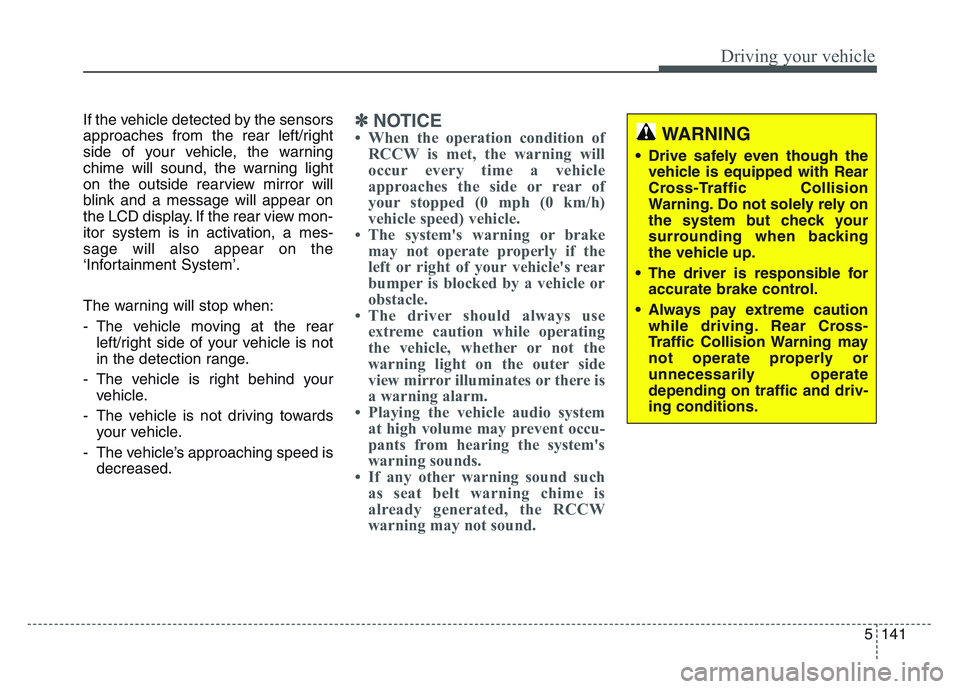
If the vehicle detected by the sensors
approaches from the rear left/right
side of your vehicle, the warning
chime will sound, the warning light
on the outside rearview mirror will
blink and a message will appear on
the LCD display. If the rear view mon-
itor system is in activation, a mes-
sage will also appear on the
‘Infortainment System’.
The warning will stop when:
- The vehicle moving at the rearleft/right side of your vehicle is not
in the detection range.
- The vehicle is right behind your vehicle.
- The vehicle is not driving towards your vehicle.
- The vehicle’s approaching speed is decreased.✽NOTICE
• When the operation condition ofRCCW is met, the warning will
occur every time a vehicle
approaches the side or rear of
your stopped (0 mph (0 km/h)
vehicle speed) vehicle.
• The system's warning or brake may not operate properly if the
left or right of your vehicle's rear
bumper is blocked by a vehicle or
obstacle.
• The driver should always use extreme caution while operating
the vehicle, whether or not the
warning light on the outer side
view mirror illuminates or there is
a warning alarm.
• Playing the vehicle audio system at high volume may prevent occu-
pants from hearing the system's
warning sounds.
• If any other warning sound such as seat belt warning chime is
already generated, the RCCW
warning may not sound.WARNING
• Drive safely even though the
vehicle is equipped with Rear
Cross-Traffic Collision
Warning. Do not solely rely on
the system but check your
surrounding when backing
the vehicle up.
• The driver is responsible for accurate brake control.
• Always pay extreme caution while driving. Rear Cross-
Traffic Collision Warning may
not operate properly or
unnecessarily operate
depending on traffic and driv-
ing conditions.
Page 559 of 631
Maintenance
627
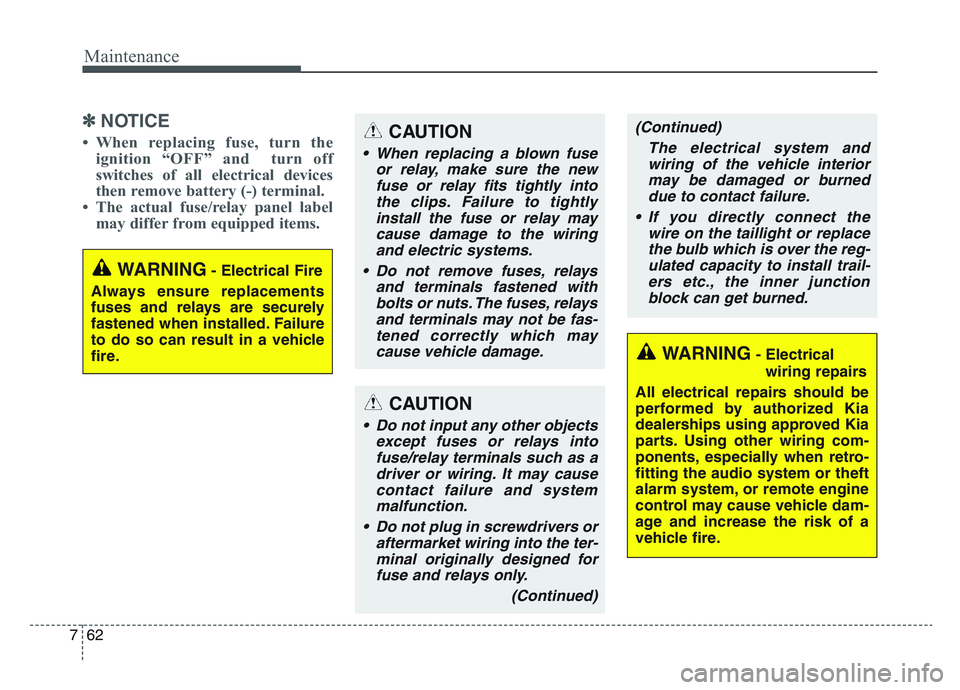
✽NOTICE
• When replacing fuse, turn theignition “OFF” and turn off
switches of all electrical devices
then remove battery (-) terminal.
• The actual fuse/relay panel label may differ from equipped items.
WARNING- Electrical Fire
Always ensure replacements
fuses and relays are securely
fastened when installed. Failure
to do so can result in a vehicle
fire.
WARNING- Electrical wiring repairs
All electrical repairs should be
performed by authorized Kia
dealerships using approved Kia
parts. Using other wiring com-
ponents, especially when retro-
fitting the audio system or theft
alarm system, or remote engine
control may cause vehicle dam-
age and increase the risk of a
vehicle fire.
CAUTION
• When replacing a blown fuse or relay, make sure the newfuse or relay fits tightly intothe clips. Failure to tightlyinstall the fuse or relay maycause damage to the wiringand electric systems.
• Do not remove fuses, relays and terminals fastened withbolts or nuts. The fuses, relaysand terminals may not be fas-tened correctly which maycause vehicle damage.
CAUTION
• Do not input any other objects except fuses or relays intofuse/relay terminals such as adriver or wiring. It may causecontact failure and systemmalfunction.
• Do not plug in screwdrivers or aftermarket wiring into the ter-minal originally designed forfuse and relays only.
(Continued)
(Continued)The electrical system andwiring of the vehicle interiormay be damaged or burneddue to contact failure.
• If you directly connect the wire on the taillight or replacethe bulb which is over the reg-ulated capacity to install trail-ers etc., the inner junctionblock can get burned.
Page 561 of 631
Maintenance
647
If you do not have a spare, use afuse of the same rating from a circuityou may not need for operating thevehicle, such as the power outletfuse.
If the head lamp, turn signal lamp,
stop signal lamp, fog lamp, DRL, tail
lamp, HMSL do not work and the
fuses are not blown, check the fuse
panel in the engine compartment. If a
fuse is blown, it must be replaced.
✽NOTICE
If the headlamp, fog lamp, turn sig-
nal lamp, or tail lamp malfunction
even without any problem to the
lamps, have the vehicle checked by
an authorized Kia dealer for assis-
tance.
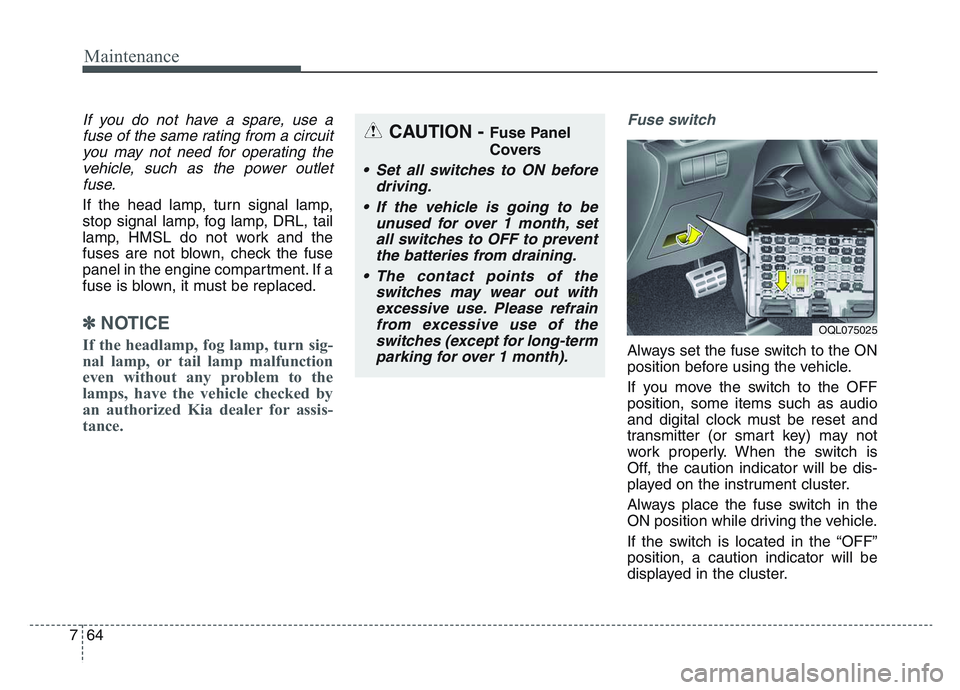
Fuse switch
Always set the fuse switch to the ON
position before using the vehicle.
If you move the switch to the OFF
position, some items such as audio
and digital clock must be reset and
transmitter (or smart key) may not
work properly. When the switch is
Off, the caution indicator will be dis-
played on the instrument cluster.
Always place the fuse switch in the
ON position while driving the vehicle.
If the switch is located in the “OFF”
position, a caution indicator will be
displayed in the cluster.
CAUTION - Fuse Panel
Covers
• Set all switches to ON before driving.
• If the vehicle is going to be unused for over 1 month, setall switches to OFF to preventthe batteries from draining.
• The contact points of the switches may wear out withexcessive use. Please refrainfrom excessive use of theswitches (except for long-termparking for over 1 month).
OQL075025
Page 565 of 631
Maintenance
687
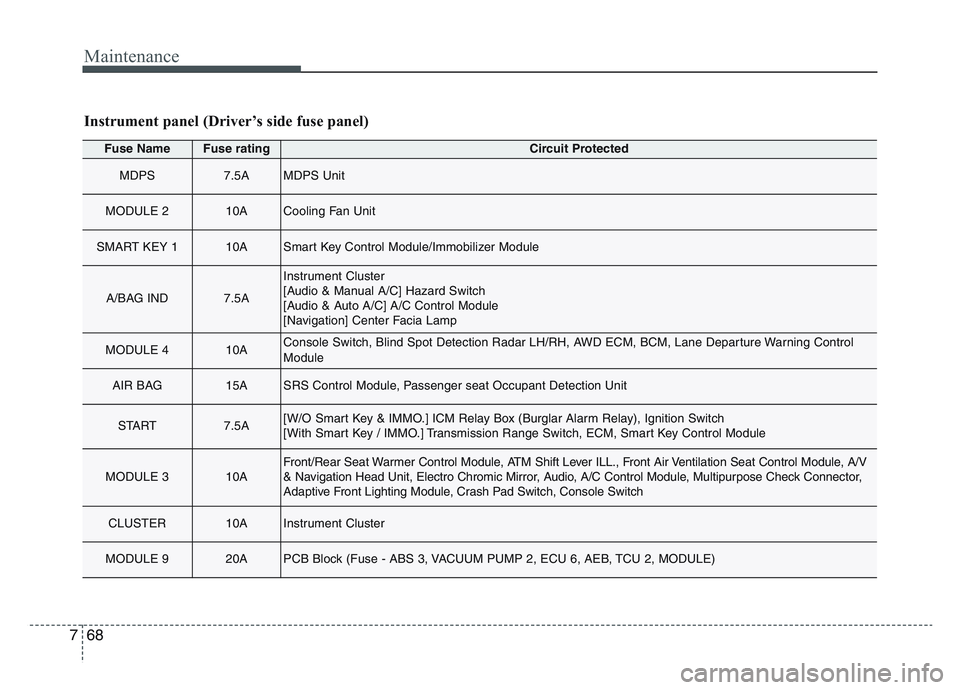
Fuse NameFuse ratingCircuit Protected
MDPS7.5AMDPS Unit
MODULE 210ACooling Fan Unit
SMART KEY 110ASmart Key Control Module/Immobilizer Module
A/BAG IND7.5A
Instrument Cluster
[Audio & Manual A/C] Hazard Switch
[Audio & Auto A/C] A/C Control Module
[Navigation] Center Facia Lamp
MODULE 410AConsole Switch, Blind Spot Detection Radar LH/RH, AWD ECM, BCM, Lane Departure Warning Control
Module
AIR BAG15ASRS Control Module, Passenger seat Occupant Detection Unit
START7.5A[W/O Smart Key & IMMO.] ICM Relay Box (Burglar Alarm Relay), Ignition Switch
[With Smart Key / IMMO.] Transmission Range Switch, ECM, Smart Key Control Module
MODULE 310AFront/Rear Seat Warmer Control Module, ATM Shift Lever ILL., Front Air Ventilation Seat Control Module, A/V
& Navigation Head Unit, Electro Chromic Mirror, Audio, A/C Control Module, Multipurpose Check Connector,
Adaptive Front Lighting Module, Crash Pad Switch, Console Switch
CLUSTER10AInstrument Cluster
MODULE 920APCB Block (Fuse - ABS 3, VACUUM PUMP 2, ECU 6, AEB, TCU 2, MODULE)
Instrument panel (Driver’s side fuse panel)
Page 567 of 631
Maintenance
707
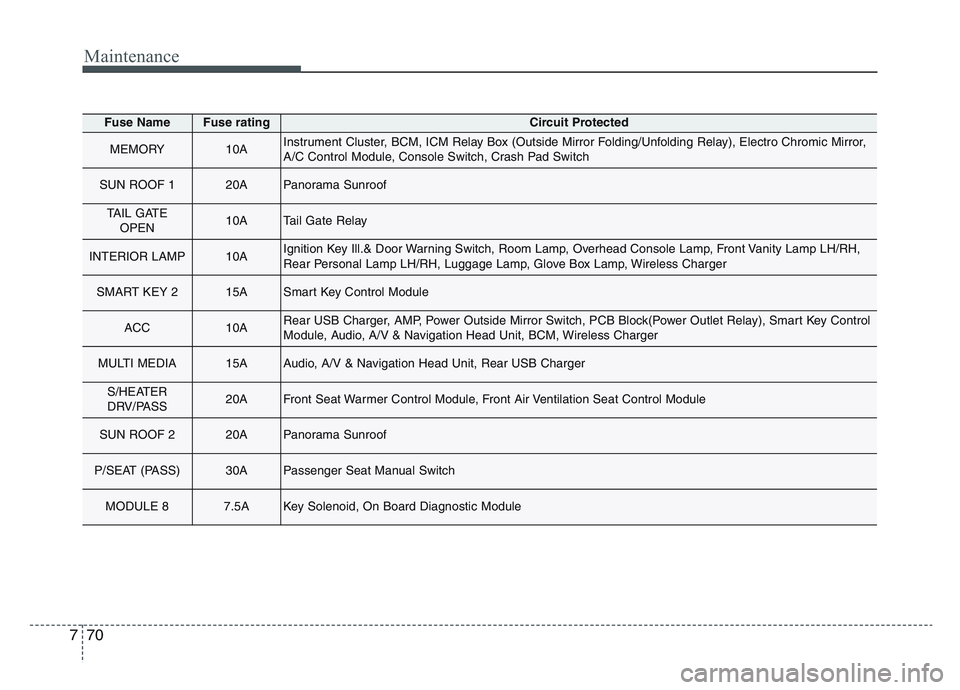
Fuse NameFuse ratingCircuit Protected
MEMORY10AInstrument Cluster, BCM, ICM Relay Box (Outside Mirror Folding/Unfolding Relay), Electro Chromic Mirror,
A/C Control Module, Console Switch, Crash Pad Switch
SUN ROOF 120APanorama Sunroof
TAIL GATEOPEN10ATail Gate Relay
INTERIOR LAMP10AIgnition Key Ill.& Door Warning Switch, Room Lamp, Overhead Console Lamp, Front Vanity Lamp LH/RH,
Rear Personal Lamp LH/RH, Luggage Lamp, Glove Box Lamp, Wireless Charger
SMART KEY 215ASmart Key Control Module
ACC10ARear USB Charger, AMP, Power Outside Mirror Switch, PCB Block(Power Outlet Relay), Smart Key Control
Module, Audio, A/V & Navigation Head Unit, BCM, Wireless Charger
MULTI MEDIA15AAudio, A/V & Navigation Head Unit, Rear USB Charger
S/HEATER
DRV/PASS20AFront Seat Warmer Control Module, Front Air Ventilation Seat Control Module
SUN ROOF 220APanorama Sunroof
P/SEAT (PASS)30APassenger Seat Manual Switch
MODULE 87.5AKey Solenoid, On Board Diagnostic Module
Page 618 of 631
Specifications, Consumer information, Reporting safety defects
168
The electrical system of your vehicle is designed to per-
form under all reasonably expected operating conditions.
However, before any additional electrical equipment is
installed in your vehicle, consult an Authorized Kia
Dealer, in order to ensure that you do not void your war-
ranty.
Certain electrical equipment, or the way in which it is
installed, may adversely affect the operation of your vehi-
cle, including such systems as the engine control system,
the audio system and the electrical charging system and
thus potentially void all or part of your warranty.
We assume no responsibility for any expense you may
incur or for any malfunction of your vehicle or any of its
components or systems that may result from the installa-
tion of additional electrical equipment that is not supplied,
or recommended for installation by, Kia.Installation of a mobile two-way radio system
If a mobile two-way radio system is installed improperly,
or if an excessively powerful type of system is used, other
electronic systems may be adversely affected. To avoid
damage to your vehicle, consult an Authorized Kia Dealer
concerning the proper equipment and installation.
Kia motor vehicles are designed and manufactured to
meet or exceed all applicable safety standards.
For your safety, however, we strongly urge you to read
and follow all directions in this Owner's Manual, particu-
larly the information under the headings "NOTICE",
"CAUTION" and "WARNING".
If, after reading this manual, you have any questions
regarding the operation of your vehicle, safety issues and
defects please contact your Kia's toll-free Consumer
Assistance hot line as below:
National Consumer Affairs Manager
Kia Motors America, Inc.
P.O. Box 52410
Irvine, CA 92619-2410
1-800-333-4Kia (4542)
ELECTRICAL EQUIPMENT (U.S. ONLY)