wheel KIA SPORTAGE 2021 Repair Manual
[x] Cancel search | Manufacturer: KIA, Model Year: 2021, Model line: SPORTAGE, Model: KIA SPORTAGE 2021Pages: 631, PDF Size: 10.56 MB
Page 377 of 631
5 91
Driving your vehicle
✽NOTICE
• The operation of the LKA can becanceled or not work properly
according to road condition and
surroundings. Always be cautious
when driving.
• Do not disassemble the front view camera temporarily for tinting
windows or attaching any types of
coatings and accessories.
Do not disassemble the camera.
take your vehicle to an authorized
Kia dealer and have the system
checked to need a calibration.
• When you replace the windshield glass, front view camera or parts
of the steering, take your vehicle
to an authorized Kia dealer and
have the system checked to need a
calibration. (Continued)(Continued)
• The system is designed to detect
lane markers using a front view
camera. If the lane markers are
hard to detect, then the system
may be limited. Always be cau-
tious when using the system.
• When the lane markers are hard to detect, please refer to “Driver’s
Attention”.
• Do not remove or damage the related parts of LKA.
• Do not place objects on the dash- board that reflects light such as
mirrors, white paper, etc. It may
cause malfunction of LKA if the
sunlight is reflected.
• You may not hear warning sound of LKA if the audio volume is
high. (Continued)(Continued)
• If you drive with your hands off
the steering wheel, LKA will stop
controlling the steering wheel
after the hands off alarm. If you
drive with your hands on the
steering wheel again, the control
will be activated again.
• If the vehicle speed is high, steer- ing torque for assistance will not
be enough to keep your vehicle
within the lane. If so, the vehicle
may move out of its lane. Obey
speed limit when using LKA.
• If you attach objects to the steer- ing wheel, the system may not
assist steering.
• If you attach objects to the steer- ing wheel, hands off alarm may
not work properly.
Page 379 of 631
5 93
Driving your vehicle
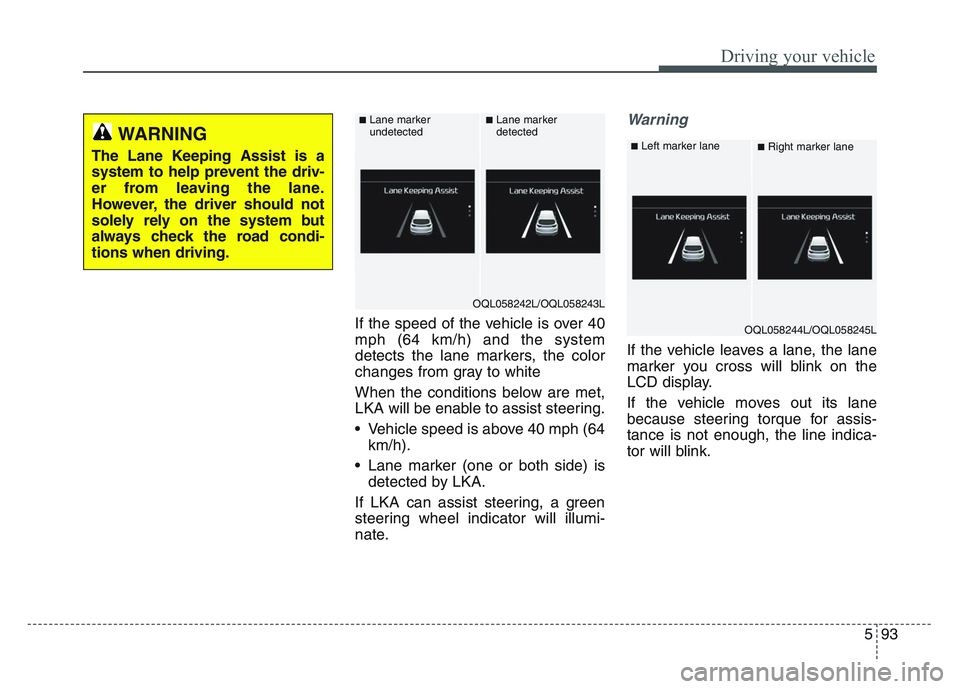
If the speed of the vehicle is over 40
mph (64 km/h) and the system
detects the lane markers, the color
changes from gray to white
When the conditions below are met,
LKA will be enable to assist steering.
• Vehicle speed is above 40 mph (64km/h).
• Lane marker (one or both side) is detected by LKA.
If LKA can assist steering, a green
steering wheel indicator will illumi-
nate.
Warning
If the vehicle leaves a lane, the lane
marker you cross will blink on the
LCD display.
If the vehicle moves out its lane
because steering torque for assis-
tance is not enough, the line indica-
tor will blink.
WARNING
The Lane Keeping Assist is a
system to help prevent the driv-
er from leaving the lane.
However, the driver should not
solely rely on the system but
always check the road condi-
tions when driving.
OQL058242L/OQL058243L
■Lane marker
undetected■Lane marker
detected
OQL058244L/OQL058245L
■Left marker lane■Right marker lane
Page 380 of 631
Driving your vehicle
945
• If all the conditions to activate LKAare not satisfied, the system will
convert to the Lane Departure
Warning (LDW) and warn the driv-
er only when the driver crosses the
lane markers. In this scenario,
LDW does not provide any steering
inputs into the vehicle for you.
Accordingly, you must take the
necessary steps to maintain con-
trol of the vehicle and keep it with-
in the lanes.
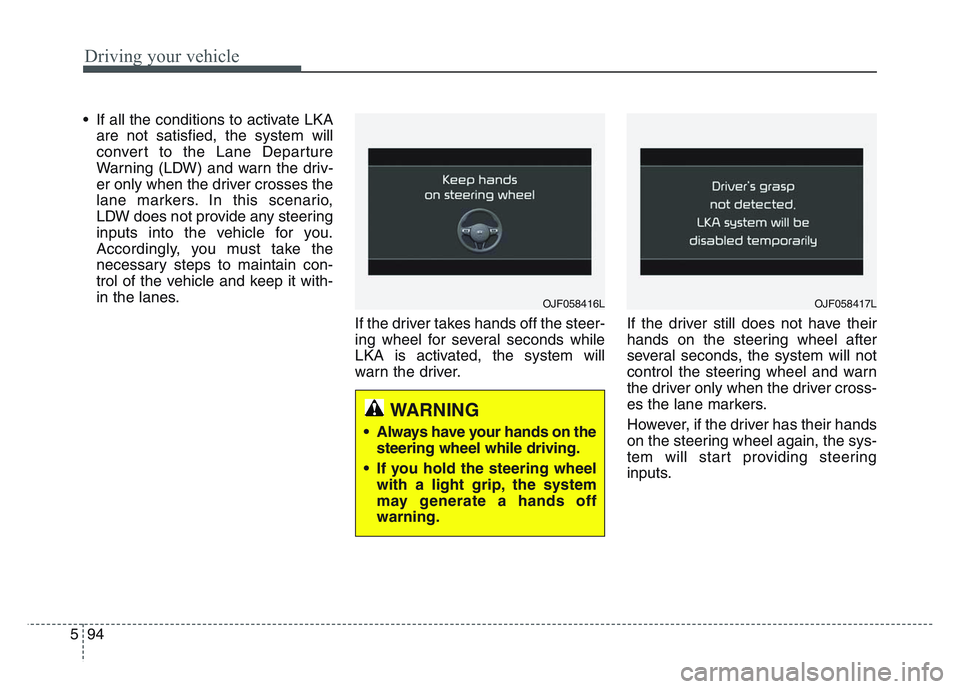
If the driver takes hands off the steer-
ing wheel for several seconds while
LKA is activated, the system will
warn the driver. If the driver still does not have their
hands on the steering wheel after
several seconds, the system will not
control the steering wheel and warn
the driver only when the driver cross-
es the lane markers.
However, if the driver has their hands
on the steering wheel again, the sys-
tem will start providing steering
inputs.
OJF058416L
WARNING
• Always have your hands on the
steering wheel while driving.
• If you hold the steering wheel with a light grip, the system
may generate a hands off
warning.
OJF058417L
Page 381 of 631
5 95
Driving your vehicle
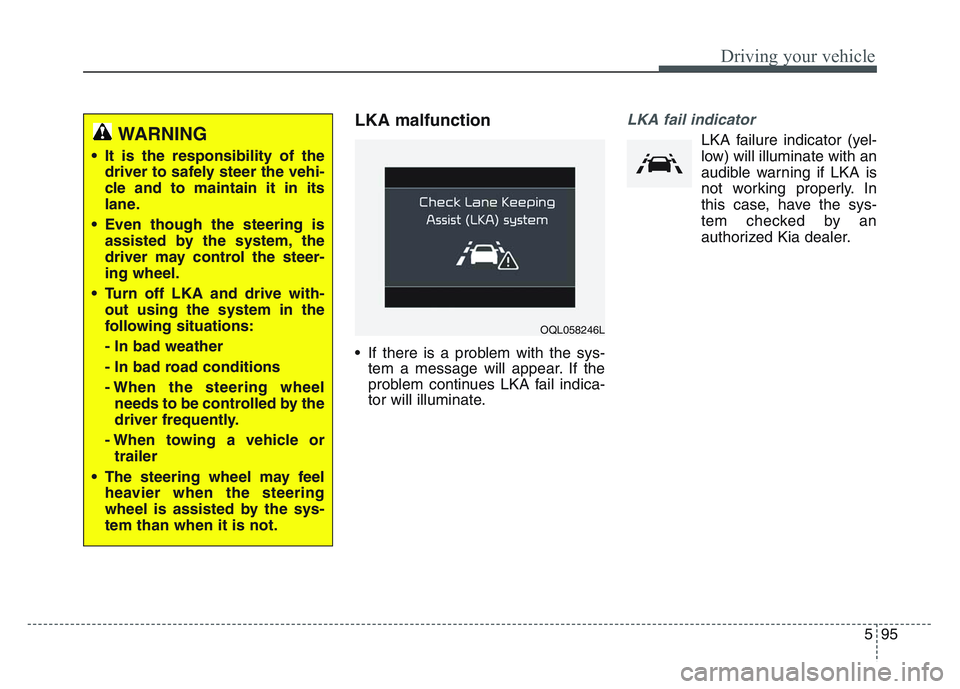
LKA malfunction
• If there is a problem with the sys-tem a message will appear. If the
problem continues LKA fail indica-
tor will illuminate.
LKA fail indicator
LKA failure indicator (yel-
low) will illuminate with an
audible warning if LKA is
not working properly. In
this case, have the sys-
tem checked by an
authorized Kia dealer.WARNING
• It is the responsibility of the driver to safely steer the vehi-
cle and to maintain it in its
lane.
• Even though the steering is assisted by the system, the
driver may control the steer-
ing wheel.
• Turn off LKA and drive with- out using the system in the
following situations:
- In bad weather
- In bad road conditions
- When the steering wheelneeds to be controlled by the
driver frequently.
- When towing a vehicle or trailer
• The steering wheel may feel heavier when the steering
wheel is assisted by the sys-
tem than when it is not.
OQL058246L
Page 382 of 631
Driving your vehicle
965
When there is a problem with the sys-
tem do one of the following:
• Turn the system on after turningthe engine off and on again.
• Check if the ignition switch is in the ON position.
• Check if the system is affected by the weather. (ex: fog, heavy rain,
etc.)
• Check if there is foreign matter covering the camera lens
If the problem is not solved, take your
vehicle to an authorized Kia dealer
and have the system checked.LKA system Function Change
The driver can change LKA to Lane
Departure Warning System (LDW
system) or change LKA mode
between Standard LKA and Active
LKA from the User Settings Mode on
the LCD display.
The driver can choose them by plac-
ing the ignition switch to the ON posi-
tion and by selecting ‘User Settings’,
‘Driver Assistance’, and ‘Lane
Keeping Assist’.
The system is automatically set to
Standard LKA.
Lane Departure
LDW alerts the driver with a visual
and acoustic warning when the sys-
tem detects the vehicle leaving the
lane. In this mode, the system will not
provide steering inputs. When the
vehicle’s front wheel contacts the
inside edge of lane line, LKA issues
the lane departure warning.
Standard LKA
The Standard LKA mode guides the
driver to keep the vehicle within the
lanes. It provides steering inputs
when the vehicle is about to deviate
from the lanes.
Active LKA
The active LKA mode provides more
frequent steering inputs in compari-
son with the Standard LKA mode.
Page 383 of 631
5 97
Driving your vehicle
The system will be cancelled when:
• You change lanes with the turn sig-nal.
- Using the turn signal to changelanes.
- If you change lanes without the turn signal on, the steering wheel
might be controlled.
• LKA can transit to steering assist mode when the car is near to mid-
dle of the lane after system on or
the lane was changed. LKA cannot
assist steering if the vehicle follows
a lane marker too closely.
• The control of ESC (Electronic Stability Control) or VSM (Vehicle
Stability Management) is activated.
• The steering will not be assisted when you drive fast on a sharp
curve. • The steering will not be assisted
when vehicle speed is below 40
mph (64 km/h) and over 110 mph
(177 km/h). Always obey all traffic
laws and drive safely.
• The steering will not be assisted when you change lanes quickly.
• The steering will not be assisted when you brake suddenly.
• The steering will not be assisted when the lane is very wide or nar-
r ow.
• The steering will not be assisted when only one side lane marker is
detected.
• There are more than two lane markers such as a construction
area.
• Radius of a curve is too small.
• When you turn steering wheel sud- denly, the LKA will be disabled
temporarily.
• Driving on a steep slope or hill.DRIVER’S ATTENTION
The driver must be cautious in the
following situations because the sys-
tem may be limited when recogni-
tion of the lane marker is poor or
limited :
When lane and road condition is poor
• It is difficult to distinguish the lane marker from road when the lane
marker is covered with dust or
sand.
• It is difficult to distinguish the color of the lane marker from
road.
• There is something that resembles a lane marker.
• The lane marker is indistinct or damaged.
• The number of lanes increases/ decreases or the lane lines are
crossing (Driving through a toll
plaza/toll gate, merged/divided
lane).
• There are more than two lane markers.
• The lane marker is very thick or thin. (Continued)
Page 401 of 631
5 115
Driving your vehicle
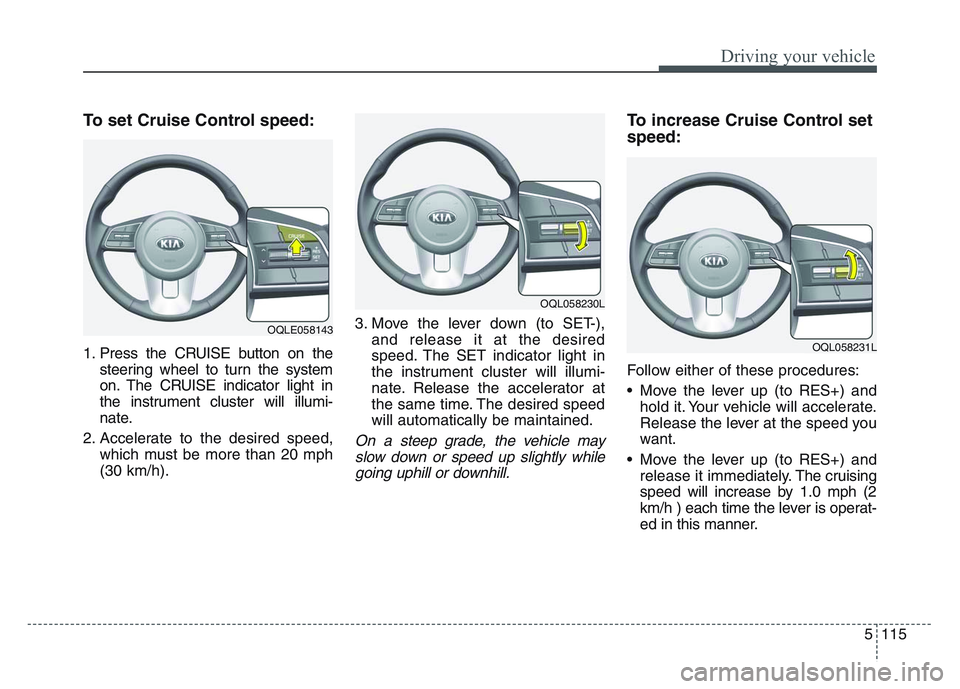
To set Cruise Control speed:
1. Press the CRUISE button on thesteering wheel to turn the system
on. The CRUISE indicator light in
the instrument cluster will illumi-
nate.
2. Accelerate to the desired speed, which must be more than 20 mph
(30 km/h). 3. Move the lever down (to SET-),
and release it at the desired
speed. The SET indicator light in
the instrument cluster will illumi-
nate. Release the accelerator at
the same time. The desired speed
will automatically be maintained.
On a steep grade, the vehicle mayslow down or speed up slightly whilegoing uphill or downhill.
To increase Cruise Control set
speed:
Follow either of these procedures:
• Move the lever up (to RES+) and hold it. Your vehicle will accelerate.
Release the lever at the speed you
want.
• Move the lever up (to RES+) and release it immediately. The cruising
speed will increase by 1.0 mph (2
km/h ) each time the lever is operat-
ed in this manner.
OQLE058143
OQL058230L
OQL058231L
Page 408 of 631
Driving your vehicle
1225
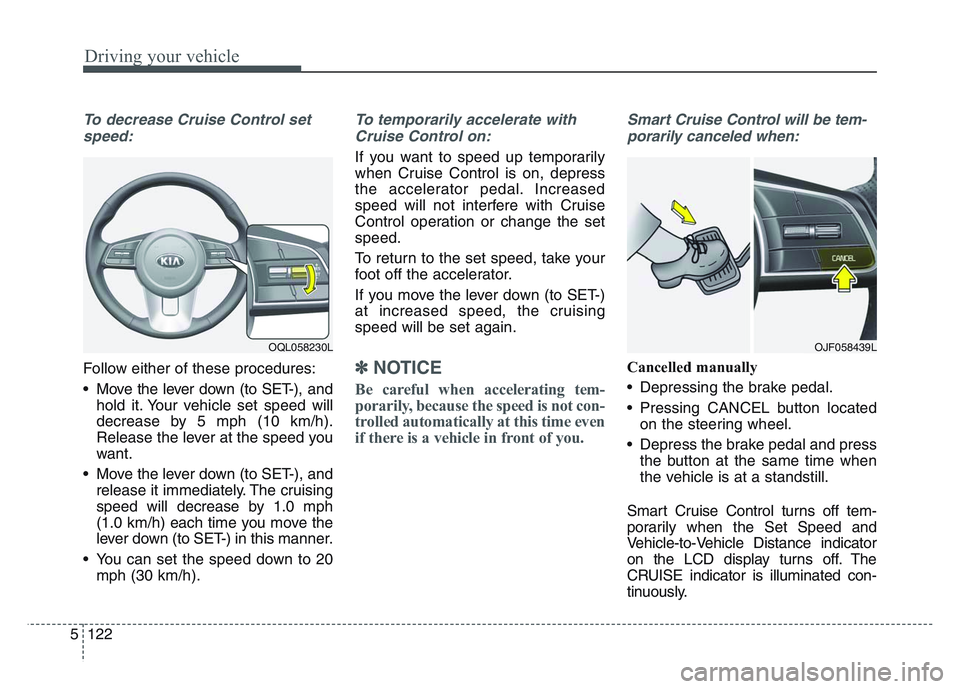
To decrease Cruise Control setspeed:
Follow either of these procedures:
• Move the lever down (to SET-), and hold it. Your vehicle set speed will
decrease by 5 mph (10 km/h).
Release the lever at the speed you
want.
• Move the lever down (to SET-), and release it immediately. The cruising
speed will decrease by 1.0 mph
(1.0 km/h) each time you move the
lever down (to SET-) in this manner.
• You can set the speed down to 20 mph (30 km/h).
To temporarily accelerate with
Cruise Control on:
If you want to speed up temporarily
when Cruise Control is on, depress
the accelerator pedal. Increased
speed will not interfere with Cruise
Control operation or change the set
speed.
To return to the set speed, take your
foot off the accelerator.
If you move the lever down (to SET-)
at increased speed, the cruising
speed will be set again.
✽NOTICE
Be careful when accelerating tem-
porarily, because the speed is not con-
trolled automatically at this time even
if there is a vehicle in front of you.
Smart Cruise Control will be tem-porarily canceled when:
Cancelled manually
• Depressing the brake pedal.
• Pressing CANCEL button located on the steering wheel.
• Depress the brake pedal and press the button at the same time when
the vehicle is at a standstill.
Smart Cruise Control turns off tem-
porarily when the Set Speed and
Vehicle-to-Vehicle Distance indicator
on the LCD display turns off. The
CRUISE indicator is illuminated con-
tinuously.
OJF058439LOQL058230L
Page 414 of 631
Driving your vehicle
1285
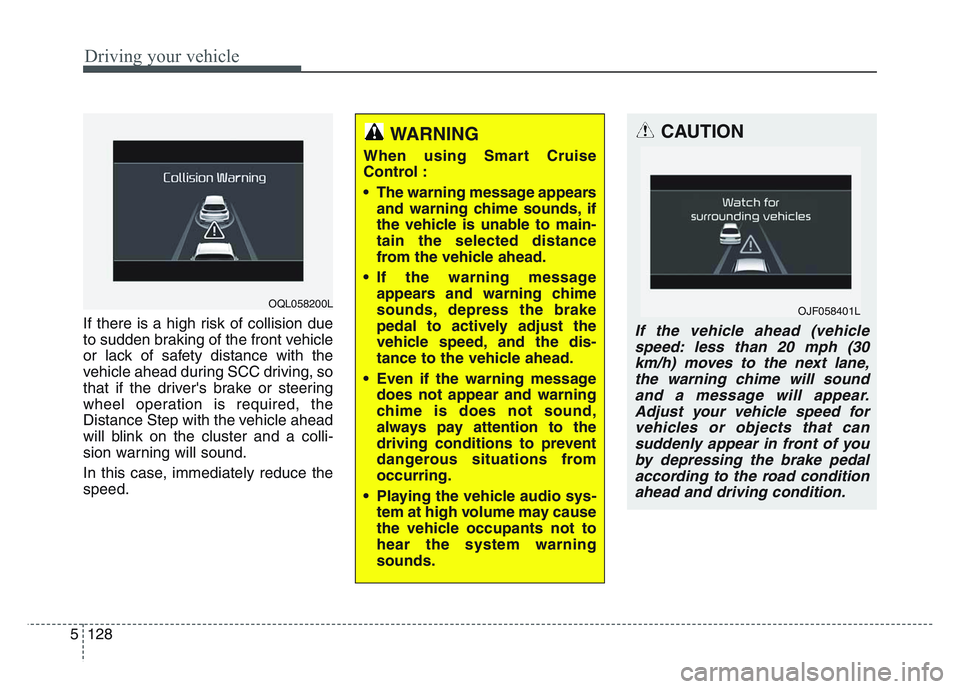
If there is a high risk of collision due
to sudden braking of the front vehicle
or lack of safety distance with the
vehicle ahead during SCC driving, so
that if the driver's brake or steering
wheel operation is required, the
Distance Step with the vehicle ahead
will blink on the cluster and a colli-
sion warning will sound.
In this case, immediately reduce the
speed.
CAUTION
If the vehicle ahead (vehiclespeed: less than 20 mph (30km/h) moves to the next lane,the warning chime will soundand a message will appear.Adjust your vehicle speed forvehicles or objects that cansuddenly appear in front of youby depressing the brake pedalaccording to the road conditionahead and driving condition.
OJF058401L
WARNING
When using Smart Cruise
Control :
• The warning message appears and warning chime sounds, if
the vehicle is unable to main-
tain the selected distance
from the vehicle ahead.
• If the warning message appears and warning chime
sounds, depress the brake
pedal to actively adjust the
vehicle speed, and the dis-
tance to the vehicle ahead.
• Even if the warning message does not appear and warning
chime is does not sound,
always pay attention to the
driving conditions to prevent
dangerous situations from
occurring.
• Playing the vehicle audio sys- tem at high volume may cause
the vehicle occupants not to
hear the system warning
sounds.
OQL058200L
Page 434 of 631
Driving your vehicle
1485
Your vehicle's fuel economy depends
mainly on your style of driving, where
you drive and when you drive.
Each of these factors affects how
many miles (kilometers) you can get
from a gallon (liter) of fuel. To operate
your vehicle as economically as pos-
sible, use the following driving sug-
gestions to help save money in both
fuel and repairs:
• Drive smoothly. Accelerate at amoderate rate. Don't make "jack-
rabbit" starts or full-throttle shifts
and maintain a steady cruising
speed. Don't race between stop-
lights. Try to adjust your speed to
the traffic so you don't have to
change speeds unnecessarily.
Avoid heavy traffic whenever pos-
sible. Always maintain a safe dis-
tance from other vehicles so you
can avoid unnecessary braking.
This also reduces brake wear.
• Drive at a moderate speed. The faster you drive, the more fuel your
vehicle uses. Driving at a moderate
speed, especially on the highway,
is one of the most effective ways to
reduce fuel consumption. • Don't "ride" the brake pedal. This
can increase fuel consumption and
also increase wear on these com-
ponents. In addition, driving with
your foot resting on the brake pedal
may cause the brakes to overheat,
which reduces their effectiveness
and may lead to more serious con-
sequences.
• Take care of your tires. Keep them inflated to the recommended pres-
sure. Incorrect inflation, either too
much or too little, results in unnec-
essary tire wear. Check the tire
pressures at least once a month.
• Be sure that the wheels are aligned correctly. Improper align-
ment can result from hitting curbs
or driving too fast over irregular
surfaces. Poor alignment causes
faster tire wear and may also result
in other problems as well as
greater fuel consumption. • Keep your vehicle in good condi-
tion. For better fuel economy and
reduced maintenance costs, main-
tain your vehicle in accordance
with the maintenance schedule in
chapter 7. If you drive your vehicle
in severe conditions, more frequent
maintenance is required (see
chapter 7 for details).
• Keep your vehicle clean. For maxi- mum service, your vehicle should
be kept clean and free of corrosive
materials. It is especially important
that mud, dirt, ice, etc. not be
allowed to accumulate on the
underside of the vehicle. This extra
weight can result in increased fuel
consumption and also contribute to
corrosion.
• Travel lightly. Don't carry unneces- sary weight in your vehicle. Weight
reduces fuel economy.
• Don't let the engine idle longer than necessary. If you are waiting
(and not in traffic), turn off your
engine and restart only when
you're ready to go.
ECONOMICAL OPERATION