starting KIA STINGER 2019 User Guide
[x] Cancel search | Manufacturer: KIA, Model Year: 2019, Model line: STINGER, Model: KIA STINGER 2019Pages: 555, PDF Size: 13.49 MB
Page 258 of 555
55
Driving your vehicle
Before entering vehicle
• Be sure that all windows, outsidemirror(s), and outside lights are
clean.
Check the condition of the tires.
Check under the vehicle for any sign of leaks.
Be sure there are no obstacles behind you if you intend to back up.
Necessary inspections
Fluid levels, such as engine oil,
engine coolant, brake fluid, and
washer fluid should be checked on a
regular basis, at the exact interval
depending on the fluid. Further
details are provided in chapter 7,
“Maintenance”.
Before starting
Close and lock all doors.
Position the seat so that all con-trols are easily reached.
Buckle your seat belt.
Adjust the inside and outside rearview mirrors.
Be sure that all lights work.
Check all gauges.
Check the operation of warning lights when the ignition switch is
turned to the ON position.
Release the parking brake and make sure the brake warning light
goes out.
For safe operation, be sure you are
familiar with your vehicle and its
equipment.
BEFORE DRIVING
WARNING - Distracted driving
Focus on the road while driving.
The driver's primary responsi-
bility is in the safe and legal
operation of the vehicle. Use of
any handled devices, other
equipment or vehicle systems
that distract the driver should
not be used during vehicle
operation.
Page 261 of 555
Driving your vehicle
85
ON
Press the engine start/stop button
while it is in the ACC position without
depressing the brake pedal.
The warning lights can be checked
before the engine is started. Do not
leave the engine start/stop button in
the ON position for an extended peri-
od of time. The battery may dis-
charge, because the engine is not
running.
START/RUN
To start the engine, depress the
brake pedal and press the ENGINE
START/STOP button with the shift
lever in the P (Park) or the N
(Neutral) position. For your safety,
start the engine with the shift lever in
the P (Park) position.
If you press the engine start/stop but-
ton without depressing the brake
pedal, the engine will not start and the
engine start/stop button changes as
follow:
OFF ➔ACC ➔ON ➔OFF or ACC
✽ ✽
NOTICE
If you leave the ENGINE
START/STOP button in the ACC or
ON position for an extended period
of time, the battery will discharge.
WARNING- Starting
vehicle
Never press the engine
start/stop button while the vehi-
cle is in motion except in an
emergency. This would result in
loss of directional control and
braking function, which could
cause an accident.
Page 262 of 555
59
Driving your vehicle
Starting the engine with a
smart key
1.Carry the smart key or place itinside the vehicle.
2.Make sure the parking brake is firmly applied
3.Place the shift lever in P (Park). Depress the brake pedal fully.
You can also start the engine whenthe shift lever is in the N (Neutral)position.
4.Press the engine start/stop button while depressing the brake pedal.
5.Do not wait for the engine to warm up while the vehicle remains sta-
tionary.
Start driving at moderate engine
speeds. (Steep accelerating and
decelerating should be avoided.) Even if the smart key is in the vehi-
cle, if it is position far away from
you, the engine may not start.
When the ENGINE START/STOP button is in the ACC or ON position
and any door is opened, the sys-
tem checks for the presents of the
smart key. If the smart key is not in
the vehicle, a message “key is not
in the vehicle” will appear on the
LCD display. And if all doors are
closed, the chime will sound for 5
seconds. The indicator or warning
will turn off while the vehicle is
moving. Always have the smart key
with you.
WARNING - Unintended
vehicle movement
Never leave the smart key in the
vehicle with children or vehicle
occupants who are unfamiliar
with the vehicle operation.
Pushing the engine start/stop
button while the smart key is in
the vehicle may result in unin-
tended engine activation and/or
unintended vehicle movement.
Page 263 of 555
Driving your vehicle
10
5
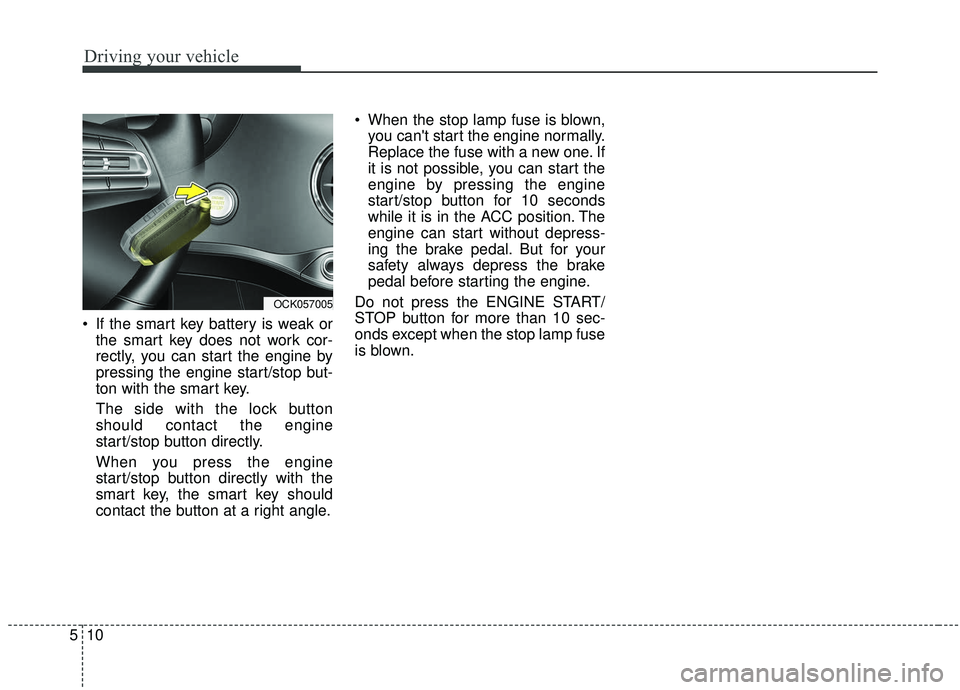
If the smart key battery is weak or
the smart key does not work cor-
rectly, you can start the engine by
pressing the engine start/stop but-
ton with the smart key.
The side with the lock button
should contact the engine
start/stop button directly.
When you press the engine
start/stop button directly with the
smart key, the smart key should
contact the button at a right angle. When the stop lamp fuse is blown,
you can't start the engine normally.
Replace the fuse with a new one. If
it is not possible, you can start the
engine by pressing the engine
start/stop button for 10 seconds
while it is in the ACC position. The
engine can start without depress-
ing the brake pedal. But for your
safety always depress the brake
pedal before starting the engine.
Do not press the ENGINE START/
STOP button for more than 10 sec-
onds except when the stop lamp fuse
is blown.
OCK057005
Page 279 of 555
Driving your vehicle
26
5
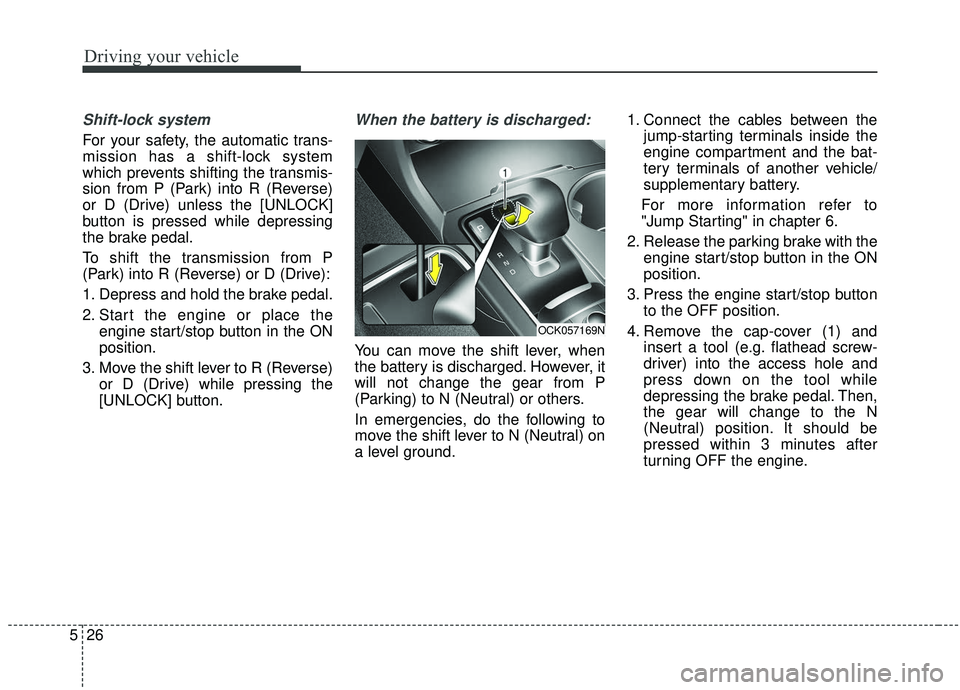
Shift-lock system
For your safety, the automatic trans-
mission has a shift-lock system
which prevents shifting the transmis-
sion from P (Park) into R (Reverse)
or D (Drive) unless the [UNLOCK]
button is pressed while depressing
the brake pedal.
To shift the transmission from P
(Park) into R (Reverse) or D (Drive):
1. Depress and hold the brake pedal.
2. Start the engine or place the
engine start/stop button in the ON
position.
3. Move the shift lever to R (Reverse) or D (Drive) while pressing the
[UNLOCK] button.
When the battery is discharged:
You can move the shift lever, when
the battery is discharged. However, it
will not change the gear from P
(Parking) to N (Neutral) or others.
In emergencies, do the following to
move the shift lever to N (Neutral) on
a level ground. 1. Connect the cables between the
jump-starting terminals inside the
engine compartment and the bat-
tery terminals of another vehicle/
supplementary battery.
For more information refer to
"Jump Starting" in chapter 6.
2. Release the parking brake with the engine start/stop button in the ON
position.
3. Press the engine start/stop button to the OFF position.
4. Remove the cap-cover (1) and insert a tool (e.g. flathead screw-
driver) into the access hole and
press down on the tool while
depressing the brake pedal. Then,
the gear will change to the N
(Neutral) position. It should be
pressed within 3 minutes after
turning OFF the engine.
OCK057169N
Page 289 of 555
Driving your vehicle
36
5
❈ If the front radar for smart cruise
system cannot operate normally,
the inter-vehicle distance and rela-
tive speed condition are automati-
cally ignored.
❈ The Eco-Coasting system works
after the engine is turned on, the
transmission is warmed up, and
the engine sensor selfdiagnosis is
completed after starting.
❈ Depending on the driving situa-
tion, Eco-Coasting operation may
be temporarily delayed even if the
above conditions are met.The Eco-Coasting system
release conditions
The Eco-Coasting system will be
automatically released when the fol-
lowing conditions are met.
When the drive mode is COM-
FORT or SPORT mode.
In SMART mode, when driver acceleration is SMART COMFORT
or SMART SPORT.
When using the paddle shift of the steering wheel.
When the Cruise Control/Smart Cruise Control button is on (The /CRUISE indicator is on.).
When pressing the accelerator pedal or brake pedal.
When the vehicle speed is outside the rage of 55 km/h (34 mph) to
160 km/h (100 mph).
Road inclination is less than -5% or exceeds +5%.
In SMART mode, if the headway distance to the vehicle ahead is too
close of the relative speed
changes momentarily (if the smart
cruise control system is equipped) If lane change is predicated in
SMART mode (LKA warning by
turn signal lamp operation or steer-
ing wheel).
❈ It is recommended to turn off the
Eco-Coasting system in the driv-
ing condition where frequent
acceleration or deceleration is
repeated.
Change the drive mode to COM-
FORT or SPORT mode, or disable
Eco-Coasting mode on the AVN
screen.
Page 292 of 555
539
Driving your vehicle
✽ ✽NOTICE
When using Snow Tires, mount
them on all four wheels.
For more information on Snow
Tires, refer to "Winter Driving" in
this chapter.
Driving up or down hills
Driving uphill
- Before starting off, check if it ispossible to drive uphill.
- Drive as straight as possible.
Driving downhill - Do not change gear while drivingdownhill. Select gear before driv-
ing downhill.
- Drive slowly using engine braking while driving downhill.
- Drive as straight as possible.Emergency precautions
Tires
When replacing the tires, be sure to
equip all four tires with the tire and
wheel of the same size, type, tread,
brand and load-carrying capacity.
In case of emergency such as tire
puncture, repair it using TMK (Tire
Mobility Kit) for temporary use.
Afterwards, have the tire be inspect-
ed by an authorized Kia dealer.WARNING
Exercise extreme caution driv-
ing up or down steep hills. The
vehicle's tires could lose trac-
tion depending on the grade,
terrain and water/mud condi-
tions.
WARNING
Do not use tires and wheels of a
different size and type than the
ones originally installed on your
vehicle. It can affect the safety
and performance of your vehi-
cle, which could lead to
increased steering difficulty or
rollover causing serious injury.
Page 312 of 555
559
Driving your vehicle
ESC operation
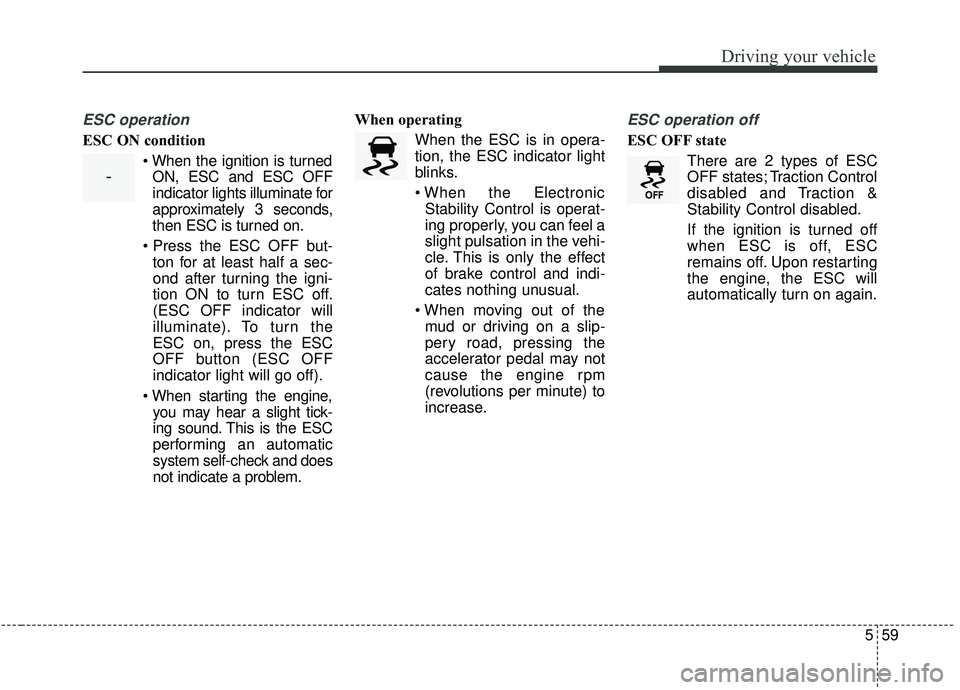
ESC ON condition When the ignition is turnedON, ESC and ESC OFF
indicator lights illuminate for
approximately 3 seconds,
then ESC is turned on.
ton for at least half a sec-
ond after turning the igni-
tion ON to turn ESC off.
(ESC OFF indicator will
illuminate). To turn the
ESC on, press the ESC
OFF button (ESC OFF
indicator light will go off).
you may hear a slight tick-
ing sound. This is the ESC
performing an automatic
system self-check and does
not indicate a problem. When operating
When the ESC is in opera-
tion, the ESC indicator light
blinks.
Stability Control is operat-
ing properly, you can feel a
slight pulsation in the vehi-
cle. This is only the effect
of brake control and indi-
cates nothing unusual.
mud or driving on a slip-
pery road, pressing the
accelerator pedal may not
cause the engine rpm
(revolutions per minute) to
increase.
ESC operation off
ESC OFF state
There are 2 types of ESC
OFF states; Traction Control
disabled and Traction &
Stability Control disabled.
If the ignition is turned off
when ESC is off, ESC
remains off. Upon restarting
the engine, the ESC will
automatically turn on again.
-
Page 316 of 555
563
Driving your vehicle
Malfunction indicator
The VSM can be deactivated even if
you don’t cancel the VSM operation
by pressing the ESC OFF button. It
indicates that a malfunction has
been detected somewhere in the
Electric Power Steering system or
VSM system. If the ESC indicator
light ( ) or EPS warning light
remains on, take your vehicle to an
authorized Kia dealer and have the
system checked.
✽ ✽NOTICE
• The VSM is designed to function
above approximately 22 km/h (13
mph) on curves.
• The VSM is designed to function above approximately 10 km/h (6
mph) when a vehicle is braking on
a split-mu surface. A split-mu sur-
face is made of two surfaces which
have different friction forces.
The Vehicle Stability Management
system is not a substitute for safe
driving practices but a supplemen-
tary function only. It is the respon-
sibility of the driver to always check
the speed and the distance to the
vehicle ahead. Always hold the
steering wheel firmly while driving.
Your vehicle is designed to activate according to the driver’s intention,
even with installed VSM. Always fol-
low all the normal precautions for
driving at safe speeds for the condi-
tions - including driving in inclement
weather and on a slippery road.Hill-start assist control (HAC)
A vehicle has the tendency to roll
back on a steep hill when it starts to
go after stopping. The Hill-start
Assist Control (HAC) prevents the
vehicle from rolling back by applying
the brakes automatically for about 2
seconds. The brakes are released
when the accelerator pedal is
depressed or after about 2 seconds.
The HAC is activated only for about 2
seconds, so when the vehicle is
starting off always depress the accel-
erator pedal.
WARNIN
For maximum protection, always
wear your seat belt. No system,
no matter how advanced, can
compensate for all driver error
and/or driving conditions.
Always drive responsibly.
Page 333 of 555
Driving your vehicle
80
5
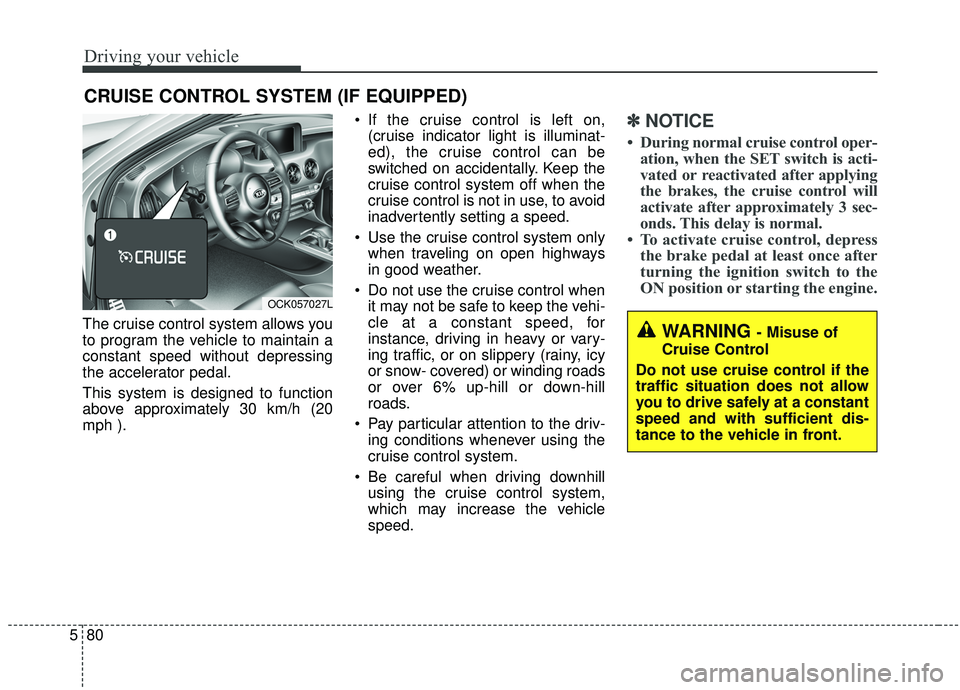
The cruise control system allows you
to program the vehicle to maintain a
constant speed without depressing
the accelerator pedal.
This system is designed to function
above approximately 30 km/h (20
mph ). If the cruise control is left on,
(cruise indicator light is illuminat-
ed), the cruise control can be
switched on accidentally. Keep the
cruise control system off when the
cruise control is not in use, to avoid
inadvertently setting a speed.
Use the cruise control system only when traveling on open highways
in good weather.
Do not use the cruise control when it may not be safe to keep the vehi-
cle at a constant speed, for
instance, driving in heavy or vary-
ing traffic, or on slippery (rainy, icy
or snow- covered) or winding roads
or over 6% up-hill or down-hill
roads.
Pay particular attention to the driv- ing conditions whenever using the
cruise control system.
Be careful when driving downhill using the cruise control system,
which may increase the vehicle
speed.
✽ ✽ NOTICE
• During normal cruise control oper-
ation, when the SET switch is acti-
vated or reactivated after applying
the brakes, the cruise control will
activate after approximately 3 sec-
onds. This delay is normal.
• To activate cruise control, depress the brake pedal at least once after
turning the ignition switch to the
ON position or starting the engine.
CRUISE CONTROL SYSTEM (IF EQUIPPED)
WARNING - Misuse of
Cruise Control
Do not use cruise control if the
traffic situation does not allow
you to drive safely at a constant
speed and with sufficient dis-
tance to the vehicle in front.
OCK057027L