cruise control KIA STINGER 2019 Owner's Manual
[x] Cancel search | Manufacturer: KIA, Model Year: 2019, Model line: STINGER, Model: KIA STINGER 2019Pages: 555, PDF Size: 13.49 MB
Page 341 of 555
Driving your vehicle
88
5
To temporarily accelerate with the
cruise control on:
If you want to speed up temporarily
when the cruise control is on,
depress the accelerator pedal.
Increased speed will not interfere
with cruise control operation or
change the set speed.
To return to the set speed, take your
foot off the accelerator.
If you move the lever down (to SET-)
at increased speed, the cruising
speed will be set again.
✽ ✽ NOTICE
Be careful when accelerating tem-
porarily, because the speed is not
regulated automatically at this time
even if there is a vehicle in front of
you.
Smart cruise control system will
be temporarily canceled when:
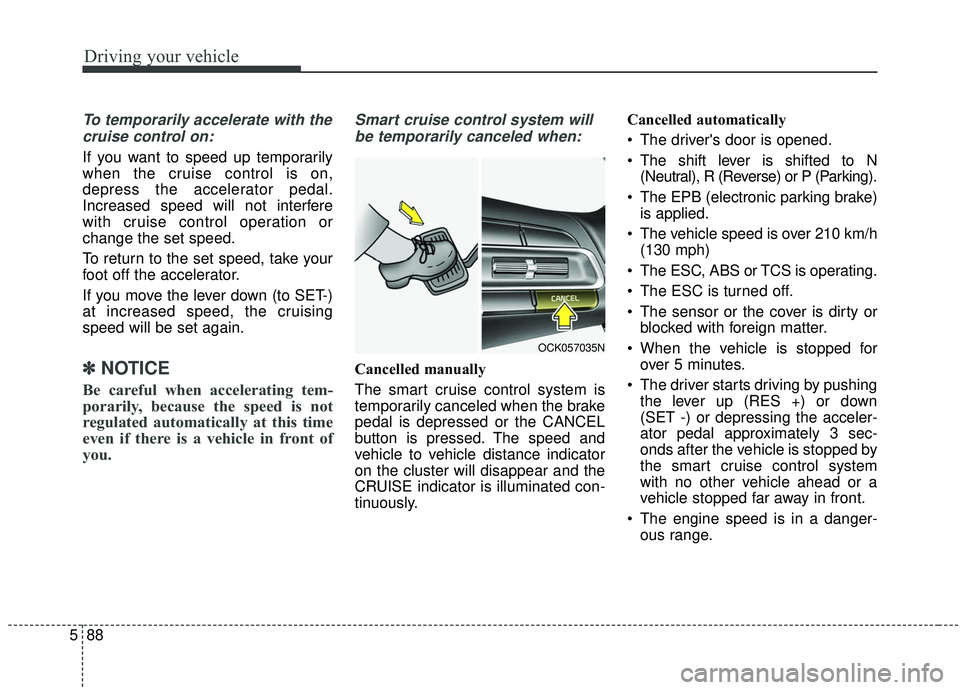
Cancelled manually
The smart cruise control system is
temporarily canceled when the brake
pedal is depressed or the CANCEL
button is pressed. The speed and
vehicle to vehicle distance indicator
on the cluster will disappear and the
CRUISE indicator is illuminated con-
tinuously. Cancelled automatically
The driver's door is opened.
The shift lever is shifted to N
(Neutral), R (Reverse) or P (Parking).
The EPB (electronic parking brake) is applied.
The vehicle speed is over 210 km/h (130 mph)
The ESC, ABS or TCS is operating.
The ESC is turned off.
The sensor or the cover is dirty or blocked with foreign matter.
When the vehicle is stopped for over 5 minutes.
The driver starts driving by pushing the lever up (RES +) or down
(SET -) or depressing the acceler-
ator pedal approximately 3 sec-
onds after the vehicle is stopped by
the smart cruise control system
with no other vehicle ahead or a
vehicle stopped far away in front.
The engine speed is in a danger- ous range.
OCK057035N
Page 342 of 555
589
Driving your vehicle
The smart cruise control systemhas malfunctioned.
The accelerator pedal is continu- ously depressed for long time.
When activating the ISG mode.
When the braking control is operat- ed for Forward Collision-Avoidance
Assist(FCA)
The vehicle stops and goes repeat- edly for a long period of time.
When the parking brake is locked. Engine has some problems.
Each of these actions will cancel the
smart cruise control system opera-
tion. (The set speed and vehicle-to-
vehicle distance on the LCD display
will go off.)
If the smart cruise control system is
cancelled automatically, the smart
cruise control system will not
resume even though the RES+ or
SET- lever is moved.
If the smart cruise control system is
canceled during a scenario that is
not discussed in the preceding
"Cancelled automatically" section,
have the system checked by an
authorized Kia dealer.
✽ ✽ NOTICE
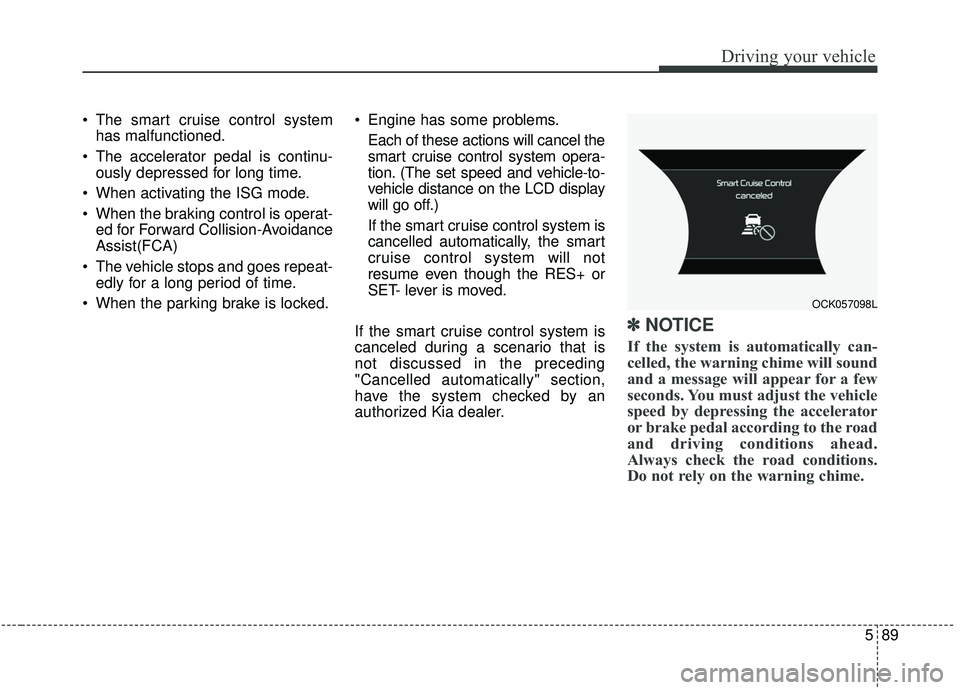
If the system is automatically can-
celled, the warning chime will sound
and a message will appear for a few
seconds. You must adjust the vehicle
speed by depressing the accelerator
or brake pedal according to the road
and driving conditions ahead.
Always check the road conditions.
Do not rely on the warning chime.
OCK057098L
Page 343 of 555
Driving your vehicle
90
5
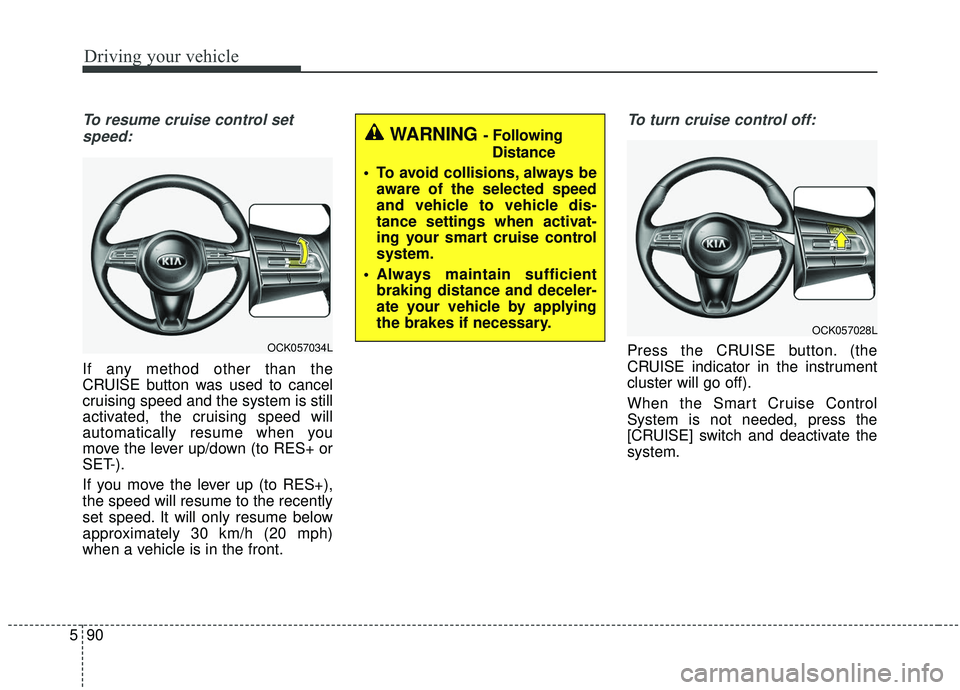
To resume cruise control set
speed:
If any method other than the
CRUISE button was used to cancel
cruising speed and the system is still
activated, the cruising speed will
automatically resume when you
move the lever up/down (to RES+ or
SET-).
If you move the lever up (to RES+),
the speed will resume to the recently
set speed. It will only resume below
approximately 30 km/h (20 mph)
when a vehicle is in the front.
To turn cruise control off:
Press the CRUISE button. (the
CRUISE indicator in the instrument
cluster will go off).
When the Smart Cruise Control
System is not needed, press the
[CRUISE] switch and deactivate the
system.
WARNING - Following Distance
To avoid collisions, always be aware of the selected speed
and vehicle to vehicle dis-
tance settings when activat-
ing your smart cruise control
system.
Always maintain sufficient braking distance and deceler-
ate your vehicle by applying
the brakes if necessary.
OCK057028L
OCK057034L
Page 344 of 555
591
Driving your vehicle
Vehicle to vehicle distance
setting (Smart cruise control
system)
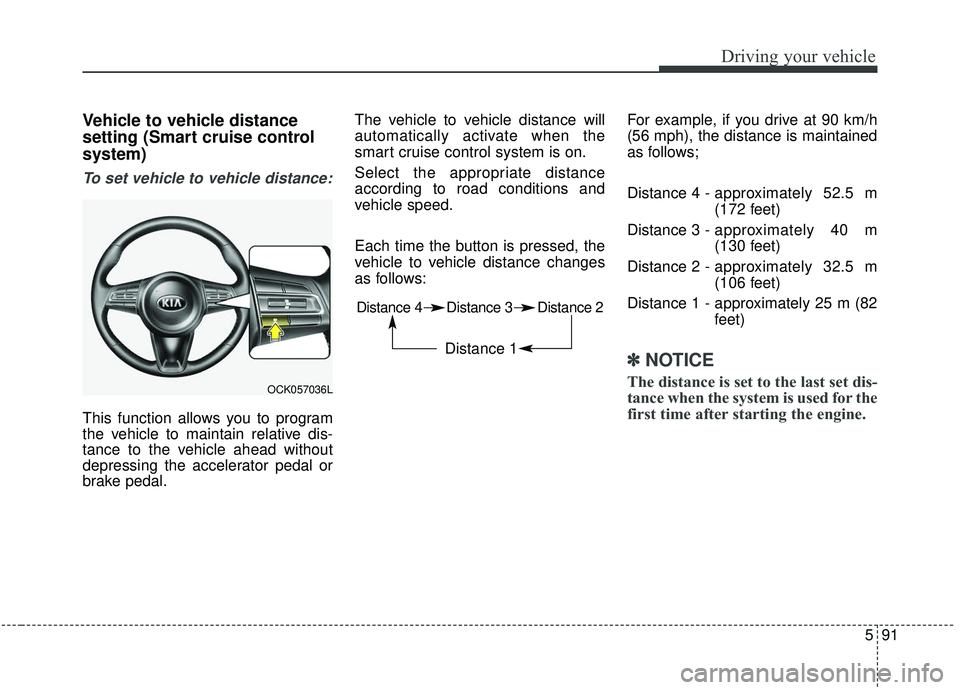
To set vehicle to vehicle distance:
This function allows you to program
the vehicle to maintain relative dis-
tance to the vehicle ahead without
depressing the accelerator pedal or
brake pedal.The vehicle to vehicle distance will
automatically activate when the
smart cruise control system is on.
Select the appropriate distance
according to road conditions and
vehicle speed.
Each time the button is pressed, the
vehicle to vehicle distance changes
as follows:
For example, if you drive at 90 km/h
(56 mph), the distance is maintained
as follows;
Distance 4 -
approximately 52.5 m
(172 feet)
Distance 3 - approximately 40 m
(130 feet)
Distance 2 - approximately 32.5 m
(106 feet)
Distance 1 - approximately 25 m (82 feet)
✽ ✽NOTICE
The distance is set to the last set dis-
tance when the system is used for the
first time after starting the engine.OCK057036L
Distance 4 Distance 3 Distance 2
Distance 1
Page 347 of 555
Driving your vehicle
94
5
If you push the smart cruise control
toggle switch (RES+ or SET-) while
Auto Hold and smart cruise control
is operating the Auto Hold will be
released regardless of accelerator
pedal operation and the vehicle will
start to move. The AUTO HOLD
indicator changes from green to
white. (if equipped with EPB
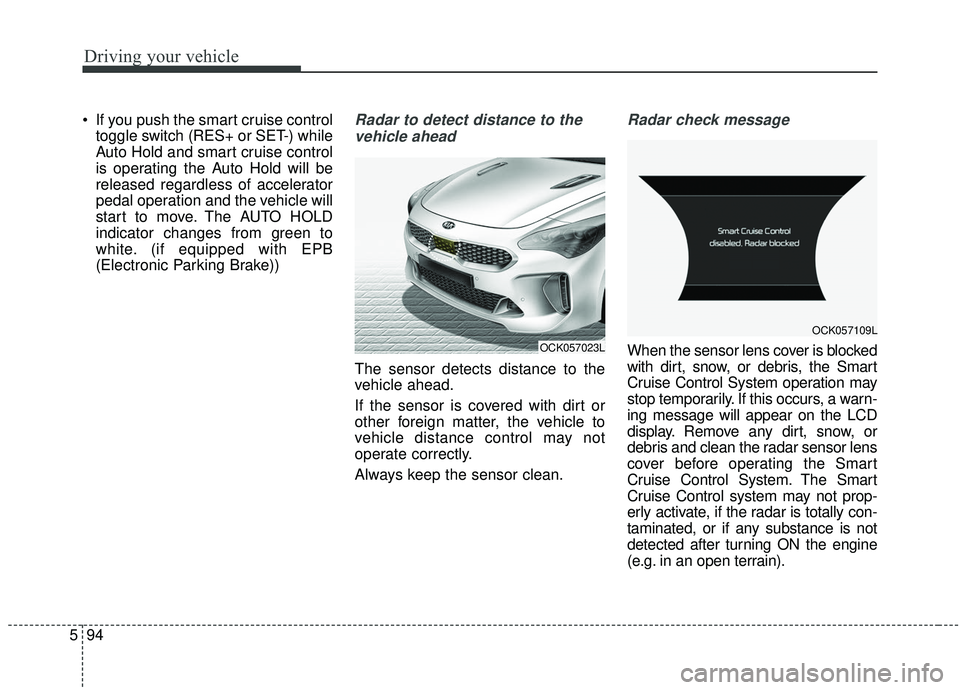
(Electronic Parking Brake))Radar to detect distance to the
vehicle ahead
The sensor detects distance to the
vehicle ahead.
If the sensor is covered with dirt or
other foreign matter, the vehicle to
vehicle distance control may not
operate correctly.
Always keep the sensor clean.
Radar check message
When the sensor lens cover is blocked
with dirt, snow, or debris, the Smart
Cruise Control System operation may
stop temporarily. If this occurs, a warn-
ing message will appear on the LCD
display. Remove any dirt, snow, or
debris and clean the radar sensor lens
cover before operating the Smart
Cruise Control System. The Smart
Cruise Control system may not prop-
erly activate, if the radar is totally con-
taminated, or if any substance is not
detected after turning ON the engine
(e.g. in an open terrain).OCK057023L
OCK057109L
Page 348 of 555
595
Driving your vehicle
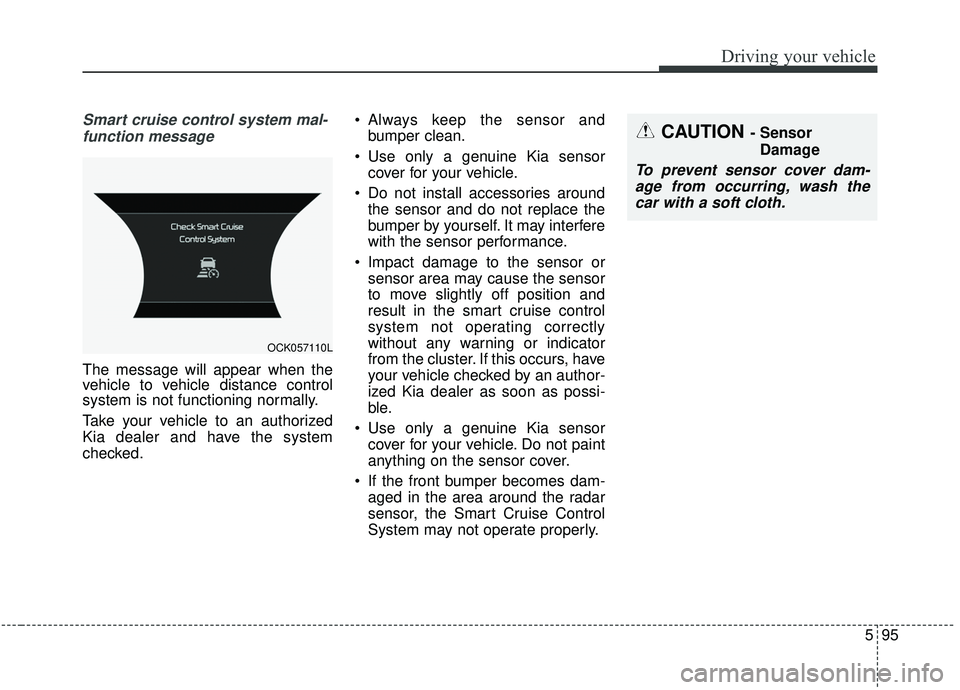
Smart cruise control system mal-function message
The message will appear when the
vehicle to vehicle distance control
system is not functioning normally.
Take your vehicle to an authorized
Kia dealer and have the system
checked. Always keep the sensor and
bumper clean.
Use only a genuine Kia sensor cover for your vehicle.
Do not install accessories around the sensor and do not replace the
bumper by yourself. It may interfere
with the sensor performance.
Impact damage to the sensor or sensor area may cause the sensor
to move slightly off position and
result in the smart cruise control
system not operating correctly
without any warning or indicator
from the cluster. If this occurs, have
your vehicle checked by an author-
ized Kia dealer as soon as possi-
ble.
Use only a genuine Kia sensor cover for your vehicle. Do not paint
anything on the sensor cover.
If the front bumper becomes dam- aged in the area around the radar
sensor, the Smart Cruise Control
System may not operate properly.
CAUTION - Sensor
Damage
To prevent sensor cover dam-age from occurring, wash thecar with a soft cloth.
OCK057110L
Page 349 of 555
Driving your vehicle
96
5
To adjust the sensitivity of
smart cruise control system
The sensitivity of vehicle speed when
following the front vehicle to maintain
the set distance can be adjusted. Go
to the User Settings Mode (Driver
Assistance) and select SCC (Smart
Cruise Control). You may select one
of the three stages you prefer.
Slow:
Vehicle speed to the vehicle ahead
to maintain the set distance is
slower than normal speed.
Normal: Vehicle speed to the vehicle ahead
to maintain the set distance is nor-
mal
Fast: Vehicle speed to the vehicle ahead
to maintain the set distance is
faster than normal speed.
✽ ✽ NOTICE
The system remembers the last
selected mode.
To convert to cruise control
mode:
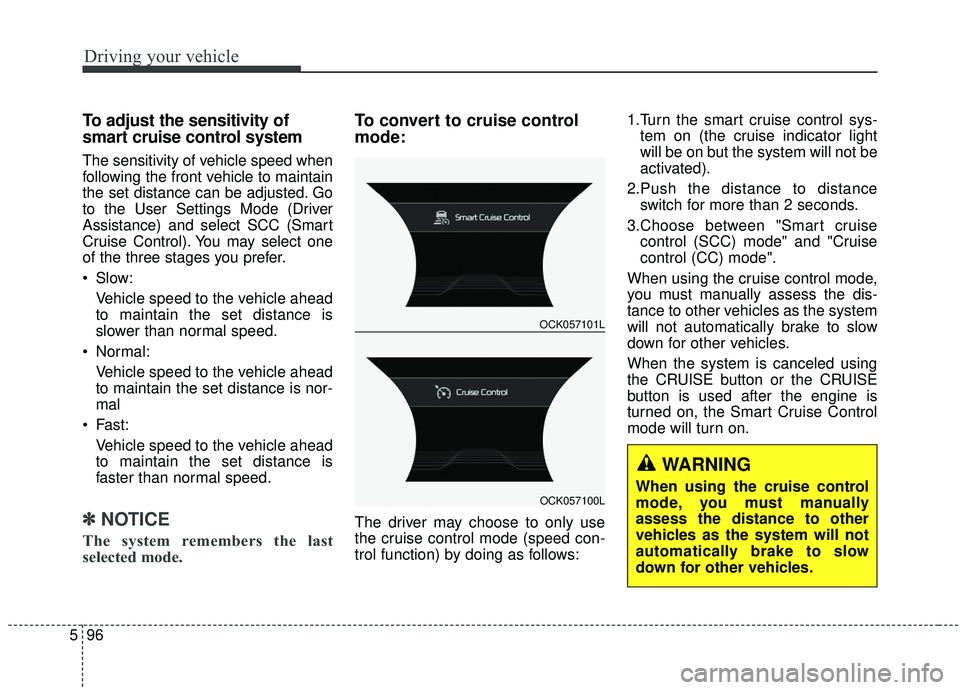
The driver may choose to only use
the cruise control mode (speed con-
trol function) by doing as follows: 1.Turn the smart cruise control sys-
tem on (the cruise indicator light
will be on but the system will not be
activated).
2.Push the distance to distance switch for more than 2 seconds.
3.Choose between "Smart cruise control (SCC) mode" and "Cruise
control (CC) mode".
When using the cruise control mode,
you must manually assess the dis-
tance to other vehicles as the system
will not automatically brake to slow
down for other vehicles.
When the system is canceled using
the CRUISE button or the CRUISE
button is used after the engine is
turned on, the Smart Cruise Control
mode will turn on.
OCK057101L
OCK057100L
WARNING
When using the cruise control
mode, you must manually
assess the distance to other
vehicles as the system will not
automatically brake to slow
down for other vehicles.
Page 350 of 555
597
Driving your vehicle
Limitations of the system
The smart cruise control system may
have limits to its ability to detect dis-
tance to the vehicle ahead due to
road and traffic conditions.
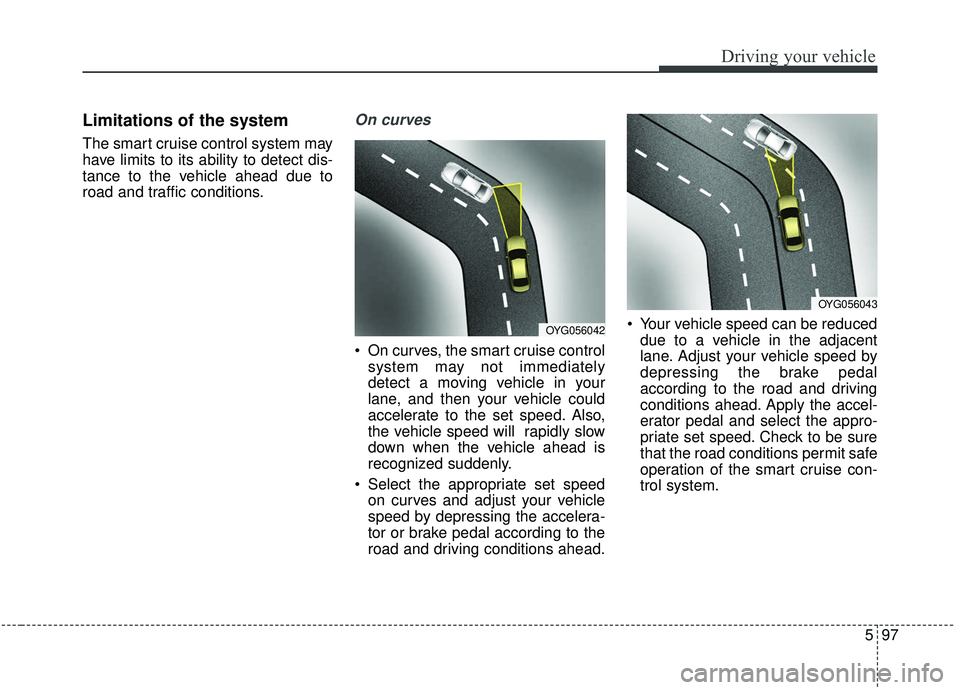
On curves
On curves, the smart cruise controlsystem may not immediately
detect a moving vehicle in your
lane, and then your vehicle could
accelerate to the set speed. Also,
the vehicle speed will rapidly slow
down when the vehicle ahead is
recognized suddenly.
Select the appropriate set speed on curves and adjust your vehicle
speed by depressing the accelera-
tor or brake pedal according to the
road and driving conditions ahead. Your vehicle speed can be reduced
due to a vehicle in the adjacent
lane. Adjust your vehicle speed by
depressing the brake pedal
according to the road and driving
conditions ahead. Apply the accel-
erator pedal and select the appro-
priate set speed. Check to be sure
that the road conditions permit safe
operation of the smart cruise con-
trol system.
OYG056043
OYG056042
Page 351 of 555
Driving your vehicle
98
5
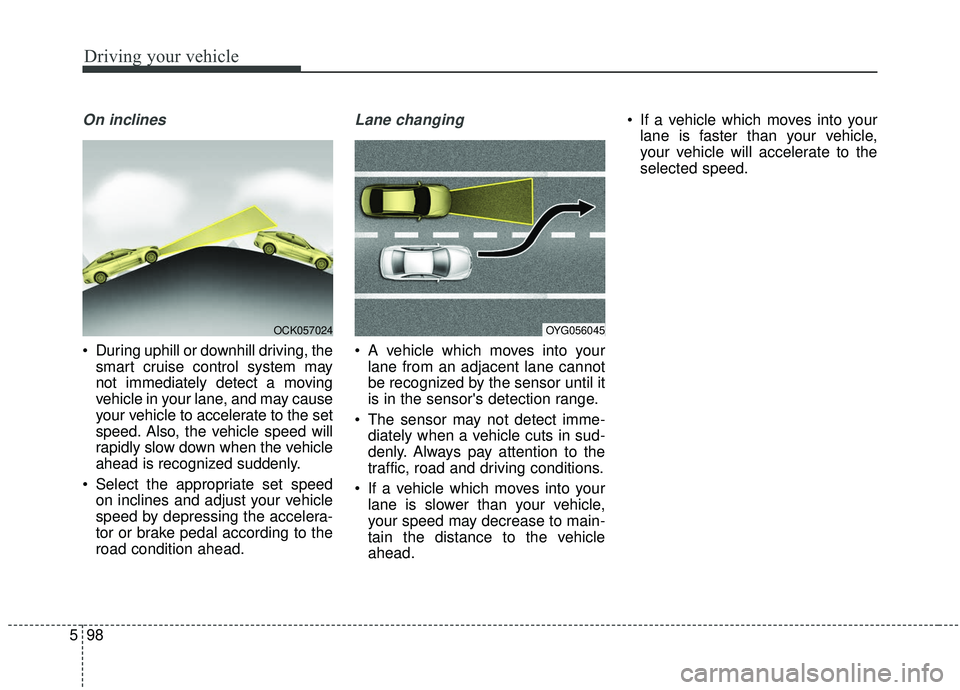
On inclines
During uphill or downhill driving, the
smart cruise control system may
not immediately detect a moving
vehicle in your lane, and may cause
your vehicle to accelerate to the set
speed. Also, the vehicle speed will
rapidly slow down when the vehicle
ahead is recognized suddenly.
Select the appropriate set speed on inclines and adjust your vehicle
speed by depressing the accelera-
tor or brake pedal according to the
road condition ahead.
Lane changing
A vehicle which moves into yourlane from an adjacent lane cannot
be recognized by the sensor until it
is in the sensor's detection range.
The sensor may not detect imme- diately when a vehicle cuts in sud-
denly. Always pay attention to the
traffic, road and driving conditions.
If a vehicle which moves into your lane is slower than your vehicle,
your speed may decrease to main-
tain the distance to the vehicle
ahead. If a vehicle which moves into your
lane is faster than your vehicle,
your vehicle will accelerate to the
selected speed.
OYG056045OCK057024
Page 354 of 555
5101
Driving your vehicle
- After an engine start, please stopfor several seconds. If system ini-
tialization is not completed, the
smart cruise control system will not
operate.
- After an engine start, if the sensor cover is obscured with foreign sub-
stances, there is a possibility that
the smart cruise control system
may not work.
- The following conditions may cause a malfunction: over-loading
the liftgate, suspension modifica-
tion, tire replacement with unau-
thorized tires or tires with different
tread wear and pressure levels.
- Keep a safe distance according to road conditions and vehicle speed.
If the vehicle to vehicle distance is
too close during a high-speed driv-
ing, a serious collision may result.
WARNING - Inclines &
Towing
Do not use smart cruise control
system on steep inclines or
when towing another vehicle or
trailer since such extreme load-
ing can interfere with your vehi-
cle's ability to maintain the
selected speed.WARNING
- Safe Use of smart cruise control system
The smart cruise control system
can provide you with an addition-
al level of safety and fatigue
reduction. However you must
maintain careful observation of
the roadway in front and around
you and maintain control of your
vehicle and spacing around
other vehicles as you normally
would. For example, this will
require you to apply the brakes
as needed when coming upon a
slower moving vehicle, or when a
vehicle from another lane drives
quickly in front of you.
WARNING - Emergency Stops
The smart cruise control sys-
tem may not be able to com-
pletely stop the vehicle or avoid
a collision in every situation. If
an emergency stop is neces-
sary, you must apply the brakes.