lights KIA STINGER 2020 Owner's Manual
[x] Cancel search | Manufacturer: KIA, Model Year: 2020, Model line: STINGER, Model: KIA STINGER 2020Pages: 555, PDF Size: 13.49 MB
Page 182 of 555

495
Features of your vehicle
✽ ✽NOTICE- Electronic Brake
force Distribution (EBD)
System Warning Light
When the ABS Warning Light is on
or both the ABS and the Parking
Brake & Brake Fluid Warning
Lights are on, the speedometer,
odometer, or tripmeter may not
work. Also, the EPS Warning Light
may illuminate and the steering
effort may increase or decrease.
In this case, have the vehicle inspect-
ed by an authorized Kia dealer.
Electronic Power Steering (EPS) WarningLight (if equipped)
This warning light illuminates:
Once you set the Engine Start/Stop Button to the ON position.
- It remains on until the engine isstarted.
When there is a malfunction with the EPS.
In this case, have the vehicle
inspected by an authorized Kia
dealer.
Malfunction Indicator
Lamp (MIL)
This warning light illuminates:
Once you set the Engine Start/Stop Button to the ON position.
- It remains on until the engine isstarted.
When there is a malfunction with the emission control system.
In this case, have the vehicle
inspected by an authorized Kia
dealer.
Page 187 of 555

Features of your vehicle
100
4
Dynamic Bending Light
(DBL) Warning Light(if equipped)
This warning light blinks:
When there is a malfunction with the Dynamic Bending Light (DBL).
If there is a malfunction with the
Dynamic Bending Light (DBL):
1. Drive carefully to the nearest safe location and stop your vehicle.
2. Turn the engine off and restart the engine. If the warning light
remains on, have the vehicle
inspected by an authorized Kia
dealer.
Electronic Parking Brake
(EPB) Warning Light (if equipped)
This warning light illuminates:
Once you set the Engine Start/Stop Button to the ON position.
- It illuminates for approximately 3seconds and then goes off.
When there is a malfunction with the EPB.
In this case, have the vehicle
inspected by an authorized Kia
dealer.
✽ ✽ NOTICE-Electronic Parking
Brake (EPB) Warning Light
The Electronic Parking Brake
(EPB) Warning Light may illumi-
nate when the Electronic Stability
control (ESC) Indicator Light comes
on to indicate that the ESC is not
working properly (This does not
indicate malfunction of the EPB).
Indicator Lights
Electronic Stability Control (ESC) IndicatorLight (if equipped)
This indicator light illuminates:
Once you set the Engine Start/Stop Button to the ON position.
- It illuminates for approximately 3seconds and then goes off.
When there is a malfunction with the ESC system.
In this case, have the vehicle
inspected by an authorized Kia
dealer.
This indicator light blinks:
While the ESC is operating.
❈ For more details, refer to
“Electronic Stability Control (ESC)”
in chapter 5.
EPB
Page 188 of 555

4101
Features of your vehicle
Electronic StabilityControl (ESC) OFFIndicator Light (if equipped)
This indicator light illuminates:
Once you set the Engine Start/Stop Button to the ON position.
- It illuminates for approximately 3seconds and then goes off.
When you deactivate the ESC sys- tem by pressing the ESC OFF but-
ton.
❈ For more details, refer to
“Electronic Stability Control (ESC)”
in chapter 5.
Auto stop indicator
This indicator will illuminate when the
engine enters the Idle Stop mode of
the ISG (Idle Stop and Go) system.
When the automatic starting occurs,
the auto stop indicator on the cluster
will blink for 5 seconds.
❈For more details, refer to the ISG
(Idle Stop and Go) system in chap-
ter 5.
✽ ✽
NOTICE
When the engine automatically starts
by the ISG system, some warning
lights (ABS, ESC, ESC OFF, EPS or
Parking brake warning light) may
turn on for a few seconds.
This happens because of the low bat-
tery voltage. It does not mean the
system is malfunctioning.
Immobilizer Indicator
Light (With Smart Key)
This indicator light illuminates for up
to 30 seconds:
When the vehicle detects the smart key in the vehicle properly
while the Engine Start/Stop Button
is ACC or ON.
- At this time, you can start theengine.
- The indicator light goes off after starting the engine.
This indicator light blinks for a few
seconds:
When the smart key is not in the vehicle.
- At this time, you can not start theengine.
Page 189 of 555

Features of your vehicle
102
4
This indicator light illuminates for 2
seconds and goes off:
When the vehicle can not detect
the smart key which is in the vehi-
cle while the Engine Start/Stop
Button is ON.
In this case, have the vehicle inspect-
ed by an authorized Kia dealer.
This indicator light blinks:
When the battery of the smart key is weak.
- At this time, you can not start theengine. However, you can start the
engine if you press the Engine
Start/Stop Button with the smart
key. (For more details, refer to
“Starting the Engine” in chapter 5).
When there is a malfunction with the immobilizer system.
In this case, have the vehicle inspect-
ed by an authorized Kia dealer.Turn Signal Indicator
Light
This indicator light blinks:
When you switch on the turn signal light on.
If any of the following occurs, there
may be a malfunction with the turn
signal system. In this case, have the
vehicle inspected by an authorized
Kia dealer. - The indicator light does not blinkbut illuminates.
- The indicator light blinks more rapidly.
- The indicator light does not illumi- nate at all.
High Beam Indicator
Light
This indicator light illuminates:
When the headlights are on and in the high beam position
When the turn signal lever is pulled into the Flash-to-Pass position.
Page 190 of 555
4103
Features of your vehicle
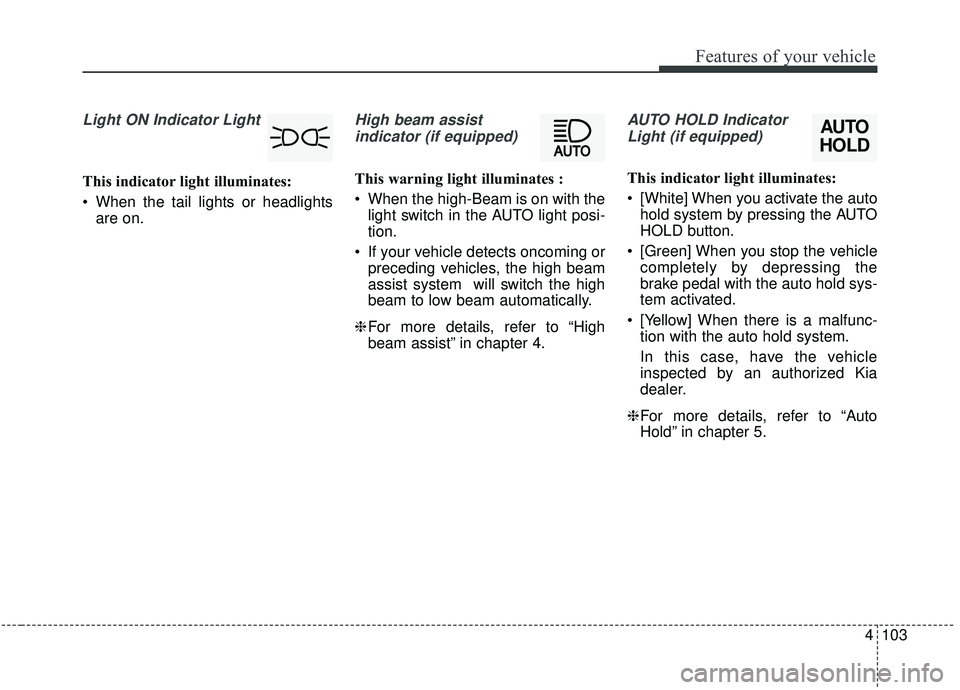
Light ON Indicator Light
This indicator light illuminates:
When the tail lights or headlightsare on.
High beam assist
indicator (if equipped)
This warning light illuminates :
When the high-Beam is on with the light switch in the AUTO light posi-
tion.
If your vehicle detects oncoming or preceding vehicles, the high beam
assist system will switch the high
beam to low beam automatically.
❈ For more details, refer to “High
beam assist” in chapter 4.
AUTO HOLD Indicator
Light (if equipped)
This indicator light illuminates:
[White] When you activate the auto hold system by pressing the AUTO
HOLD button.
[Green] When you stop the vehicle completely by depressing the
brake pedal with the auto hold sys-
tem activated.
[Yellow] When there is a malfunc- tion with the auto hold system.
In this case, have the vehicle
inspected by an authorized Kia
dealer.
❈ For more details, refer to “Auto
Hold” in chapter 5.
AUTO
HOLD
Page 193 of 555
Features of your vehicle
106
4
Head Up Display ON/OFF
The HUD display will be activated or
deactivated in user setting mode
while engine is ON.
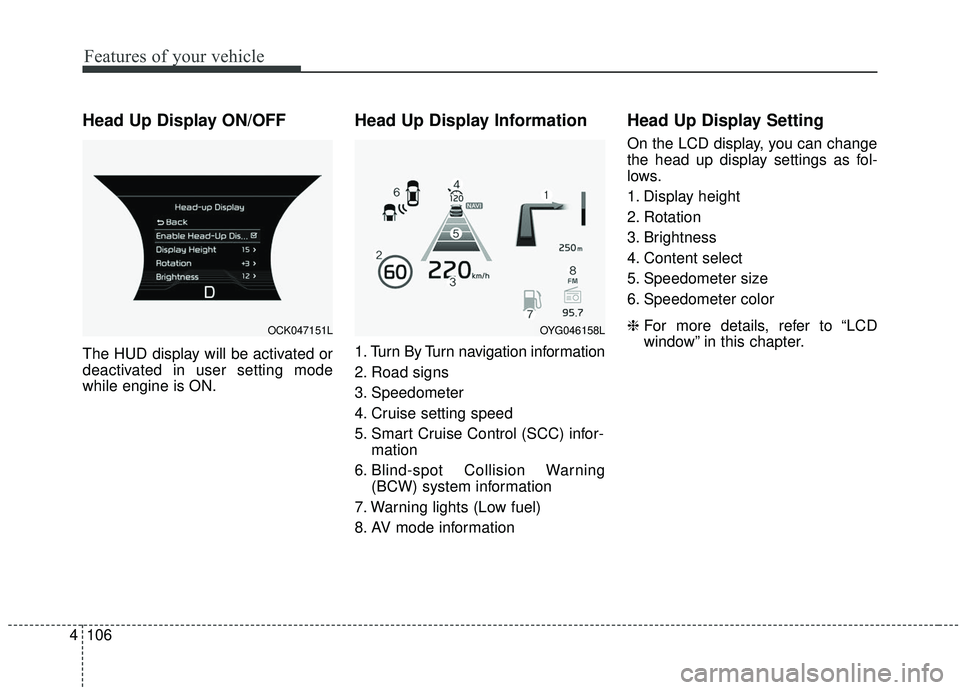
Head Up Display Information
1. Turn By Turn navigation information
2. Road signs
3. Speedometer
4. Cruise setting speed
5. Smart Cruise Control (SCC) infor-
mation
6. Blind-spot Collision Warning (BCW) system information
7. Warning lights (Low fuel)
8. AV mode information
Head Up Display Setting
On the LCD display, you can change
the head up display settings as fol-
lows.
1. Display height
2. Rotation
3. Brightness
4. Content select
5. Speedometer size
6. Speedometer color
❈ For more details, refer to “LCD
window” in this chapter.
OCK047151LOYG046158L
Page 201 of 555

Features of your vehicle
114
4
Battery saver function
The purpose of this feature is to
prevent the battery from being dis-
charged if the lights are left in the
ON position. The system automati-
cally shuts off the parking lights 30
seconds after the ignition key is
removed and the driver’s door is
opened and closed.
With this feature, the parking lights will turn off automatically if the driver
parks on the side of the road at night
and opens the driver’s side door.
If necessary, to keep the parking
lights on when the ignition key is
removed, perform the following:
1) Open the driver-side door.
2) Turn the parking lights OFF and ON again using the light switch
on the steering column.
Daytime running light
The Daytime Running Lights (DRL)
can make it easier for others to see the
front of your vehicle during the day.
DRL can be helpful in many different
driving conditions, and it is especially
helpful after dawn and before sunset.
The DRL system will turn the dedi-
cated lamp OFF when :
1.The headlight switch is on
- It includes that the headlight is onin the dark when the headlight
switch is in the auto light position.
2.The engine is off
3.Engaging the Parking Brake
Lighting control
The light switch has a Headlight and
a Parking light position.
To operate the lights, turn the knob at
the end of the control lever to one of
the following positions:
(1) OFF position
(2) Auto light position
(3) Parking & Tail light
(4) Headlight position
LIGHTING
OCK047409C
Page 202 of 555

4115
Features of your vehicle
Parking & Tail light ( )
When the light switch is in the park-
ing light position, the tail, license and
parking lights will turn ON.
Headlight position ( )
When the light switch is in the head-
light position, the head, tail, license
lights will turn ON.
✽ ✽NOTICE
The ignition switch must be in the ON
position to turn on the headlights.
Auto light/DBL position
When the light switch is in the AUTO
light position, the taillights and head-
lights will turn ON or OFF automati-
cally depending on the amount of
light outside the vehicle.
If your vehicle is equipped with the
dynamic bending light (DBL), it will
also operate when the headlamp is
ON.
OCK047411COCK047412COCK047410C
Page 203 of 555

Features of your vehicle
116
4
High beam operation
To turn on the high beam headlamp,
push the lever away from you. The
lever will return to its original posi-
tion. The high beam indicator will
light when the headlight high beams
are switched on.
To prevent the battery from being
discharged, do not leave the lights
on for a prolonged time while the
engine is not running.
WARNING - High beams
Do not use high beam when
there are other vehicles in front
of your vehicle. Using high
beam could obstruct the other
driver's vision.
OCK047414C
CAUTION
Never place anything over the sensor (1) located on theinstrument panel, this willensure better auto-light sys-tem control.
Don’t clean the sensor using a window cleaner, the cleanermay leave a light film whichcould interfere with sensoroperation.
If your vehicle has window tint or other types of metallic coat-ing on the front windshield,the Auto light system may notwork properly.
Page 204 of 555
4117
Features of your vehicle
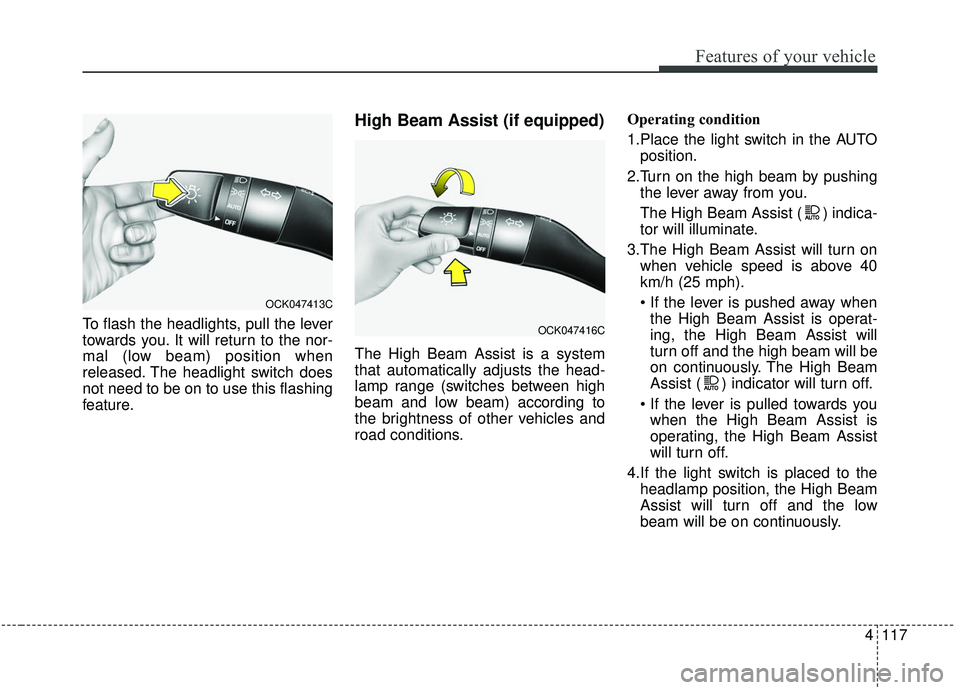
To flash the headlights, pull the lever
towards you. It will return to the nor-
mal (low beam) position when
released. The headlight switch does
not need to be on to use this flashing
feature.
High Beam Assist (if equipped)
The High Beam Assist is a system
that automatically adjusts the head-
lamp range (switches between high
beam and low beam) according to
the brightness of other vehicles and
road conditions.Operating condition
1.Place the light switch in the AUTO
position.
2.Turn on the high beam by pushing the lever away from you.
The High Beam Assist ( ) indica-
tor will illuminate.
3.The High Beam Assist will turn on when vehicle speed is above 40
km/h (25 mph).
the High Beam Assist is operat-
ing, the High Beam Assist will
turn off and the high beam will be
on continuously. The High Beam
Assist ( ) indicator will turn off.
when the High Beam Assist is
operating, the High Beam Assist
will turn off.
4.If the light switch is placed to the headlamp position, the High Beam
Assist will turn off and the low
beam will be on continuously.
OCK047413C
OCK047416C