warning KIA STINGER 2021 Owners Manual
[x] Cancel search | Manufacturer: KIA, Model Year: 2021, Model line: STINGER, Model: KIA STINGER 2021Pages: 585, PDF Size: 10.87 MB
Page 289 of 585
Driving your vehicle
28 5
✽
✽
NOTICE
In situations where the gear needs to
be changed from P (Park) to N
(Neutral) when the engine start/stop
button is in the OFF position, refer
to step 4.
The actuators work to shift the gear
into the N (Neutral) or P (Parking)
and make a normal mechanical
sound.
Parking
Always come to a complete stop and
continue to depress the brake pedal.
Move the shift lever into the P (Park)
position, apply the parking brake,
and place the engine start/stop but-
ton in the OFF position. Take the Key
with you when exiting the vehicle.
LCD display messages
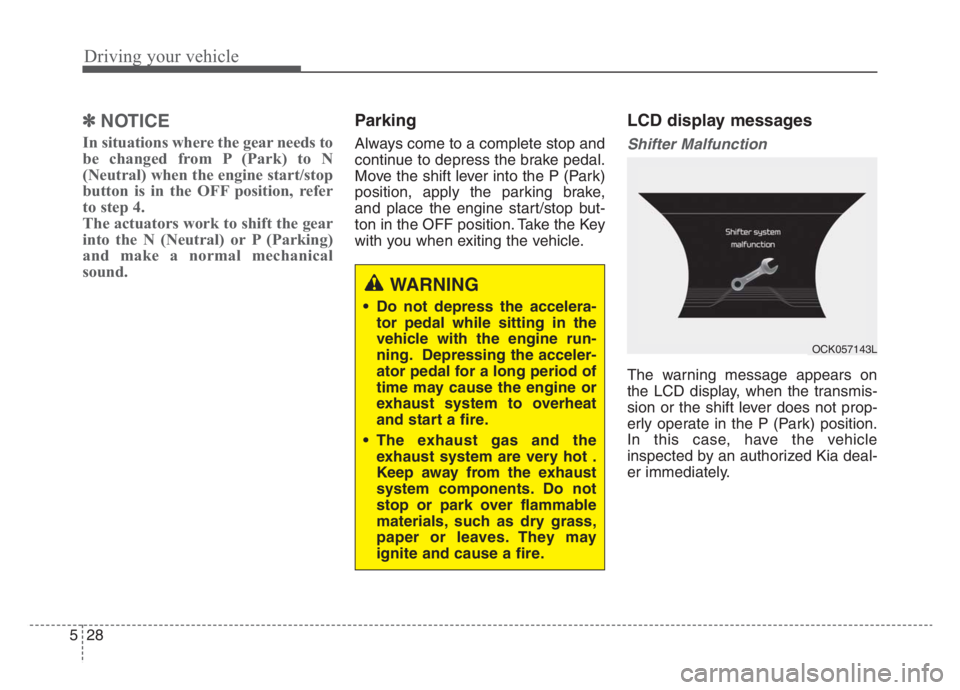
Shifter Malfunction
The warning message appears on
the LCD display, when the transmis-
sion or the shift lever does not prop-
erly operate in the P (Park) position.
In this case, have the vehicle
inspected by an authorized Kia deal-
er immediately.
WARNING
Do not depress the accelera-
tor pedal while sitting in the
vehicle with the engine run-
ning. Depressing the acceler-
ator pedal for a long period of
time may cause the engine or
exhaust system to overheat
and start a fire.
The exhaust gas and the
exhaust system are very hot .
Keep away from the exhaust
system components. Do not
stop or park over flammable
materials, such as dry grass,
paper or leaves. They may
ignite and cause a fire.
OCK057143L
Page 290 of 585
529
Driving your vehicle
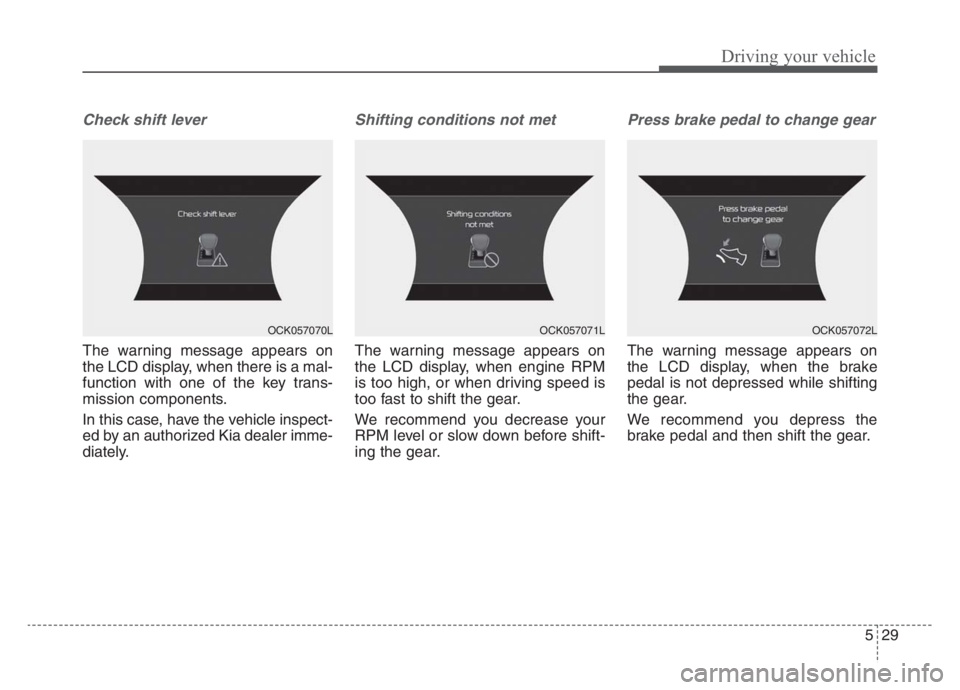
Check shift lever
The warning message appears on
the LCD display, when there is a mal-
function with one of the key trans-
mission components.
In this case, have the vehicle inspect-
ed by an authorized Kia dealer imme-
diately.
Shifting conditions not met
The warning message appears on
the LCD display, when engine RPM
is too high, or when driving speed is
too fast to shift the gear.
We recommend you decrease your
RPM level or slow down before shift-
ing the gear.
Press brake pedal to change gear
The warning message appears on
the LCD display, when the brake
pedal is not depressed while shifting
the gear.
We recommend you depress the
brake pedal and then shift the gear.
OCK057070LOCK057071LOCK057072L
Page 291 of 585

Driving your vehicle
30 5
Shift to P after stopping
The warning message appears on
the LCD display, when the brake
pedal is not depressed while shifting
the gear.
We recommend you depress the
brake pedal and then shift the gear.
Press UNLOCK to change gear
The warning message appears on
the LCD display, when the
[UNLOCK] button is not pressed
while shifting the gear.
We recommend you press the
[UNLOCK] button and then shift the
gear.
PARK engaged
The message appears on the LCD
display, when the P (Park) position is
engaged.
OCK057073LOCK057078LOCK057075L
Page 293 of 585

Driving your vehicle
32
5
• Exercise extreme caution when
driving on a slippery surface. Be
especially careful when braking,
accelerating or shifting gears. On a
slippery surface, an abrupt change
in vehicle speed can cause the
drive wheels to lose traction and
may cause loss of vehicle control
resulting in an accident.
Optimum vehicle performance and economy is obtained by smoothly
depressing and releasing the
accelerator.
✽ ✽ NOTICE
Kia recommends you follow all post-
ed speed limits.
WARNING
To reduce the risk of SERIOUS
INJURY or DEATH:
• When driving uphill or down-
hill, always shift to D (Drive)
for driving forward or shift to
R (Reverse) for driving back-
wards, and check the gear
position indicated on the clus-
ter before driving.
(Continued)
(Continued)Driving in the opposite direc-
tion of the selected gear can
lead to a dangerous situation
by shutting off the engine and
affecting the braking perform-
ance.
ALWAYS wear your seatbelt. In a collision, an unbelted
occupant is significantly more
likely to be seriously injured
or killed than a properly belt-
ed occupant.
Avoid high speeds when cor- nering or turning.
Do not make quick steering wheel movements, such as
sharp lane changes or fast,
sharp turns.
The risk of rollover is greatly increased if you lose control
of your vehicle at highway
speeds.
(Continued)(Continued)
Loss of control often occurs iftwo or more wheels drop off
the roadway and the driver
over steers to reenter the
roadway.
In the event your vehicle leaves the roadway, do not
steer sharply. Instead, slow
down before pulling back into
the travel lanes.
Do not attempt sudden or abrupt driving maneuvers on
slippery surfaces. Attempting
such maneuvers can result in
loss of vehicle control and
accidents.
Page 295 of 585
Driving your vehicle
34 5
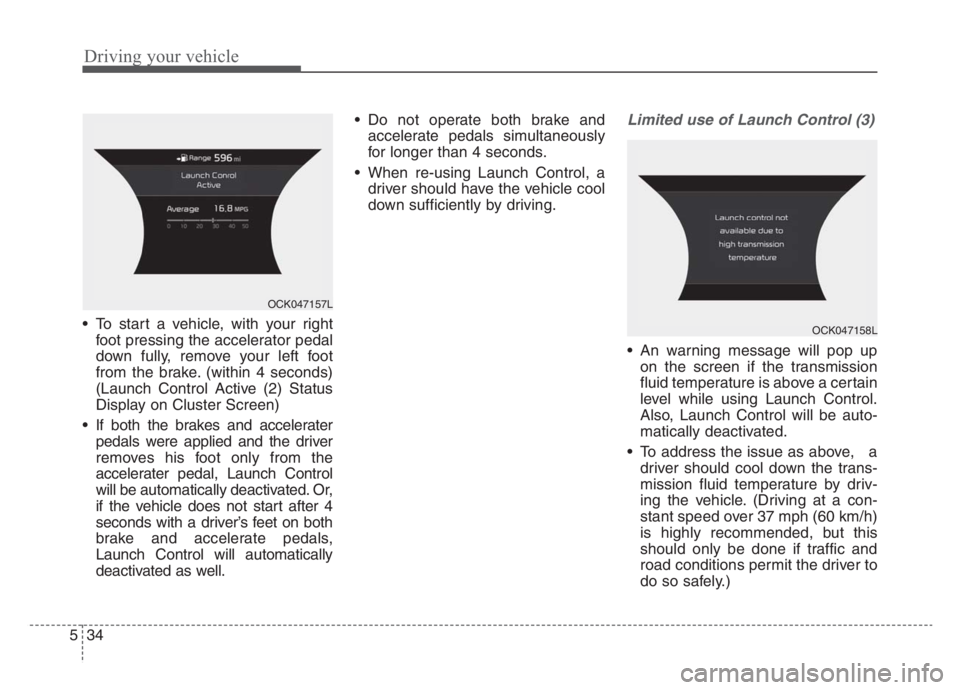
To start a vehicle, with your right
foot pressing the accelerator pedal
down fully, remove your left foot
from the brake. (within 4 seconds)
(Launch Control Active (2) Status
Display on Cluster Screen)
If both the brakes and accelerater
pedals were applied and the driver
removes his foot only from the
accelerater pedal, Launch Control
will be automatically deactivated. Or,
if the vehicle does not start after 4
seconds with a driver’s feet on both
brake and accelerate pedals,
Launch Control will automatically
deactivated as well. Do not operate both brake and
accelerate pedals simultaneously
for longer than 4 seconds.
When re-using Launch Control, a
driver should have the vehicle cool
down sufficiently by driving.
Limited use of Launch Control (3)
An warning message will pop up
on the screen if the transmission
fluid temperature is above a certain
level while using Launch Control.
Also, Launch Control will be auto-
matically deactivated.
To address the issue as above, a
driver should cool down the trans-
mission fluid temperature by driv-
ing the vehicle. (Driving at a con-
stant speed over 37 mph (60 km/h)
is highly recommended, but this
should only be done if traffic and
road conditions permit the driver to
do so safely.)
OCK047157L
OCK047158L
Page 296 of 585

535
Driving your vehicle
✽ ✽
NOTICE
Launch performance can vary
depending on fuel, environment,
tire, and loading conditions.
CAUTION
Constant use of Launch Control
can put enormous stress on
transmission, engine, and drive
shafts and can result in vehicle
damage. It is highly recom-
mended that Launch Control is
used after completion of the
vehicle brake-in process.
WARNING
It is the responsibility of the
driver to make sure it is safe
before using Launch Control.
Do not use Launch Control on
public roads or when pedestrian
congestion is present. Doing so
could result in an accident that
causes serious injuries.
Page 298 of 585

537
Driving your vehicle
❈If the front radar for Smart Cruise
Control system cannot operate
normally, the inter-vehicle dis-
tance and relative speed condition
are automatically ignored.
❈ The Eco-Coasting system works
after the engine is turned on, the
transmission is warmed up, and
the engine sensor selfdiagnosis is
completed after starting.
❈ Depending on the driving situa-
tion, Eco-Coasting operation may
be temporarily delayed even if the
above conditions are met.The Eco-Coasting system
release conditions
The Eco-Coasting system will be
automatically released when the fol-
lowing conditions are met.
When the drive mode is COM-
FORT or SPORT mode.
In SMART mode, when driver
acceleration is SMART COMFORT
or SMART SPORT.
When using the paddle shift of the
steering wheel.
When the Cruise Control/Smart
Cruise Control button is on (The
/
CRUISE indicator is on.).
When pressing the accelerator
pedal or brake pedal.
When the vehicle speed is outside
the range of 35 mph (55 km/h) to
100 mph (160 km/h).
Road inclination is less than -5% or
exceeds +5%.
In SMART mode, if the headway
distance to the vehicle ahead is too
close of the relative speed
changes momentarily (if Smart
Cruise Control system is
equipped) If lane change is predicated in
SMART mode (LKA warning by
turn signal lamp operation or steer-
ing wheel).
❈It is recommended to turn off the
Eco-Coasting system in the driv-
ing condition where frequent
acceleration or deceleration is
repeated.
Change the drive mode to COM-
FORT or SPORT mode, or disable
Eco-Coasting mode on the AVN
screen.
Page 299 of 585

Driving your vehicle
38 5
Using All Wheel Drive (AWD)
The All Wheel Drive (AWD) System
delivers engine power to front and
rear wheels for maximum traction.
AWD is useful when extra traction is
required, such as when driving slip-
pery, muddy, wet, or snow-covered
roads.
If the system determines there is a
need for four wheel drive, the
engine's driving power is distributed
to all four wheels automatically.
ALL WHEEL DRIVE (AWD) (IF EQUIPPED)
WARNING
If the AWD warning light ( )
stays on the instrument cluster,
your vehicle may have a mal-
function with the AWD system.
When the AWD warning light
( ) illuminates, we recom-
mend that the vehicle be
checked by an authorized Kia
dealer as soon as possible.
WARNING
To reduce the risk of SERIOUS
INJURY or DEATH:
Do not drive in conditions that
exceed the vehicle's intended
design such as challenging
off-road conditions.
(Continued)
(Continued)
Avoid high speeds when cor-
nering or turning.
Do not make quick steering
wheel movements, such as
sharp lane changes or fast,
sharp turns.
The risk of a rollover is great-
ly increased if you lose con-
trol of your vehicle at highway
speeds.
Loss of control often occurs if
two or more wheels drop off
the roadway and the driver
over steers to reenter the
roadway.
In the event your vehicle
leaves the roadway, do not
steer sharply. Instead, slow
down before pulling back into
the travel lanes.
Page 301 of 585
Driving your vehicle
40 5
✽
✽
NOTICE
• When using Snow Tires, mount
them on all four wheels.
• When using Tire Chains, install
them on all four tires. However, if
you are in a situation to use only
two tire chains, install them on the
rear tires. In this case, do not drive
more than a short distance to pre-
vent damage to the AWD system.
• If tire chains must be used, use
AutoSock (fabric snow chain) and
install the tire chain after review-
ing the instructions provided with
the tire chains.
❈ ❈
For more information on Snow
Tires and Tire Chains, refer to
"Winter Driving" in this chapter.
Driving up or down hills
Driving uphill
- Before starting off, check if it is
possible to drive uphill.
- Drive as straight as possible.
Driving downhill
- Do not change gear while driving
downhill. Select gear before driv-
ing downhill.
- Drive slowly using engine braking
while driving downhill.
- Drive as straight as possible.Emergency precautions
Tires
When replacing the tires, be sure to
equip all four tires with the tire and
wheel of the same size, type, tread,
brand and load-carrying capacity.
In case of emergency such as tire
puncture, repair it using TMK (Tire
Mobility Kit) for temporary use.
Afterwards, have the tire be inspect-
ed by an authorized Kia dealer.WARNING
Exercise extreme caution driv-
ing up or down steep hills. The
vehicle's tires could lose trac-
tion depending on the grade,
terrain and water/mud condi-
tions.
WARNING
Do not use tires and wheels of a
different size and type than the
ones originally installed on your
vehicle. It can affect the safety
and performance of your vehi-
cle, which could lead to
increased steering difficulty or
rollover causing serious injury.
Page 302 of 585

541
Driving your vehicle
Towing
AWD vehicles must be towed with a
wheel lift and dollies or flatbed equip-
ment with all the wheels off the
ground. For more information, refer
to "Towing" in chapter 6.
Vehicle inspection
When the vehicle is on a car lift, do
not operate the front and rear
wheels separately. All four wheels
should be operated.
Never engage the parking brake
while running the engine on a car
lift. This may damage the AWD
system.WARNING
Never start or run the engine
while an AWD vehicle is raised
on a jack. The vehicle can slip or
roll off of a jack causing serious
injury or death to you or those
nearby.
OCK057159L