phone KIA TELLURIDE 2020 Navigation System Quick Reference Guide
[x] Cancel search | Manufacturer: KIA, Model Year: 2020, Model line: TELLURIDE, Model: KIA TELLURIDE 2020Pages: 219, PDF Size: 9.16 MB
Page 183 of 219
9-23
System Info
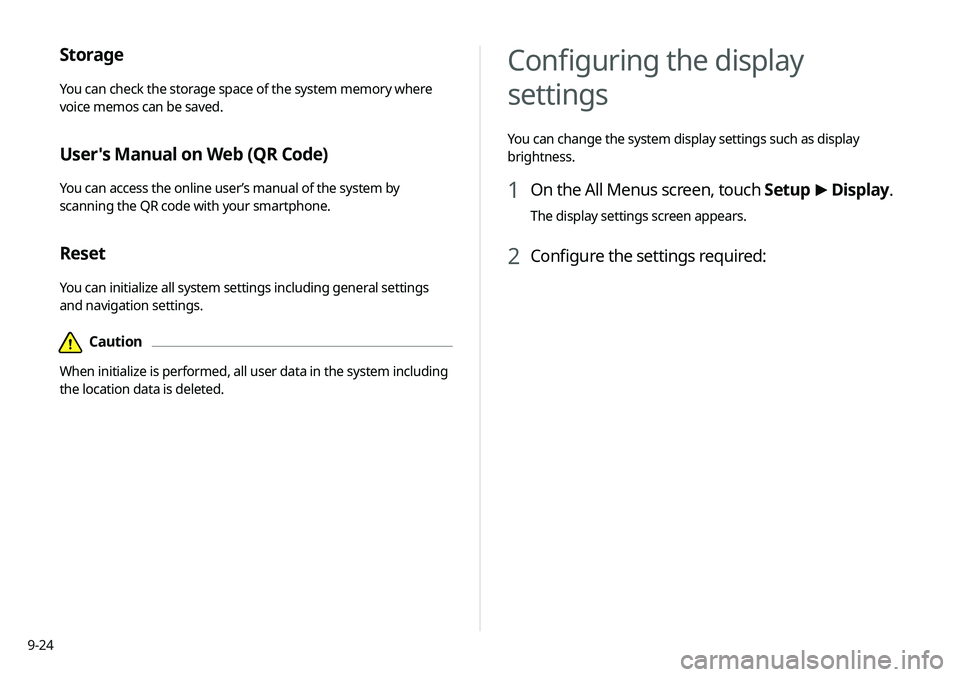
You can check the system software version and storage space.
You can also update the system software, use your smartphone
to access the online user’s manual of the system, or initialize all
system settings to default values.
SW Info/Update
You can see the versions of system components. You can also
update the system to the latest version.0000
A
For details on how to update the system software:
> see
“ Updating the system software and map .”
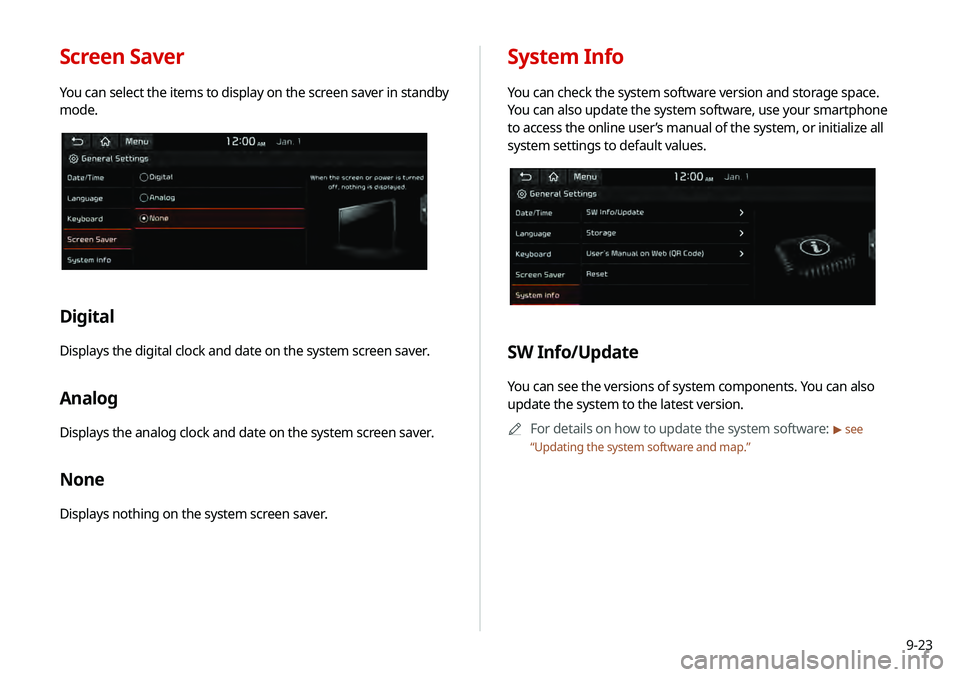
Screen Saver
You can select the items to display on the screen saver in standby
mode.
Digital
Displays the digital clock and date on the system screen saver.
Analog
Displays the analog clock and date on the system screen saver.
None
Displays nothing on the system screen saver.
Page 184 of 219
9-24
Configuring the display
settings
You can change the system display settings such as display
brightness.
1 On the All Menus screen, touch Setup >
Display.
The display settings screen appears.
2 Configure the settings required:
Storage
You can check the storage space of the system memory where
voice memos can be saved.
User's Manual on Web (QR Code)
You can access the online user’s manual of the system by
scanning the QR code with your smartphone.
Reset
You can initialize all system settings including general settings
and navigation settings.
\334Caution
When initialize is performed, all user data in the system including
the location data is deleted.
Page 192 of 219
10-6
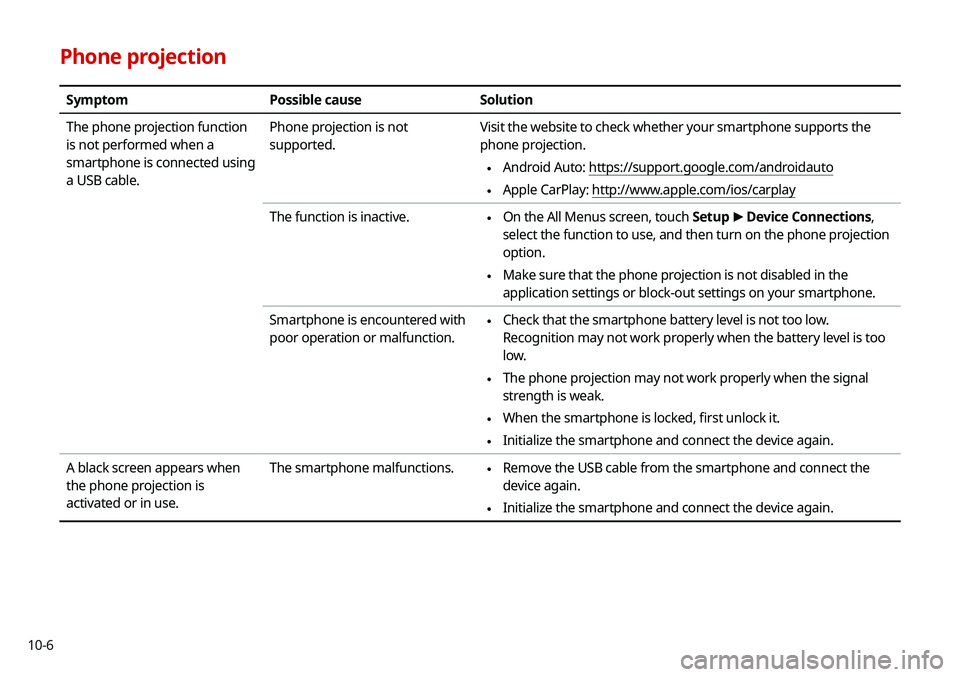
Phone projection
SymptomPossible cause Solution
The phone projection function
is not performed when a
smartphone is connected using
a USB cable. Phone projection is not
supported.
Visit the website to check whether your smartphone supports the
phone projection.
\225
Android Auto: https://support.google.com/androidauto
\225Apple CarPlay: http://www.apple.com/ios/carplay
The function is inactive.
\225 On the All Menus screen, touch Setup
>
Device Connections,
select the function to use, and then turn on the phone projection
option.
\225 Make sure that the phone projection is not disabled in the
application settings or block-out settings on your smartphone.
Smartphone is encountered with
poor operation or malfunction.
\225 Check that the smartphone battery level is not too low.
Recognition may not work properly when the battery level is too
low.
\225The phone projection may not work properly when the signal
strength is weak.
\225When the smartphone is locked, first unlock it.
\225Initialize the smartphone and connect the device again.
A black screen appears when
the phone projection is
activated or in use. The smartphone malfunctions.
\225
Remove the USB cable from the smartphone and connect the
device again.
\225Initialize the smartphone and connect the device again.
Page 195 of 219
10-9
System status indicator icons
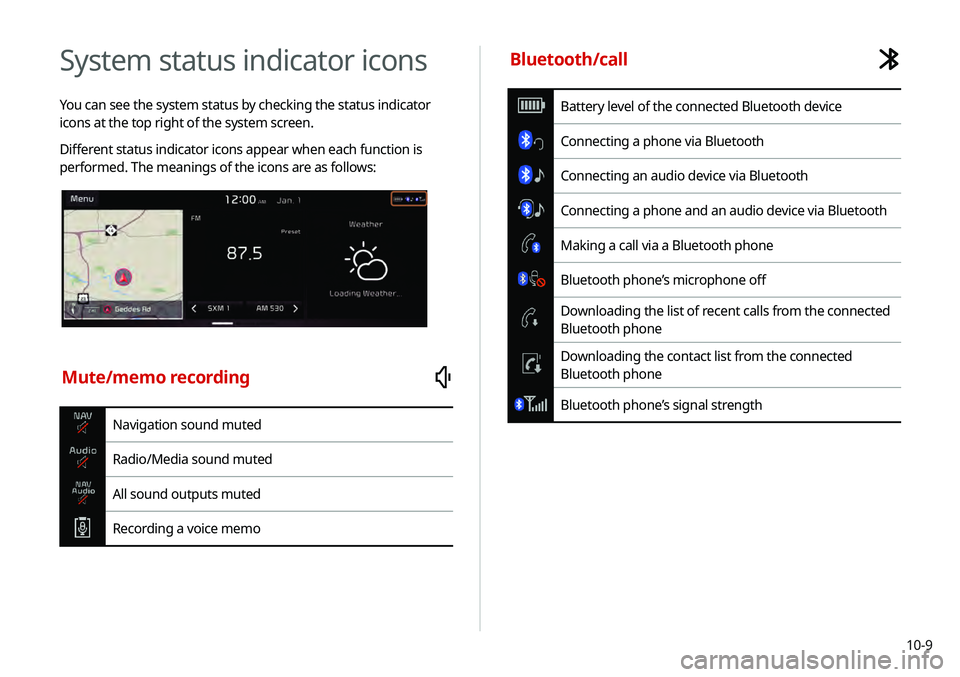
You can see the system status by checking the status indicator
icons at the top right of the system screen.
Different status indicator icons appear when each function is
performed. The meanings of the icons are as follows:
Mute/memo recording
Navigation sound muted
Radio/Media sound muted
All sound outputs muted
Recording a voice memo
Bluetooth/call
Battery level of the connected Bluetooth device
Connecting a phone via Bluetooth
Connecting an audio device via Bluetooth
Connecting a phone and an audio device via Bluetooth
Making a call via a Bluetooth phone
Bluetooth phone’s microphone off
Downloading the list of recent calls from the connected
Bluetooth phone
Downloading the contact list from the connected
Bluetooth phone
Bluetooth phone’s signal strength
Page 196 of 219

10-10
Available functions in the rear seat (if
equipped)
Rear-seat remote control locked
Rear-seat sleep mode On
Front-seat driver is having a conversation with a rear-
seat occupant
Wireless charging
Wireless charging in progress
Wireless charging complete
Wireless charging failure
0000
A
Battery level on the screen may differ from the one on the
connected Bluetooth device.
0000
A
Signal strength on the screen may differ from the one on the
connected mobile phone.
0000
A
Some icons may not appear depending on the vehicle model
and specifications.
UVO
Talking with a UVO phone
UVO phone’s microphone off
Vehicle location sharing
Sending the vehicle location
Receiving the vehicle location
Sending/receiving the vehicle location
UVO network’s signal strength
Data
LTE data available
Using LTE data
System update
Scheduling the update
Updating
Page 197 of 219
10-11
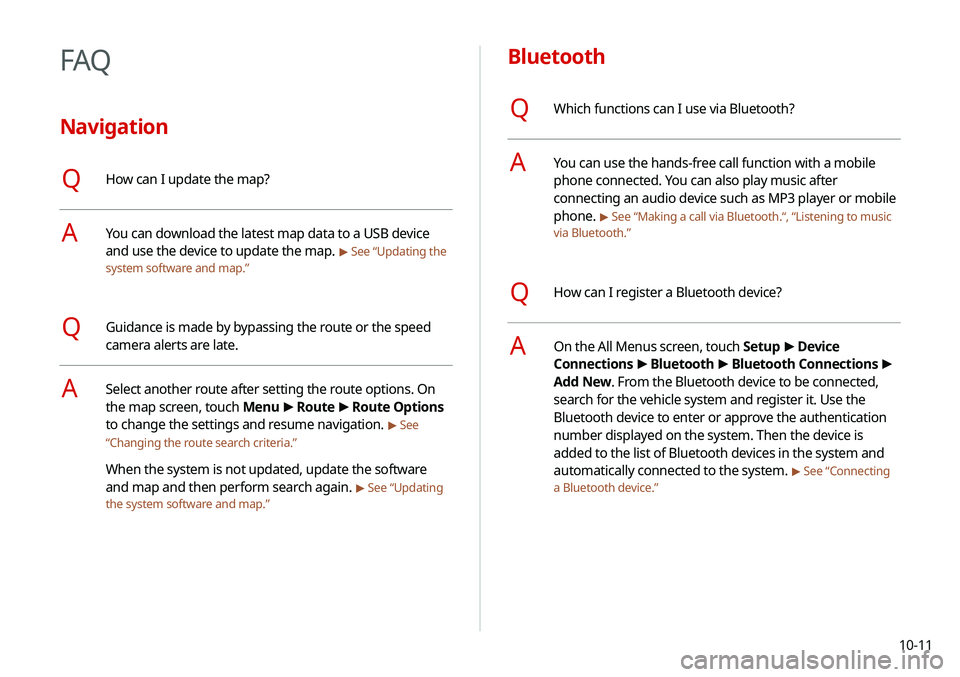
Bluetooth
QWhich functions can I use via Bluetooth?
AYou can use the hands-free call function with a mobile
phone connected. You can also play music after
connecting an audio device such as MP3 player or mobile
phone.
> See “Making a call via Bluetooth.“, “Listening to music
via Bluetooth.”
QHow can I register a Bluetooth device?
AOn the All Menus screen, touch Setup >
Device
Connections >
Bluetooth >
Bluetooth Connections >
Add New. From the Bluetooth device to be connected,
search for the vehicle system and register it. Use the
Bluetooth device to enter or approve the authentication
number displayed on the system. Then the device is
added to the list of Bluetooth devices in the system and
automatically connected to the system.
> See “Connecting
a Bluetooth device.”
FAQ
Navigation
QHow can I update the map?
AYou can download the latest map data to a USB device
and use the device to update the map.
> See “Updating the
system software and map.”
QGuidance is made by bypassing the route or the speed
camera alerts are late.
ASelect another route after setting the route options. On
the map screen, touch Menu >
Route >
Route Options
to change the settings and resume navigation.
> See
“ Changing the route search criteria.”
When the system is not updated, update the software
and map and then perform search again.
> See “Updating
the system software and map.”
Page 198 of 219
10-12
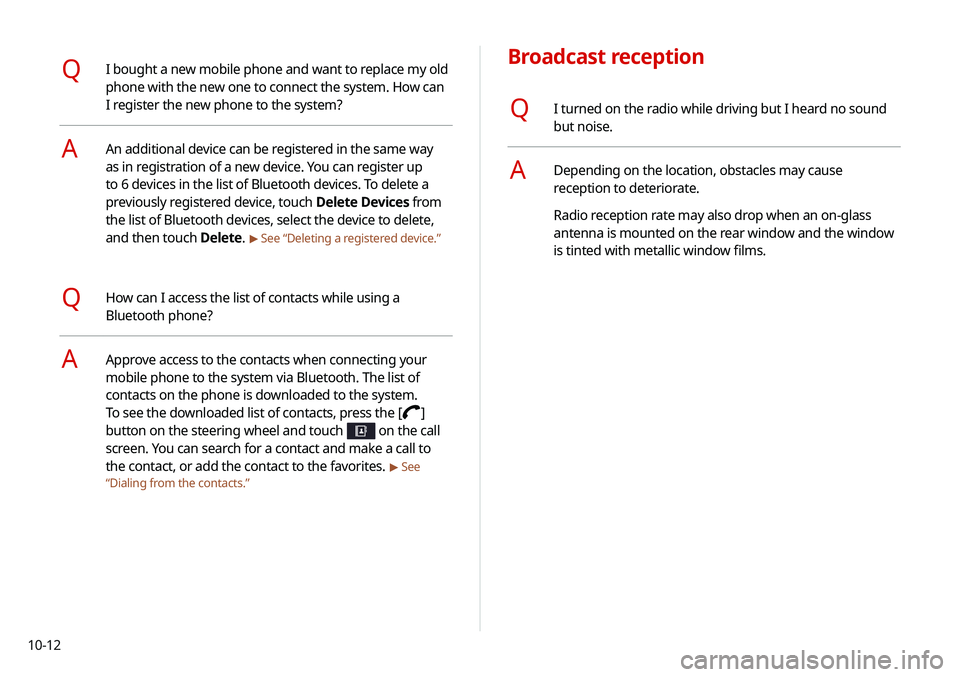
Broadcast reception
QI turned on the radio while driving but I heard no sound
but noise.
ADepending on the location, obstacles may cause
reception to deteriorate.
Radio reception rate may also drop when an on-glass
antenna is mounted on the rear window and the window
is tinted with metallic window films.
QI bought a new mobile phone and want to replace my old
phone with the new one to connect the system. How can
I register the new phone to the system?
AAn additional device can be registered in the same way
as in registration of a new device. You can register up
to 6 devices in the list of Bluetooth devices. To delete a
previously registered device, touch Delete Devices from
the list of Bluetooth devices, select the device to delete,
and then touch Delete.
> See “Deleting a registered device.”
QHow can I access the list of contacts while using a
Bluetooth phone?
AApprove access to the contacts when connecting your
mobile phone to the system via Bluetooth. The list of
contacts on the phone is downloaded to the system.
To see the downloaded list of contacts, press the [
]
button on the steering wheel and touch
on the call
screen. You can search for a contact and make a call to
the contact, or add the contact to the favorites.
> See
“ Dialing from the contacts.”
Page 206 of 219

10-20
Index
A
Advanced system settings 9-6
Android devicesAndroid Auto 2-2
Apple devices Apple CarPlay 2-4
B
Battery warning 1-6
BluetoothBluetooth phone
Answering a call 6-14
Call 6-6
Contacts list 6-10
Dial pad 6-12
Favorites settings 6-8
Options during a call 6-15
Recent calls list 6-7
Switching to another call 6-16
Text message 6-16
Specifications 10-16 Bluetooth connection
Adding a device 6-3
Deleting a device 6-6
Device connection 6-4
Disconnecting a device 6-6
C
Component Names and FunctionsControl panel
Custom button 1-2
MAP button 1-2
MEDIA button 1-2
NAV button 1-2
POWER button/VOLUME knob 1-2
RADIO button 1-2
SEEK/TRACK button 1-2
SETUP button 1-2
System Reset button 1-3
TUNE knob/FILE knob/
ENTER button 1-3
Steering wheel remote control
Call button 1-4
End Call button 1-4
MODE button 1-3
Move button 1-4
Voice Recognition button 1-3
Volume lever/Mute button 1-3
Contacts list 6-10
Control panel 1-2
D
Date and time settings 9-21
Deleting a location 5-23
Destination search 5-3
Driving assist display 2-6
E
Editing a location 5-23
Editing a route 5-16
Page 207 of 219
10-21
F
FAQ 10-11Bluetooth 10-11
Broadcast reception 10-12
Navigation 10-11
Self-inspection method upon
failure 10-13
Favorites 1-16
Finding a route easily 5-3 Destination search 5-3
Finding the route Adding a waypoint 5-16
Address search 5-10
Displaying POIs on the map 5-14
Frequently visited places 5-21
Gas stations 5-24
Location registration
Deleting a POI 5-23
Editing a POI 5-23
Registration after search 5-19
Map 5-6
Map update 9-26
Previous Destinations 5-12
Rest area information 5-7
Saving the current position 5-20
Searching for POIs 5-13
Volume adjustment 5-8
H
HD Radio Data 2-13
HD Radio™ 3-6
Home screen 1-10
K
Keyboard settings 9-22
L
Language settings 9-22
Listening to musicBluetooth audio 4-7
Location registration 5-19
M
Map 5-6 POI display 5-14
Map update 9-26
Media device connection 4-2
Media player Bluetooth audio 4-8
USB music 4-2
Messages 6-17
Microphone 7-2
Multi-page Home screen 1-13
N
Navigation 5-2, 5-10
Navigation settings 9-15
Page 208 of 219
10-22
O
One Page Home screen 1-11
P
Parking assist guide lines 2-6
Phone 6-6
Phone projectionAndroid Auto 2-2
Apple CarPlay 2-4
Previous Destinations 5-12
Product specifications Bluetooth 10-16
Common specifications 10-15
LTE RF 10-16
Media player 10-13
Radio 10-15
Proximity Warning 2-7, 9-12
R
Radio
Changing the channel 3-4
Changing the radio mode 3-4
Deleting a channel 3-6
Registering a channel 3-5
Scanning channels 3-5
Rear view display 2-6
Recent calls list 6-7
Reset Bluetooth 9-5
Navigation settings 9-18
Screen settings 9-26
Sound settings 9-14
System settings 9-24
S
Save searched place 5-19
Saving frequently visited places 5-21
Saving the current position 5-21
Screen saver settings 9-23
Screen settings 9-24
Screen touch sound settings 9-14 Settings
Advanced settings 9-6
Bluetooth settings 9-4, 9-21
Date and time 9-21
Device connection 9-4
Keyboard 9-22
Navigation settings 9-15
Screen saver settings 9-23
Screen touch sound 9-14
System display settings 9-24
System Info 9-23
System language 9-22
System Sound 9-11
UVO settings 9-19
Vehicle settings 9-2
Voice recognition settings 9-14
SiriusXM™ 3-8 Changing to SiriusXM mode 3-8
Featured Favorites channels 3-11
Searching for channels 3-9
Seeing the program schedule 3-10
Selecting channels 3-10