load KIA TELLURIDE 2021 Navigation System Quick Reference Guide
[x] Cancel search | Manufacturer: KIA, Model Year: 2021, Model line: TELLURIDE, Model: KIA TELLURIDE 2021Pages: 300, PDF Size: 10.06 MB
Page 139 of 300
6-13
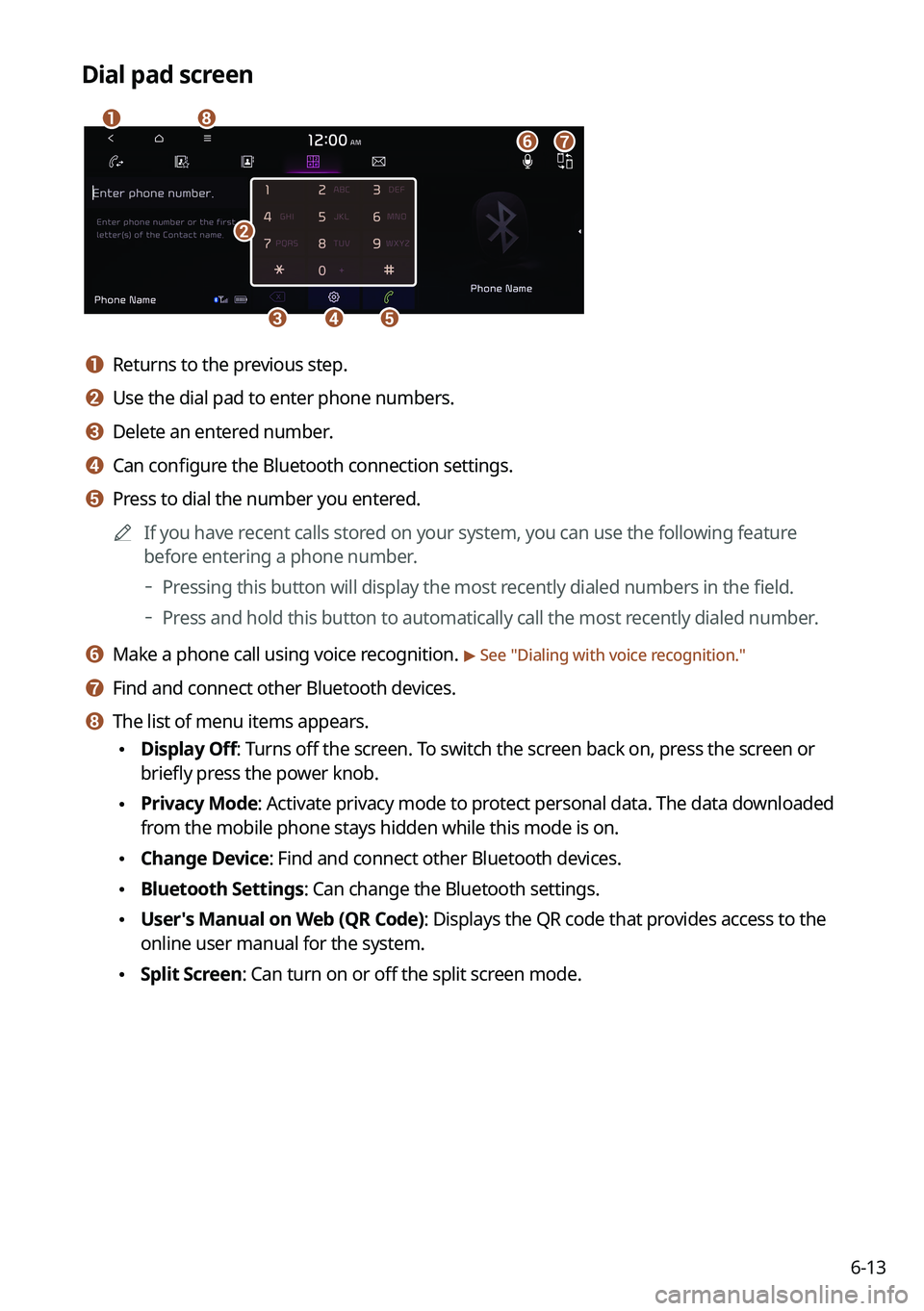
Dial pad screen
\037
\036\035\034
\033
\032
\031
\030
a a Returns to the previous step.
b b Use the dial pad to enter phone numbers.
c c Delete an entered number.
d d Can configure the Bluetooth connection settings.
e e Press to dial the number you entered.0000
A
If you have recent calls stored on your system, you can use the following feature
before entering a phone number.
000DPressing this button will display the most recently dialed numbers in the field.
000DPress and hold this button to automatically call the most recently dialed number.
f f Make a phone call using voice recognition. > See "
Dialing with voice recognition."
g g Find and connect other Bluetooth devices.
h h The list of menu items appears.
\225 Display Off: Turns off the screen. To switch the screen back on, press the screen or
briefly press the power knob.
\225Privacy Mode: Activate privacy mode to protect personal data. The data downloaded
from the mobile phone stays hidden while this mode is on.
\225Change Device: Find and connect other Bluetooth devices.
\225Bluetooth Settings: Can change the Bluetooth settings.
\225User's Manual on Web (QR Code): Displays the QR code that provides access to the
online user manual for the system.
\225Split Screen: Can turn on or off the split screen mode.
Page 140 of 300
6-14
Dialing with voice recognition
When you connect your mobile device to the system via Bluetooth, contacts from the device
are downloaded to the system, and you can choose to call them using voice recognition.0000
A
To call using voice recognition, there must be contacts stored on the system.
1 Perform any of the following methods:
\225On the All Menus screen, press Phone.
\225On the steering wheel, press the Call button.
2 On the Bluetooth Call screen, press .
3 When a guiding beep is heard, say the name of the contact to make a
phone call.
The system dials the selected contact.
0000
A
In case of the dial pad screen, press
say the phone number to make a call.
Accepting an incoming call over Bluetooth
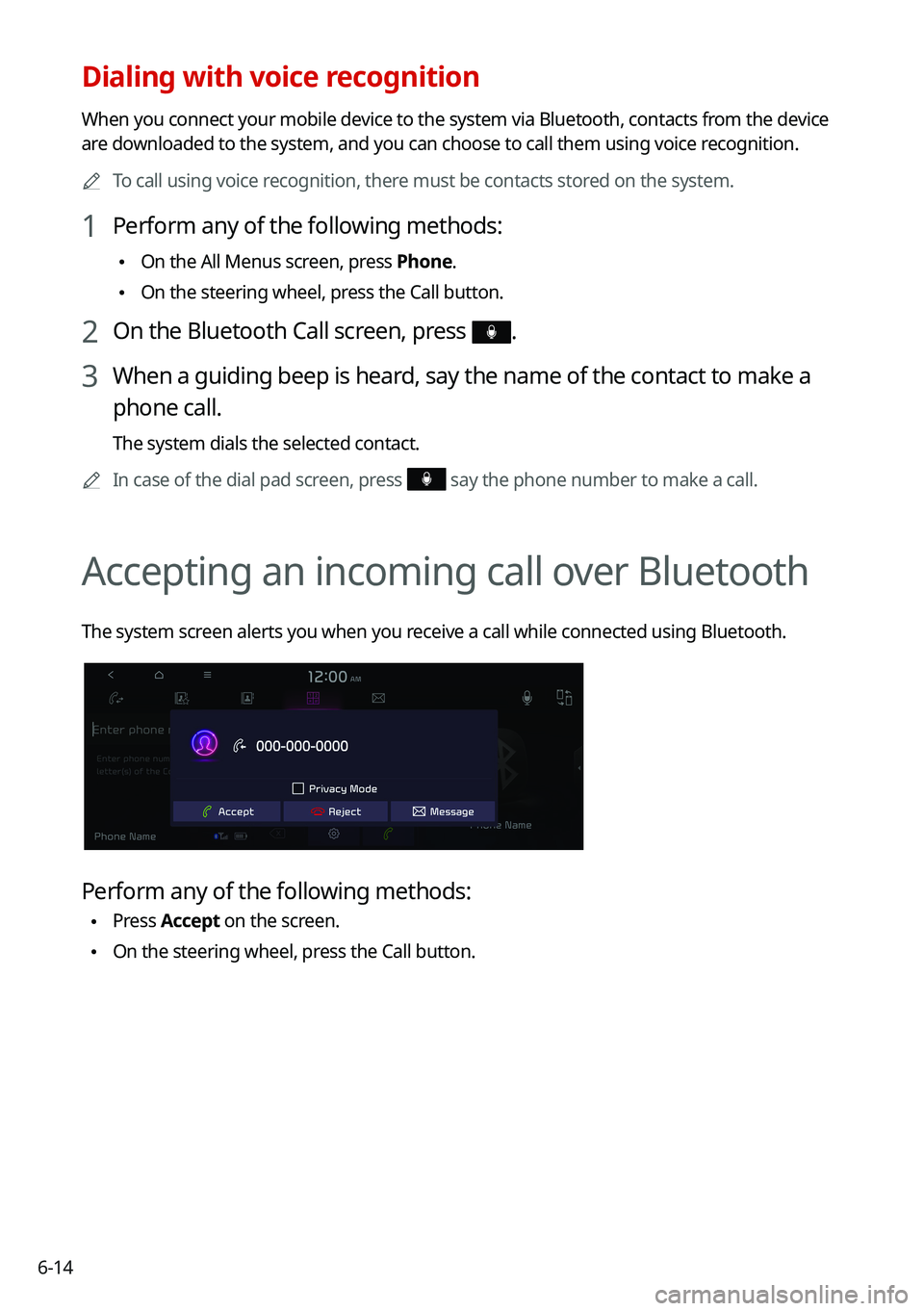
The system screen alerts you when you receive a call while connected using Bluetooth.
Perform any of the following methods:
\225Press
Accept on the screen.
\225On the steering wheel, press the Call button.
Page 142 of 300

6-16
d d Displays or hides the dial pad screen.
e e Used to switch the call to the mobile phone. This option may not be avai\
lable in some
phone models.
f f Used to end a call.
g g The list of menu items appears.
\225Display Off: Turns off the screen. To switch the screen back on, press the screen or
briefly press the power knob.
\225Privacy Mode: Activate privacy mode to protect personal data. The data downloaded
from the mobile phone stays hidden while this mode is on.
\225Split Screen: Can turn on or off the split screen mode.
0000
A
If you set the microphone volume too high, the other party may have a difficulty
understanding you due to noise or echoing, depending on their mobile pho\
ne and
surroundings. Setting the volume to 30 or lower is recommended.
0000
A
When the caller is in the contact list, the caller's name and phone number of the caller are
displayed. Otherwise, only the phone number appears.
0000
A
During a call with a Bluetooth connection, you cannot switch to another \
screen such as
Radio/Media mode.
0000
A
Depending on the phone model, the call volume of the other party may differ.
0000
A
Depending on the phone model, the telephone number may not appear.
Switching to another call
You can receive another incoming call while in a call. This option is available o\
nly when the
connected mobile phone supports the call hold function. The original cal\
l is put on hold.
To switch between two calls, use either option.
\225Press
Switch.
\225Press a displayed phone number.
0000A
This option may not be available in some phone models.
Page 143 of 300
6-17
Checking a new message over Bluetooth
After connecting a mobile phone via Bluetooth, you can check the received messages
through the system screen and listen to voice messages converted from the text messages.
This option is available when a mobile phone is connected via Bluetooth.\
You can also send
the brief reply message registered in the system.
Checking a new message
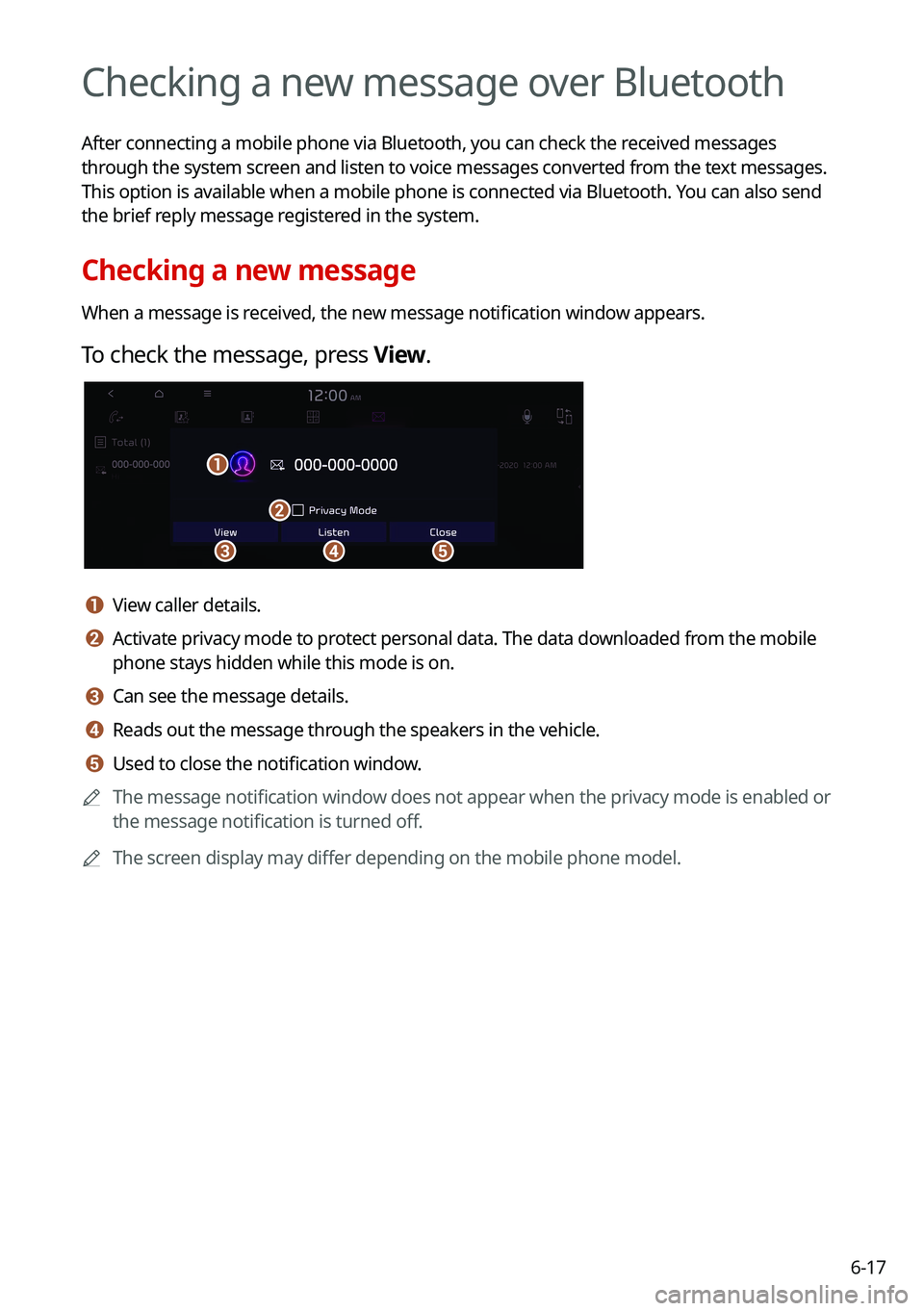
When a message is received, the new message notification window appears.
To check the message, press View.
\037\036
\035
\034
\033
a a View caller details.
b b Activate privacy mode to protect personal data. The data downloaded from the mobile
phone stays hidden while this mode is on.
c c Can see the message details.
d d Reads out the message through the speakers in the vehicle.
e e Used to close the notification window.
0000
A
The message notification window does not appear when the privacy mode is enabled or
the message notification is turned off.
0000
A
The screen display may differ depending on the mobile phone model.
Page 144 of 300

6-18
Bluetooth message screen
\037
\036
\035
\034
\033
a a Returns to the previous step.
b b View the list of received messages.
c c Can text a message by using the voice recognition. > See "Sending a text by using the voice
recognition."
d d Find and connect other Bluetooth devices.
e e The list of menu items appears.
\225 Display Off: Turns off the screen. To switch the screen back on, press the screen or
briefly press the power knob.
\225Privacy Mode: Activate privacy mode to protect personal data. The data downloaded
from the mobile phone stays hidden while this mode is on.
\225Change Device: Find and connect other Bluetooth devices.
\225Bluetooth Settings: Can change the Bluetooth settings.
\225User's Manual on Web (QR Code): Displays the QR code that provides access to the
online user manual for the system.
\225Split Screen: Can turn on or off the split screen mode.
Checking a new message from the list
1 Perform any of the following methods:
\225On the All Menus screen, press Phone.
\225On the steering wheel, press the Call button.
2 On the Bluetooth Call screen, press .
3 Select a message from the list.
Page 146 of 300
6-20
Sending a text by using the voice recognition
When you connect your mobile device to the system via Bluetooth, contacts from the device
are downloaded to the system so you can text a message to a contact by using the voice
recognition.0000
A
To call using voice recognition, there must be contacts stored on the system.
0000
A
It is available only when the UVO service is active.
1 Perform any of the following methods:
\225On the All Menus screen, press Phone.
\225On the steering wheel, press the Call button.
2 On the bluetooth message screen, press .
3 When a guiding beep is heard, say the message.
The system sends the text to the selected contact.
Page 152 of 300
7-6
Available voice commands
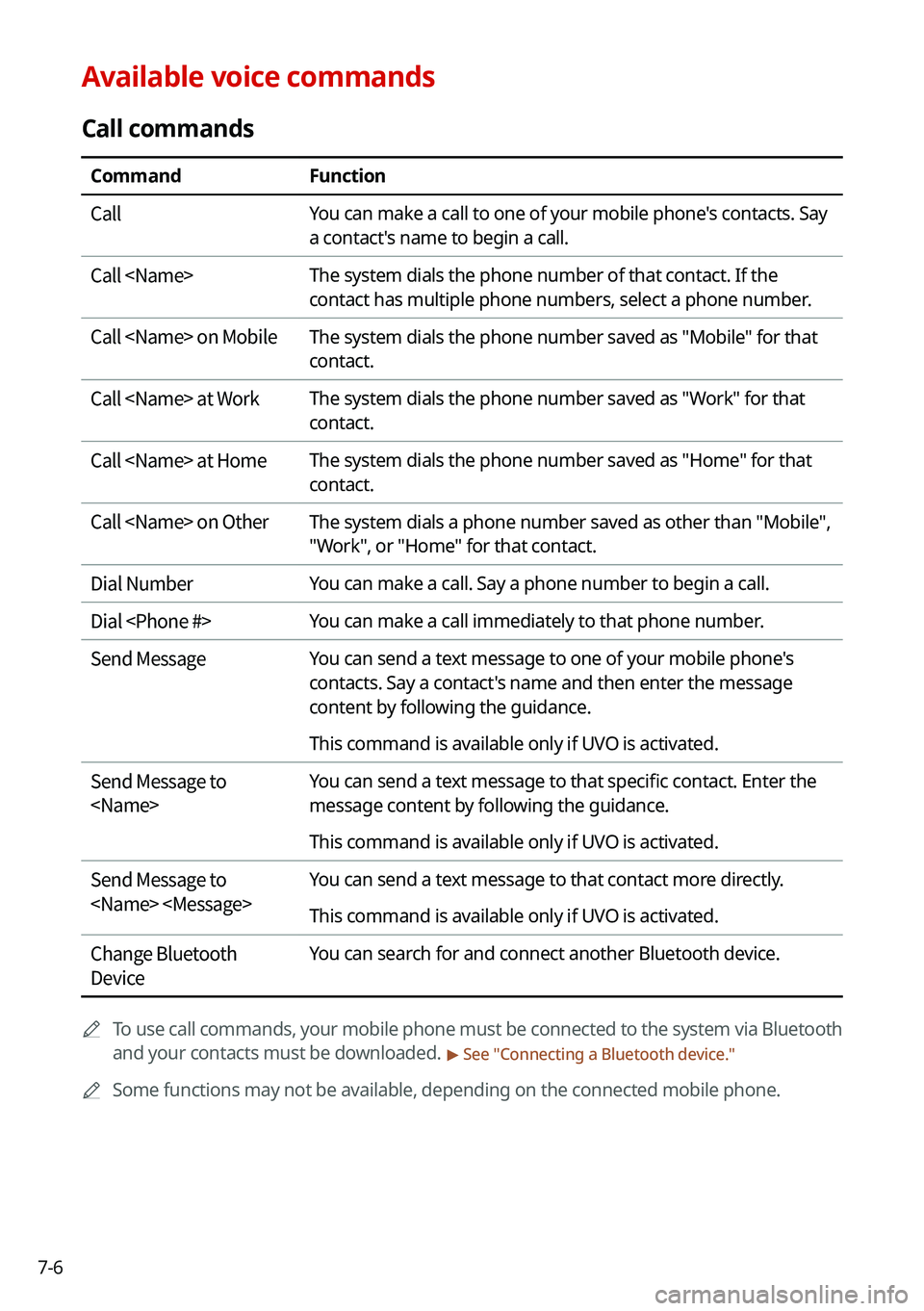
Call commands
CommandFunction
Call You can make a call to one of your mobile phone's contacts. Say
a contact's name to begin a call.
Call
contact has multiple phone numbers, select a phone number.
Call
contact.
Call
contact.
Call
contact.
Call
"Work", or "Home" for that contact.
Dial Number You can make a call. Say a phone number to begin a call.
Dial
Send Message You can send a text message to one of your mobile phone's
contacts. Say a contact's name and then enter the message
content by following the guidance.
This command is available only if UVO is activated.
Send Message to
message content by following the guidance.
This command is available only if UVO is activated.
Send Message to
This command is available only if UVO is activated.
Change Bluetooth
Device You can search for and connect another Bluetooth device.
0000
A
To use call commands, your mobile phone must be connected to the system via Bluetooth
and your contacts must be downloaded.
> See "Connecting a Bluetooth device."
0000
A
Some functions may not be available, depending on the connected mobile p\
hone.
Page 270 of 300
9-90
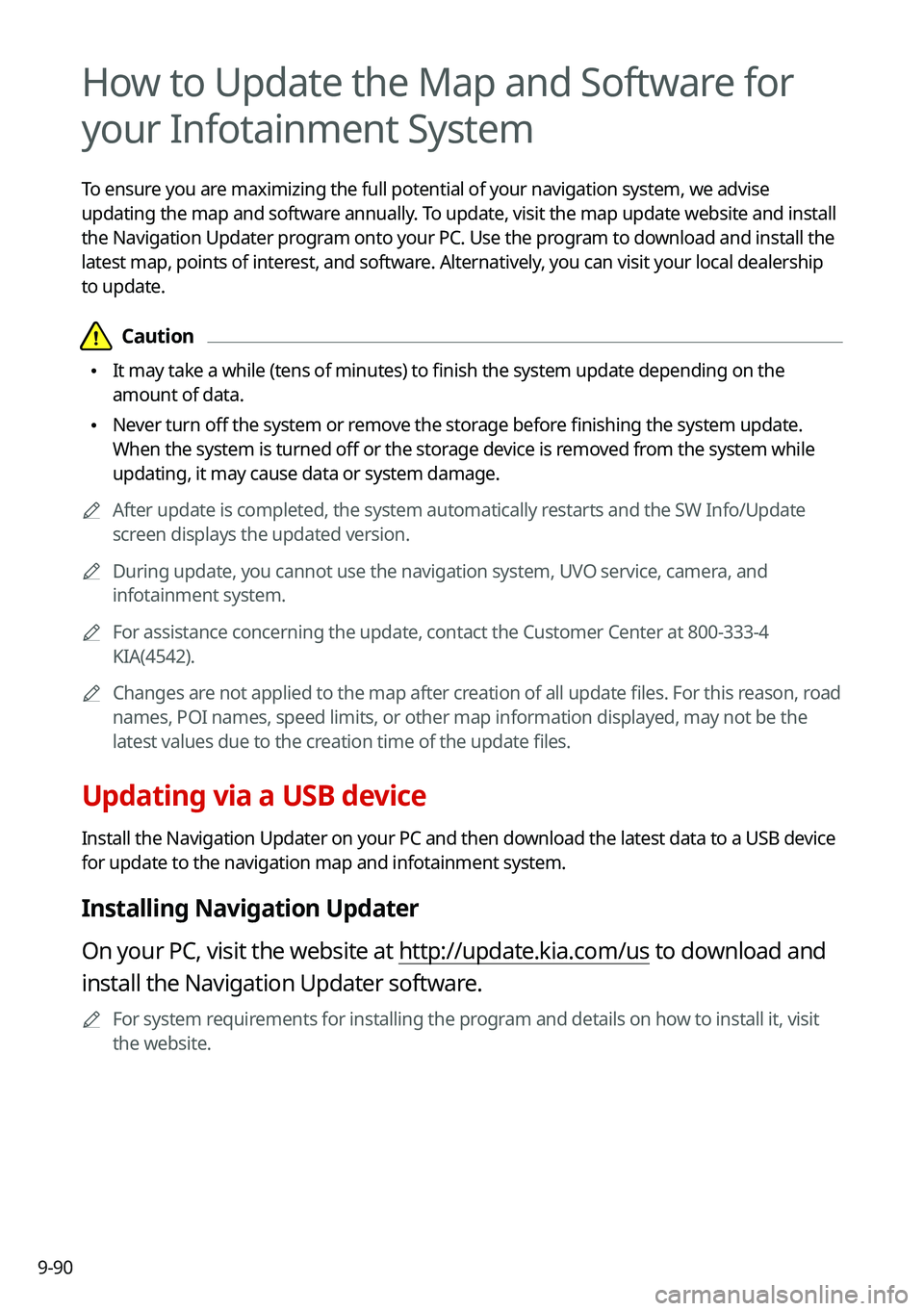
How to Update the Map and Software for
your Infotainment System
To ensure you are maximizing the full potential of your navigation system, we advise
updating the map and software annually. To update, visit the map update website and install
the Navigation Updater program onto your PC. Use the program to download and install the
latest map, points of interest, and software. Alternatively, you can visit your local dealership
to update.
\334\334Caution
\225It may take a while (tens of minutes) to finish the system update depending on the
amount of data.
\225Never turn off the system or remove the storage before finishing the system update.
When the system is turned off or the storage device is removed from the system while
updating, it may cause data or system damage.
0000
A
After update is completed, the system automatically restarts and the SW Info/Update
screen displays the updated version.
0000
A
During update, you cannot use the navigation system, UVO service, camera, and
infotainment system.
0000
A
For assistance concerning the update, contact the Customer Center at 800\
-333-4
KIA(4542).
0000
A
Changes are not applied to the map after creation of all update files. For this reason, road
names, POI names, speed limits, or other map information displayed, may \
not be the
latest values due to the creation time of the update files.
Updating via a USB device
Install the Navigation Updater on your PC and then download the latest data to a USB device
for update to the navigation map and infotainment system.
Installing Navigation Updater
On your PC, visit the website at http://update.kia.com/us to download and
install the Navigation Updater software.
0000
A
For system requirements for installing the program and details on how to install it, visit
the website.
Page 271 of 300
9-91
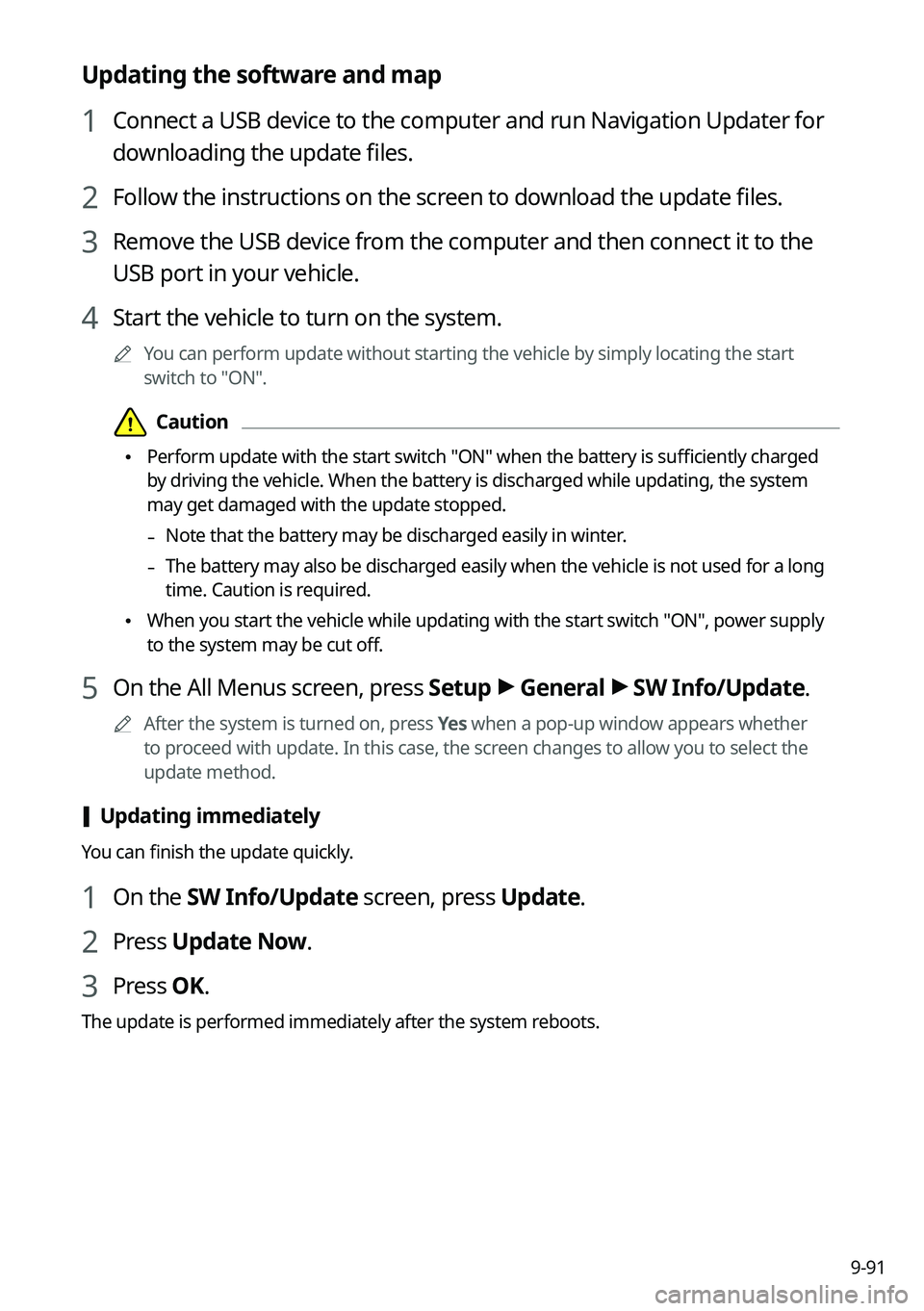
Updating the software and map
1 Connect a USB device to the computer and run Navigation Updater for
downloading the update files.
2 Follow the instructions on the screen to download the update files.
3 Remove the USB device from the computer and then connect it to the
USB port in your vehicle.
4 Start the vehicle to turn on the system.
0000
A
You can perform update without starting the vehicle by simply locating the start
switch to "ON".
\334\334Caution
\225Perform update with the start switch "ON" when the battery is sufficiently charged
by driving the vehicle. When the battery is discharged while updating, the system
may get damaged with the update stopped.
-Note that the battery may be discharged easily in winter.
-The battery may also be discharged easily when the vehicle is not used for a long
time. Caution is required.
\225
When you start the vehicle while updating with the start switch "ON", po\
wer supply
to the system may be cut off.
5 On the All Menus screen, press Setup >
General >
SW Info/Update.
0000
A
After the system is turned on, press Yes when a pop-up window appears whether
to proceed with update. In this case, the screen changes to allow you to select the
update method.
[ Updating immediately
You can finish the update quickly.
1 On the SW Info/Update screen, press Update.
2 Press
Update Now.
3 Press OK.
The update is performed immediately after the system reboots.
Page 272 of 300
9-92
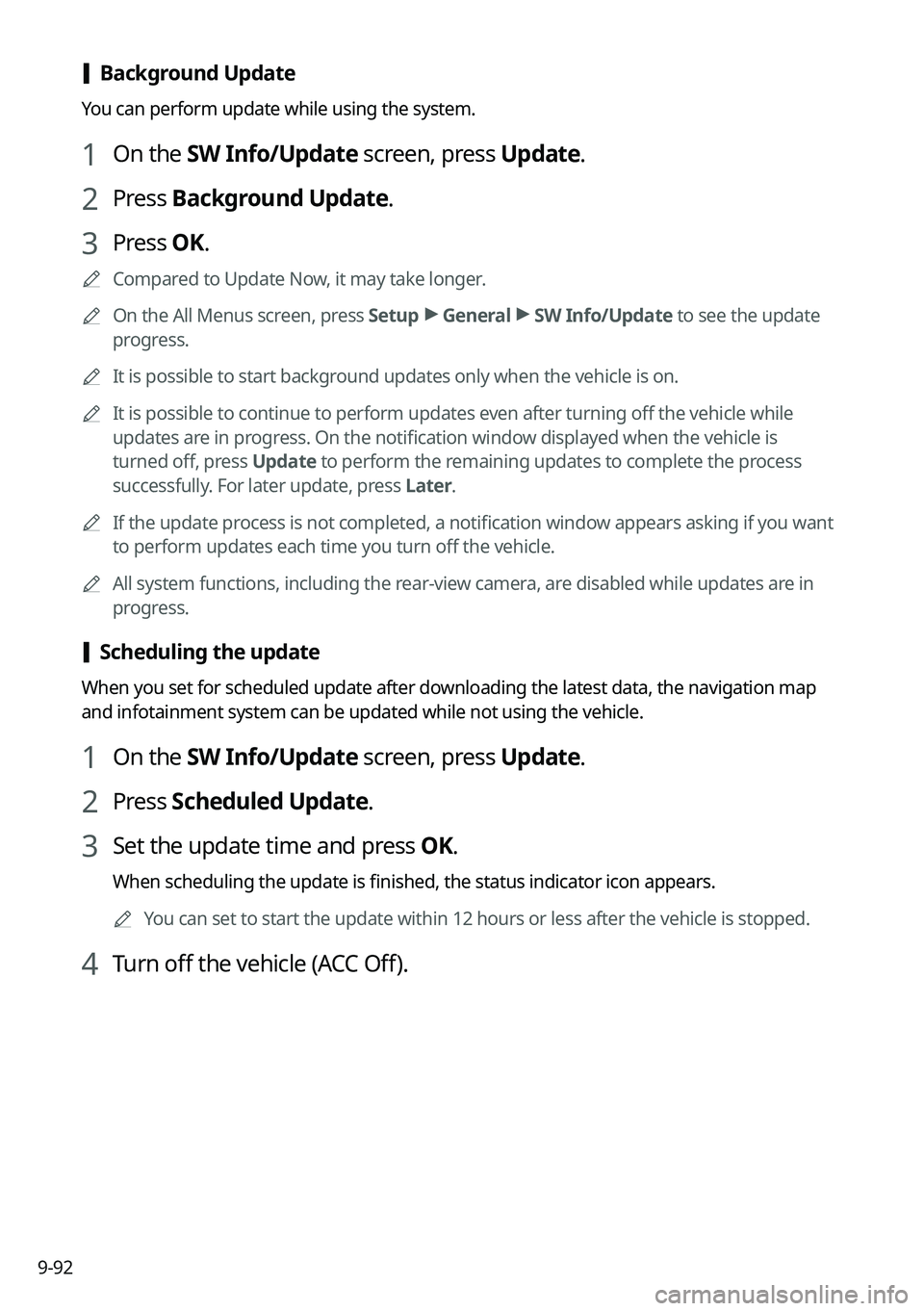
[Background Update
You can perform update while using the system.
1 On the SW Info/Update screen, press Update.
2 Press
Background Update.
3 Press OK.
0000
A
Compared to Update Now, it may take longer.
0000
A
On the All Menus screen, press Setup >
General >
SW Info/Update to see the update
progress.
0000
A
It is possible to start background updates only when the vehicle is on.
0000
A
It is possible to continue to perform updates even after turning off the vehicle while
updates are in progress. On the notification window displayed when the vehicle is
turned off, press Update to perform the remaining updates to complete the process
successfully. For later update, press Later.
0000
A
If the update process is not completed, a notification window appears asking if you want
to perform updates each time you turn off the vehicle.
0000
A
All system functions, including the rear-view camera, are disabled while updates are in
progress.
[Scheduling the update
When you set for scheduled update after downloading the latest data, the navigation map
and infotainment system can be updated while not using the vehicle.
1 On the SW Info/Update screen, press Update.
2 Press
Scheduled Update.
3 Set the update time and press OK.
When scheduling the update is finished, the status indicator icon appears.
0000
A
You can set to start the update within 12 hours or less after the vehicle\
is stopped.
4 Turn off the vehicle (ACC Off).