change KIA TELLURIDE 2021 Navigation System Quick Reference Guide
[x] Cancel search | Manufacturer: KIA, Model Year: 2021, Model line: TELLURIDE, Model: KIA TELLURIDE 2021Pages: 300, PDF Size: 10.06 MB
Page 206 of 300

9-26
Seat Position Change Alert (if equipped)
You can set the system to display a notification message along with the seat image on the
screen when a seat position is changed.
Smart Posture Care (if equipped)
You can see the recommended driving posture according to your physical data, and the
clinical inspection result for your waist.
Heated/Ventilated Features (if equipped)
You can set to make the driving environment pleasant by controlling the steering wheel
warmer and driver's seat warmer/ventilation.
\225Auto. Controls That Use Climate Control Settings: Automatically controls the heating
wire or ventilation for the driver's seat and steering wheel, in sync with the climate control
function.
000DSteering Wheel Warmer: Steering Wheel Warmer adjusts automatically based on
Climate settings.
000DSeat Warmer/Ventilation: Seat Warmer/Ventilation adjusts automatically based on
Climate settings.
Seating Easy Access (if equipped)
For convenience upon getting on and off, you can adjust the position of the driver's seat or
steering wheel to secure space inside the vehicle.
\225
Seat Slide Easy Access: Can set the distance to automatically move the driver's seat
when getting on or off.
Rear Seat Heating Control (if equipped)
You can set to enable the warmer for the rear-left and rear-right seats.
Lights (if equipped)
You can configure the settings for vehicle lights.
0000
A
The screen may differ depending on the vehicle model and specifications.
Page 215 of 300
9-35
Configuring the advanced system settings
(Type1)
(if equipped)
You can configure the settings for notification and button actions.
1 On the All Menus screen, press Setup >
Advanced.
The advanced settings screen appears.
2 Configure the settings required:
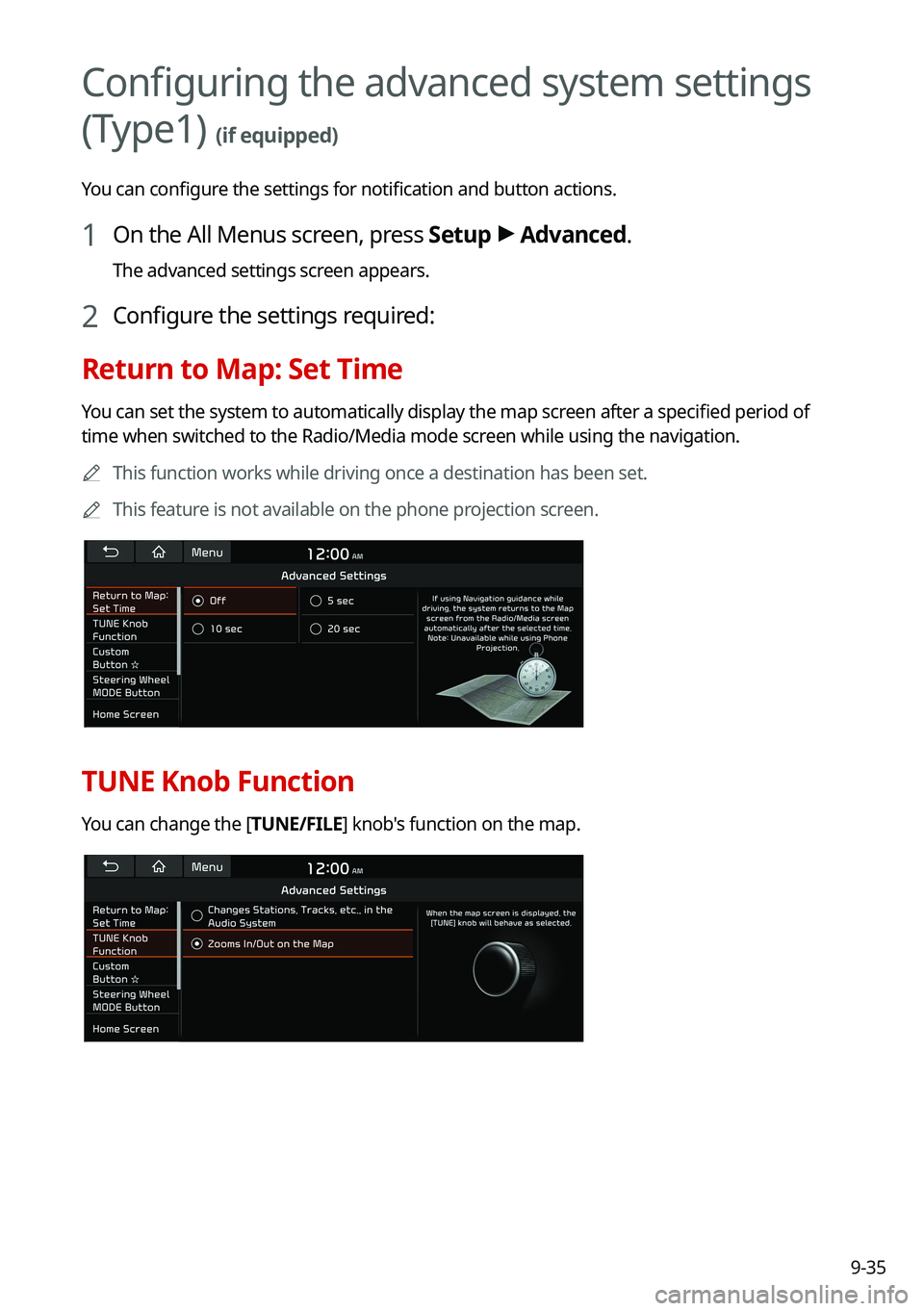
Return to Map: Set Time
You can set the system to automatically display the map screen after a specified period of
time when switched to the Radio/Media mode screen while using the navigation.
0000
A
This function works while driving once a destination has been set.
0000
A
This feature is not available on the phone projection screen.
TUNE Knob Function
You can change the [TUNE/FILE] knob's function on the map.
Page 216 of 300
![KIA TELLURIDE 2021 Navigation System Quick Reference Guide 9-36
Changes Stations, Tracks, etc., in the Audio System
You can search music or adjust the radio frequency by using the [TUNE/FILE] knob on the
map.
Zooms In/Out on the Map
You can zoom in or out th](/img/2/54877/w960_54877-215.png "KIA TELLURIDE 2021 Navigation System Quick Reference Guide 9-36
Changes Stations, Tracks, etc., in the Audio System
You can search music or adjust the radio frequency by using the [TUNE/FILE] knob on the
map.
Zooms In/Out on the Map
You can zoom in or out th")
9-36
Changes Stations, Tracks, etc., in the Audio System
You can search music or adjust the radio frequency by using the [TUNE/FILE] knob on the
map.
Zooms In/Out on the Map
You can zoom in or out the map by using the [TUNE/FILE] knob on the map.
Custom Button ☆
You can set the frequently used functions by pressing the custom button on the control
panel. Set the frequently used functions as custom buttons to access them easily.
0000
A
The screen may differ depending on the vehicle model and specifications.
Steering Wheel MODE Button
You can select the media mode to run when the [ MODE] button on the steering wheel is
pressed.
0000
A
You can add AM or Phone Projection function on each [ MODE] button to perform easily.
Page 217 of 300
9-37
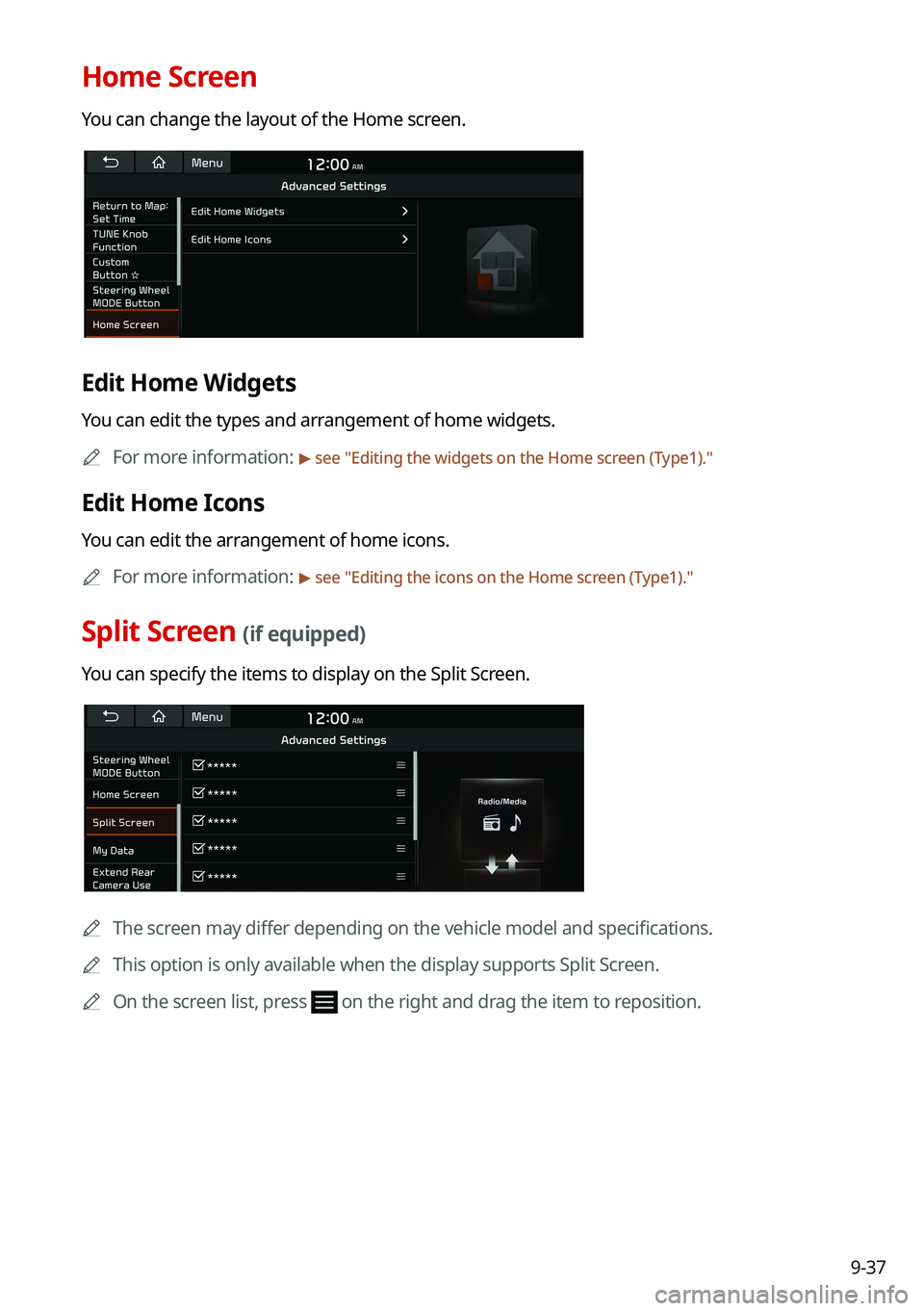
Home Screen
You can change the layout of the Home screen.
Edit Home Widgets
You can edit the types and arrangement of home widgets.0000
A
For more information:
> see "Editing the widgets on the Home screen (Type1)."
Edit Home Icons
You can edit the arrangement of home icons.
0000
A
For more information:
> see "Editing the icons on the Home screen (Type1)."
Split Screen (if equipped)
You can specify the items to display on the Split Screen.
0000A
The screen may differ depending on the vehicle model and specifications.
0000
A
This option is only available when the display supports Split Screen.
0000
A
On the screen list, press
on the right and drag the item to reposition.
Page 218 of 300
9-38
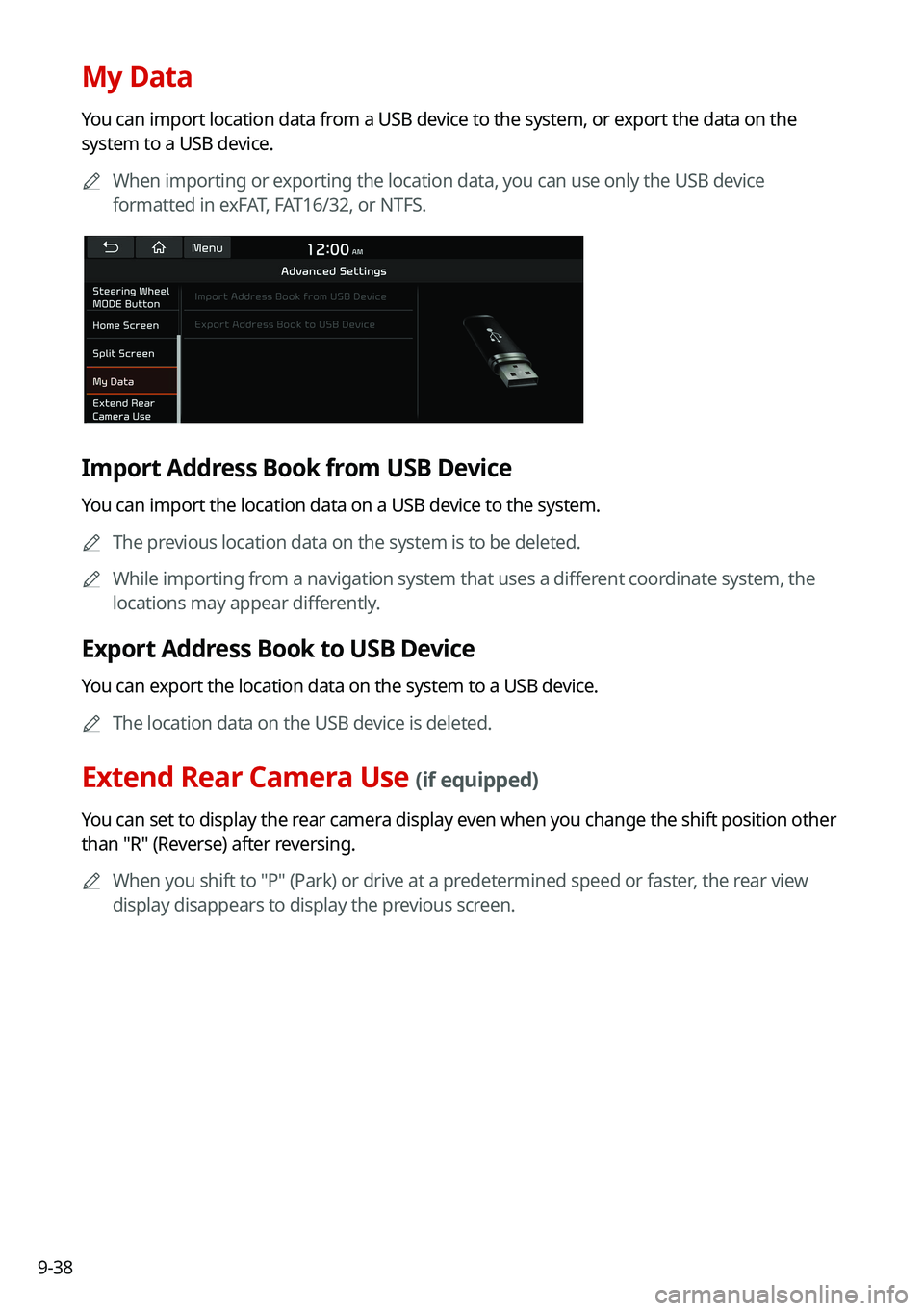
My Data
You can import location data from a USB device to the system, or export the data on the
system to a USB device.0000
A
When importing or exporting the location data, you can use only the USB device
formatted in exFAT, FAT16/32, or NTFS.
Import Address Book from USB Device
You can import the location data on a USB device to the system.
0000
A
The previous location data on the system is to be deleted.
0000
A
While importing from a navigation system that uses a different coordinate system, the
locations may appear differently.
Export Address Book to USB Device
You can export the location data on the system to a USB device.
0000
A
The location data on the USB device is deleted.
Extend Rear Camera Use (if equipped)
You can set to display the rear camera display even when you change the shift position other
than "R" (Reverse) after reversing.
0000
A
When you shift to "P" (Park) or drive at a predetermined speed or faster, the rear view
display disappears to display the previous screen.
Page 219 of 300
9-39
Configuring the button settings (Type1)
You can configure features to activate when pressing buttons on the control panel or steering
wheel.
1 On the All Menus screen, press Setup >
Button.
The button settings screen appears.
2 Configure the settings required:
0000
A
Press Menu >
Search for Settings or press and enter a keyword to search for a
setting item. You can also search for a setting item by voice.
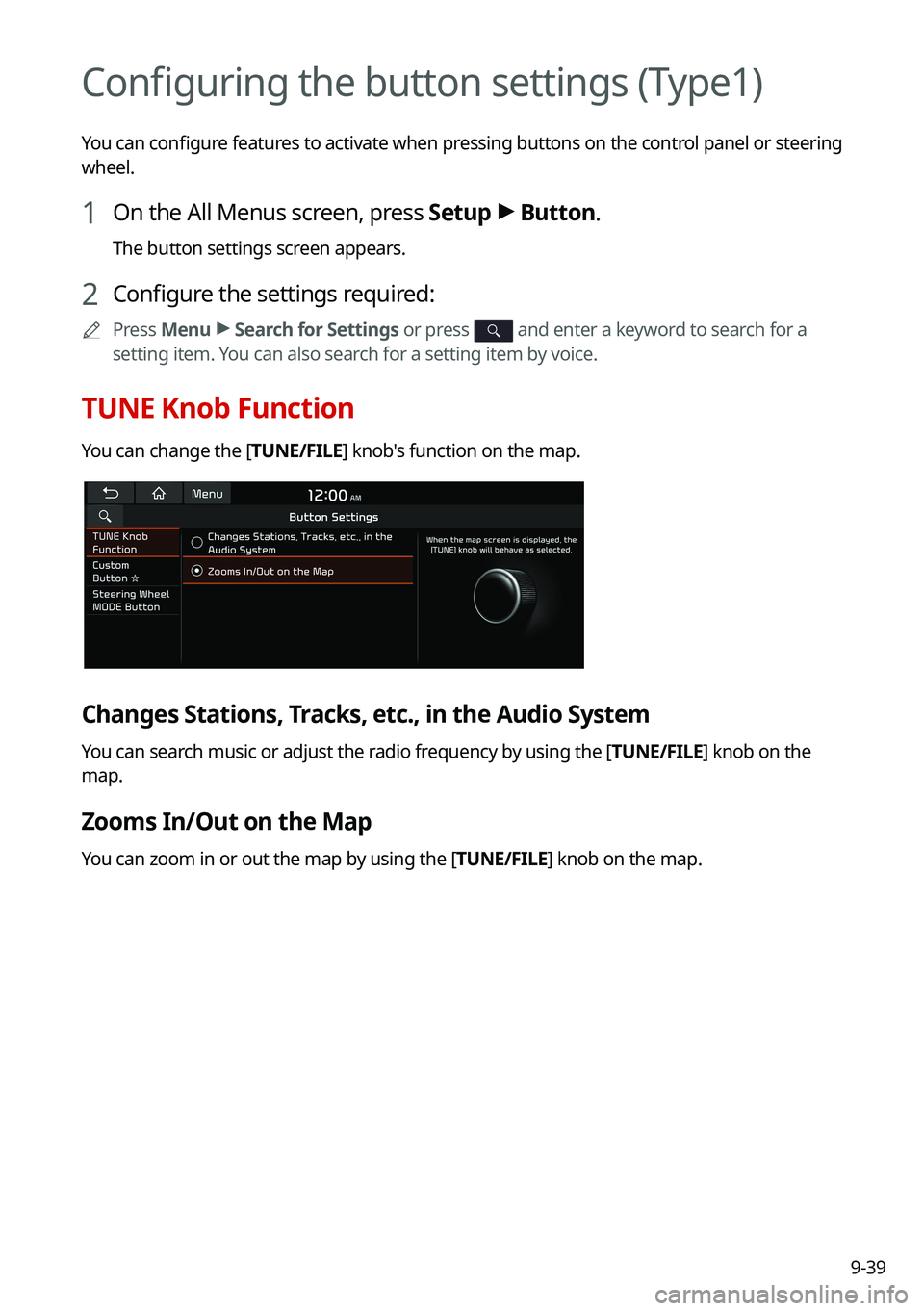
TUNE Knob Function
You can change the [TUNE/FILE] knob's function on the map.
Changes Stations, Tracks, etc., in the Audio System
You can search music or adjust the radio frequency by using the [TUNE/FILE] knob on the
map.
Zooms In/Out on the Map
You can zoom in or out the map by using the [TUNE/FILE] knob on the map.
Page 222 of 300
9-42
Configuring the sound settings (Type1)
You can change the sound settings such as speaker volume and sound effects.0000
A
Available settings may differ depending on the vehicle model and specifications.
0000
A
Some functions may not be available depending on the infotainment system\
and
amplifier specifications on the vehicle.
1 On the All Menus screen, press Setup >
Sound.
The sound settings screen appears.
2 Configure the settings required:
0000
A
Press Menu >
Search for Settings or press and enter a keyword to search for a
setting item. You can also search for a setting item by voice.
Premium Sound (if equipped)
You can change the system sound settings and apply various sound effects.
0000
A
Available sound effects may differ depending on the specifications of the amplifier.
Live Dynamic (if equipped)
Provides natural and vivid sound like real performance.
Bass Boost (if equipped)
Provides magnificent and dynamic sound by amplifying the bass.
Quantum Logic Surround (if equipped)
Provides the surround sound that can give spatial depth of field as on an actual stage.
Centerpoint® Surround Technology (if equipped)
Provides rich surround sound after converting the sound sources such as digital files and
satellite radio to stereophonic sound.
Page 226 of 300
9-46
Configuring the sound settings (Type2)
You can change the sound settings such as speaker volume and sound effects.0000
A
Available settings may differ depending on the vehicle model and specifications.
0000
A
Some functions may not be available depending on the infotainment system\
and
amplifier specifications on the vehicle.
1 On the All Menus screen, press Setup >
Sound.
The sound settings screen appears.
2 Configure the settings required:
0000
A
Press >
Search for Settings or press and enter a keyword to search for a
setting item. You can also search for a setting item by voice.
Premium Sound (if equipped)
You can change the system sound settings and apply various sound effects.
0000
A
Available sound effects may differ depending on the specifications of the amplifier.
Live Dynamic (if equipped)
Provides natural and vivid sound like real performance.
Bass Boost (if equipped)
Provides magnificent and dynamic sound by amplifying the bass.
Quantum Logic Surround (if equipped)
Provides the surround sound that can give spatial depth of field as on an actual stage.
Centerpoint® Surround Technology (if equipped)
Provides rich surround sound after converting the sound sources such as digital files and
satellite radio to stereophonic sound.
Page 230 of 300
9-50
Turning on/off the screen touch sound
To turn on or off the touch sound on the screen, press Beep at the top of
the screen.
Configuring the voice recognition settings
(Type1)
You can change the settings for voice recognition.
1 On the All Menus screen, press Setup >
Voice Recognition.
The voice recognition settings screen appears.
2 Configure the settings required:
0000
A
Press Menu >
Search for Settings or press and enter a keyword to search for a
setting item. You can also search for a setting item by voice.
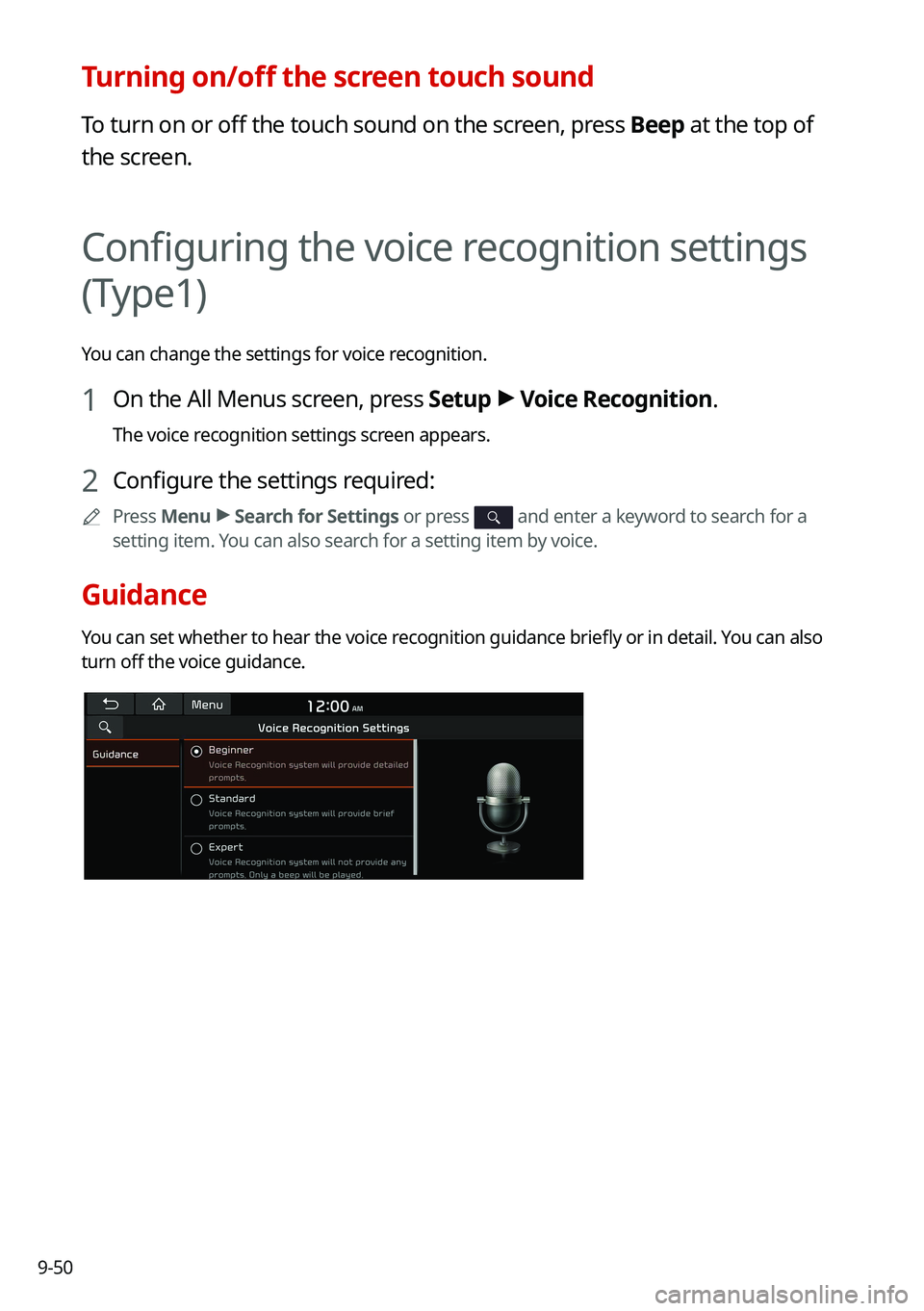
Guidance
You can set whether to hear the voice recognition guidance briefly or in detail. You can also
turn off the voice guidance.
Page 231 of 300
9-51
Configuring the voice recognition settings
(Type2)
You can change the settings for voice recognition.
1 On the All Menus screen, press Setup >
Voice Recognition.
The voice recognition settings screen appears.
2 Configure the settings required:
0000
A
Press >
Search for Settings or press and enter a keyword to search for a
setting item. You can also search for a setting item by voice.
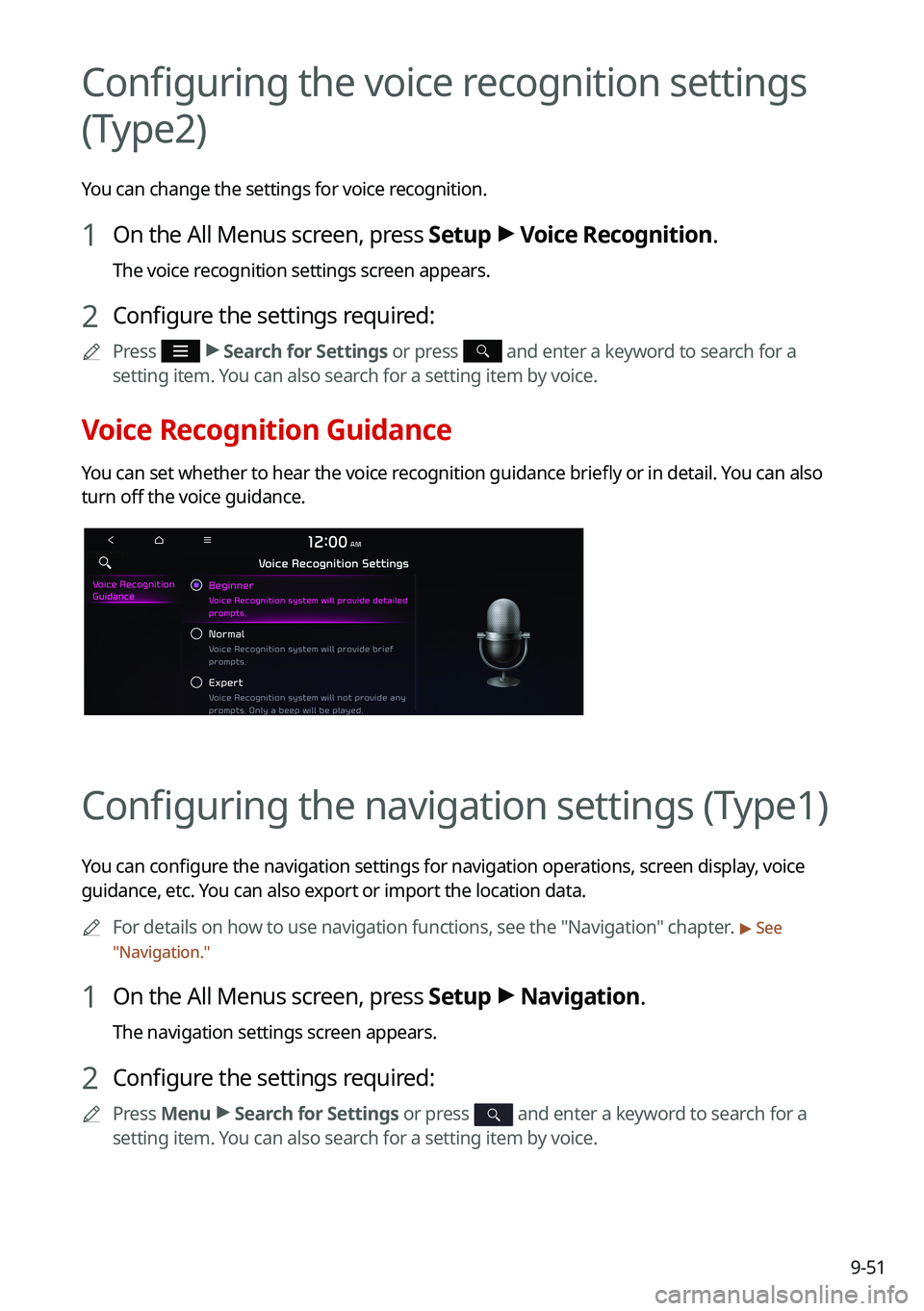
Voice Recognition Guidance
You can set whether to hear the voice recognition guidance briefly or in detail. You can also
turn off the voice guidance.
Configuring the navigation settings (Type1)
You can configure the navigation settings for navigation operations, screen display, voice
guidance, etc. You can also export or import the location data.
0000
A
For details on how to use navigation functions, see the "Navigation" chapter.
> See
" Navigation."
1 On the All Menus screen, press Setup >
Navigation.
The navigation settings screen appears.
2 Configure the settings required:
0000
A
Press Menu >
Search for Settings or press and enter a keyword to search for a
setting item. You can also search for a setting item by voice.