display KIA VENGA 2011 Owner's Guide
[x] Cancel search | Manufacturer: KIA, Model Year: 2011, Model line: VENGA, Model: KIA VENGA 2011Pages: 761, PDF Size: 34.65 MB
Page 514 of 761
493
Features of your vehicle
INTERIOR FEATURES
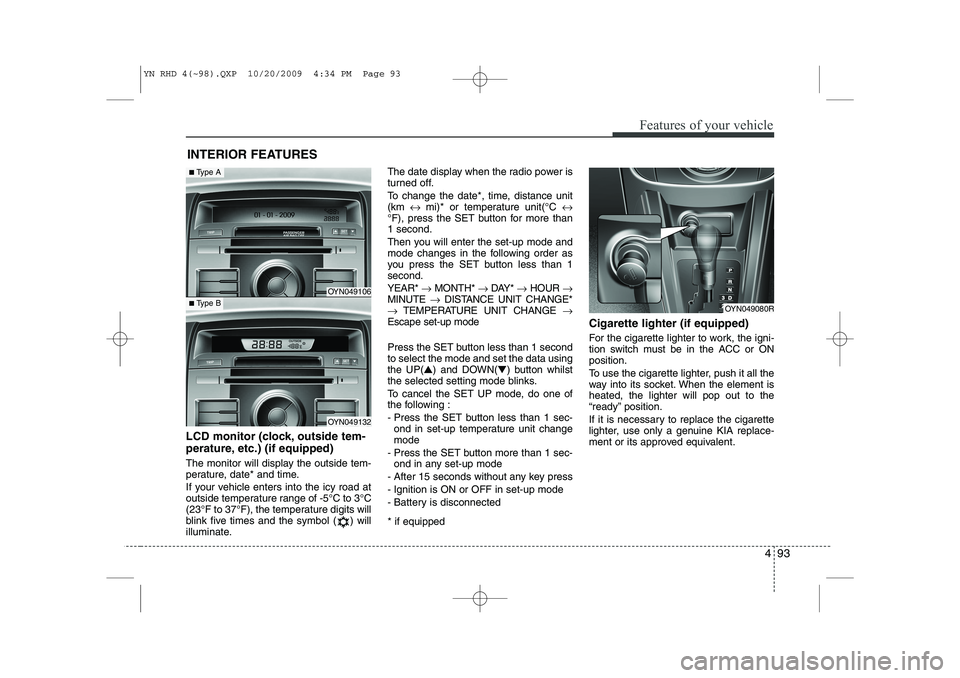
LCD monitor (clock, outside tem-
perature, etc.) (if equipped)
The monitor will display the outside tem-
perature, date* and time.
If your vehicle enters into the icy road at
outside temperature range of -5°C to 3°C
(23°F to 37°F), the temperature digits will
blink five times and the symbol ( ) will
illuminate. The date display when the radio power is
turned off.
To change the date*, time, distance unit (km
↔ mi)* or temperature unit(°C ↔
°F), press the SET button for more than1 second.
Then you will enter the set-up mode and
mode changes in the following order as
you press the SET button less than 1second. YEAR* →MONTH* →DAY* →HOUR →
MINUTE →DISTANCE UNIT CHANGE*
→ TEMPERATURE UNIT CHANGE →
Escape set-up mode
Press the SET button less than 1 second to select the mode and set the data usingthe UP( ▲) and DOWN( ▼) button whilst
the selected setting mode blinks.
To cancel the SET UP mode, do one of
the following :
- Press the SET button less than 1 sec- ond in set-up temperature unit change mode
- Press the SET button more than 1 sec- ond in any set-up mode
- After 15 seconds without any key press
- Ignition is ON or OFF in set-up mode
- Battery is disconnected * if equipped Cigarette lighter (if equipped)
For the cigarette lighter to work, the igni-
tion switch must be in the ACC or ONposition.
To use the cigarette lighter, push it all the
way into its socket. When the element isheated, the lighter will pop out to the
“ready” position.
If it is necessary to replace the cigarette
lighter, use only a genuine KIA replace-
ment or its approved equivalent.
OYN049080R
OYN049106
OYN049132
■
Type A
■Type B
YN RHD 4(~98).QXP 10/20/2009 4:34 PM Page 93
Page 523 of 761
Features of your vehicle
102
4
General information
RDS (Radio Data System)
Many VHF stations transmit RDS infor-
mation. The tuner evaluates the RDS
telegram and offers the following advan-tages: ‰ PS (Program Service name): Display
of station name.
‰ PTY (Program TYpe): Station selec-
tion by program type.
‰ AF (Alternative Frequency):
Automatic re-tuning to best alternative
frequency.
‰ TA (Traffic Announcement): Traffic
announcements.
‰ EON (Enhanced Other Networks):
Automatic fade-in of traffic announce-
ments on other stations.
Notes on operating instructions
The following reading aids are used to
simplify these operating instructions:
)Asks you to perform an action
9 Shows the unit’s reaction
✎ Provides extra info
‰ Identifies a list
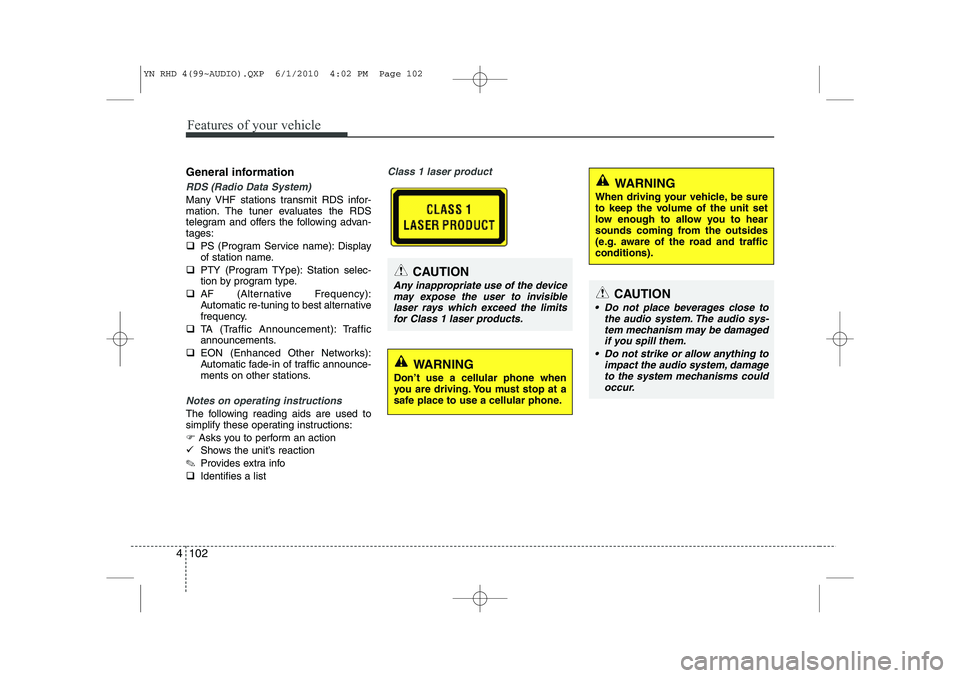
Class 1 laser product
CAUTION
Any inappropriate use of the device
may expose the user to invisiblelaser rays which exceed the limitsfor Class 1 laser products.CAUTION
Do not place beverages close to the audio system. The audio sys-tem mechanism may be damaged
if you spill them.
Do not strike or allow anything to impact the audio system, damageto the system mechanisms could occur.
WARNING
Don’t use a cellular phone when
you are driving. You must stop at a
safe place to use a cellular phone.
WARNING
When driving your vehicle, be sure
to keep the volume of the unit set
low enough to allow you to hear
sounds coming from the outsides
(e.g. aware of the road and trafficconditions).
YN RHD 4(99~AUDIO).QXP 6/1/2010 4:02 PM Page 102
Page 532 of 761
4 111
Features of your vehicle
Frequency Scan
The tuner will tune to each available sta-
tion from the current waveband for 5 sec-
onds before scanning for the next higherfrequency station.
)Short press the SCANbutton to acti-
vate/ deactivate the scan function.
Storing preset stations
In the FM 1 and 2 waveband there are 12
station presets and in the AM waveband
there are 6 station presets.
(Also see “Selecting FM or AM wave- band”).
) Select the waveband, FM or AM.
) Tune to the desired station.
) Press and hold one of the preset (1 -
6) button till you hear a beep.
9 The station selected is stored under
the preset button.
Recalling preset stations
With this function you can recall a preset station.
) Short press the desired preset button
(1 through 6) to recall the previouslyset station. Radio Data System (RDS)
Many FM stations broadcast RDS infor-
mation. The RDS provides you with infor-
mation of the following:
Traffic announcement (TA)
This function enables you to hear traffic
announcements (TA). You will also hear
traffic announcements when in CD/USB/
iPOD/ AUX mode.
)
Short press the TA button to
enable/disable function.
) Press the SCAN button to scan for
Traffic Programme (TP) stations.
OR
) Press the or to search for TP
stations.
) Set the required volume for the traffic
announcements in the SETUP menu.
9 The TA symbol will be displayed when
TA is enabled.
✎ In FM mode: If no TP stations are
found, the unit will remain at the cur-
rent station displaying “NO TA/TP” for
5 seconds.
✎ In CD/USB/IPOD/AUX: If no TP sta-
tion is found, the unit will remain at the
current station. TP seek will be carried
out at the background periodically
every 30 seconds until a TP station is
found or TA will be disabled. TP lost ✎
If the TP signal of tuned station is lost
after 30 seconds, an automatic TP
seek for the next TP station will be
performed. If no TP station is found,the unit will remain at the current sta-
tion and display “TP LOST” for 5 sec-
onds.
9 TP seek will be performed periodical-
ly every 30 seconds until a TP station
is found.
Traffic announcements from other sta-tions – EON With the EON function (Enhanced Other
Networks) you will hear traffic announce-
ments even if the set station does not
provide this service but is operating on a
network with other stations. ✎ If you have activated Traffic info, sta-
tions with EON will be treated like traf-
fic stations, i.e. the search will also
stop at these stations.
✎ When a traffic announcement is
made, the unit switches to a traffic
information station linked to EON.After the announcement, the unit
returns to the previous programme.
YN RHD 4(99~AUDIO).QXP 6/1/2010 4:03 PM Page 111
Page 533 of 761
Features of your vehicle
112
4
Alarm Messages
This function passes on the PTY-Alarm
message received either from the tunedstation itself or from another station in the
EON network of this station.
PTY ALARM / EON network
The unit automatically receives emer-
gency messages transmitted by the
broadcaster.
9 The display shows “ALARM”.
) To skip the current alarm message,
short press the TAbutton.
9 The previous source becomes audi-
ble again.
News ON/OFF
This function will be explained in the
SETUP menu.
Alternative Frequency
This function will be explained in the
SETUP menu. PTY search (FM only)
This function will be explained in the
SETUP menu.
PI (Programme Identification) seek
This function performs an automatic
seek for the best-received frequency of a
RDS station with a specific PI-code.
9
The unit will display ‘PI SEARCH’.
YN RHD 4(99~AUDIO).QXP 6/1/2010 4:03 PM Page 112
Page 534 of 761
4 113
Features of your vehicle
Listening to CD Notes on CD ‰This CD player is suitable for 12 cm discs and 8 cm discs with an adaptoronly and can read both audio and
MP3 format CD.
‰ Please do not use irregular shaped
CDs.
‰ CD-R’s or CD-RW’s can generally be
played. Due to varying quality of sur-
face conditions of CDs, as well as the
performance and condition of the CD
writer, certain CD-R/CD-RW CD may
not operate normally on this unit.
Notes on WMA
WMA files up to WMA Version 9.0 are
supported. CD playback
Starting/Stopping a CDIf no CD is located in the unit:
)
Insert a CD.
9 The CD will be played from the first
title.
If a CD is located in the unit:
) Press CD button to start playback.
✎ If no CD is loaded into the unit “NO
DISC” will appear the display.
9 Playback will stop when anothersource is selected.
Ejecting a CD
) Press the button.
) Remove the disc from the CD slot.
9 The previous used source will be selected.
9 If the CD is not removed from the slot,
it will be re-tracked into the unit with-
out being played.
Previous/Next Track
) Press the or button to select the
previous or next title OR Fast Forward/Reverse
)
Press and hold the or button to
for fast forward and reverse.
✎ During fast forward and fast reverse
audio is audible at reduced volume
Random Track
) Press the RDMbutton to activate/
deactivate “Random Track” feature.
Repeat Track
) Press the RPTbutton to activate/
deactivate the “Repeat Track” feature.
Scan Track
) Press SCAN button to activate/deac-
tivate the track (title) scan feature.
9 The first 10 seconds of each track/title
will be played.
YN RHD 4(99~AUDIO).QXP 6/1/2010 4:03 PM Page 113
Page 535 of 761
Features of your vehicle
114
4
Viewing Information of Audio Files
) Short press the INFObutton.
9 Disk Title, Disk Artist, Track Title and
Track Artist can be displayed.
✎ If no information is available “NO
INFO” will be displayed, otherwise the
corresponding information will be dis-
played for 5 seconds.
) To abort this mode: press one of the
following buttons - / , Fast
/ , RPT, RDM, LIST.
List Function Audio Files ✎ With this mode you can browse all
supported tracks on the CD.
9 The main menu of the LIST functionconsists of:
) Short press LIST to enter track brows-ing.
) Short press or button to
browse through the list of the selected
category.
) Short press OK to playback of the
selected track.
) To abort this mode: press one of the
following buttons / , Fast
/ , RPT, RDM, INFO, SOUND,
SETUP and LIST. Notes on WMA files
The following WMA files are supported:‰
Bit rate: Up to 192 kbit/s
‰ Sampling frequency: Up to 44.1 kHz
‰ WMA file names must have the
“.wma” extension.
Notes on MP3 files
The following MP3 files are supported by
the CD player: ‰ Files conform with MPEG1/2 or 2.5-
Layer 3.
‰ The format of the CD must be ISO
9660 Level 1 or Level 2 or Joliet with
sector format in Mode 1 or Mode 2
Form 1. Other formats cannot be
played reliably.
‰ The maximum number of folders is99.
‰ The Maximum number of folders and
number of files is 490. Additional files
and folders will be ignored.
‰ Bit rate: Maximum of 320 kbit/s, con-
stant or variable.
‰ Sampling frequency: Maximum of 48kHz. ‰
Text display: ID3 tag V1 and ID3 tag
V2. MP3 tracks can contain addition
information such as artist, track and
album names (ID3 tags with maxi-
mum not more than 12 characters).
Characters other than upper
case/lower case letters (“Aa to Zz”)
and underscore (“_”) may not be dis-
played.
‰ Only files with .mp3 extension are
recognized as MP3 files.
‰ The unit may not play the first track in
the order that you wrote them to thedisc.
‰ The unit plays only the first session ifthe disc contains both CD audio
tracks and MP3 files.
‰ When playing a disc of 8 kbps or vari-
able bit rate (VBR), the elapsed play-
ing time in the display window maynot be correct.
‰ Make sure that a MP3 CD-R/CD-RW
is burned that is formatted as a data
disc and NOT as an audio disc.
‰ MP3 files are not compatible with
packet write data transfer.
YN RHD 4(99~AUDIO).QXP 6/1/2010 4:03 PM Page 114
Page 536 of 761
4 115
Features of your vehicle
Playing MP3/WMA files
Starting/Stopping playback
)Press CD button to start playback.
9 Playback will stop when another source is selected.
Previous/Next Track
) Press the or buttons to select
previous or next track.
Previous/Next Folder
) Press the or button to select
the previous or next folder.
Fast Forward/Reverse
) Press and hold the or button to
for fast reverse and fast forward.
✎ During fast forward and fast reverse
audio is audible at reduced volume.
Random
) Short press the RDM button to select
the Random Folder option.
✎ All files in the Random Folder will be
played randomly.
) Long press the RDM button to selectthe Random All option.
✎ All files on the CD will be played ran-
domly. Repeat
)
Short press the RPT button to select the Repeat file option.
✎ The current file will be repeated.
) Long press the RPT button to select
the Repeat Folder option.
✎ All files in the current folder will berepeated.
Scan
) Short press the SCAN button to select the Scan All option.
✎ All files in the CD will be scanned.
) Long press the SCAN button to select
the Scan Folder option.
✎ The first file in each folder will bescanned.
9 CD plays the first 10 seconds of thesong.
9 When a folder ends: scanning contin-
ues with the first file of the next folder.
9 When a CD ends: scanning continues
with the first file of the first folder. Viewing Information of CompressedAudio Files
)
Short press the INFObutton.
9 File name, Song title*, Album name,
Artist name, Directory name and Total
track can be displayed.
✎ If no ID3 Tag is available “NO INFO”
will be displayed, otherwise the corre-
sponding information will be displayed
for 5 seconds.
) To abort this mode: press one of the
following buttons: or , Fast
or , RPT, RDM, INFO, SOUND,
SETUP and LIST.
List Function Compressed Audio Files ✎ With this mode you can browse fold-
ers and files located on the CD.
9 The main menu of the LIST functionconsists of:
) Short press LIST to enter track brows-ing.
) Short press or button to
browse through the list of the selected
category.
) Short press OK to playback of the
selected track.
) To abort this mode: press one of the
following buttons: or , Fast
or , RPT, RDM, INFO, SOUND,
SETUP and LIST.
YN RHD 4(99~AUDIO).QXP 6/1/2010 4:03 PM Page 115
Page 537 of 761
Features of your vehicle
116
4
Using an iPod Connecting the iPod ✎ Use the supplied KIA iPod interface
cable to connect the iPod to the car’s
interface connector.
) Insert the KIA iPod interface cable
into the connectors of the iPod and
the car.
‰ When an iPod is connected and the
radio is on, the iPod will be detected
automatically. The iPod will be select-
ed as Source and the “iPod” icon will
be displayed.
‰ The playing time, title and artist (if
available) of the current track will be
displayed.
‰ If no supported file is detected on the
iPod, the iPod source will not be acti-
vated.
Disconnecting the iPod
) Remove the KIA iPod interface cable
from iPod and car interface connector.
✎ The last used source will be activated. Previous/Next files (File Up/Down)
)
Short press to Seek Up or to
Seek Down.
✎ The next/previous file will be played.
Manual Seek – Fast-forward/Fastbackward
) Press and hold the or button
(Seek Down / Up).
) Release the or button when the
desired time has been found.
✎ During manual seek audio is audible
at reduced volume.
Repeat File
) Short press the RPTbutton.
✎ The current file will be repeated once the current file has ended.
) To cancel the “Repeat File” mode,
short press the RPTbutton again. Random File/Album
)
Short press the RDMbutton for
Random Album playback.
✎ The albums of the current selection
will be played in random order (songs
in album remain in order).
) Long press the RDMbutton for
Random File playback.
✎ All music files of the current selection
will be played in random order.
✎ With “Random File” on, the next file is
selected in the iPOD device in a non-
sequential, random order.
) To cancel the “Random File/Album”
mode, short press the RDM buttonagain.
Viewing Information of iPod Music files
) Short press the INFObutton.
✎ Song title, artist name and album
name can be displayed.
✎ File and directory name can not be
displayed.
) To abort this mode: press one of the
following buttons - Seek Up / Down,
Fast Forward / Reverse, RPT, RDM,
LIST.
YN RHD 4(99~AUDIO).QXP 6/1/2010 4:03 PM Page 116
Page 538 of 761
4 117
Features of your vehicle
List Function
9With this function you can navigate
through all tracks in the iPOD file sys-tem.
✎ The main menu of the LIST functionconsists of:
✎ PLAYLIST, ARTIST, ALBUM,GENRE, SONG and COMPOSER.
) Short press the OKbutton to enter the
selected category or the sub-category.
) Short press the button to go to the
previous category.
) Short press or button to navi-gate through the list of the selected
category.
‰ The songs in the selected play-list will
be displayed.
‰ Artist : a list of albums of the selected
artist will displayed, the user can then
select an album from this list to view
the songs in the album selected.
‰ Album : the songs in the selected
album will be displayed.
‰ Genre : the list of artists for the select-
ed Genre will be displayed. After the
selection of an artist, a list of albums
for this artist is displayed. The user
can now select an album in this list to
view the songs in the selected album.
‰ Song : all songs in the album will be
displayed in order. Notes on USB Due to constant changes of USB prod-
ucts in the market and their respective
Software, it can be possible that some of
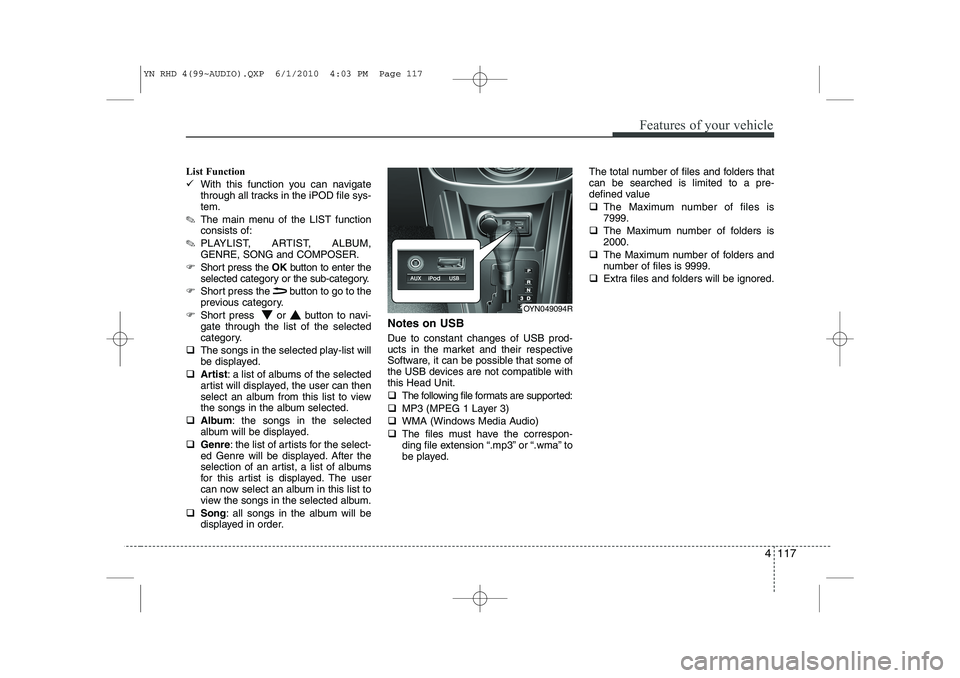
the USB devices are not compatible withthis Head Unit. ‰
The following file formats are supported:
‰ MP3 (MPEG 1 Layer 3)
‰ WMA (Windows Media Audio)
‰ The files must have the correspon-
ding file extension “.mp3” or “.wma” to
be played. The total number of files and folders thatcan be searched is limited to a pre-
defined value ‰
The Maximum number of files is 7999.
‰ The Maximum number of folders is2000.
‰ The Maximum number of folders and
number of files is 9999.
‰ Extra files and folders will be ignored.
OYN049094R
YN RHD 4(99~AUDIO).QXP 6/1/2010 4:03 PM Page 117
Page 540 of 761
4 119
Features of your vehicle
Manual Seek – Fast Forward/Fast back- ward
)Press and hold the or button to
go fast forward or fast backward.
9 During manual seek audio is audible
at reduced volume.
Repeat File/Folder
) Short press the RPTbutton to select
Repeat File.
9 The current file will be repeated.
) Long press the RPTbutton to select
Repeat Folder.
9 All files within the current folder will be repeated.
) To cancel the “Repeat File/Folder”
mode, short press the RPTbutton
again. Random Folder/All Files
)
Short press the RDMbutton to acti-
vate the “Random Folder” option.
) All files in the folder will be played at
random.
OR
) Long press the RDMbutton to acti-
vate the “Random All” option.
9 All files on the USB device will be
played at random.
) To deactivate the “Random Folder/All
Files” feature, press the RDMbutton
again.
Scan File/Folder
) Long press the SCANbutton to acti-
vate the “Scan Folder” option.
✎ The first track of each folder will be
scanned, except the root directory.
OR
) Short press the SCANbutton to acti-
vate the “Scan All” option.
9 All files on the USB device will be scanned.
) To deactivate the “Scan Folder/All
Files” feature, short press the SCAN
button again to abort “Scan All” Viewing MP3 Information
With this function text information of the
MP3 files can displayed on the LCD-
Display.
)
Short press the press INFObutton.
The following information will be shown
in the following sequence. ‰ Filename (“NO INFO” will appear if
the file name contains characters that
do not pertain to the ASCII characterset)
‰ ID3 tag info – Song Title (“NO INFO”
will appear if there is no Song Title
available)
‰ ID3 tag info – Artist name (“NO INFO”
will appear if there is no Artist Name
available)
‰ ID3 tag info – Album name (“NO
INFO” will appear if will appear if there
is no Album Name available).
‰ Directory name
‰ Total no. of files on the USB device
9 The information will be visible on the
LCD-display for 5 seconds.
YN RHD 4(99~AUDIO).QXP 6/1/2010 4:03 PM Page 119