tow KIA VENGA 2015 User Guide
[x] Cancel search | Manufacturer: KIA, Model Year: 2015, Model line: VENGA, Model: KIA VENGA 2015Pages: 480, PDF Size: 23.15 MB
Page 80 of 480
23
Your vehicle at a glance
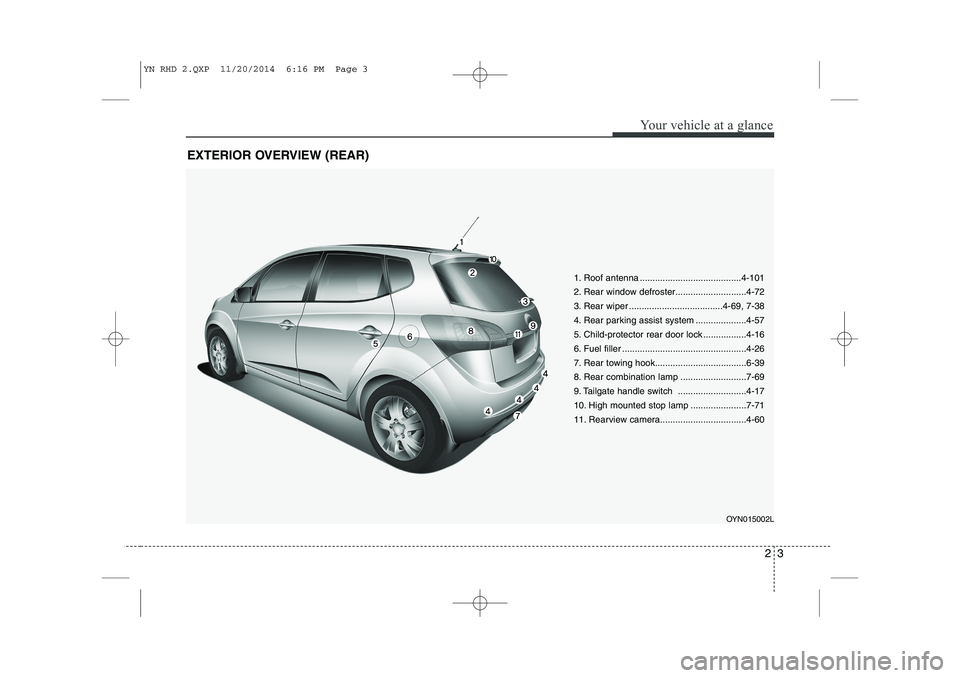
EXTERIOR OVERVIEW (REAR)
1. Roof antenna ........................................4-101
2. Rear window defroster............................4-72
3. Rear wiper .....................................4-69, 7-38
4. Rear parking assist system ....................4-57
5. Child-protector rear door lock .................4-16
6. Fuel filler .................................................4-26
7. Rear towing hook....................................6-39
8. Rear combination lamp ..........................7-69
9. Tailgate handle switch ...........................4-17
10. High mounted stop lamp ......................7-71
11. Rearview camera..................................4-60OYN015002L
YN RHD 2.QXP 11/20/2014 6:16 PM Page 3
Page 90 of 480
37
Safety features of your vehicle
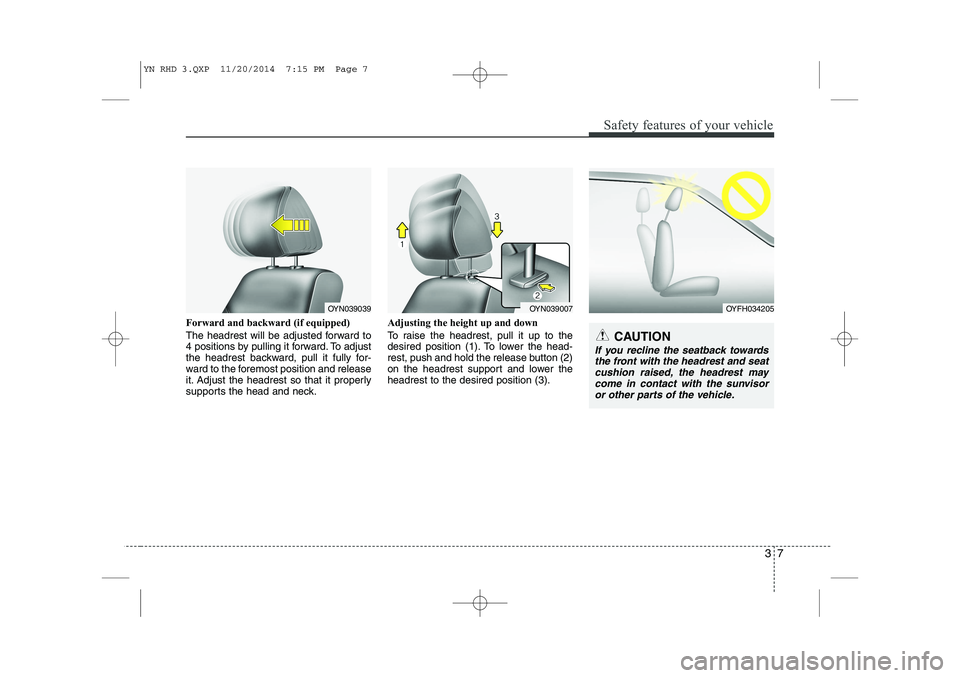
Forward and backward (if equipped)
The headrest will be adjusted forward to
4 positions by pulling it forward. To adjust
the headrest backward, pull it fully for-
ward to the foremost position and release
it. Adjust the headrest so that it properly
supports the head and neck.Adjusting the height up and down
To raise the headrest, pull it up to the
desired position (1). To lower the head-
rest, push and hold the release button (2)
on the headrest support and lower theheadrest to the desired position (3).
OYN039007OYN039039OYFH034205
CAUTION
If you recline the seatback towards
the front with the headrest and seatcushion raised, the headrest may come in contact with the sunvisor
or other parts of the vehicle.
YN RHD 3.QXP 11/20/2014 7:15 PM Page 7
Page 102 of 480
319
Safety features of your vehicle
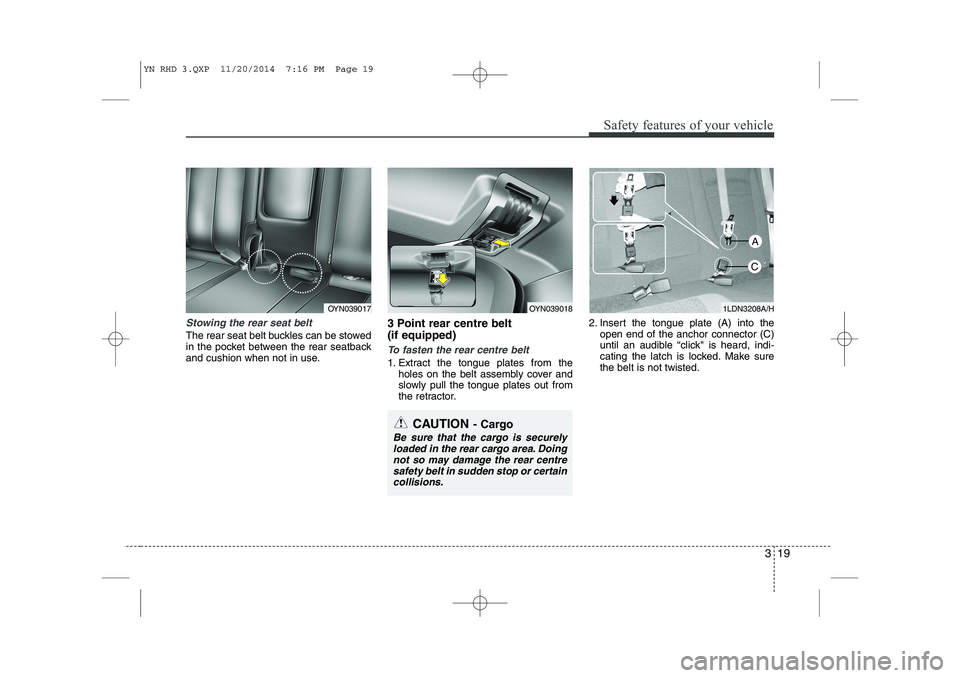
Stowing the rear seat belt
The rear seat belt buckles can be stowed
in the pocket between the rear seatback
and cushion when not in use.3 Point rear centre belt (if equipped)
To fasten the rear centre belt
1. Extract the tongue plates from the
holes on the belt assembly cover and
slowly pull the tongue plates out from
the retractor. 2. Insert the tongue plate (A) into the
open end of the anchor connector (C)
until an audible “click" is heard, indi-
cating the latch is locked. Make surethe belt is not twisted.
OYN039018OYN0390171LDN3208A/H
CAUTION - Cargo
Be sure that the cargo is securely
loaded in the rear cargo area. Doing not so may damage the rear centresafety belt in sudden stop or certain collisions.
A
C
YN RHD 3.QXP 11/20/2014 7:16 PM Page 19
Page 113 of 480
Safety features of your vehicle
30
3
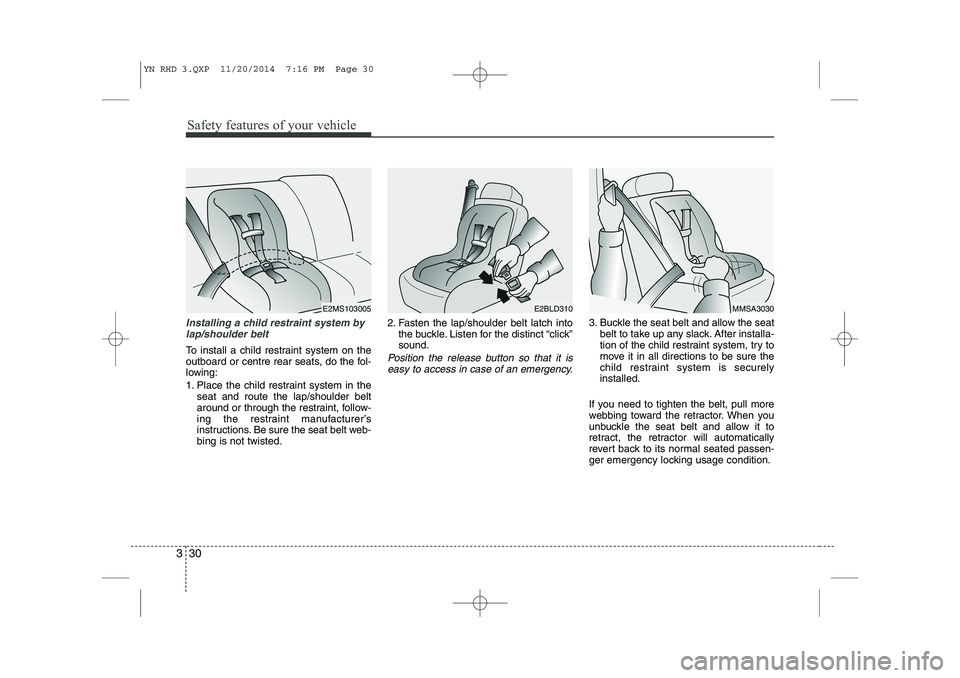
Installing a child restraint system by
lap/shoulder belt
To install a child restraint system on the
outboard or centre rear seats, do the fol-
lowing:
1. Place the child restraint system in the seat and route the lap/shoulder belt
around or through the restraint, follow-
ing the restraint manufacturer’s
instructions. Be sure the seat belt web-bing is not twisted. 2. Fasten the lap/shoulder belt latch into
the buckle. Listen for the distinct “click”sound.Position the release button so that it is
easy to access in case of an emergency.
3. Buckle the seat belt and allow the seat belt to take up any slack. After installa-
tion of the child restraint system, try to
move it in all directions to be sure the
child restraint system is securelyinstalled.
If you need to tighten the belt, pull more
webbing toward the retractor. When you
unbuckle the seat belt and allow it to
retract, the retractor will automatically
revert back to its normal seated passen-
ger emergency locking usage condition.
E2MS103005MMSA3030E2BLD310
YN RHD 3.QXP 11/20/2014 7:16 PM Page 30
Page 152 of 480
49
Features of your vehicle
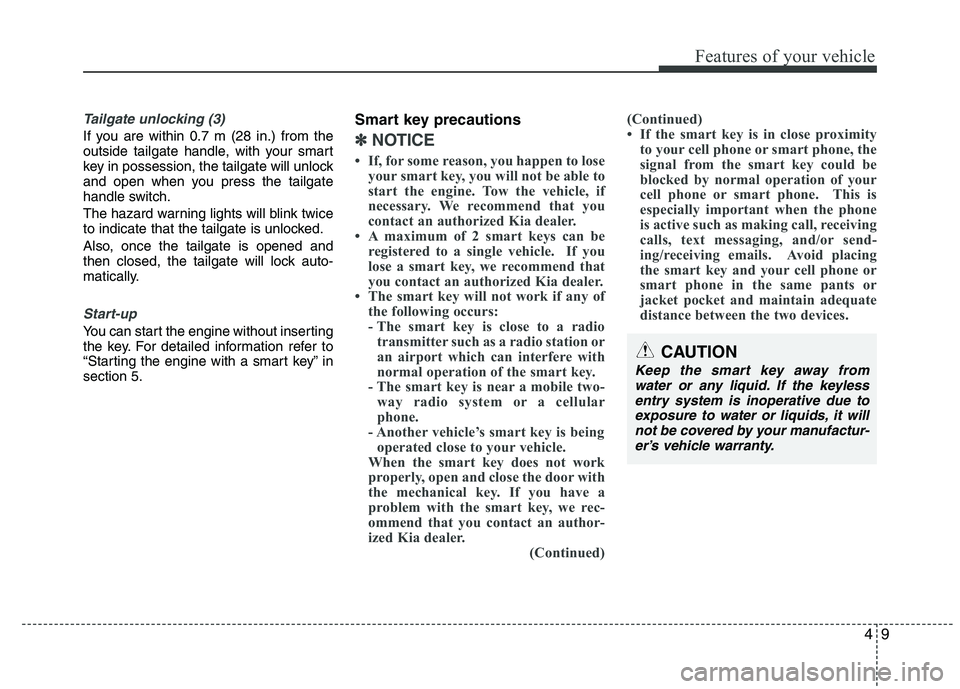
Tailgate unlocking (3)
If you are within 0.7 m (28 in.) from the
outside tailgate handle, with your smart
key in possession, the tailgate will unlock
and open when you press the tailgate
handle switch.
The hazard warning lights will blink twice
to indicate that the tailgate is unlocked.
Also, once the tailgate is opened and
then closed, the tailgate will lock auto-
matically.
Start-up
You can start the engine without inserting
the key. For detailed information refer to
“Starting the engine with a smart key” insection 5.Smart key precautions
✽✽
NOTICE
If, for some reason, you happen to lose your smart key, you will not be able to
start the engine. Tow the vehicle, if
necessary. We recommend that you
contact an authorized Kia dealer.
A maximum of 2 smart keys can be
registered to a single vehicle. If you
lose a smart key, we recommend that
you contact an authorized Kia dealer.
The smart key will not work if any of
the following occurs:
- The smart key is close to a radiotransmitter such as a radio station or
an airport which can interfere with
normal operation of the smart key.
- The smart key is near a mobile two-
way radio system or a cellular
phone.
- Another vehicle’s smart key is being operated close to your vehicle.
When the smart key does not work
properly, open and close the door with
the mechanical key. If you have a
problem with the smart key, we rec-
ommend that you contact an author-
ized Kia dealer. (Continued)(Continued)
If the smart key is in close proximity
to your cell phone or smart phone, the
signal from the smart key could be
blocked by normal operation of your
cell phone or smart phone. This is
especially important when the phone
is active such as making call, receiving
calls, text messaging, and/or send-
ing/receiving emails. Avoid placing
the smart key and your cell phone or
smart phone in the same pants or
jacket pocket and maintain adequate
distance between the two devices.
CAUTION
Keep the smart key away from
water or any liquid. If the keyless entry system is inoperative due toexposure to water or liquids, it will not be covered by your manufactur-er’s vehicle warranty.
Page 156 of 480
413
Features of your vehicle
Operating door locks from out-
side the vehicle
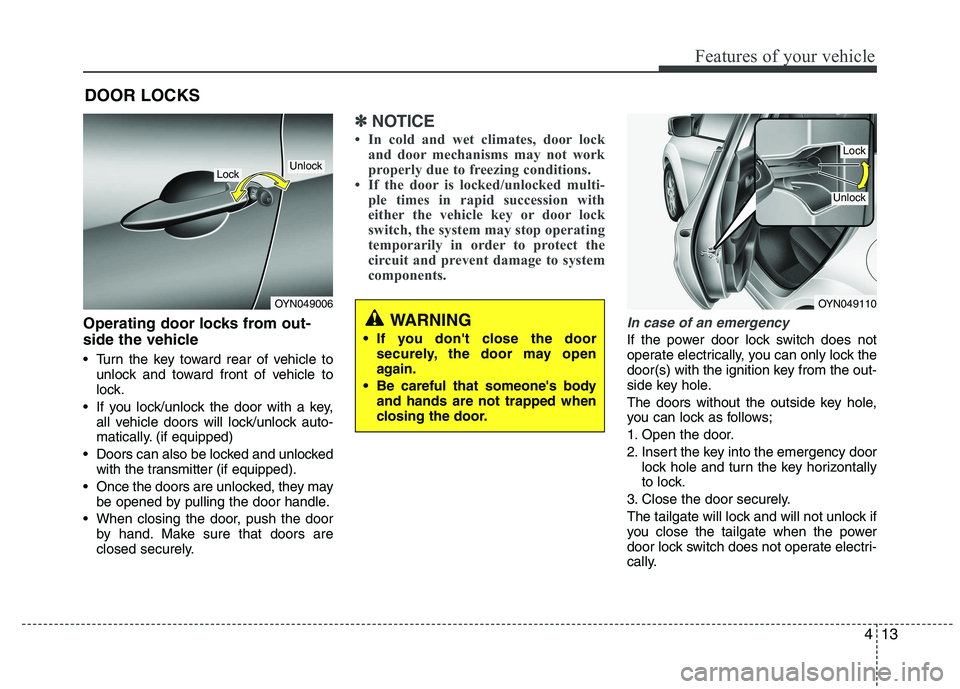
Turn the key toward rear of vehicle tounlock and toward front of vehicle to
lock.
If you lock/unlock the door with a key, all vehicle doors will lock/unlock auto-
matically. (if equipped)
Doors can also be locked and unlocked with the transmitter (if equipped).
Once the doors are unlocked, they may be opened by pulling the door handle.
When closing the door, push the door by hand. Make sure that doors are
closed securely.
✽✽ NOTICE
In cold and wet climates, door lock and door mechanisms may not work
properly due to freezing conditions.
If the door is locked/unlocked multi-
ple times in rapid succession with
either the vehicle key or door lock
switch, the system may stop operating
temporarily in order to protect the
circuit and prevent damage to system
components.
In case of an emergency
If the power door lock switch does not
operate electrically, you can only lock the
door(s) with the ignition key from the out-
side key hole.
The doors without the outside key hole,
you can lock as follows;
1. Open the door.
2. Insert the key into the emergency door lock hole and turn the key horizontally
to lock.
3. Close the door securely.
The tailgate will lock and will not unlock if
you close the tailgate when the power
door lock switch does not operate electri-
cally.
DOOR LOCKS
OYN049006
LockUnlock
OYN049110
Lock
Unlock
WARNING
If you don't close the door securely, the door may open
again.
Be careful that someone's body and hands are not trapped when
closing the door.
Page 178 of 480
435
Features of your vehicle
Inside rearview mirror
Adjust the rearview mirror so that the
center view through the rear window is
seen. Make this adjustment before you
start driving.
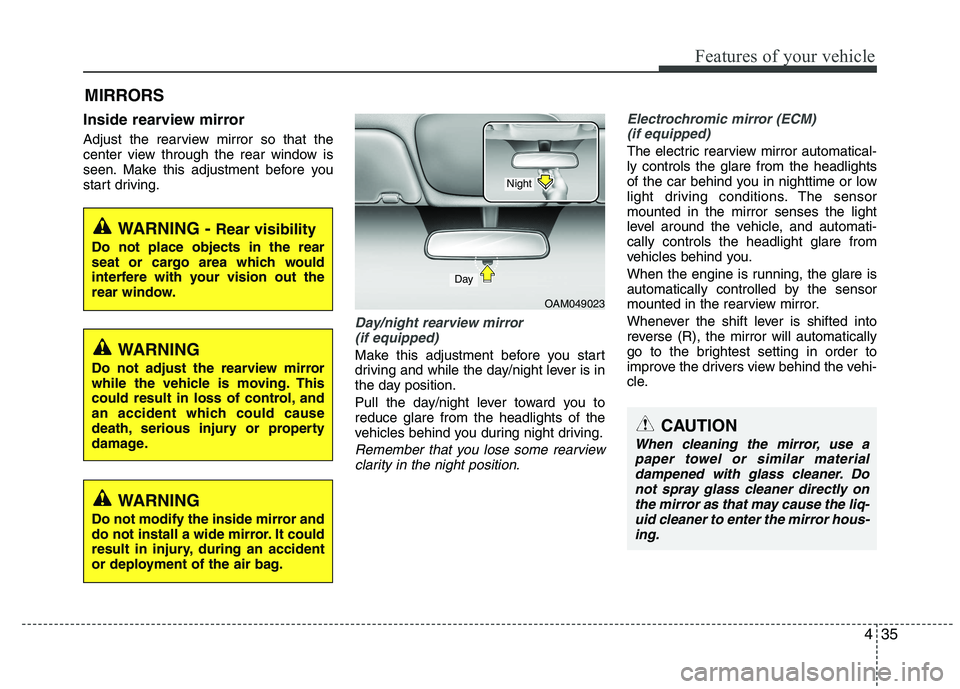
Day/night rearview mirror (if equipped)
Make this adjustment before you start
driving and while the day/night lever is in
the day position.
Pull the day/night lever toward you to reduce glare from the headlights of the
vehicles behind you during night driving.
Remember that you lose some rearviewclarity in the night position.
Electrochromic mirror (ECM)
(if equipped)
The electric rearview mirror automatical- ly controls the glare from the headlights
of the car behind you in nighttime or low
light driving conditions. The sensormounted in the mirror senses the light
level around the vehicle, and automati-cally controls the headlight glare from
vehicles behind you.
When the engine is running, the glare is
automatically controlled by the sensor
mounted in the rearview mirror.
Whenever the shift lever is shifted into
reverse (R), the mirror will automatically
go to the brightest setting in order to
improve the drivers view behind the vehi-
cle.
MIRRORS
OAM049023
CAUTION
When cleaning the mirror, use a
paper towel or similar material dampened with glass cleaner. Donot spray glass cleaner directly on
the mirror as that may cause the liq-uid cleaner to enter the mirror hous-ing.
Day
Night
WARNING - Rear visibility
Do not place objects in the rear
seat or cargo area which would
interfere with your vision out the
rear window.
WARNING
Do not adjust the rearview mirror
while the vehicle is moving. This
could result in loss of control, and
an accident which could cause
death, serious injury or property
damage.
WARNING
Do not modify the inside mirror and
do not install a wide mirror. It could
result in injury, during an accident
or deployment of the air bag.
Page 181 of 480
Features of your vehicle
38
4
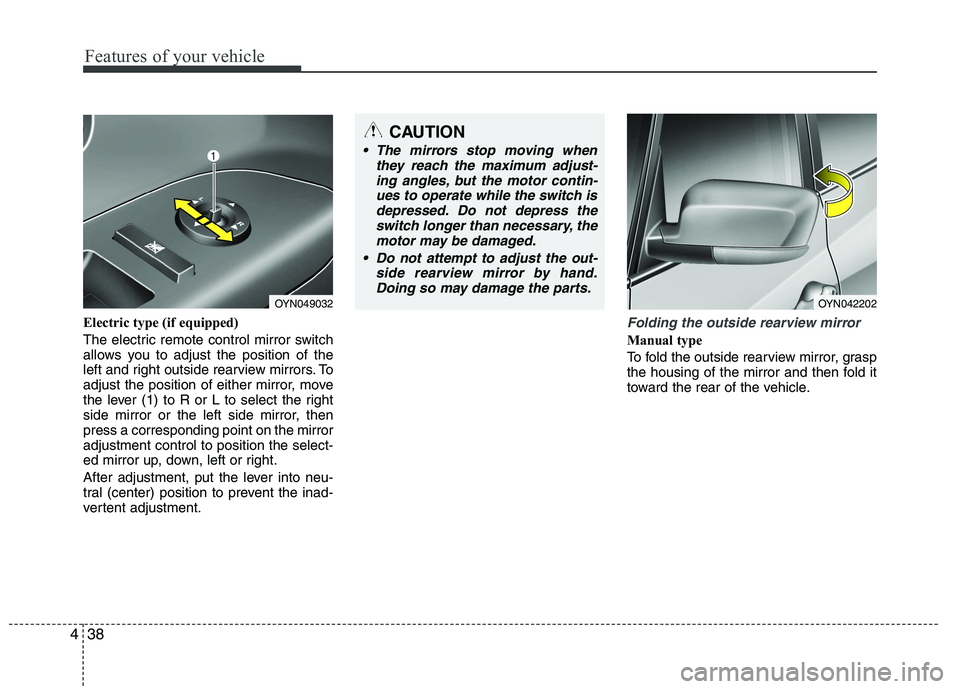
Electric type (if equipped)
The electric remote control mirror switch
allows you to adjust the position of the
left and right outside rearview mirrors. To
adjust the position of either mirror, move
the lever (1) to R or L to select the right
side mirror or the left side mirror, thenpress a corresponding point on the mirroradjustment control to position the select-
ed mirror up, down, left or right.
After adjustment, put the lever into neu-
tral (center) position to prevent the inad-
vertent adjustment.Folding the outside rearview mirror
Manual type
To fold the outside rearview mirror, grasp
the housing of the mirror and then fold it
toward the rear of the vehicle.
CAUTION
The mirrors stop moving when
they reach the maximum adjust-
ing angles, but the motor contin-ues to operate while the switch isdepressed. Do not depress the switch longer than necessary, the
motor may be damaged.
Do not attempt to adjust the out- side rearview mirror by hand.Doing so may damage the parts.
OYN049032OYN042202
Page 201 of 480
Features of your vehicle
58
4
The sensing distance while the rear
parking assist system is in operation is
approximately 120 cm (47 in.).
When more than two objects are sensed at the same time, the closest
one will be recognized first.
Types of warning sound
When an object is 120 cm to 61 cm (47in. to 24 in.) from the rear bumper:
Buzzer beeps intermittently
When an object is 60 cm to 31 cm (23 in. to 12 in.) from the rear bumper:
Buzzer beeps more frequently
When an object is within 30 cm (11 in.) of the rear bumper:
Buzzer sounds continuously. Non-operational conditions of rear parking assist system
The rear parking assist system may
not operate properly when:
1. Moisture is frozen to the sensor. (It will
operate normally when the moisture has been cleared.)
2. The sensor is covered with foreign matter, such as snow or water, or the
sensor cover is blocked. (It will operate
normally when the material is removed
or the sensor is no longer blocked.)
3. Driving on uneven road surfaces (unpaved roads, gravel, bumps, gradi-ent).
4. Objects generating excessive noise (vehicle horns, loud motorcycle
engines, or truck air brakes) are within
range of the sensor.
5. Heavy rain or water spray exists.
6. Wireless transmitters or mobile phones are within range of the sensor.
7. The sensor is covered with snow.
8. Trailer towing. The detecting range may decrease when:
1. The sensor is stained with foreign mat-
ter such as snow or water. (The sens-
ing range will return to normal when
removed.)
2. Outside air temperature is extremely hot or cold.
The following objects may not be rec-
ognized by the sensor:
1. Sharp or slim objects such as ropes, chains or small poles.
2. Objects which tend to absorb the sen- sor frequency such as clothes, spongy
material or snow.
3. Undetectable objects smaller than 1 m (40 in.) and narrower than 14 cm (6 in.)
in diameter.
Page 207 of 480
Features of your vehicle
64
4
High beam operation
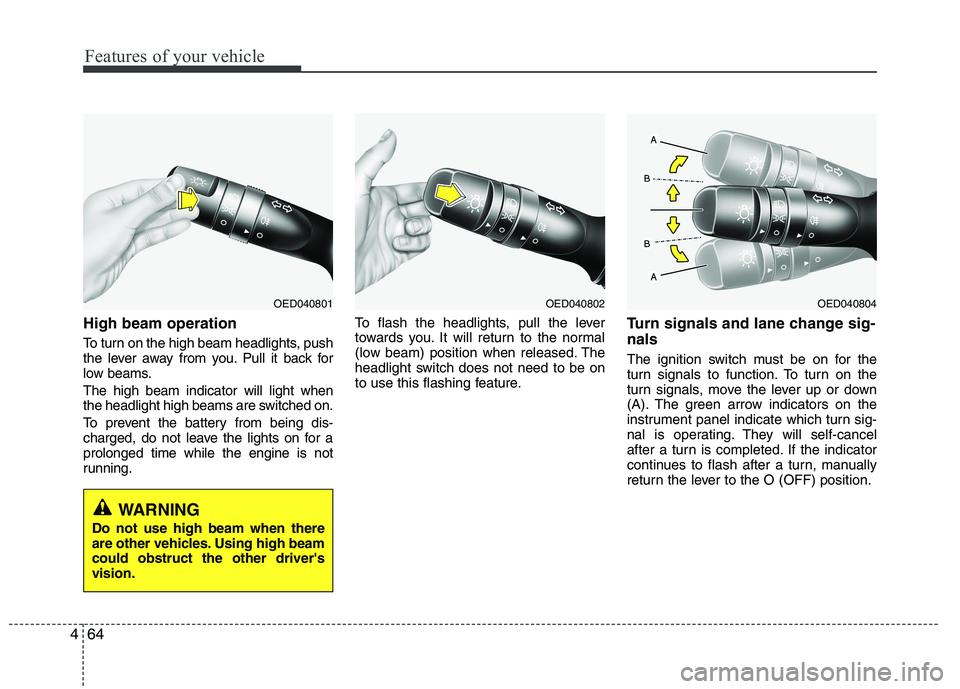
To turn on the high beam headlights, push
the lever away from you. Pull it back for
low beams. The high beam indicator will light when
the headlight high beams are switched on.
To prevent the battery from being dis-
charged, do not leave the lights on for aprolonged time while the engine is not
running. To flash the headlights, pull the lever
towards you. It will return to the normal
(low beam) position when released. The
headlight switch does not need to be on
to use this flashing feature.
Turn signals and lane change sig- nals
The ignition switch must be on for the
turn signals to function. To turn on the
turn signals, move the lever up or down
(A). The green arrow indicators on the
instrument panel indicate which turn sig-
nal is operating. They will self-cancel
after a turn is completed. If the indicator
continues to flash after a turn, manually
return the lever to the O (OFF) position.
OED040804OED040802OED040801
WARNING
Do not use high beam when there
are other vehicles. Using high beamcould obstruct the other driver'svision.