park assist Lancia Thema 2012 Owner handbook (in English)
[x] Cancel search | Manufacturer: LANCIA, Model Year: 2012, Model line: Thema, Model: Lancia Thema 2012Pages: 316, PDF Size: 3.85 MB
Page 66 of 316
PRECAUTIONS WHILE DRIVING WITHACC . . . . . . . . . . . . . . . . . . . . . . . . . . . . . . . . 125
NORMAL (FIXED SPEED) CRUISE CONTROL MODE . . . . . . . . . . . . . . . . . . . . . . 126
FORWARD COLLISION WARNING (for versions/markets, where provided) . . . . . . . . 128
PARKSENSE® PARK ASSIST . . . . . . . . . . . . . . 129 PARKSENSE® SENSORS . . . . . . . . . . . . . . . . 129
PARKSENSE® WARNING DISPLAY . . . . . . . . 129
PARKSENSE® DISPLAY . . . . . . . . . . . . . . . . 130
FRONT PARK ASSIST AUDIBLE ALERTS . . . 131
ENABLING AND DISABLING PARKSENSE®
. . . 131
SERVICE THE PARKSENSE® PARK ASSIST SYSTEM . . . . . . . . . . . . . . . . . . . . . . . . . . . . 131
CLEANING THE PARKSENSE® SYSTEM . . . 132
PARKSENSE® SYSTEM USAGE PRECAUTIONS . . . . . . . . . . . . . . . . . . . . . . . 132
PARKVIEW® REAR BACK UP CAMERA (for versions/markets, where provided) . . . . . . . . . . 134
TURNING PARKVIEW® ON OR OFF — WITH TOUCH SCREEN RADIO . . . . . . . . . . . 135
OVERHEAD CONSOLE . . . . . . . . . . . . . . . . . . . 135 FRONT MAP/READING LIGHTS . . . . . . . . . . 135
SUNGLASS BIN DOOR . . . . . . . . . . . . . . . . . . 135
POWER SUNROOF (for versions/markets, where provided) . . . . . . . . . . . . . . . . . . . . . . . . . 136
60
Page 113 of 316
LIGHTS-ON REMINDER
If the headlights or parking lights are
on after the ignition is placed in the
OFF position, a chime will sound to
alert the driver when the driver's door
is opened.
FOG LIGHTSThe fog light switch is built
into the headlight switch.
To activate the fog lights,
turn the headlamp switch to
the park lamp or headlamp position.
Press the headlight switch once for
front fog lights, press the switch a
second time for front and rear fog
lights. Pressing the switch a third time
will deactivate the rear fog lights, and
a fourth time will deactivate the front
fog lights. Turning the headlight
switch off will also deactivate the fog
lights.
An indicator light in the instrument
cluster illuminates when the fog lights
are turned on.
NOTE:
The front fog lights will activate
automatically when turning on the
position lights or the low beam headlights if previously deacti-
vated by turning the headlight
switch off. The rear fog lights will
only turn on by operating the
switch as previously described.
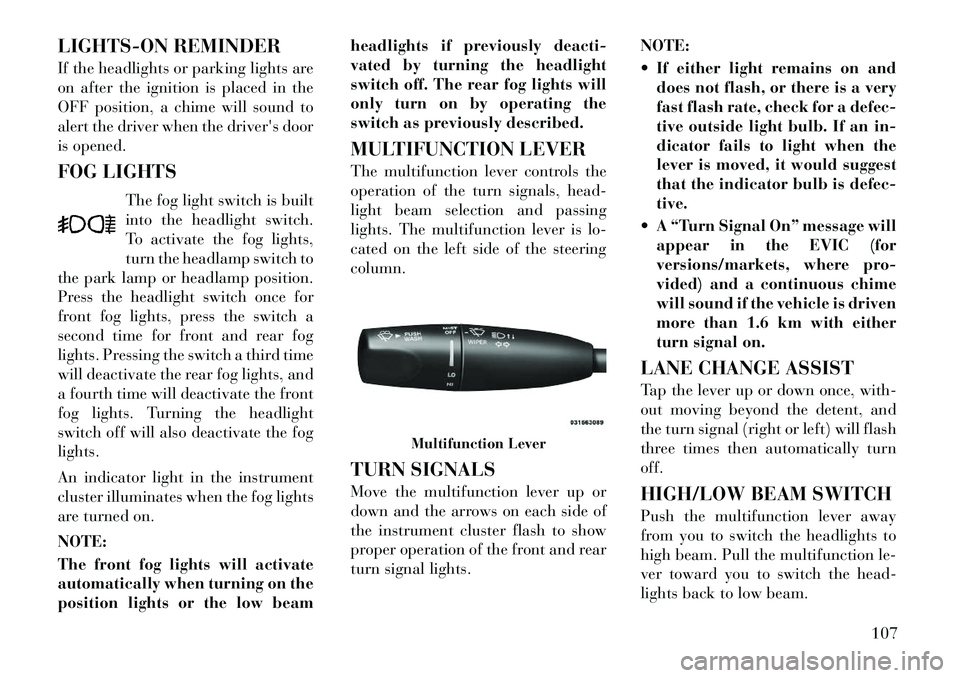
MULTIFUNCTION LEVER
The multifunction lever controls the
operation of the turn signals, head-
light beam selection and passing
lights. The multifunction lever is lo-
cated on the left side of the steering
column.
TURN SIGNALS
Move the multifunction lever up or
down and the arrows on each side of
the instrument cluster flash to show
proper operation of the front and rear
turn signal lights.
NOTE:
If either light remains on and
does not flash, or there is a very
fast flash rate, check for a defec-
tive outside light bulb. If an in-
dicator fails to light when the
lever is moved, it would suggest
that the indicator bulb is defec-
tive.
A “Turn Signal On” message will appear in the EVIC (for
versions/markets, where pro-
vided) and a continuous chime
will sound if the vehicle is driven
more than 1.6 km with either
turn signal on.
LANE CHANGE ASSIST
Tap the lever up or down once, with-
out moving beyond the detent, and
the turn signal (right or left) will flash
three times then automatically turn
off.
HIGH/LOW BEAM SWITCH
Push the multifunction lever away
from you to switch the headlights to
high beam. Pull the multifunction le-
ver toward you to switch the head-
lights back to low beam.
Multifunction Lever
107
Page 135 of 316

FCW Unavailable Warning
If the system turns off, and the EVIC
displays “ACC/FCW Unavailable,
Vehicle System Error”, there may be a
temporary malfunction that limits
FCW functionality. Although the ve-
hicle is still drivable under normal
conditions, FCW will be temporarily
unavailable. If this occurs, try activat-
ing FCW again later, following a key
cycle. If the problem persists, see your
authorized dealer.
Service FCW Warning
If the system turns off, and the EVIC
displays “ACC/FCW Unavailable
Service Radar Sensor”, it indicates
there is an internal system fault. Al-
though the vehicle is still drivable un-
der normal conditions, have the sys-
tem checked by an authorized dealer.PARKSENSE® PARK
ASSIST
The ParkSense® Park Assist system
provides visual and audible indica-
tions of the distance between the rear
and/or front fascia and a detected ob-
stacle when backing up or moving
forward, e.g. during a parking ma-
neuver. Refer to ParkSense® System
Usage Precautions for limitations of
this system and recommendations.
ParkSense® will retain the last system
state (enabled or disabled) from the
last ignition cycle when the ignition is
changed to the ON/RUN position.ParkSense® can be active only when
the shift lever is in REVERSE or
DRIVE. If ParkSense® is enabled at
one of these shift lever positions, the
system will remain active until the
vehicle speed is increased to approxi-
mately 11 km/h or above. The system
will become active again if the vehicle
speed is decreased to speeds less than
approximately 9 km/h.
PARKSENSE® SENSORS
The four ParkSense® sensors, located
in the rear fascia/bumper, monitor thearea behind the vehicle that is within
the sensors’ field of view. The sensors
can detect obstacles up to approxi-
mately 200 cm from the rear fascia/
bumper in the horizontal direction,
depending on the location, type and
orientation of the obstacle.
The six ParkSense® sensors, located
in the front fascia/bumper, monitor
the area in front of the vehicle that is
within the sensors’ field of view. The
sensors can detect obstacles up to ap-
proximately 120 cm from the front
fascia/bumper in the horizontal direc-
tion, depending on the location, type
and orientation of the obstacle.
PARKSENSE® WARNING
DISPLAY
The ParkSense® Warning screen will
only be displayed if Sound and Dis-
play is selected from the Uconnect
Touch™ System. Refer to “Uconnect
Touch™ Settings” in “Understanding
Your Instrument Panel” for further
information.
The ParkSense® Warning screen is
located within the Electronic Vehicle
Information Center (EVIC). It pro-
ACC/FCW Unavailable, Vehicle
System Error Warning
129
Page 136 of 316

vides visual warnings to indicate the
distance between the rear fascia/
bumper and/or front fascia/bumper
and the detected obstacle.
PARKSENSE® DISPLAY
The warning display will turn ON in-
dicating the system status when the
vehicle is in REVERSE or when the
vehicle is in DRIVE and an obstacle
has been detected.The system will indicate a detected
obstacle by showing three solid arcs
and will produce a one-half second
tone. As the vehicle moves closer to
the object the EVIC display will show
fewer arcs and the sound tone will
change from slow, to fast, to continu-
ous.
The vehicle is close to the obstacle
when the EVIC display shows one
flashing arc and sounds a continuous
tone. The following chart shows the
warning alert operation when the sys-
tem is detecting an obstacle:
Park Assist DisplayPark Assist System ON
Park Assist System Off
Slow Tone
Fast Tone
Continuous Tone
130
Page 137 of 316

WARNING ALERTS
Rear Distance
(in/cm) Greater than
150 cm 150-100 cm 100-60 cm 60-35 cm Less than 35 cm
Front Distance (cm) Greater than
120 cm 120-100 cm 100-60 cm 60-35 cm Less than 35 cm
Audible Alert (Chime) NoneSingle 1/2 second
tone (for rear only) Slow (for rear
only) Fast
Continuous
Arc None3 Solid
(Continuous) 3 Slow Flashing 2 Slow Flashing 1 Slow Flashing
FRONT PARK ASSIST
AUDIBLE ALERTS
ParkSense® will turn off the Front
Park Assist audible alert (chime) after
approximately 4 seconds when an ob-
stacle has been detected, the vehicle is
stationary, and brake pedal is applied.
ENABLING AND
DISABLING PARKSENSE®
ParkSense® can be enabled and dis-
abled using the Uconnect Touch™
System. The available choices are:
Off, Sound Only, or Sound and Dis-
play. Refer to “Uconnect Touch™ Set-
tings” in “Understanding Your In-
strument Panel” for further
information. When the ParkSense® soft-key is
pressed to disable the system, the
EVIC will display the “PARK ASSIST
SYSTEM OFF” message for approxi-
mately five seconds. Refer to “Elec-
tronic Vehicle Information Center
(EVIC)” in “Understanding Your In-
strument Panel” for further informa-
tion. When the shift lever is moved to
REVERSE or to DRIVE (at or below
11 km/h) and the system is disabled,
the EVIC will display the “PARK AS-
SIST SYSTEM OFF” message for ap-
proximately five seconds in RE-
VERSE or for 5 seconds when the
vehicle is in DRIVE.
SERVICE THE
PARKSENSE® PARK
ASSIST SYSTEM
When the ParkSense® Park Assist
System is malfunctioning, the instru-
ment cluster will actuate a single
chime, once per ignition cycle. The
instrument cluster will display the
“CLEAN PARK ASSIST” message
when any of the rear or front sensor(s)
are blocked by snow, mud, or ice and
the vehicle is shifted into REVERSE
or DRIVE. The instrument cluster
will display the “SERVICE PARK AS-
SIST” message when any of the rear
or front sensors are damaged and re-
quire service. When the shift lever is
moved to REVERSE or DRIVE and
the system has detected a faulted con-
131
Page 138 of 316
dition, the EVIC will display the
“CLEAN PARK ASSIST”, “SERVICE
PARK ASSIST” or the “SERVICE
PARK ASSIST SYSTEM” message for
as long as the vehicle is in REVERSE
or DRIVE (at speeds less than
11 km/h). Under this condition
ParkSense® will not operate. Refer to
“Electronic Vehicle Information Cen-
ter (EVIC)” in “Understanding Your
Instrument Panel” for further infor-
mation.
If “CLEAN PARK ASSIST” appears
in the Electronic Vehicle Information
Center (EVIC) make sure the outer
surface and the underside of the rear
fascia/bumper and/or front fascia/
bumper is clean and clear of snow, ice,
mud, dirt or other obstruction and
then cycle the ignition. If the message
continues to appear see an authorized
dealer.
If “SERVICE PARK ASSIST" or
“SERVICE PARK ASSIST SYSTEM”
appears in the EVIC, see an autho-
rized dealer.CLEANING THE
PARKSENSE® SYSTEM
Clean the ParkSense® sensors with
water, car wash soap and a soft cloth.
Do not use rough or hard cloths. Do
not scratch or poke the sensors. Oth-
erwise, you could damage the sensors.
PARKSENSE® SYSTEM
USAGE PRECAUTIONS
NOTE:
Ensure that the front and rear
bumper are free of snow, ice,
mud, dirt and debris to keep the
ParkSense® system operating
properly.
Jackhammers, large trucks, and other vibrations could affect the
performance of ParkSense®.
When you turn ParkSense® off, the EVIC will display “PARK
ASSIST SYSTEM OFF.” Further-
more, once you turn
ParkSense® off, it remains off
until you turn it on again, even if
you cycle the ignition key. When you move the shift lever to
the REVERSE or DRIVE posi-
tion and ParkSense® is turned
off, the EVIC will display “PARK
ASSIST SYSTEM OFF” message
for approximately five seconds
in REVERSE or for 5 seconds
when the vehicle is in DRIVE.
Clean the ParkSense® sensors regularly, taking care not to
scratch or damage them. The
sensors must not be covered
with ice, snow, slush, mud, dirt
or debris. Failure to do so can
result in the system not working
properly. The ParkSense® sys-
tem might not detect an obstacle
behind or in front of the fascia/
bumper, or it could provide a
false indication that an obstacle
is behind or in front of the
fascia/bumper.
132
Page 139 of 316

Objects such as bicycle carriers,trailer hitches, etc., must not be
placed within 30 cm from the
rear fascia/bumper while driv-
ing the vehicle. Failure to do so
can result in the system misin-
terpreting a close object as a
sensor problem, causing the
“SERVICE PARK ASSIST” mes-
sage to be displayed in the EVIC.CAUTION!
ParkSense® is only a parking aidand it is unable to recognize every
obstacle, including small ob-
stacles. Parking curbs might be
temporarily detected or not de-
tected at all. Obstacles located
above or below the sensors will
not be detected when they are in
close proximity.
(Continued)
CAUTION!(Continued)
The vehicle must be driven slowly
when using ParkSense® in order
to be able to stop in time when an
obstacle is detected. When back-
ing up, it is recommended that the
driver looks over his/her shoulder
when using ParkSense®.WARNING!
Drivers must be careful whenbacking up even when using the
ParkSense® Park Assist System.
Always check carefully behind
your vehicle, look behind you,
and be sure to check for pedestri-
ans, animals, other vehicles, ob-
structions, and blind spots before
backing up. You are responsible
for safety and must continue to
pay attention to your surround-
ings. Failure to do so can result in
serious injury or death.
(Continued)
WARNING!(Continued)
Before using the ParkSense®
Park Assist System, it is strongly
recommended that the ball mount
and hitch ball assembly is discon-
nected from the vehicle when the
vehicle is not used for towing.
Failure to do so can result in in-
jury or damage to vehicles or ob-
stacles because the hitch ball will
be much closer to the obstacle
than the rear fascia when the
warning display turns on the
single flashing arc and sounds the
continuous tone. Also, the sensors
could detect the ball mount and
hitch ball assembly, depending on
its size and shape, giving a false
indication that an obstacle is be-
hind the vehicle.
133
Page 140 of 316

PARKVIEW® REAR
BACK UP CAMERA (for
versions/markets, where
provided)
Your vehicle may be equipped with
the ParkView® Rear Back Up Cam-
era that allows you to see an on-screen
image of the rear surroundings of
your vehicle whenever the shift lever
is put into REVERSE. The image will
be displayed on the radio touchscreendisplay along with a caution note to
“check entire surroundings” across
the top of the screen. After five sec-
onds this note will disappear. The
ParkView® camera is located on the
rear of the vehicle above the rear Li-
cense plate.
When the vehicle is shifted out of RE-
VERSE, the rear camera mode is ex-
ited and the navigation or audio
screen appears again.
When displayed, static grid lines will
illustrate the width of the vehicle
while a dashed center-line will indi-
cate the center of the vehicle to assist
with parking or aligning to a hitch/
receiver. The static grid lines will
show separate zones that will help
indicate the distance to the rear of the
vehicle. The following table shows the
approximate distances for each zone:
Zone
Distance to the rear of the vehicle
Red 0 - 30 cm
Yellow 30 cm - 1 m
Green 1 m or greater
WARNING!
Drivers must be careful when back-
ing up even when using the
ParkView® Rear Back Up Camera.
Always check carefully behind your
vehicle, and be sure to check for
pedestrians, animals, other vehicles,
obstructions, or blind spots before
backing up. You are responsible for
the safety of your surroundings and
must continue to pay attention while
backing up. Failure to do so can
result in serious injury or death.
CAUTION!
To avoid vehicle damage,
ParkView® should only be used as a
parking aid. The ParkView® cam-
era is unable to view every obstacle
or object in your drive path.
(Continued)
CAUTION!(Continued)
To avoid vehicle damage, the ve-
hicle must be driven slowly when
using ParkView® to be able to stop
in time when an obstacle is seen. It
is recommended that the driver look
frequently over his/her shoulder
when using ParkView®.
134
Page 177 of 316
warns you of a possible collision when
you are much closer to the vehicle in
front of you. This allows for a more
dynamic driving experience. To
change the FCW status, touch and
release the OFF, Near or Far button.
Then touch the arrow back soft-key.
For further information, refer to
“Adaptive Cruise Control (ACC)” in
“Understanding The Features Of
Your Vehicle”.
Park Assist (for versions/markets, where provided)
The Rear Park Assist system will scan
for objects behind the vehicle when
the transmission shift lever is in RE-
VERSE and the vehicle speed is less
than 11 mph (18 km/h). The system
can be enabled with Sound Only,
Sound and Display, or turned OFF. To
change the Park Assist status, touch
and release the OFF, Sound Only or
Sounds and Display button. Then
touch the arrow back soft-key. Refer
to “ParkSense® Rear Park Assist” in
“Understanding The Features Of
Your Vehicle” for system function and
operating information. Tilt Mirrors In Reverse (for
versions/markets, where
provided)
When this feature is selected, the out-
side sideview mirrors will tilt down-
ward when the ignition is in the RUN
position and the transmission shift le-
ver is in the REVERSE position. The
mirrors will move back to their previ-
ous position when the transmission is
shifted out of REVERSE. To make
your selection, touch the Tilt Mirrors
In Reverse soft-key, until a check-
mark appears next to setting, showing
that setting has been selected. Touch
the back arrow soft-key to return to
the previous menu.
Blind Spot Alert (for versions/markets, where
provided)
When this feature is selected, the
Blind Spot Alert feature can be set to
Off, Lights or Lights and Chime. The
Blind Spot Alert feature can be acti-
vated in “Lights” mode. When this
mode is selected, the Blind Spot Moni-
tor (BSM) system is activated and will
only show a visual alert in the outside
mirrors. When “Lights & Chime” mode is activated, the Blind Spot
Monitor (BSM) will show a visual
alert in the outside mirrors as well as
an audible alert when the turn signal
is on. When “Off” is selected, the
Blind Spot Monitor (BSM) system is
deactivated. To change the Blind Spot
Alert status, touch the Off, Lights or
Lights & Chime soft-key. Then touch
the arrow back soft-key.
NOTE:
If your vehicle has experienced
any damage in the area where the
sensor is located, even if the fascia
is not damaged, the sensor may
have become misaligned. Take
your vehicle to an authorized
dealer to verify sensor alignment.
Having a sensor that is misaligned
will result in the BSM not operat-
ing to specification.
171
Page 178 of 316
ParkView® Backup Camera (forversions/markets, where
provided)
Your vehicle may be equipped with
the ParkView® Rear Back Up Cam-
era that allows you to see an on-screen
image of the rear surroundings of
your vehicle whenever the shift lever
is put into REVERSE. The image will
be displayed on the radio touchscreen
display along with a caution note to
“check entire surroundings” across
the top of the screen. After five sec-
onds, this note will disappear. The
ParkView® camera is located on the
rear of the vehicle above the rear Li-
cense plate. To make your selection,
touch the ParkView® Backup Cam-
era soft-key, until a check-mark ap-
pears next to setting, showing that
setting has been selected. Touch the
back arrow soft-key to return to the
previous menu. Rain Sensing Auto Wipers (for
versions/markets, where
provided)
When this feature is selected, the sys-
tem will automatically activate the
windshield wipers if it senses moisture
on the windshield. To make your se-
lection, touch the Rain Sensing soft-
key, until a check-mark appears next
to setting, showing that setting has
been selected. Touch the back arrow
soft-key to return to the previous
menu.
Hill Start Assist (for
versions/markets, where
provided)
When this feature is selected, the Hill
Start Assist (HSA) system is active.
Refer to “Electronic Brake Control
System” in “Starting And Operating”
for system function and operating in-
formation. To make your selection,
touch the Hill Start Assist soft-key,
until a check-mark appears next to
setting, showing that setting has been
selected. Touch the back arrow soft-
key to return to the previous menu. Lights
After pressing the Lights soft-key the
following settings will be available.
Headlight Off Delay (for
versions/markets, where
provided)
When this feature is selected, the
driver can choose to have the head-
lights remain on for 0, 30, 60, or
90 seconds when exiting the vehicle.
To change the Headlight Off Delay
status touch the 0, 30, 60 or 90 soft-
key. Then touch the arrow back soft-
key.
Headlight Illumination On Approach (for versions/markets,
where provided)
When this feature is selected, the
headlights will activate and remain on
for 0, 30, 60, or 90 seconds when the
doors are unlocked with the Remote
Keyless Entry (RKE) transmitter. To
change the Illuminated Approach sta-
tus, touch the + or - soft-key to select
your desired time interval. Touch the
back arrow soft-key to return to the
previous menu.
172