trailer Lancia Thema 2012 Owner handbook (in English)
[x] Cancel search | Manufacturer: LANCIA, Model Year: 2012, Model line: Thema, Model: Lancia Thema 2012Pages: 316, PDF Size: 3.85 MB
Page 72 of 316
BLIND SPOT
MONITORING (for
versions/markets, where
provided)
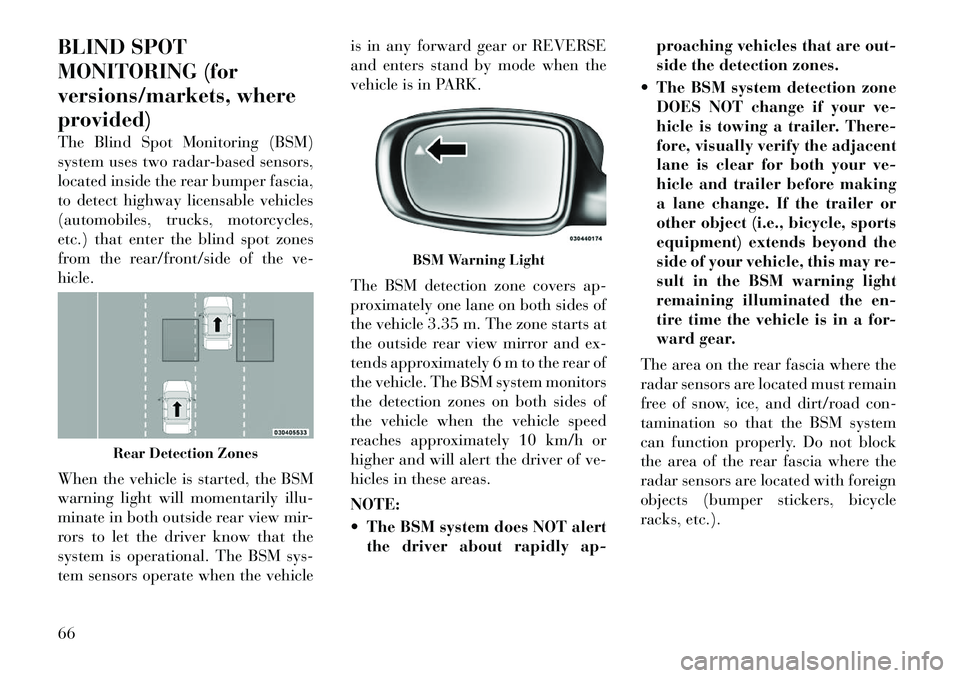
The Blind Spot Monitoring (BSM)
system uses two radar-based sensors,
located inside the rear bumper fascia,
to detect highway licensable vehicles
(automobiles, trucks, motorcycles,
etc.) that enter the blind spot zones
from the rear/front/side of the ve-
hicle.
When the vehicle is started, the BSM
warning light will momentarily illu-
minate in both outside rear view mir-
rors to let the driver know that the
system is operational. The BSM sys-
tem sensors operate when the vehicleis in any forward gear or REVERSE
and enters stand by mode when the
vehicle is in PARK.
The BSM detection zone covers ap-
proximately one lane on both sides of
the vehicle 3.35 m. The zone starts at
the outside rear view mirror and ex-
tends approximately 6 m to the rear of
the vehicle. The BSM system monitors
the detection zones on both sides of
the vehicle when the vehicle speed
reaches approximately 10 km/h or
higher and will alert the driver of ve-
hicles in these areas.
NOTE:
The BSM system does NOT alert
the driver about rapidly ap- proaching vehicles that are out-
side the detection zones.
The BSM system detection zone DOES NOT change if your ve-
hicle is towing a trailer. There-
fore, visually verify the adjacent
lane is clear for both your ve-
hicle and trailer before making
a lane change. If the trailer or
other object (i.e., bicycle, sports
equipment) extends beyond the
side of your vehicle, this may re-
sult in the BSM warning light
remaining illuminated the en-
tire time the vehicle is in a for-
ward gear.
The area on the rear fascia where the
radar sensors are located must remain
free of snow, ice, and dirt/road con-
tamination so that the BSM system
can function properly. Do not block
the area of the rear fascia where the
radar sensors are located with foreign
objects (bumper stickers, bicycle
racks, etc.).
Rear Detection Zones
BSM Warning Light
66
Page 124 of 316

WARNING!
Adaptive Cruise Control (ACC) isa convenience system. It is not a
substitute for active driving in-
volvement. It is always the driv-
er’s responsibility to be attentive
of road, traffic, and weather con-
ditions, vehicle speed, distance to
the vehicle ahead; and, most im-
portantly, brake operation to en-
sure safe operation of the vehicle
under all road conditions. Your
complete attention is always re-
quired while driving to maintain
safe control of your vehicle. Fail-
ure to follow these warnings can
result in a collision and death or
serious personal injury.
The ACC system: Does not react to pedestrians,
oncoming vehicles, and sta-
tionary objects (i.e., a stopped
vehicle in a traffic jam or a
disabled vehicle).
Cannot take street, traffic, and
weather conditions into account,
and may be limited upon ad-
verse sight distance conditions.
(Continued)
WARNING! (Continued)
Does not predict the lane cur -
vature or the movement of pre-
ceding vehicles and will not
compensate for such changes.
Does not always fully recognize
complex driving conditions,
which can result in wrong or
missing distance warnings.
Can only apply a maximum of
25% of the vehicle’s braking
capability, and will not bring
the vehicle to a complete stop.WARNING!
You should switch off the ACC sys-
tem:
When driving in fog, heavy rain, heavy snow, sleet, heavy traffic,
and complex driving situations
(e.g., in highway construction
zones).
When entering a turn lane or
highway off ramp; when driving
on roads that are winding, icy,
snow-covered, slippery, or have
steep uphill or downhill slopes.
(Continued)
WARNING!(Continued)
When towing a trailer up or down
steep slopes.
When circumstances do not allow
safe driving at a constant speed.
Failure to follow these warnings can
result in a collision and death or
serious personal injury.
The Cruise Control system has two
control modes:
Adaptive Cruise Control mode for maintaining an appropriate dis-
tance between vehicles.
Normal (fixed speed) cruise control mode is for cruising at a constant
preset speed. For additional infor-
mation, refer to “Normal (Fixed
Speed) Cruise Control Mode” in
this section.
NOTE:
The system will not react to pre-
ceding vehicles. Always be aware
of the mode selected.
You can change the mode by using the
Cruise Control buttons. The two con-
trol modes function differently. Al-
ways confirm which mode is selected.
118
Page 131 of 316

ing ACC again later, following a key
cycle. If the problem persists, see your
authorized dealer.
Service ACC Warning
If the system turns off, and the EVIC
displays “ACC/FCW Unavailable
Service Radar Sensor”, it indicates
there is an internal system fault. Al-
though the vehicle is still drivable un-
der normal conditions, have the sys-
tem checked by an authorized dealer.
PRECAUTIONS WHILE
DRIVING WITH ACC
In certain driving situations, ACC
may have detection issues. In these
cases, ACC may brake late or unex-
pectedly. The driver needs to stay
alert and may need to intervene.Adding A Trailer Hitch
The weight of a trailer/hitch may af-
fect the performance of ACC. If there
is a noticeable change in performance
following the installation of a trailer/
hitch, or if the ACC performance does
not return to normal after removing
the trailer/hitch see your authorized
dealer.
Offset Driving
ACC may not detect a vehicle in the
same lane that is offset from your
direct line of travel. There will not be
sufficient distance to the vehicle
ahead. The offset vehicle may move in
and out of the line of travel, which can
cause your vehicle to brake or accel-
erate unexpectedly.
Turns And Bends
In turns or bends, ACC may detect a
vehicle ahead too late or too early.
This may cause your vehicle to brake
late or unexpectedly. Give extra atten-
tion in curves and be ready to apply
the brakes if necessary. Be sure to
select an appropriate speed while
driving in curves.
ACC may occasionally provide brak-
ing and/or a driver alert that you con-
sider unnecessary. This may be the
system’s response to signs, guardrails,
and other stationary objects in a
curve. This may also occur at the base
of steep hills. This is normal operation
and your vehicle does not require ser-
vice.
Adaptive Cruise Control (ACC)
Unavailable Warning
125
Page 139 of 316

Objects such as bicycle carriers,trailer hitches, etc., must not be
placed within 30 cm from the
rear fascia/bumper while driv-
ing the vehicle. Failure to do so
can result in the system misin-
terpreting a close object as a
sensor problem, causing the
“SERVICE PARK ASSIST” mes-
sage to be displayed in the EVIC.CAUTION!
ParkSense® is only a parking aidand it is unable to recognize every
obstacle, including small ob-
stacles. Parking curbs might be
temporarily detected or not de-
tected at all. Obstacles located
above or below the sensors will
not be detected when they are in
close proximity.
(Continued)
CAUTION!(Continued)
The vehicle must be driven slowly
when using ParkSense® in order
to be able to stop in time when an
obstacle is detected. When back-
ing up, it is recommended that the
driver looks over his/her shoulder
when using ParkSense®.WARNING!
Drivers must be careful whenbacking up even when using the
ParkSense® Park Assist System.
Always check carefully behind
your vehicle, look behind you,
and be sure to check for pedestri-
ans, animals, other vehicles, ob-
structions, and blind spots before
backing up. You are responsible
for safety and must continue to
pay attention to your surround-
ings. Failure to do so can result in
serious injury or death.
(Continued)
WARNING!(Continued)
Before using the ParkSense®
Park Assist System, it is strongly
recommended that the ball mount
and hitch ball assembly is discon-
nected from the vehicle when the
vehicle is not used for towing.
Failure to do so can result in in-
jury or damage to vehicles or ob-
stacles because the hitch ball will
be much closer to the obstacle
than the rear fascia when the
warning display turns on the
single flashing arc and sounds the
continuous tone. Also, the sensors
could detect the ball mount and
hitch ball assembly, depending on
its size and shape, giving a false
indication that an obstacle is be-
hind the vehicle.
133
Page 165 of 316
19. Seat Belt Reminder LightWhen the ignition switch is first
turned to ON/RUN, this light
will turn on for four to eight
seconds as a bulb check. During the
bulb check, if the driver's seat belt is
unbuckled, a chime will sound. After
the bulb check or when driving, if the
driver's seat belt remains unbuckled,
the Seat Belt Reminder Light will il-
luminate and the chime will sound.
Refer to “Occupant Restraints” in
“Things To Know Before Starting
Your Vehicle” for further information.
20. Temperature Gauge
The temperature gauge shows engine
coolant temperature. Any reading
within the normal range indicates
that the engine cooling system is op-
erating satisfactorily.
The gauge pointer will likely indicate
a higher temperature when driving in
hot weather, up mountain grades, or
when towing a trailer. It should not be
allowed to exceed the upper limits of
the normal operating range.
CAUTION!
Driving with a hot engine cooling
system could damage your vehicle.
If the temperature gauge reads “H”
pull over and stop the vehicle. Idle
the vehicle with the air conditioner
turned off until the pointer drops
back into the normal range. If the
pointer remains on the “H” and you
hear continuous chimes, turn the en-
gine off immediately and call an au-
thorized dealership for service.WARNING!
A hot engine cooling system is dan-
gerous. You or others could be badly
burned by steam or boiling coolant.
You may want to call an authorized
dealership for service if your vehicle
overheats. If you decide to look un-
der the hood yourself, see “Main-
taining Your Vehicle”. Follow the
warnings under the Cooling System
Pressure Cap paragraph. ELECTRONIC VEHICLE
INFORMATION CENTER
(EVIC)
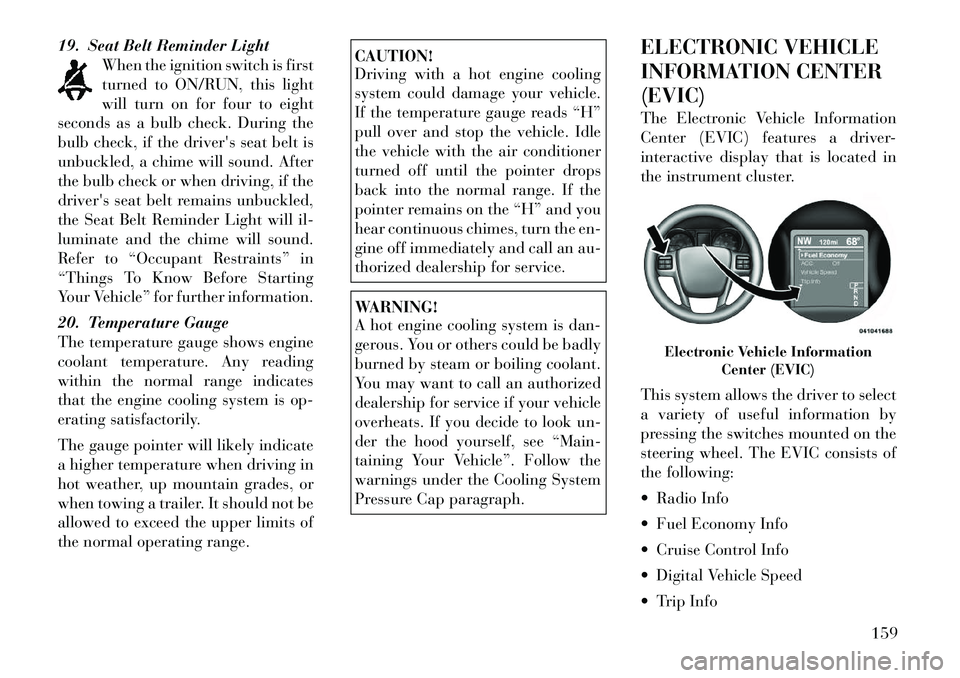
The Electronic Vehicle Information
Center (EVIC) features a driver-
interactive display that is located in
the instrument cluster.
This system allows the driver to select
a variety of useful information by
pressing the switches mounted on the
steering wheel. The EVIC consists of
the following:
Radio Info
Fuel Economy Info
Cruise Control Info
Digital Vehicle Speed
Trip Info
Electronic Vehicle Information
Center (EVIC)
159
Page 170 of 316

Transmission TemperatureWarning Telltale This telltale indicates that
the transmission fluid tem-
perature is running hot.
This may occur with severe
usage, such as trailer towing. If this
telltale turns on, safely pull over and
stop the vehicle. Then, shift the trans-
mission into PARK and run the engine
at idle or faster until the light turns
off.CAUTION!
Continuous driving with the Trans-
mission Temperature Warning Tell-
tale illuminated will eventually
cause severe transmission damage or
transmission failure.WARNING!
If the Transmission Temperature
Warning Telltale is illuminated and
you continue operating the vehicle,
in some circumstances you could
cause the fluid to boil over, come in
contact with hot engine or exhaust
components and cause a fire. Electric Power Steering
Malfunction This telltale is on when the
Electric Power Steering is
not operating and needs
service.
OIL CHANGE DUE
Your vehicle is equipped with an en-
gine oil change indicator system. The
“Oil Change Due” message will flash
in the EVIC display for approxi-
mately 10 seconds after a single chime
has sounded to indicate the next
scheduled oil change interval. The en-
gine oil change indicator system is
duty cycle based, which means the
engine oil change interval may fluctu-
ate dependent upon your personal
driving style.
Unless reset, this message will con-
tinue to display each time you cycle
the ignition to the ON/RUN position.
To turn off the message temporarily,
press and release the BACK button.
To reset the oil change indicator sys-
tem please refer to a Lancia Dealer-
ship. DIESEL PARTICULATE
FILTER (DPF) MESSAGES
Exhaust System — Regeneration
Required Now. Under conditions of
exclusive short duration and low
speed driving and low speed driv-
ing cycles, the engine and exhaust
after-treatment system may never
reach the conditions required to re-
move the trapped PM. If this occurs
the “Exhaust System Regeneration
Required Now” message will be
displayed on the EVIC. By driving
your vehicle at highway speeds for
as little as 30 minutes, you can rem-
edy the condition in the particulate
filter system by allowing the
trapped PM to be removed to re-
store the system to normal operat-
ing condition.
Exhaust Service Require — See Dealer Now. The engine will be de-
rated to prevent permanent dam-
age to the after-treatment system. If
this condition occurs, it is necessary
to have your vehicle serviced by
your local authorized dealer.164
Page 196 of 316

OVERLOADING . . . . . . . . . . . . . . . . . . . . . . . 227
LOADING . . . . . . . . . . . . . . . . . . . . . . . . . . . 228
TRAILER TOWING . . . . . . . . . . . . . . . . . . . . . . 228 COMMON TOWING DEFINITIONS . . . . . . . . . 228
BREAKAWAY CABLE ATTACHMENT . . . . . . . 230
TRAILER TOWING WEIGHTS (MAXIMUMTRAILER WEIGHT RATINGS) . . . . . . . . . . . . 231
TRAILER AND TONGUE WEIGHT . . . . . . . . . 231
TOWING REQUIREMENTS . . . . . . . . . . . . . . 232
TOWING TIPS . . . . . . . . . . . . . . . . . . . . . . . . 235
TRAILER HITCH ATTACHING POINTS . . . . . 236
RECREATIONAL TOWING (BEHIND MOTORHOME, ETC) . . . . . . . . . . . . . . . . . . . . . 237
190
Page 207 of 316

WARNING!(Continued)
Do not leave the key fob in or near
the vehicle, and do not leave Key-
less Enter-N-Go in the ACC or
ON/RUN mode. A child could op-
erate power windows, other con-
trols, or move the vehicle.CAUTION!
Before moving the shift lever outof PARK, you must turn the igni-
tion switch from the LOCK/OFF
position to the ON/RUN position,
and also press the brake pedal.
Otherwise, damage to the shift le-
ver could result.
DO NOT race the engine when
shifting from PARK or NEUTRAL
into another gear range, as this
can damage the drivetrain.
The following indicators should be
used to ensure that you have engaged
the shift lever into the PARK position:
When shifting into PARK, move the shift lever all the way forward and
to the left until it stops and is fully
seated. Look at the shift lever position dis-
play and verify that it indicates the
PARK position.
With brake pedal released, verify that the shift lever will not move out
of PARK.
REVERSE
This range is for moving the vehicle
backward. Shift into REVERSE only
after the vehicle has come to a com-
plete stop.
NEUTRAL
Use this range when the vehicle is
standing for prolonged periods with
engine running. The engine may be
started in this range. Set the parking
brake and shift the transmission into
PARK if you must leave the vehicle.
WARNING!
Do not coast in NEUTRAL and
never turn off the ignition to coast
down a hill. These are unsafe prac-
tices that limit your response to
changing traffic or road conditions.
You might lose control of the vehicle
and have a collision.
CAUTION!
Towing the vehicle, coasting, or
driving for any other reason with the
transmission in NEUTRAL can re-
sult in severe transmission damage.
Refer to “Recreational Towing” in
“Starting And Operating” and
“Towing A Disabled Vehicle” in
“What To Do In Emergencies” for
further information.
DRIVE
This range should be used for most
city and highway driving. It provides
the smoothest upshifts and down-
shifts, and the best fuel economy. The
transmission automatically upshifts
through underdrive first, second, and
third gears, direct fourth gear and
overdrive fifth gear. The DRIVE posi-
tion provides optimum driving char-
acteristics under all normal operating
conditions.
When frequent transmission shifting
occurs (such as when operating the
vehicle under heavy loading condi-
tions, in hilly terrain, traveling into
strong head winds, or while towing
heavy trailers), use the “AutoStick®”
201
Page 208 of 316

mode (refer to “AutoStick®” in this
section) to select a lower gear. Under
these conditions, using a lower gear
will improve performance and extend
transmission life by reducing exces-
sive shifting and heat buildup.
Transmission Limp Home Mode
Transmission function is monitored
electronically for abnormal condi-
tions. If a condition is detected that
could result in transmission damage,
Transmission Limp Home Mode is ac-
tivated. In this mode, the transmis-
sion remains in the current gear until
the vehicle is brought to a stop. After
the vehicle has stopped, the transmis-
sion will remain in second gear re-
gardless of which forward gear is se-
lected. PARK, REVERSE, and
NEUTRAL will continue to operate.
The Malfunction Indicator Light
(MIL) may be illuminated. Limp
Home Mode allows the vehicle to be
driven to an authorized dealer for ser-
vice without damaging the transmis-
sion.In the event of a momentary problem,
the transmission can be reset to regain
all forward gears by performing the
following steps:
1. Stop the vehicle.
2. Shift the transmission into PARK.
3. Turn the engine OFF.
4. Wait approximately 10 seconds.
5. Restart the engine.
6. Shift into the desired gear range. If
the problem is no longer detected, the
transmission will return to normal op-
eration.
NOTE:
Even if the transmission can be
reset, we recommend that you visit
your authorized dealer at your
earliest possible convenience.
Your authorized dealer has diag-
nostic equipment to determine if
the problem could recur.
If the transmission cannot be reset,
authorized dealer service is required.
Overdrive Operation
The automatic transmission includes
an electronically controlled Overdrive(fifth gear). The transmission will au-
tomatically shift into the Overdrive
gear if the following conditions are
present:
the shift lever is in the DRIVE po-
sition,
vehicle speed is sufficiently high, and
the driver is not heavily pressing the accelerator.
AUTOSTICK®
AutoStick® is a driver-interactive
transmission feature that offers
manual gear shifting to provide you
with more control of the vehicle.
AutoStick® allows you to maximize
engine braking, eliminate undesirable
upshifts and downshifts, and improve
overall vehicle performance.
This system can also provide you with
more control during passing, city
driving, cold slippery conditions,
mountain driving, trailer towing, and
many other situations.
202
Page 218 of 316

HSA Activation Criteria
The following criteria must be met in
order for HSA to activate:
Vehicle must be stopped.
Vehicle must be on a 6% (approxi-mate) grade or greater hill.
Gear selection matches vehicle up- hill direction (i.e., vehicle facing
uphill is in forward gear; vehicle
backing uphill is in REVERSE
gear).
HSA will work in REVERSE and all
forward gears when the activation cri-
teria have been met. The system will
not activate if the vehicle is placed in
NEUTRAL or PARK.WARNING!
There may be situations on minor
hills (i.e., less than 8%), with a
loaded vehicle, or while pulling a
trailer, when the system will not ac-
tivate and slight rolling may occur.
This could cause a collision with an-
other vehicle or object. Always re-
member the driver is responsible for
braking the vehicle. Towing With HSA
HSA will provide assistance when
starting on a grade when pulling a
trailer.
WARNING!
If you use a trailer brake control-
ler with your trailer, your trailer
brakes may be activated and de-
activated with the brake switch. If
so, when the brake pedal is re-
leased, there may not be enough
brake pressure to hold the vehicle
and trailer on a hill and this could
cause a collision with another ve-
hicle or object behind you. In or-
der to avoid rolling down the hill
while resuming acceleration,
manually activate the trailer
brake prior to releasing the brake
pedal. Always remember the
driver is responsible for braking
the vehicle.
HSA is not a parking brake. Al-
ways apply the parking brake
fully when leaving your vehicle.
Also, be certain to leave the trans-
mission in PARK.
(Continued)
WARNING!(Continued)
Failure to follow these warnings
may cause the vehicle to roll down
the incline and could collide with
another vehicle, object or person,
and cause serious or fatal injury.
Always remember to use the park-
ing brake while parking on a hill
and that the driver is responsible
for braking the vehicle.
HSA Off
If you wish to turn off the HSA sys-
tem, it can be done using the Cus-
tomer Programmable Features in the
Uconnect Touch™ System. Refer to
“Uconnect TOUCH™ SETTINGS” in
“Understanding Your Instrument
Panel” for further information.
READY ALERT BRAKING
Ready Alert Braking may reduce the
time required to reach full braking
during emergency braking situations.
It anticipates when an emergency
braking situation may occur by moni-
toring how fast the throttle is released
by the driver. When the throttle is
released very quickly, Ready Alert
Braking applies a small amount of
212