reset LAND ROVER DISCOVERY 1999 Owner's Manual
[x] Cancel search | Manufacturer: LAND ROVER, Model Year: 1999, Model line: DISCOVERY, Model: LAND ROVER DISCOVERY 1999Pages: 1529, PDF Size: 34.8 MB
Page 1312 of 1529

BODY CONTROL UNIT
DESCRIPTION AND OPERATION 86-3-25
Rear wipers and washers
The rear wiper is initially operated for a period of 4 seconds when the rear wiper switch is pressed, to complete two
full cycles. After this, the rear wiper will operate every other time the front wiper completes a wipe operation. During
the wipe operation, the front and rear wipers are synchronised, and changes to the delay period during intermittent
wipe will change the delay period for both front and rear wipers.
Operation of the rear washer switch causes the washer motor to operate for as long as the switch is operated. The
wiper also operates while the switch is depressed and for a further 4 seconds after the switch is released.
The BCU checks for the following inputs to determine when to provide the rear wiper enable signal:
lIgnition state.
lRear wiper switch.
lFront intermittent wiper rate.
lFront intermittent wiper switch.
If the ignition switch is in the off or crank position, the rear wipers are not active and the rear wiper enable output is
switched off.
In the event of a communications link failure occurring while the rear intermittent wipe programme is in operation, the
rear wiper enable output is switched off.
Reverse gear wipe
The BCU changes the operation of the rear wiper when the front wiper is active and reverse gear is selected. The rear
wiper operation rate used when the preconditions have been satisfied depend on the prevailing front wiper operating
mode and the position of the rear wiper switch. If the rear wiper is on or the front wiper is operating at an intermittent
rate when reverse gear is selected, the BCU will operate the rear wiper continuously for 4 seconds via the IDM. After
the initial period, the rear wiper will operate at the same rate as the front wiper.
The BCU checks for the following inputs to determine when to provide the rear wiper enable signal if the vehicle is in
reverse gear:
lIgnition state.
lRear wiper switch.
lFront intermittent wiper rate.
lReverse gear selected.
lFront intermittent wiper switch.
lFront wiper switch state.
lFront wash/ wipe in progress flag.
In the event of a communications link failure occurring while the reversing wipe is in operation, the rear wiper enable
output is switched off.
Headlamp wash
The headlamp wash will only operate when the headlamps are on, and then only every third time the front windscreen
wash button is pressed. When the BCU operates the headlamp washers, it activates the washer pump relay for a
period of 500 ms. The BCU supplies an earth path for the coil of the power wash relay located in the engine
compartment fuse box when the washer function is selected.
The BCU checks for the following inputs to determine when to provide power to the headlamp power wash relay:
lIgnition state.
lFront washer pump switch.
lDipped beam.
lMain beam state.
If the ignition switch is in the off position, the headlamp power wash relay is also held off. if the ignition state is crank,
the headlamp power wash relay is switched off and the headlamp power wash counter is reset to 0.
In the event of a communications link failure occurring while the headlamp power wash relay in on , the relay remains
on until the 500 ms timer has completed, then the relay is switched off.
Page 1314 of 1529

BODY CONTROL UNIT
DESCRIPTION AND OPERATION 86-3-27
If a direction indicator bulb failure or a trailer presence is detected, the following outputs can be generated depending
on the BCU logic states:
lTrailer detected.
lBulb failure detected.
lDirection indicator short circuit.
lDirection indicator relay stuck.
The BCU can be configured whether or not to provide bulb failure warnings.
When the direction indicators are operating, instrument pack direction indicators flash in sequence with the exterior
direction indicators. If a failure of an indicator bulb occurs, the corresponding instrument pack indication lamp will flash
quickly to warn of the problem.
The IDM monitors the current drawn through the circuit to detect for the occurrence of a lamp failure. If an indicator
lamp fails, the IDM detects the drop in current drawn through the resistor and operates the indicator relay at a faster
speed. The fast flash is demonstrated on the instrument pack direction indicator warning lamps to bring attention to
the driver that a direction indicator bulb failure has occurred. The current sense for the related indicator lamps (RH or
LH) are checked when a direction indicator request has been made that lasts for at least 160 ms. The current level
sensed is relative to the number of working bulbs and determines the request generated by the BCU.
The output is signalled to the instrument pack using the serial communications link. If the hazard warning lamps are
operating, both sets of direction indicators are checked using the current sensing functions to check the number of
bulbs on each side of the vehicle.
If the BCU detects that a direction indicator request has not been made, but one or other of the current sense inputs
indicate that current is flowing, a 'Relay stuck' output is generated.
Hazard lamps
The BCU controls the operation of the hazard warning lamps via the IDM and dedicated relays. The hazard warning
lamps are activated under the following conditions:
lThe vehicle is locked and the security system is set (the hazard warning lamps flash three times if the
superlocking feature is used, once if not).
lThe vehicle is unlocked (the hazard warning lamps flash once for a duration of two seconds).
lThe anti-theft alarm system is triggered (the hazard warning lamps flash in phase with and for the duration of the
audible warning).
lThe hazard warning switch is pressed (the hazard warning lamps flash until the hazard warning switch is pressed
for a second time).
lThe inertia switch is triggered (the hazard warning lamps flash until the inertia switch has been reset).
The hazard warning lamp operation may differ dependent on market and customer configuration options.
The hazard warning lamps are operated from a latching pushbutton switch located on the fascia. When the switch is
pressed, both left and right indicator lamps in the instrument pack flash to show that the hazard warning lamps are
operating and all hazard warning lamps flash simultaneously. If a trailer is fitted, the ICM detects this and a trailer
symbol in the instrument pack also flashes to show correct operation of the trailer direction indicators and hazard
warning lamps.
The BCU supplies a reference voltage to the hazard warning switch. When the hazard warning switch is operated an
earth path is completed which signals the BCU that a request for hazard lamp operation has been made. The BCU
then sends a signal to the IDM via the serial data bus to communicate the request. The IDM supplies an earth path
for both direction indicator relay coils simultaneously so that the hazard warning lamps are turned on concurrently.
The IDM controls the timing of the flash operations by continually removing and restoring the earth path to both
direction indicator relay coils simultaneously.
Number of working bulbs Request generated
3 Trailer detected
2 None (bulbs okay)
1 Bulb failure detected
0 Direction indicator short circuit detected
Page 1342 of 1529
ALARM SYSTEM AND HORN
DESCRIPTION AND OPERATION 86-4-19
Disarming: To prevent the alarm from triggering when entering the vehicle, the alarm system must be disarmed with
the key or the handset.
There are two perimetric alarm disarming configurations:
lAlways disarm with key.
lOnly disarm with key if locked with key.
The perimetric alarm can be disarmed by unlocking the vehicle with the handset or by using the key in the driver's
door lock, depending on system configuration.
NOTE: The “only disarm with key if locked with key” configuration prevents the alarm from being disarmed by
unlocking the vehicle with the handset if the vehicle has been locked by the key. In this situation the Emergency Key
Access (EKA) code must be entered to disarm the alarm.
In order for the alarm to trigger, the following conditions must be met:
lPerimetric alarm armed.
lBonnet or door opened.
Once triggered, the alarm will remain triggered for 30 seconds before resetting.
Volumetric alarm
The volumetric alarm is used by the BCU to detect movement within the vehicle. This allows the alarm to be triggered
if a window is smashed in an attempt to gain access to the vehicle.
There are two volumetric alarm configurations:
lVolumetric alarm not active.
lVolumetric alarm active.
Two sensors, which transmit and receive ultrasonic signals, detect movement within the vehicle. Theses sensors
detect any change in air movement within the vehicle and then supply the BCU a signal to activate the alarm. Fifteen
seconds after the vehicle is locked with the handset or the key the volumetric alarm is armed. This delay is
incorporated into the BCU software to prevent accidental or nuisance triggering of the alarm.
In order to arm the volumetric alarm, the following conditions must be met:
lDriver's door closed.
lKey not inserted in ignition.
lFuel cut-off switch not tripped.
To prevent the alarm from triggering when entering the vehicle, the alarm system must be disarmed with the key or
the handset.
There are two volumetric alarm disarming configurations:
lAlways disarm with key.
lOnly disarm with key if locked with key.
The volumetric alarm can be disarmed by unlocking the driver's door with the key or the handset, depending on
system configuration.
NOTE: The “only disarm with key if locked with key” configuration prevents the alarm from being disarmed by
unlocking the vehicle with the handset if the vehicle has been locked by the key. In this situation the EKA code must
be entered to disarm the alarm.
In order for the alarm to trigger, the following conditions must be met:
lVolumetric alarm armed.
lVolumetric sensors triggered.
Once triggered, the alarm will remain triggered for 30 seconds before resetting.
Page 1371 of 1529

IN CAR ENTERTAINMENT
86-6-4 DESCRIPTION AND OPERATION
Description
General
The in car entertainment (ICE) system allows the driver and passengers to listen to audio output from the speakers
or optional headphones inside the vehicle. Buttons or knobs on the radio cassette allow changes of levels or
selections during the various modes of operation. The system can be controlled from the fascia mounted radio
cassette, or optional remote control switches on the left hand side of the steering wheel. High line systems may also
have rear headphone amplifiers that have some control of the system via the radio cassette player.
One or two amplified aerials located in the rear side windows send radio signals to the radio cassette player. On high
line systems a power amplifier and a CD-autochanger may be located under the front seats. Speakers are located in
the lower door panels, additional speakers may be located in upper door trim, the A-post and the tail door. A display
screen shows the user the current system status.
The ICE supplied varies with trim level and market. Vehicles may not have all of the speakers, amplified aerials, CD-
autochanger, rear headphone amplifiers or power amplifier.
Base system radio cassette
The base radio cassette has buttons for LD (loudness) AM, FM, EJECT (tape), Reverse, Base/Balance, treble, MAN
forward and reverse. The base radio cassette is located in the center of the fascia and contains the radio and tape
player, four clips (accessible through holes in the front of the unit) secure the unit in the fascia. To remove the unit
the four clips must be released with a special tool. The base system can be controlled from the fascia mounted radio
cassette. A logic control circuit in the radio cassette player controls the operation in the various control modes.
The radio cassette has a display screen, the information shown can be the current radio frequency, tape operating,
bass or loudness settings. Power for the illumination on the radio cassette is supplied from the passenger
compartment fuse box. A main fuse is also located in the connector socket area on the back of the radio cassette.
Security code function
A combination of buttons on the radio cassette are used to input and change security codes. Security codes make the
unit unusable if the unit is disconnected from the vehicle without deactivating the security code. The radio cassette
has an internal memory chip that stores the code information, if the power is removed from the unit the chip will
activate the security code feature. For this reason the security code feature must be deactivated before the unit is
removed or the vehicles battery is disconnected.
Audio functions
The radio cassette has buttons for the following audio functions: LD (loudness), bass/balance, fader, treble and
volume.
Cassette functions
The radio cassette has buttons for the following cassette functions: eject, forward, reverse and tape reversal.
Multi function buttons
The function of presets 1-6 and the MAN button depends on current mode of operation and allows selection of radio
band, radio on, tape track and search/seek functions. The MAN button is mode dependent, when pressed the button
allows manual operation or alternate mode selections such as manual tuning.
Internal memory
An internal memory chip stores the station presets and security code, power is supplied internally to the chip via a
permanent power feed, supplied from the passenger compartment fuse box.
Page 1374 of 1529

IN CAR ENTERTAINMENT
DESCRIPTION AND OPERATION 86-6-7
Multi function buttons
Rotary controls are located on the front of the radio cassette for adjustment of bass, treble etc, depending on current
mode selected. Operation of presets 1-6 depends on current mode of operation and allows selection of radio band
(Radio mode on) or CD-autochanger disc (in the CD mode). Scan (Mode dependent) manual or automatic selection
of band or track. RND random play, MODE/MUTE (mode dependent) when pressed the button allows manual
operation or alternate mode selections such as manual tuning, compact disk cue/review, tape forward/rewind modes.
Internal memory
An internal memory chip stores the station presets and security code, power is supplied internally to the chip via a
permanent power feed, supplied from the passenger compartment fuse box.
High line system radio cassette
The high line radio cassette is located in the center of the fascia and contains the radio and tape player. Two clips
(accessible through slots in the front of the unit) secure the unit. To remove the radio cassette unit the two clips must
be released with a special tool. The high line system can be controlled from the fascia mounted radio cassette, or from
remote radio control switches on the left hand side of the steering wheel. In vehicles fitted with radio headphone
amplifiers, the rear seat passengers can control their individual audio output using a headphone amplifier control
panel. The audio signal can be from the radio, cassette player or a CD-autochanger. A logic control circuit in the radio
cassette player controls the operation in the various control modes.
The radio cassette has a display screen, information shown includes current status, station (Radio mode) , CD-
autochanger track/disc status or status of headphone amplifier. Power for illumination on the radio cassette is supplied
from the passenger compartment fusebox. A main fuse is also located in the connector socket area on the back of
the radio cassette. When the radio cassette switch is on, power is made available via internal circuits to the radio
headphone amplifiers.
Security code function
A combination of buttons on the radio cassette are used to input and change security codes. Security codes make the
unit unusable if the unit is disconnected from the vehicle without deactivating the security code. The radio cassette
has an internal memory chip that stores the information, if the power is removed from the unit the chip will activate the
security code feature. For this reason the security code feature must be deactivated before the unit is removed or the
vehicles battery is disconnected.
Audio functions
A rotary knob allows changes of levels or selections during the various modes of operation, this includes volume,
bass, treble, fader and spatial on/off.
Cassette functions
The radio cassette has buttons for the following cassette functions; eject, fast forward, rewind and dolby. The dolby
symbol is shown on the dot matrix display screen if dolby mode is selected.
Radio functions
The radio cassette has buttons for the selection of AM or FM reception. Selection of the radio station is controlled by
the use of the multi-function buttons on the radio cassette player, the radio headphone amplifiers or the remote radio
controls on the steering wheel.
CD-autochanger functions
The CD button on the radio cassette player allows selection of the CD-autochanger. CD disc and track selection is
controlled by the use of the multi-function buttons on the radio cassette player, the radio headphone amplifiers or the
remote radio controls on the steering wheel.
Traffic information function
A traffic/news information button (I) allows traffic or news information to be selected on the FM waveband only, in this
mode the radio will mute when traffic or news messages are received. After the traffic or news message the radio,
cassette tape or CD will resume play, the traffic and news information varies with the country of use and radio band
selected.
Page 1375 of 1529

IN CAR ENTERTAINMENT
86-6-8 DESCRIPTION AND OPERATION
Multi function buttons
The music symbol button is used for mode selection for adjustment of bass, treble etc. depending on current mode
selected. Operation of presets 1-6 depends on current mode of operation and allows selection of radio band (Radio
mode on) or CD-autochanger disc (in the CD mode). Search/Seek (Mode dependent) manual or automatic selection
of band or track. MAN (mode dependent) when pressed the button allows manual operation or alternate mode
selections such as manual tuning, compact disk cue/review, tape forward/rewind modes. The mode dependent SCAN
button allows automatic searching of radio bands, tape or compact disk tracks.
Internal memory
An internal memory chip stores the station presets and security code, power is supplied internally to the chip via a
permanent power feed, supplied from the passenger compartment fuse box.
Radio cassette player connector pin details.
Connector/Pin
No.Description Input/Output
C0092
1 Rear RH speaker line Output +
2 Rear RH speaker line Output -
3 Front RH speaker line Output +
4 Front RH speaker line Output -
5 Front LH speaker line Output +
6 Front LH speaker line Output -
7 Rear LH speaker line Output +
8 Rear LH speaker line Output -
Page 1394 of 1529

IN CAR ENTERTAINMENT
DESCRIPTION AND OPERATION 86-6-27
Operation
DVD Player Functionality
The following defines the functionality of the unit. Further details of system operation can found in the DVD System
Owner's Manual, Publication Part No. LRL0482, supplied with the system.
DVD Region Selection
The DVD player is capable of playing discs from any region. The DVD can only be set to play discs of one region at
a time. A code is entered using the remote control handset to set the unit to the required region. The unit is set to the
correct region on production and therefore this will not be required by either the dealer or the customer.
If the unit region is required to be changed for any reason, Land Rover Special Vehicles must be contacted for the
required code and procedure.
NOTE: The unit can be re-configured for region up to five times. After the fifth attempt to re-configure the region, the
unit will be locked in the fifth region that was programmed. This will require the unit to be returned to the manufacturer
to be reset. The manufacturer will charge a fee for this service.
DVD Player CD Audio Function
The DVD player can play audio CD's through the vehicle audio system. This allows the user to play additional CD's
without having to remove the CD autochanger cartridge.
The overhead console LCD monitor must be open to play audio CD's.. Normal audio CD functionality such as repeat,
random and track select etc. can be accessed using the remote control handset.
The DVD player in the overhead console will also function independently of the vehicle audio system, and operate as
an additional CD player. The rear seat passengers can listen to audio CD's via the three headphone sockets on the
overhead console and via the two radio/headphone amplifier units (if fitted), while the front seat passengers
simultaneously listen to CD's played on the vehicle audio system and CD autochanger.
DVD/CD Output using the Vehicle Audio System
To play the DVD/CD audio output from the overhead console through the vehicle audio speakers, the speaker button
on the overhead console or remote control handset must be pressed. 'Speaker On' appears on the LCD monitor and
the head unit CD functionality is suspended. The audio output from the overhead console will now be played from the
vehicle speaker system. The head unit volume control, tone control, Navigation announcements and mobile phone (if
fitted) will function as normal and override the DVD output. A second press of the speaker button will switch the audio
output back to the head unit. 'Speaker Off' will be displayed on the LCD monitor.
The overhead console will remember the selected speaker condition if the overhead console is switched off by closing
the monitor, the console switched off using the handset or accessory power removed from the overhead console.
Power Up Conditions
On application of accessory power, the overhead console will perform the following:
lIf no disc is in the DVD player, the LCD monitor will display a blue screen and enter 'AUX' input mode.
When a DVD or CD is inserted in the DVD player, the system will change to DVD input mode. The disc will
attempt to play but may be limited by the disc media. Some discs will play automatically, some will display a menu
and others require the user to start playback.
lIf a disc was in the DVD player and the system was in 'Play', 'Pause', 'FF' or 'Rew' when powered down, playback
will start when power is re-applied.
lIf a disc was in the DVD player and the system was in 'Stop' when powered down, the system will enter DVD
mode and a blue screen will be displayed on the LCD monitor.
lSpeaker selection will remain in the same state as when the accessory power was removed.
Engine Cranking
If the unit is playing a DVD or CD when the ignition switch is moved to position III (engine crank), the system will stop
playing while the engine is cranking. Playback will resume at the point the playback was stopped when the ignition
switch is returned to position I or II.
Page 1459 of 1529

NAVIGATION SYSTEM
87-6 DESCRIPTION AND OPERATION
Service Menu
The service menu provides access to details of the navigation computer hardware and software, and can be accessed
when the navigation computer is in radio mode, by simultaneously pressing the NAV button and the 10 multifunction
buttons. The following items can then be scrolled through by pressing the Nxt (next) and Prv (previous) multifunction
buttons, or turning the RH rotary control:
lModel No.
lSerial No.
lChanger Reset
lGAL
lRadio Software
lRadio Bolo
lNavi Rom
lNavi Flash
lRTC Value
When Changer Reset is displayed, the CD autochanger (where fitted) can be reset by pressing the appropriate
multifunction button.
When the End multifunction button is pressed, the navigation computer quits the service menu and returns to radio
mode.
Garage Menu
Garage menu enables the navigation system to be tested and calibrated, and also contains a route navigation
demonstration. The garage menu is entered from the main navigation menu, as follows:
1Press the Nav button to access the system settings.
2Press and hold multifunction button 3, then press multifunction button 5 to display the garage menu.
The garage menu contains the following, which can be accessed using the RH rotary control:
lCALIBRATION RIDE – Used to calibrate the navigation computer, to enable route navigation.
lGPS INFO– Provides functional test of antenna by checking GPS reception. If functioning correctly, displays the
number of satellites being received, the date, time (Greenwich Mean Time) and the type of positional fix currently
possible.
lCALIBRATION– Allows vehicle specific calibration data to be entered, e.g. tyre size. Also allows current
calibration to be deleted prior to re-calibrating.
NOTE: Only known calibration data should be entered. The navigation computer cannot make route
calculations if incorrect data is entered.
lSENSORS– Allows wheel speed, reverse gear and gyro sensor inputs to be checked.
lVERSION– Displays navigation computer hardware and software details.
lSPEECH TEST– Performs a test of the navigation computer audio output.
lMODULE TEST– Performs a test routine on the internal components of the navigation computer.
lDEMO – Allows a route navigation demonstration to be run.
To quit the garage menu, press the Nav button.
Page 1462 of 1529

NAVIGATION SYSTEM
DESCRIPTION AND OPERATION 87-9
A = Distance, miles (km); B = Start/Finish point
Reset
If the navigation system malfunctions, a system reset can be triggered by simultaneously pressing the TP button and
multifunction button 1 or 3. The navigation CD will need to be installed after the system reset.
Steering Wheel Switches
The steering wheel switches provide remote control operation for some of the navigation computer functions. The
switches can be used to select between the radio/CD/navigation modes, to adjust the volume (in all modes) and to
select search/preset up/down for radio and CD operation.
Remote Control Interface Unit
The remote control interface unit converts the analogue signals from the steering wheel switches into digital signals
for use by the navigation computer. The remote control interface unit is installed in a bracket immediately below the
navigation computer.
The radio remote switches form a resistance ladder between two wires with the resistance across wires dependent
on which switch is pressed. The remote control interface unit monitors the two wires and converts their input into
Instrument (I) bus protocol messages, which it outputs on a dedicated serial link to the navigation computer.
Page 1468 of 1529
NAVIGATION SYSTEM
DESCRIPTION AND OPERATION 87-15
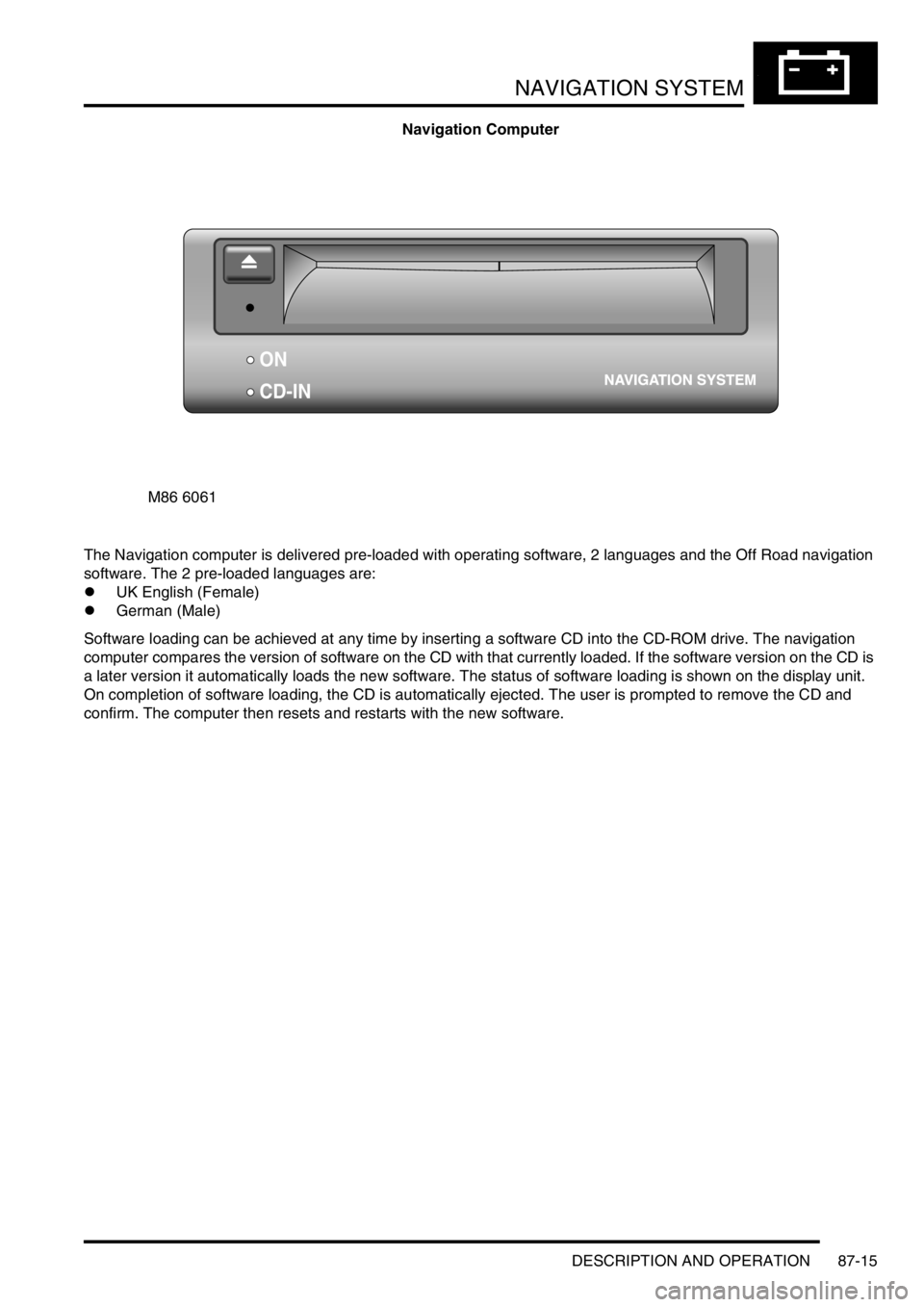
Navigation Computer
The Navigation computer is delivered pre-loaded with operating software, 2 languages and the Off Road navigation
software. The 2 pre-loaded languages are:
lUK English (Female)
lGerman (Male)
Software loading can be achieved at any time by inserting a software CD into the CD-ROM drive. The navigation
computer compares the version of software on the CD with that currently loaded. If the software version on the CD is
a later version it automatically loads the new software. The status of software loading is shown on the display unit.
On completion of software loading, the CD is automatically ejected. The user is prompted to remove the CD and
confirm. The computer then resets and restarts with the new software.
M86 6061
ON
CD-IN