remote Lexus CT200h 2012 Owner's Manual (in English)
[x] Cancel search | Manufacturer: LEXUS, Model Year: 2012, Model line: CT200h, Model: Lexus CT200h 2012Pages: 710
Page 2 of 710
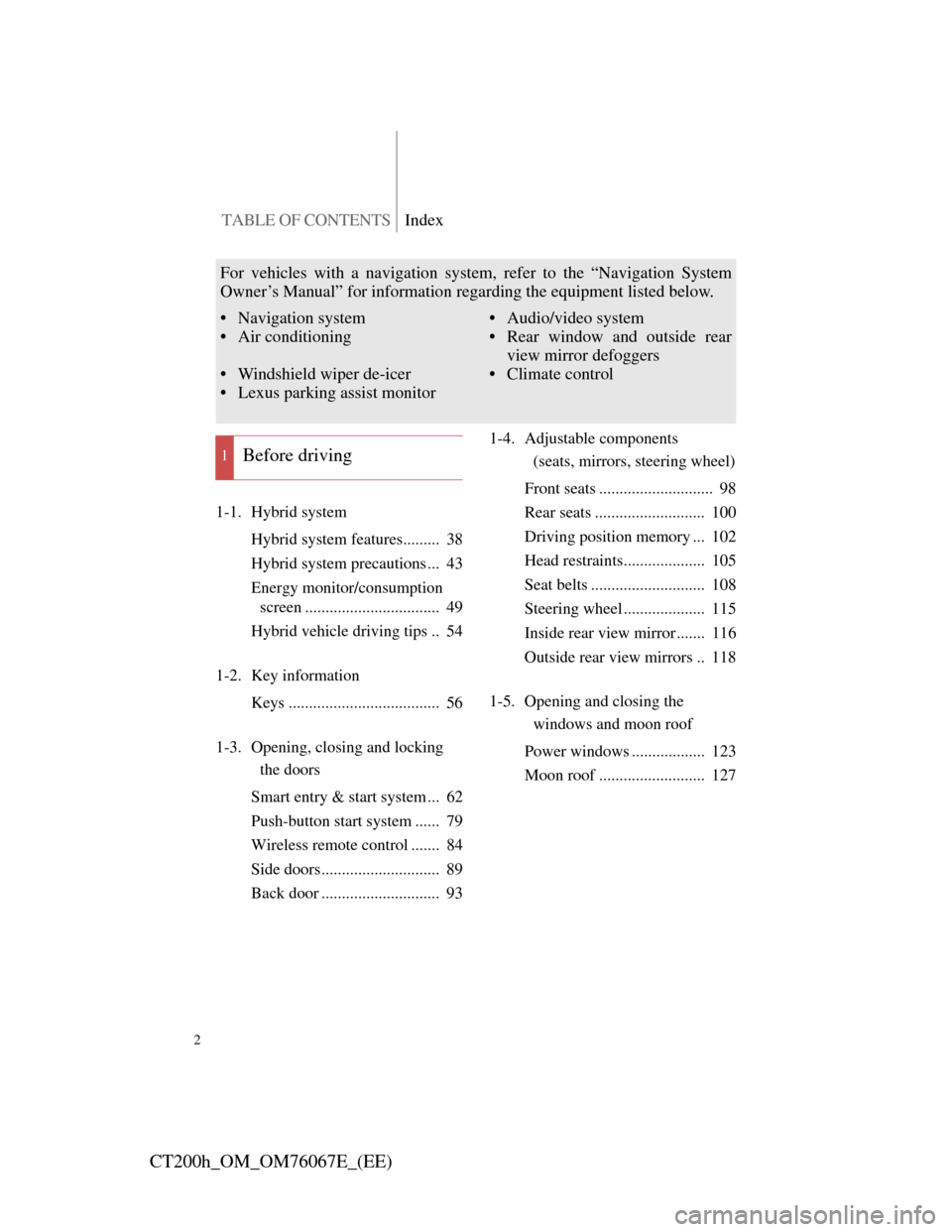
TABLE OF CONTENTSIndex
2
CT200h_OM_OM76067E_(EE)
1-1. Hybrid system
Hybrid system features......... 38
Hybrid system precautions ... 43
Energy monitor/consumption
screen ................................. 49
Hybrid vehicle driving tips .. 54
1-2. Key information
Keys ..................................... 56
1-3. Opening, closing and locking
the doors
Smart entry & start system ... 62
Push-button start system ...... 79
Wireless remote control ....... 84
Side doors............................. 89
Back door ............................. 931-4. Adjustable components
(seats, mirrors, steering wheel)
Front seats ............................ 98
Rear seats ........................... 100
Driving position memory ... 102
Head restraints.................... 105
Seat belts ............................ 108
Steering wheel .................... 115
Inside rear view mirror ....... 116
Outside rear view mirrors .. 118
1-5. Opening and closing the
windows and moon roof
Power windows .................. 123
Moon roof .......................... 127
1Before driving
For vehicles with a navigation system, refer to the “Navigation System
Owner’s Manual” for information regarding the equipment listed below.
• Navigation system
• Air conditioning
• Windshield wiper de-icer
• Lexus parking assist monitor• Audio/video system
• Rear window and outside rear
view mirror defoggers
• Climate control
Page 13 of 710
13
CT200h_OM_OM76067E_(EE)
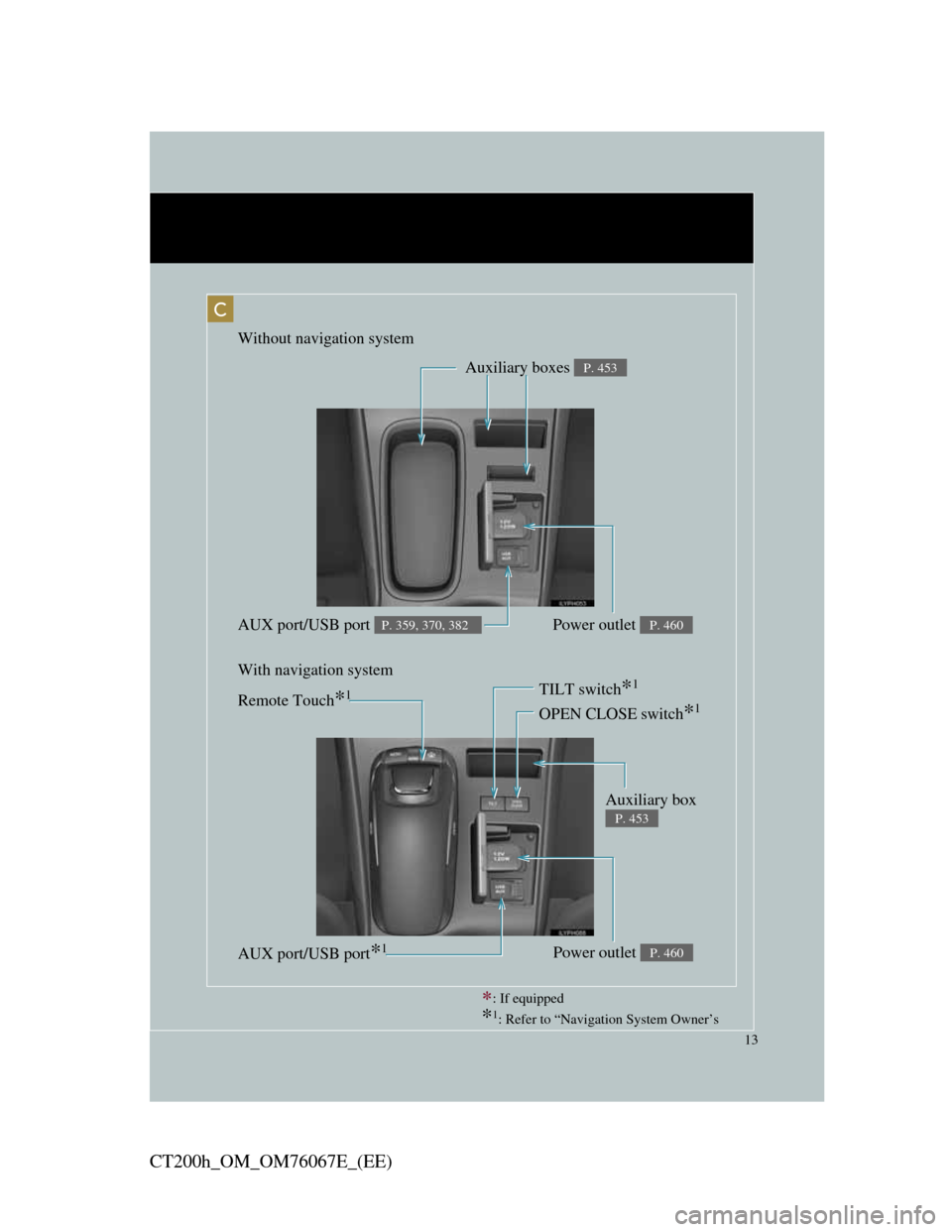
: If equipped
*1: Refer to “Navigation System Owner’s
Without navigation system
With navigation system
Auxiliary boxes P. 453
Power outlet P. 460AUX port/USB port P. 359, 370, 382
C
Remote Touch*1
Auxiliary box
P. 453
OPEN CLOSE switch*1
TILT switch*1
Power outlet P. 460AUX port/USB port*1
Page 15 of 710
15
CT200h_OM_OM76067E_(EE)
A
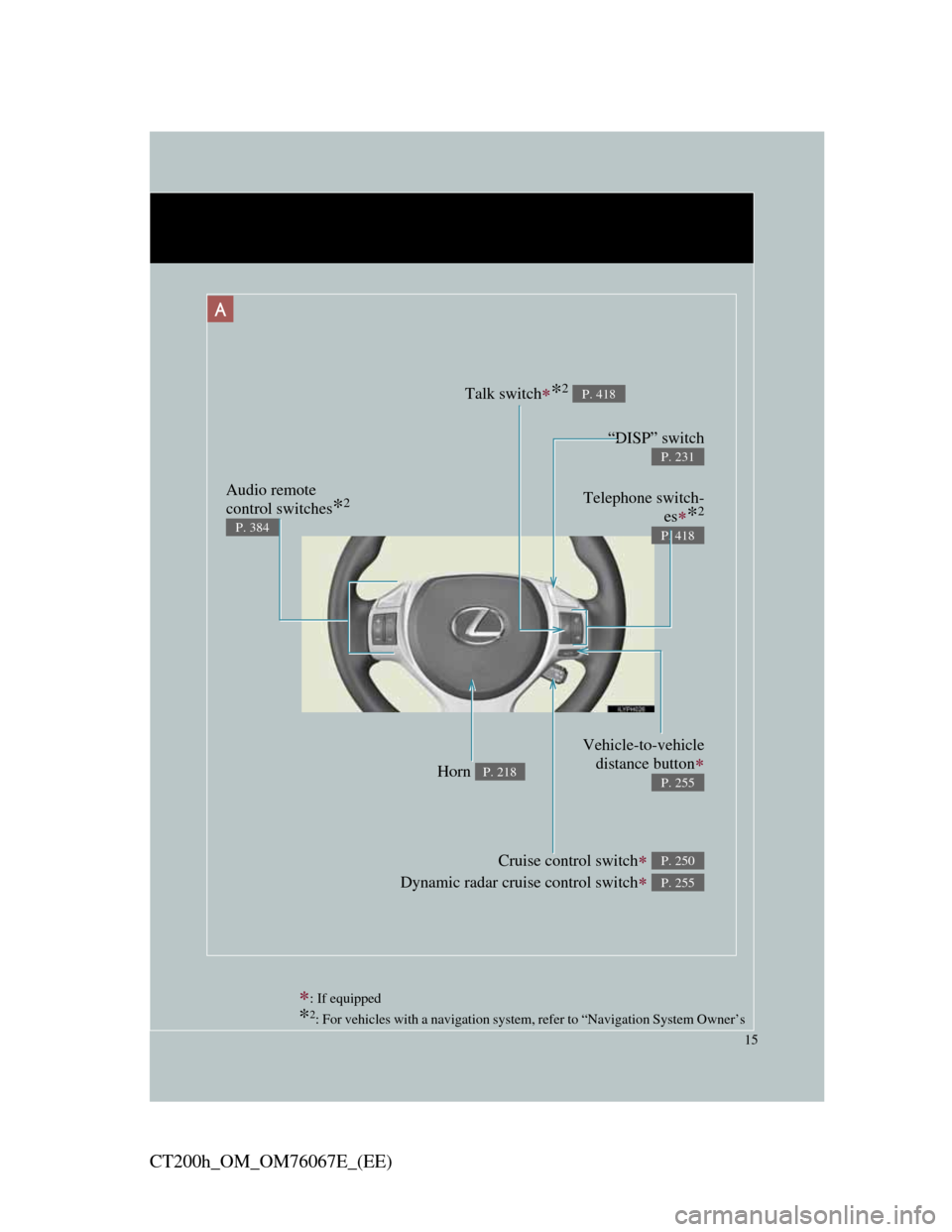
: If equipped
*2: For vehicles with a navigation system, refer to “Navigation System Owner’s
Telephone switch-
es
*2
P. 418
“DISP” switch
P. 231
Audio remote
control switches
*2
P. 384
Cruise control switch
Dynamic radar cruise control switch
P. 250
P. 255
Vehicle-to-vehicle
distance button
P. 255Horn P. 218
Talk switch*2 P. 418
Page 23 of 710
23
CT200h_OM_OM76067E_(EE)
C
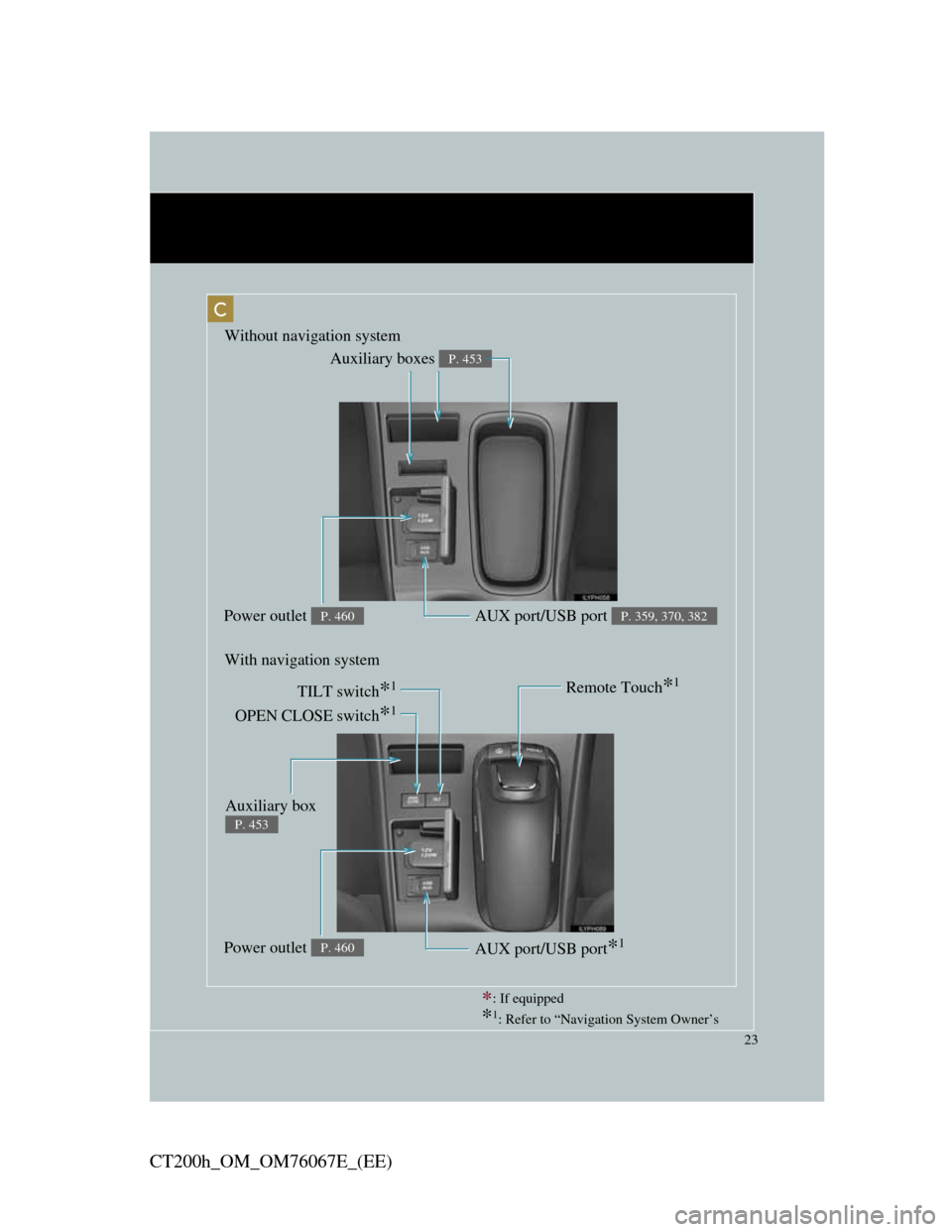
Remote Touch*1
OPEN CLOSE switch*1
TILT switch*1
Auxiliary boxes P. 453
Power outlet P. 460AUX port/USB port P. 359, 370, 382
Power outlet P. 460AUX port/USB port*1
Without navigation system
With navigation system
Auxiliary box
P. 453
: If equipped
*1: Refer to “Navigation System Owner’s
Page 25 of 710
25
CT200h_OM_OM76067E_(EE)
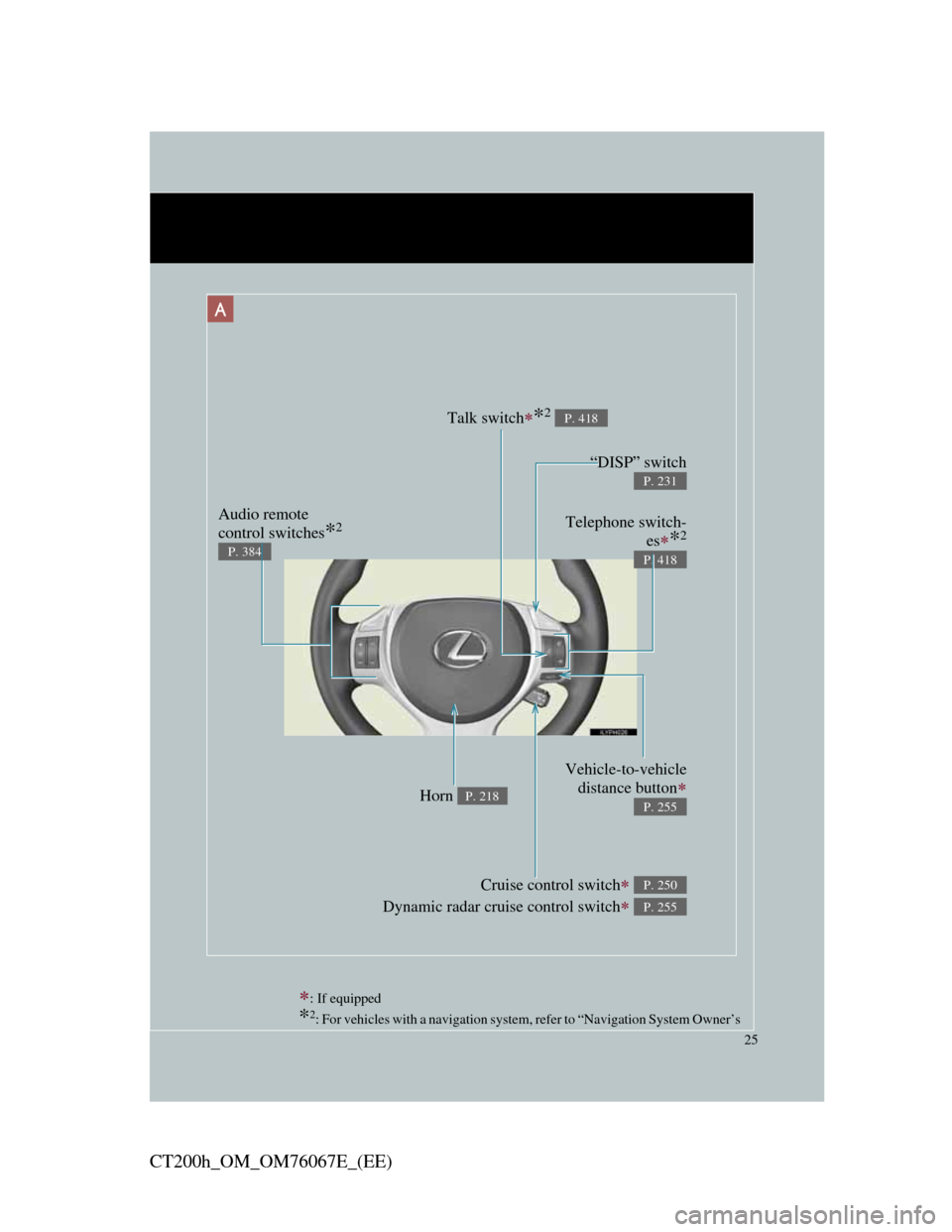
A
: If equipped
*2: For vehicles with a navigation system, refer to “Navigation System Owner’s
Telephone switch-
es
*2
P. 418
“DISP” switch
P. 231
Audio remote
control switches
*2
P. 384
Cruise control switch
Dynamic radar cruise control switch
P. 250
P. 255
Vehicle-to-vehicle
distance button
P. 255Horn P. 218
Talk switch*2 P. 418
Page 37 of 710
1Before driving
37
CT200h_OM_OM76067E_(EE)
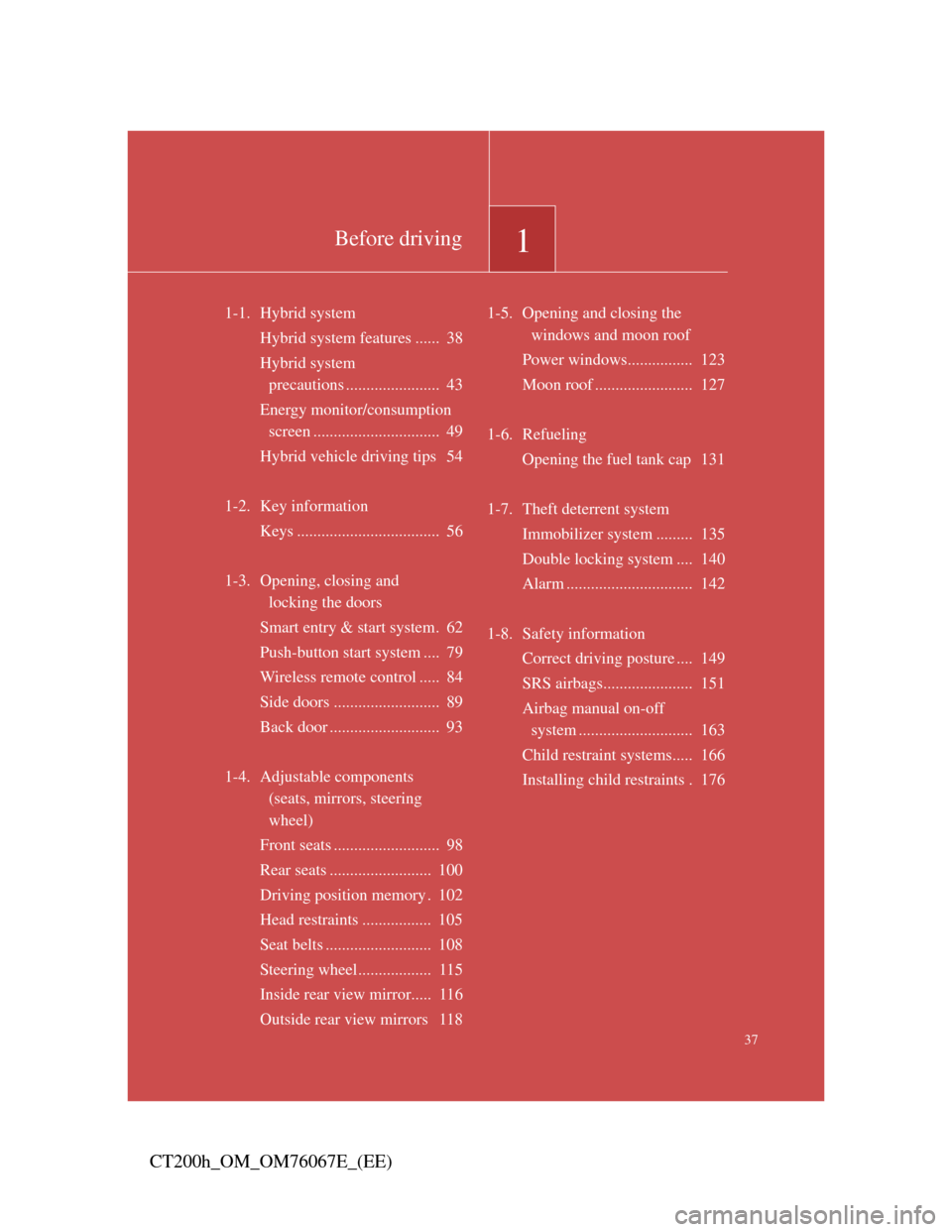
1-1. Hybrid system
Hybrid system features ...... 38
Hybrid system
precautions ....................... 43
Energy monitor/consumption
screen ............................... 49
Hybrid vehicle driving tips 54
1-2. Key information
Keys ................................... 56
1-3. Opening, closing and
locking the doors
Smart entry & start system. 62
Push-button start system .... 79
Wireless remote control ..... 84
Side doors .......................... 89
Back door ........................... 93
1-4. Adjustable components
(seats, mirrors, steering
wheel)
Front seats .......................... 98
Rear seats ......................... 100
Driving position memory . 102
Head restraints ................. 105
Seat belts .......................... 108
Steering wheel.................. 115
Inside rear view mirror..... 116
Outside rear view mirrors 1181-5. Opening and closing the
windows and moon roof
Power windows................ 123
Moon roof ........................ 127
1-6. Refueling
Opening the fuel tank cap 131
1-7. Theft deterrent system
Immobilizer system ......... 135
Double locking system .... 140
Alarm ............................... 142
1-8. Safety information
Correct driving posture .... 149
SRS airbags...................... 151
Airbag manual on-off
system ............................ 163
Child restraint systems..... 166
Installing child restraints . 176
Page 49 of 710
49
1
1-1. Hybrid system
Before driving
CT200h_OM_OM76067E_(EE)
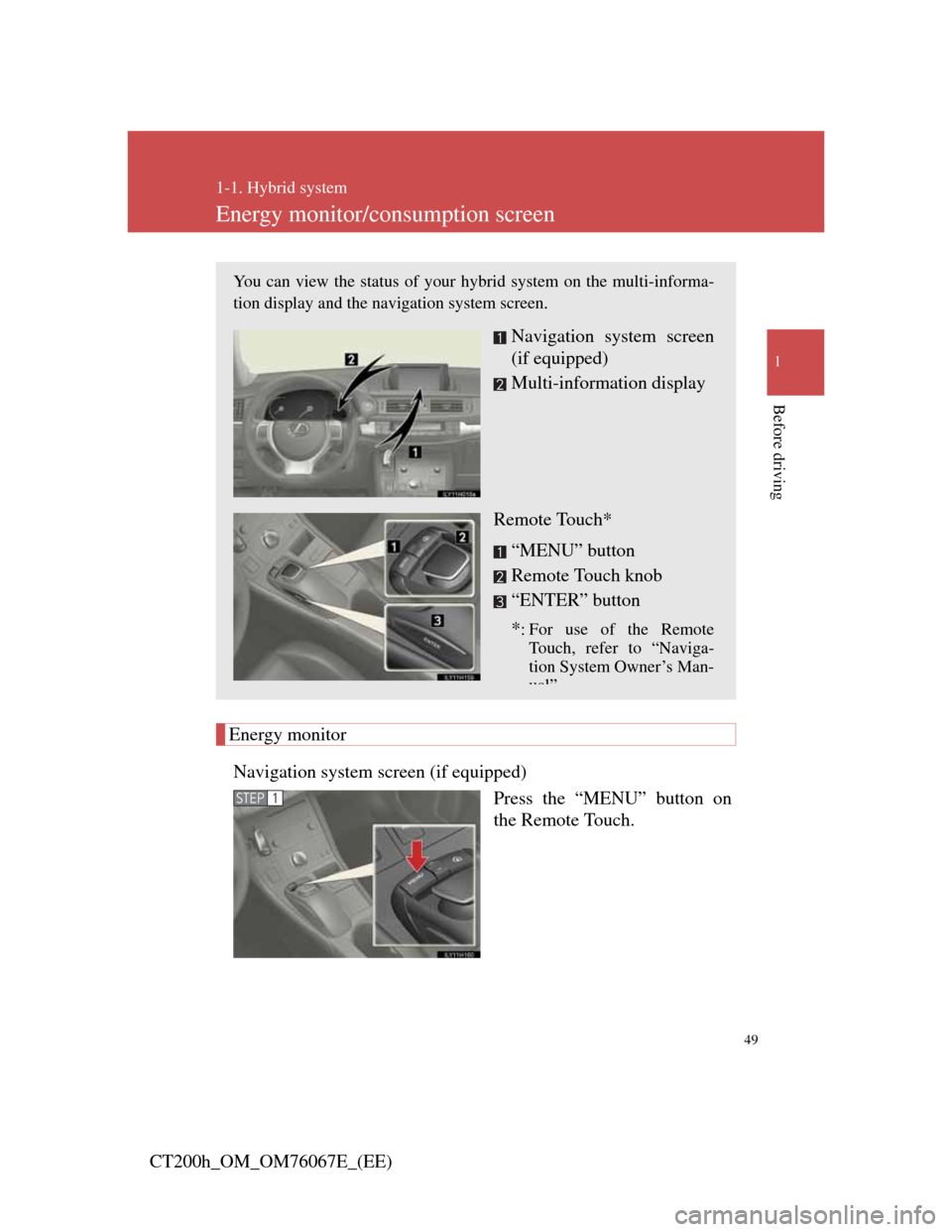
Energy monitor/consumption screen
Energy monitor
Navigation system screen (if equipped)
Press the “MENU” button on
the Remote Touch.
You can view the status of your hybrid system on the multi-informa-
tion display and the navigation system screen.
Navigation system screen
(if equipped)
Multi-information display
Remote Touch*
“MENU” button
Remote Touch knob
“ENTER” button
*
: For use of the Remote
Touch, refer to “Naviga-
tion System Owner’s Man-
ual”
STEP1
Page 52 of 710
52
1-1. Hybrid system
CT200h_OM_OM76067E_(EE)
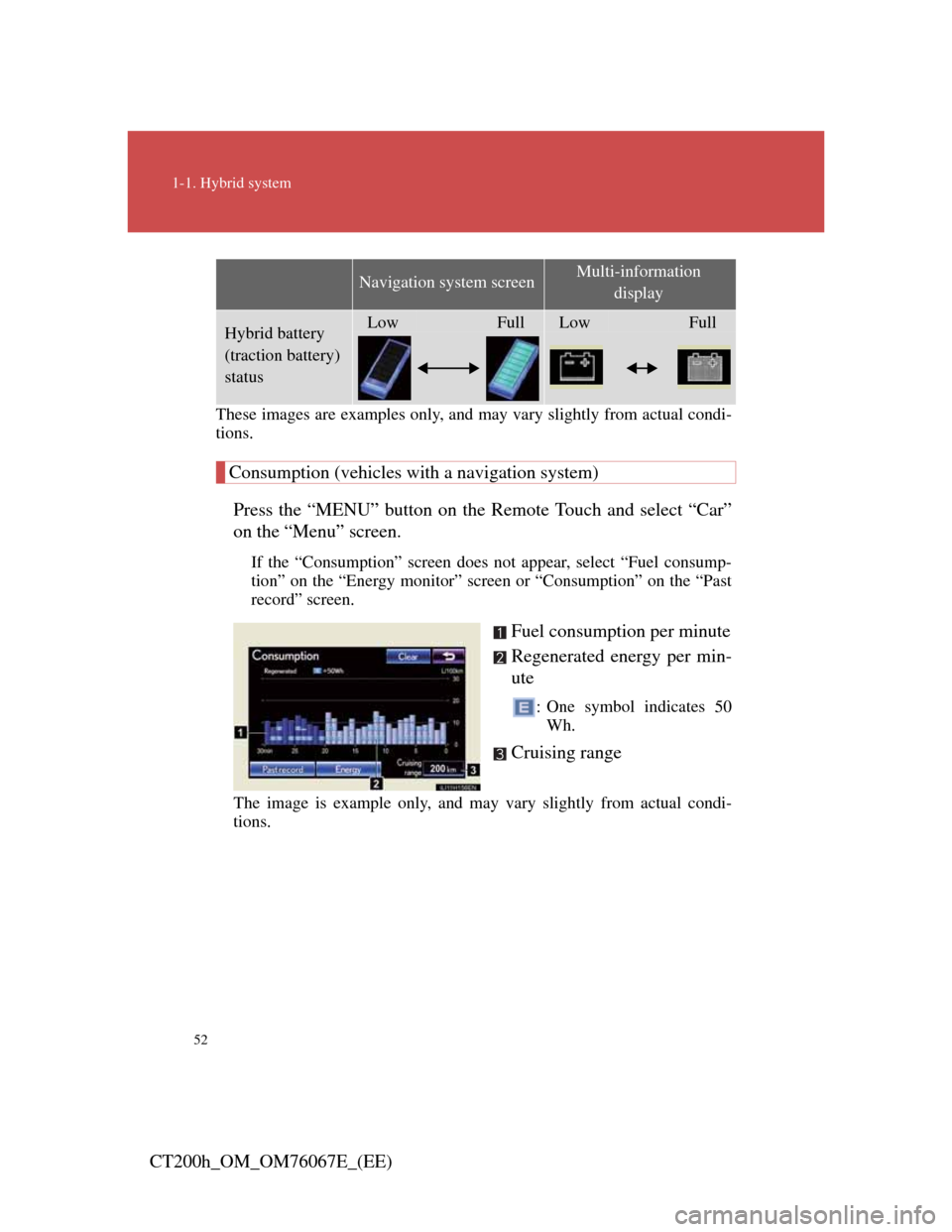
These images are examples only, and may vary slightly from actual condi-
tions.
Consumption (vehicles with a navigation system)
Press the “MENU” button on the Remote Touch and select “Car”
on the “Menu” screen.
If the “Consumption” screen does not appear, select “Fuel consump-
tion” on the “Energy monitor” screen or “Consumption” on the “Past
record” screen.
Fuel consumption per minute
Regenerated energy per min-
ute
: One symbol indicates 50
Wh.
Cruising range
The image is example only, and may vary slightly from actual condi-
tions.
Hybrid battery
(traction battery)
statusLowFullLowFull
Navigation system screenMulti-information
display
Page 53 of 710
53
1-1. Hybrid system
1
Before driving
CT200h_OM_OM76067E_(EE)
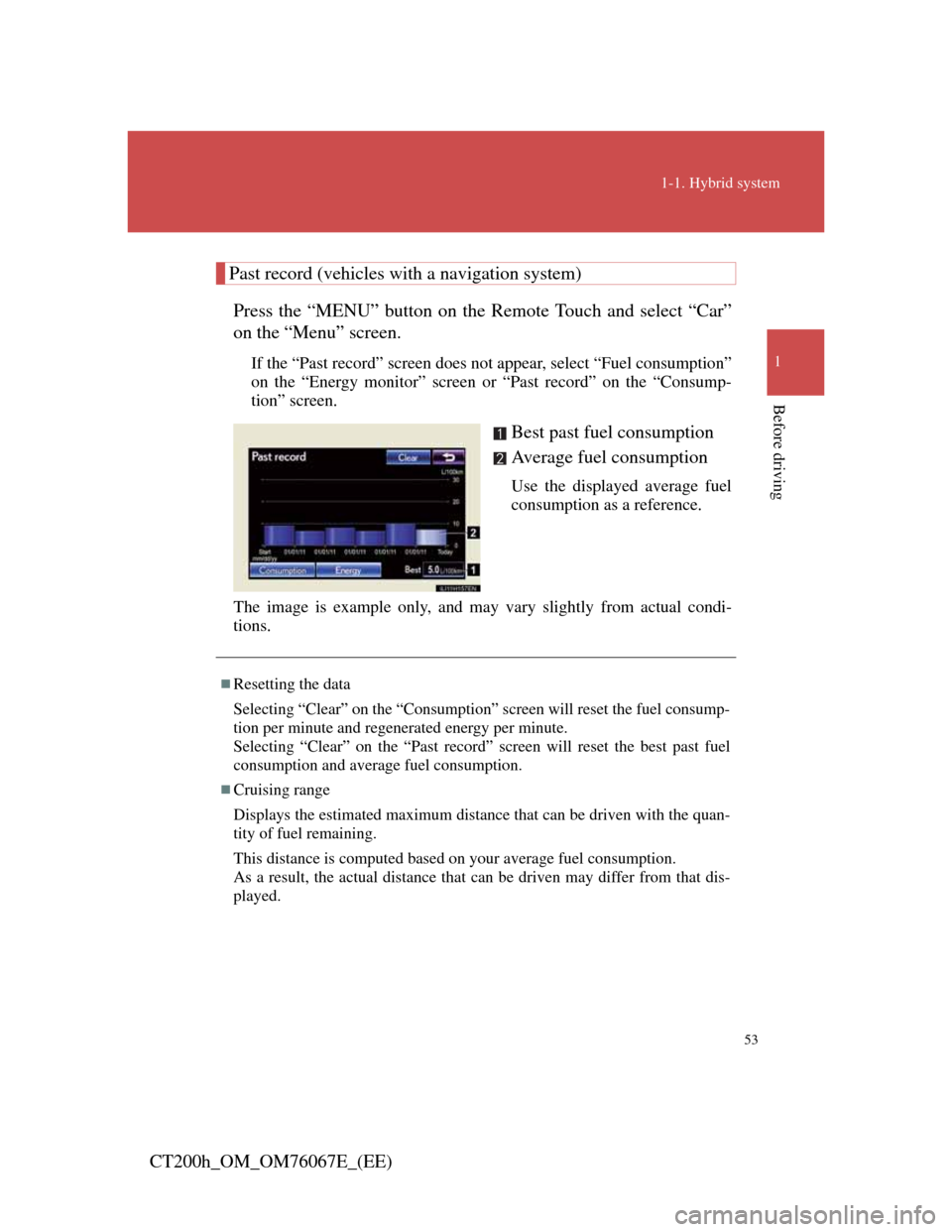
Past record (vehicles with a navigation system)
Press the “MENU” button on the Remote Touch and select “Car”
on the “Menu” screen.
If the “Past record” screen does not appear, select “Fuel consumption”
on the “Energy monitor” screen or “Past record” on the “Consump-
tion” screen.
Best past fuel consumption
Average fuel consumption
Use the displayed average fuel
consumption as a reference.
The image is example only, and may vary slightly from actual condi-
tions.
Resetting the data
Selecting “Clear” on the “Consumption” screen will reset the fuel consump-
tion per minute and regenerated energy per minute.
Selecting “Clear” on the “Past record” screen will reset the best past fuel
consumption and average fuel consumption.
Cruising range
Displays the estimated maximum distance that can be driven with the quan-
tity of fuel remaining.
This distance is computed based on your average fuel consumption.
As a result, the actual distance that can be driven may differ from that dis-
played.
Page 56 of 710
56
CT200h_OM_OM76067E_(EE)
1-2. Key information
Keys
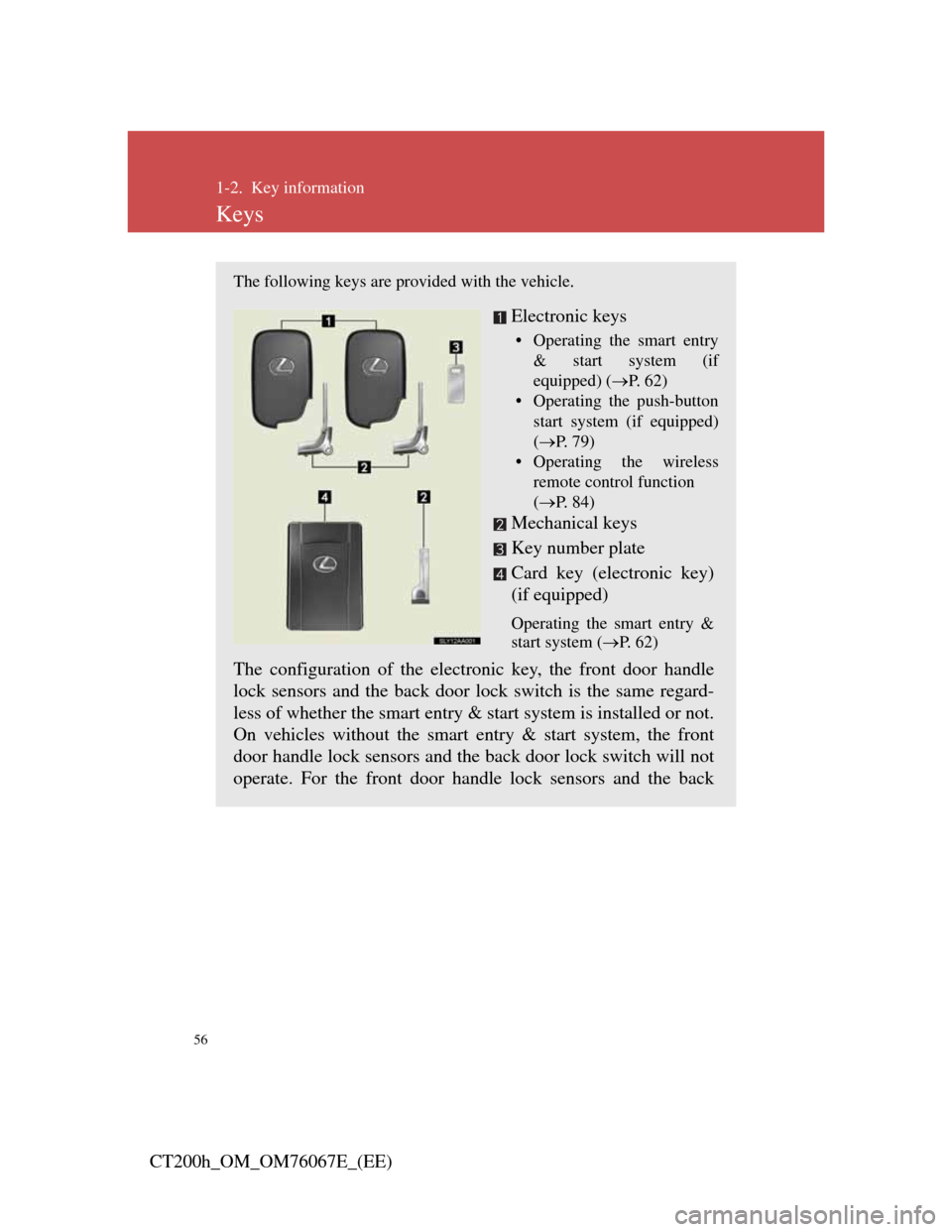
The following keys are provided with the vehicle.
Electronic keys
• Operating the smart entry
& start system (if
equipped) (P. 6 2 )
• Operating the push-button
start system (if equipped)
(P. 7 9 )
• Operating the wireless
remote control function
(P. 8 4 )
Mechanical keys
Key number plate
Card key (electronic key)
(if equipped)
Operating the smart entry &
start system (P. 6 2 )
The configuration of the electronic key, the front door handle
lock sensors and the back door lock switch is the same regard-
less of whether the smart entry & start system is installed or not.
On vehicles without the smart entry & start system, the front
door handle lock sensors and the back door lock switch will not
operate. For the front door handle lock sensors and the back