CD player Lexus ES300h 2013 Owner's Guide
[x] Cancel search | Manufacturer: LEXUS, Model Year: 2013, Model line: ES300h, Model: Lexus ES300h 2013Pages: 910, PDF Size: 9.95 MB
Page 432 of 910
ES350 300h_OM_OM33A01U_(U)
4315-3. Using the Lexus Display Audio system
5
Interior features
There are two connection methods available.
■When the connection method is set to “From Vehicle”
When the portable audio player is on standby for the connection, it will
be automatically connected whenever the “START STOP ENGINE”
<“POWER”> switch is in either ACCESSORY or IGNITION ON
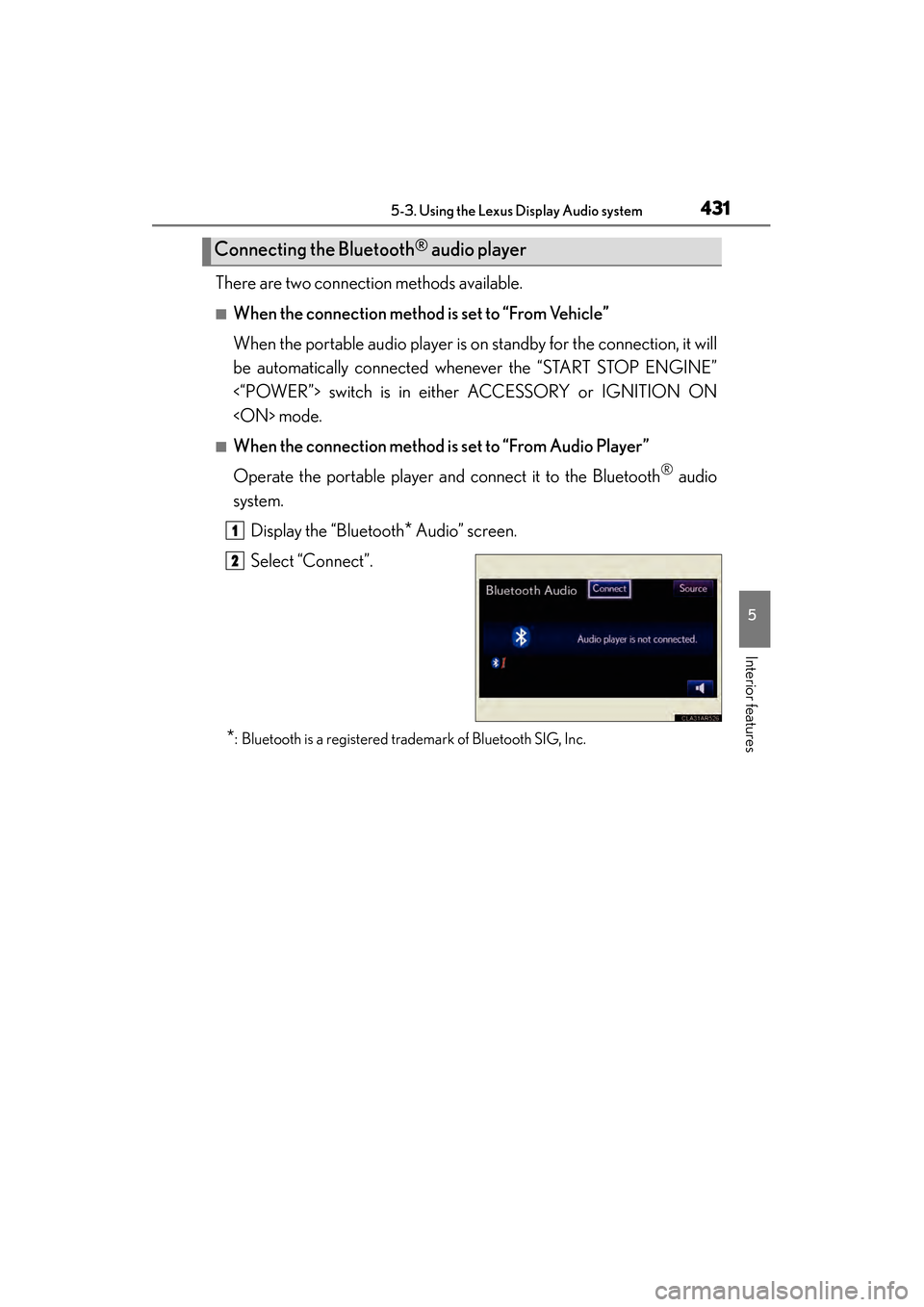
■When the connection method is set to “From Audio Player”
Operate the portable player and connect it to the Bluetooth
® audio
system.
Display the “Bluetooth
* Audio” screen.
Select “Connect”.
*: Bluetooth is a registered trademark of Bluetooth SIG, Inc.
Connecting the Bluetooth® audio player
1
2
Page 435 of 910
434
ES350 300h_OM_OM33A01U_(U)
5-3. Using the Lexus Display Audio system
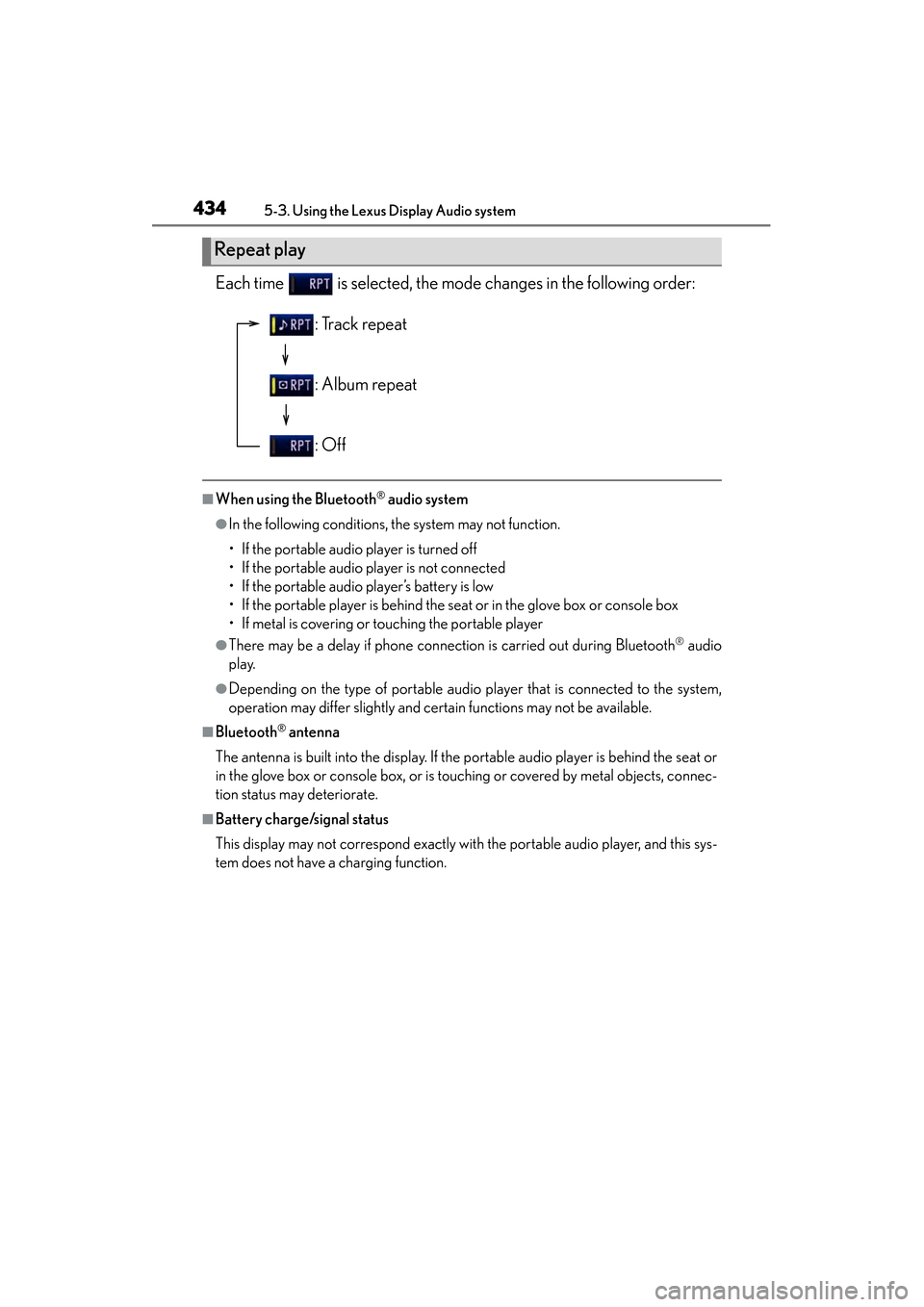
Each time is selected, the mode changes in the following order:
■When using the Bluetooth® audio system
●In the following conditions, the system may not function.
• If the portable audio player is turned off
• If the portable audio player is not connected
• If the portable audio player’s battery is low
• If the portable player is behind the seat or in the glove box or console box
• If metal is covering or touching the portable player
●There may be a delay if phone connection is carried out during Bluetooth® audio
play.
●Depending on the type of portable audio player that is connected to the system,
operation may differ slightly and certain functions may not be available.
■Bluetooth® antenna
The antenna is built into the display. If the portable audio player is behind the seat or
in the glove box or console box, or is touching or covered by metal objects, connec-
tion status may deteriorate.
■Battery charge/signal status
This display may not correspond exactly with the portable audio player, and this sys-
tem does not have a charging function.
Repeat play
: Track repeat
: Album repeat
: Off
Page 436 of 910
ES350 300h_OM_OM33A01U_(U)
4355-3. Using the Lexus Display Audio system
5
Interior features
■About Bluetooth®
■Compatible models
Portable audio players must correspond to the specifications.
●Bluetooth® specifications:
Ver. 1.1, or higher (Recommended: Ver. 2.1 + EDR or higher)
●Profiles:
• A2DP (Advanced Audio Distribution Profile) Ver. 1.0, or higher (Recommended: Ver. 1.2 or higher)
This is a profile to transmit stereo audio or high quality sounds to the headphone.
• AVRCP (Audio/Video Remote Control Profile) Ver. 1.0 or higher (Recommended: Ver. 1.4 or higher)
This is a profile to remote control the A/V equipment.
However, please note that some functions may be limited depending on the type of
portable audio player. The Bluetooth
® word mark and logos are
registered trademarks owned by Bluetooth
SIG, Inc. and any use of such marks by
PIONEER CORPORATION is under
license. Other trademarks and trade names
are those of their respective owners.
Page 437 of 910

436
ES350 300h_OM_OM33A01U_(U)
5-3. Using the Lexus Display Audio system
■Certification for the Bluetooth® audio system
FCC ID: AJDK046
IC ID: 775E-K046
This device complies with Part 15 of FCC Rules and Industry Canada licence-
exempt RSS standard(s). Operation is subject to the following two conditions: (1) this
device may not cause interference, and (2) this device must accept any interference,
including interference that may cause undesired operation of this device.
Le présent appareil est conforme aux la partie 15 des règles de la FCC et CNR
d’Industrie Canada applicables aux appareils radio exempts de licence. L’exploita-
tion est autorisée aux deux conditions suivantes : (1) l’appareil ne doit pas produire
de brouillage, et (2) l’utilisateur de l’appareil doit accepter tout brouillage radioélec-
trique subi, même si le brouillage est susceptible d’en compromettre le fonctionne-
ment.
■Reconnecting the portable audio player
If the portable audio player is disconnected with a poor reception when the “START
STOP ENGINE” <“POWER”> switch is in ACCESSORY or IGNITION ON
mode, the system automatically reconnects the portable audio player.
If you have switched off the portable audio player yourself, follow the instructions
below to reconnect:
●Select the portable audio player again
●Enter the portable audio player
■When you release your car
Be sure to initialize your data. ( →P. 3 4 3 )
Page 439 of 910
438
ES350 300h_OM_OM33A01U_(U)
5-3. Using the Lexus Display Audio system
CAUTION
■Caution while driving
Do not connect portable players or operate the controls.
■Caution regarding interference with electronic devices
●Your audio unit is fitted with Bluetooth® antennas. People with implanted pace-
makers or cardiac defibrillators should maintain a reasonable distance between
themselves and the Bluetooth
® antennas. The radio waves may affect the opera-
tion of such devices.
●Before using Bluetooth® devices, users of any electrical medical device other
than implanted pacemakers and implanted cardiac defibrillators should consult
the manufacturer of the device for information about its operation under the influ-
ence of radio waves. Radio waves could have unexpected effects on the opera-
tion of such medical devices.
NOTICE
■To prevent damage to portable players
Do not leave portable players in the vehicle. The temperature inside the vehicle
may become high, resulting in damage to the player.
Page 443 of 910
442
ES350 300h_OM_OM33A01U_(U)
5-3. Using the Lexus Display Audio system
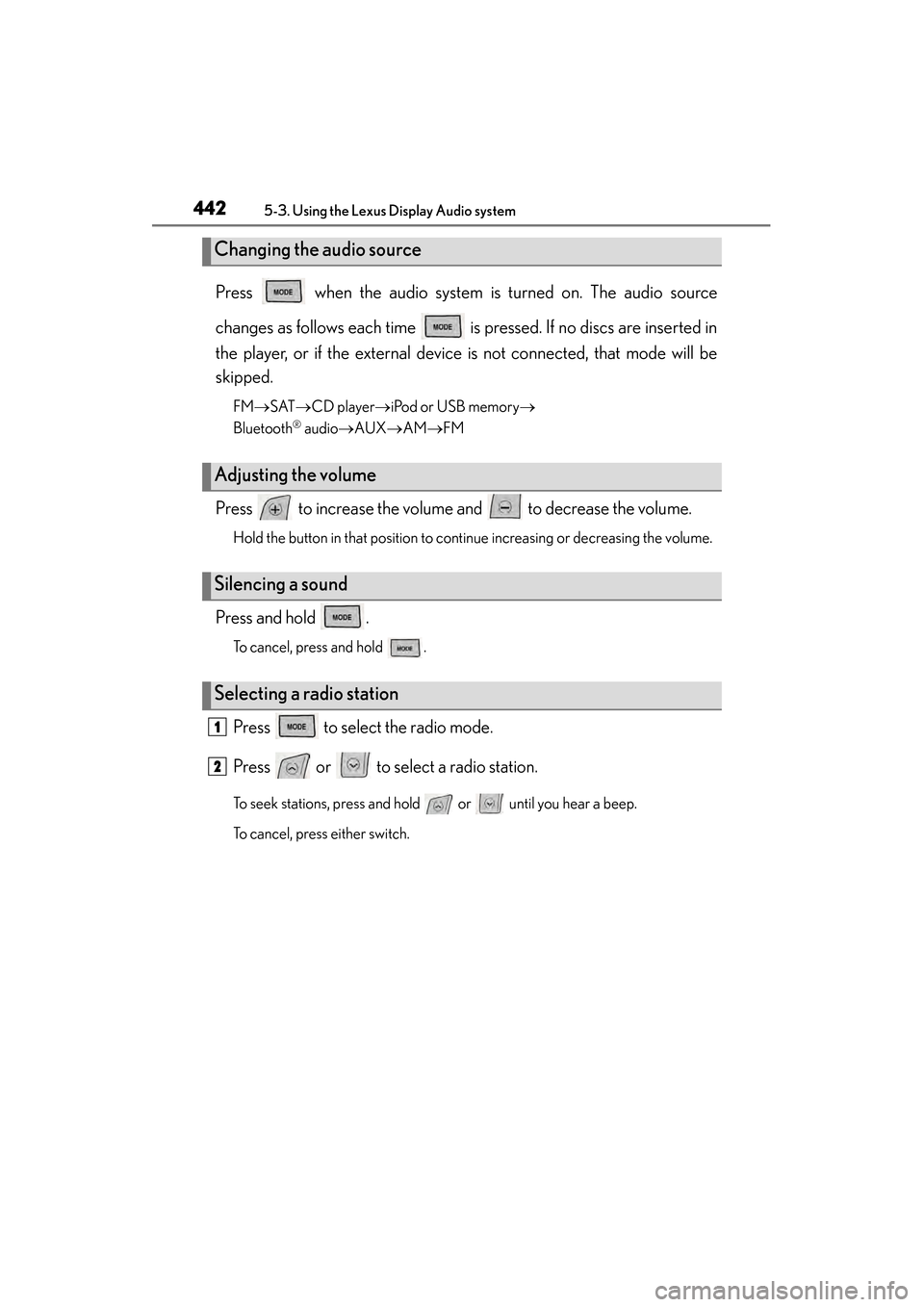
Press when the audio system is turned on. The audio source
changes as follows each time is pressed. If no discs are inserted in
the player, or if the external device is not connected, that mode will be
skipped.
FM→SAT →CD player →iPod or USB memory →
Bluetooth
® audio →AUX →AM →FM
Press to increase the volume and to decrease the volume.
Hold the button in that position to continue increasing or decreasing the volume.
Press and hold .
To cancel, press and hold .
Press to select the radio mode.
Press or to select a radio station.
To seek stations, press and hold or until you hear a beep.
To cancel, press either switch.
Changing the audio source
Adjusting the volume
Silencing a sound
Selecting a radio station
1
2
Page 485 of 910
484
ES350 300h_OM_OM33A01U_(U)
5-3. Using the Lexus Display Audio system
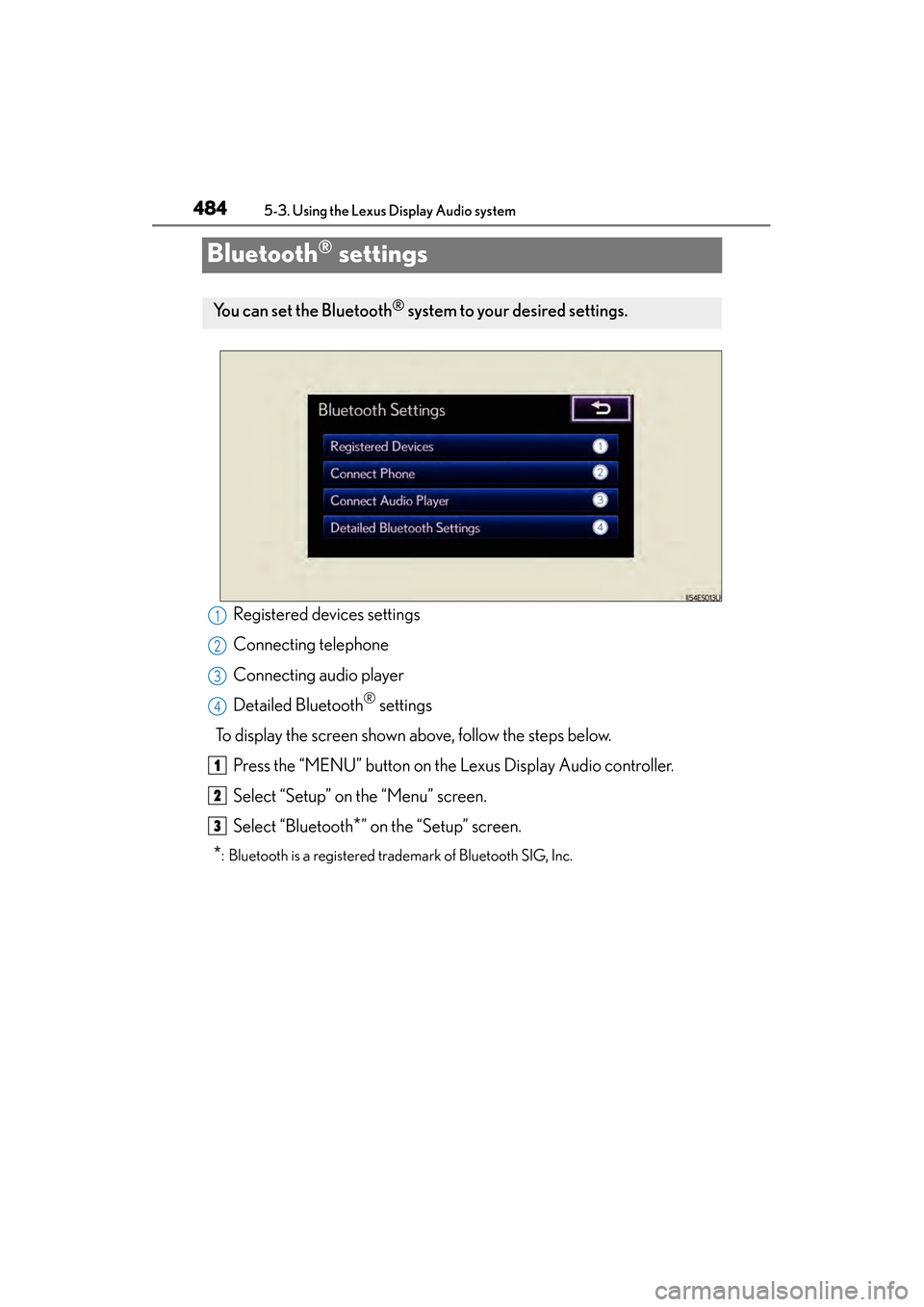
Bluetooth® settings
Registered devices settings
Connecting telephone
Connecting audio player
Detailed Bluetooth
® settings
To display the screen shown above, follow the steps below. Press the “MENU” button on the Lexus Display Audio controller.
Select “Setup” on the “Menu” screen.
Select “Bluetooth
*” on the “Setup” screen.
*: Bluetooth is a registered trademark of Bluetooth SIG, Inc.
You can set the Bluetooth® system to your desired settings.
1
2
3
4
1
2
3
Page 486 of 910
ES350 300h_OM_OM33A01U_(U)
4855-3. Using the Lexus Display Audio system
5
Interior features
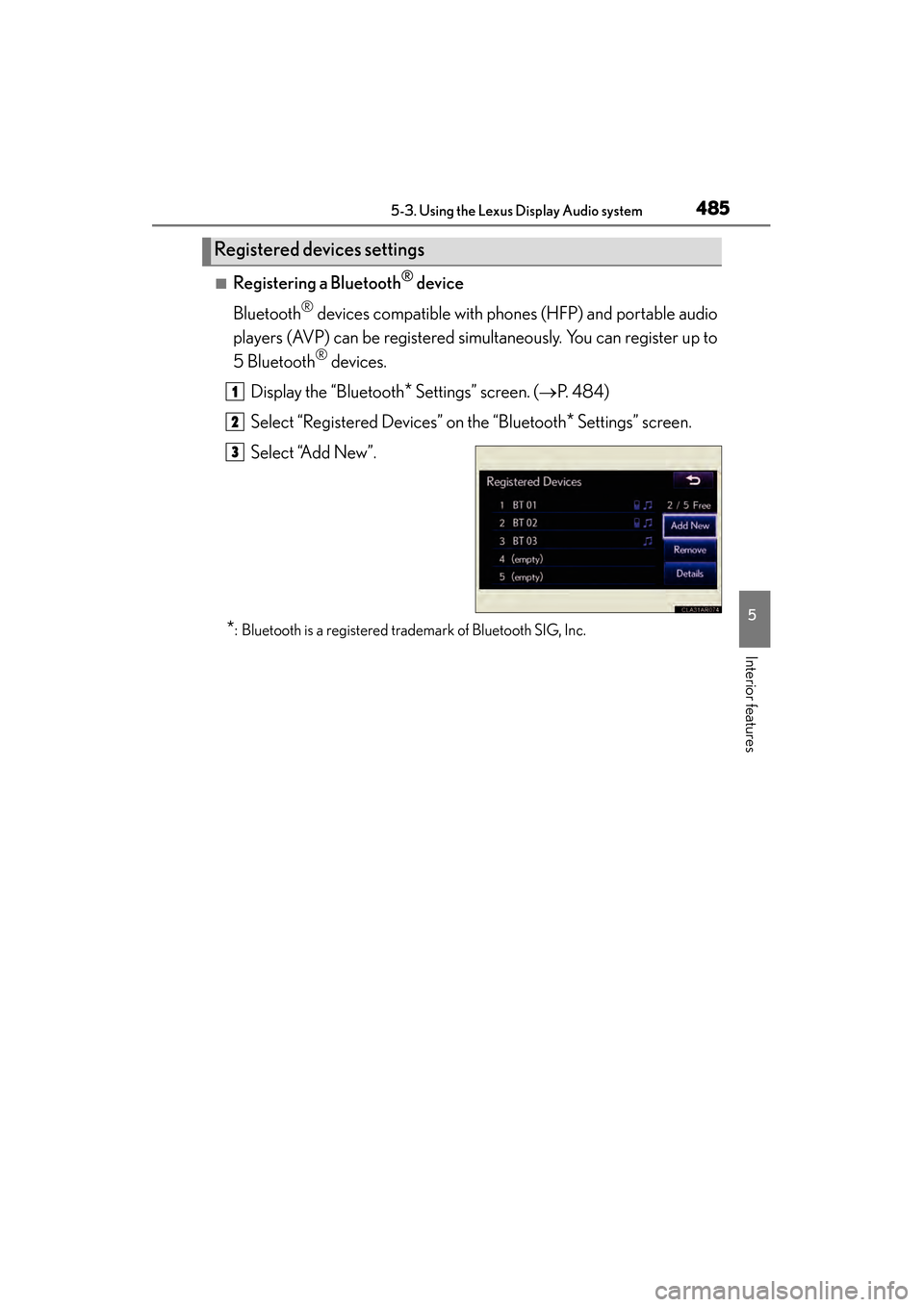
■Registering a Bluetooth® device
Bluetooth
® devices compatible with phones (HFP) and portable audio
players (AVP) can be registered simultaneously. You can register up to
5 Bluetooth
® devices.
Display the “Bluetooth
* Settings” screen. ( →P. 4 8 4 )
Select “Registered Devices” on the “Bluetooth
* Settings” screen.
Select “Add New”.
*: Bluetooth is a registered trademark of Bluetooth SIG, Inc.
Registered devices settings
1
2
3
Page 490 of 910
ES350 300h_OM_OM33A01U_(U)
4895-3. Using the Lexus Display Audio system
5
Interior features
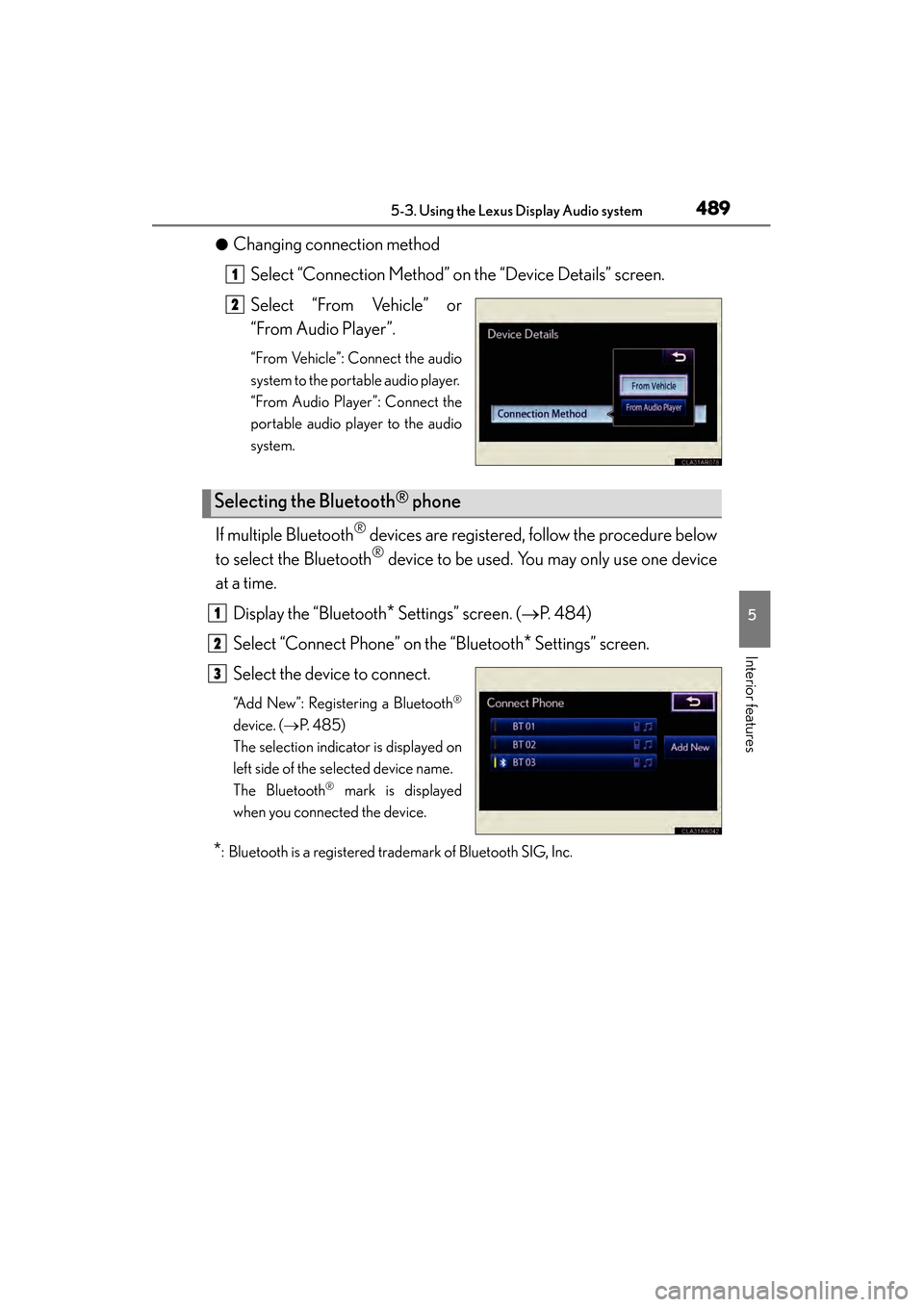
●Changing connection methodSelect “Connection Method” on the “Device Details” screen.
Select “From Vehicle” or
“From Audio Player”.
“From Vehicle”: Connect the audio
system to the portable audio player.
“From Audio Player”: Connect the
portable audio player to the audio
system.
If multiple Bluetooth® devices are registered, follow the procedure below
to select the Bluetooth
® device to be used. You may only use one device
at a time.
Display the “Bluetooth
* Settings” screen. ( →P. 484)
Select “Connect Phone” on the “Bluetooth
* Settings” screen.
Select the device to connect.
“Add New”: Registering a Bluetooth®
device. ( →P. 4 8 5 )
The selection indicator is displayed on
left side of the selected device name.
The Bluetooth
® mark is displayed
when you connected the device.
*: Bluetooth is a registered trademark of Bluetooth SIG, Inc.
1
2
Selecting the Bluetooth® phone
1
2
3
Page 491 of 910
490
ES350 300h_OM_OM33A01U_(U)
5-3. Using the Lexus Display Audio system
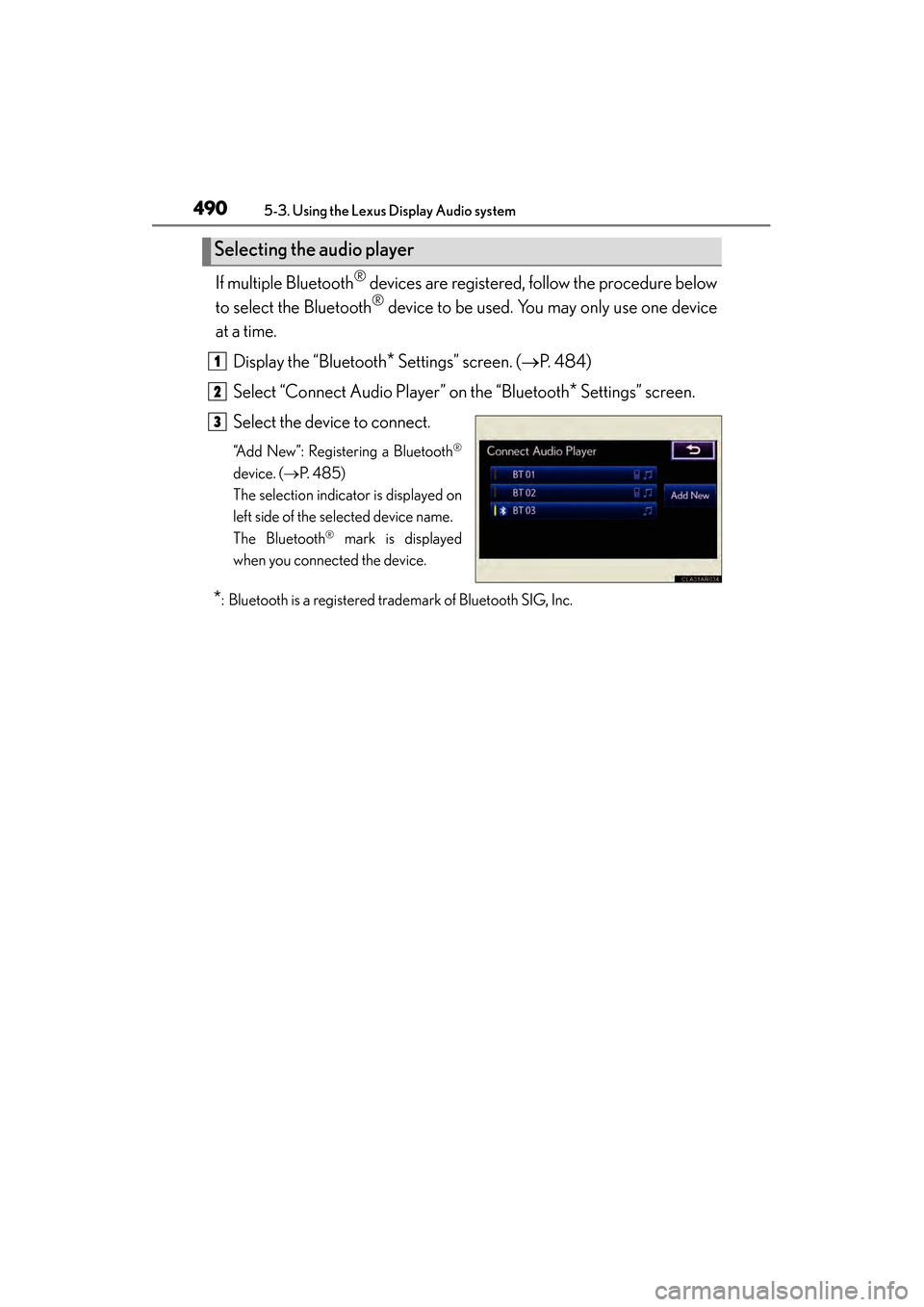
If multiple Bluetooth® devices are registered, follow the procedure below
to select the Bluetooth
® device to be used. You may only use one device
at a time.
Display the “Bluetooth
* Settings” screen. ( →P. 484)
Select “Connect Audio Player” on the “Bluetooth
* Settings” screen.
Select the device to connect.
“Add New”: Registering a Bluetooth®
device. ( →P. 4 8 5 )
The selection indicator is displayed on
left side of the selected device name.
The Bluetooth
® mark is displayed
when you connected the device.
*: Bluetooth is a registered trademark of Bluetooth SIG, Inc.
Selecting the audio player
1
2
3