CD player Lexus ES300h 2013 Owner's Guide
[x] Cancel search | Manufacturer: LEXUS, Model Year: 2013, Model line: ES300h, Model: Lexus ES300h 2013Pages: 910, PDF Size: 9.95 MB
Page 492 of 910
ES350 300h_OM_OM33A01U_(U)
4915-3. Using the Lexus Display Audio system
5
Interior features
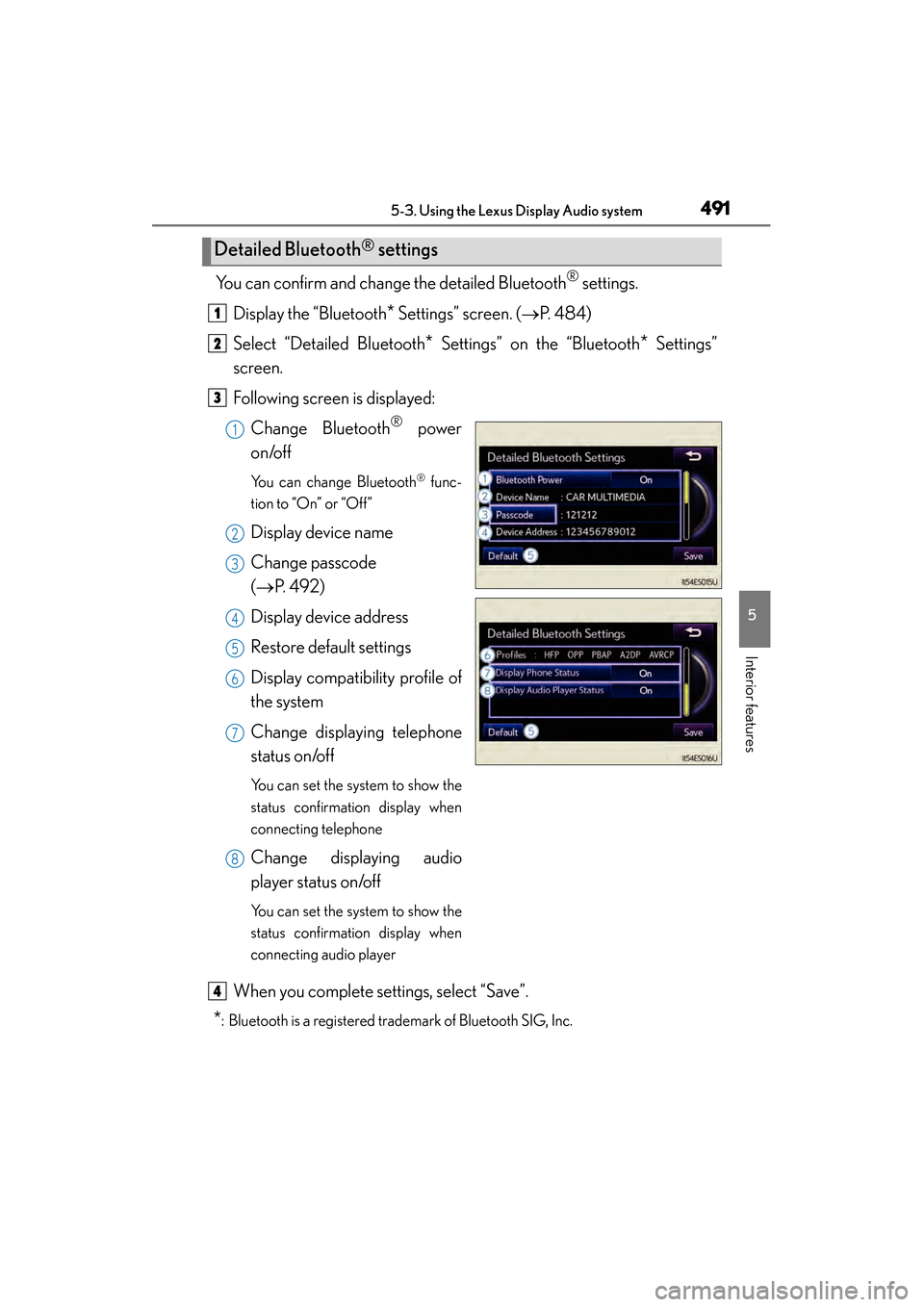
You can confirm and change the detailed Bluetooth® settings.
Display the “Bluetooth
* Settings” screen. ( →P. 484)
Select “Detailed Bluetooth
* Settings” on the “Bluetooth* Settings”
screen.
Following screen is displayed:
Change Bluetooth
® power
on/off
You can change Bluetooth® func-
tion to “On” or “Off”
Display device name
Change passcode
(→ P. 4 9 2 )
Display device address
Restore default settings
Display compatibility profile of
the system
Change displaying telephone
status on/off
You can set the system to show the
status confirmation display when
connecting telephone
Change displaying audio
player status on/off
You can set the system to show the
status confirmation display when
connecting audio player
When you complete settings, select “Save”.
*: Bluetooth is a registered trademark of Bluetooth SIG, Inc.
Detailed Bluetooth® settings
1
2
3
1
2
3
4
5
6
7
8
4
Page 494 of 910
493
ES350 300h_OM_OM33A01U_(U)
5-4. Using the audio system
5
Interior features
Audio system (without a navigation system or
the Lexus Display Audio system)
XVehicles with a navigation system
Owners of models equipped with a navigation system should refer to the
“Navigation System Owner’s Manual”.
XVehicles with the Lexus Display Audio system
→ P. 3 76
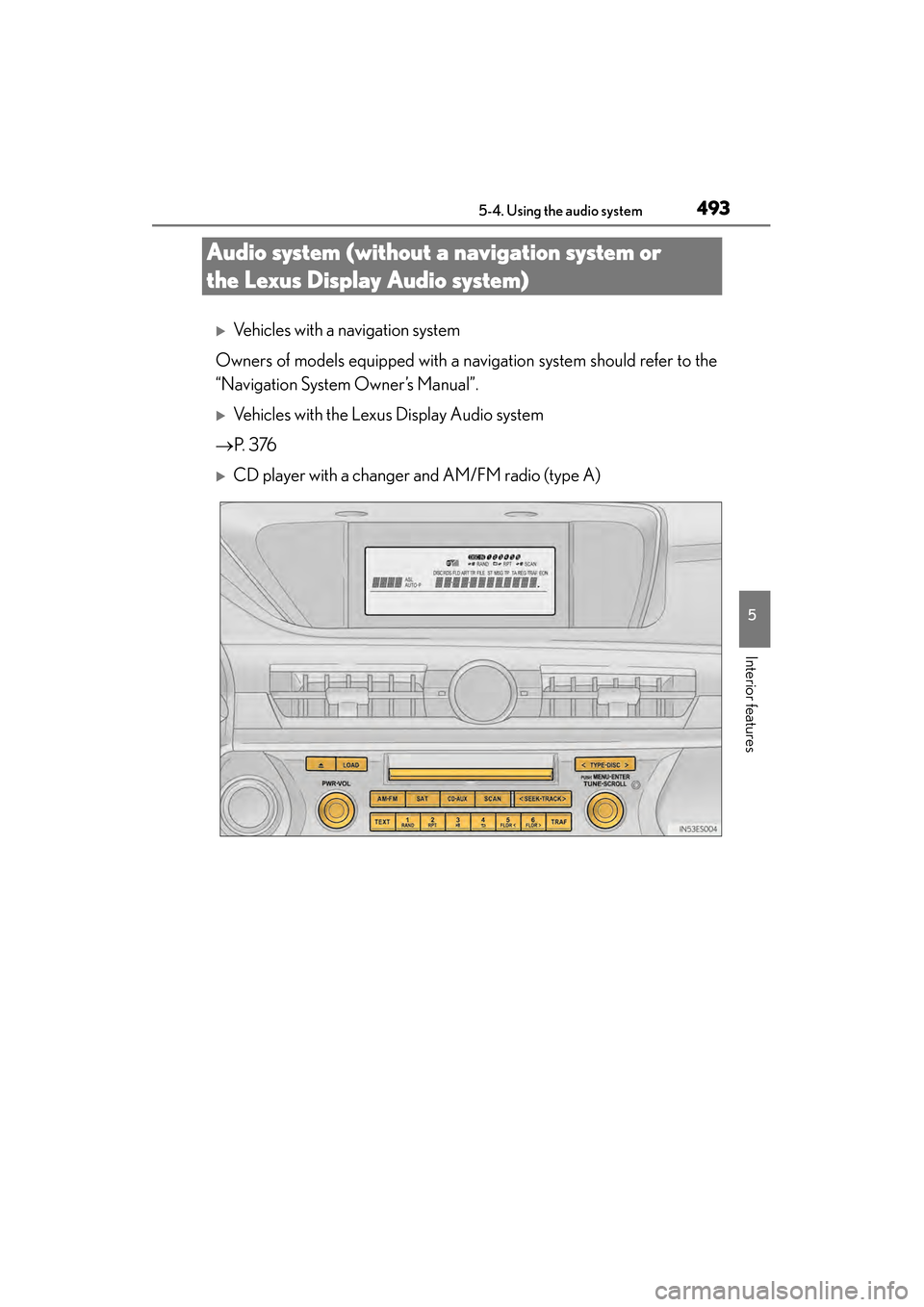
XCD player with a changer and AM/FM radio (type A)
Page 495 of 910
494
ES350 300h_OM_OM33A01U_(U)
5-4. Using the audio system
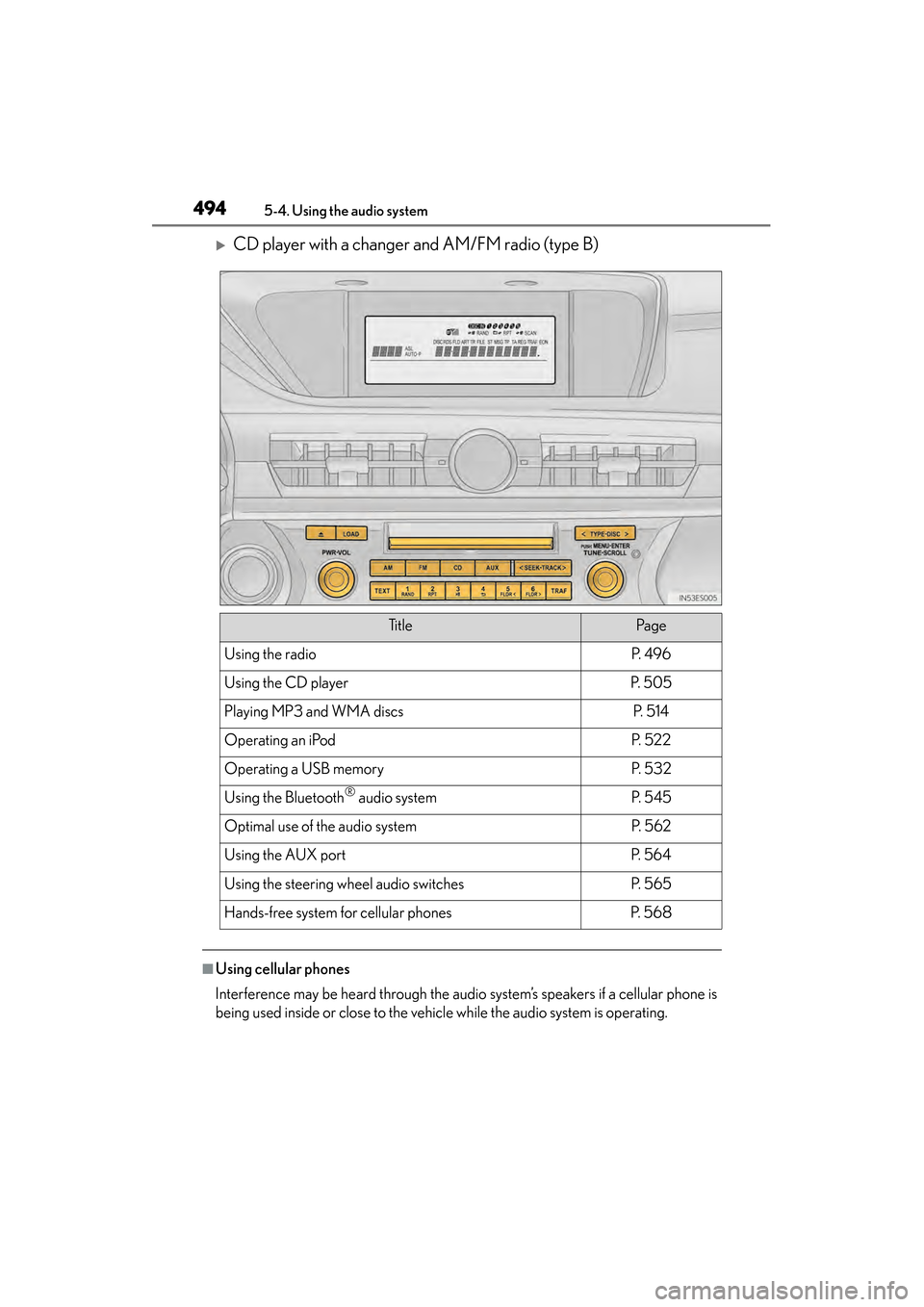
XCD player with a changer and AM/FM radio (type B)
■Using cellular phones
Interference may be heard through the audio system’s speakers if a cellular phone is
being used inside or close to the vehicle while the audio system is operating.
Ti t l ePa g e
Using the radioP. 4 9 6
Using the CD playerP. 5 0 5
Playing MP3 and WMA discsP. 5 1 4
Operating an iPodP. 5 2 2
Operating a USB memoryP. 5 3 2
Using the Bluetooth® audio systemP. 5 4 5
Optimal use of the audio systemP. 5 6 2
Using the AUX portP. 5 6 4
Using the steering wheel audio switchesP. 5 6 5
Hands-free system for cellular phonesP. 5 6 8
Page 506 of 910
505
ES350 300h_OM_OM33A01U_(U)
5-4. Using the audio system
5
Interior features
Using the CD player
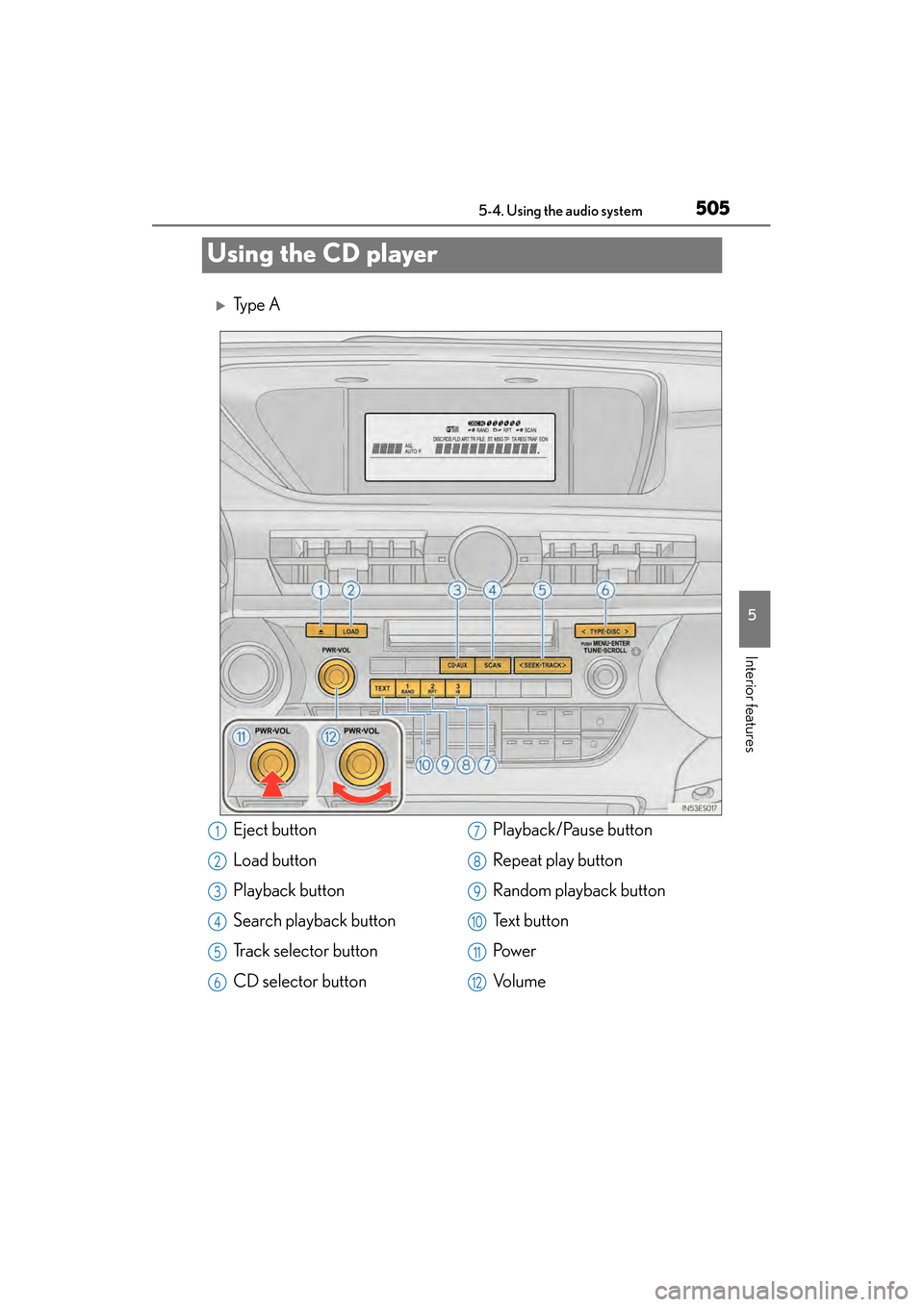
XTy p e A
Eject button
Load button
Playback button
Search playback button
Track selector button
CD selector buttonPlayback/Pause button
Repeat play button
Random playback button
Te x t b u t t o n
Pow e r
Vo l u m e1
2
3
4
5
6
7
8
9
10
11
12
Page 512 of 910
ES350 300h_OM_OM33A01U_(U)
5115-4. Using the audio system
5
Interior features
■CD player protection feature
To protect the internal components, playback is automatically stopped when a prob-
lem is detected.
■Display
Up to 12 characters can be displayed at a time.
If there are 13 or more characters, pressing and holding until you hear a beep
enables to display the remaining characters.
A maximum of 24 characters can be displayed.
If is pressed until you hear a beep again or has not been operated for more
than 6 seconds, the display will return to the first 12 characters.
Depending on the contents recorded, the characters may not be displayed properly
or may not be displayed at all.
■When “ERROR” or “WAIT” is shown on the display
“ERROR”:
This indicates a problem either in the CD or inside the player. The CD may be dirty,
damaged, or inserted up-side down.
“WAIT”:
This indicates that operation is stopped due to a high temperature inside the player.
Wait for a while and then press or . If the CD still cannot be played
back, contact your Lexus dealer.
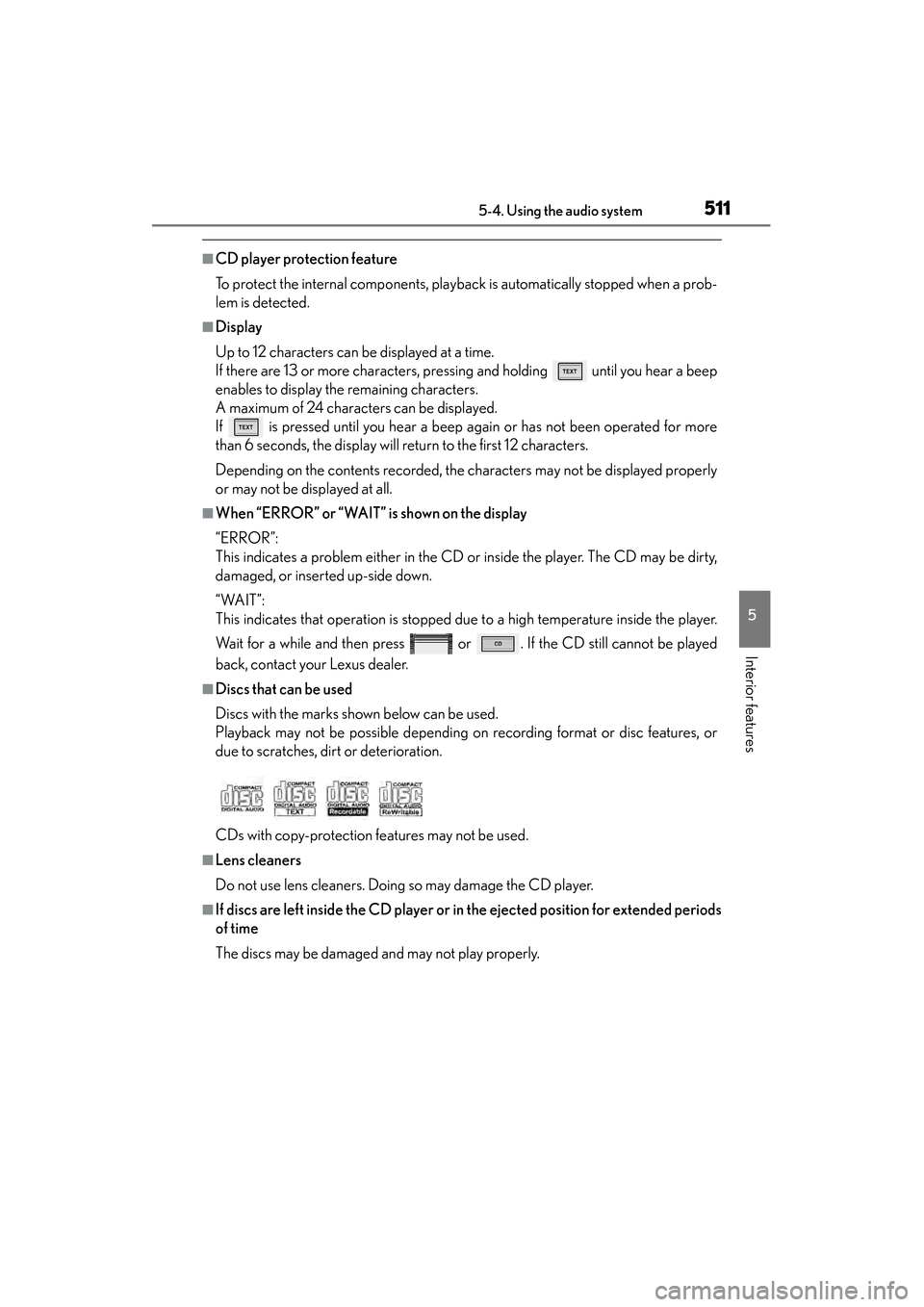
■Discs that can be used
Discs with the marks shown below can be used.
Playback may not be possible depending on recording format or disc features, or
due to scratches, dirt or deterioration.
CDs with copy-protection features may not be used.
■Lens cleaners
Do not use lens cleaners. Doing so may damage the CD player.
■If discs are left inside the CD player or in the ejected position for extended periods
of time
The discs may be damaged and may not play properly.
Page 513 of 910
512
ES350 300h_OM_OM33A01U_(U)
5-4. Using the audio system
NOTICE
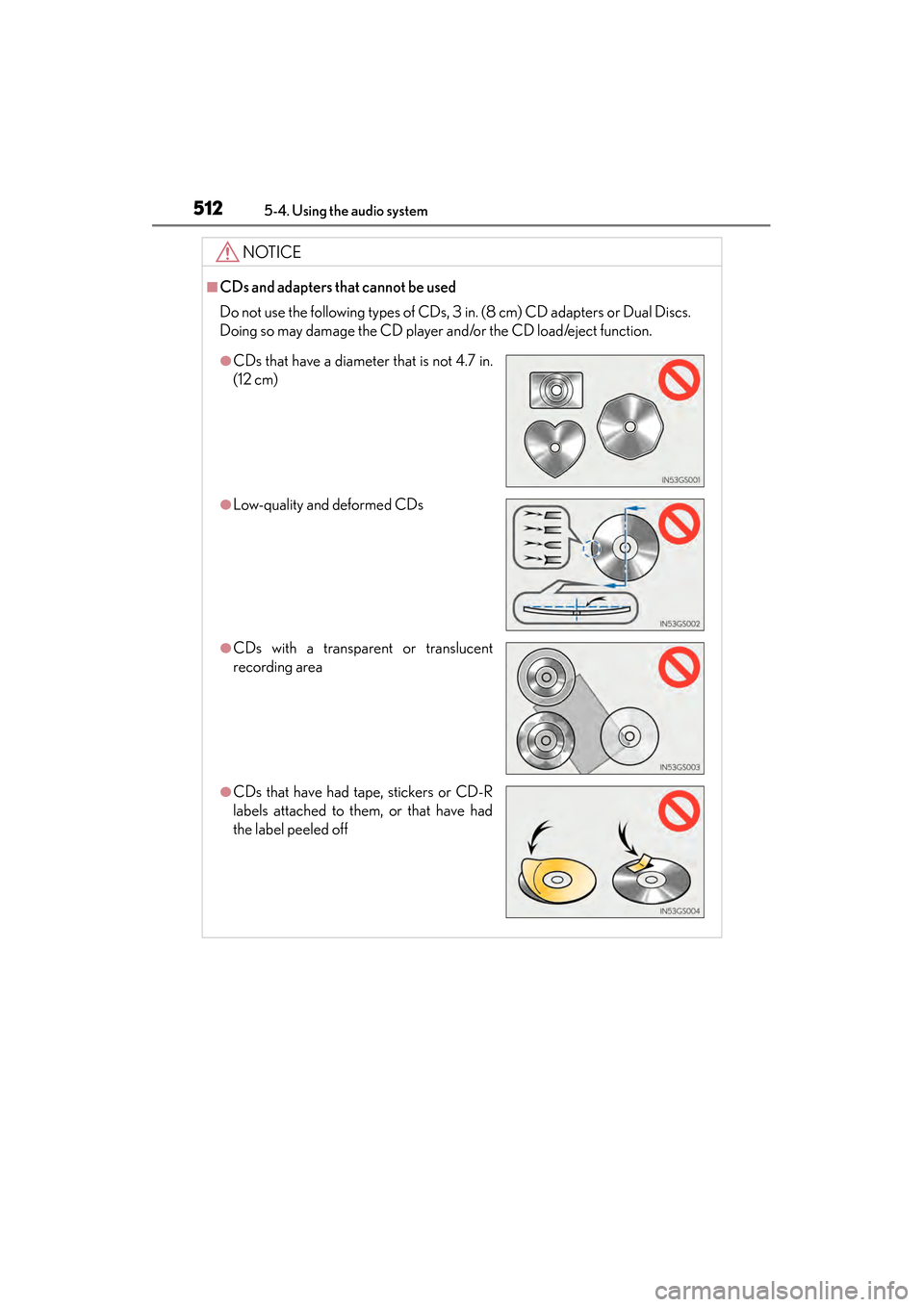
■CDs and adapters that cannot be used
Do not use the following types of CDs, 3 in. (8 cm) CD adapters or Dual Discs.
Doing so may damage the CD player and/or the CD load/eject function.
●CDs that have a diameter that is not 4.7 in.
(12 cm)
●Low-quality and deformed CDs
●CDs with a transparent or translucent
recording area
●CDs that have had tape, stickers or CD-R
labels attached to them, or that have had
the label peeled off
Page 514 of 910
ES350 300h_OM_OM33A01U_(U)
5135-4. Using the audio system
5
Interior features
NOTICE
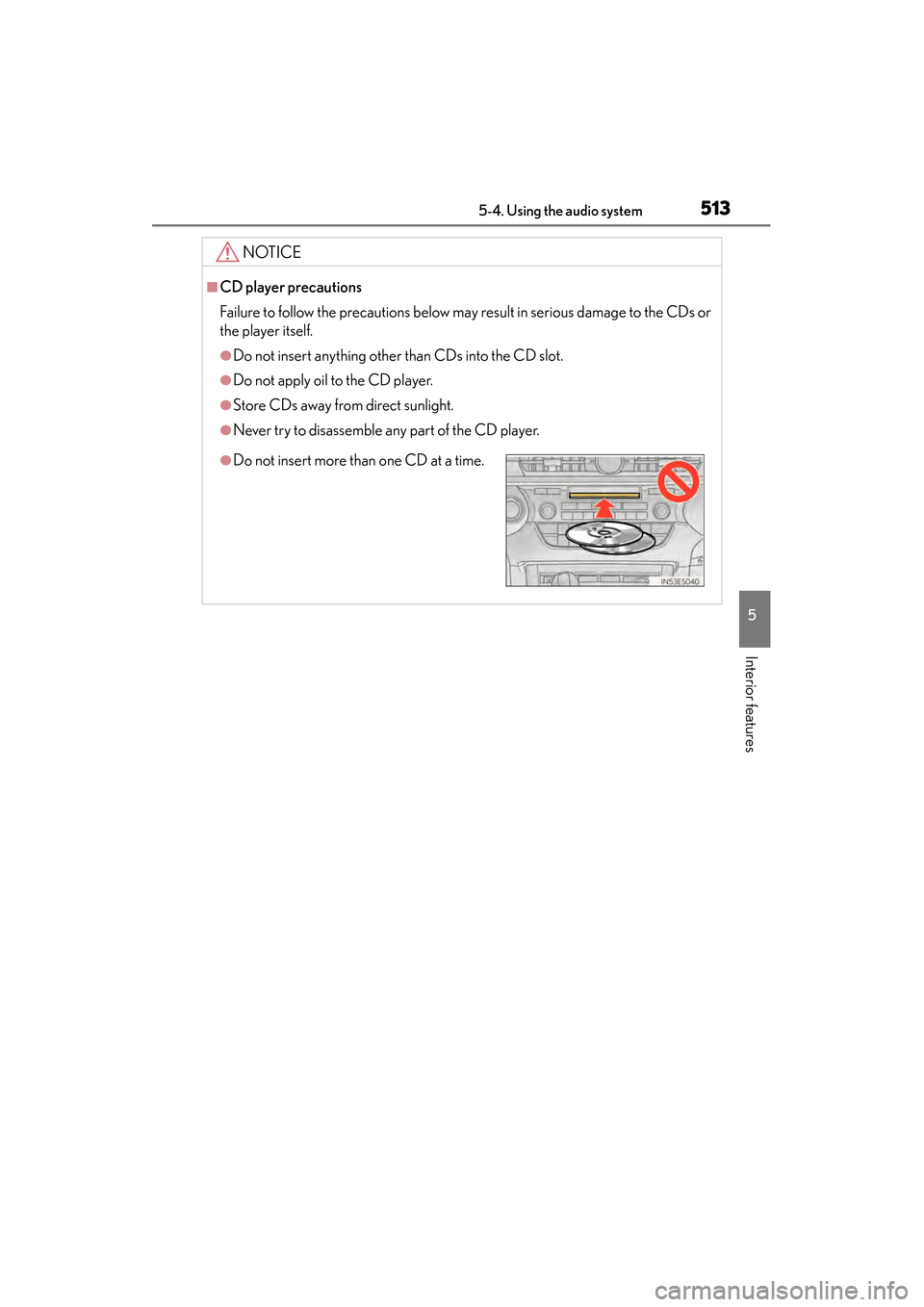
■CD player precautions
Failure to follow the precautions below may result in serious damage to the CDs or
the player itself.
●Do not insert anything other than CDs into the CD slot.
●Do not apply oil to the CD player.
●Store CDs away from direct sunlight.
●Never try to disassemble any part of the CD player.
●Do not insert more than one CD at a time.
Page 520 of 910
ES350 300h_OM_OM33A01U_(U)
5195-4. Using the audio system
5
Interior features
■CD player protection feature
→P. 5 1 1
■Display
→P. 5 1 1
■When “ERROR”, “WAIT” or “NO MUSIC” is shown on the display
“ERROR”:This indicates a problem either in the CD or inside the player. The CD
may be dirty, damaged, or inserted up-side down.
“WAIT”:This indicates that operation is stopped due to a high temperature inside the
player. Wait for a while and then press or . If the CD still cannot be
played back, contact your Lexus dealer.
“NO MUSIC”: This indicates that an MP3/WMA file is not included in the CD.
■Discs that can be used
→P. 5 1 1
■Lens cleaners
→P. 5 1 1
■If discs are left inside the CD player or in the ejected position for extended periods
of time
→ P. 5 1 1
■MP3 and WMA files
MP3 (MPEG Audio LAYER 3) is a standard audio compression format.
Files can be compressed to approximately 1 /10 of their original size by using MP3
compression.
WMA (Windows Media Audio) is a Microsoft audio compression format.
This format compresses audio data to a size smaller than that of the MP3 format.
There is a limit to the MP3 and WMA file standards that can be used and to the
media/formats on which the files are recorded.
●MP3 file compatibility
• Compatible standards
MP3 (MPEG1 LAYER3, MPEG2 LSF LAYER3)
• Compatible sampling frequencies MPEG1 LAYER3: 32, 44.1, 48 (kHz)
MPEG2 LSF LAYER3: 16, 22.05, 24 (kHz)
• Compatible bit rates (compatible with VBR) MPEG1 LAYER3: 64, 80, 96, 112, 128, 160, 192, 224, 256, 320 (kbps)
MPEG2 LSF LAYER3: 64, 80, 96, 112, 128, 144, 160 (kbps)
• Compatible channel modes: stereo, joint stereo, dual channel and monaural
Page 522 of 910
ES350 300h_OM_OM33A01U_(U)
5215-4. Using the audio system
5
Interior features
●MP3 and WMA playback
When a disc containing MP3 or WMA files is inserted, all files on the disc are first
checked. Once the file check is finished, the first MP3 or WMA file is played. To
make the file check finish more quickly, we recommend you do not write in any
files other than MP3 or WMA files or create any unnecessary folders.
Discs that contain a mixture of music data and MP3 or WMA format data cannot
be played.
●Extensions
If the file extensions .mp3 and .wma are used for files other than MP3 and WMA
files, they will be mistakenly recognized and played as MP3 and WMA files. This
may result in large amounts of interference and damage to the speakers.
●Playback
• To play MP3 files with steady sound quality, we recommend a fixed bit rate of atleast 128 kbps and a sampling frequency of 44.1 kHz.
• CD-R or CD-RW playback may not be possible in some instances, depending on the characteristics of the disc.
• There is a wide variety of freeware and other encoding software for MP3 and WMA files on the market, and depending on the status of the encoding and the
file format, poor sound quality or noise at the start of playback may result. In
some cases, playback may not be possible at all.
• When files other than MP3 or WMA files are recorded on a disc, it may take more time to recognize the disc and in some cases, playback may not be possi-
ble at all.
• Microsoft, Windows, and Windows Media are registered trademarks of Microsoft Corporation in the U.S.A. and other countries.
NOTICE
■CDs and adapters that cannot be used
→ P. 5 1 2
■CD player precautions
→P. 5 1 3
Page 532 of 910
ES350 300h_OM_OM33A01U_(U)
5315-4. Using the audio system
5
Interior features
NOTICE
■To prevent damage to iPod
●Do not leave iPod in the vehicle. The temperature inside the vehicle may become
high, resulting in damage to the player.
●Do not push down on or apply unnecessary pressure to the iPod while it is con-
nected as this may damage the iPod or its terminal.
●Do not insert foreign objects into the port as this may damage the iPod or its ter-
minal.