navigation Lexus ES300h 2013 Owner's Manual
[x] Cancel search | Manufacturer: LEXUS, Model Year: 2013, Model line: ES300h, Model: Lexus ES300h 2013Pages: 910, PDF Size: 9.95 MB
Page 5 of 910
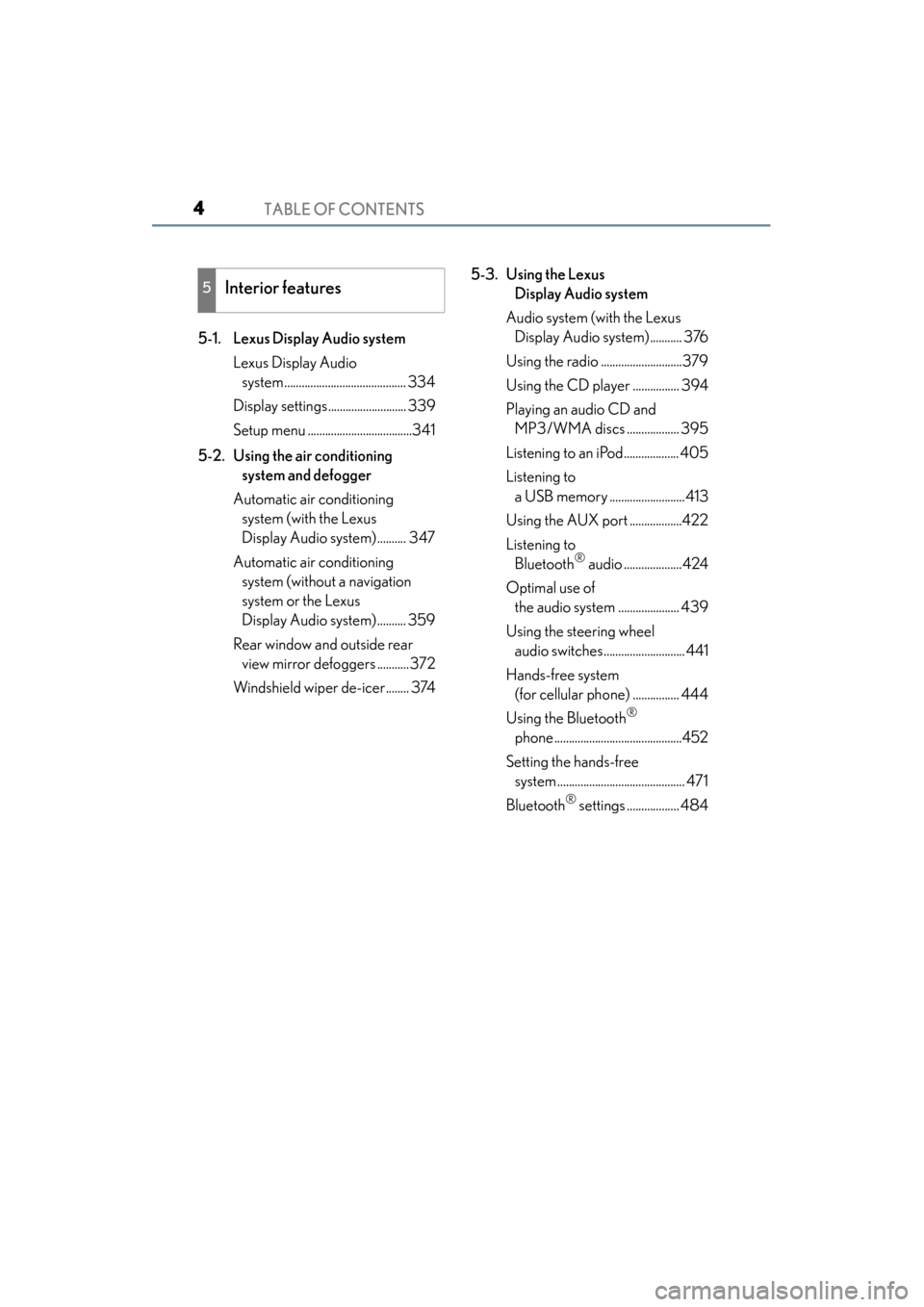
TABLE OF CONTENTS4
ES350 300h_OM_OM33A01U_(U)5-1. Lexus Display Audio system
Lexus Display Audio system .......................................... 334
Display settings........................... 339
Setup menu ....................................341
5-2. Using the air conditioning system and defogger
Automatic air conditioning system (with the Lexus
Display Audio system).......... 347
Automatic air conditioning system (without a navigation
system or the Lexus
Display Audio system).......... 359
Rear window and outside rear view mirror defoggers ...........372
Windshield wiper de-icer........ 374 5-3. Using the Lexus
Display Audio system
Audio system (with the Lexus Display Audio system)........... 376
Using the radio ............................379
Using the CD player ................ 394
Playing an audio CD and MP3/WMA discs .................. 395
Listening to an iPod................... 405
Listening to a USB memory ..........................413
Using the AUX port ..................422
Listening to Bluetooth
® audio ....................424
Optimal use of the audio system ..................... 439
Using the steering wheel audio switches............................ 441
Hands-free system (for cellular phone) ................ 444
Using the Bluetooth
®
phone ............................................452
Setting the hands-free system ............................................ 471
Bluetooth
® settings .................. 484
5Interior features
Page 6 of 910
5
1
8 7
6
5
4
3
2
ES350 300h_OM_OM33A01U_(U)
9
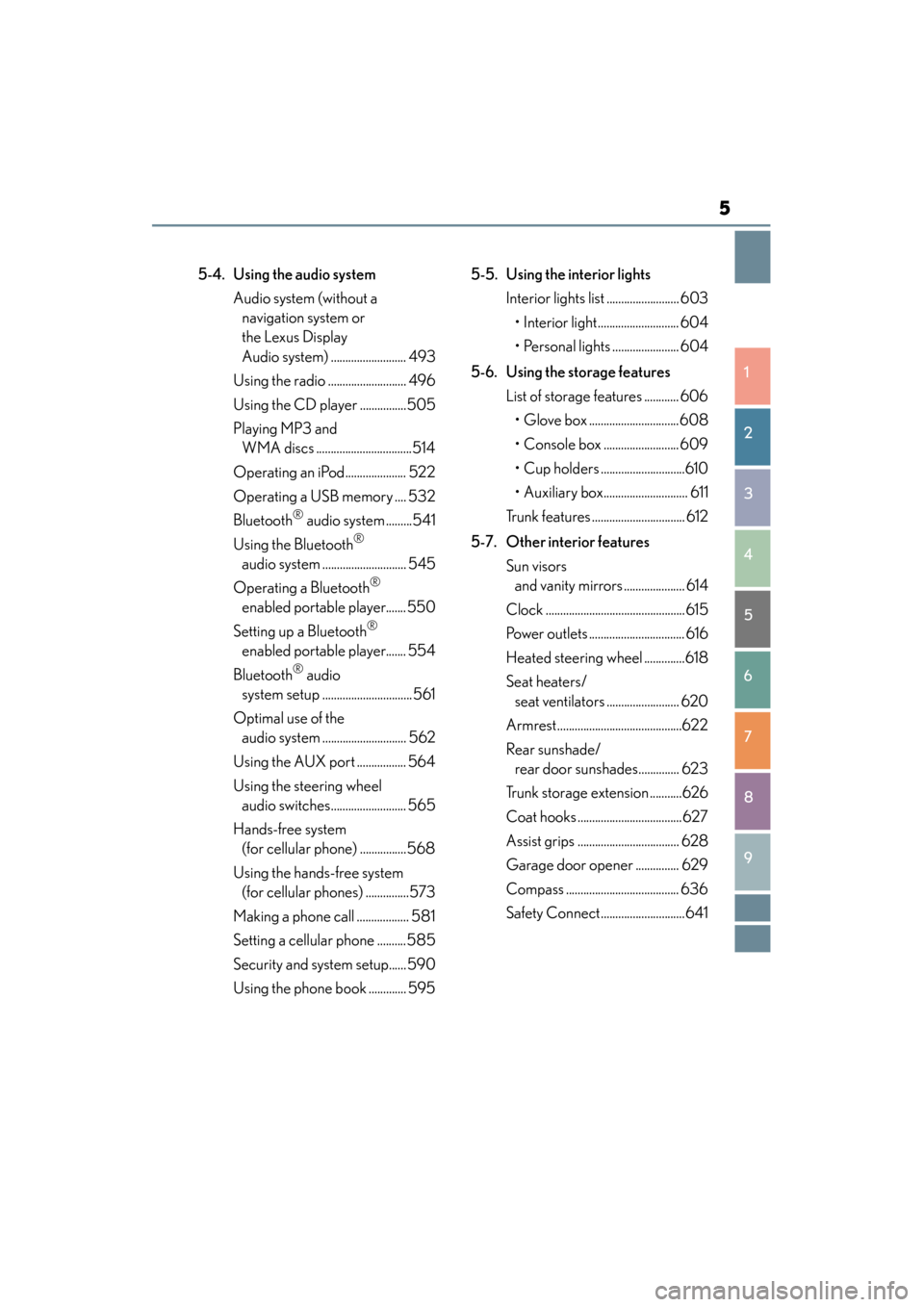
5-4. Using the audio systemAudio system (without a navigation system or
the Lexus Display
Audio system) .......................... 493
Using the radio ........................... 496
Using the CD player ................505
Playing MP3 and WMA discs .................................514
Operating an iPod..................... 522
Operating a USB memory .... 532
Bluetooth
® audio system .........541
Using the Bluetooth
®
audio system ............................. 545
Operating a Bluetooth
®
enabled portable player....... 550
Setting up a Bluetooth
®
enabled portable player....... 554
Bluetooth
® audio
system setup ...............................561
Optimal use of the audio system ............................. 562
Using the AUX port ................. 564
Using the steering wheel audio switches.......................... 565
Hands-free system (for cellular phone) ................568
Using the hands-free system (for cellular phones) ...............573
Making a phone call .................. 581
Setting a cellular phone ..........585
Security and system setup...... 590
Using the phone book ............. 595 5-5. Using the interior lights
Interior lights list ......................... 603• Interior light............................ 604
• Personal lights ....................... 604
5-6. Using the storage features List of storage features ............ 606• Glove box ...............................608
• Console box .......................... 609
• Cup holders .............................610
• Auxiliary box............................. 611
Trunk features ................................ 612
5-7. Other interior features Sun visors and vanity mirrors ..................... 614
Clock ................................................615
Power outlets ................................. 616
Heated steering wheel ..............618
Seat heaters/ seat ventilators ......................... 620
Armrest...........................................622
Rear sunshade/ rear door sunshades.............. 623
Trunk storage extension ...........626
Coat hooks .................................... 627
Assist grips ................................... 628
Garage door opener ............... 629
Compass ....................................... 636
Safety Connect.............................641
Page 8 of 910
7
1
8 7
6
5
4
3
2
ES350 300h_OM_OM33A01U_(U)
9
If the 12-volt battery is discharged (gasoline
vehicles)......................................805
If the 12-volt battery is discharged (hybrid
vehicles)......................................809
If your vehicle overheats (gasoline vehicles)................... 813
If your vehicle overheats (hybrid vehicles) ....................... 816
If the vehicle becomes stuck .............................................820
8-1. Specifications Maintenance data (fuel, oil level, etc.) .................. 824
Fuel information.......................... 837
Tire information...........................840
8-2. Customization Customizable features ............ 852
8-3. Items to initialize Items to initialize .........................865 Reporting safety defects
for U.S. owners.....................................868
Seat belt instructions for Canadian owners
(in French) .............................................. 869
SRS airbag instructions for Canadian owners
(in French) ................................................871
What to do if... (Troubleshooting) ............................... 882
Alphabetical index ............................... 888
8Vehicle specifications
9For owners
Index
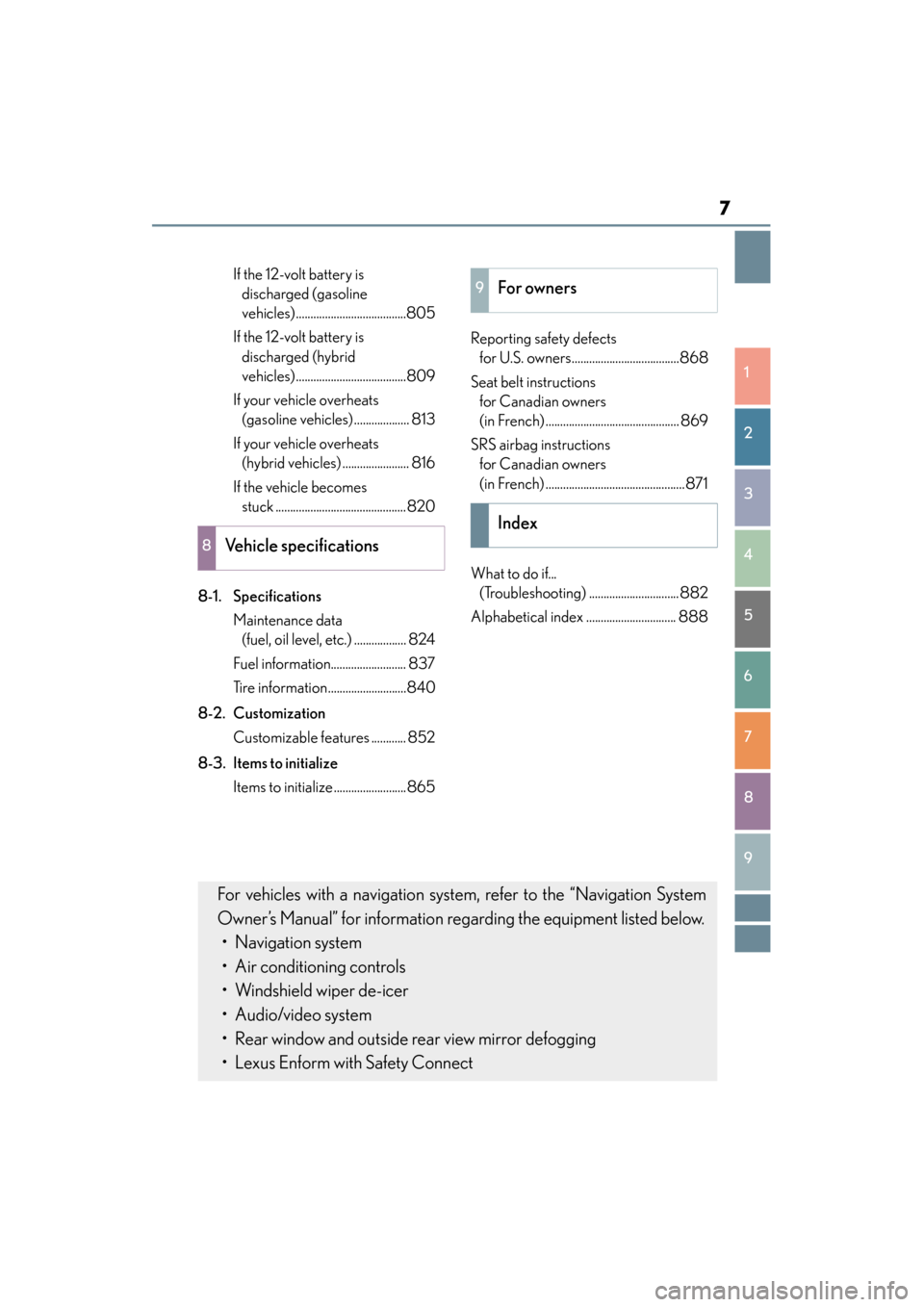
For vehicles with a navigation system, refer to the “Navigation System
Owner’s Manual” for information regarding the equipment listed below. • Navigation system
• Air conditioning controls
• Windshield wiper de-icer
• Audio/video system
• Rear window and outside rear view mirror defogging
• Lexus Enform with Safety Connect
Page 24 of 910
23Pictorial index
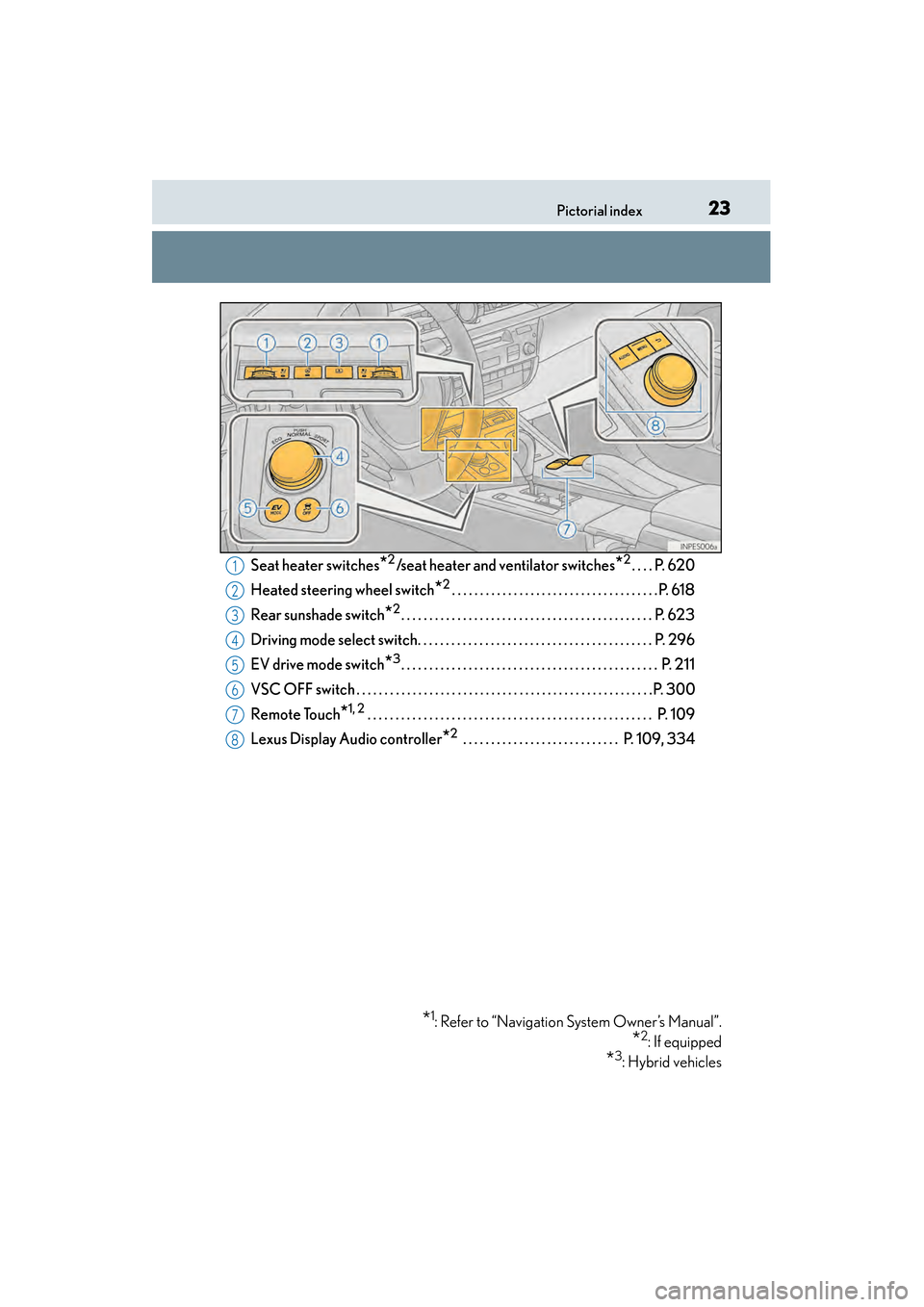
ES350 300h_OM_OM33A01U_(U)Seat heater switches
*2/seat heater and ventilator switches*2. . . . P. 620
Heated steering wheel switch
*2. . . . . . . . . . . . . . . . . . . . . . . . . . . . . . . . . . . . .P. 618
Rear sunshade switch
*2. . . . . . . . . . . . . . . . . . . . . . . . . . . . . . . . . . . . . . . . . . . . . P. 623
Driving mode select switch. . . . . . . . . . . . . . . . . . . . . . . . . . . . . . . . . . . . . . . . . . P. 296
EV drive mode switch
*3. . . . . . . . . . . . . . . . . . . . . . . . . . . . . . . . . . . . . . . . . . . . . . P. 211
VSC OFF switch . . . . . . . . . . . . . . . . . . . . . . . . . . . . . . . . . . . . . . . . . . . . . . . . . . . . .P. 300
Remote Touch
*1, 2 . . . . . . . . . . . . . . . . . . . . . . . . . . . . . . . . . . . . . . . . . . . . . . . . . . . P. 109
Lexus Display Audio controller
*2 . . . . . . . . . . . . . . . . . . . . . . . . . . . . P. 109, 334
*1: Refer to “Navigation System Owner’s Manual”.
*2: If equipped
*3: Hybrid vehicles
1
2
3
4
5
6
7
8
Page 104 of 910
ES350 300h_OM_OM33A01U_(U)
1032. Instrument cluster
2
Instrument cluster
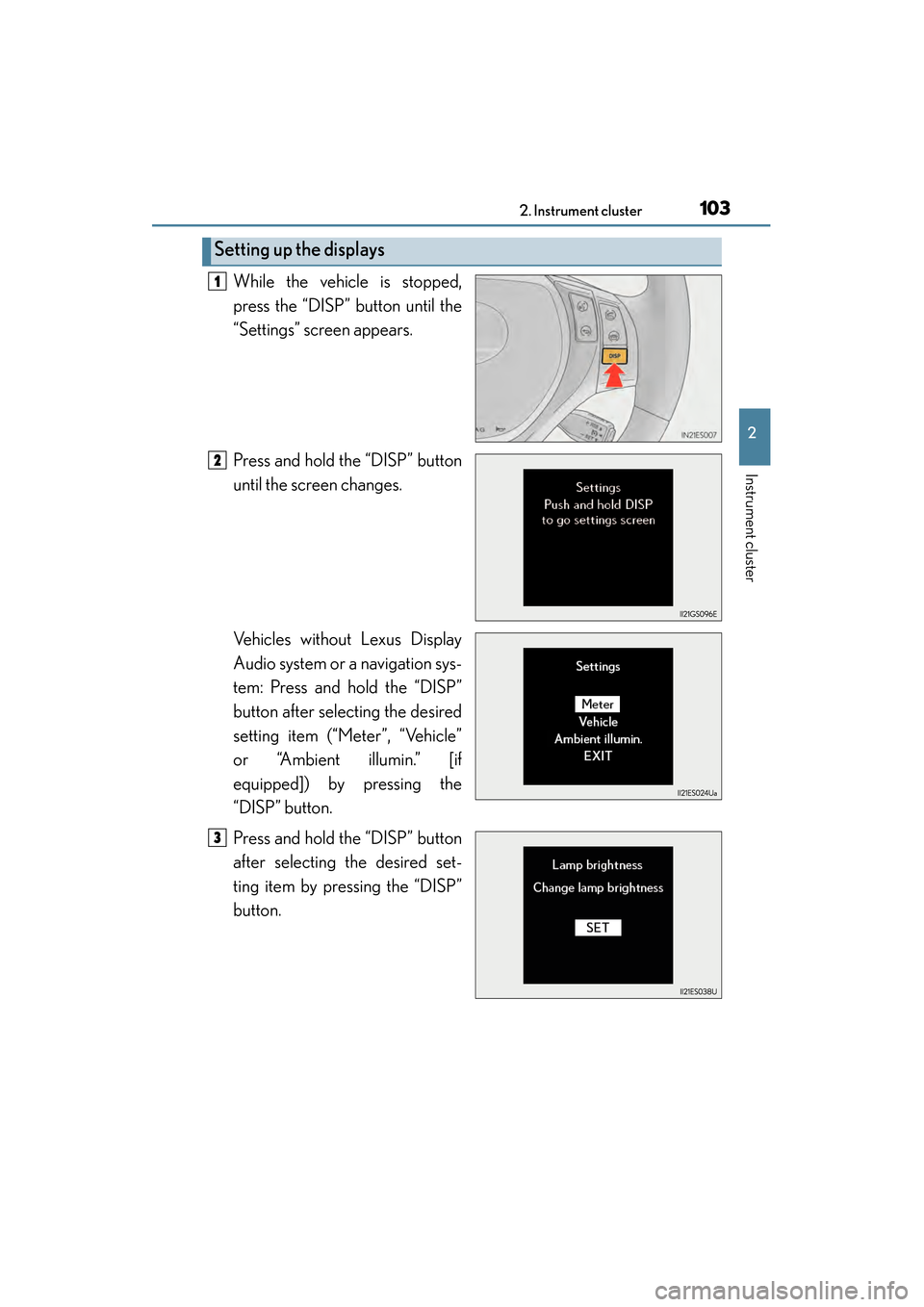
While the vehicle is stopped,
press the “DISP” button until the
“Settings” screen appears.
Press and hold the “DISP” button
until the screen changes.
Vehicles without Lexus Display
Audio system or a navigation sys-
tem: Press and hold the “DISP”
button after selecting the desired
setting item (“Meter”, “Vehicle”
or “Ambient illumin.” [if
equipped]) by pressing the
“DISP” button.
Press and hold the “DISP” button
after selecting the desired set-
ting item by pressing the “DISP”
button.
Setting up the displays
1
2
3
Page 109 of 910
108
ES350 300h_OM_OM33A01U_(U)
2. Instrument cluster
Energy monitor/consumption screen
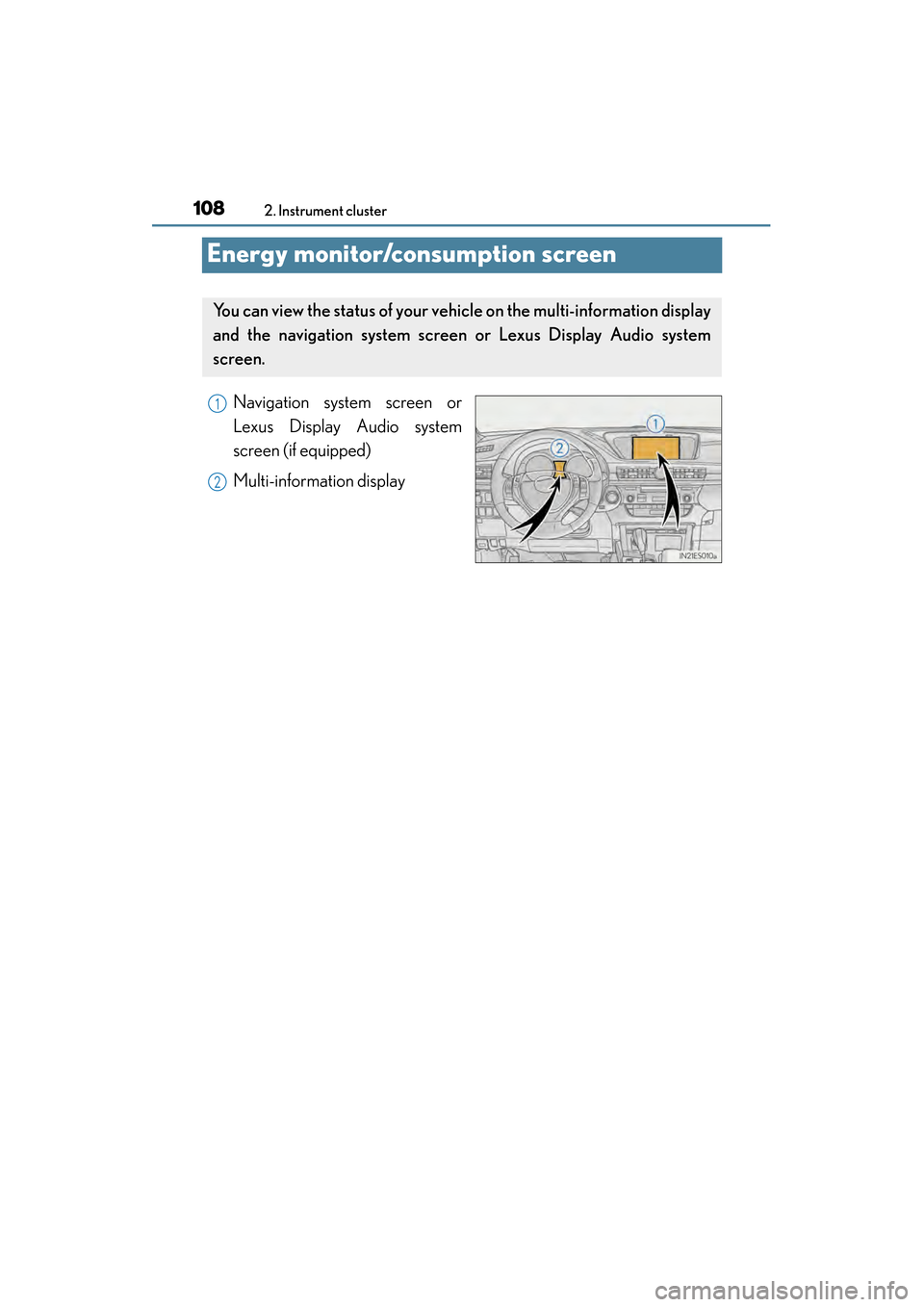
Navigation system screen or
Lexus Display Audio system
screen (if equipped)
Multi-information display
You can view the status of your vehicle on the multi-information display
and the navigation system screen or Lexus Display Audio system
screen.
1
2
Page 110 of 910
ES350 300h_OM_OM33A01U_(U)
1092. Instrument cluster
2
Instrument cluster
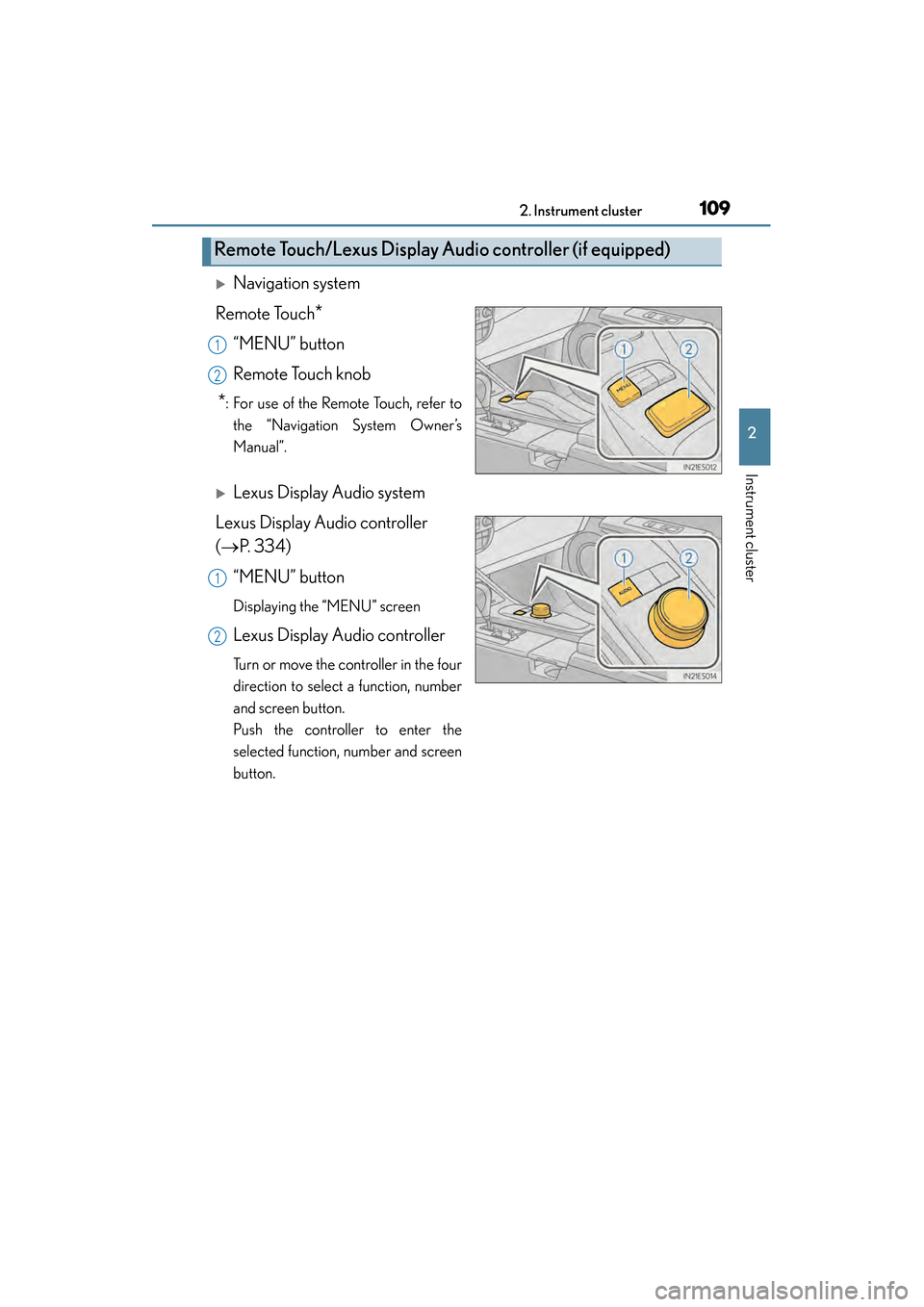
XNavigation system
Remote Touch
*
“MENU” button
Remote Touch knob
*: For use of the Remote Touch, refer to the “Navigation System Owner’s
Manual”.
XLexus Display Audio system
Lexus Display Audio controller
(→ P. 3 3 4 )
“MENU” button
Displaying the “MENU” screen
Lexus Display Audio controller
Turn or move the controller in the four
direction to select a function, number
and screen button.
Push the controller to enter the
selected function, number and screen
button.
Remote Touch/Lexus Display Audio controller (if equipped)
1
2
1
2
Page 111 of 910
110
ES350 300h_OM_OM33A01U_(U)
2. Instrument cluster
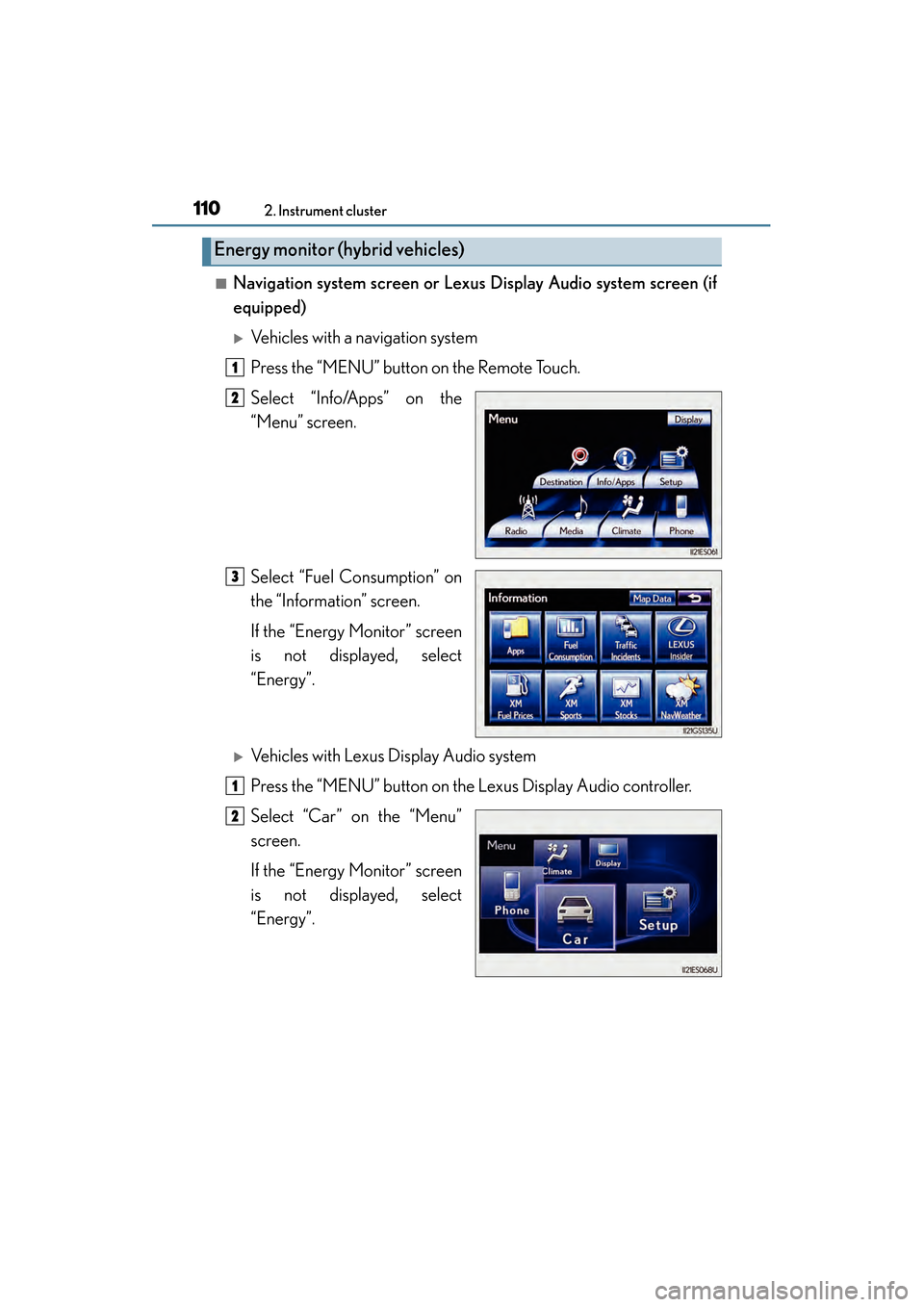
■Navigation system screen or Lexus Display Audio system screen (if
equipped)
XVehicles with a navigation system
Press the “MENU” button on the Remote Touch.
Select “Info/Apps” on the
“Menu” screen.
Select “Fuel Consumption” on
the “Information” screen.
If the “Energy Monitor” screen
is not displayed, select
“Energy”.
XVehicles with Lexus Display Audio system
Press the “MENU” button on the Lexus Display Audio controller.
Select “Car” on the “Menu”
screen.
If the “Energy Monitor” screen
is not displayed, select
“Energy”.
Energy monitor (hybrid vehicles)
1
2
3
1
2
Page 113 of 910
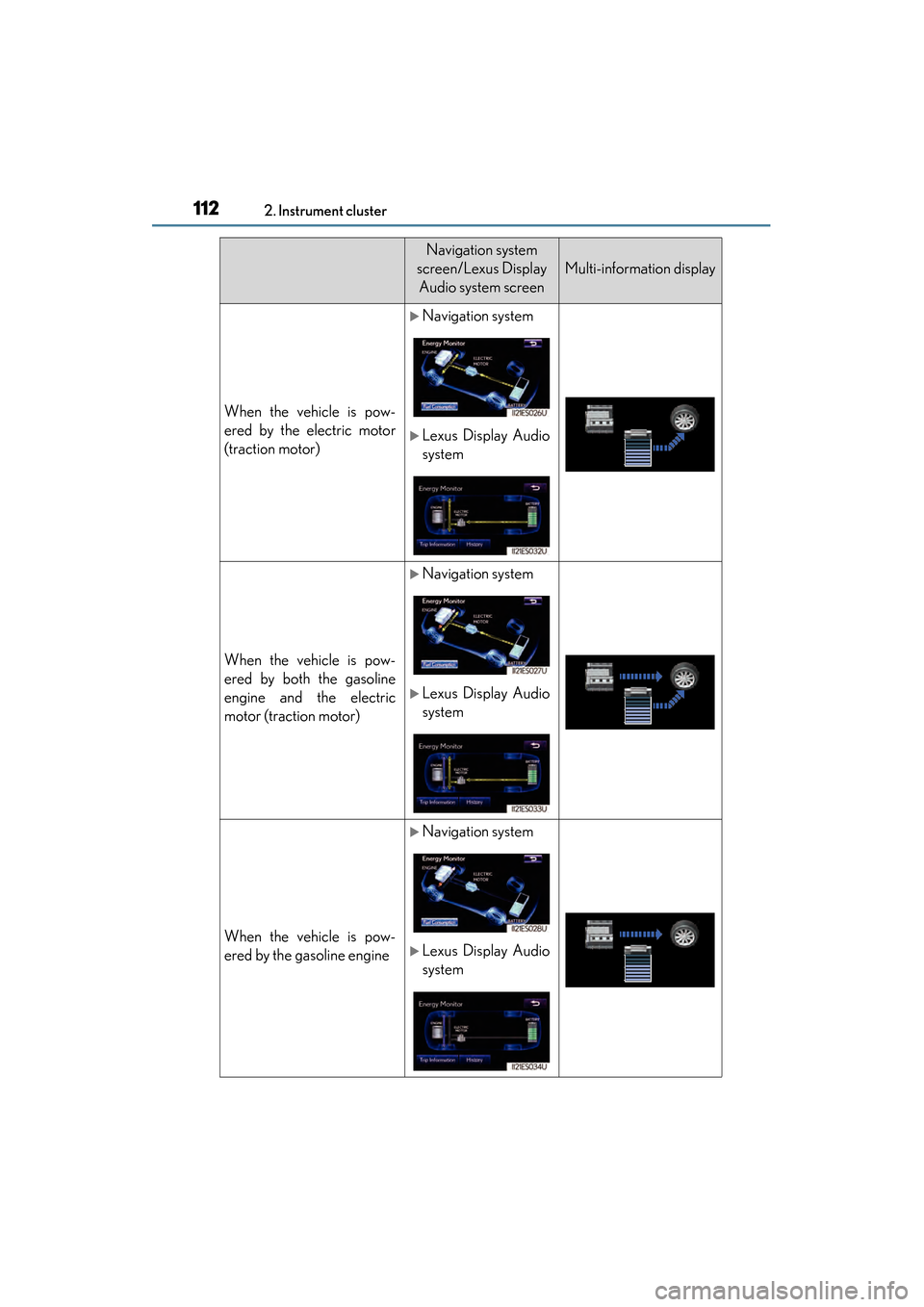
112
ES350 300h_OM_OM33A01U_(U)
2. Instrument cluster
Navigation system
screen/Lexus Display Audio system screen
Multi-information display
When the vehicle is pow-
ered by the electric motor
(traction motor)
XNavigation system
XLexus Display Audio
system
When the vehicle is pow-
ered by both the gasoline
engine and the electric
motor (traction motor)
XNavigation system
XLexus Display Audio
system
When the vehicle is pow-
ered by the gasoline engine
XNavigation system
XLexus Display Audio
system
Page 114 of 910
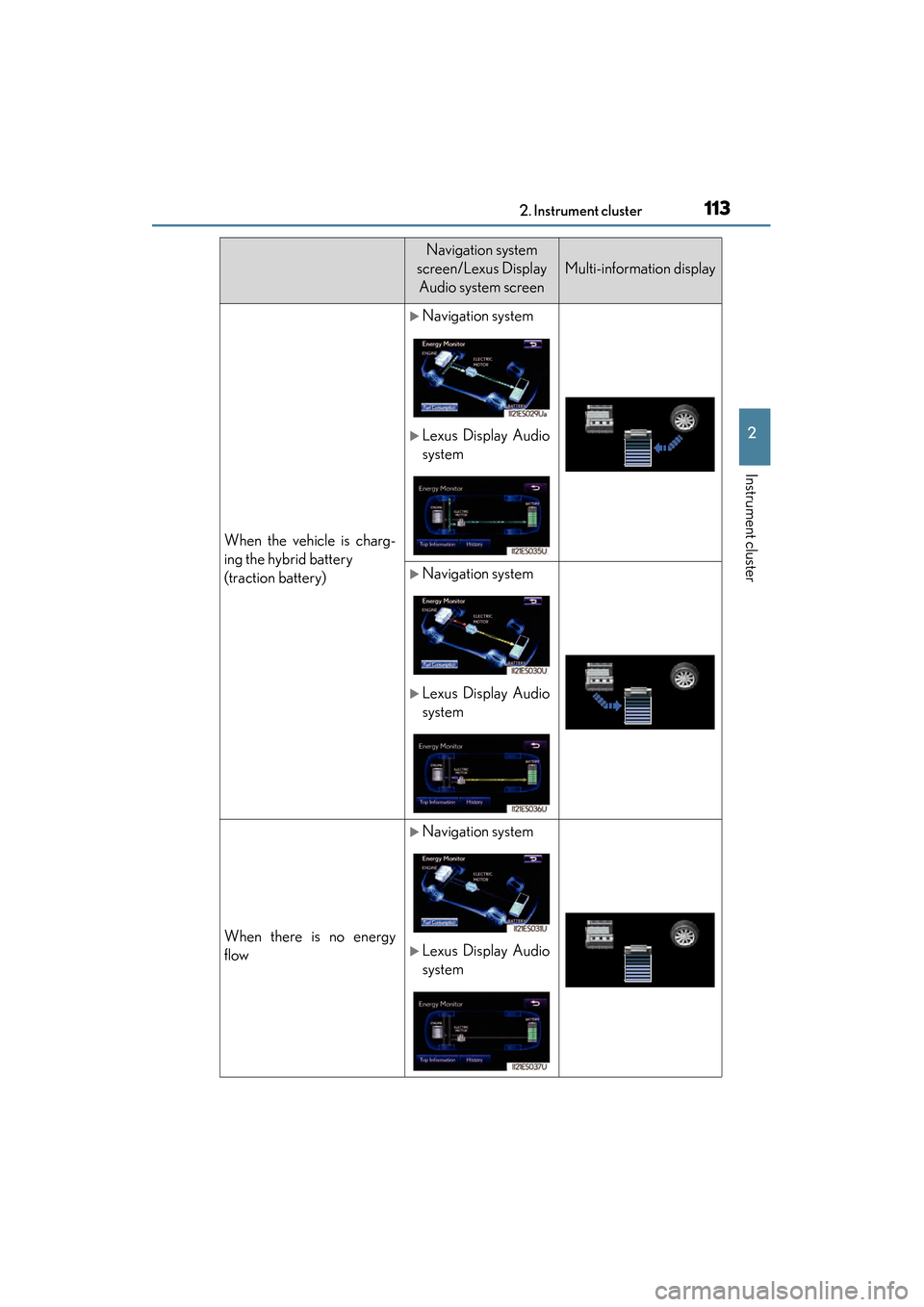
ES350 300h_OM_OM33A01U_(U)
1132. Instrument cluster
2
Instrument cluster
When the vehicle is charg-
ing the hybrid battery
(traction battery)
XNavigation system
XLexus Display Audio
system
XNavigation system
XLexus Display Audio
system
When there is no energy
flow
XNavigation system
XLexus Display Audio
system
Navigation system
screen/Lexus Display Audio system screen
Multi-information display