Switches Lexus ES300h 2014 Owner's Guide
[x] Cancel search | Manufacturer: LEXUS, Model Year: 2014, Model line: ES300h, Model: Lexus ES300h 2014Pages: 918, PDF Size: 25.26 MB
Page 368 of 918
ES350_300h_OM_OM33A60U_(U)
3675-2. Using the air conditioning system and defogger
5
Interior features
Press .
The dehumidification function begins to operate. Air outlets and fan speed are
automatically adjusted according to the temperature setting and humidity.
Press to switch to automatic air intake mode.
The air conditioning system automatically switches between outside air and recir-
culated air modes.
Press “∧” on to increase the temperature and “ ∨” to decrease
the temperature.
When is selected (the indicator on is on) or the passenger’s side tem-
perature control button is pressed, the temperature for the driver and passenger
seats can be adjusted separately.
Using the automatic air conditioning system
1
2
3
Page 371 of 918
370
ES350_300h_OM_OM33A60U_(U)
5-2. Using the air conditioning system and defogger
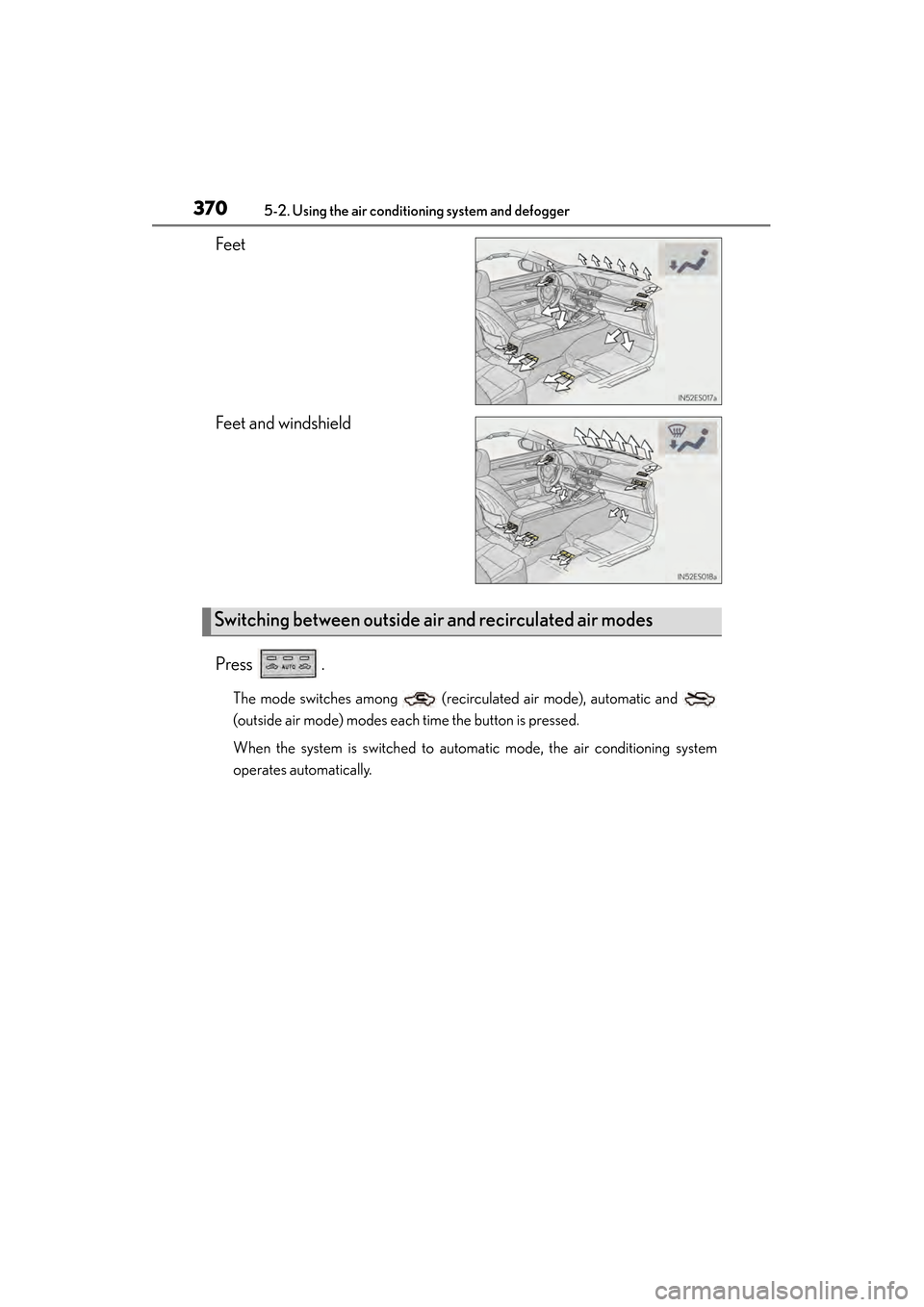
Feet
Feet and windshield
Press .
The mode switches among (recirculated air mode), automatic and
(outside air mode) modes each time the button is pressed.
When the system is switched to automatic mode, the air conditioning system
operates automatically.
Switching between outside air and recirculated air modes
Page 372 of 918
ES350_300h_OM_OM33A60U_(U)
3715-2. Using the air conditioning system and defogger
5
Interior features
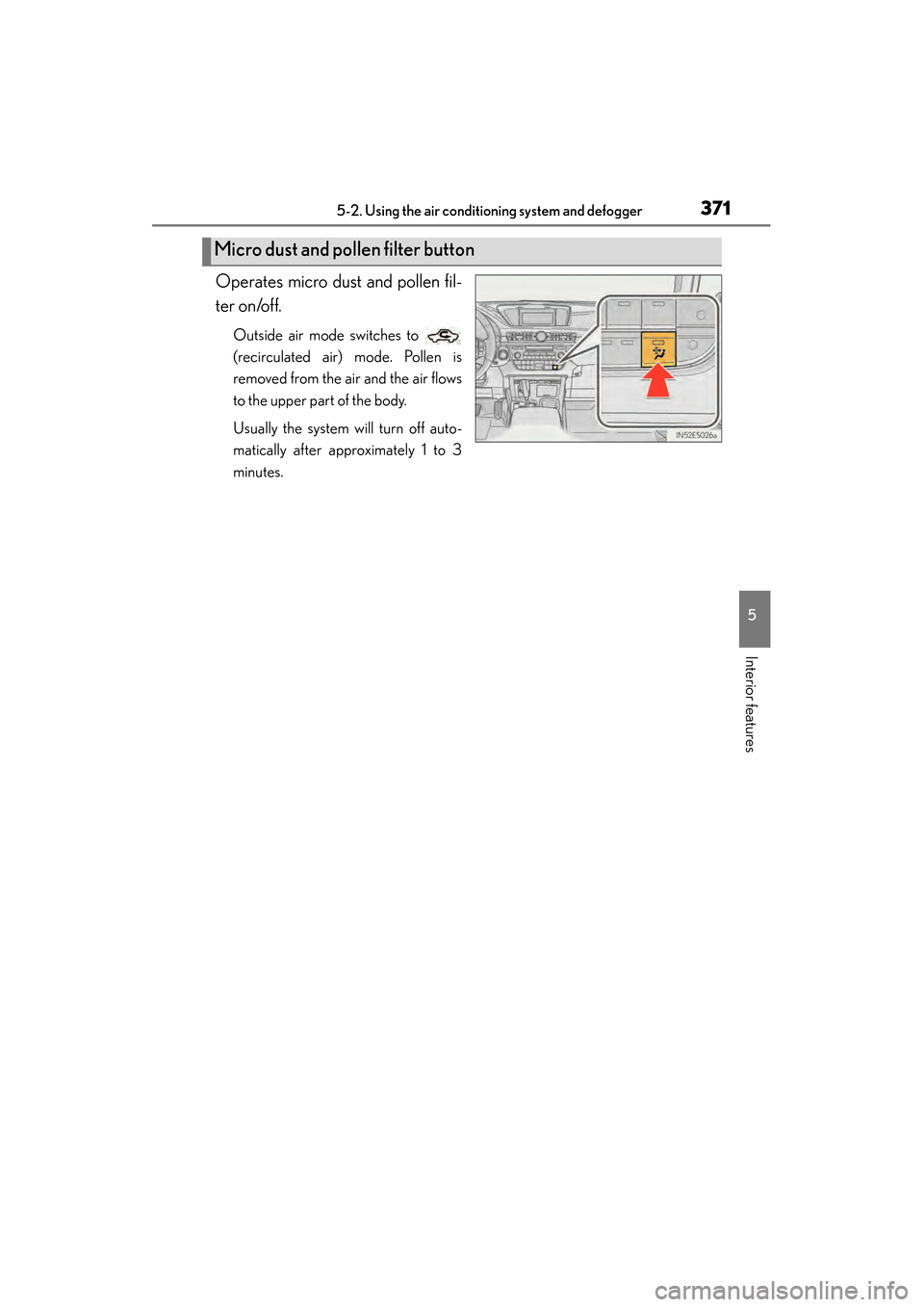
Operates micro dust and pollen fil-
ter on/off.
Outside air mode switches to
(recirculated air) mode. Pollen is
removed from the air and the air flows
to the upper part of the body.
Usually the system will turn off auto-
matically after approximately 1 to 3
minutes.
Micro dust and pollen filter button
Page 376 of 918
ES350_300h_OM_OM33A60U_(U)
3755-2. Using the air conditioning system and defogger
5
Interior features
■When the outside temperature exceeds 75°F (24°C) and the air conditioning sys-
tem is on
●In order to reduce the air conditioning power consumption, the air conditioning
system may switch to recirculated air mode automatically. This may also reduce
fuel consumption.
●Recirculated air mode is selected as a default mode when the “START STOP
ENGINE” <“POWER”> switch is turned on.
●It is possible to switch to outside air mode at any time by pressing .
■Automatic mode for air intake control
In automatic mode, the system detects exhaust gas and other pollutants and auto-
matically switches between outside air and recirculated air modes.
When the dehumidification function is off, and the fan is operating, turning automatic
mode on will activate the dehumidification function.
■Micro dust and pollen filter
●In order to prevent the windshield from fogging up when the outside air is cold, the
following may occur:
• Outside air mode does not switch to (recirculated air) mode.
• The dehumidification function operates.
• The operation cancels after approximately 1 minute.
●In rainy weather, the windows may fog up. Press .
●In extremely humid weather, the windows may fog up.
●The pollens are filtered out even if the micro dust and pollen filter is turned off.
■Operation of the air conditioning system in Eco drive mode
In the Eco drive mode, the air conditioning system is controlled as follows to priori-
tize fuel efficiency:
●Engine speed and compressor operation controlled to restrict heating/cooling
capacity
●Fan speed restricted when automatic mode is selected
To improve air conditioning performance, perform the following operations:
●Adjust the fan speed
●Turn off Eco drive mode
■When the outside temperature falls to nearly 32 °F (0 °C)
The dehumidification function may not operate even when is pressed.
Page 384 of 918
ES350_300h_OM_OM33A60U_(U)
3835-3. Using the Lexus Display Audio system
5
Interior features
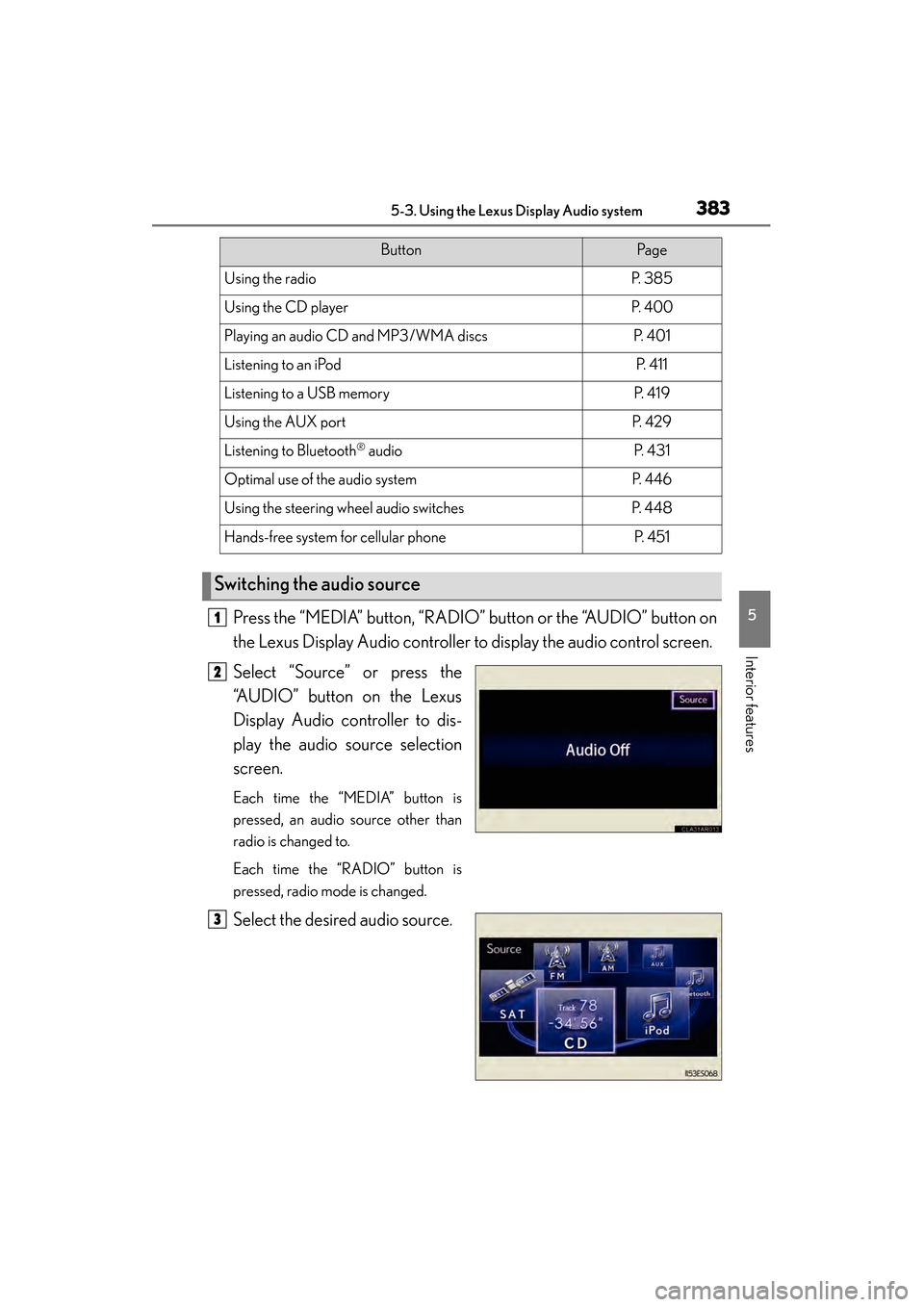
Press the “MEDIA” button, “RADIO” button or the “AUDIO” button on
the Lexus Display Audio controller to display the audio control screen.
Select “Source” or press the
“AUDIO” button on the Lexus
Display Audio controller to dis-
play the audio source selection
screen.
Each time the “MEDIA” button is
pressed, an audio source other than
radio is changed to.
Each time the “RADIO” button is
pressed, radio mode is changed.
Select the desired audio source.
ButtonPa g e
Using the radioP. 3 8 5
Using the CD playerP. 4 0 0
Playing an audio CD and MP3/WMA discsP. 4 0 1
Listening to an iPodP. 4 1 1
Listening to a USB memoryP. 4 1 9
Using the AUX portP. 4 2 9
Listening to Bluetooth® audioP. 4 3 1
Optimal use of the audio systemP. 446
Using the steering wheel audio switchesP. 4 4 8
Hands-free system for cellular phoneP. 4 5 1
Switching the audio source
1
2
3
Page 449 of 918
448
ES350_300h_OM_OM33A60U_(U)
5-3. Using the Lexus Display Audio system
Using the steering wheel audio switches
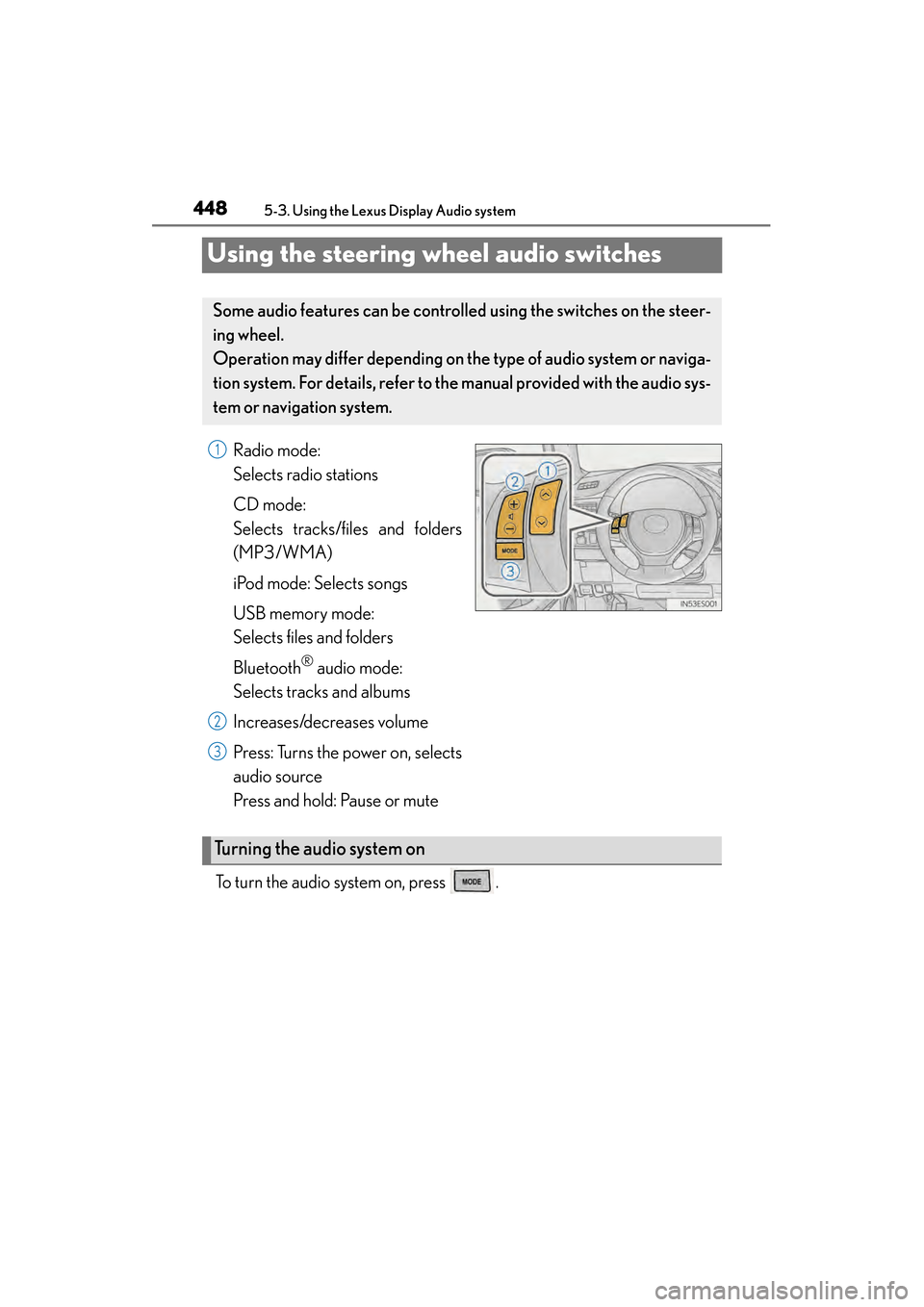
Radio mode:
Selects radio stations
CD mode:
Selects tracks/files and folders
(MP3/WMA)
iPod mode: Selects songs
USB memory mode:
Selects files and folders
Bluetooth
® audio mode:
Selects tracks and albums
Increases/decreases volume
Press: Turns the power on, selects
audio source
Press and hold: Pause or mute
To turn the audio system on, press .
Some audio features can be controll ed using the switches on the steer-
ing wheel.
Operation may differ depending on th e type of audio system or naviga-
tion system. For details, refer to th e manual provided with the audio sys-
tem or naviga tion system.
1
2
3
Turning the audio system on
Page 451 of 918
450
ES350_300h_OM_OM33A60U_(U)
5-3. Using the Lexus Display Audio system
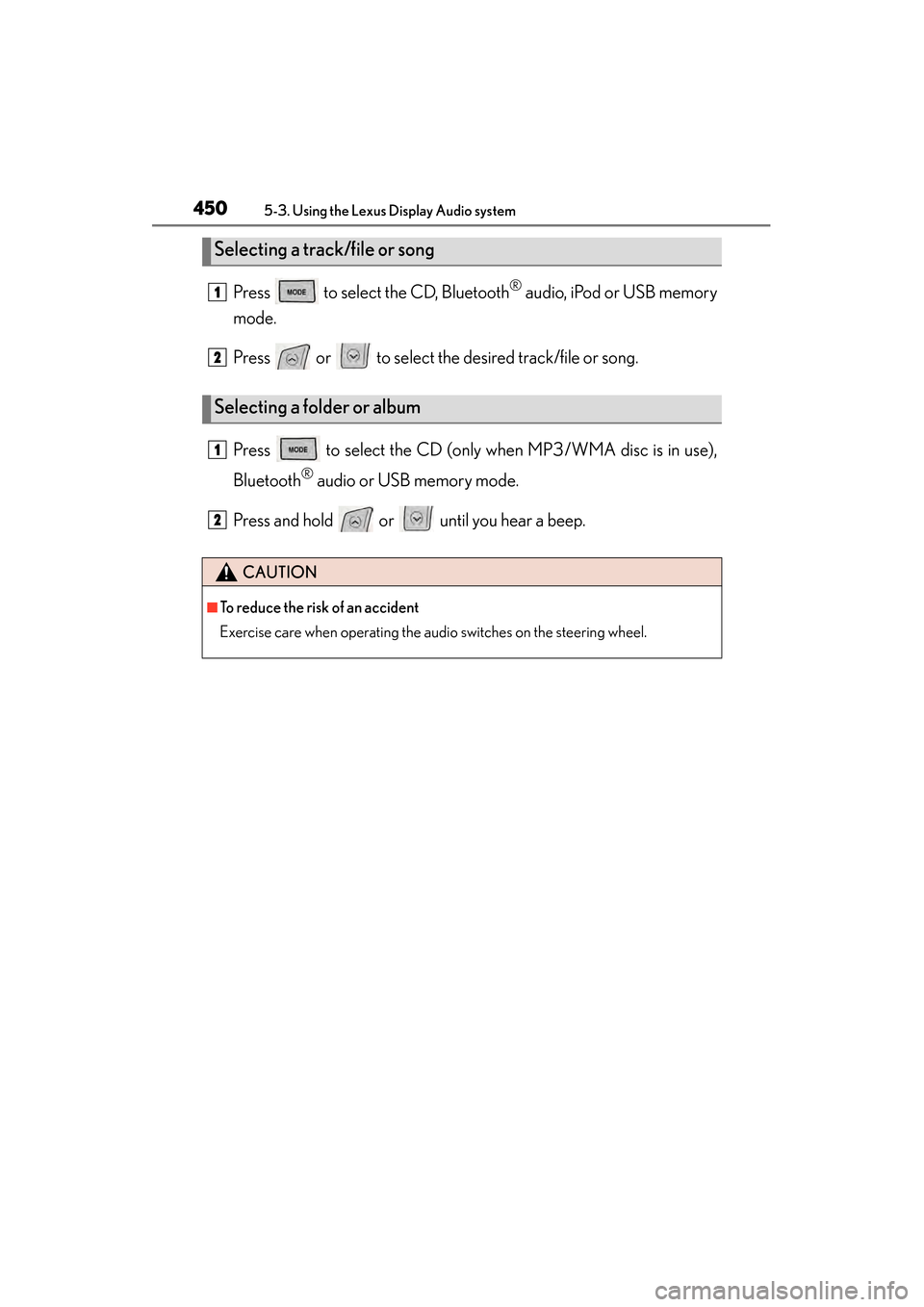
Press to select the CD, Bluetooth® audio, iPod or USB memory
mode.
Press or to select the desired track/file or song.
Press to select the CD (only when MP3/WMA disc is in use),
Bluetooth
® audio or USB memory mode.
Press and hold or until you hear a beep.
Selecting a track/file or song
Selecting a folder or album
CAUTION
■To reduce the risk of an accident
Exercise care when operating the audio switches on the steering wheel.
1
2
1
2
Page 475 of 918
474
ES350_300h_OM_OM33A60U_(U)
5-3. Using the Lexus Display Audio system
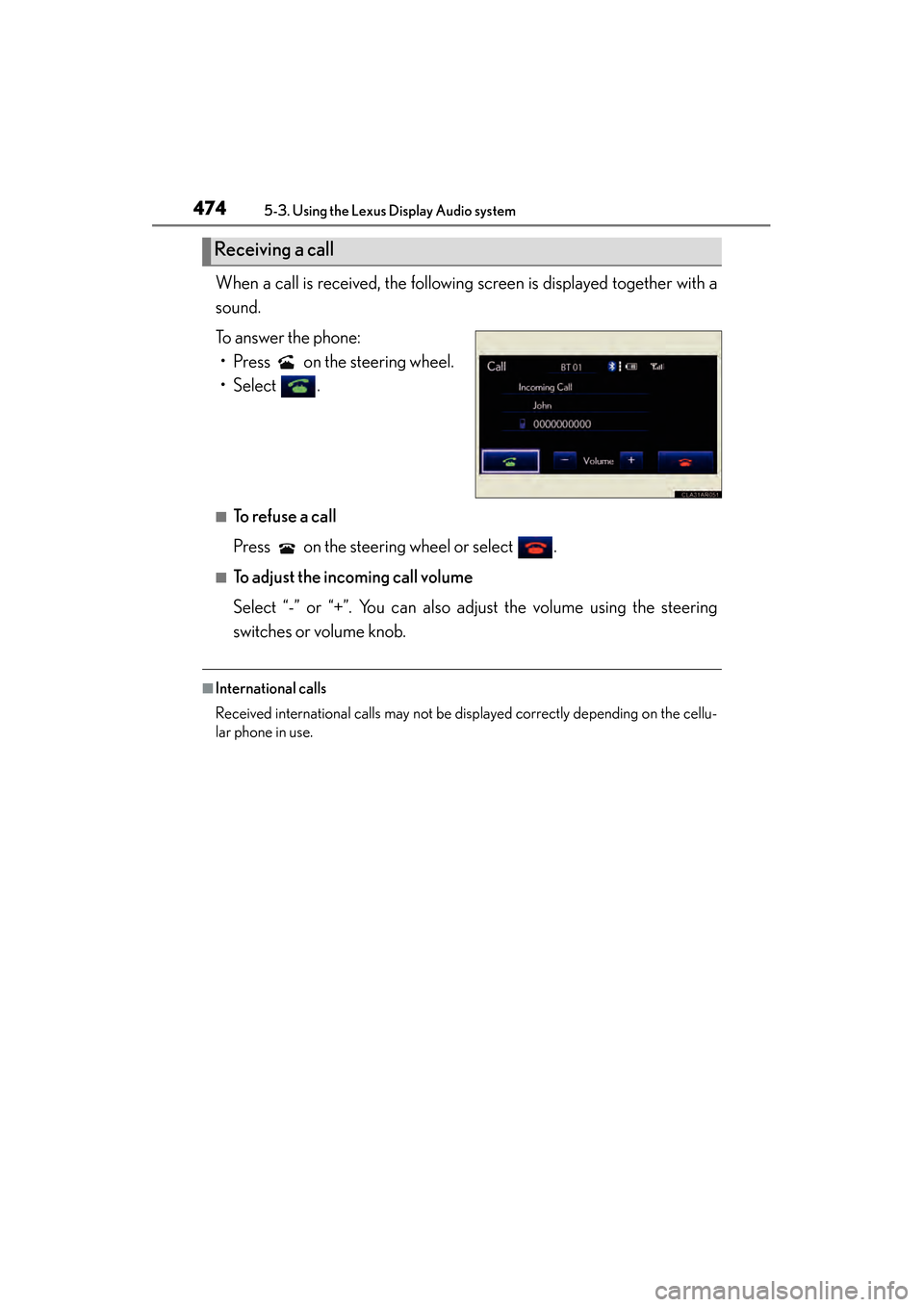
When a call is received, the following screen is displayed together with a
sound.
To answer the phone:• Press on the steering wheel.
• Select .
■To refuse a call
Press on the steering wheel or select .
■To adjust the incoming call volume
Select “-” or “+”. You can also adjust the volume using the steering
switches or volume knob.
■International calls
Received international calls may not be displayed correctly depending on the cellu-
lar phone in use.
Receiving a call
Page 476 of 918
ES350_300h_OM_OM33A60U_(U)
4755-3. Using the Lexus Display Audio system
5
Interior features
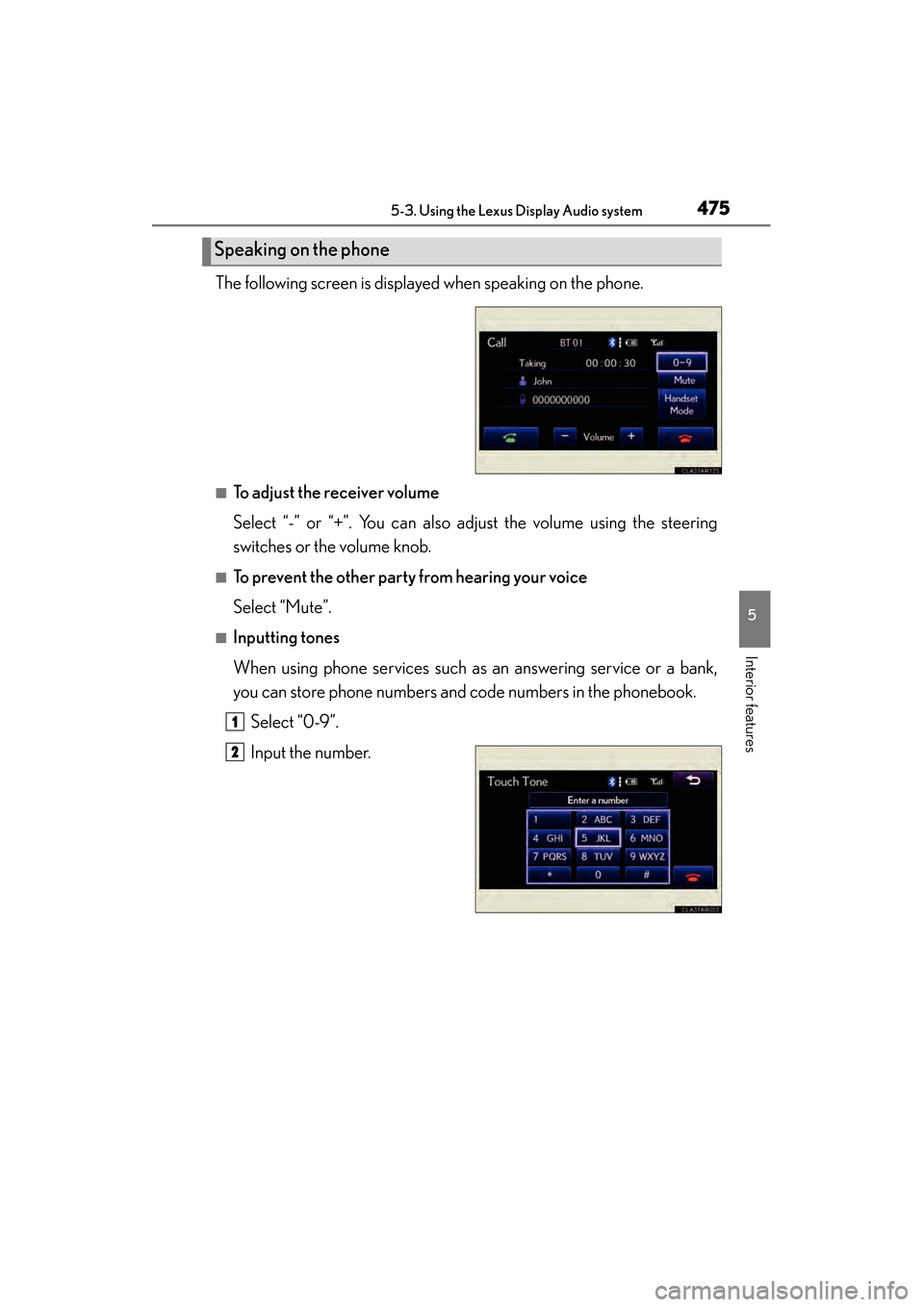
The following screen is displayed when speaking on the phone.
■To adjust the receiver volume
Select “-” or “+”. You can also adjust the volume using the steering
switches or the volume knob.
■To prevent the other party from hearing your voice
Select “Mute”.
■Inputting tones
When using phone services such as an answering service or a bank,
you can store phone numbers and code numbers in the phonebook.Select “0-9”.
Input the number.
Speaking on the phone
1
2
Page 502 of 918
ES350_300h_OM_OM33A60U_(U)
5015-4. Using the audio system
5
Interior features
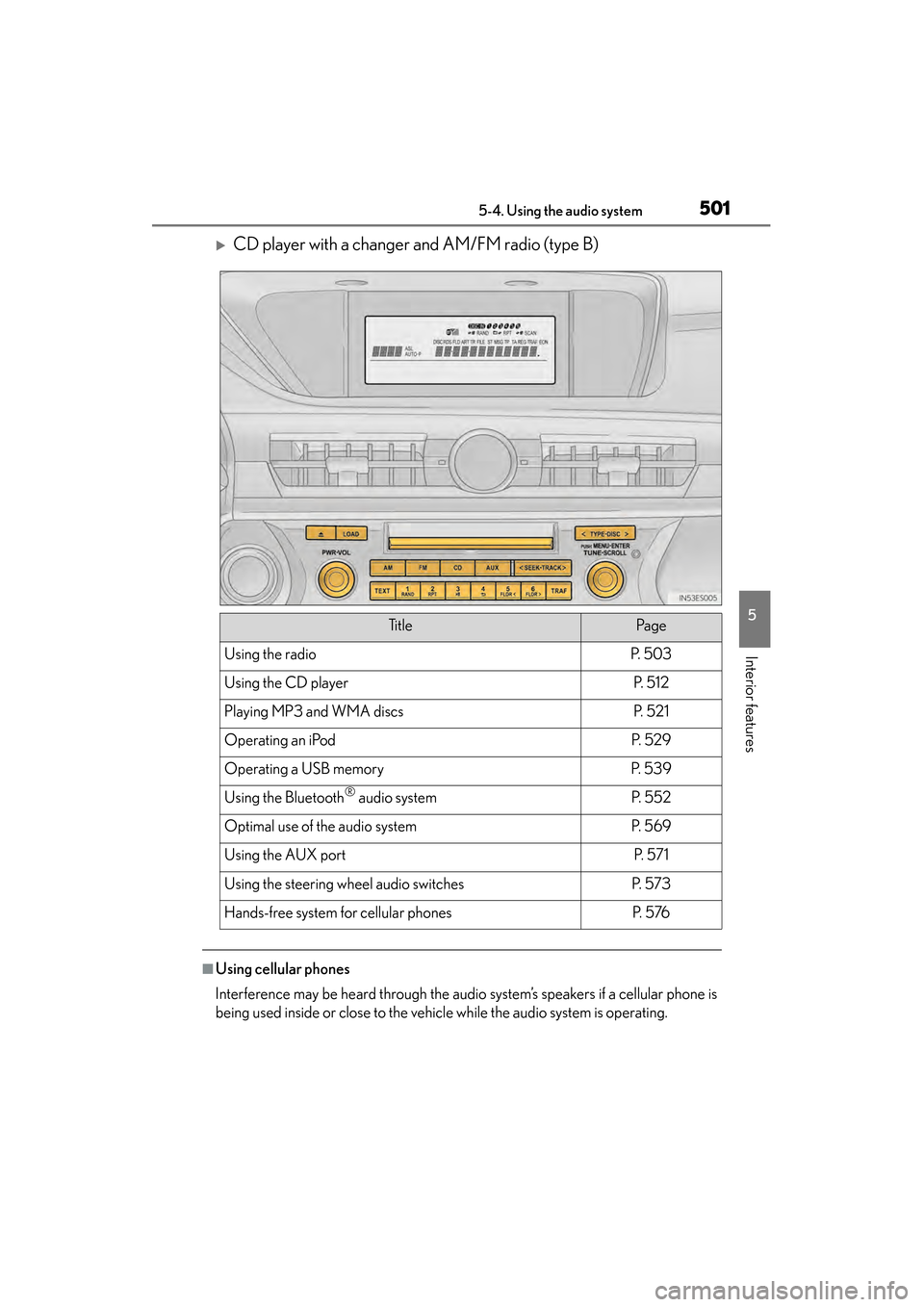
XCD player with a changer and AM/FM radio (type B)
■Using cellular phones
Interference may be heard through the audio system’s speakers if a cellular phone is
being used inside or close to the vehicle while the audio system is operating.
Ti t l ePa g e
Using the radioP. 5 0 3
Using the CD playerP. 5 1 2
Playing MP3 and WMA discsP. 5 2 1
Operating an iPodP. 5 2 9
Operating a USB memoryP. 5 3 9
Using the Bluetooth® audio systemP. 5 5 2
Optimal use of the audio systemP. 5 6 9
Using the AUX portP. 5 7 1
Using the steering wheel audio switchesP. 5 7 3
Hands-free system for cellular phonesP. 5 76