change time Lexus ES300h 2014 Owner's Guide
[x] Cancel search | Manufacturer: LEXUS, Model Year: 2014, Model line: ES300h, Model: Lexus ES300h 2014Pages: 918, PDF Size: 25.26 MB
Page 390 of 918
ES350_300h_OM_OM33A60U_(U)
3895-3. Using the Lexus Display Audio system
5
Interior features
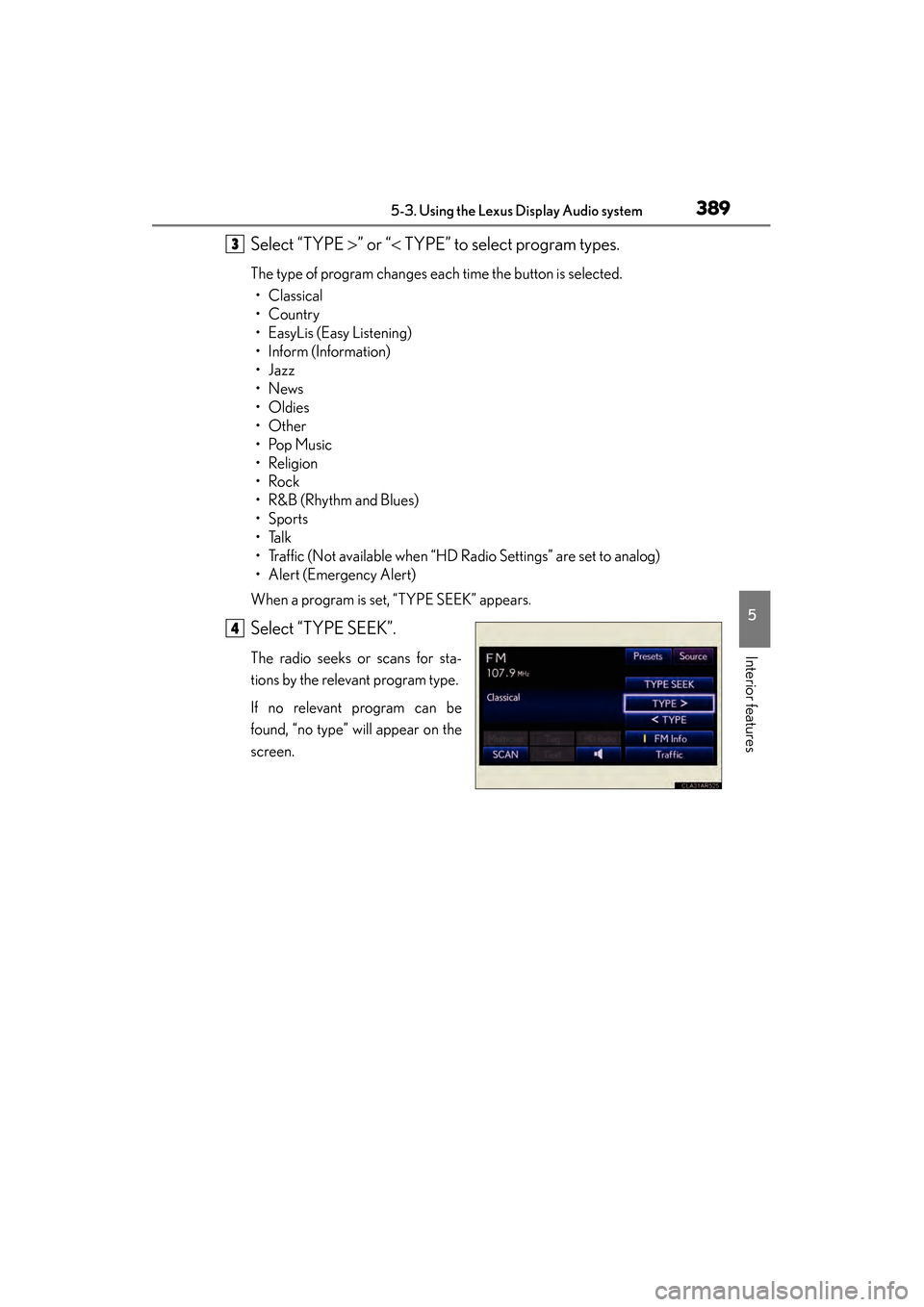
Select “TYPE >” or “ < TYPE” to select program types.
The type of program changes each time the button is selected.
• Classical
•Country
• EasyLis (Easy Listening)
• Inform (Information)
•Jazz
•News
• Oldies
•Other
•Pop Music
•Religion
•Rock
•R&B (Rhythm and Blues)
•Sports
•Talk
• Traffic (Not available when “HD Radio Settings” are set to analog)
• Alert (Emergency Alert)
When a program is set, “TYPE SEEK” appears.
Select “TYPE SEEK”.
The radio seeks or scans for sta-
tions by the relevant program type.
If no relevant program can be
found, “no type” will appear on the
screen.
3
4
Page 393 of 918
392
ES350_300h_OM_OM33A60U_(U)
5-3. Using the Lexus Display Audio system
■Selecting a desired type Select “Options”.
Select “TYPE >” or “ < TYPE” to select program types.
The type of program changes each time the button is selected. (→ P. 3 8 8 )
When a program is set, “TYPE SEEK” appears.
Select “TYPE SEEK”.
The radio seeks or scans for stations by the relevant program type.
If no relevant program can be found, “no type” will appear on the screen.
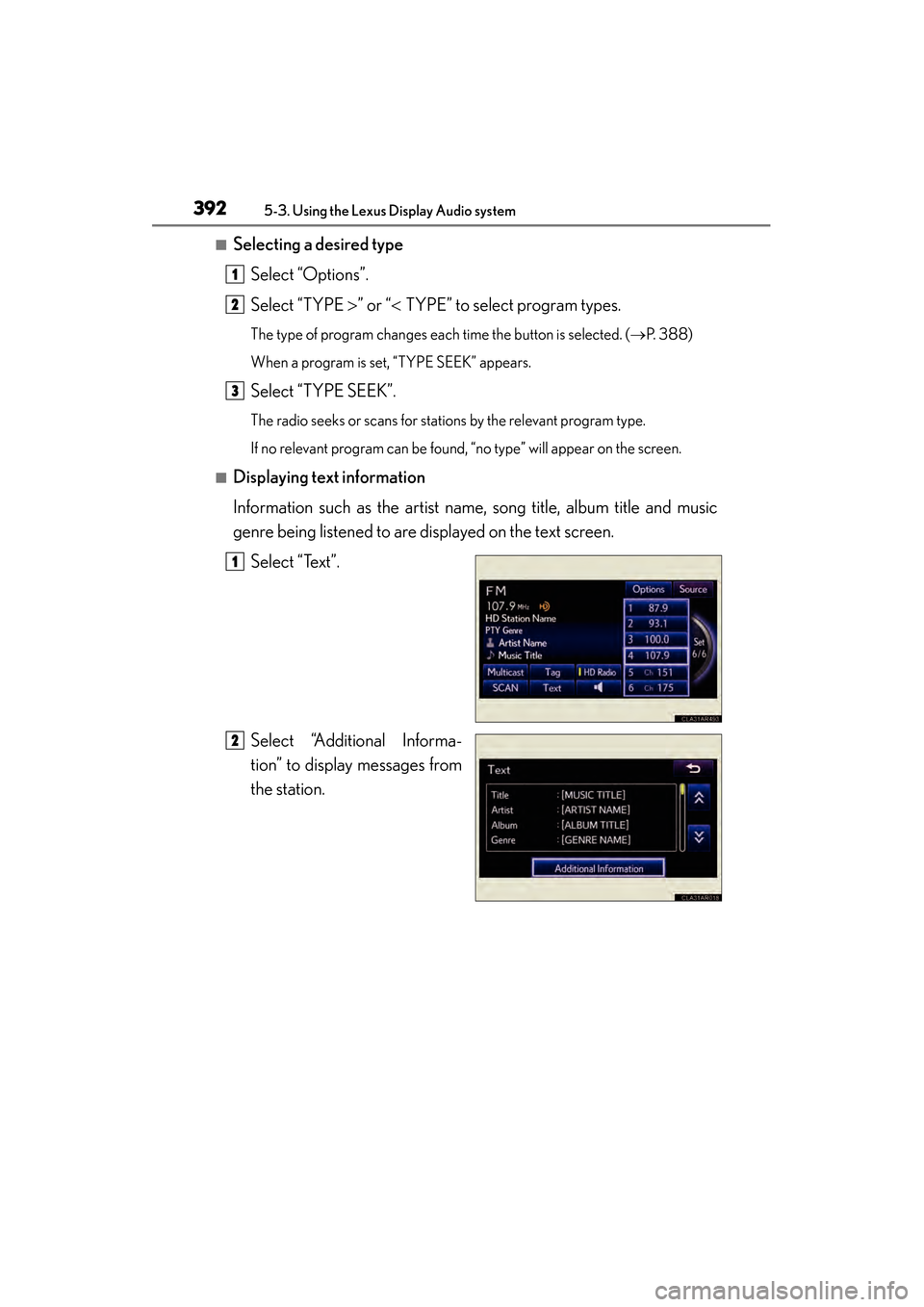
■Displaying text information
Information such as the artist name, song title, album title and music
genre being listened to are displayed on the text screen. Select “Text”.
Select “Additional Informa-
tion” to display messages from
the station.
1
2
3
1
2
Page 394 of 918
ES350_300h_OM_OM33A60U_(U)
3935-3. Using the Lexus Display Audio system
5
Interior features
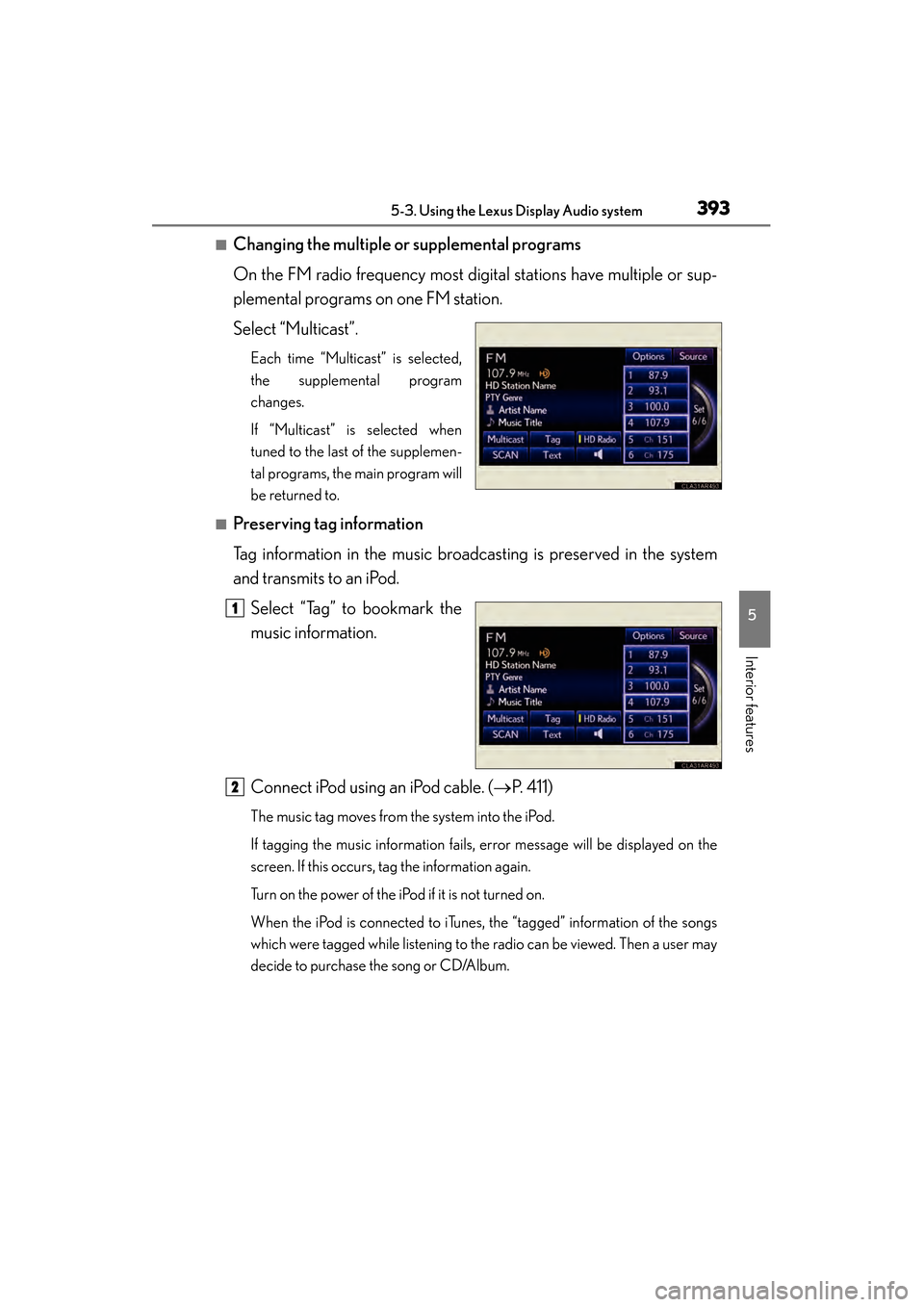
■Changing the multiple or supplemental programs
On the FM radio frequency most digital stations have multiple or sup-
plemental programs on one FM station.
Select “Multicast”.
Each time “Multicast” is selected,
the supplemental program
changes.
If “Multicast” is selected when
tuned to the last of the supplemen-
tal programs, the main program will
be returned to.
■Preserving tag information
Tag information in the music broadcasting is preserved in the system
and transmits to an iPod.Select “Tag” to bookmark the
music information.
Connect iPod using an iPod cable. ( →P. 4 1 1 )
The music tag moves from the system into the iPod.
If tagging the music information fails, error message will be displayed on the
screen. If this occurs, tag the information again.
Turn on the power of the iPod if it is not turned on.
When the iPod is connected to iTunes, the “tagged” information of the songs
which were tagged while listening to the radio can be viewed. Then a user may
decide to purchase the song or CD/Album.
1
2
Page 400 of 918
ES350_300h_OM_OM33A60U_(U)
3995-3. Using the Lexus Display Audio system
5
Interior features
Contact the XM® Listener Care Center at 1-866-635-2349 (U.S.A.) or 1-877-
438-9677 (Canada).
■Certifications for XM® Satellite Radio
This device complies with RSS-310 of Industry Canada. Operation is subject to the
condition that this device does not cause harmful interference.
Cet appareil est conforme au CNR-310 d’Industrie Canada. Son exploitation est
autorisée sous réserve que l’appareil ne cause pas de brouillage préjudiciable.
-----
There is no song/program title or artist name/feature
associated with the channel at that time. No action is
required.
SAT Chan Unavailable
The channel you selected is no longer available. Wait for
about 2 seconds until the radio returns to the previous
channel or “CH 001”. If it does not change automatically,
select another channel.
MessageExplanation
Page 405 of 918
404
ES350_300h_OM_OM33A60U_(U)
5-3. Using the Lexus Display Audio system
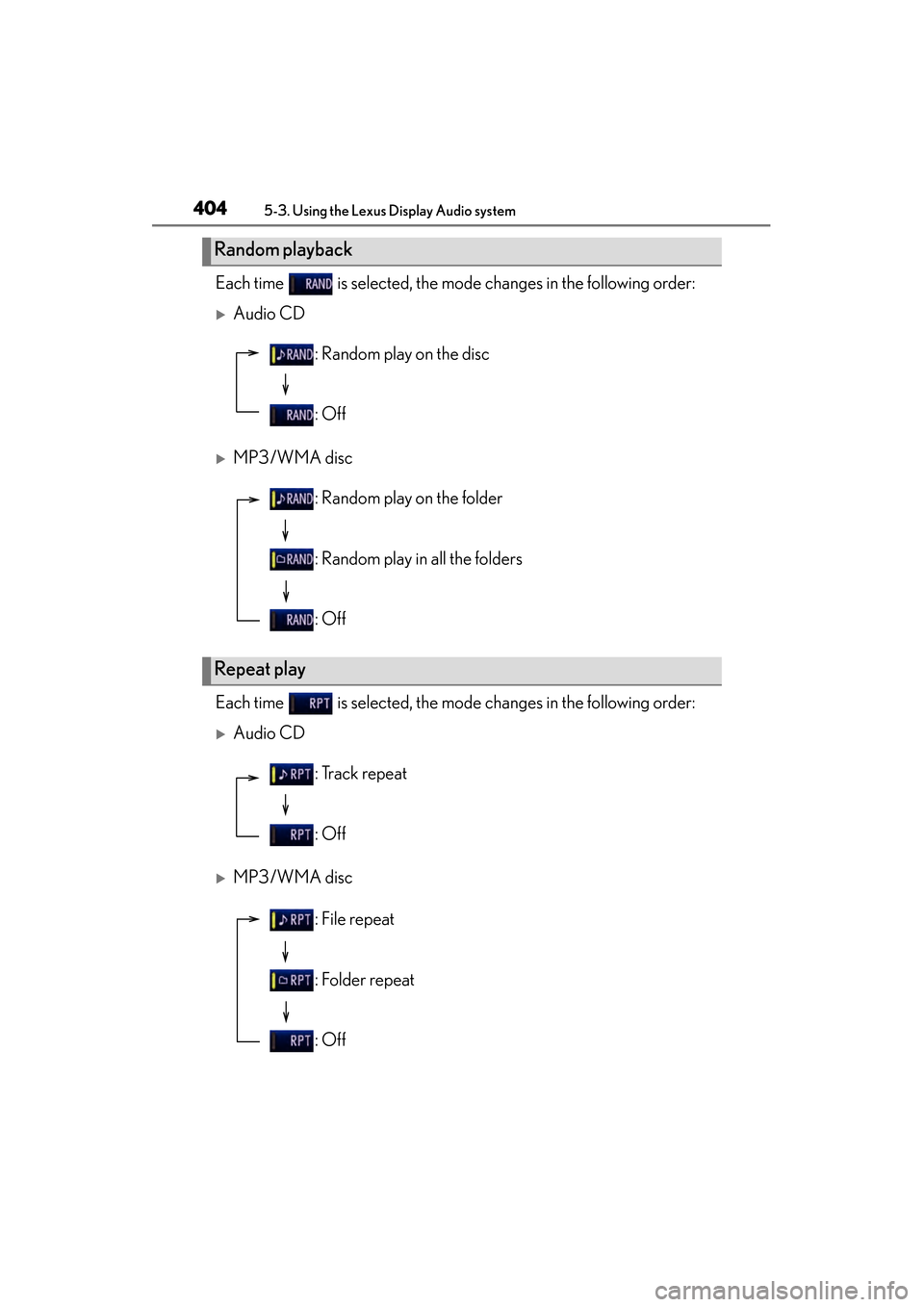
Each time is selected, the mode changes in the following order:
XAudio CD
XMP3/WMA disc
Each time is selected, the mode changes in the following order:
XAudio CD
XMP3/WMA disc
Random playback
: Random play on the disc
: Off
Repeat play
: Random play on the folder
: Random play in all the folders
: Off
: Track repeat
: Off
: File repeat
: Folder repeat
: Off
Page 416 of 918
ES350_300h_OM_OM33A60U_(U)
4155-3. Using the Lexus Display Audio system
5
Interior features
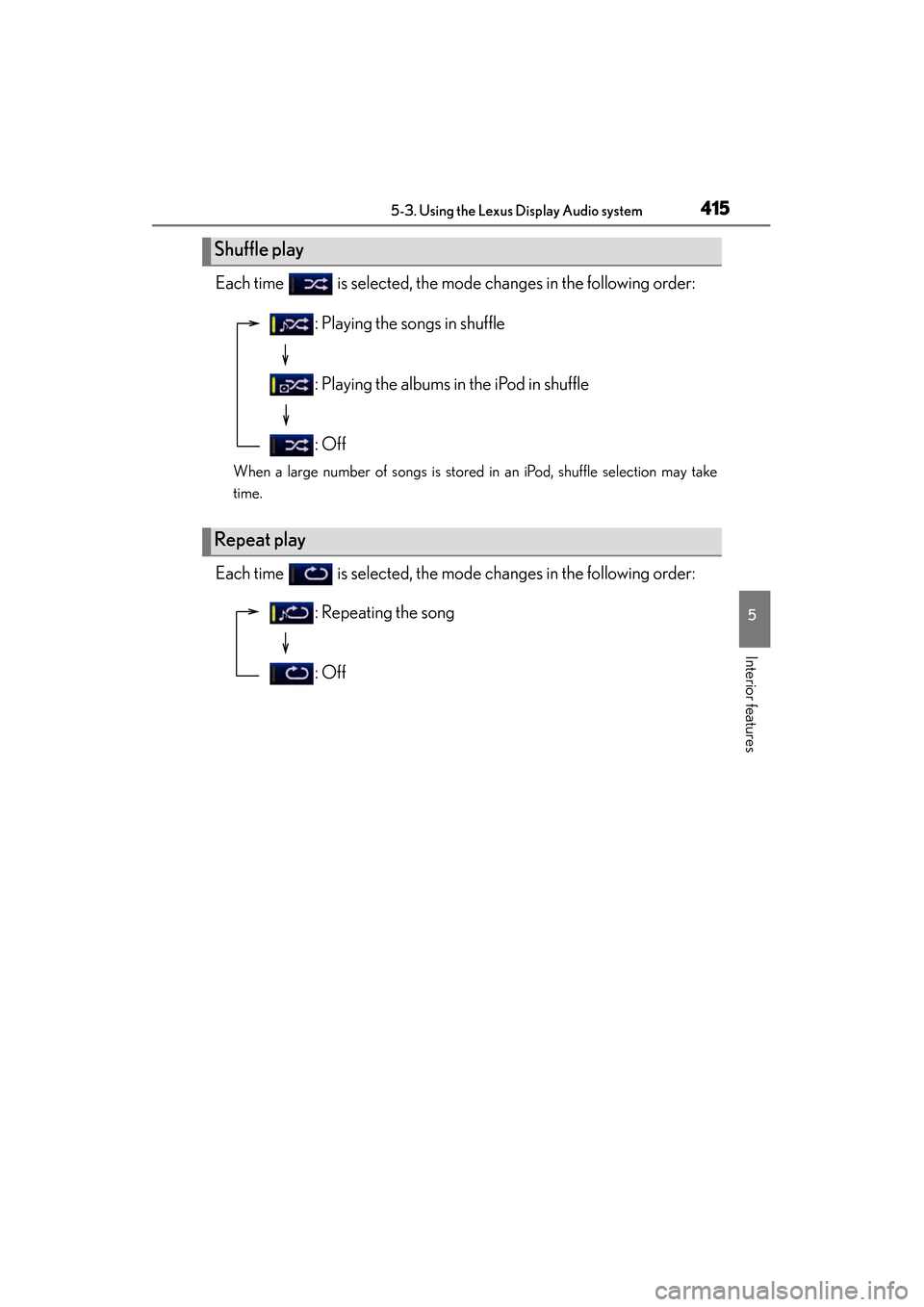
Each time is selected, the mode changes in the following order:
When a large number of songs is stored in an iPod, shuffle selection may take
time.
Each time is selected, the mode changes in the following order:
Shuffle play
Repeat play
: Playing the songs in shuffle
: Playing the albums in the iPod in shuffle
: Off
: Repeating the song
: Off
Page 417 of 918
416
ES350_300h_OM_OM33A60U_(U)
5-3. Using the Lexus Display Audio system
■About iPod
●“Made for iPod” and “Made for iPhone” mean that an electronic accessory has
been designed to connect specifically to iPod, or iPhone, respectively, and has
been certified by the developer to meet Apple performance standards.
●Apple is not responsible for the operation of this device or its compliance with
safety and regulatory standards. Please note that the use of this accessory with
iPod or iPhone may affect wireless performance.
●iPhone, iPod, iPod classic, iPod nano and iPod touch are trademarks of Apple Inc.,
registered in the U.S. and other countries.
■iPod cover art
●Depending on the iPod and songs in the iPod, iPod cover art may be displayed.
●This function can be changed to “On” or “Off”. (→P. 3 4 9 )
●It may take time to display iPod cover art, and the iPod may not be operated while
the cover art display is in process.
●Only iPod cover art that is saved in a JPEG format can be displayed.
■iPod functions
●When the iPod connected to the system includes iPod video, the system can only
output the sound by selecting on the “iPod” screen.
●Depending on the iPod, the video sound may not be able to be heard.
●When an iPod is connected and the audio source is changed to iPod mode, the
iPod will resume play from the same point in which it was last used.
●Depending on the iPod that is connected to the system, certain functions may not
be available. If a function is unavailable due to a malfunction (as opposed to a sys-
tem specification), disconnecting the device and reconnecting it once again may
resolve the problem.
●While connected to the system, the iPod cannot be operated with its own controls.
It is necessary to use the controls of the vehicle’s audio system instead.
●When the battery level of an iPod is very low, the iPod may not operate. If so, charge
the iPod before use.
●Supported models ( →P. 4 1 7 )
Page 424 of 918
ES350_300h_OM_OM33A60U_(U)
4235-3. Using the Lexus Display Audio system
5
Interior features
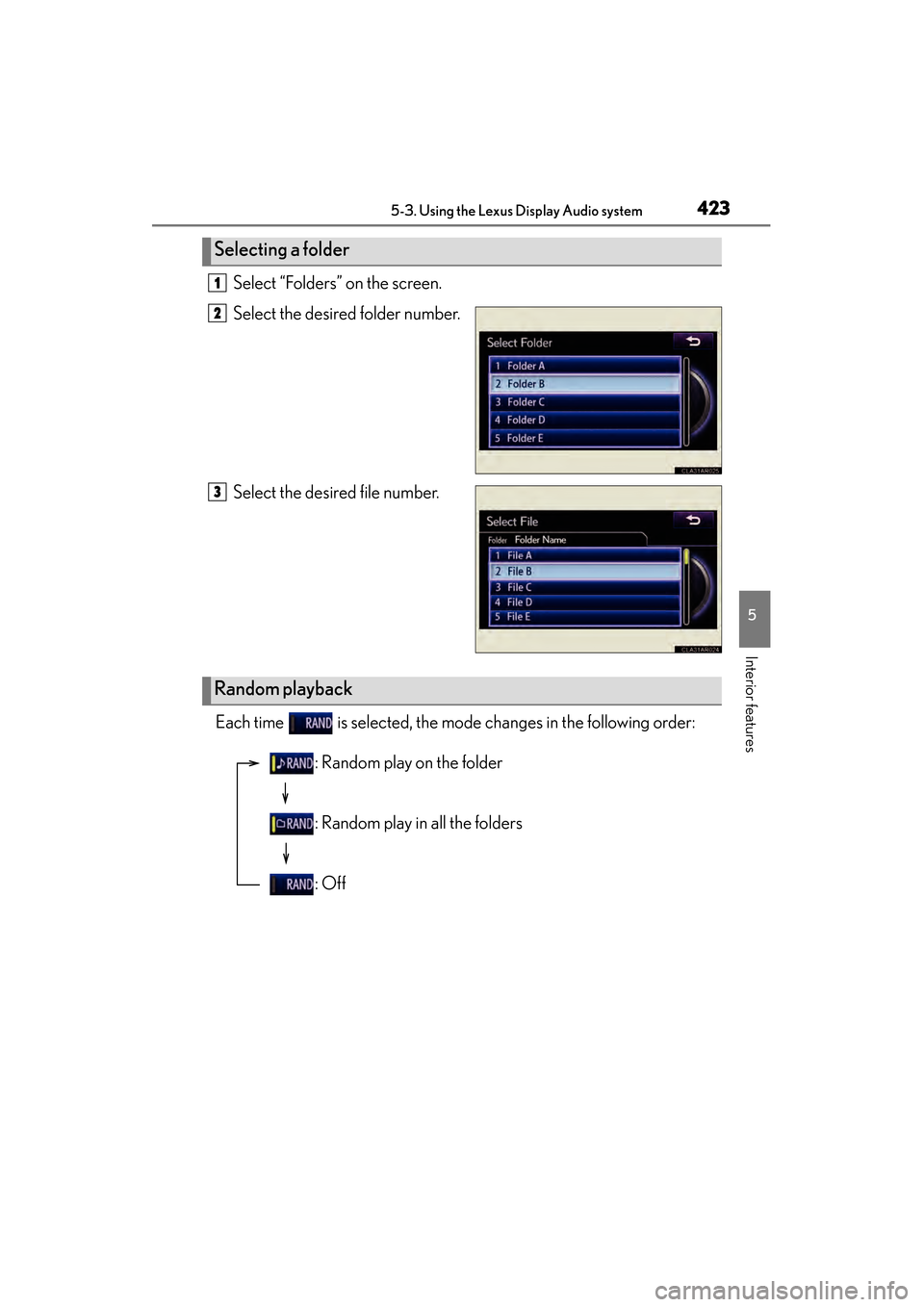
Select “Folders” on the screen.
Select the desired folder number.
Select the desired file number.
Each time is selected, the mode changes in the following order:
Selecting a folder
1
2
3
Random playback
: Random play on the folder
: Random play in all the folders
: Off
Page 425 of 918
424
ES350_300h_OM_OM33A60U_(U)
5-3. Using the Lexus Display Audio system
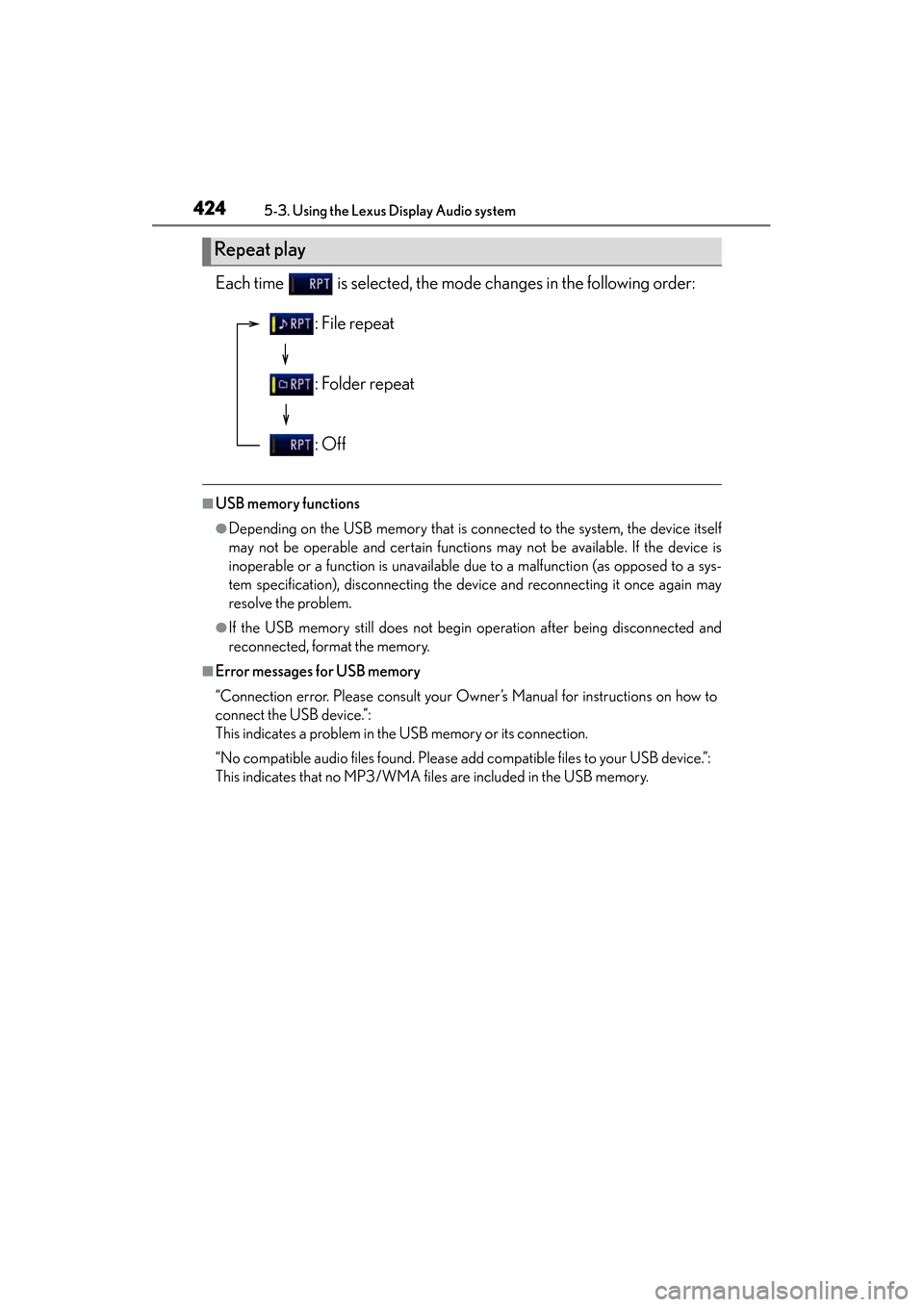
Each time is selected, the mode changes in the following order:
■USB memory functions
●Depending on the USB memory that is connected to the system, the device itself
may not be operable and certain functions may not be available. If the device is
inoperable or a function is unavailable due to a malfunction (as opposed to a sys-
tem specification), disconnecting the device and reconnecting it once again may
resolve the problem.
●If the USB memory still does not begin operation after being disconnected and
reconnected, format the memory.
■Error messages for USB memory
“Connection error. Please consult your Owner’s Manual for instructions on how to
connect the USB device.”:
This indicates a problem in the USB memory or its connection.
“No compatible audio files found. Please add compatible files to your USB device.”:
This indicates that no MP3/WMA files are included in the USB memory.
Repeat play
: File repeat
: Folder repeat
: Off
Page 441 of 918
440
ES350_300h_OM_OM33A60U_(U)
5-3. Using the Lexus Display Audio system
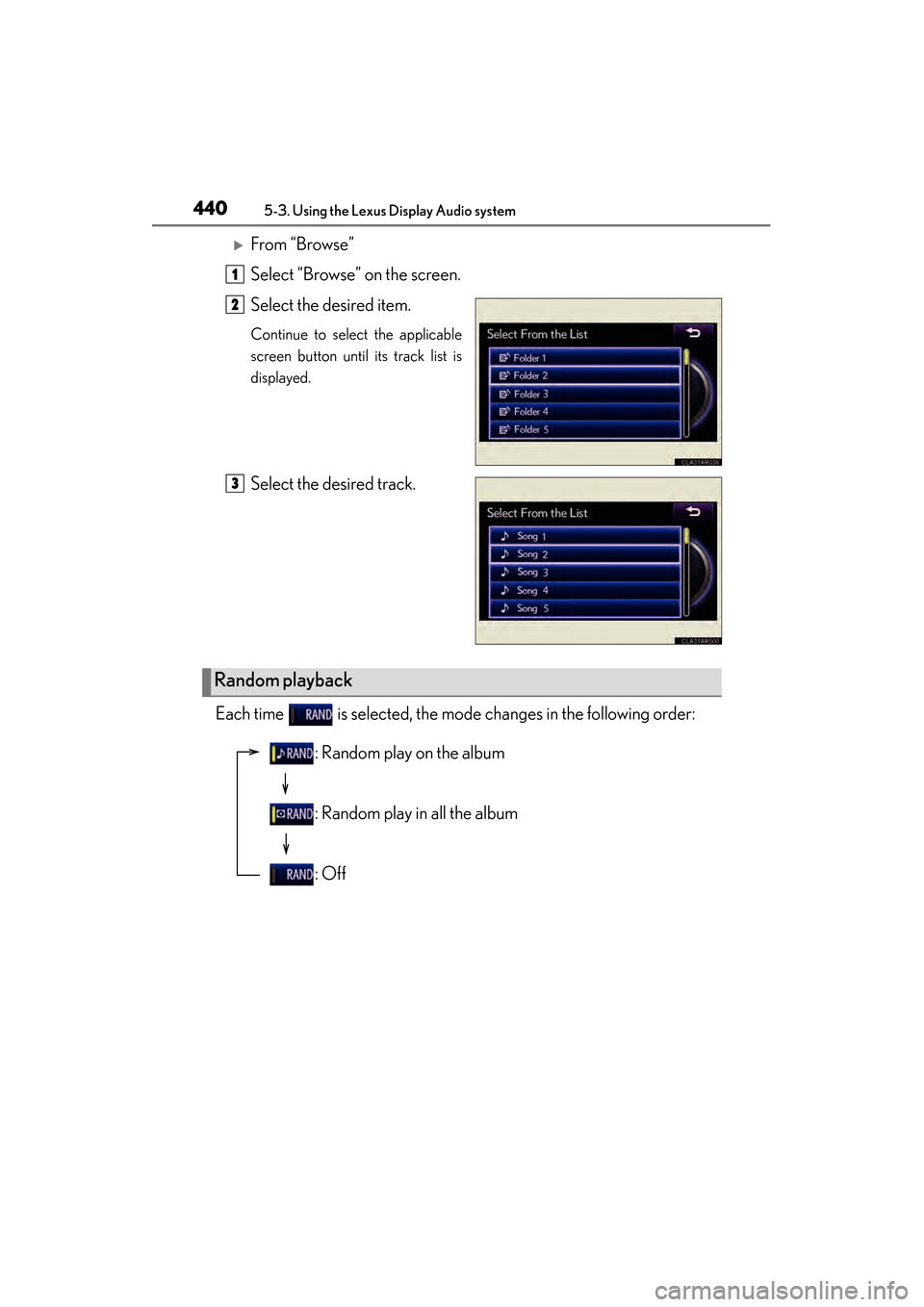
XFrom “Browse”
Select “Browse” on the screen.
Select the desired item.
Continue to select the applicable
screen button until its track list is
displayed.
Select the desired track.
Each time is selected, the mode changes in the following order:
1
2
3
Random playback
: Random play on the album
: Random play in all the album
: Off