phone Lexus ES300h 2017 Navigation Manual
[x] Cancel search | Manufacturer: LEXUS, Model Year: 2017, Model line: ES300h, Model: Lexus ES300h 2017Pages: 357, PDF Size: 9.68 MB
Page 3 of 357
11
ES350/300h_Navi_OM33C79U_(U)16.06.22 14:51
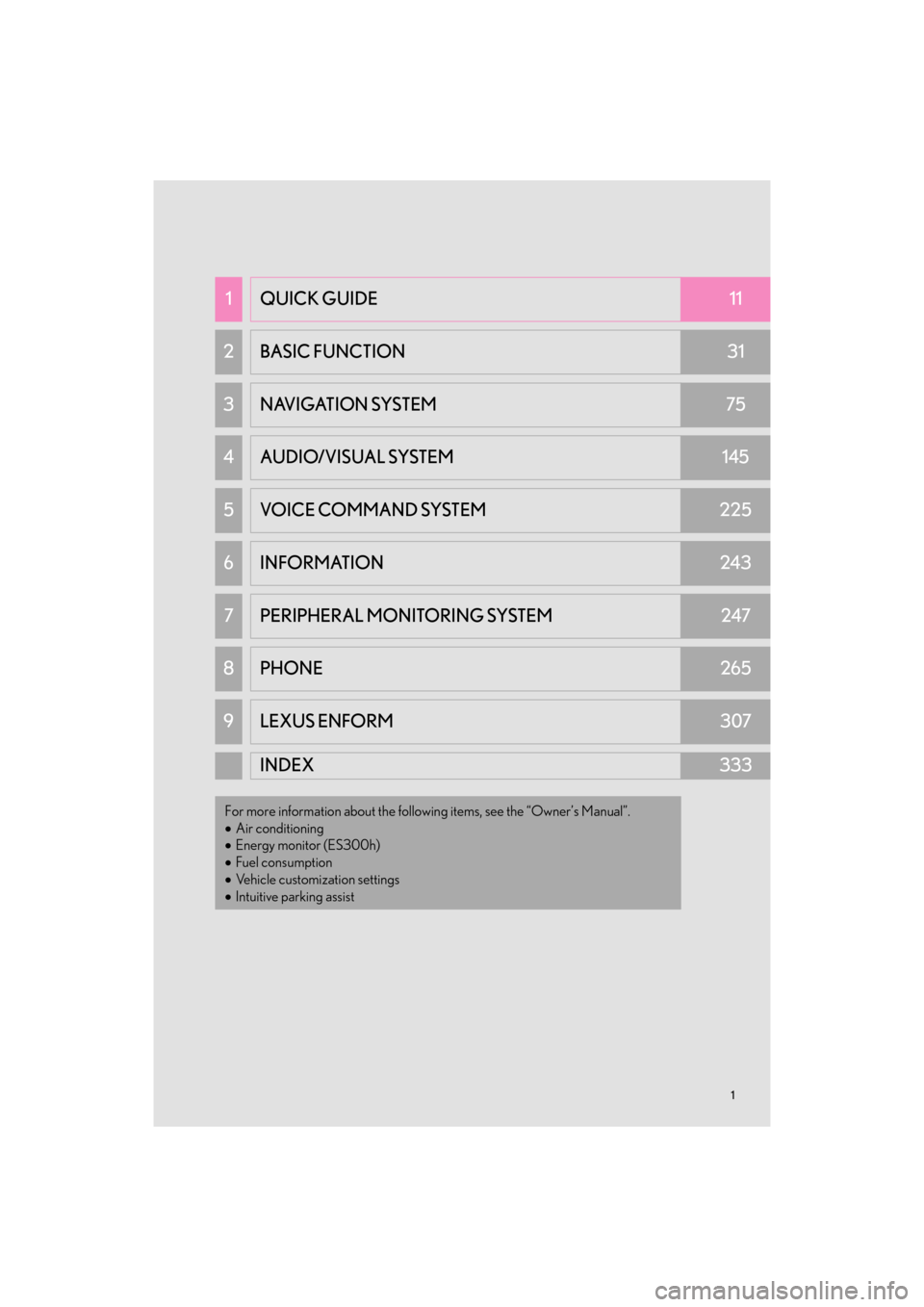
1QUICK GUIDE11
2 BASIC FUNCTION31
3 NAVIGATION SYSTEM75
4AUDIO/VISUAL SYSTEM145
5VOICE COMMAND SYSTEM225
6INFORMATION243
7PERIPHERAL MONITORING SYSTEM247
8 PHONE265
9LEXUS ENFORM307
INDEX333
For more information about the following items, see the “Owner’s Manual”.
•Air conditioning
• Energy monitor (ES300h)
• Fuel consumption
• Vehicle customization settings
• Intuitive parking assist
ES350_300h_Navi_OM33C79U_(U).book Page 1 Wednesday, June 22, 2016 2:54 PM
Page 12 of 357
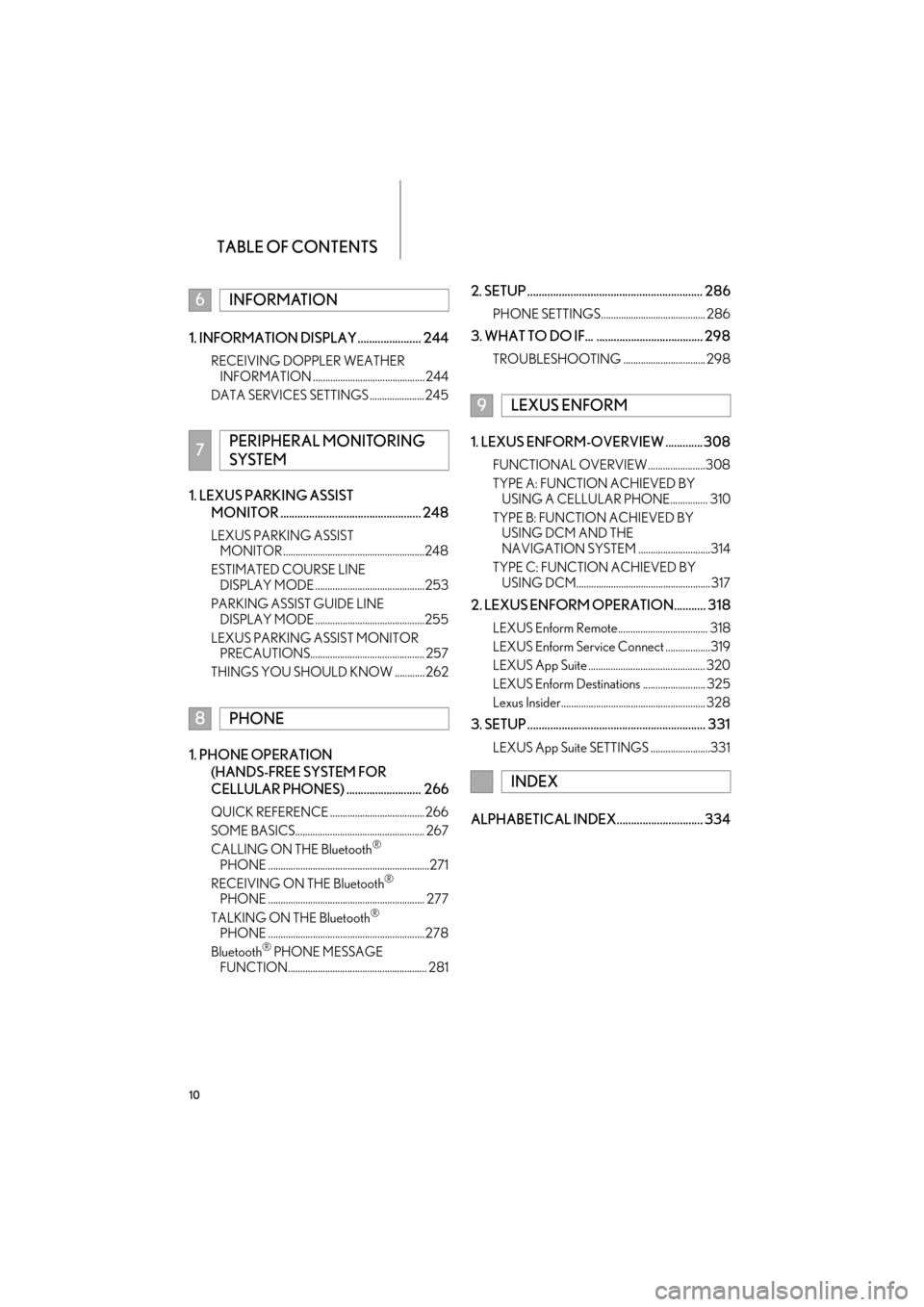
TABLE OF CONTENTS
10
ES350/300h_Navi_OM33C79U_(U)16.06.22 14:51
1. INFORMATION DISPLAY ...................... 244
RECEIVING DOPPLER WEATHER INFORMATION ............................................. 244
DATA SERVICES SETTINGS ...................... 245
1. LEXUS PARKING ASSIST MONITOR ................................................. 248
LEXUS PARKING ASSIST MONITOR .........................................................248
ESTIMATED COURSE LINE DISPLAY MODE ............................................253
PARKING ASSIST GUIDE LINE DISPLAY MODE ............................................255
LEXUS PARKING ASSIST MONITOR PRECAUTIONS.............................................. 257
THINGS YOU SHOULD KNOW ............ 262
1. PHONE OPERATION (HANDS-FREE SYSTEM FOR
CELLULAR PHONES) .......................... 266
QUICK REFERENCE ...................................... 266
SOME BASICS.................................................... 267
CALLING ON THE Bluetooth
®
PHONE .................................................................271
RECEIVING ON THE Bluetooth
®
PHONE ............................................................... 277
TALKING ON THE Bluetooth
®
PHONE ............................................................... 278
Bluetooth
® PHONE MESSAGE
FUNCTION........................................................ 281
2. SETUP ............................................................. 286
PHONE SETTINGS.......................................... 286
3. WHAT TO DO IF... ..................................... 298
TROUBLESHOOTING ................................. 298
1. LEXUS ENFORM-OVERVIEW ............. 308
FUNCTIONAL OVERVIEW .......................308
TYPE A: FUNCTION ACHIEVED BY USING A CELLULAR PHONE............... 310
TYPE B: FUNCTION ACHIEVED BY USING DCM AND THE
NAVIGATION SYSTEM .............................314
TYPE C: FUNCTION ACHIEVED BY USING DCM...................................................... 317
2. LEXUS ENFORM OPERATION........... 318
LEXUS Enform Remote.................................... 318
LEXUS Enform Service Connect ..................319
LEXUS App Suite ............................................... 320
LEXUS Enform Destinations ......................... 325
Lexus Insider.......................................................... 328
3. SETUP .............................................................. 331
LEXUS App Suite SETTINGS ........................331
ALPHABETICAL INDEX.............................. 334
6INFORMATION
7PERIPHERAL MONITORING
SYSTEM
8PHONE
9LEXUS ENFORM
INDEX
ES350_300h_Navi_OM33C79U_(U).book Page 10 Wednesday, June 22, 2016 2:54 PM
Page 18 of 357
16
1. BASIC FUNCTION
ES350/300h_Navi_OM33C79U_(U)16.06.22 14:51
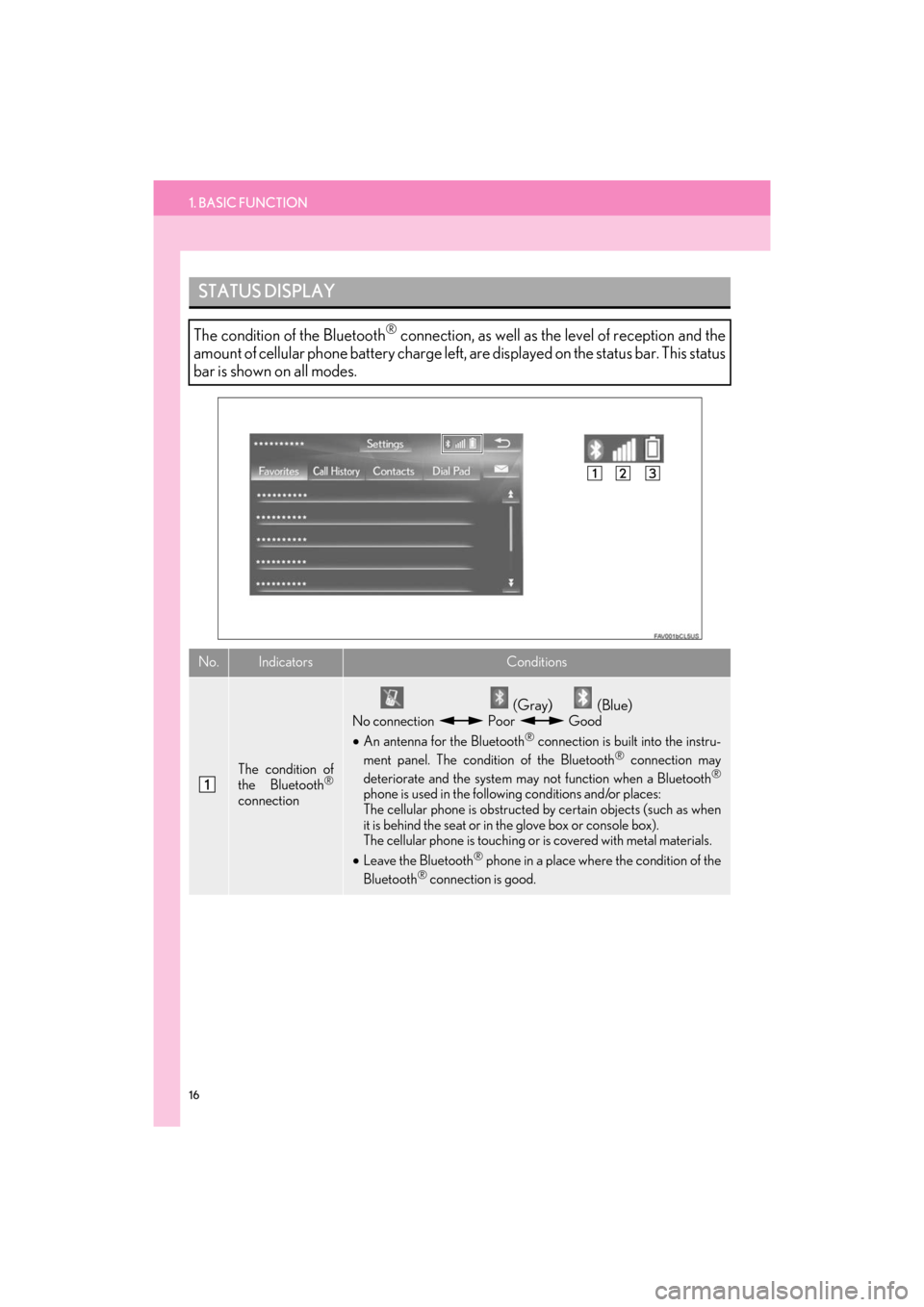
STATUS DISPLAY
The condition of the Bluetooth® connection, as well as the level of reception and the
amount of cellular phone battery charge left, are displayed on the status bar. This status
bar is shown on all modes.
No.IndicatorsConditions
The condition of
the Bluetooth®
connection
(Gray) (Blue)
No connection Poor Good
• An antenna for the Bluetooth® connection is built into the instru-
ment panel. The condition of the Bluetooth® connection may
deteriorate and the system may not function when a Bluetooth®
phone is used in the following conditions and/or places:
The cellular phone is obstructed by certain objects (such as when
it is behind the seat or in the glove box or console box).
The cellular phone is touching or is covered with metal materials.
• Leave the Bluetooth
® phone in a place where the condition of the
Bluetooth® connection is good.
ES350_300h_Navi_OM33C79U_(U).book Page 16 Wednesday, June 22, 2016 2:54 PM
Page 19 of 357
1. BASIC FUNCTION
17
ES350/300h_Navi_OM33C79U_(U)16.06.22 14:51
QUICK GUIDE
1
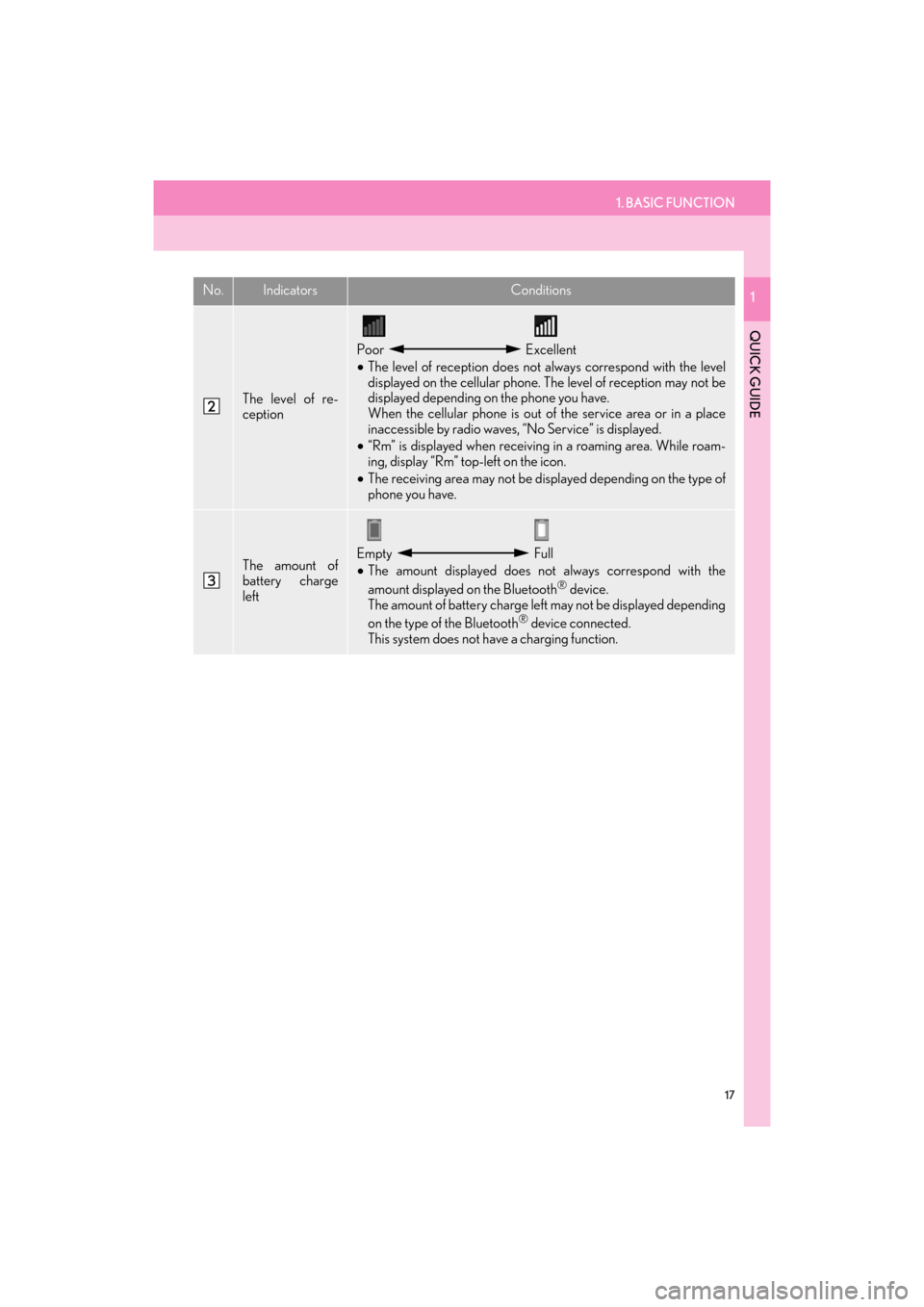
The level of re-
ception
Poor Excellent
• The level of reception does not always correspond with the level
displayed on the cellular phone. The level of reception may not be
displayed depending on the phone you have.
When the cellular phone is out of the service area or in a place
inaccessible by radio waves, “No Service” is displayed.
• “Rm” is displayed when receiving in a roaming area. While roam-
ing, display “Rm” top-left on the icon.
• The receiving area may not be displayed depending on the type of
phone you have.
The amount of
battery charge
leftEmpty Full
• The amount displayed does not always correspond with the
amount displayed on the Bluetooth
® device.
The amount of battery charge left may not be displayed depending
on the type of the Bluetooth
® device connected.
This system does not have a charging function.
No.IndicatorsConditions
ES350_300h_Navi_OM33C79U_(U).book Page 17 Wednesday, June 22, 2016 2:54 PM
Page 23 of 357
2. QUICK REFERENCE
21
ES350/300h_Navi_OM33C79U_(U)16.06.22 14:51
QUICK GUIDE
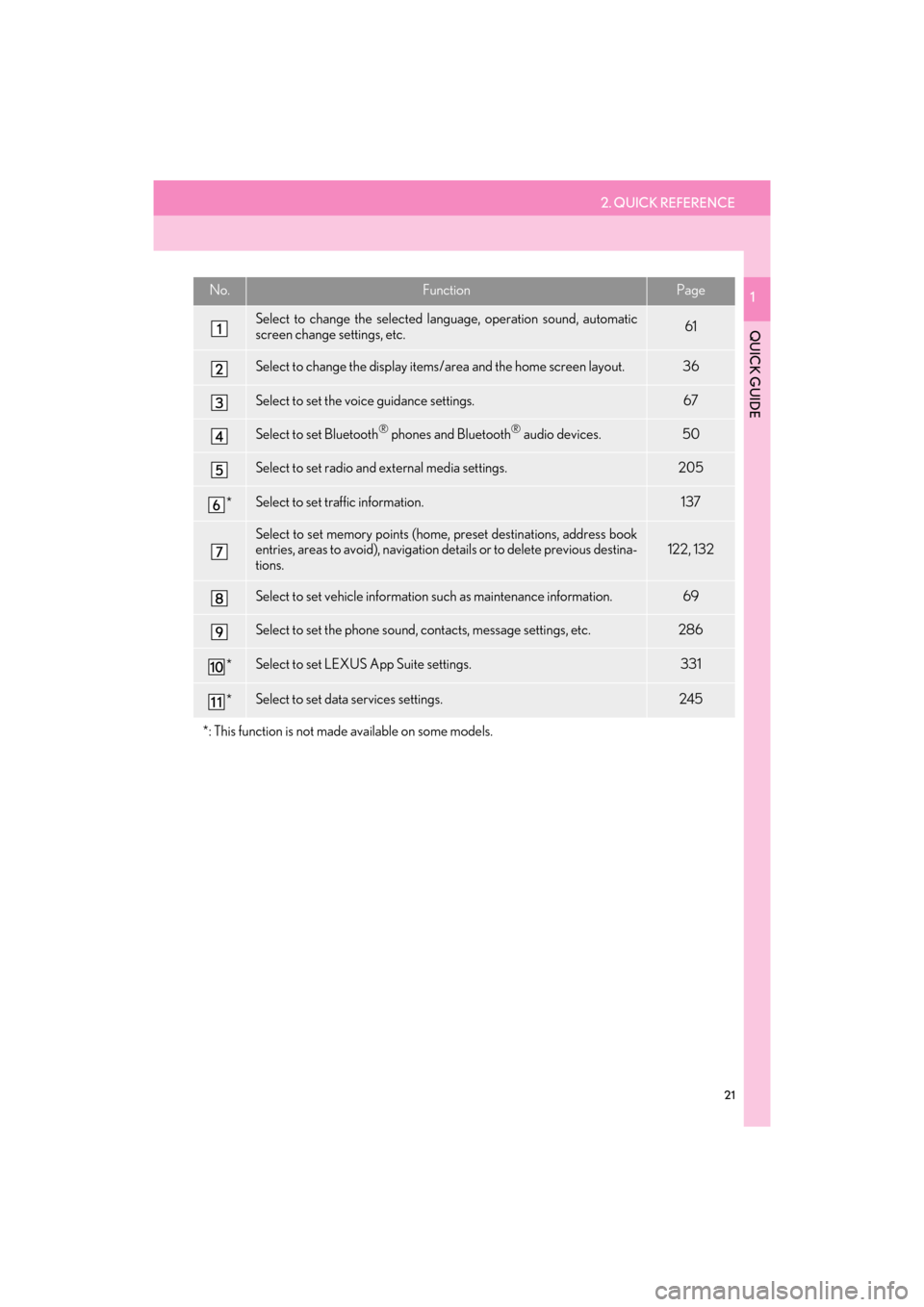
1No.FunctionPage
Select to change the selected language, operation sound, automatic
screen change settings, etc.61
Select to change the display items/area and the home screen layout.36
Select to set the voice guidance settings.67
Select to set Bluetooth® phones and Bluetooth® audio devices.50
Select to set radio and external media settings.205
*Select to set traffic information.137
Select to set memory points (home, preset destinations, address book
entries, areas to avoid), navigation details or to delete previous destina-
tions.122, 132
Select to set vehicle information such as maintenance information.69
Select to set the phone sound, contacts, message settings, etc.286
*Select to set LEXUS App Suite settings.331
*Select to set data services settings.245
*: This function is not made available on some models.
ES350_300h_Navi_OM33C79U_(U).book Page 21 Wednesday, June 22, 2016 2:54 PM
Page 26 of 357
24
ES350/300h_Navi_OM33C79U_(U)16.06.22 14:51
3. NAVIGATION OPERATION
1. REGISTERING HOME
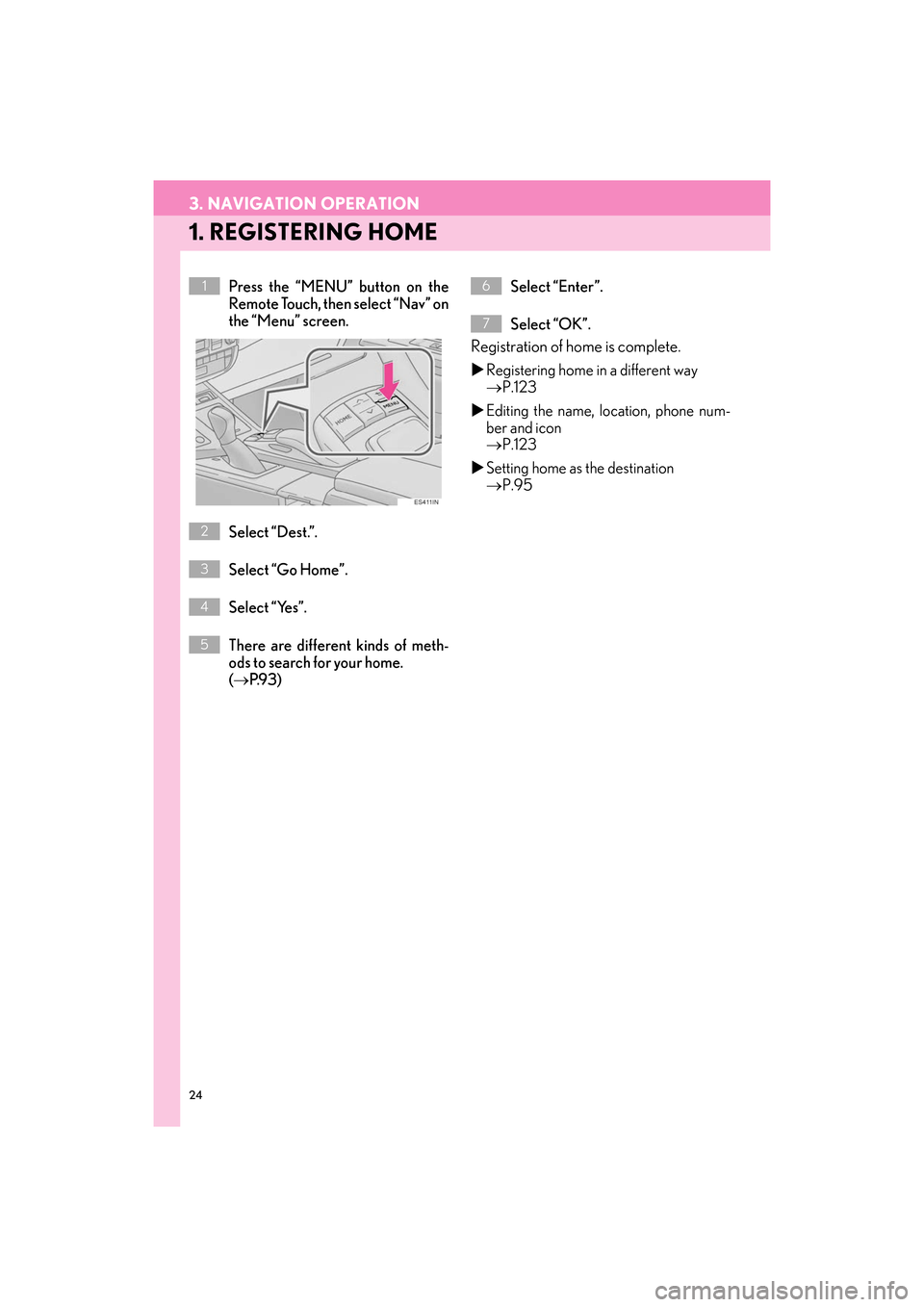
Press the “MENU” button on the
Remote Touch, then select “Nav” on
the “Menu” screen.
Select “Dest.”.
Select “Go Home”.
Select “Yes”.
There are different kinds of meth-
ods to search for your home.
(→ P.9 3 ) Select “Enter”.
Select “OK”.
Registration of home is complete.
X
Registering home in a different way
→ P.123
X Editing the name, location, phone num-
ber and icon
→ P.123
X Setting home as the destination
→ P.95
1
2
3
4
5
6
7
ES350_300h_Navi_OM33C79U_(U).book Page 24 Wednesday, June 22, 2016 2:54 PM
Page 27 of 357

25
3. NAVIGATION OPERATION
ES350/300h_Navi_OM33C79U_(U)16.06.22 14:51
QUICK GUIDE
1
2. REGISTERING PRESET DESTINATIONS
Press the “MENU” button on the
Remote Touch, then select “Nav” on
the “Menu” screen.
Select “Dest.”. Select one of the preset destination
buttons.
Select “Yes”.
There are different kinds of meth-
ods to search for a destination.
(
→ P.9 3 )
Select “Enter”.
Select “OK”.
Registration of preset destinations is com-
plete.
X Registering preset destinations in a dif-
ferent way
→ P.124
X Editing the name, location, phone num-
ber and icon
→ P.125
X Setting preset destinations as the desti-
nation
→ P.95
1
2
3
4
5
6
7
ES350_300h_Navi_OM33C79U_(U).book Page 25 Wednesday, June 22, 2016 2:54 PM
Page 31 of 357

4. FUNCTION INDEX
29
ES350/300h_Navi_OM33C79U_(U)16.06.22 14:51
QUICK GUIDE
1XUseful functions
InformationPage
Displaying vehicle maintenance70
Hands-free system (for cellular phone)Page
Registering/connecting a Bluetooth® phone44
Making a call on a Bluetooth® phone271
Receiving a call on the Bluetooth® phone277
Voice command systemPage
Operating the system with your voice226
Peripheral monitoring systemPage
Viewing behind the rear of the vehicle248
ES350_300h_Navi_OM33C79U_(U).book Page 29 Wednesday, June 22, 2016 2:54 PM
Page 33 of 357

2
31
ES350/300h_Navi_OM33C79U_(U)16.06.14 11:50
1
2
3 4
5
6
7
8 9
1. INITIAL SCREEN ....................................... 32
2. HOW TO USE THE Remote Touch...... 34
3. HOME SCREEN OPERATION ........... 36
4. ENTERING LETTERS AND NUMBERS/LIST SCREEN
OPERATION............................................ 38
ENTERING LETTERS AND NUMBERS ....... 38
LIST SCREEN............................................................... 39
5. SCREEN ADJUSTMENT ......................... 41
6. LINKING MULTI-INFORMATION
DISPLAY AND NAVIGATION
SYSTEM...................................................... 43 1. REGISTERING/CONNECTING
Bluetooth
® DEVICE ............................... 44
REGISTERING A Bluetooth® PHONE
FOR THE FIRST TIME .......................................... 44
REGISTERING A Bluetooth
® AUDIO
PLAYER FOR THE FIRST TIME ...................... 46
PROFILES ..................................................................... 48
2. SETTING Bluetooth® DETAILS ............ 50
“Bluetooth* Setup” SCREEN ................................ 50
REGISTERING A Bluetooth® DEVICE ........... 51
DELETING A Bluetooth® DEVICE.................. 53
CONNECTING A Bluetooth® DEVICE ...... 53
EDITING THE Bluetooth® DEVICE
INFORMATION .................................................... 55
“System Settings” SCREEN .................................... 57
1. GENERAL SETTINGS............................... 61
GENERAL SETTINGS SCREEN ........................ 61
2. VOICE SETTINGS ..................................... 67
VOICE SETTINGS SCREEN ............................... 67
3. VEHICLE SETTINGS ................................ 69
MAINTENANCE ....................................................... 70
1BASIC INFORMATION BEFORE
OPERATION2Bluetooth® SETTINGS
3OTHER SETTINGS
BASIC FUNCTION
*: The Bluetooth® word mark and logos are registered trademarks owned by Bluetooth SIG, Inc.
ES350_300h_Navi_OM33C79U_(U).book Page 31 Wednesday, June 22, 2016 2:54 PM
Page 34 of 357
32
ES350/300h_Navi_OM33C79U_(U)16.06.22 14:51
1. BASIC INFORMATION BEFORE OPERATION
1. INITIAL SCREEN
1When the engine
turned to ACCESSORY or IGNITION
ON
be displayed and the system will begin
operating.
zAfter a few seconds displays the initial
screen, the caution screen will be dis-
played.
z After about 5 seconds, the “CAUTION”
screen automatically switches to the home
screen. (Select “Continue” or press the
“HOME” button on the Remote Touch to
display the home screen.)
z Images shown on the initial screen can be
changed to suit individual preferences.
(→ P. 6 4 )
CAUTION SCREEN
WA R N I N G
●When the vehicle is stopped with the
engine running
safety.
MAINTENANCE
INFORMATION
This system reminds users when to re-
place certain parts or components and
shows dealer information (if registered)
on the screen.
When the vehicle reaches a previously
set driving distance or date specified for
a scheduled maintenance check, the
“Maintenance Reminder” screen will be
displayed when the system is turned on.
z This screen goes off if the screen is not
operated for several seconds.
z To prevent this screen from being dis-
played again, select “Do Not Display
This Message Again”.
z To register maintenance information:
→ P. 7 0
z If is selected, the registered phone
number can be called.
ES350_300h_Navi_OM33C79U_(U).book Page 32 Wednesday, June 22, 2016 2:54 PM