warning Lexus ES300h 2017 Owner's Guide
[x] Cancel search | Manufacturer: LEXUS, Model Year: 2017, Model line: ES300h, Model: Lexus ES300h 2017Pages: 612, PDF Size: 14.05 MB
Page 157 of 612
ES300h_OM_OM33C75U_(U)
1554-1. Before driving
4
Driving
■When starting off on a uphill
The hill-start assist control will activate. (→P. 2 76 )
■For fuel-efficient driving
Keep in mind that hybrid vehicles are similar to conventional vehicles, and it is necessary
to refrain from activities such as sudden acceleration. ( →P. 2 8 2 )
■Driving in the rain or adverse weather conditions
●Drive carefully, because visibility may be reduced, the windows may become fogged-
up, and the road will be slippery.
●Drive carefully when it gets wet or icy, becau se the road surface will be especially slip-
pery.
●Slow down when water is present on the roadway, because there may be a layer of
water between the tires and the road surface, preventing the steering and brakes from
operating properly.
■Restraining the hybrid system output (Brake Override System)
●When the accelerator and brake pedals are depressed at the same time, the hybrid sys-
tem output may be restrained.
●A warning message is displayed on the mult i-information display while the system is
operating. If a warning mess age is shown on the multi-information display, read the
message and follow the instructions.
■Restraining sudden start (Drive-Start Control)
●When the following unusual operation is performed, the hybrid system output may be
restrained.
• When the shift lever is shifted from R to D, D to R, N to R, P to D, or P to R (D includes S) with the accelerator pedal depressed, a warning message appears on
the multi-information display. If a warnin g message is shown on the multi-informa-
tion display, read the message and follow the instructions.
• When the accelerator pedal is depressed t oo much while the vehicle is in reverse.
●While Drive-Start Control is being activated, your vehicle may have trouble escaping
from the mud or fresh snow. In such case, deactivate TRAC ( →P. 277) to cancel Drive-
Start Control so that the vehicle may become able to escape from the mud or fresh
snow.
Page 179 of 612
ES300h_OM_OM33C75U_(U)
1774-2. Driving procedures
4
Driving
■S mode
●When the shift range is 4 or lower, holding the shift lever toward “+” sets the shift range
to 6.
●To prevent excessive engine speed, a function was adopted that automatically selects a
higher shift range before the engine speed becomes too high.
■When driving with cruise control or dynamic radar cruise control activated
Even when performing the following actions with the intent of enabling engine braking,
the engine brake will not operate in the S mode, even when downshifting to 5 or 4.
( → P. 226, 238)
■Downshifting restrictions warning buzzer
To help ensure safety and driving performa nce, downshifting operation may sometimes
be restricted. In some circumstances, downsh ifting may not be possible even when the
shift lever is operated. (A buzzer will sound twice.)
■If the S indicator does not come on even after shifting the shift lever to S
This may indicate a malfunctio n in the hybrid transmission system. Have the vehicle
inspected by your Lexus dealer immediately.
(In this situation, the transmission will operate in the same manner as when the shift lever
is in D.)
■Shift lock system
The shift lock system is a system to prevent accidental operation of the shift lever in start-
ing.
The shift lever can be shifted from P only when the power switch is in ON mode and the
brake pedal is being depressed.
■Restraining sudden start (Drive-Start Control)
●When the following unusual operation is performed, the hybrid system output may be
restrained.
• When the shift lever is shifted from R to D, D to R, N to R, P to D, or P to R (D includes S) with the accelerator pedal depressed, a warning message appears on
the multi-information display. If a warnin g message is shown on the multi-informa-
tion display, read the message and follow the instructions.
• When the accelerator pedal is depressed t oo much while the vehicle is in reverse.
Page 183 of 612
181
ES300h_OM_OM33C75U_(U)4-2. Driving procedures
4
Driving
Parking brake
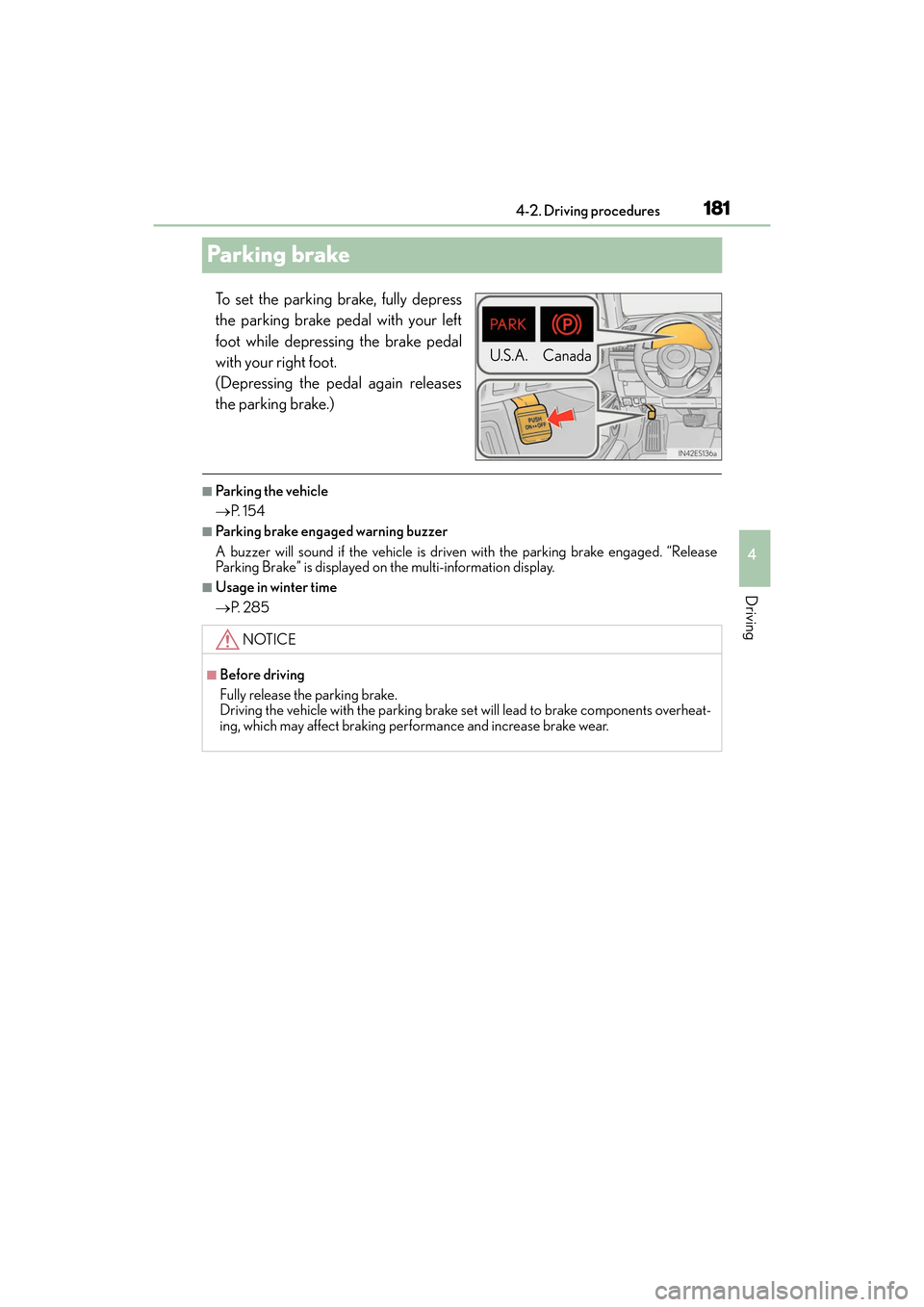
To set the parking brake, fully depress
the parking brake pedal with your left
foot while depressing the brake pedal
with your right foot.
(Depressing the pedal again releases
the parking brake.)
■Pa rk i n g t h e ve h i c l e
→
P. 1 5 4
■Parking brake engaged warning buzzer
A buzzer will sound if the vehicle is driven with the parking brake engaged. “Release
Parking Brake” is displayed on the multi-information display.
■Usage in winter time
→P. 2 8 5
U.S.A. Canada
NOTICE
■Before driving
Fully release the parking brake.
Driving the vehicle with the parking brake se t will lead to brake components overheat-
ing, which may affect braking performance and increase brake wear.
Page 207 of 612
205
ES300h_OM_OM33C75U_(U)4-5. Using the driving support systems
4
Driving
PCS (Pre-Collision System)∗
◆Pre-collision warning
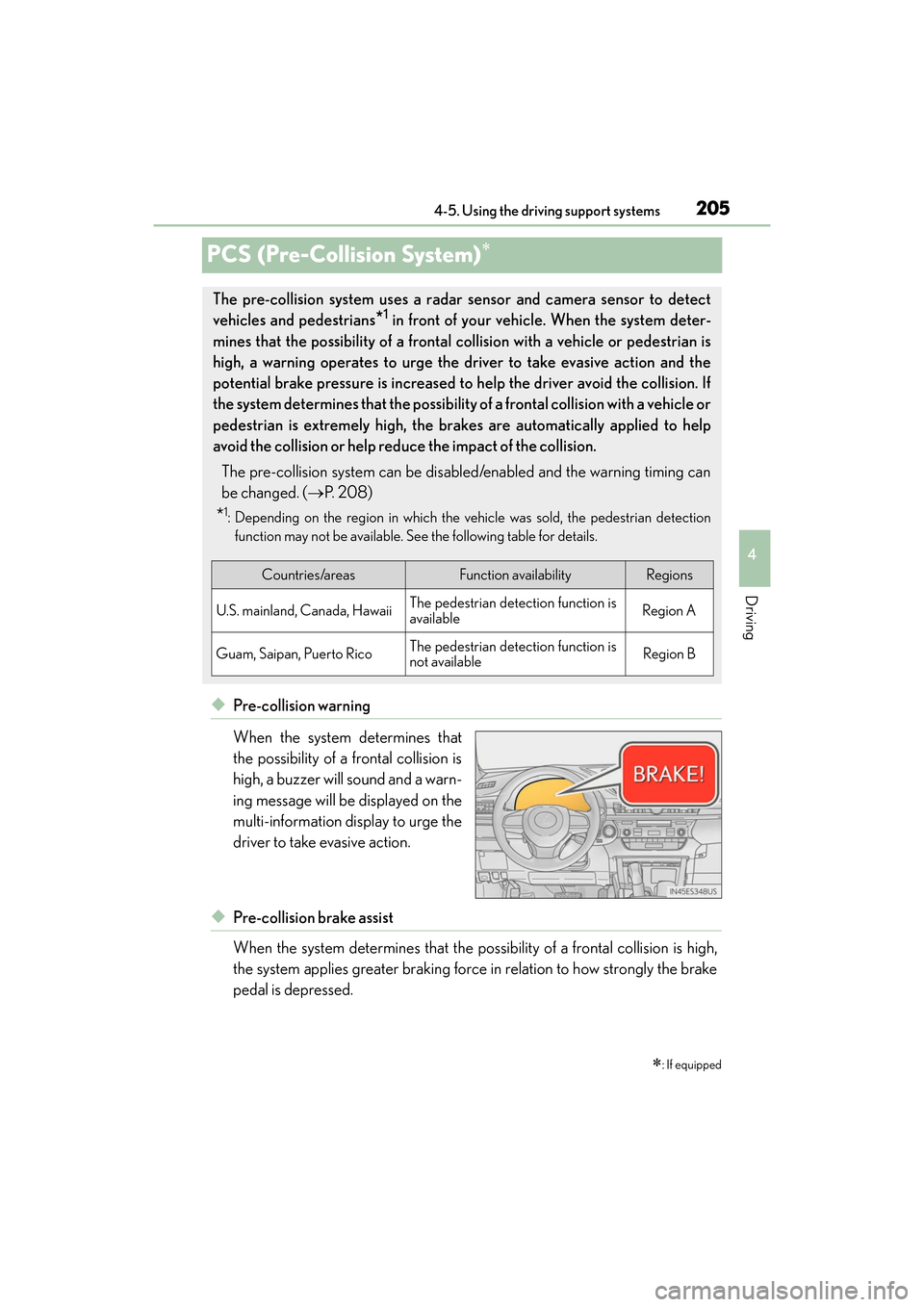
When the system determines that
the possibility of a frontal collision is
high, a buzzer will sound and a warn-
ing message will be displayed on the
multi-information display to urge the
driver to take evasive action.
◆Pre-collision brake assist
When the system determines that the possi
bility of a frontal collision is high,
the system applies greater braking force in relation to how strongly the brake
pedal is depressed.
∗: If equipped
The pre-collision system uses a radar sensor and camera sensor to detect
vehicles and pedestrians
*1 in front of your vehicle. When the system deter-
mines that the possibility of a frontal collision with a vehicle or pedestrian is
high, a warning operates to urge the driver to take evasive action and the
potential brake pressure is increased to help the driver avoid the collision. If
the system determines that the possibility of a frontal collision with a vehicle or
pedestrian is extremely high, the brakes are automatically applied to help
avoid the collision or help reduce the impact of the collision.
The pre-collision system can be disabled/enabled and the warning timing can
be changed. ( →P. 2 0 8 )
*1: Depending on the region in which the vehicle was sold, the pedestrian detection
function may not be available. See the following table for details.
Countries/areasFunction availabilityRegions
U.S. mainland, Canada, HawaiiThe pedestrian detection function is
availableRegion A
Guam, Saipan, Puerto RicoThe pedestrian detection function is
not availableRegion B
Page 210 of 612
208
ES300h_OM_OM33C75U_(U)4-5. Using the driving support systems
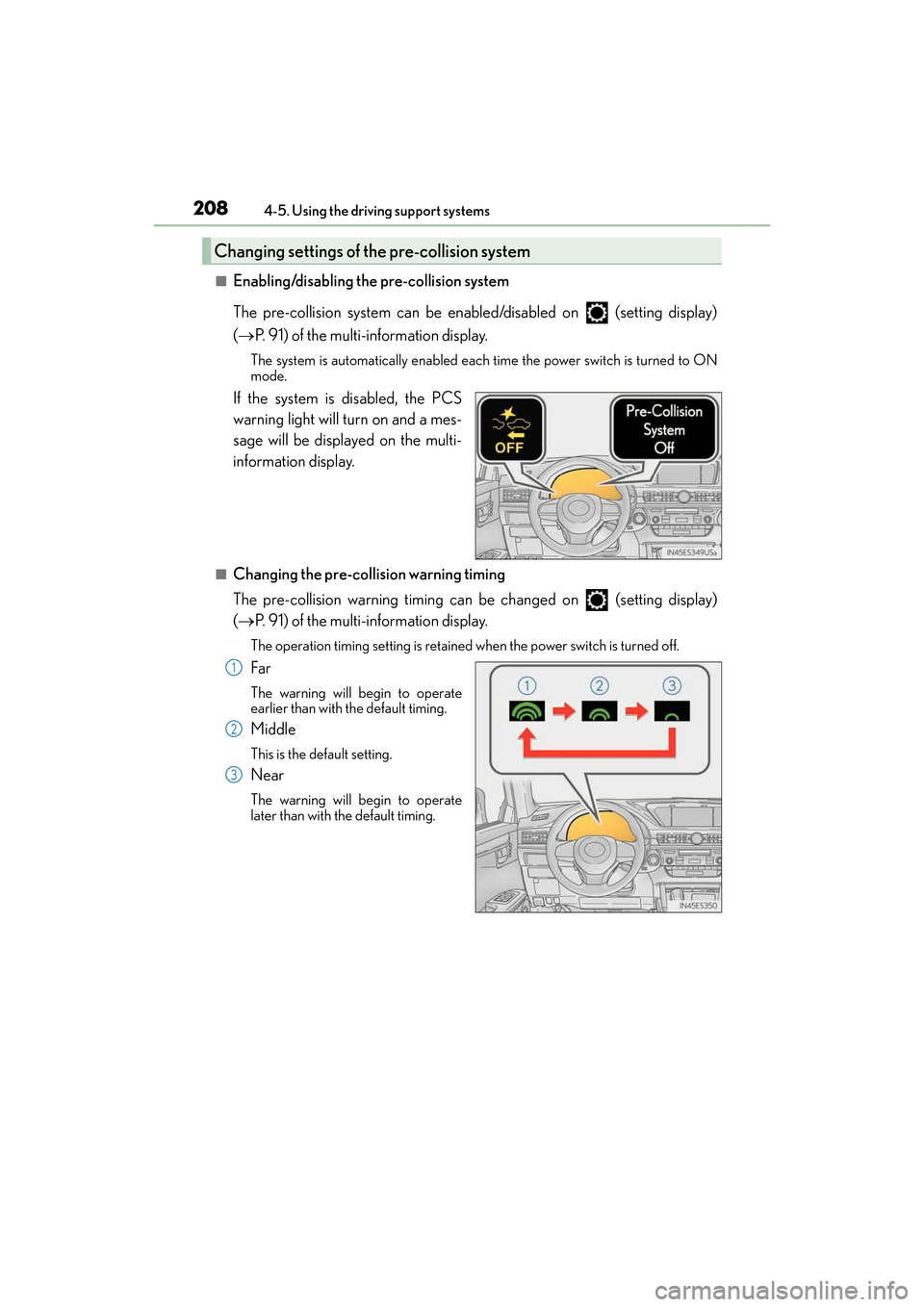
■Enabling/disabling the pre-collision system
The pre-collision system can be enabled/disabled on (setting display)
(
→ P. 91) of the multi-information display.
The system is automatically enabled each time the power switch is turned to ON
mode.
If the system is disabled, the PCS
warning light will turn on and a mes-
sage will be displayed on the multi-
information display.
■Changing the pre-col lision warning timing
The pre-collision warning timing can be changed on (setting display)
( → P. 91) of the multi-information display.
The operation timing setting is retained when the power switch is turned off.
Far
The warning will begin to operate
earlier than with the default timing.
Middle
This is the default setting.
Near
The warning will begin to operate
later than with the default timing.
Changing settings of the pre-collision system
1
2
3
Page 211 of 612
ES300h_OM_OM33C75U_(U)
2094-5. Using the driving support systems
4
Driving
■Operational conditions
Availability of the pedestrian detection function depends on the region in which the vehi-
cle was sold. (For specific countries/areas: →P. 2 0 5 )
Read the following for details:
XRegion A
(The pedestrian detection function is available)
The pre-collision system is enabled and the system determines that the possibility of a
frontal collision with a vehicle or pedestrian is high.
Each function is operational at the following speeds:
●Pre-collision warning:
• Vehicle speed is between approximately 7 and 110 mph (10 and 180 km/h). (For detecting a pedestrian, vehicle speed is between approximately 7 and 50 mph
[10 and 80 km/h].)
• The relative speed between your vehicle and the vehicle or pedestrian ahead is approximately 7 mph (10 km/h) or more.
●Pre-collision brake assist:
• Vehicle speed is between approximately 19 and 110 mph (30 and 180 km/h). (Fordetecting a pedestrian, vehicle speed is between approximately 19 and 50 mph
[30 and 80 km/h].)
• The relative speed between your vehicle and the vehicle or pedestrian ahead is approximately 19 mph (30 km/h) or more.
●Pre-collision braking:
• Vehicle speed is between approximately 7 and 110 mph (10 and 180 km/h). (For
detecting a pedestrian, vehicle speed is between approximately 7 and 50 mph
[10 and 80 km/h].)
• The relative speed between your vehicle and the vehicle or pedestrian ahead is
approximately 7 mph (10 km/h) or more.
The system may not operate in the following situations:
●If a battery terminal has been disconnected and reconnected and then the vehicle has
not been driven for a certain amount of time
●If the shift lever is in R
●If VSC is disabled (only the pre-collisi on warning function will be operational)
●If the PCS warning light is flashing or illuminated
Page 212 of 612
210
ES300h_OM_OM33C75U_(U)4-5. Using the driving support systems
XRegion B
(The pedestrian detection function is not available)
The pre-collision system is enabled and the system determines that the possibility of a
frontal collision with a vehicle is high.
Each function is operational at the following speeds:
●Pre-collision warning:
• Vehicle speed is between approximately 10 and 110 mph (15 and 180 km/h).
• The relative speed between your vehicle and the vehicle ahead is approximately 7 mph (10 km/h) or more.
●Pre-collision brake assist:
• Vehicle speed is between approximately 19 and 110 mph (30 and 180 km/h).
• The relative speed between your vehicle and the vehicle ahead is approximately19 mph (30 km/h) or more.
●Pre-collision braking:
• Vehicle speed is between approximately 10 and 110 mph (15 and 180 km/h).
• The relative speed between your vehicle and the vehicle ahead is approximately
7 mph (10 km/h) or more.
The system may not operate in the following situations:
●If a battery terminal has been disconnected and reconnected and then the vehicle has
not been driven for a certain amount of time
●If the shift lever is in R
●If VSC is disabled (only the pre-collisi on warning function will be operational)
●If the PCS warning light is flashing or illuminated
Page 218 of 612
216
ES300h_OM_OM33C75U_(U)4-5. Using the driving support systems
■If the PCS warning light flashes and a warnin
g message is displayed on the multi-infor-
mation display
The pre-collision system may be temporarily unavailable or there may be a malfunction
in the system.
●In the following situations, th e warning light will turn off, the message will disappear and
the system will become operational when normal operating conditions return:
• When the radar sensor or camera sensor or the area around either sensor is hot, such as in the sun
• When the radar sensor or camera sensor or the area around either sensor is cold,
such as in an extremely cold environment
• When the radar sensor or front grille emblem is dirty or covered with snow, etc.
• When the part of the windshield in front of the camera sensor is fogged up or cov-
ered with condensation or ice (Defogging the windshield: →P. 3 9 2 )
• If the camera sensor is obstructed, such as when the hood is open or a sticker is
attached to the windshield near the camera sensor
●If the PCS warning light continues to flash or the warning message does not disappear,
the system may be malfunctioning. Have the vehicle inspected by your Lexus dealer
immediately.
■If VSC is disabled
●If VSC is disabled ( →P. 278), the pre-collision brake as sist and pre-collision braking
functions are also disabled.
●The PCS warning light will turn on and “V SC Turned Off Pre-Collision Brake System
Unavailable” will be displayed on the multi-information display.
Page 219 of 612
217
ES300h_OM_OM33C75U_(U)4-5. Using the driving support systems
4
Driving
LDA (Lane Departure Alert with steering control)∗
When driving on highways and freeways wi
th white (yellow) lines, this function
alerts the driver when the vehicle might depart from its lane and provides assis-
tance by operating the steering wheel to keep the vehicle in its lane.
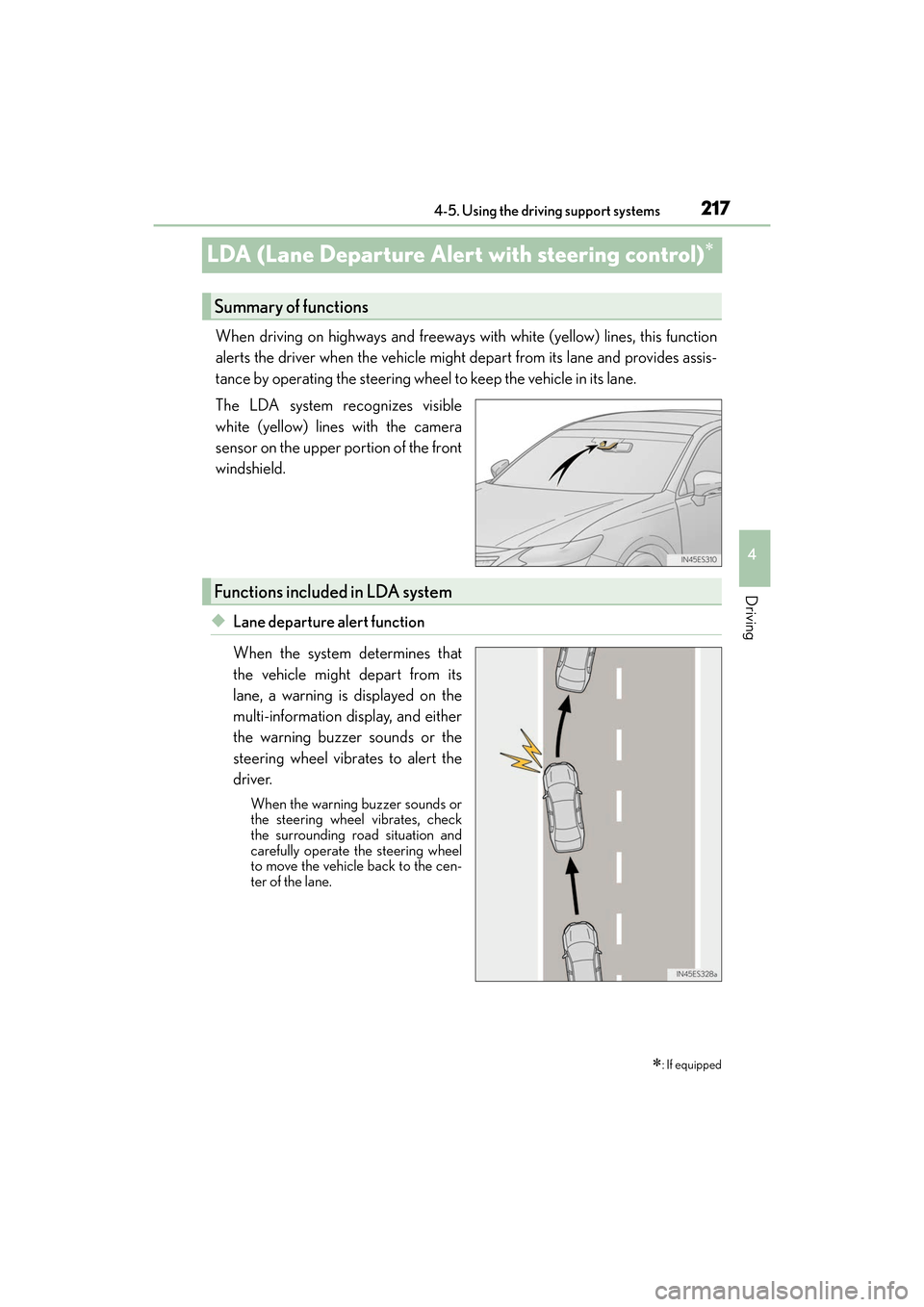
The LDA system recognizes visible
white (yellow) lines with the camera
sensor on the upper portion of the front
windshield.
◆Lane departure alert function
When the system determines that
the vehicle might depart from its
lane, a warning is displayed on the
multi-information display, and either
the warning buzzer sounds or the
steering wheel vibrates to alert the
driver.
When the warning buzzer sounds or
the steering wheel vibrates, check
the surrounding road situation and
carefully operate the steering wheel
to move the vehicle back to the cen-
ter of the lane.
∗: If equipped
Summary of functions
Functions included in LDA system
Page 220 of 612
218
ES300h_OM_OM33C75U_(U)4-5. Using the driving support systems
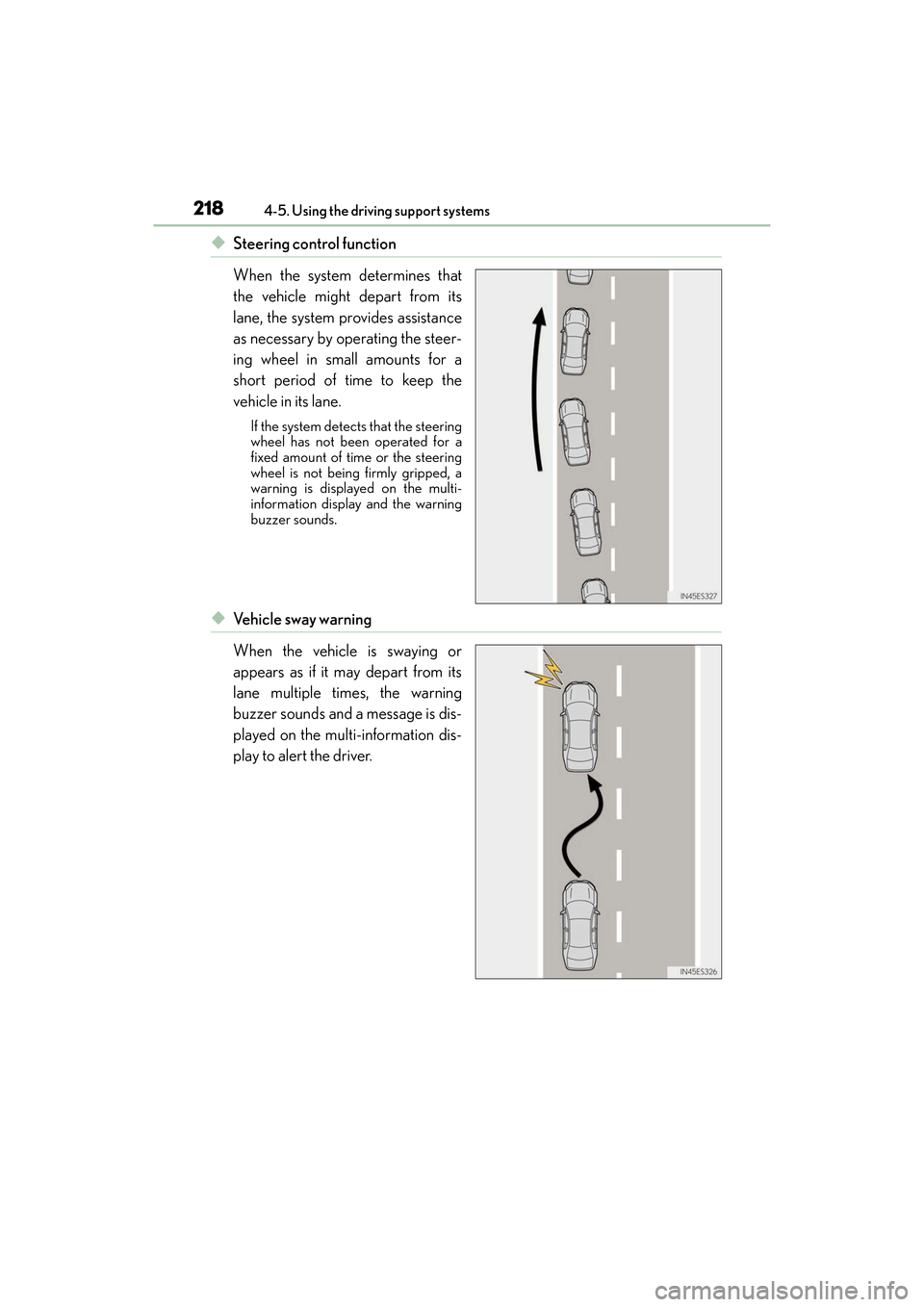
◆Steering control function
When the system determines that
the vehicle might depart from its
lane, the system provides assistance
as necessary by operating the steer-
ing wheel in small amounts for a
short period of time to keep the
vehicle in its lane.
If the system detects that the steering
wheel has not been operated for a
fixed amount of time or the steering
wheel is not being firmly gripped, a
warning is displayed on the multi-
information display and the warning
buzzer sounds.
◆Ve h i c l e s w a y w a r n i n g
When the vehicle is swaying or
appears as if it may depart from its
lane multiple times, the warning
buzzer sounds and a message is dis-
played on the multi-information dis-
play to alert the driver.