steering wheel Lexus ES300h 2017 Repair Manual
[x] Cancel search | Manufacturer: LEXUS, Model Year: 2017, Model line: ES300h, Model: Lexus ES300h 2017Pages: 612, PDF Size: 14.05 MB
Page 355 of 612
ES300h_OM_OM33C75U_(U)
3535-9. Bluetooth® Phone
5
Lexus Display Audio system
You can make a call using numbers registered in the favorites.Go to “Favorites”: “MENU” button → “Phone” → “Favorites”
Choose the desired contact to call from the list.
Choose the number and then press the off-hook switch on the steering wheel
or press the controller.
You can make a call using the call history. Go to “Call History”: “MENU” button → “Phone” → “Call History”
Select the desired entry from the list.
Press the off-hook switch on the steering wheel or select .
■Call history list
●If you make a call to or receive a call from a number registered in the phonebook, the
name is displayed in the call history.
●If you make multiple calls to the same number , only the last call made is displayed in the
call history.
■International calls
Depending on the mobile phone in use, you ma y not be able to make international calls.
■Calling by using the latest call history entry
Press the
off-hook switch on the steering wheel to display the phone top screen.
Press the
switch again to display the “Call History” screen.
Press the
switch again to select the latest call history entry.
Dialing from favorites
Dialing from history
1
2
3
1
2
3
1
2
3
Page 356 of 612
354
ES300h_OM_OM33C75U_(U)5-9. Bluetooth
® Phone
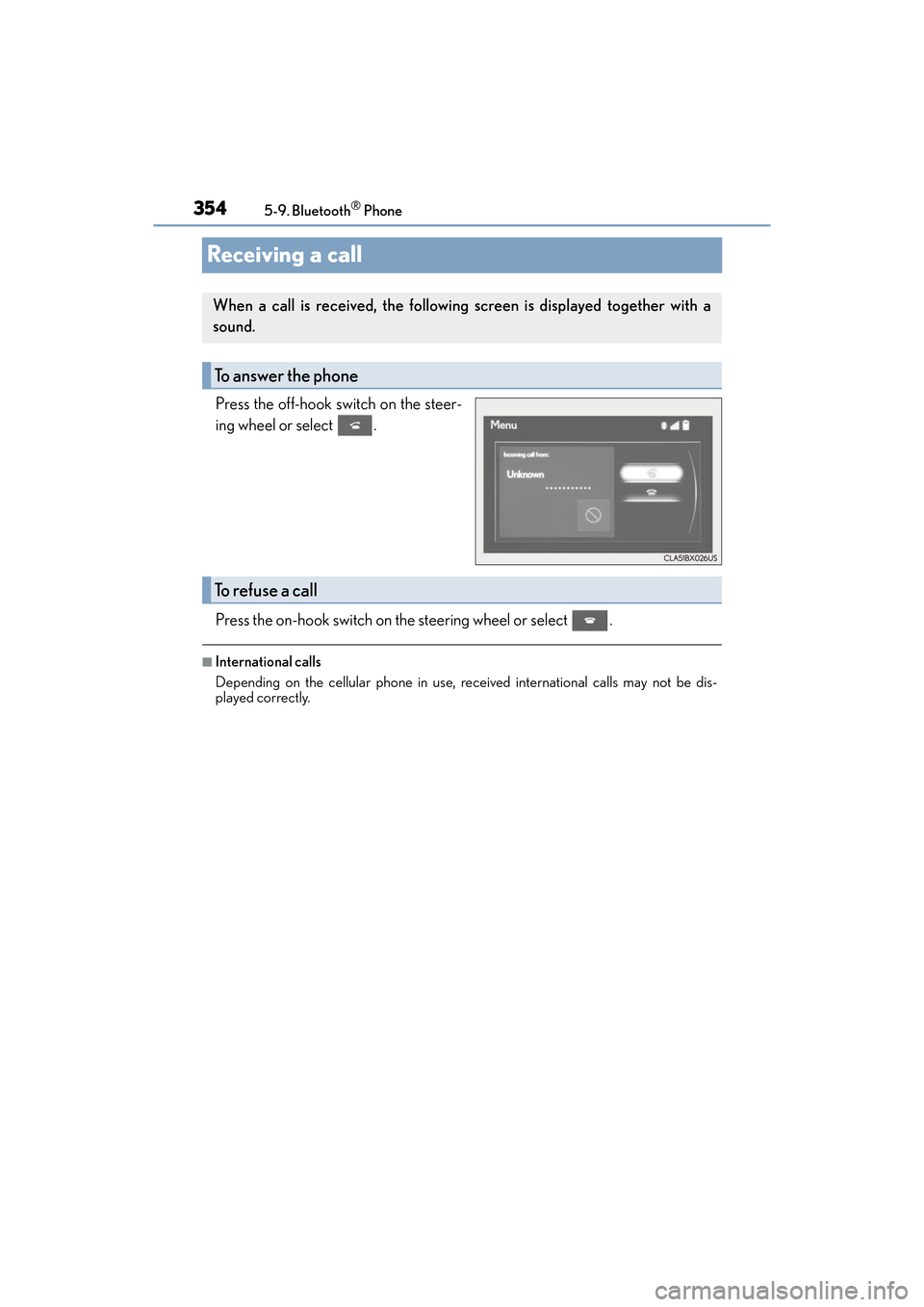
Receiving a call
Press the off-hook switch on the steer-
ing wheel or select .
Press the on-hook switch on the steering wheel or select .
■International calls
Depending on the cellular phone in use, re
ceived international calls may not be dis-
played correctly.
When a call is received, the following screen is displayed together with a
sound.
To answer the phone
To refuse a call
Page 358 of 612
3565-9. Bluetooth® Phone
ES300h_OM_OM33C75U_(U)
XPhone number containing a “w” symbol
When the “w” symbol is dialed in an outgoing call, you need to go to the “Release
Tones” screen to dial the following digits. Move the controller to the left and then
select “Release Tones”.
Select “Handset Mode” to change from a hands-free call to a cellular phone call
or vice versa.
Press the on-hook switch on the steering wheel or select .
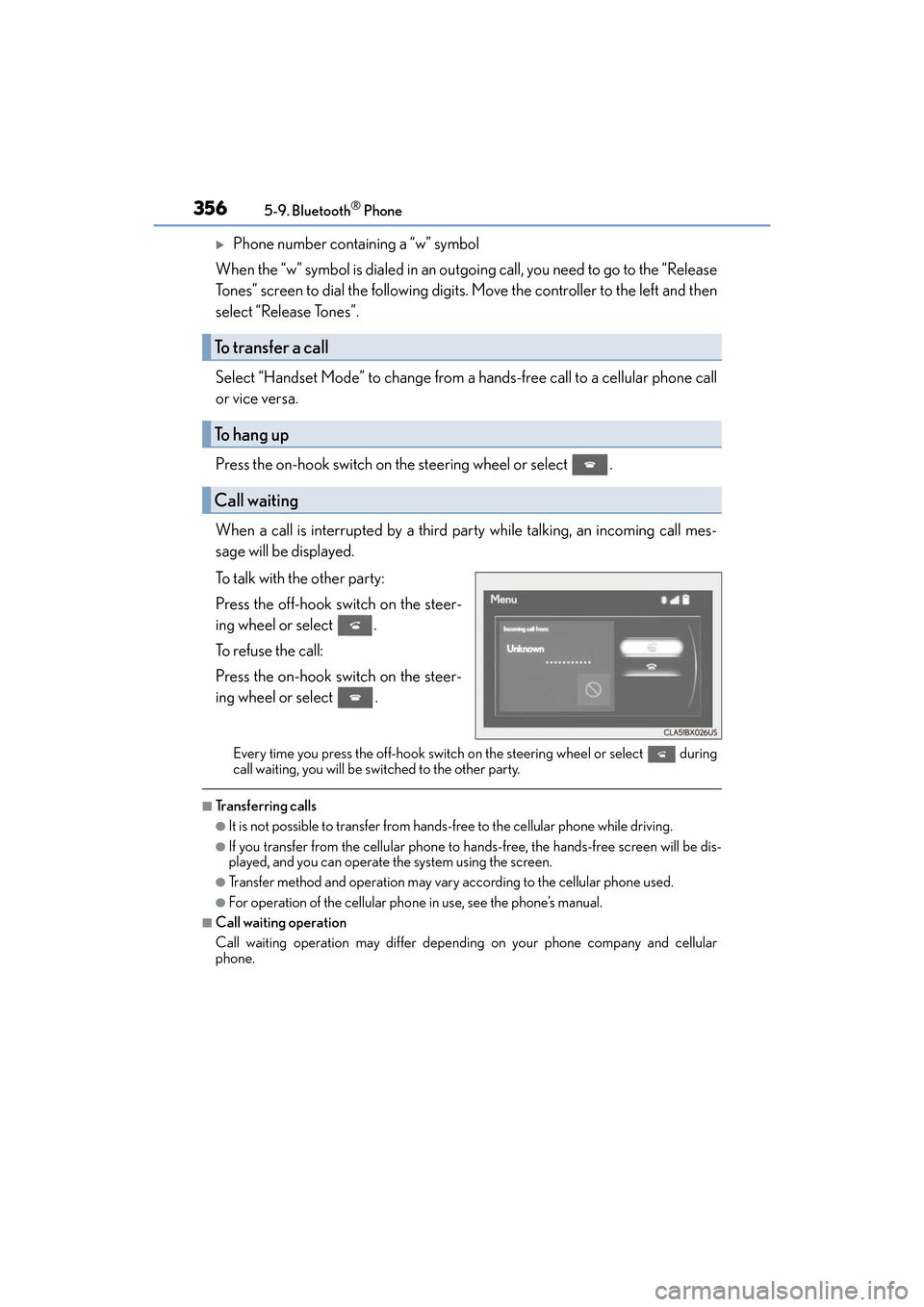
When a call is interrupted by a third party while talking, an incoming call mes-
sage will be displayed.
To talk with the other party:
Press the off-hook switch on the steer-
ing wheel or select .
To refuse the call:
Press the on-hook switch on the steer-
ing wheel or select .
Every time you press the off-hook switch on the steering wheel or select during
call waiting, you will be switched to the other party.
■Transferring calls
●It is not possible to transfer from hands-free to the cellular phone while driving.
●If you transfer from the cellular phone to hands-free, the hands-free screen will be dis-
played, and you can operate the system using the screen.
●Transfer method and operation may vary according to the cellular phone used.
●For operation of the cellular phone in use, see the phone’s manual.
■Call waiting operation
Call waiting operation may differ depend ing on your phone company and cellular
phone.
To transfer a call
To h a n g u p
Call waiting
Page 361 of 612
359
ES300h_OM_OM33C75U_(U)5-9. Bluetooth
® Phone
5
Lexus Display Audio system
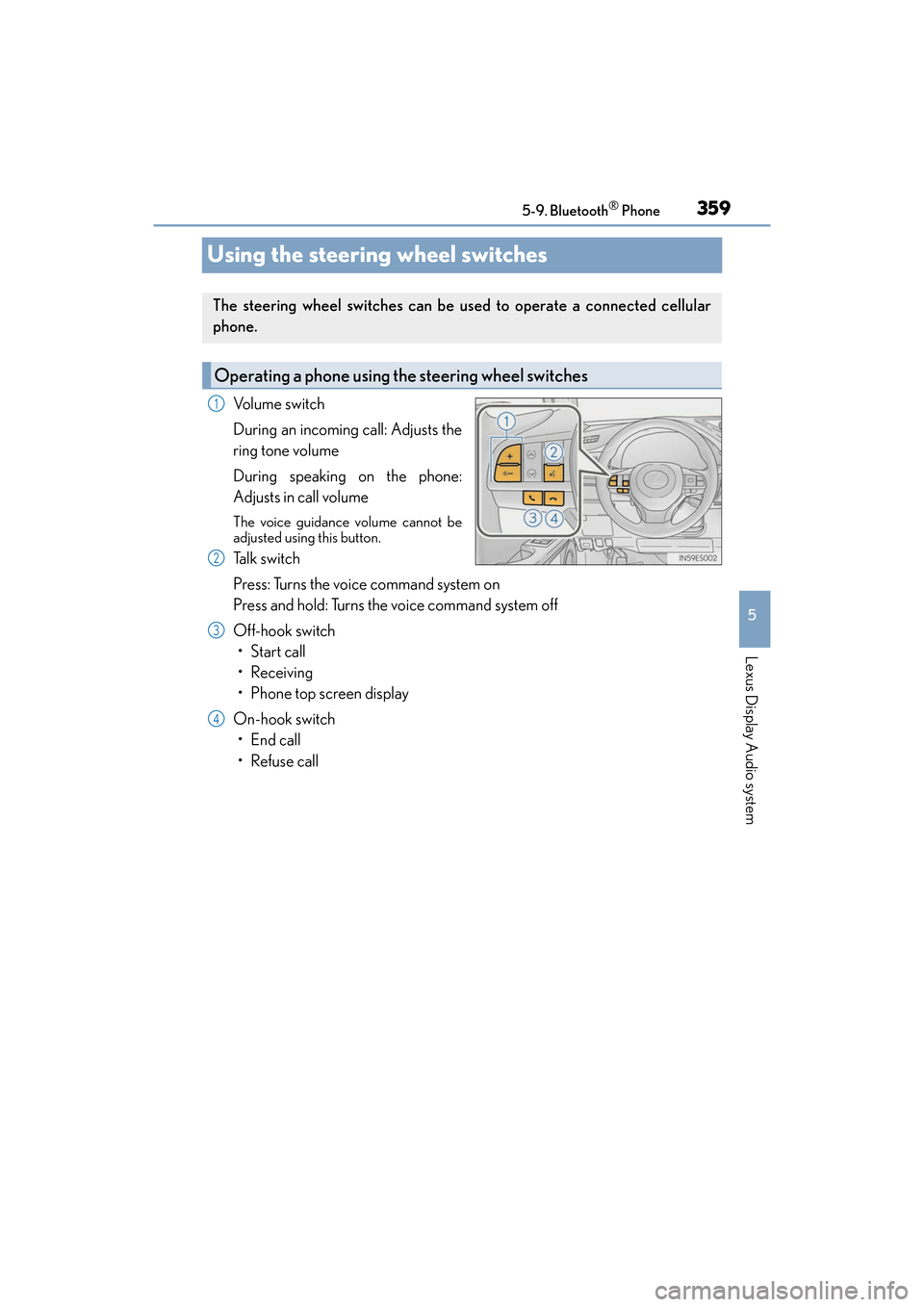
Using the steering wheel switches
Volume switch
During an incoming call: Adjusts the
ring tone volume
During speaking on the phone:
Adjusts in call volume
The voice guidance volume cannot be
adjusted using this button.
Talk switch
Press: Turns the voice command system on
Press and hold: Turns the voice command system off
Off-hook switch
•Start call
• Receiving
• Phone top screen display
On-hook switch •End call
• Refuse call
The steering wheel switches can be us ed to operate a connected cellular
phone.
Operating a phone using th e steering wheel switches
1
2
3
4
Page 389 of 612
387
ES300h_OM_OM33C75U_(U)
6Interior features
6-1. Using the air conditioning system and defogger
Automatic air conditioning system ......................................... 388
Heated steering wheel/ seat heaters/seat
ventilators .................................. 398
6-2. Using the interior lights Interior lights list......................... 400• Interior lights ........................... 401
• Personal lights......................... 401 6-3. Using the storage features
List of storage features ............403• Glove box ...............................404
• Console box........................... 404
• Cup holders ...........................405
• Auxiliary box ..........................406
Trunk features .............................. 407
6-4. Using the other interior features
Other interior features ............409 • Sun visors ................................409
• Vanity mirrors ........................409
• Clock ......................................... 410
• Power outlets .......................... 410
• Armrest ....................................... 411
• Rear sunshade/rear door sunshades..................................412
• Coat hooks ...............................414
• Assist grips................................414
Garage door opener................. 415
Compass ....................................... 422
LEXUS Enform Safety Connect ...................................... 426
LEXUS Enform Remote .......... 431
LEXUS Enform Service Connect ...................................... 432
Page 400 of 612
398
ES300h_OM_OM33C75U_(U)6-1. Using the air conditio
ning system and defogger
Heated steering wheel∗/seat heaters∗/
seat ventilators
∗
∗
: If equipped
Heated steering wheel and seat heaters heat the side grips of the steering
wheel and seats, respectively. Seat ventilators maintain good airflow by blow-
ing air from the seats.
WA R N I N G
●Care should be taken to prevent injury if anyone in the following categories comes in
contact with the steering wheel and seats when the heater is on:
• Babies, small children, the elderly, the sick and the physically challenged
• Persons with sensitive skin
• Persons who are fatigued
• Persons who have taken alcohol or drugs that induce sleep (sleeping drugs, cold remedies, etc.)
●Observe the following precautions to prevent minor burns or overheating:
• Do not cover the seat with a blanket or cushion when using the seat heater.
• Do not use the seat heater more than necessary.
NOTICE
●Do not put heavy objects that have an uneven surface on the seat and do not stick
sharp objects (needles, nails, etc.) into the seat.
●To prevent 12-volt battery discharge, do not use the functions when the hybrid system
is off.
Page 401 of 612
ES300h_OM_OM33C75U_(U)
3996-1. Using the air conditioning system and defogger
6
Interior features
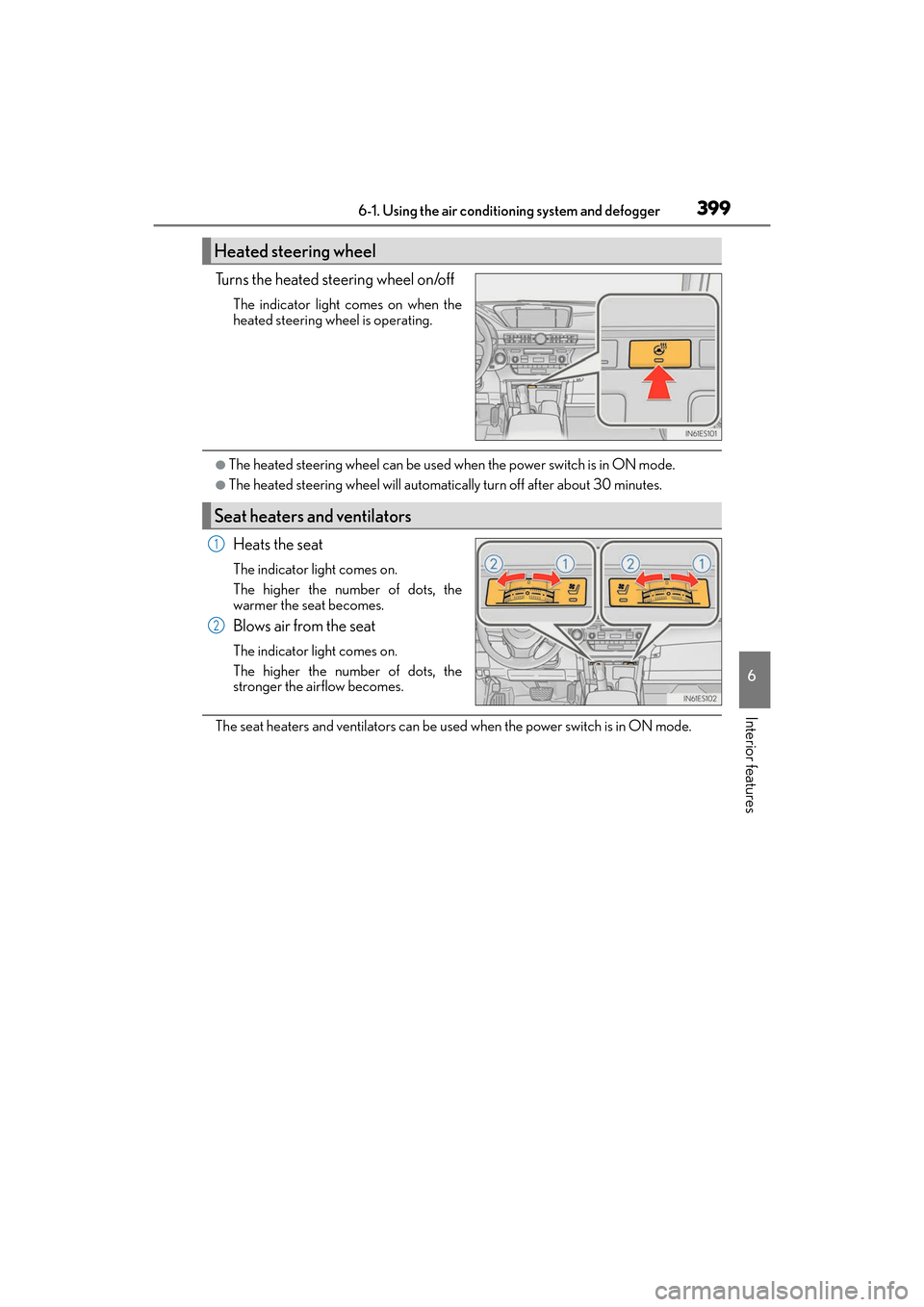
Turns the heated steering wheel on/off
The indicator light comes on when the
heated steering wheel is operating.
●The heated steering wheel can be used when the power switch is in ON mode.
●The heated steering wheel will automatically turn off after about 30 minutes.
Heats the seat
The indicator light comes on.
The higher the number of dots, the
warmer the seat becomes.
Blows air from the seat
The indicator light comes on.
The higher the number of dots, the
stronger the airflow becomes.
The seat heaters and ventilators can be used when the power switch is in ON mode.
Heated steering wheel
Seat heaters and ventilators
1
2
Page 438 of 612
436
ES300h_OM_OM33C75U_(U)7-1. Maintenance and care
NOTICE
■To prevent paint deterioration and corrosion on the body and components (aluminum
wheels etc.)
●Wash the vehicle immediately in the following cases:
• After driving near the sea coast
• After driving on salted roads
• If coal tar or tree sap is present on the paint surface
• If dead insects, insect droppings or bird droppings are present on the paint surface
• After driving in an area contaminated wi
th soot, oily smoke, mine dust, iron pow-
der or chemical substances
• If the vehicle becomes heavily soiled with dust or mud
• If liquids such as benzene and gasoline are spilled on the paint surface
●If the paint is chipped or scratched, have it repaired immediately.
●To prevent the wheels from corroding, remove any dirt and store in a place with low
humidity when storing the wheels.
■Cleaning the exterior lights
●Wash carefully. Do not use organic substances or scrub with a hard brush.
This may damage the surfaces of the lights.
●Do not apply wax to the surfaces of the lights.
Wax may cause damage to the lenses.
■When using an automatic car wash (vehicles with rain-sensing windshield wipers)
Set the wiper switch to the off position.
If the wiper switch is in “AUTO”, the wipers may operate and the wiper blades may be
damaged.
■When cleaning the windshield
Raise the wipers in line with the windshield. ( →P. 2 8 6 )
Failure to do so may result in damage to the wipers and/or the hood.
■When using a high pressure car wash
Do not bring the nozzle tip close to boots (rubber or resin manufactured cover), con-
nectors or the following parts. The parts may be damaged if they come into contact
with high-pressure water.
●Traction related parts
●Steering parts
●Suspension parts
●Brake parts
Page 446 of 612
444
ES300h_OM_OM33C75U_(U)7-2. Maintenance
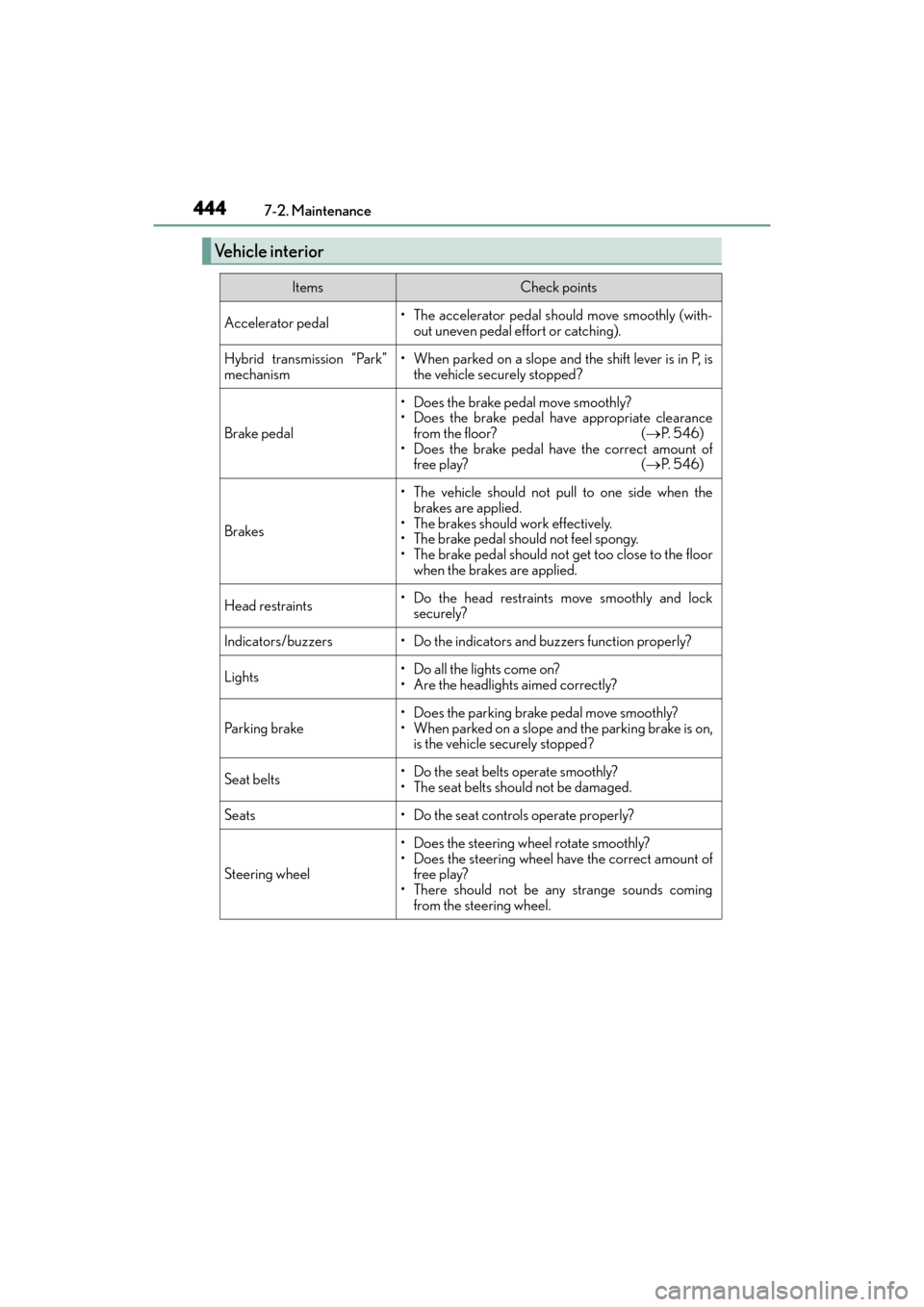
Vehicle interior
ItemsCheck points
Accelerator pedal• The accelerator pedal should move smoothly (with-
out uneven pedal effort or catching).
Hybrid transmission “Park”
mechanism• When parked on a slope and the shift lever is in P, is
the vehicle securely stopped?
Brake pedal
• Does the brake pedal move smoothly?
• Does the brake pedal have appropriate clearance
from the floor? ( →P. 5 4 6 )
• Does the brake pedal have the correct amount of free play? (→ P. 5 4 6 )
Brakes
• The vehicle should not pull to one side when the
brakes are applied.
• The brakes should work effectively.
• The brake pedal should not feel spongy.
• The brake pedal should not get too close to the floor when the brakes are applied.
Head restraints• Do the head restraints move smoothly and locksecurely?
Indicators/buzzers• Do the indicators and buzzers function properly?
Lights• Do all the lights come on?
• Are the headlights aimed correctly?
Parking brake• Does the parking brake pedal move smoothly?
• When parked on a slope and the parking brake is on,is the vehicle securely stopped?
Seat belts• Do the seat belts operate smoothly?
• The seat belts should not be damaged.
Seats• Do the seat controls operate properly?
Steering wheel
• Does the steering wheel rotate smoothly?
• Does the steering wheel have the correct amount offree play?
• There should not be any strange sounds coming from the steering wheel.
Page 492 of 612
490
ES300h_OM_OM33C75U_(U)7-3. Do-it-yourself maintenance
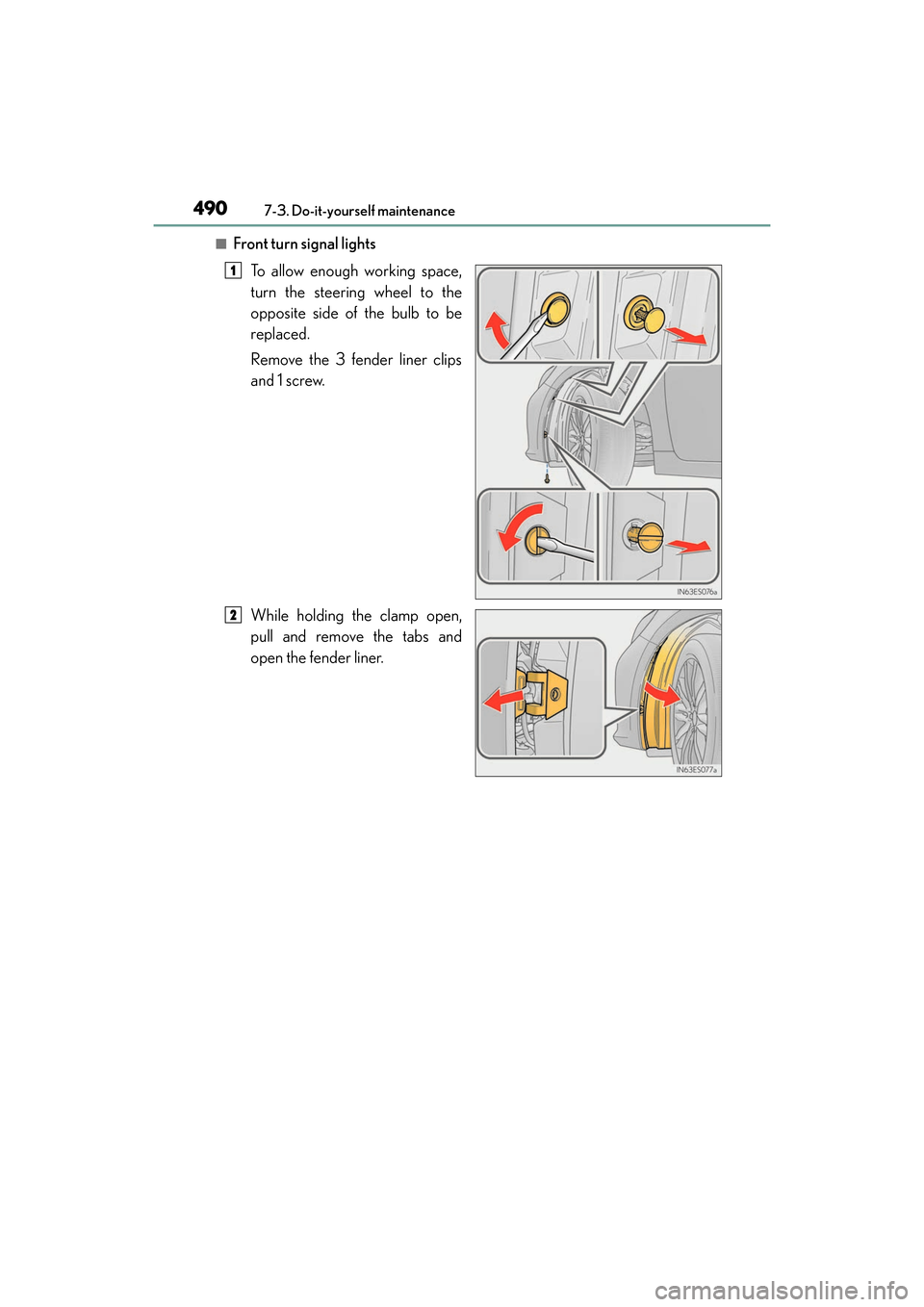
■Front turn signal lights
To allow enough working space,
turn the steering wheel to the
opposite side of the bulb to be
replaced.
Remove the 3 fender liner clips
and 1 screw.
While holding the clamp open,
pull and remove the tabs and
open the fender liner.
1
2