park assist Lexus ES300h 2017 Owner's Manual
[x] Cancel search | Manufacturer: LEXUS, Model Year: 2017, Model line: ES300h, Model: Lexus ES300h 2017Pages: 612, PDF Size: 14.05 MB
Page 5 of 612
3
ES300h_OM_OM33C75U_(U)
1
9 8
7
6 4 3
2
10
5
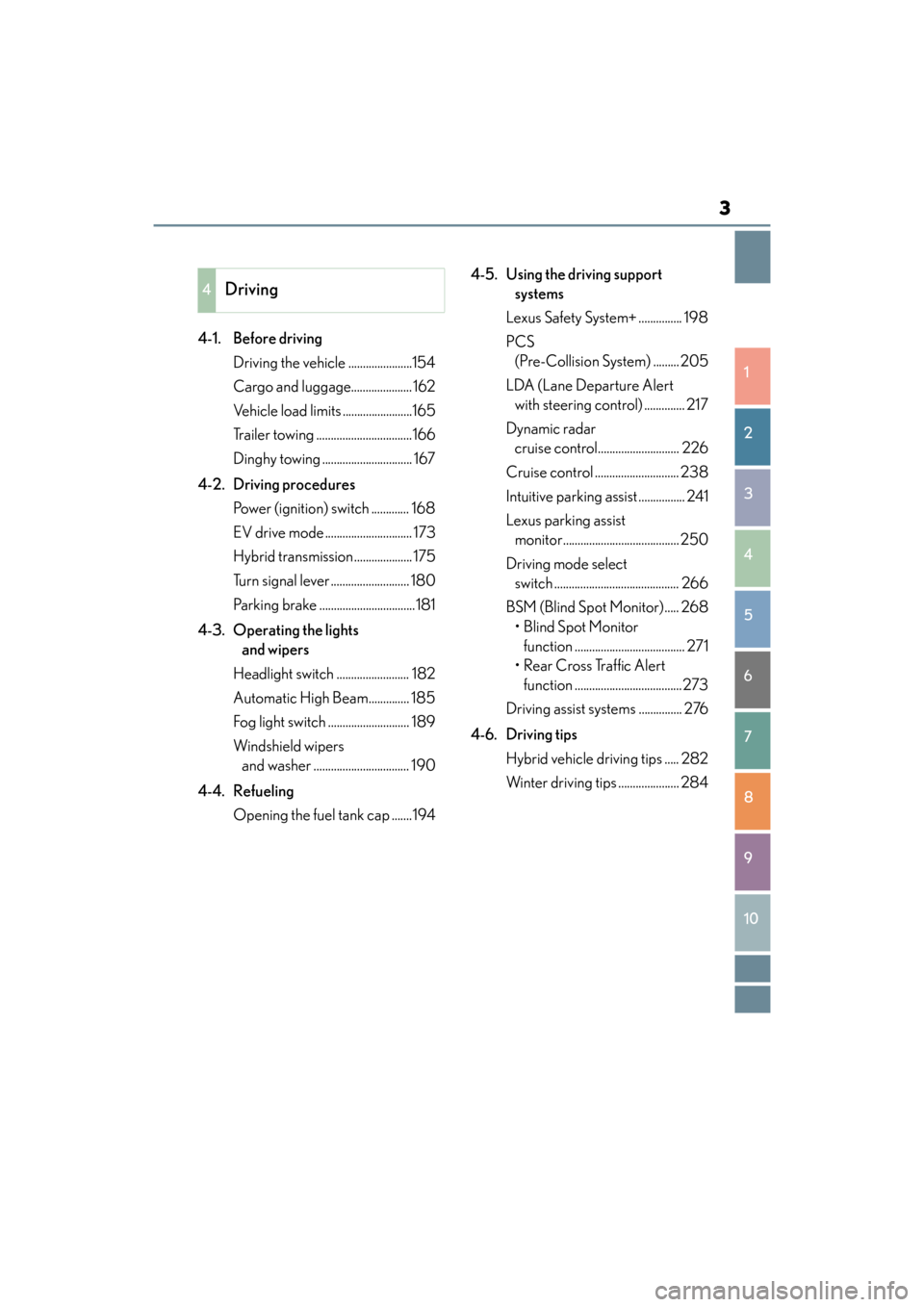
4-1. Before drivingDriving the vehicle ......................154
Cargo and luggage..................... 162
Vehicle load limits ........................165
Trailer towing .................................166
Dinghy towing ............................... 167
4-2. Driving procedures Power (ignition) switch ............. 168
EV drive mode .............................. 173
Hybrid transmission.................... 175
Turn signal lever ........................... 180
Parking brake .................................181
4-3. Operating the lights and wipers
Headlight switch ......................... 182
Automatic High Beam.............. 185
Fog light switch ............................ 189
Windshield wipers and washer ................................. 190
4-4. Refueling Opening the fuel tank cap .......194 4-5. Using the driving support
systems
Lexus Safety System+ ............... 198
PCS (Pre-Collision System) ......... 205
LDA (Lane Departure Alert with steering control) .............. 217
Dynamic radar cruise control............................ 226
Cruise control ............................. 238
Intuitive parking assist ................ 241
Lexus parking assist monitor........................................ 250
Driving mode select switch ........................................... 266
BSM (Blind Spot Monitor)..... 268 • Blind Spot Monitor function ...................................... 271
• Rear Cross Traffic Alert function .....................................273
Driving assist systems ............... 276
4-6. Driving tips Hybrid vehicle driving tips ..... 282
Winter driving tips ..................... 284
4Driving
Page 9 of 612
7
ES300h_OM_OM33C75U_(U)
1
9 8
7
6 4 3
2
10
5
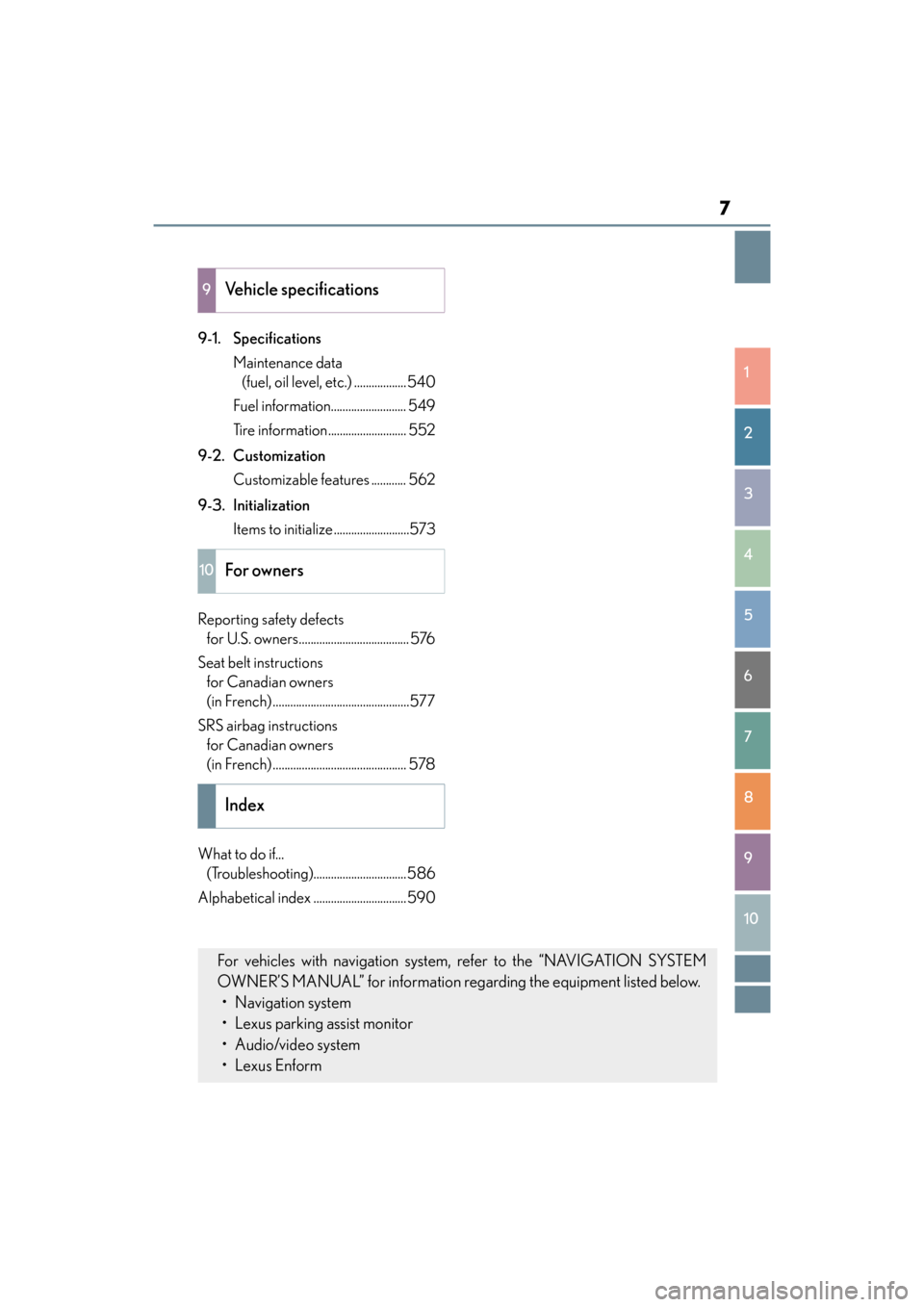
9-1. SpecificationsMaintenance data (fuel, oil level, etc.) ..................540
Fuel information.......................... 549
Tire information........................... 552
9-2. Customization Customizable features ............ 562
9-3. Initialization Items to initialize ..........................573
Reporting safety defects for U.S. owners...................................... 576
Seat belt instructions for Canadian owners
(in French) ...............................................577
SRS airbag instructions for Canadian owners
(in French) .............................................. 578
What to do if... (Troubleshooting)................................586
Alphabetical index ................................ 590
9Vehicle specifications
10For owners
Index
For vehicles with navigation system, refer to the “NAVIGATION SYSTEM
OWNER’S MANUAL” for information regarding the equipment listed below. • Navigation system
• Lexus parking assist monitor
• Audio/video system
•Lexus Enform
Page 22 of 612
20Pictorial index
ES300h_OM_OM33C75U_(U)
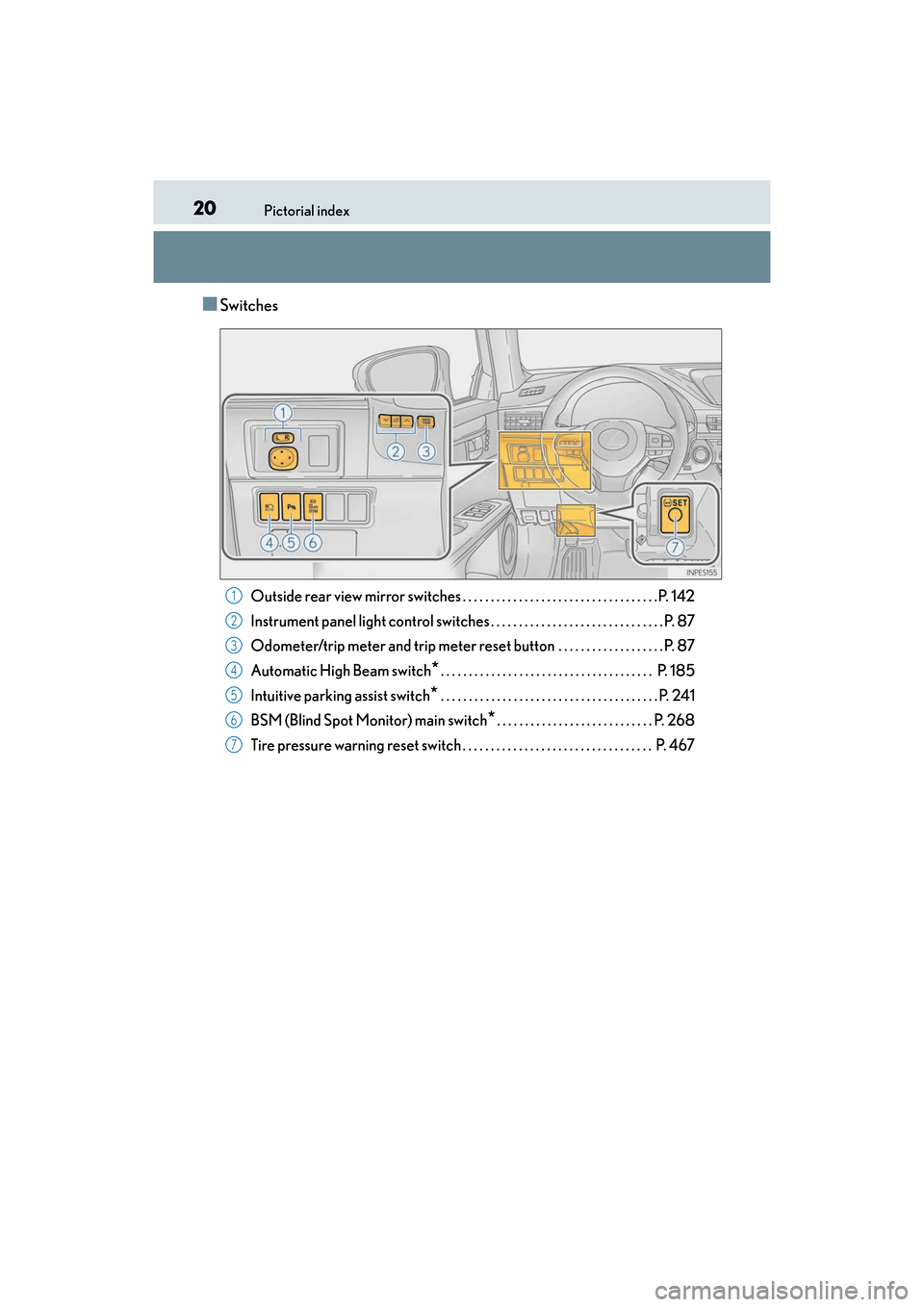
■Switches
Outside rear view mirror switches . . . . . . . . . . . . . . . . . . . . . . . . . . . . . . . . . . .P. 142
Instrument panel light control switches . . . . . . . . . . . . . . . . . . . . . . . . . . . . . . . P. 87
Odometer/trip meter and trip meter reset button . . . . . . . . . . . . . . . . . . . P. 87
Automatic High Beam switch
*. . . . . . . . . . . . . . . . . . . . . . . . . . . . . . . . . . . . . . P. 185
Intuitive parking assist switch
* . . . . . . . . . . . . . . . . . . . . . . . . . . . . . . . . . . . . . . . P. 241
BSM (Blind Spot Monitor) main switch
*. . . . . . . . . . . . . . . . . . . . . . . . . . . . P. 268
Tire pressure warning reset switch . . . . . . . . . . . . . . . . . . . . . . . . . . . . . . . . . . P. 467
1
2
3
4
5
6
7
Page 86 of 612
84
ES300h_OM_OM33C75U_(U)2. Instrument cluster
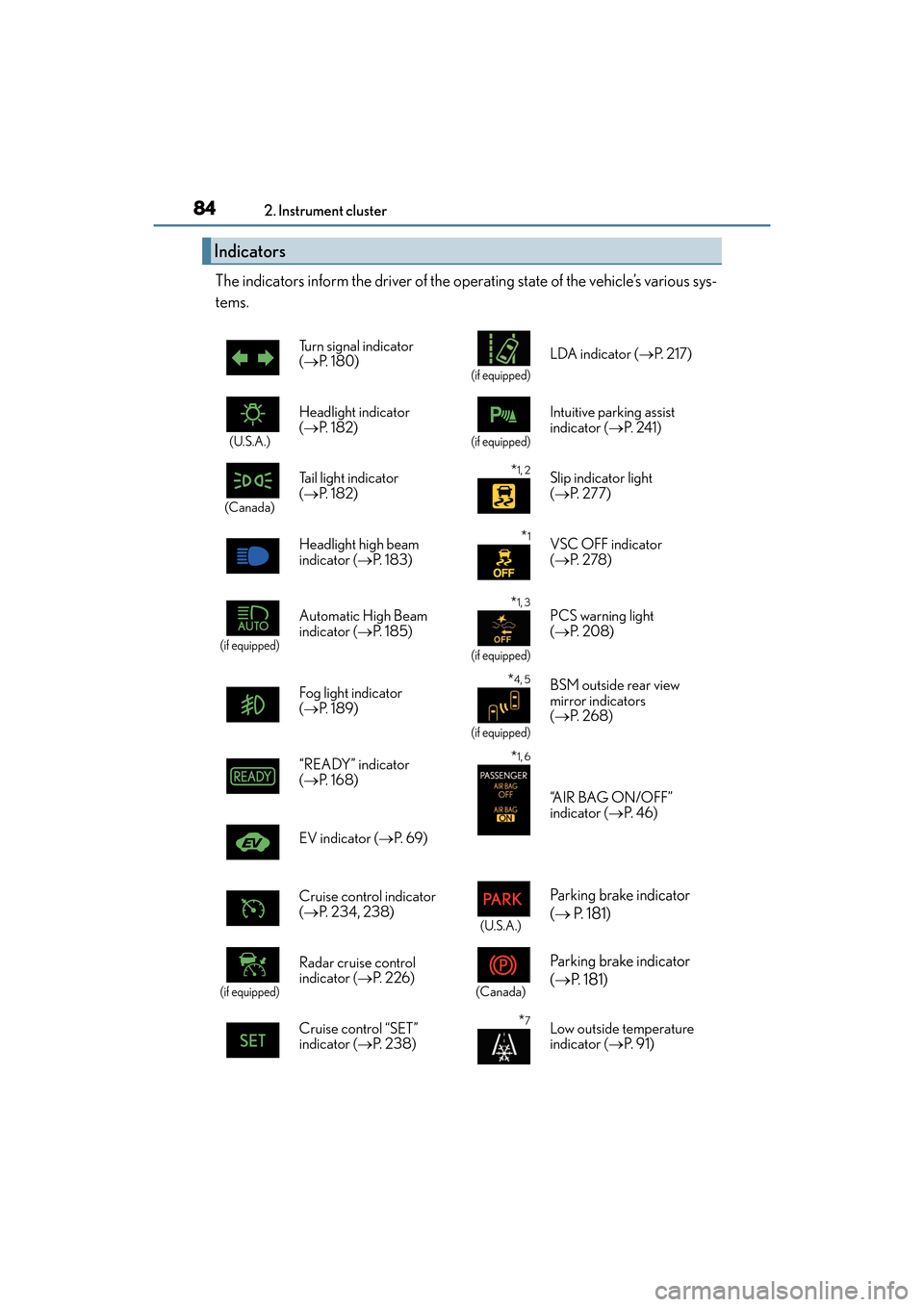
The indicators inform the driver of the operating state of the vehicle’s various sys-
tems.
Indicators
Turn signal indicator
(
→ P. 1 8 0 )
(if equipped)
LDA indicator ( →P. 2 1 7 )
(U.S.A.)
Headlight indicator
(→ P. 1 8 2 )
(if equipped)
Intuitive parking assist
indicator ( →P. 2 4 1 )
(Canada)
Tail light indicator
(→ P. 1 8 2 ) *1, 2Slip indicator light
(→ P. 277)
Headlight high beam
indicator ( →P. 1 8 3 )
*1VSC OFF indicator
(→ P. 2 7 8 )
(if equipped)
Automatic High Beam
indicator ( →P. 1 8 5 ) *1, 3
(if equipped)
PCS warning light
(→ P. 2 0 8 )
Fog light indicator
( → P. 1 8 9 )
*4, 5
(if equipped)
BSM outside rear view
mirror indicators
(→ P. 2 6 8 )
“READY” indicator
(→ P. 1 6 8 )*1, 6
“A I R B A G O N / O F F ”
indicator ( →P. 4 6 )
EV indicator ( →P. 6 9 )
Cruise control indicator
( → P. 2 3 4 , 2 3 8 )
(U.S.A.)
Parking brake indicator
(→ P. 181)
(if equipped)
Radar cruise control
indicator ( →P. 2 2 6 )
(Canada)
Parking brake indicator
(→ P. 1 8 1 )
Cruise control “SET”
indicator ( →P. 2 3 8 )*7Low outside temperature
indicator ( →P. 9 1 )
Page 155 of 612
153
ES300h_OM_OM33C75U_(U)
4Driving
4-1. Before drivingDriving the vehicle ...................... 154
Cargo and luggage .................... 162
Vehicle load limits ....................... 165
Trailer towing ................................. 166
Dinghy towing................................167
4-2. Driving procedures Power (ignition) switch.............. 168
EV drive mode ..............................173
Hybrid transmission ................... 175
Turn signal lever ...........................180
Parking brake ................................. 181
4-3. Operating the lights and wipers
Headlight switch .......................... 182
Automatic High Beam ..............185
Fog light switch............................. 189
Windshield wipers and washer..................................190
4-4. Refueling Opening the fuel tank cap ....... 194 4-5. Using the driving support
systems
Lexus Safety System+ ............... 198
PCS (Pre-Collision System)..........205
LDA (Lane Departure Alert with steering control) ..............217
Dynamic radar cruise control ............................ 226
Cruise control .............................238
Intuitive parking assist ................241
Lexus parking assist monitor ........................................250
Driving mode select switch ........................................... 266
BSM (Blind Spot Monitor) ..... 268 •Blind Spot Monitor function ...................................... 271
• Rear Cross Traffic Alert function .....................................273
Driving assist systems................ 276
4-6. Driving tips Hybrid vehicle driving tips...... 282
Winter driving tips ..................... 284
Page 243 of 612
241
ES300h_OM_OM33C75U_(U)4-5. Using the driving support systems
4
Driving
Intuitive parking assist∗
∗: If equipped
The distance from your vehicle to nearby obstacles when parallel parking or
maneuvering into a garage is measured
by the sensors and communicated via
the multi-information display, navigation system screen or Lexus Display
Audio system screen and a buzzer. Always check the surrounding area when
using this system.
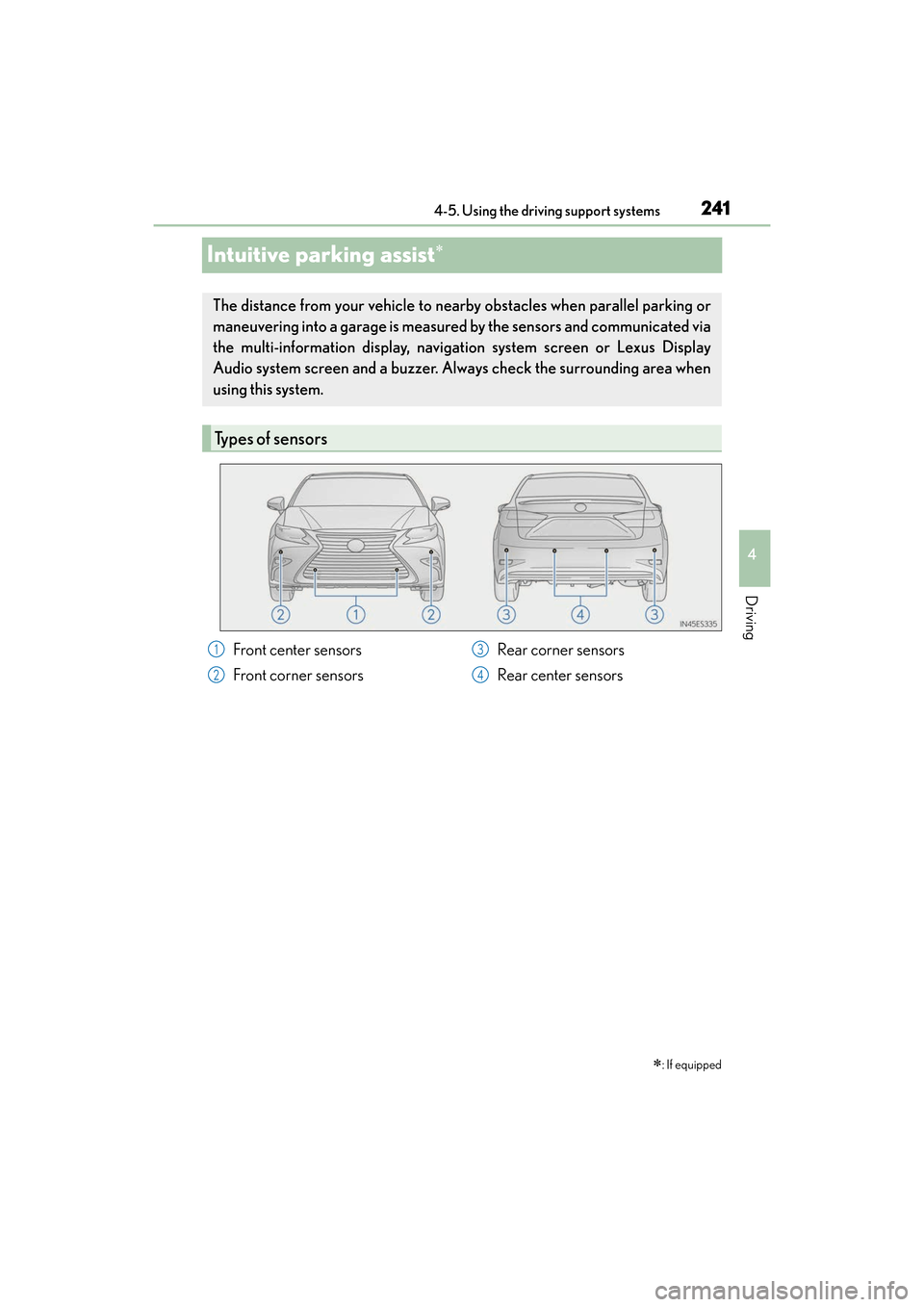
Types of sensors
Front center sensors
Front corner sensors Rear corner sensors
Rear center sensors1
2
3
4
Page 244 of 612
242
ES300h_OM_OM33C75U_(U)4-5. Using the driving support systems
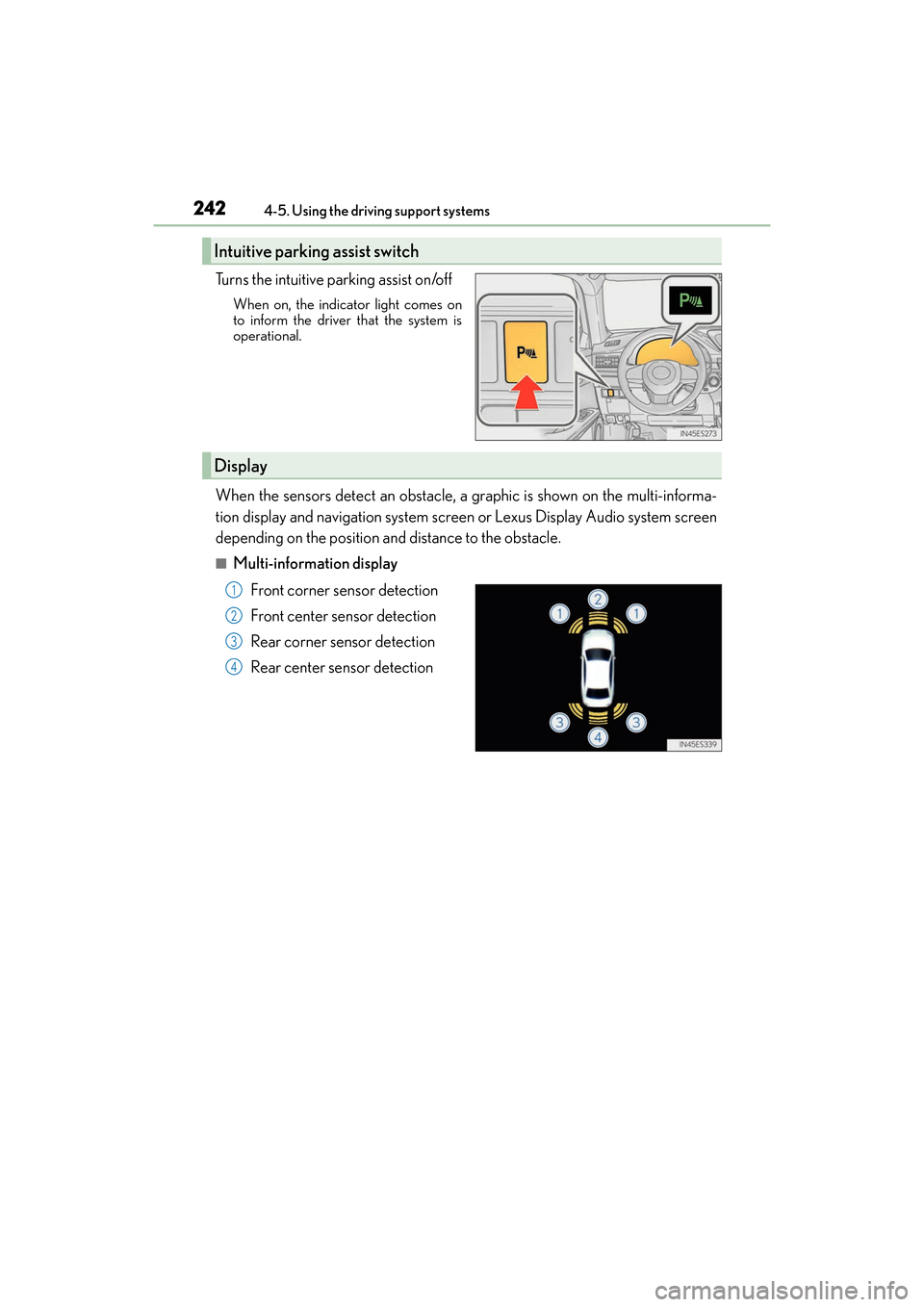
Turns the intuitive parking assist on/off
When on, the indicat
or light comes on
to inform the driver that the system is
operational.
When the sensors detect an obstacle, a graphic is shown on the multi-informa-
tion display and navigation system screen or Lexus Display Audio system screen
depending on the position and distance to the obstacle.
■Multi-information display
Front corner sensor detection
Front center sensor detection
Rear corner sensor detection
Rear center sensor detection
Intuitive parking assist switch
Display
1
2
3
4
Page 245 of 612
ES300h_OM_OM33C75U_(U)
2434-5. Using the driving support systems
4
Driving
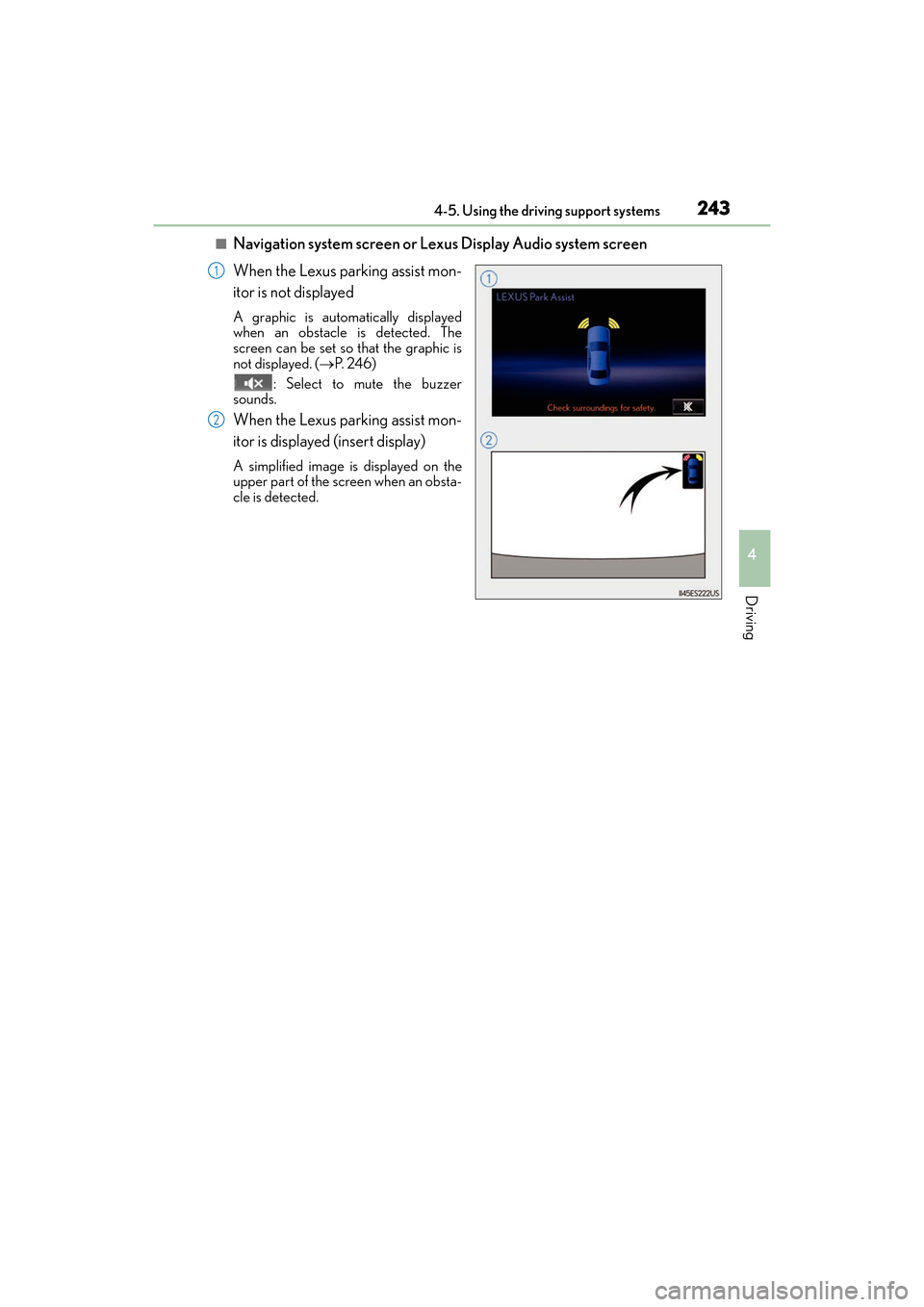
■Navigation system screen or Lexus Display Audio system screen
When the Lexus parking assist mon-
itor is not displayed
A graphic is automatically displayed
when an obstacle is detected. The
screen can be set so that the graphic is
not displayed. (→P. 2 4 6 )
: Select to mute the buzzer
sounds.
When the Lexus parking assist mon-
itor is displayed (insert display)
A simplified image is displayed on the
upper part of the screen when an obsta-
cle is detected.
1
2
Page 248 of 612
246
ES300h_OM_OM33C75U_(U)4-5. Using the driving support systems
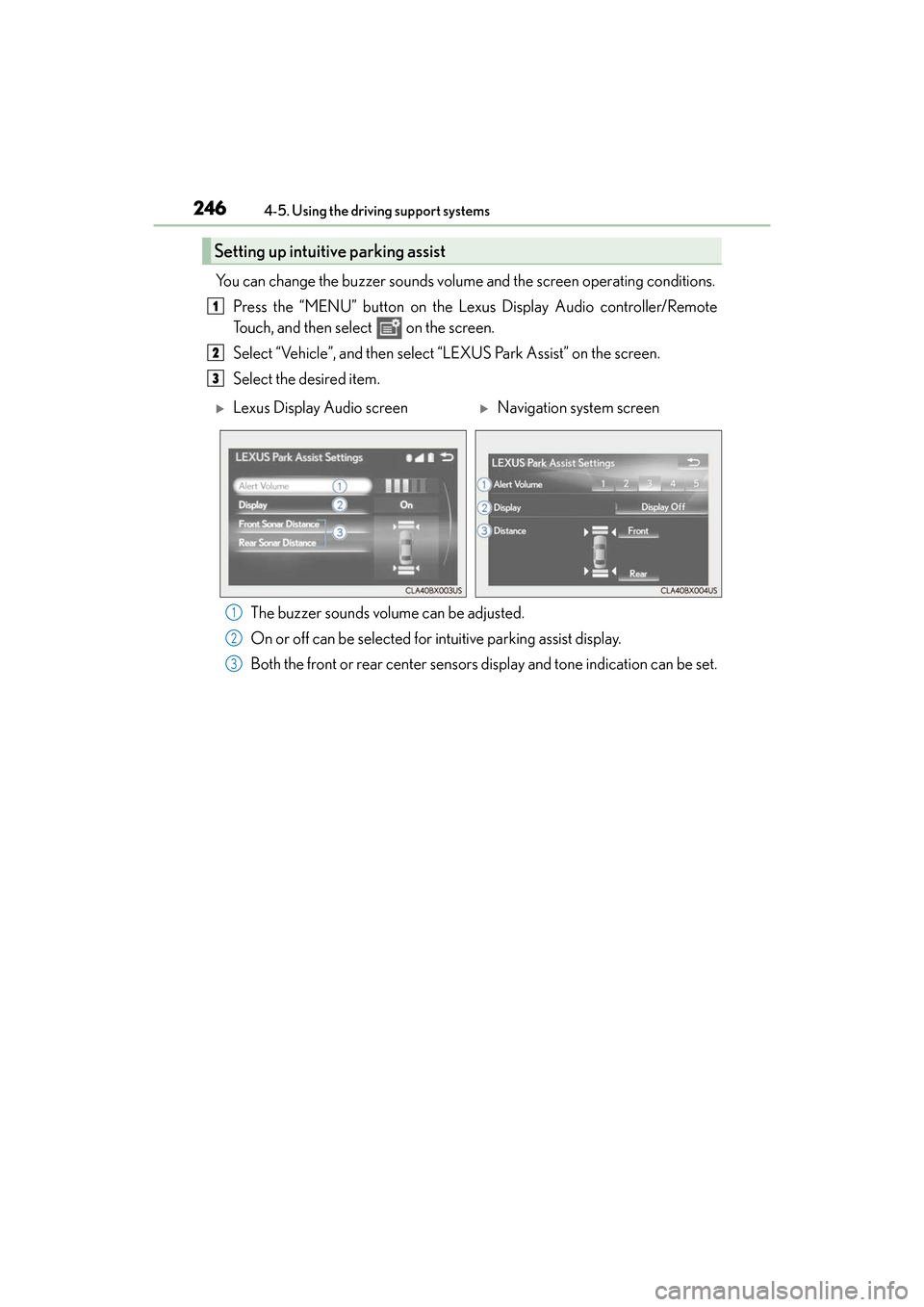
You can change the buzzer sounds volume
and the screen operating conditions.
Press the “MENU” button on the Lexus Display Audio controller/Remote
Touch, and then select on the screen.
Select “Vehicle”, and then select “LEXUS Park Assist” on the screen.
Select the desired item.
The buzzer sounds volume can be adjusted.
On or off can be selected for intuitive parking assist display.
Both the front or rear center sensors display and tone indication can be set.
Setting up intuitive parking assist
1
2
3
XLexus Display Audio screenXNavigation system screen
1
2
3
Page 249 of 612
ES300h_OM_OM33C75U_(U)
2474-5. Using the driving support systems
4
Driving
■The intuitive parking assist can be operated when
●Front center sensors:
• The power switch is in ON mode.
• The shift lever is in a position other than P or R.
• The vehicle speed is less than about 6 mph (10 km/h).
●Front corner sensors:
• The power switch is in ON mode.
• The shift lever is in a position other than P.
• The vehicle speed is less than about 6 mph (10 km/h).(At any speed when the shift lever is in R)
●Rear corner and rear center sensors:
• The power switch is in ON mode.
• The shift lever is in R.
■Intuitive parking assist display
When an obstacle is detected while the Lexus parking assist monitor is in use, the warn-
ing indicator will appear in the upper part of the screen even if the display setting has
been set to off.
■Sensor detection information
●The sensor’s detection areas are limited to the areas around the vehicle’s front corners
and rear bumper.
●Certain vehicle conditions and the surrou nding environment may affect the ability of
the sensor to correctly detect obstacles. Particular instances where this may occur are
listed below.
• There is dirt, snow or ice on the sensor . (Wiping the sensors will resolve this prob-
lem.)
• The sensor is frozen. (Thawing th e area will resolve this problem.)
In especially cold weather, if a sensor is frozen the screen may show an abnormal
display, or obstacles may not be detected.
• The sensor is covered in any way.
• The vehicle is leaning co nsiderably to one side.
• On an extremely bumpy road, on an incline, on gravel, or on grass.
• The vicinity of the vehicle is noisy due to vehicle horns, motorcycle engines, air
brakes of large vehicles, or other loud noises producing ultrasonic waves.
• There is another vehicle equipped with parking assist sensors in the vicinity.
• The sensor is coated with a sheet of spray or heavy rain.
• The vehicle is equipped with a fender pole or wireless antenna.
• Towing eyelets are installed.
• The bumper or sensor receives a strong impact.
• The vehicle is approaching a tall or curved curb.
• In harsh sunlight or intense cold weather.
• The area directly under the bumpers is not detected.
• If obstacles draw too close to the sensor.
• A non-genuine Lexus suspension (lowered suspension etc.) is installed.
• People may not be detected if they are wearing certain types of clothing.
In addition to the examples above, there are instances in which, because of their shape,
signs and other objects may be judged by the sensor to be closer than they are.