display LEXUS ES300h 2021 Owners Manual
[x] Cancel search | Manufacturer: LEXUS, Model Year: 2021, Model line: ES300h, Model: LEXUS ES300h 2021Pages: 464, PDF Size: 9.55 MB
Page 230 of 464
2304-5. Using the driving support systems
■Parking Support Brake function
(rear pedestrians) (if equipped)
A rear camera sensor is used to detect
pedestrians in the detection area
behind the vehicle when backing up.
( P.245) The Parking Support Brake can be
enabled/disabled on the multi-infor-
mation display. All of the Parking Sup-
port Brake functions (static objects,
rear-crossing vehicles, and rear
pedestrians) are enabled/disabled
simultaneously.
Use the meter control switches to
enable/disable the parking support
brake. (
P.82)
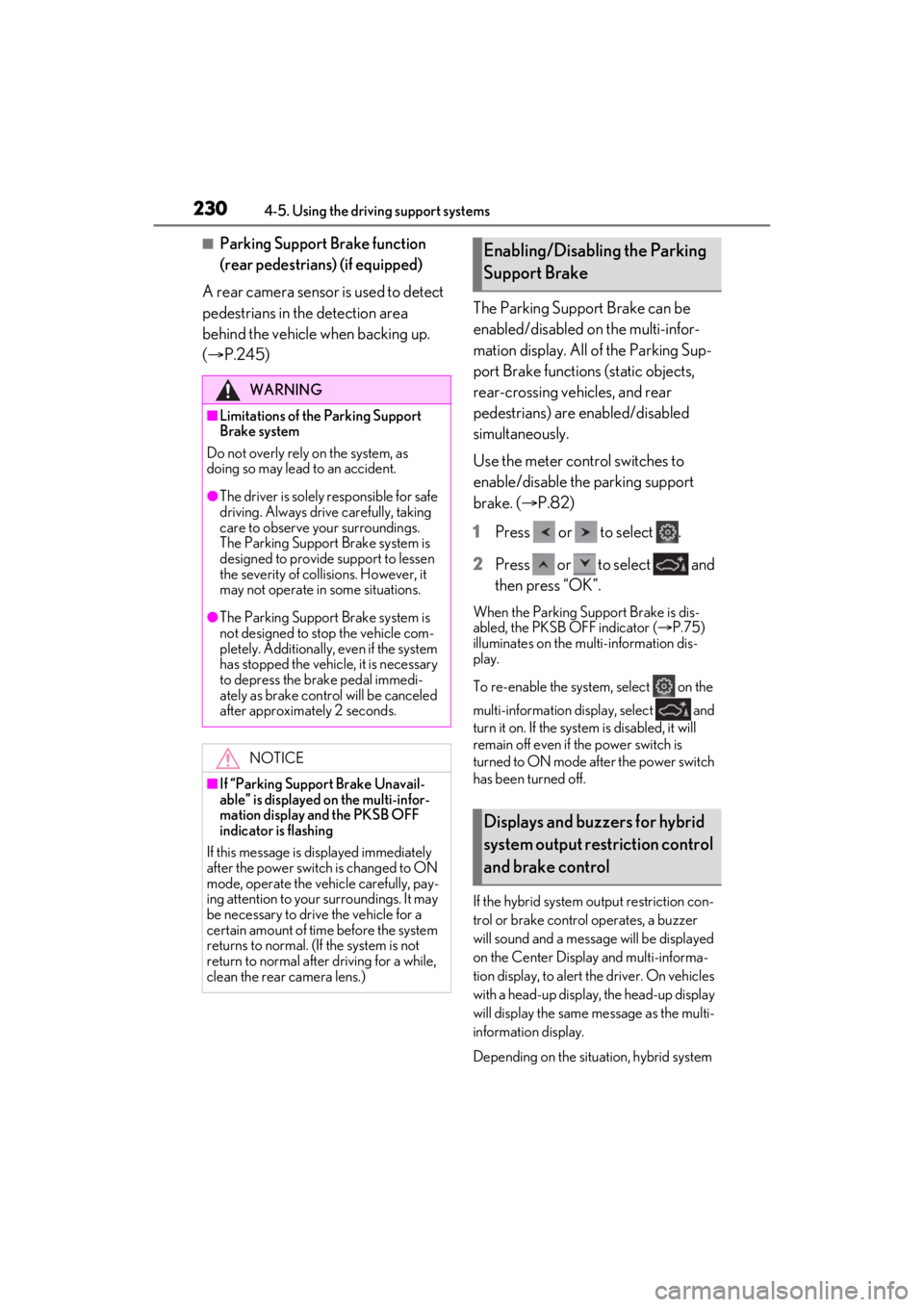
1 Press or to select .
2 Press or to select and
then press “OK”.
When the Parking Support Brake is dis-
abled, the PKSB OFF indicator ( P.75)
illuminates on the multi-information dis-
play.
To re-enable the system, select on the
multi-information display, select and
turn it on. If the system is disabled, it will
remain off even if the power switch is
turned to ON mode after the power switch
has been turned off.
If the hybrid system output restriction con-
trol or brake control operates, a buzzer
will sound and a message will be displayed
on the Center Display and multi-informa-
tion display, to alert the driver. On vehicles
with a head-up display, the head-up display
will display the same message as the multi-
information display.
Depending on the situat ion, hybrid system
WARNING
■Limitations of the Parking Support
Brake system
Do not overly rely on the system, as
doing so may lead to an accident.
●The driver is solely responsible for safe
driving. Always drive carefully, taking
care to observe your surroundings.
The Parking Support Brake system is
designed to provide support to lessen
the severity of collis ions. However, it
may not operate in some situations.
●The Parking Support Brake system is
not designed to stop the vehicle com-
pletely. Additionally, even if the system
has stopped the vehicl e, it is necessary
to depress the brake pedal immedi-
ately as brake control will be canceled
after approximately 2 seconds.
NOTICE
■If “Parking Support Brake Unavail-
able” is displayed on the multi-infor-
mation display and the PKSB OFF
indicator is flashing
If this message is displayed immediately
after the power switch is changed to ON
mode, operate the vehicle carefully, pay-
ing attention to your surroundings. It may
be necessary to drive the vehicle for a
certain amount of time before the system
returns to normal. (If the system is not
return to normal after driving for a while,
clean the rear camera lens.)
Enabling/Disabling the Parking
Support Brake
Displays and buzzers for hybrid
system output restriction control
and brake control
Page 231 of 464

2314-5. Using the driving support systems
4
Driving
output restriction control will operate to
either limit acceleration or restrict output
as much as possible.
Hybrid system output restriction
control is operating (acceleration
restriction)
Acceleration greater than a certain
amount is restricted by the system.
Center Display (Panoramic view monitor):
No warning displayed
Multi-information display: “Object
Detected Acceleration Reduced”
PKSB OFF indicator: Not illuminated
Buzzer: Does not sound
Hybrid system output restriction
control is operating (output
restricted as much as possible)
The system has determ ined that stronger-
than-normal brake operation is necessary.
Center Display (Panoramic view monitor):
“BRAKE!”
Multi-information display: “BRAKE!” PKSB OFF indicator: Not illuminated
Buzzer: Short beep
Brake control is operating
The system determined that emergency
braking is necessary.
Center Display (Panoramic view monitor):
“BRAKE!”
Multi-information display: “BRAKE!”
PKSB OFF indicator: Not illuminated
Buzzer: Short beep
Vehicle stopped by system opera-
tion
The vehicle has been stopped by brake
control operation.
Center Display (Panoramic view monitor):
“Press Brake Pedal”
Multi-information display: “Switch to
Brake” (If the accelerator pedal is not
depressed, “Press Brake Pedal” will be dis-
played.)
PKSB OFF indicator: Illuminated
Buzzer: Short beep
If the Parking Support Brake determines that a collision with a detected object or
pedestrian is possible, the hybrid system output will be restricted to restrain any
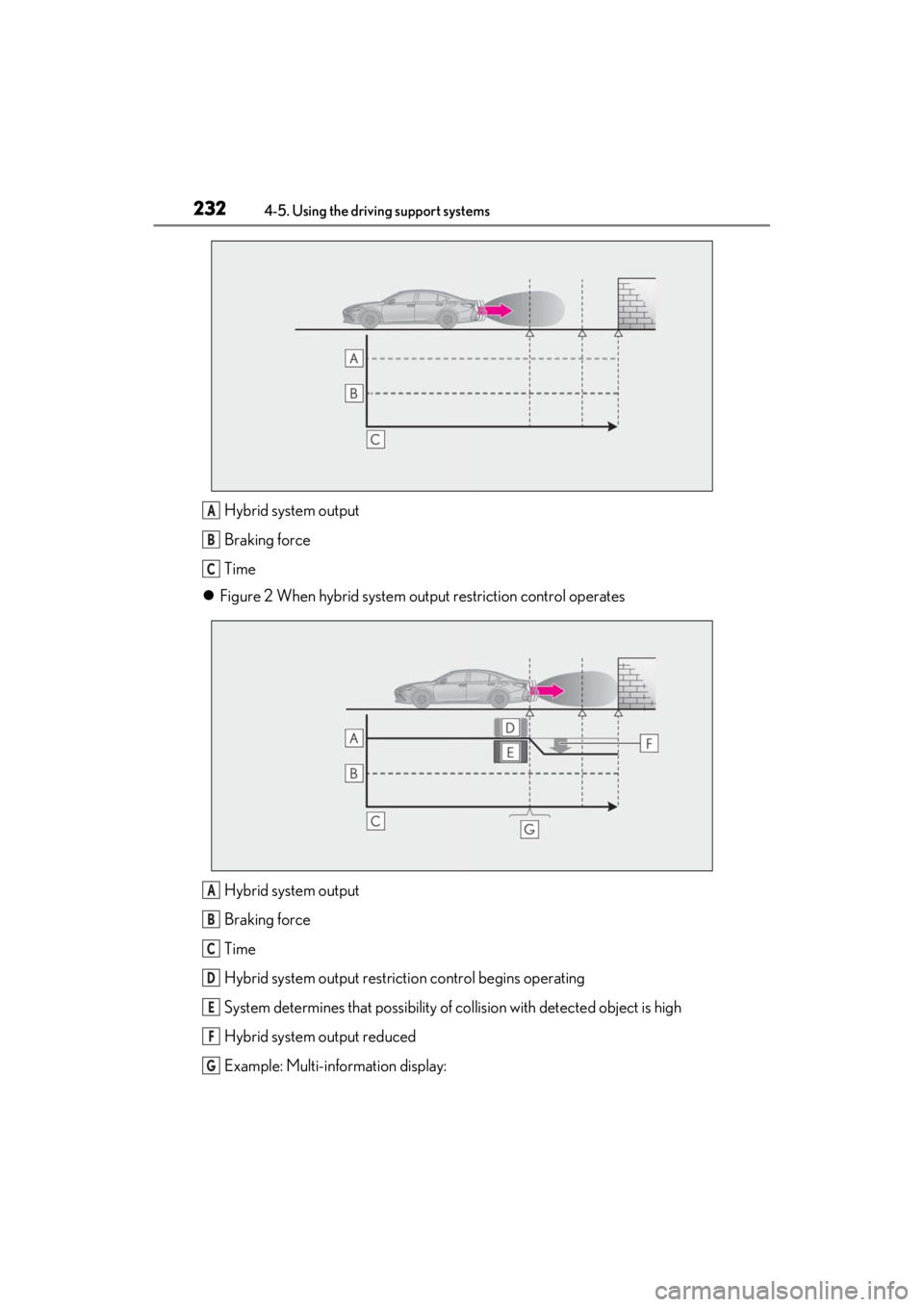
increase in the vehicle speed. (Hybrid system output restriction control: See figure
2 below.)
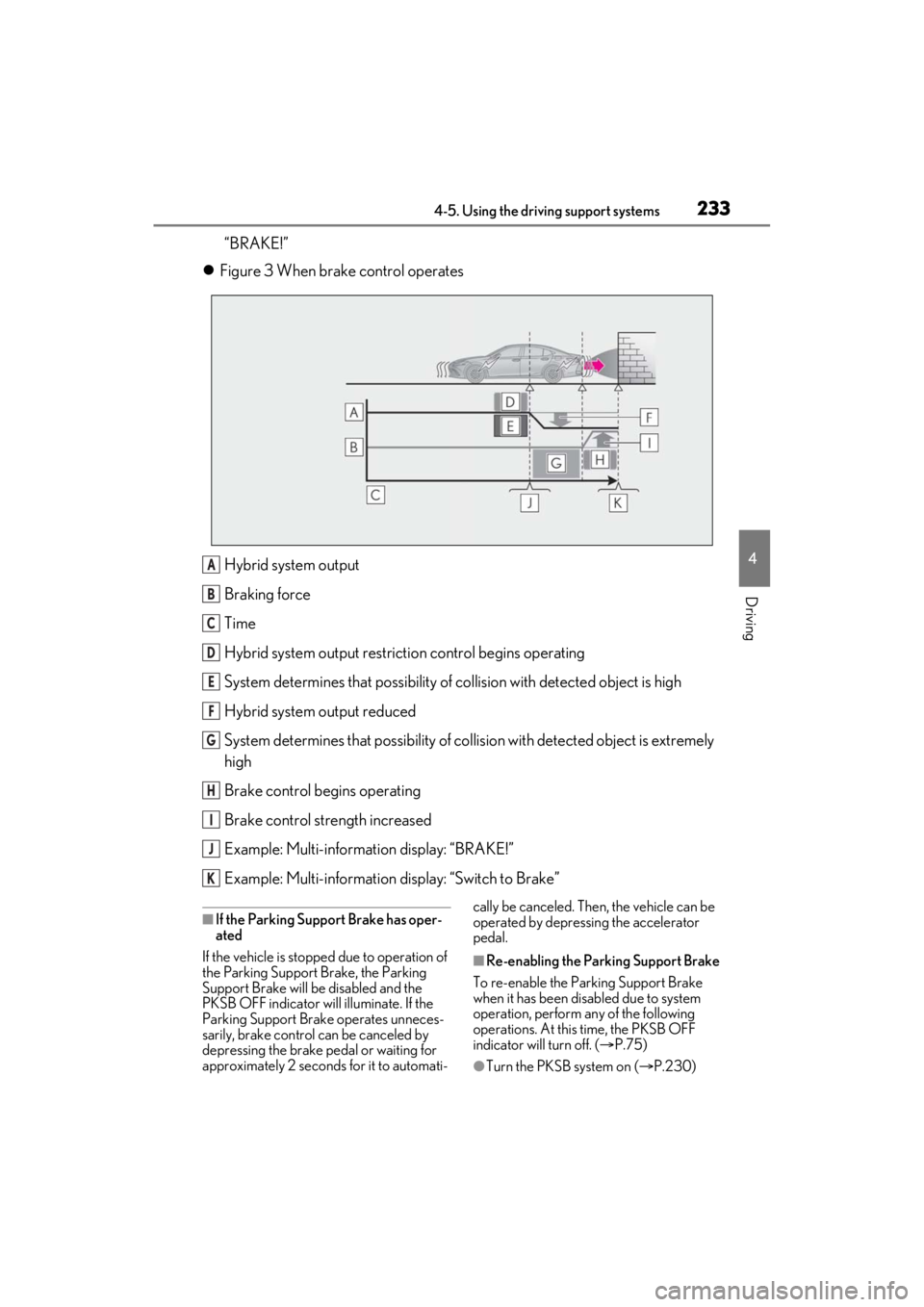
Additionally, if the accelerator pedal contin ues to be depressed, the brakes will be
applied automatically to re duce the vehicle speed. (Brake control: See figure 3
below.)
Figure 1 When the PKSB (Parki ng Support Brake) is disabled
System overview
Page 232 of 464
2324-5. Using the driving support systems
Hybrid system output
Braking force
Time
Figure 2 When hybrid system ou tput restriction control operates
Hybrid system output
Braking force
Time
Hybrid system output restrict ion control begins operating
System determines that po ssibility of collision with detected object is high
Hybrid system output reduced
Example: Multi-information display:A
B
C
A
B
C
D
E
F
G
Page 233 of 464
2334-5. Using the driving support systems
4
Driving
“BRAKE!”
Figure 3 When brake control operates
Hybrid system output
Braking force
Time
Hybrid system output restrict ion control begins operating
System determines that po ssibility of collision with detected object is high
Hybrid system output reduced
System determines that possibility of col lision with detected object is extremely
high
Brake control begins operating
Brake control strength increased
Example: Multi-informat ion display: “BRAKE!”
Example: Multi-information display: “Switch to Brake”
■If the Parking Support Brake has oper-
ated
If the vehicle is stopped due to operation of
the Parking Support Brake, the Parking
Support Brake will be disabled and the
PKSB OFF indicator will illuminate. If the
Parking Support Brake operates unneces-
sarily, brake control can be canceled by
depressing the brake pedal or waiting for
approximately 2 seconds for it to automati- cally be canceled. Then, the vehicle can be
operated by depressing the accelerator
pedal.
■Re-enabling the Parking Support Brake
To re-enable the Parking Support Brake
when it has been disabled due to system
operation, perform an y of the following
operations. At this time, the PKSB OFF
indicator will turn off. ( P.75)
●Turn the PKSB system on ( P.230)
A
B
C
D
E
F
G
H
I
J
K
Page 234 of 464

2344-5. Using the driving support systems
●Turn the power switch off, and then back
to ON mode
●Shift the shift lever to P
●Drive with no operation targets in the
traveling direction of the vehicle
●Change the traveling direction of the
vehicle*
*
: Except the Parking Support Brake func- tion (rear pedestrian)
■If “Parking Support Brake Unavailable”
is displayed on th e multi-information
display and the PKSB OFF indicator is
flashing
●If this message is displayed only when the
shift lever is in R, the rear camera lens
may be dirty. Clean the camera lens. If
this message is disp layed when the shift
lever is in any position other than R, a
sensor on the front or rear bumper may
be dirty. Clean the sensors and their sur-
rounding area on the bumpers.
●Initialization may no t have been per-
formed after a 12-volt battery terminal
was disconnected and reconnected. Ini-
tialize the system. ( P.234)
If this message continues to be displayed
even after init ialization, have the vehicle
inspected by your Lexus dealer.
■If “Parking Support Brake Unavailable”
and “Parking Assist Unavailable Clean
Parking Assist Sensor” are displayed on
the multi-informatio n display and the
PKSB OFF indicator is flashing
●A sensor may be covered with ice, snow,
dirt, etc. In this ca se, remove the ice,
snow, dirt, etc., from the sensor to return
the system to normal. If this message is
shown even after remo ving dirt from the
sensor, or shown when the sensor was
not dirty to begin with, have the vehicle
inspected at your Lexus dealer.
●A sensor may be frozen. Once the ice
melts, the system will return to normal.
●Water may be continuo usly flowing over
the sensor surface, such as in a heavy
rain. When the system determines that it
is normal, the system will return to nor-
mal.
■If a 12-volt battery terminal has been
disconnected and reconnected
The system needs to be initialized. To initial-
ize the system, drive the vehicle straight
ahead for 5 seconds or more at a speed of
approximately 22 mph (35 km/h) or more.
Additionally, for vehicles with the Parking
Support Brake function, turn the steering
wheel fully to the left and right with the vehi-
cle stopped.
Page 245 of 464
2454-5. Using the driving support systems
4
Driving
*:If equipped
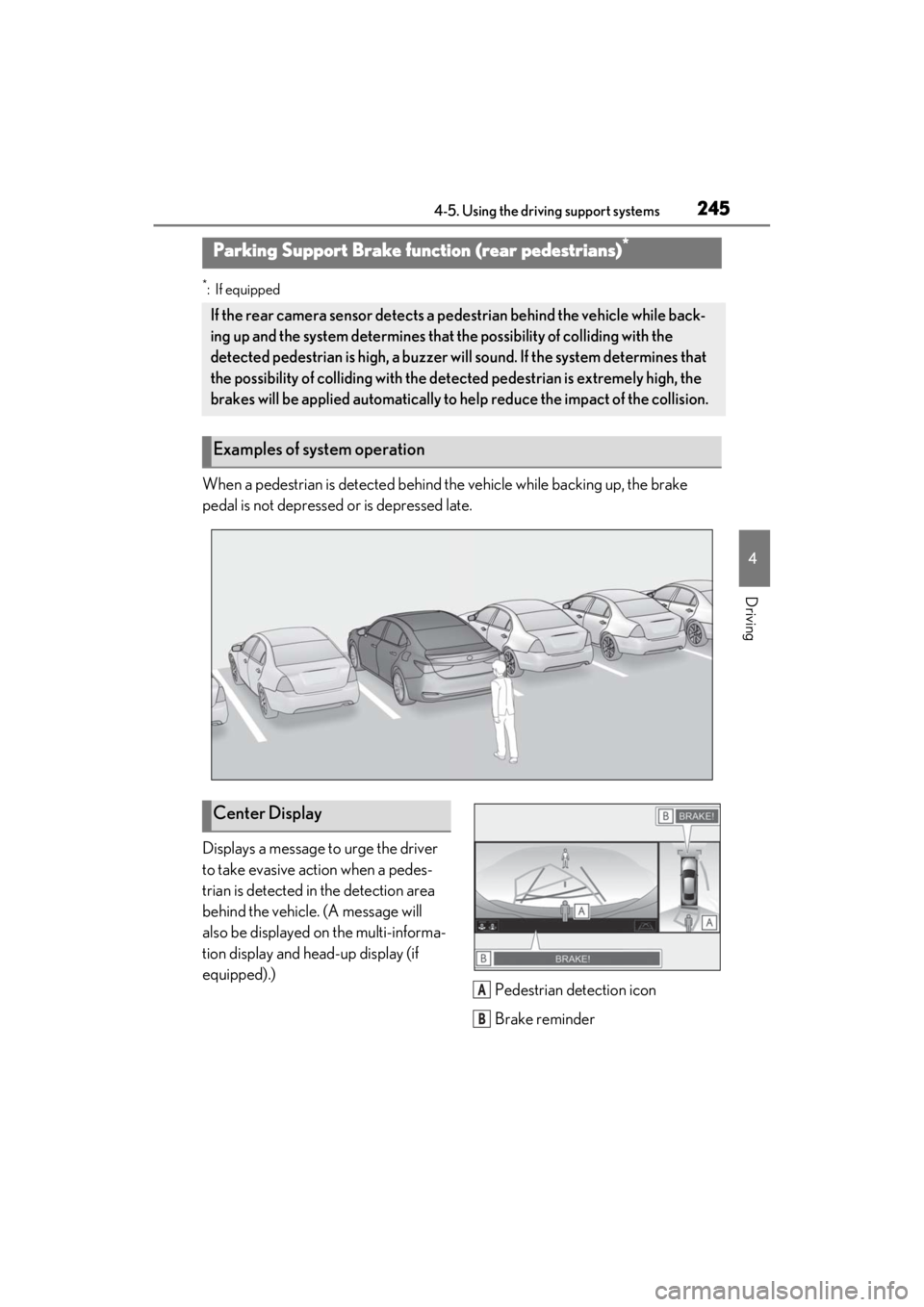
When a pedestrian is detected behind the vehicle while backing up, the brake
pedal is not depressed or is depressed late.
Displays a message to urge the driver
to take evasive action when a pedes-
trian is detected in the detection area
behind the vehicle. (A message will
also be displayed on the multi-informa-
tion display and head-up display (if
equipped).)Pedestrian detection icon
Brake reminder
Parking Support Brake function (rear pedestrians)*
If the rear camera sensor detects a pedestrian behind the vehicle while back-
ing up and the system determines that the possibility of colliding with the
detected pedestrian is high, a buzzer will sound. If the system determines that
the possibility of colliding with the dete cted pedestrian is extremely high, the
brakes will be applied automatically to he lp reduce the impact of the collision.
Examples of system operation
Center Display
A
B
Page 246 of 464
2464-5. Using the driving support systems
■Parking Support Brake function (rear
pedestrians) will operate when
The function will oper ate when the PKSB
OFF indicator is not illuminated or flashing
( P.74, 75) and all of the following condi-
tions are met:
●Hybrid system output restriction control
• The Parking Support Brake is enabled.
• The vehicle speed is 9 mph (15 km/h) or less.
• The shift position is in R.
• The rear camera sensor detects a pedes- trian behind the vehicle while backing up
and the system determines that the possi-
bility of colliding with the detected
pedestrian is high.
●Brake control • Hybrid system output restriction control
is operating.
• The Parking Support Brake determines
that an emergency brake operation is
necessary to avoid a collision with a
pedestrian.
■The Parking Support Brake function
(rear pedestrians) will stop operating
when
The function will stop operating if any of the
following conditions are met:
●Hybrid system output restriction control
• The Parking Support Brake is disabled.
• The collision becomes avoidable with normal brake operation.
• The pedestrian is no longer detected behind your vehicle.
●Brake control
• The Parking Support Brake is disabled.
• Approximately 2 seconds have elapsed
since the vehicle was stopped by brake
control.
• The brake pedal is depressed after the vehicle is stopped by brake control.
• The pedestrian is no longer detected
behind your vehicle.
■Re-enabling the Parking Support Brake
function (rear pedestrians)
P.233
■Detection area of the Parking Support
Brake function (rear pedestrians)
The detection area of the Parking Support
Brake function (rear pedestrians) differs
from the detection area of the RCD func-
tion ( P.227). Therefore, even if the RCD
function detects a pedestrian and provides
an alert, the Parking Support Brake func-
tion (rear pedestrians) may not start operat-
ing.
■Situations in which the system may not
operate properly
●Some pedestrians, such as the following,
may not be detected by the Parking Sup-
port Brake function (rear pedestrians),
preventing the function from operating
properly:
• Pedestrians who are bending forward or
squatting
• Pedestrians who are lying down
• Pedestrians who are running
WARNING
■If the Parking Support Brake function
(rear pedestrians) operates unneces-
sarily
Depress the brake pedal immediately
after the Parking Support Brake function
(rear pedestrians) operates. (Operation
of the function is canceled by depressing
the brake pedal.)
■In order to correctly use the Parking
Support Brake function (rear pedes-
trians)
Do not rely solely upon the system.
Depending on the road conditions, vehi-
cle conditions, and weather conditions,
etc., the system may not operate. The
detection capability of the rear camera is
limited. Always driv e while confirming
the safety of the surroundings of the vehi-
cle.
Also, if the PKSB OFF indicator is flash-
ing or the message indicating that the
system is unavailable is displayed over
the camera image, the system cannot be
used. However, even if the indicator is
not flashing or the message is not dis-
played, do not rely solely upon the sys-
tem and make sure to always drive while
directly confirming the safety of your sur-
roundings.
Page 249 of 464
2494-5. Using the driving support systems
4
Driving
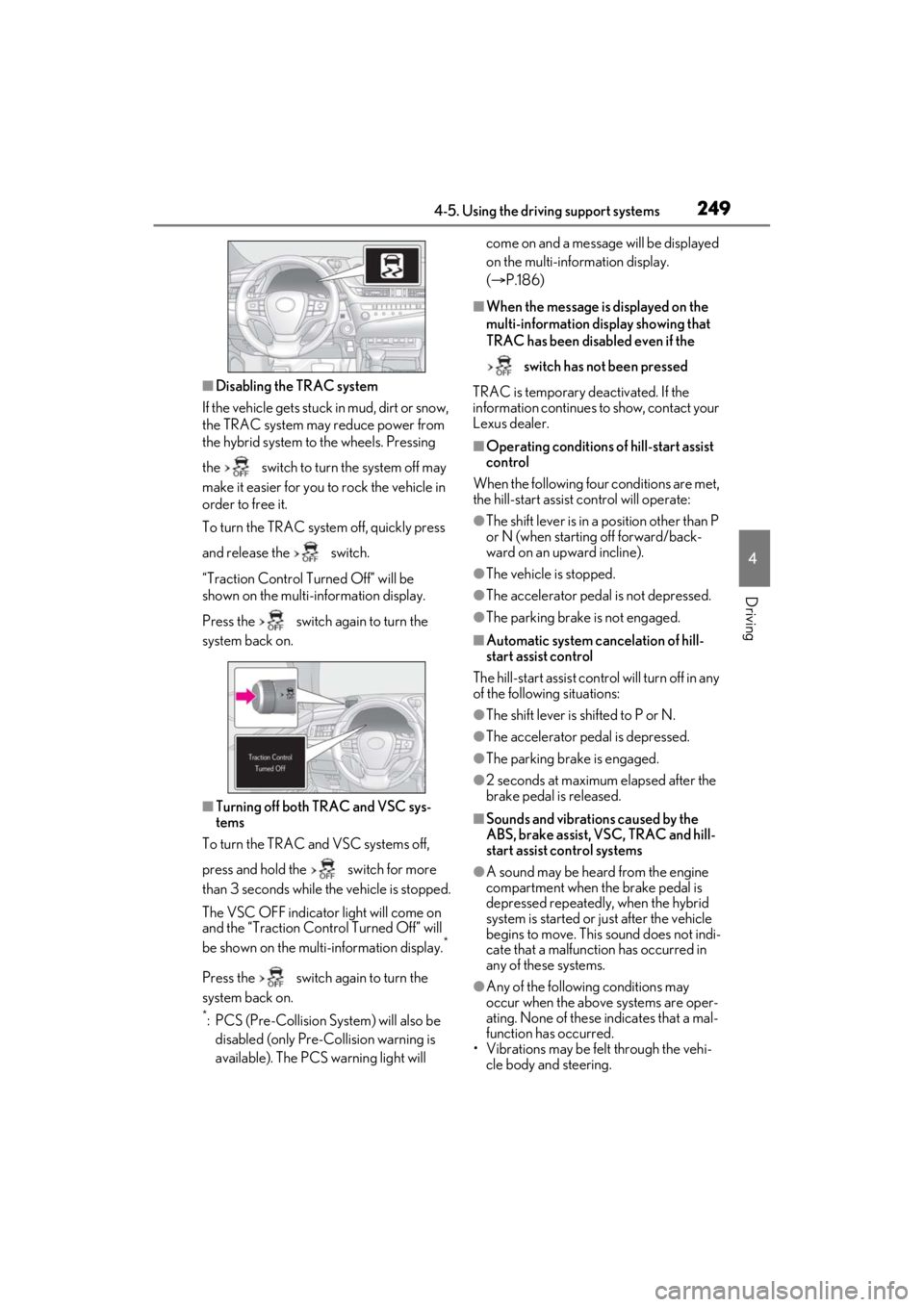
■Disabling the TRAC system
If the vehicle gets stuck in mud, dirt or snow,
the TRAC system may reduce power from
the hybrid system to the wheels. Pressing
the switch to turn the system off may
make it easier for you to rock the vehicle in
order to free it.
To turn the TRAC system off, quickly press
and release the switch.
“Traction Control Turned Off” will be
shown on the multi-information display.
Press the switch again to turn the
system back on.
■Turning off both TRAC and VSC sys-
tems
To turn the TRAC and VSC systems off,
press and hold the switch for more
than 3 seconds while the vehicle is stopped.
The VSC OFF indicator light will come on
and the “Traction Cont rol Turned Off” will
be shown on the multi-information display.
*
Press the switch again to turn the
system back on.
*: PCS (Pre-Collision System) will also be disabled (only Pre-Collision warning is
available). The PCS warning light will come on and a message will be displayed
on the multi-information display.
(
P.186)
■When the message is displayed on the
multi-information display showing that
TRAC has been disabled even if the
switch has not been pressed
TRAC is temporary deactivated. If the
information continues to show, contact your
Lexus dealer.
■Operating conditions of hill-start assist
control
When the following four conditions are met,
the hill-start assist control will operate:
●The shift lever is in a position other than P
or N (when starting off forward/back-
ward on an up ward incline).
●The vehicle is stopped.
●The accelerator pedal is not depressed.
●The parking brake is not engaged.
■Automatic system cancelation of hill-
start assist control
The hill-start assist control will turn off in any
of the following situations:
●The shift lever is shifted to P or N.
●The accelerator pedal is depressed.
●The parking brake is engaged.
●2 seconds at maximum elapsed after the
brake pedal is released.
■Sounds and vibrations caused by the
ABS, brake assist, VSC, TRAC and hill-
start assist control systems
●A sound may be heard from the engine
compartment when the brake pedal is
depressed repeatedly, when the hybrid
system is started or just after the vehicle
begins to move. This sound does not indi-
cate that a malfunction has occurred in
any of these systems.
●Any of the following conditions may
occur when the above systems are oper-
ating. None of these indicates that a mal-
function has occurred.
• Vibrations may be felt through the vehi-
cle body and steering.
Page 258 of 464
2585-1. Remote Touch
5-1.Remote Touch
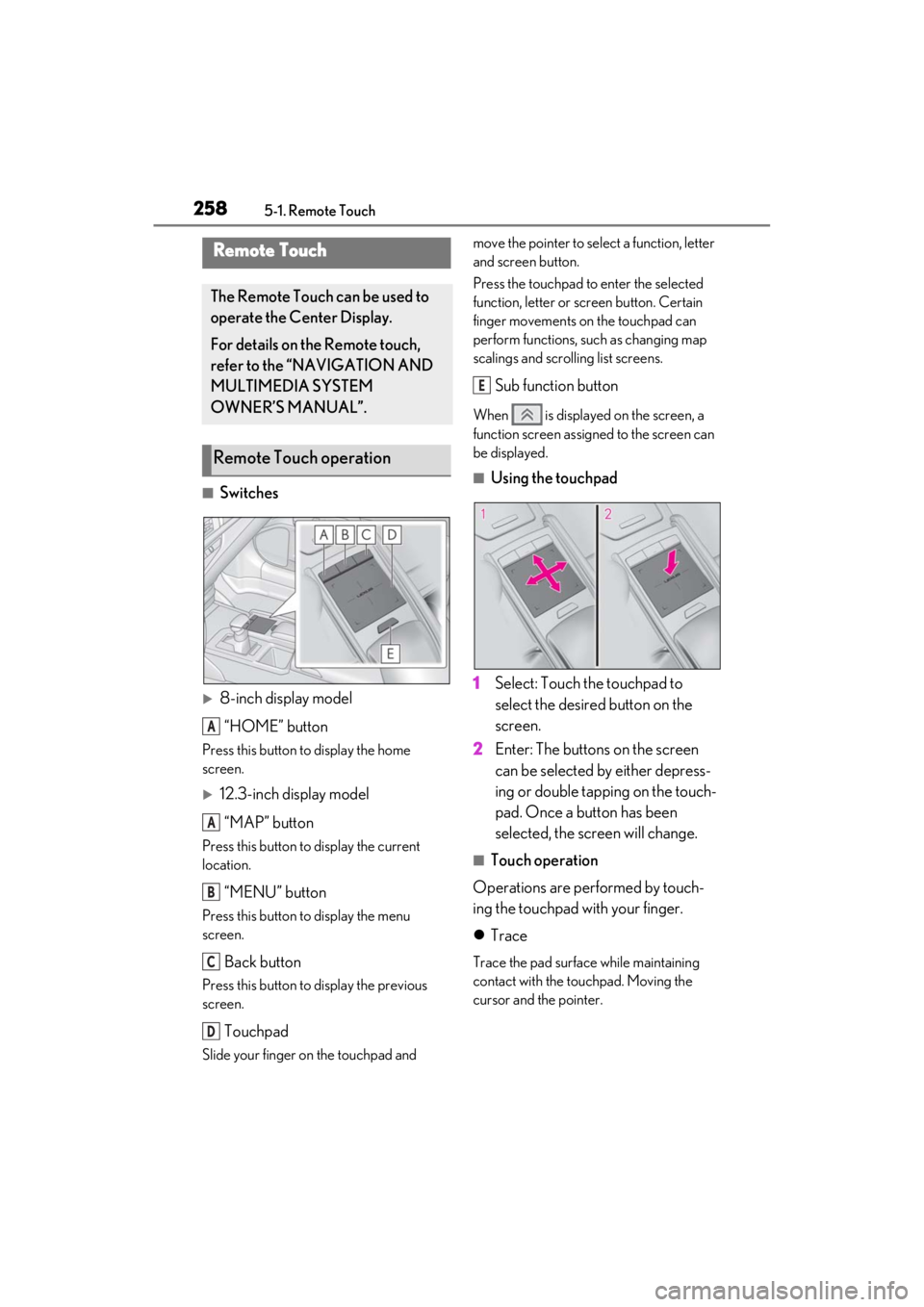
■Switches
8-inch display model“HOME” button
Press this button to display the home
screen.
12.3-inch display model
“MAP” button
Press this button to display the current
location.
“MENU” button
Press this button to display the menu
screen.
Back button
Press this button to display the previous
screen.
Touchpad
Slide your finger on the touchpad and move the pointer to select a function, letter
and screen button.
Press the touchpad to enter the selected
function, letter or screen button. Certain
finger movements on the touchpad can
perform functions, su
ch as changing map
scalings and scrolling list screens.
Sub function button
When is displayed on the screen, a
function screen assigned to the screen can
be displayed.
■Using the touchpad
1 Select: Touch the touchpad to
select the desired button on the
screen.
2 Enter: The buttons on the screen
can be selected by either depress-
ing or double tapping on the touch-
pad. Once a button has been
selected, the screen will change.
■Touch operation
Operations are performed by touch-
ing the touchpad with your finger.
Trace
Trace the pad surface while maintaining
contact with the touchpad. Moving the
cursor and the pointer.
Remote Touch
The Remote Touch can be used to
operate the Center Display.
For details on the Remote touch,
refer to the “NAVIGATION AND
MULTIMEDIA SYSTEM
OWNER’S MANUAL”.
Remote Touch operation
A
A
B
C
D
E
Page 259 of 464
2595-1. Remote Touch
5
Interior features
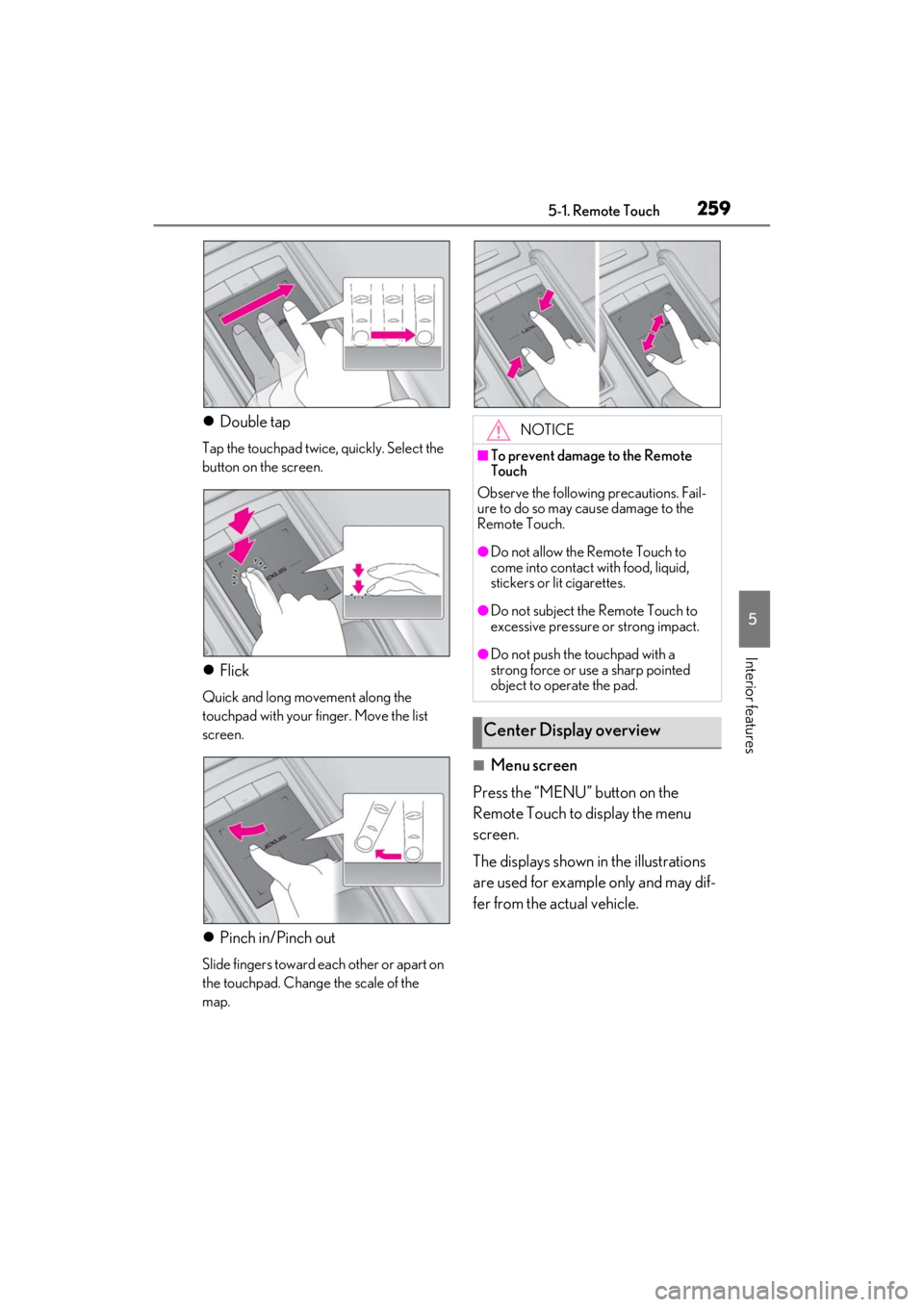
Double tap
Tap the touchpad twice, quickly. Select the
button on the screen.
Flick
Quick and long movement along the
touchpad with your finger. Move the list
screen.
Pinch in/Pinch out
Slide fingers toward each other or apart on
the touchpad. Change the scale of the
map.
■Menu screen
Press the “MENU” button on the
Remote Touch to display the menu
screen.
The displays shown in the illustrations
are used for example only and may dif-
fer from the actual vehicle.
NOTICE
■To prevent damage to the Remote
Touch
Observe the following precautions. Fail-
ure to do so may cause damage to the
Remote Touch.
●Do not allow the Remote Touch to
come into contact with food, liquid,
stickers or lit cigarettes.
●Do not subject the Remote Touch to
excessive pressure or strong impact.
●Do not push the touchpad with a
strong force or use a sharp pointed
object to operate the pad.
Center Display overview