display LEXUS ES300h 2021 Owners Manual
[x] Cancel search | Manufacturer: LEXUS, Model Year: 2021, Model line: ES300h, Model: LEXUS ES300h 2021Pages: 464, PDF Size: 9.55 MB
Page 260 of 464
2605-1. Remote Touch
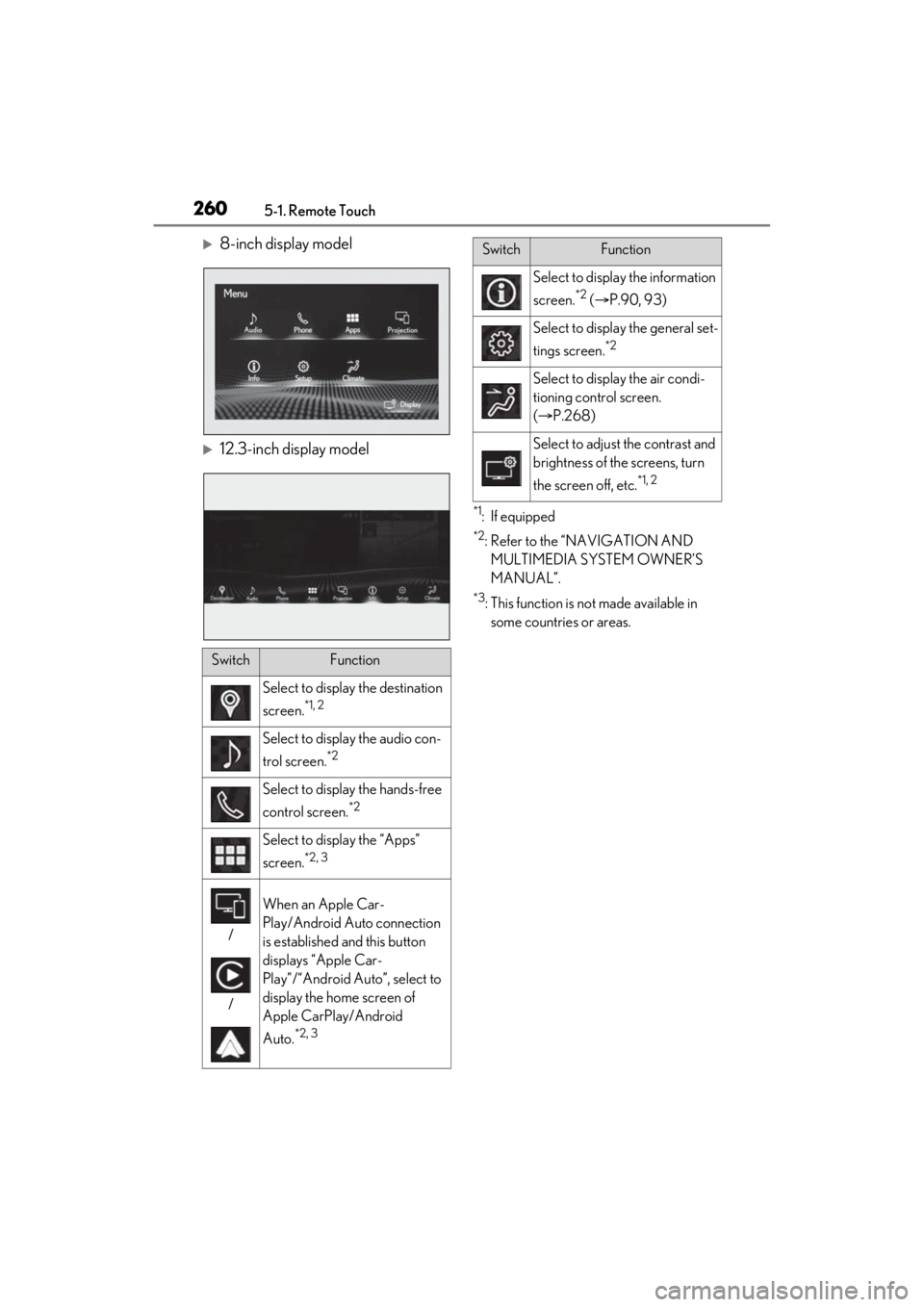
8-inch display model
12.3-inch display model
*1: If equipped
*2: Refer to the “NAVIGATION AND MULTIMEDIA SYSTEM OWNER’S
MANUAL”.
*3: This function is not made available in some countries or areas.
SwitchFunction
Select to display the destination
screen.
*1, 2
Select to display the audio con-
trol screen.
*2
Select to display the hands-free
control screen.
*2
Select to display the “Apps”
screen.
*2, 3
/
/
When an Apple Car-
Play/Android Auto connection
is established and this button
displays “Apple Car-
Play”/“Android Auto”, select to
display the home screen of
Apple CarPlay/Android
Auto.
*2, 3
Select to display the information
screen.
*2 ( P.90, 93)
Select to displa y the general set-
tings screen.
*2
Select to display the air condi-
tioning control screen.
( P.268)
Select to adjust the contrast and
brightness of the screens, turn
the screen off, etc.
*1, 2
SwitchFunction
Page 261 of 464
2615-1. Remote Touch
5
Interior features
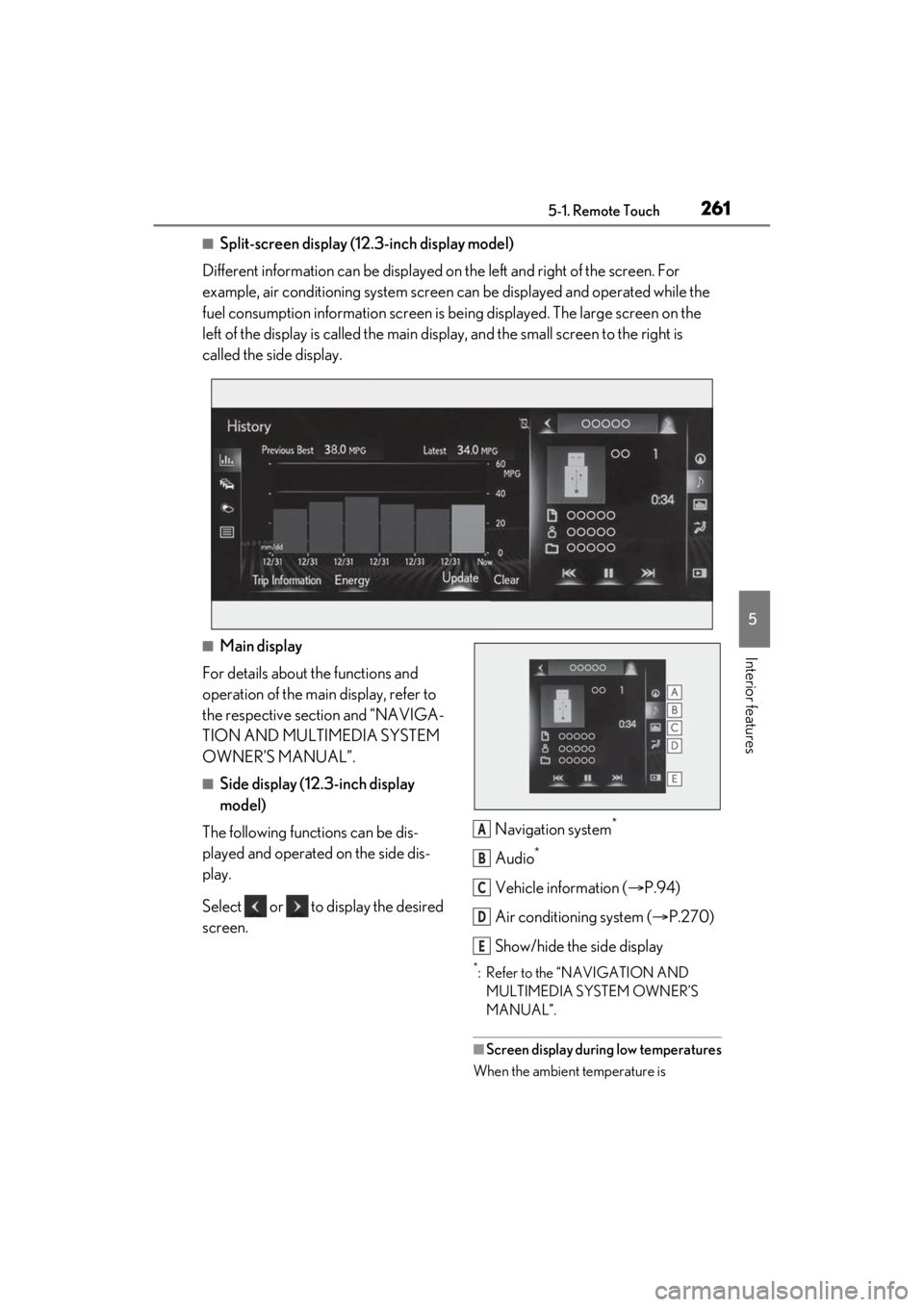
■Split-screen display (12.3-inch display model)
Different information can be displayed on the left and right of the screen. For
example, air conditioning system screen can be displayed and operated while the
fuel consumption information screen is be ing displayed. The large screen on the
left of the display is called the main display, and the small screen to the right is
called the side display.
■Main display
For details about the functions and
operation of the main display, refer to
the respective section and “NAVIGA-
TION AND MULTIMEDIA SYSTEM
OWNER’S MANUAL”.
■Side display (12.3-inch display
model)
The following functions can be dis-
played and operated on the side dis-
play.
Select or to display the desired
screen. Navigation system
*
Audio*
Vehicle information (
P.94)
Air conditioning system ( P.270)
Show/hide the side display
*: Refer to the “NAVIGATION AND MULTIMEDIA SYSTEM OWNER’S
MANUAL”.
■Screen display during low temperatures
When the ambient temperature is
A
B
C
D
E
Page 263 of 464
2635-2. Lexus Climate Concierge
5
Interior features
5-2.Lexus Climate Concierge
Select
The indicator on the Lexus Climate Con-
cierge control screen illuminates, and the
automatic air conditioning system, seat
heaters and ventilators, and heated steer-
ing wheel operate in automatic mode.
If any of the system is operated manually,
the indicator turns off. However, all other
functions continue to operate in automatic
mode.
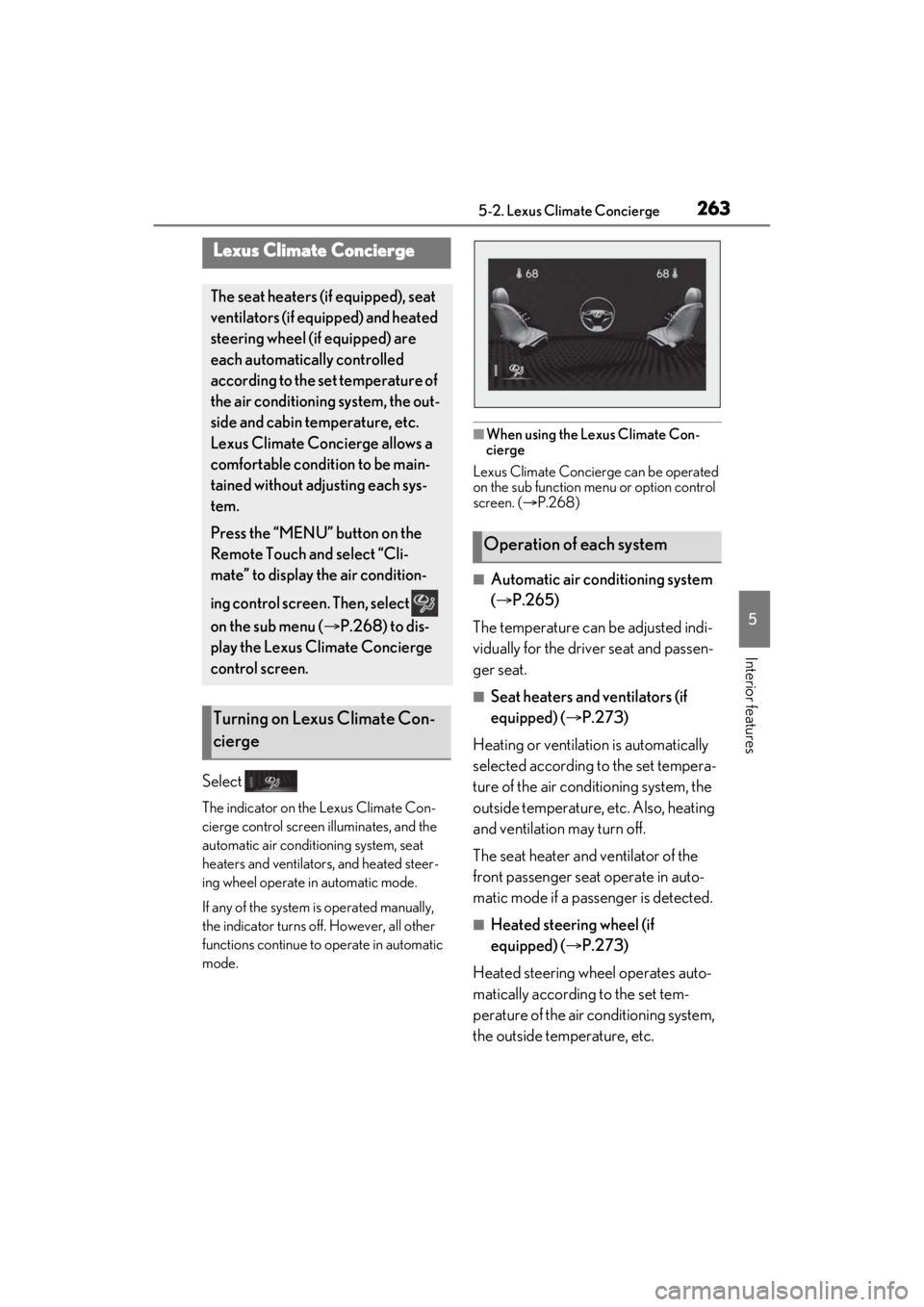
■When using the Lexus Climate Con-
cierge
Lexus Climate Concierge can be operated
on the sub function menu or option control
screen. ( P.268)
■Automatic air conditioning system
( P.265)
The temperature can be adjusted indi-
vidually for the driver seat and passen-
ger seat.
■Seat heaters and ventilators (if
equipped) ( P.273)
Heating or ventilation is automatically
selected according to the set tempera-
ture of the air conditioning system, the
outside temperature, etc. Also, heating
and ventilation may turn off.
The seat heater and ventilator of the
front passenger seat operate in auto-
matic mode if a passenger is detected.
■Heated steering wheel (if
equipped) ( P.273)
Heated steering wheel operates auto-
matically according to the set tem-
perature of the air conditioning system,
the outside temperature, etc.
Lexus Climate Concierge
The seat heaters (if equipped), seat
ventilators (if equipped) and heated
steering wheel (if equipped) are
each automatically controlled
according to the set temperature of
the air conditioning system, the out-
side and cabin temperature, etc.
Lexus Climate Concierge allows a
comfortable condition to be main-
tained without adjusting each sys-
tem.
Press the “MENU” button on the
Remote Touch and select “Cli-
mate” to display the air condition-
ing control screen. Then, select
on the sub menu ( P.268) to dis-
play the Lexus Climate Concierge
control screen.
Turning on Lexus Climate Con-
cierge
Operation of each system
Page 265 of 464
2655-3. Using the air conditioning system
5
Interior features
5-3.Using the air conditioning system
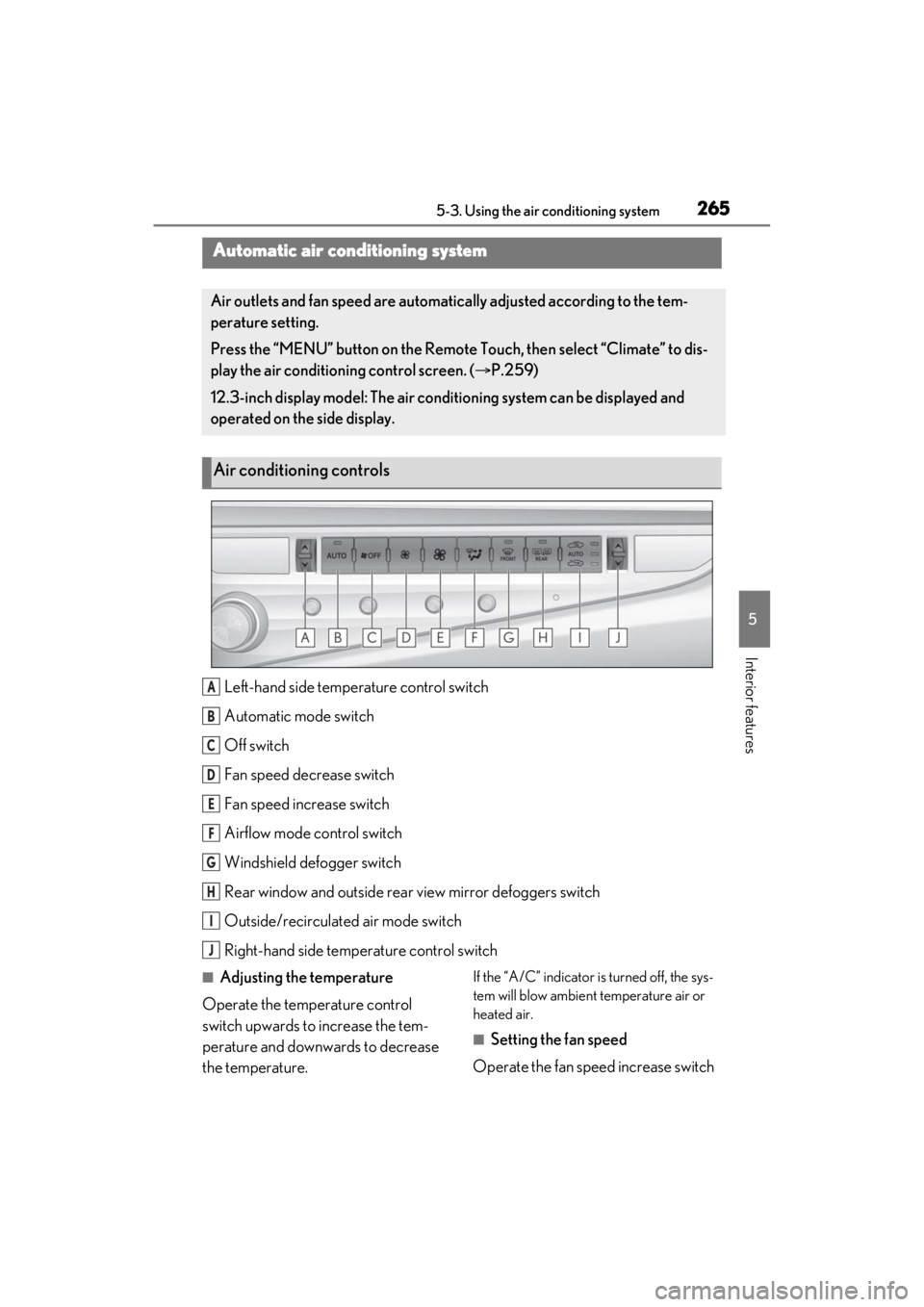
Left-hand side temperature control switch
Automatic mode switch
Off switch
Fan speed decrease switch
Fan speed increase switch
Airflow mode control switch
Windshield defogger switch
Rear window and outside rear view mirror defoggers switch
Outside/recirculated air mode switch
Right-hand side temp erature control switch
■Adjusting the temperature
Operate the temperature control
switch upwards to increase the tem-
perature and downwards to decrease
the temperature.If the “A/C” indicator is turned off, the sys-
tem will blow ambient temperature air or
heated air.
■Setting the fan speed
Operate the fan speed increase switch
Automatic air conditioning system
Air outlets and fan speed are automati cally adjusted according to the tem-
perature setting.
Press the “MENU” button on the Remote Touch, then select “Climate” to dis-
play the air conditioning control screen. ( P.259)
12.3-inch display model: The air condit ioning system can be displayed and
operated on the side display.
Air conditioning controls
A
B
C
D
E
F
G
H
I
J
Page 268 of 464
2685-3. Using the air conditioning system
●The meaning of each symbol on the label
are as follows:
■Customization
Settings (e.g. A/C Auto switch operation)
can be changed.
(Customizable features P.420)
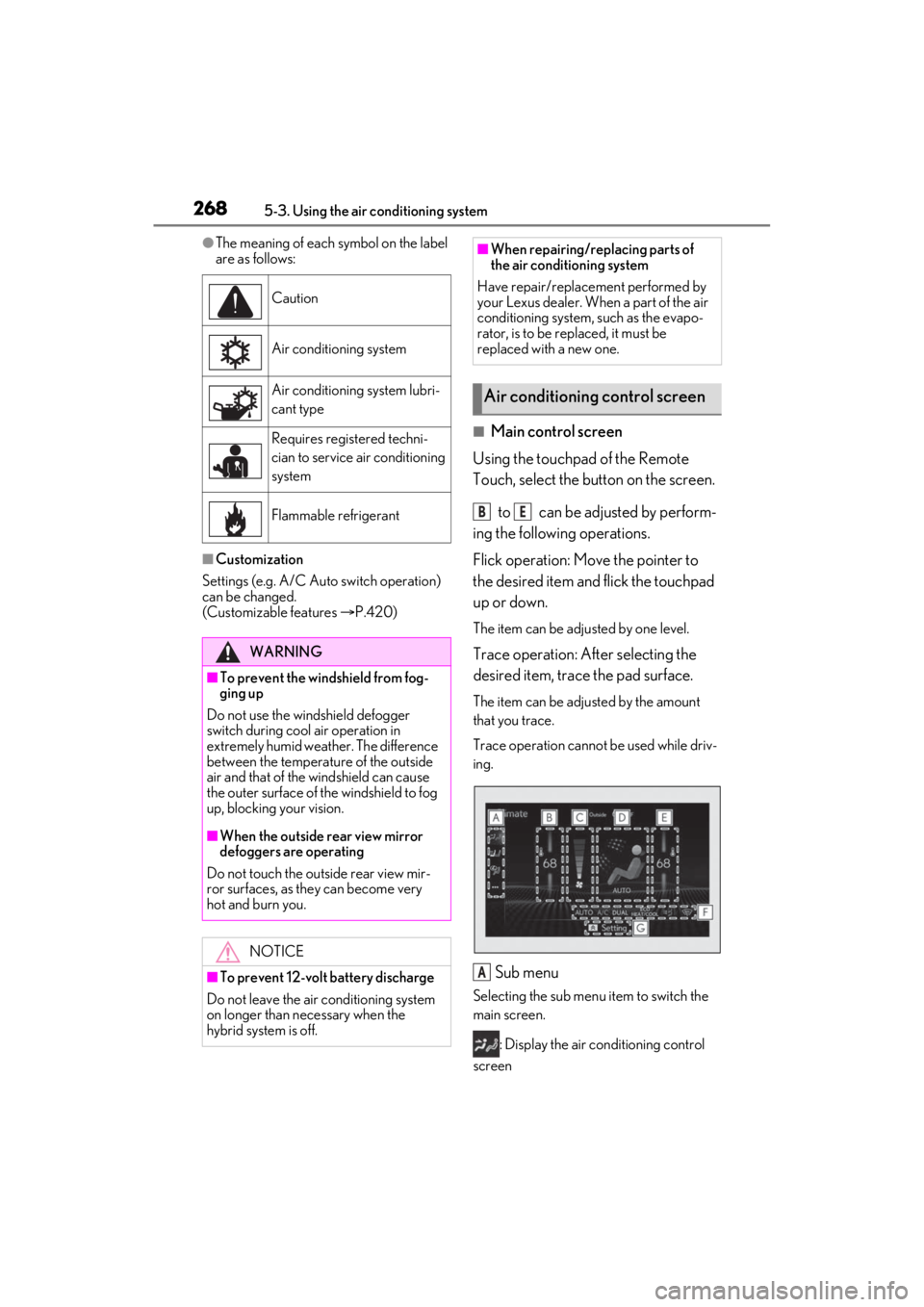
■Main control screen
Using the touchpad of the Remote
Touch, select the button on the screen.
to can be adjusted by perform-
ing the following operations.
Flick operation: Move the pointer to
the desired item and flick the touchpad
up or down.
The item can be adjusted by one level.
Trace operation: After selecting the
desired item, trace the pad surface.
The item can be adjusted by the amount
that you trace.
Trace operation cannot be used while driv-
ing.
Sub menu
Selecting the sub menu item to switch the
main screen.
: Display the air conditioning control
screen
Caution
Air conditioning system
Air conditioning system lubri-
cant type
Requires registered techni-
cian to service air conditioning
system
Flammable refrigerant
WARNING
■To prevent the windshield from fog-
ging up
Do not use the windshield defogger
switch during cool air operation in
extremely humid weather. The difference
between the temperature of the outside
air and that of the windshield can cause
the outer surface of the windshield to fog
up, blocking your vision.
■When the outside rear view mirror
defoggers are operating
Do not touch the outside rear view mir-
ror surfaces, as they can become very
hot and burn you.
NOTICE
■To prevent 12-volt battery discharge
Do not leave the air conditioning system
on longer than necessary when the
hybrid system is off.
■When repairing/replacing parts of
the air conditioning system
Have repair/replace ment performed by
your Lexus dealer. When a part of the air
conditioning system, such as the evapo-
rator, is to be re placed, it must be
replaced with a new one.
Air conditioning control screen
BE
A
Page 269 of 464
2695-3. Using the air conditioning system
5
Interior features
: Display the heated steering
wheel/seat heater/seat ventilator control
screen (if equipped)
: Display the Lexus Climate Con-
cierge control screen
: Display the option control screen
Adjust the left-hand side tempera-
ture setting
Adjust the fan speed setting
Select the air flow mode
: Air flows to the upper body
: Air flows to the upper body and feet
: Air flows to the feet
: Air flows to the feet and the wind-
shield defogger operates
Adjust the right-hand side tem-
perature setting
Function on/off indicators
When the function is on, the indicator illu-
minates on the control screen.
Sub function menu
When the sub function button on the
Remote Touch is pressed, the following
functions can be switched on and off.
: Set Lexus Climate Concierge
( P.263)
“AUTO”: Set automatic mode on/off
( P.270)
“Off”: Turn the fan off
“A/C”: Set cooling and dehumidification
function
“DUAL”: Adjust the temperature for driver
and front passenger seats separately (“DUAL” mode) (
P.272)
: Set eco air conditioning mode
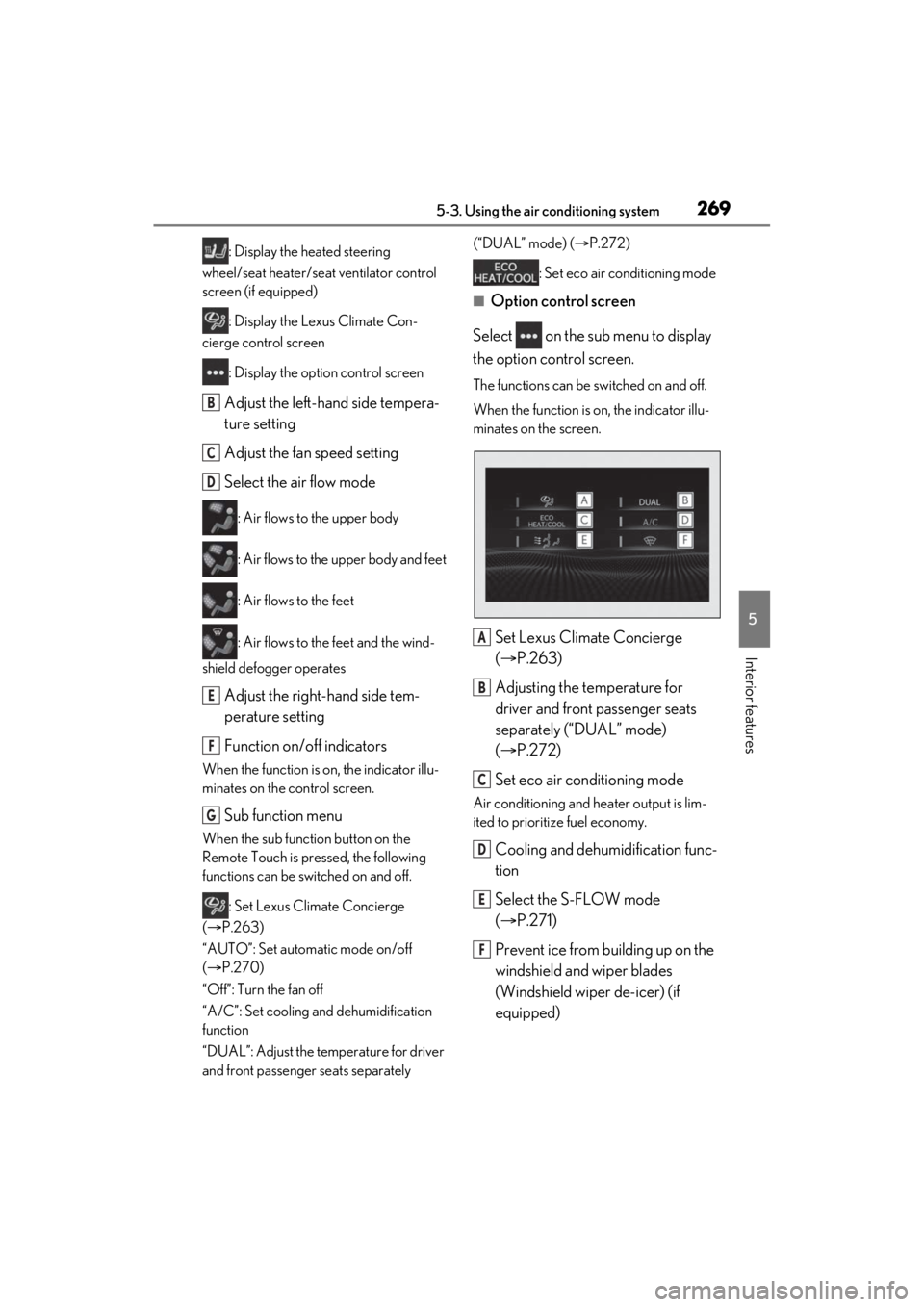
■Option control screen
Select on the sub menu to display
the option control screen.
The functions can be switched on and off.
When the function is on, the indicator illu-
minates on the screen.
Set Lexus Climate Concierge
( P.263)
Adjusting the temperature for
driver and front passenger seats
separately (“DUAL” mode)
( P.272)
Set eco air conditioning mode
Air conditioning and heater output is lim-
ited to prioritize fuel economy.
Cooling and dehumidification func-
tion
Select the S-FLOW mode
( P.271)
Prevent ice from building up on the
windshield and wiper blades
(Windshield wiper de-icer) (if
equipped)
B
C
D
E
F
G
A
B
C
D
E
F
Page 270 of 464
2705-3. Using the air conditioning system
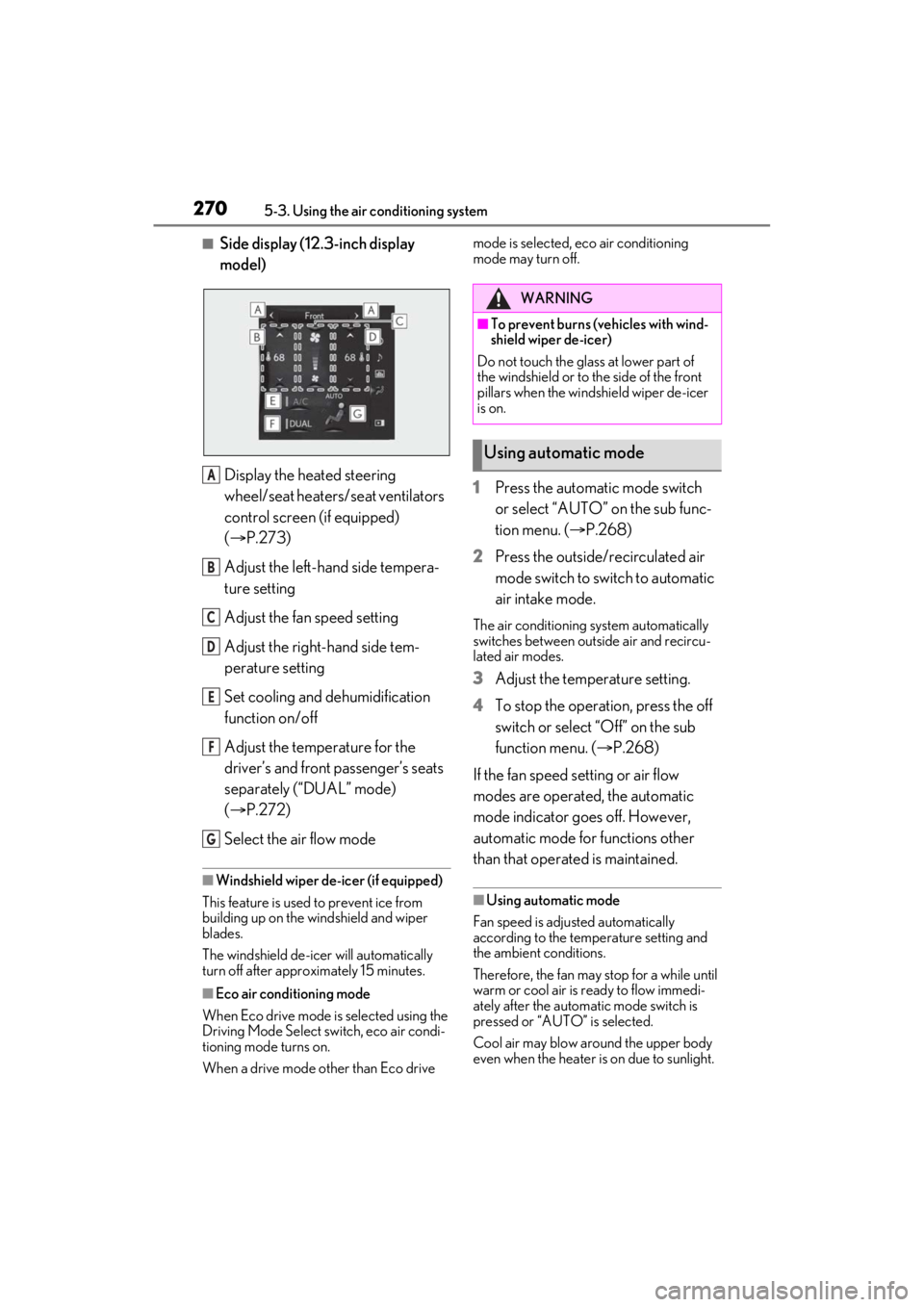
■Side display (12.3-inch display
model)
Display the heated steering
wheel/seat heaters/seat ventilators
control screen (if equipped)
( P.273)
Adjust the left-hand side tempera-
ture setting
Adjust the fan speed setting
Adjust the right-hand side tem-
perature setting
Set cooling and dehumidification
function on/off
Adjust the temperature for the
driver’s and front passenger’s seats
separately (“DUAL” mode)
( P.272)
Select the air flow mode
■Windshield wiper de-icer (if equipped)
This feature is used to prevent ice from
building up on the wi ndshield and wiper
blades.
The windshield de-icer will automatically
turn off after approximately 15 minutes.
■Eco air conditioning mode
When Eco drive mode is selected using the
Driving Mode Select switch, eco air condi-
tioning mode turns on.
When a drive mode other than Eco drive mode is selected, eco air conditioning
mode may turn off.
1
Press the automatic mode switch
or select “AUTO” on the sub func-
tion menu. ( P.268)
2 Press the outside/recirculated air
mode switch to switch to automatic
air intake mode.
The air conditioning system automatically
switches between outside air and recircu-
lated air modes.
3Adjust the temperature setting.
4 To stop the operation, press the off
switch or select “Off” on the sub
function menu. ( P.268)
If the fan speed setting or air flow
modes are operated, the automatic
mode indicator goes off. However,
automatic mode for functions other
than that operated is maintained.
■Using automatic mode
Fan speed is adjusted automatically
according to the temperature setting and
the ambient conditions.
Therefore, the fan may stop for a while until
warm or cool air is ready to flow immedi-
ately after the automatic mode switch is
pressed or “AUTO” is selected.
Cool air may blow around the upper body
even when the heater is on due to sunlight.
A
B
C
D
E
F
G
WARNING
■To prevent burns (vehicles with wind-
shield wiper de-icer)
Do not touch the glass at lower part of
the windshield or to the side of the front
pillars when the windshield wiper de-icer
is on.
Using automatic mode
Page 271 of 464
2715-3. Using the air conditioning system
5
Interior features
■Windshield fog detection function
When automatic mode is set, the humidity
sensor detects fog on the windshield and
controls the air conditioning system to pre-
vent fog.
■Automatic mode for air intake control
In automatic mode, the system detects
exhaust gas and other pollutants and auto-
matically switches between outside air and
recirculated air modes.
When the dehumidification function is off,
and the fan is operating, turning automatic
mode on will activate the dehumidification
function. The next time the dehumidification
function is turned off, the AUTO mode for
switching between outside air and recircu-
lated air modes is canceled.
This function automatically controls the
air conditioning airflo w so that priority is given to the front seats. When the
front passenger seat is not occupied,
airflow may switch to only the driver’s
seat. Unnecessary air conditioning is
suppressed, contributing to increased
fuel efficiency.
Front seat concentrated airflow mode
operates in the following situations.
No passengers are detected in the
rear seats
The windshield defogger is not
operating
While operating, illuminates.
■Manually turning front seat con-
centrated airflow mode on/off
In front seat concentrated airflow
mode, directing airflow to the front
seats only and to all seats can be
switched via switch operation. When
the mode has been switched manually,
automatic airflow control stops operat-
ing.
Select on the center display
and switch the airflow.
Indicator illuminated: Airflow to the
front seats only
Indicator off: Airflow to all the seats
■Operation of automatic airflow control
●In order to maintain a comfortable inte-
rior, airflow may be directed to seats
without passengers immediately after the
hybrid system is started and at other
times depending on the outside tempera-
ture.
●After the hybrid system is started, if pas-
sengers move around inside or enter/exit
the vehicle, the system cannot accurately
detect the presence of passengers and
NOTICE
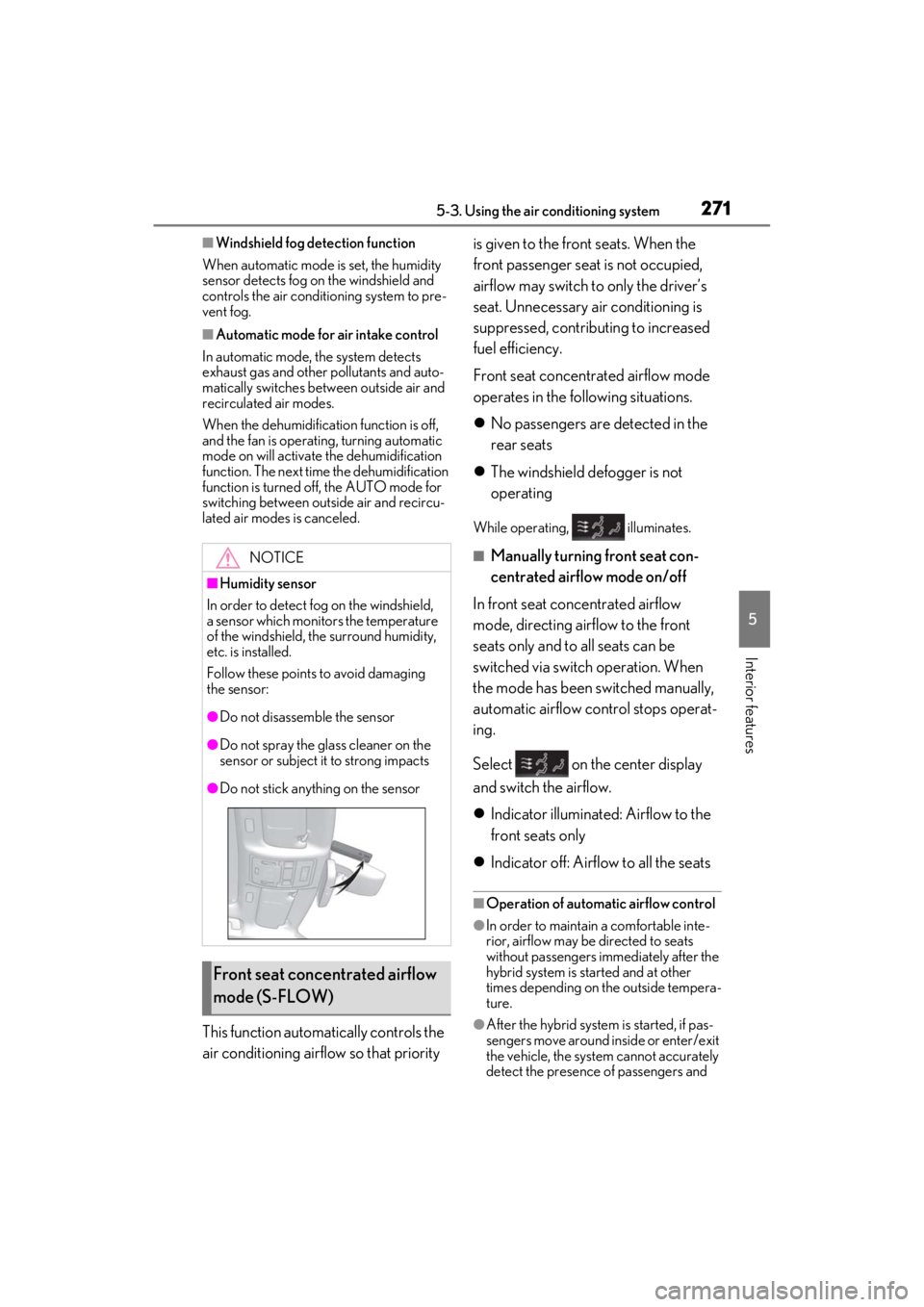
■Humidity sensor
In order to detect fog on the windshield,
a sensor which monitors the temperature
of the windshield, the surround humidity,
etc. is installed.
Follow these points to avoid damaging
the sensor:
●Do not disassemb le the sensor
●Do not spray the glass cleaner on the
sensor or subject it to strong impacts
●Do not stick anything on the sensor
Front seat concentrated airflow
mode (S-FLOW)
Page 273 of 464
2735-3. Using the air conditioning system
5
Interior features
*: If equipped
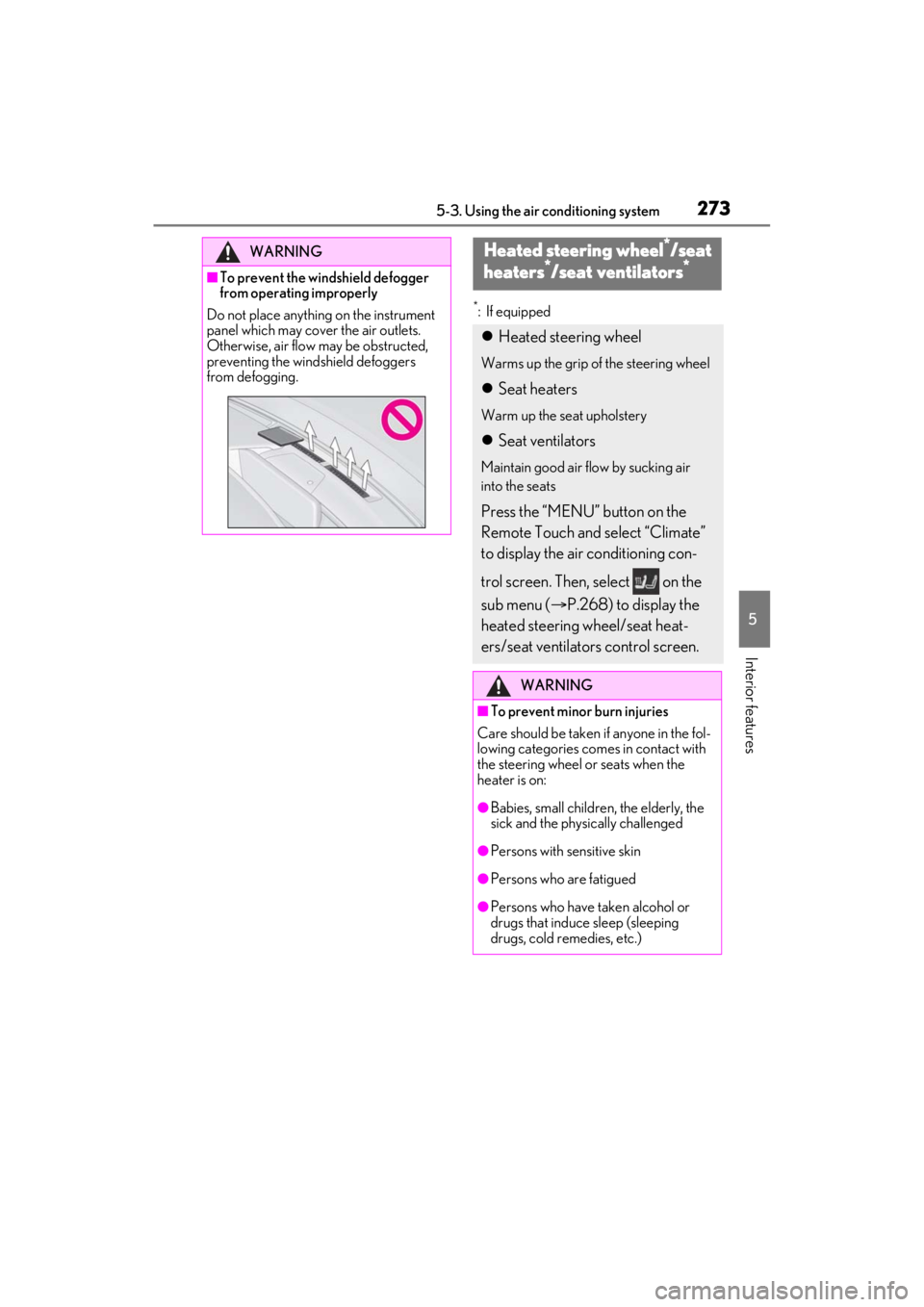
WARNING
■To prevent the windshield defogger
from operating improperly
Do not place anything on the instrument
panel which may cover the air outlets.
Otherwise, air flow may be obstructed,
preventing the windshield defoggers
from defogging.
Heated steering wheel*/seat
heaters*/seat ventilators*
Heated steering wheel
Warms up the grip of the steering wheel
Seat heaters
Warm up the seat upholstery
Seat ventilators
Maintain good air flow by sucking air
into the seats
Press the “MENU” button on the
Remote Touch and select “Climate”
to display the air conditioning con-
trol screen. Then, select on the
sub menu ( P.268) to display the
heated steering wheel/seat heat-
ers/seat ventilators control screen.
WARNING
■To prevent minor burn injuries
Care should be taken if anyone in the fol-
lowing categories comes in contact with
the steering wheel or seats when the
heater is on:
●Babies, small children, the elderly, the
sick and the physically challenged
●Persons with sensitive skin
●Persons who are fatigued
●Persons who have taken alcohol or
drugs that induce sleep (sleeping
drugs, cold remedies, etc.)
Page 275 of 464
2755-3. Using the air conditioning system
5
Interior features
■Operation condition
The power switch is in ON mode.
■Air conditioning system-linked control
mode
When the seat ventilato r fan speed level is
Hi (when AUTO is selected), the seat venti-
lator fan speed may become higher
according to the fan speed of the air condi-
tioning system.
■When AUTO mode is selected
The following functions may turn off
according to the air conditioning set tem-
perature, outside temperature, etc.
●Seat heaters
●Seat ventilators
■Stored settings
When the power switch is turned to ON
mode, the following stored settings are
recalled.
●Seat heaters
●Seat ventilators
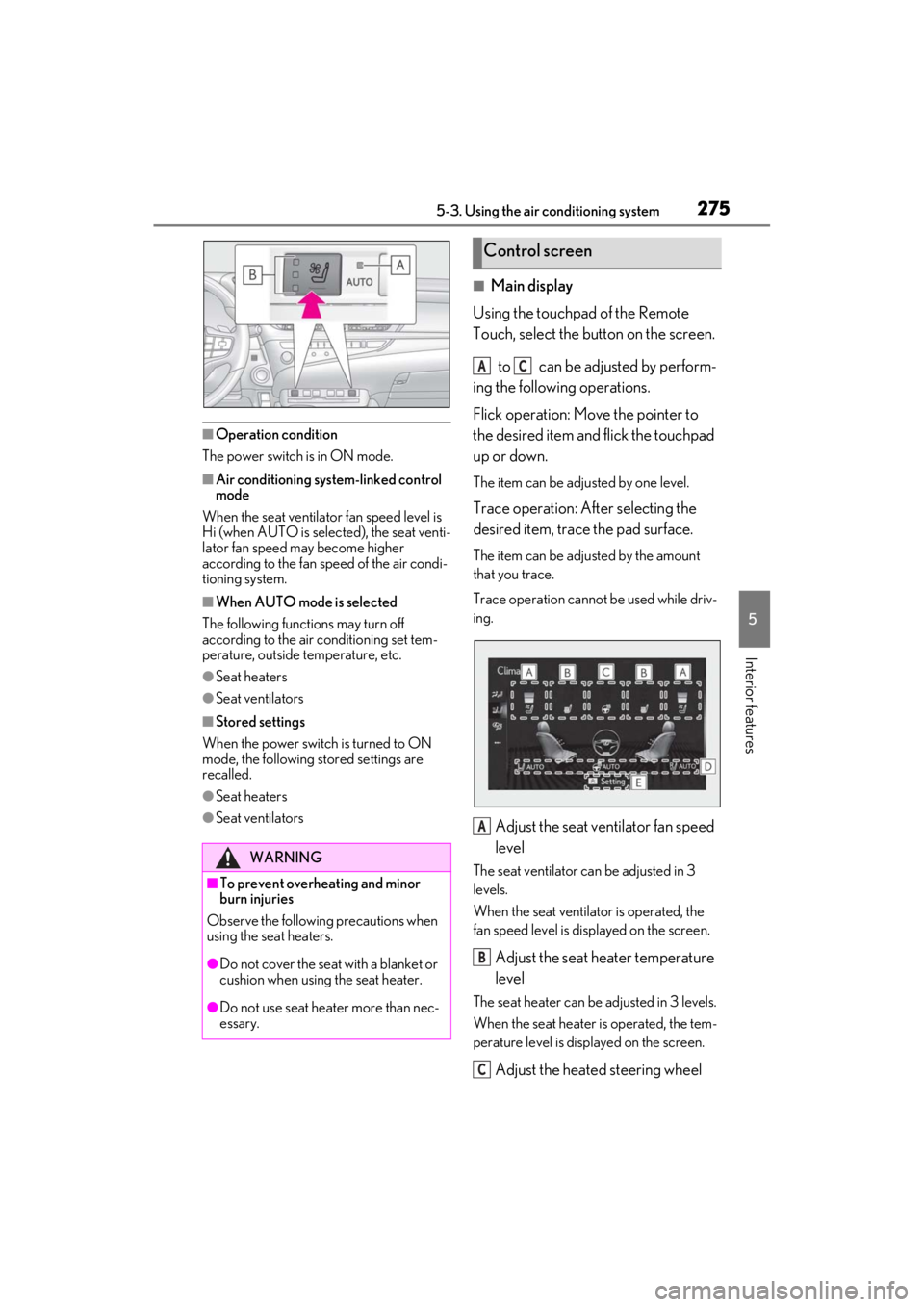
■Main display
Using the touchpad of the Remote
Touch, select the button on the screen.
to can be adjusted by perform-
ing the following operations.
Flick operation: Move the pointer to
the desired item and flick the touchpad
up or down.
The item can be adjusted by one level.
Trace operation: After selecting the
desired item, trace the pad surface.
The item can be adjusted by the amount
that you trace.
Trace operation cannot be used while driv-
ing.
Adjust the seat ventilator fan speed
level
The seat ventilator can be adjusted in 3
levels.
When the seat ventilator is operated, the
fan speed level is displayed on the screen.
Adjust the seat heater temperature
level
The seat heater can be adjusted in 3 levels.
When the seat heater is operated, the tem-
perature level is disp layed on the screen.
Adjust the heated steering wheel
WARNING
■To prevent overheating and minor
burn injuries
Observe the following precautions when
using the seat heaters.
●Do not cover the seat with a blanket or
cushion when using the seat heater.
●Do not use seat heater more than nec-
essary.
Control screen
AC
A
B
C