audio LEXUS ES300h 2023 Owners Manual
[x] Cancel search | Manufacturer: LEXUS, Model Year: 2023, Model line: ES300h, Model: LEXUS ES300h 2023Pages: 92, PDF Size: 5.17 MB
Page 3 of 92
2
ES300h_QG_OM06257U_(U)
Driving ComfortEnergy Monitor/Consumption Screen ................................................................................42
Basic Operation of Multimedia Syst em .............................................................................. 45
Navigation
*............................................................................................................................... ...... 46
Connecting a Smartphone or Communication Device
*............................................ 50
Basic Operation of Audio System
*...................................................................................... 55
Lexus Climate Concierge .........................................................................................................60
Automatic Air Conditioning System
*.................................................................................... 61
Interior features
Starting Voice Control
*............................................................................................................ 64
Connecting to the USB Port .................................................................................................... 6 8
Garage Door Opener ............................................................................................................. ... 69
Lexus Enform Safety Connect ................................................................................................................. ..............74
Remote Connect............................................................................................................................76
Service Connect................................................................................................................ ............. 77
Opening and Closing Door Locks ..................................................................................................................... ................. 78
Fuel Tank Cap .................................................................................................................. ...............79
What to do if... List of Warning/Indicator Lights............................................................................................... 81
If the electronic key does not oper ate properly ............................................................... 85
If the hybrid system will not star t ............................................................................................ .87
*: These features may be operated by Starting Voice Control (See P.64)
Depending on specifications, the vehicle shown in the illustration may
differ from your vehicle in terms of equipment.
Page 5 of 92
4
ES300h_QG_OM06257U_(U)
Parking brake switch ............................................................................................... P.28
Applying/releasing..............................................................................................................P.28
Precautions against winter season
*1
Warning buzzer/message*1
Turn signal lever ........................................................................................................ P.27
Headlight switch ....................................................................................................... P.37
Headlights/parking lights/tail lights/day time running lights ............................. P.37
AHB (Automatic High Beam) ....................................................................................... P.38
Windshield wiper and washer switch ................................................................. P.40
Usage .......................................................................................................................... ..............P.40
Adding washer fluid
*1
Warning messages*1
Emergency flasher switch*1
Hood lock release lever*1
Tilt and telescopic steering control switch*1, 2/tilt and telescopic steering lock
release lever
*1, 2
Adjustment*1
Driving position memory*1, 2
Air conditioning system ........................................................................................... P.61
Usage .......................................................................................................................... .............. P.62
Rear window defogger ....................................................................................................... P.61
Audio system.............................................................................................................. P.55
Trunk opener main switch
*1
*1: Refer to “OWNER’S MANUAL”.
*2: If equipped
E
F
G
H
I
J
K
L
M
Page 8 of 92
7
ES300h_QG_OM06257U_(U)
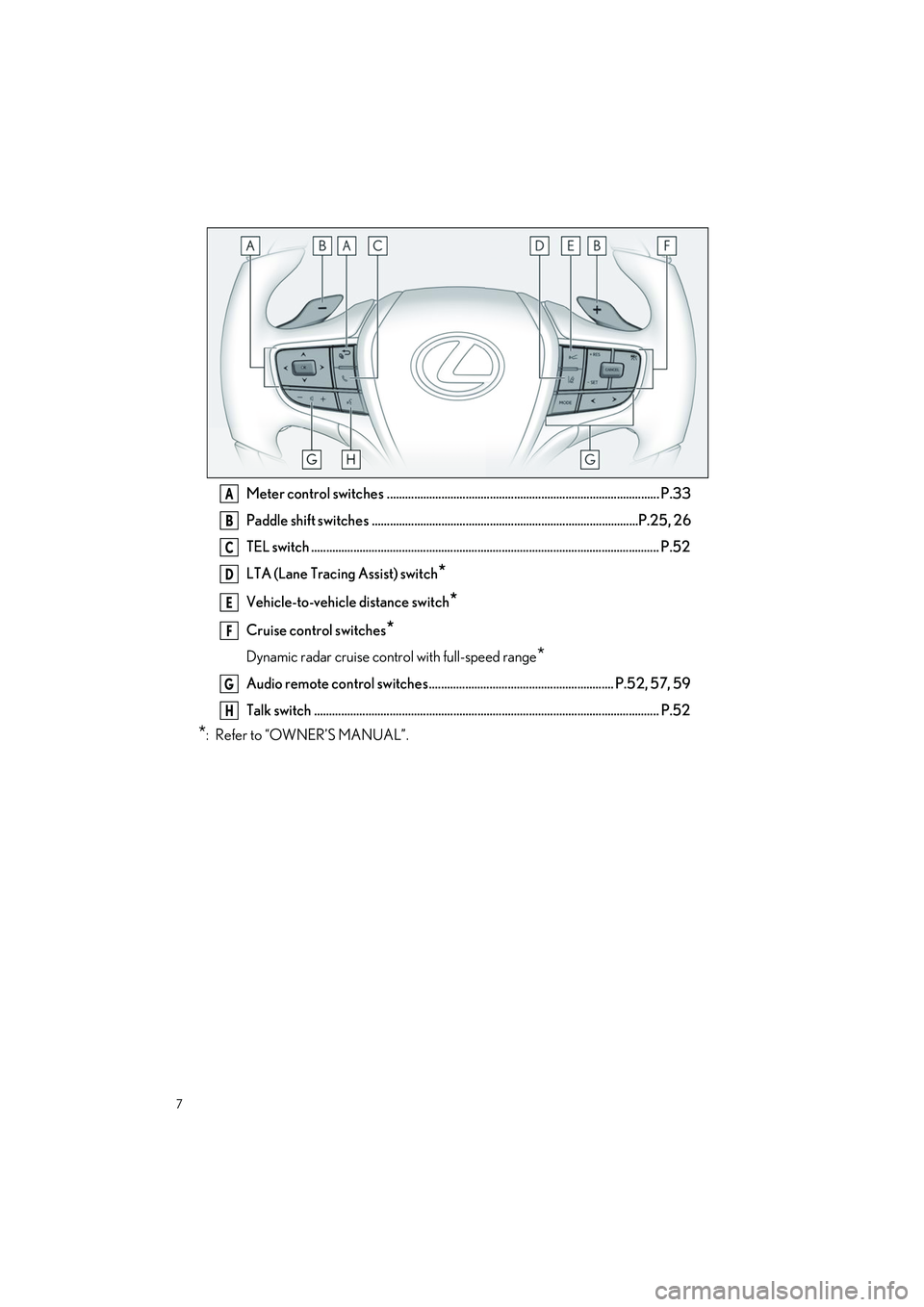
Meter control switches .......................................................................................... P.33
Paddle shift switches ........................................................................................P.25, 26
TEL switch ................................................................................................................... P.52
LTA (Lane Tracing Assist) switch
*
Vehicle-to-vehicle distance switch*
Cruise control switches*
Dynamic radar cruise control with full-speed range*
Audio remote control switches ............................................................. P.52, 57, 59
Talk switch .................................................................................................................. P. 52
*: Refer to “OWNER’S MANUAL”.
A
B
C
D
E
F
G
H
Page 22 of 92
21
ES300h_QG_OM06257U_(U)
1Stop the vehicle completely.
2Set the parking brake (P.28), and shift the shift lever to P ( P.24).
3Press the power switch.
4Release the brake pedal and check that “ACCESSORY” or “IGNITION ON” is not
shown on the meter.
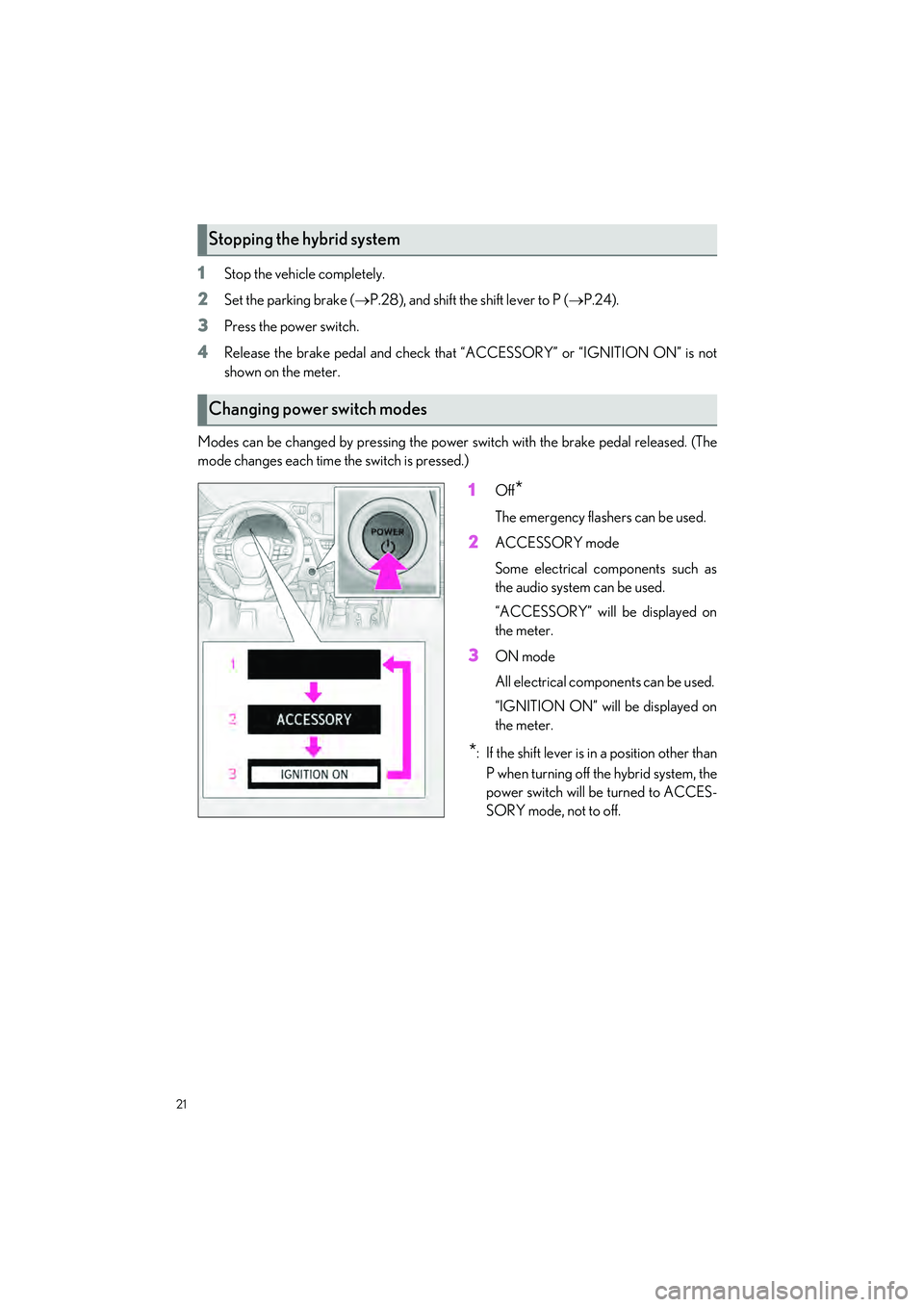
Modes can be changed by pressing the power switch with the brake pedal released. (The
mode changes each time the switch is pressed.)
1Off*
The emergency flashers can be used.
2ACCESSORY mode
Some electrical components such as
the audio system can be used.
“ACCESSORY” will be displayed on
the meter.
3ON mode
All electrical components can be used.
“IGNITION ON” will be displayed on
the meter.
*: If the shift lever is in a position other than P when turning off the hybrid system, the
power switch will be turned to ACCES-
SORY mode, not to off.
Stopping the hybrid system
Changing power switch modes
Page 33 of 92
32
ES300h_QG_OM06257U_(U)
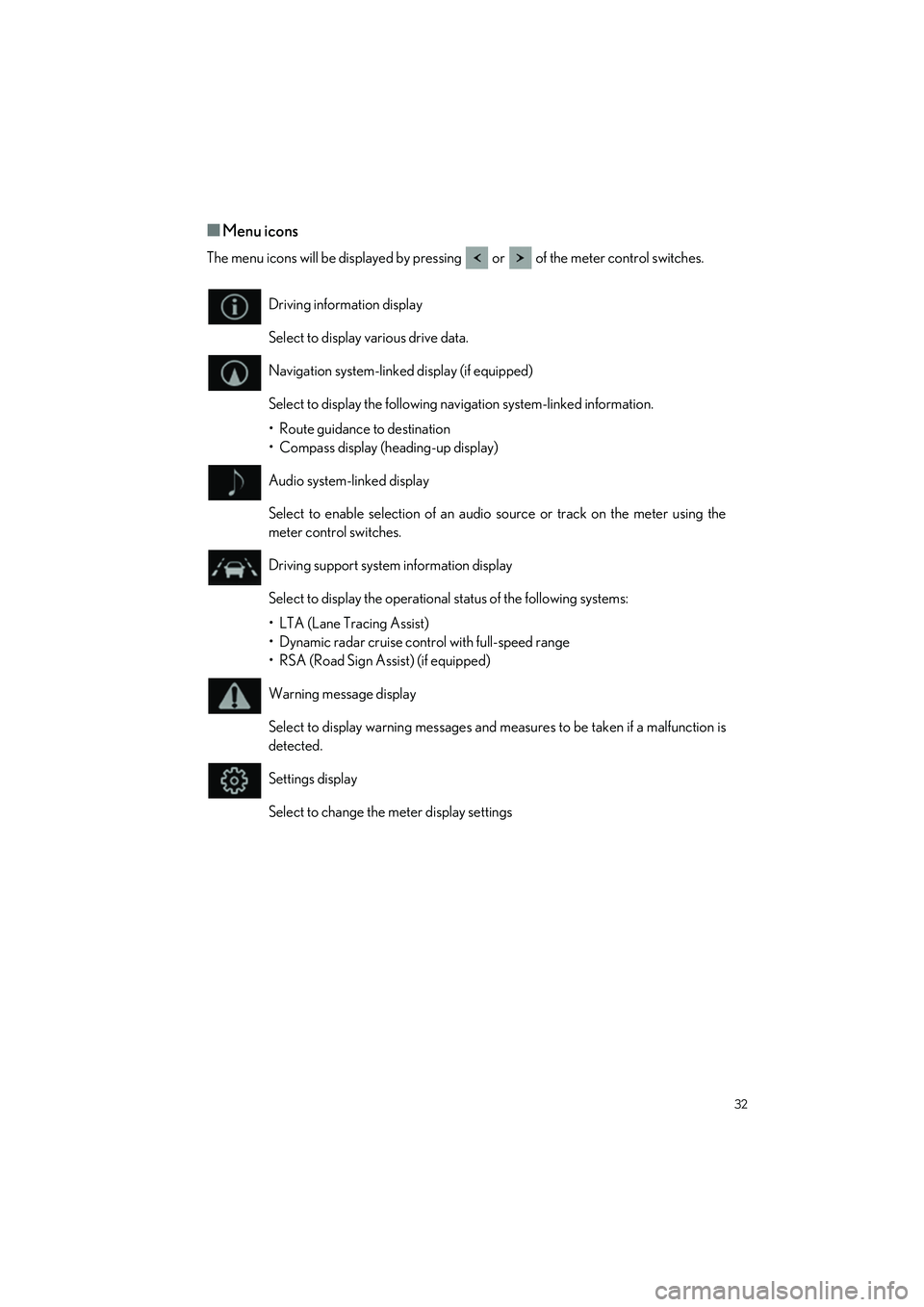
QMenu icons
The menu icons will be displayed by pressing or of the meter control switches.
Driving information display
Select to display various drive data.
Navigation system-linked display (if equipped)
Select to display the following navigation system-linked information.
• Route guidance to destination
• Compass display (heading-up display)
Audio system-linked display
Select to enable selection of an audio source or track on the meter using the
meter control switches.
Driving support system information display
Select to display the operational status of the following systems:
• LTA (Lane Tracing Assist)
• Dynamic radar cruise control with full-speed range
• RSA (Road Sign Assist) (if equipped)
Warning message display
Select to display warning messages and me asures to be taken if a malfunction is
detected.
Settings display
Select to change the meter display settings
Page 36 of 92
35
ES300h_QG_OM06257U_(U)
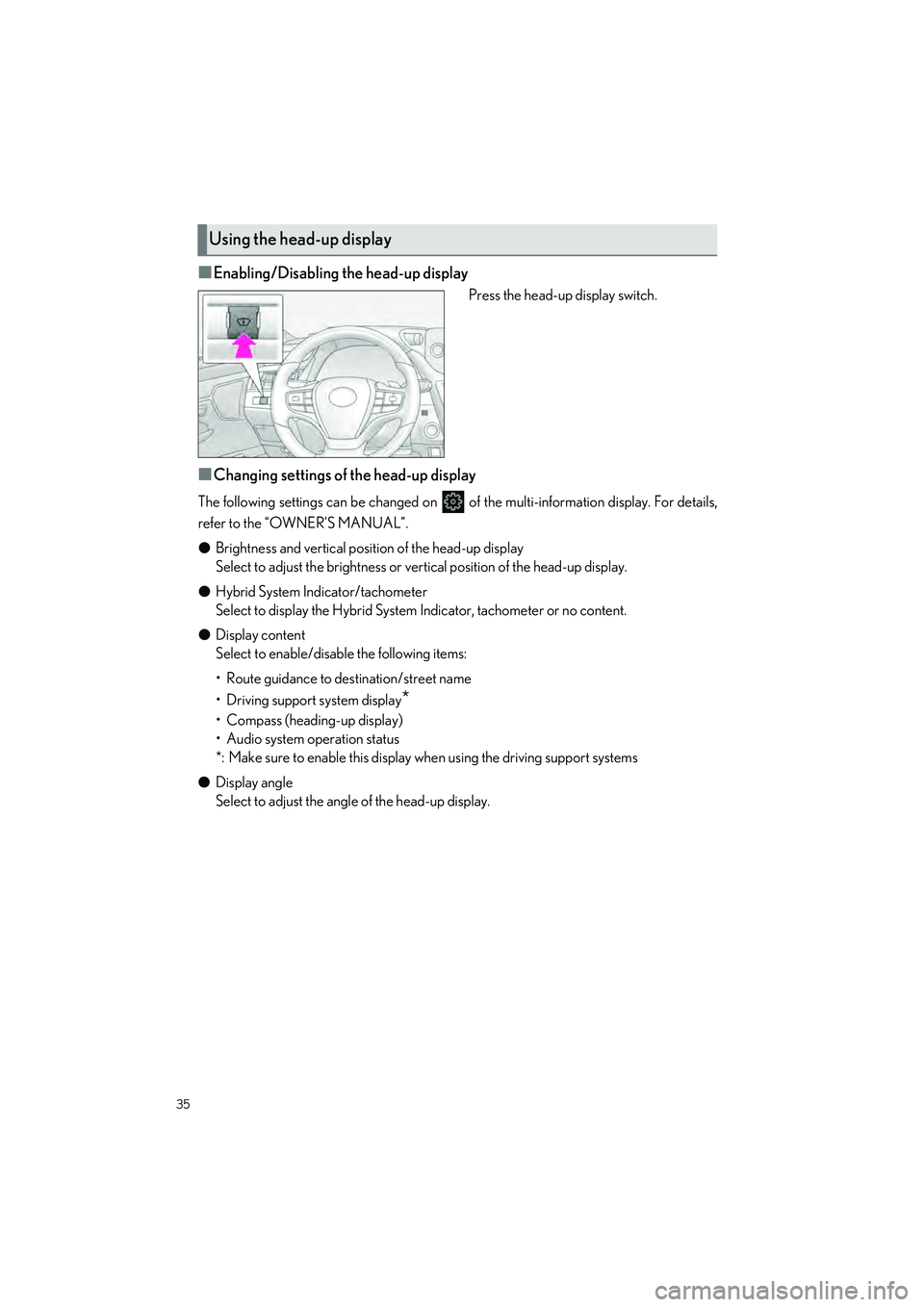
QEnabling/Disabling the head-up display
Press the head-up display switch.
QChanging settings of the head-up display
The following settings can be changed on of the multi-information display. For details,
refer to the “OWNER’S MANUAL”.
O Brightness and vertical position of the head-up display
Select to adjust the brightness or vert ical position of the head-up display.
O Hybrid System Indicator/tachometer
Select to display the Hybrid System Indicator, tachometer or no content.
O Display content
Select to enable/disable the following items:
• Route guidance to destination/street name
• Driving support system display
*
• Compass (heading-up display)
• Audio system operation status
*: Make sure to enable this display when using the driving support systems
O Display angle
Select to adjust the angle of the head-up display.
Using the head-up display
Page 51 of 92
50
ES300h_QG_OM06257U_(U)
A cellular phone or portable device must be registered in order to use hands-free calling or
Bluetooth
® audio. Once registration is complete, Bluetooth® will automatically be con-
nected each time the multimedia system is started.
When Apple CarPlay or Android Auto is connected via USB, the device will be automati-
cally registered.
If no Bluetooth
® device is connected, the registration screen can also be displayed by
pressing and holding the [ ] switch on the steering.
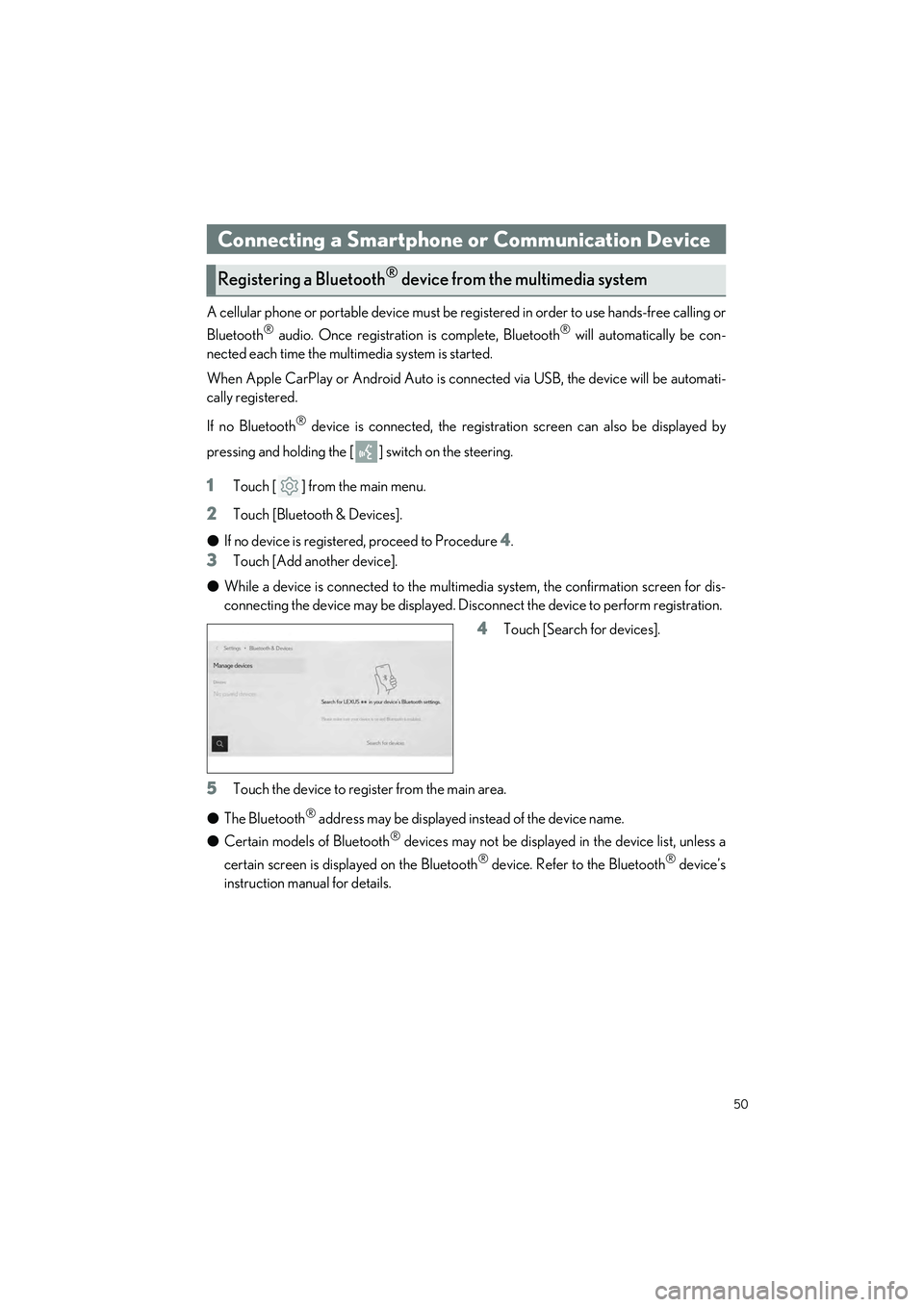
1Touch [ ] from the main menu.
2Touch [Bluetooth & Devices].
O If no device is registered, proceed to Procedure
4.
3Touch [Add another device].
O While a device is connected to the multimed ia system, the confirmation screen for dis-
connecting the device may be displayed. Disc onnect the device to perform registration.
4Touch [Search for devices].
5Touch the device to register from the main area.
O The Bluetooth
® address may be displayed instead of the device name.
O Certain models of Bluetooth
® devices may not be displayed in the device list, unless a
certain screen is displayed on the Bluetooth
® device. Refer to the Bluetooth® device’s
instruction manual for details.
Connecting a Smartphone or Communication Device
Registering a Bluetooth® device from the multimedia system
Page 56 of 92
![LEXUS ES300h 2023 Owners Manual 55
ES300h_QG_OM06257U_(U)
Source can be changed to radio, USB, etc.
1Touch [ ] from the main menu.
2Touch [Sources].
3Touch the source you wish to select.
Switch to your preferred frequency or service](/img/36/58917/w960_58917-55.png "LEXUS ES300h 2023 Owners Manual 55
ES300h_QG_OM06257U_(U)
Source can be changed to radio, USB, etc.
1Touch [ ] from the main menu.
2Touch [Sources].
3Touch the source you wish to select.
Switch to your preferred frequency or service")
55
ES300h_QG_OM06257U_(U)
Source can be changed to radio, USB, etc.
1Touch [ ] from the main menu.
2Touch [Sources].
3Touch the source you wish to select.
Switch to your preferred frequency or service and listen to the radio.
1Touch [ ] from the main menu.
2Touch [Sources].
3Touch [Radio].
4Select the station selection me thod or service as necessary.
[Favorites]: Select a broadcasting station from those registered as favorites.
[Tune]: Select the broadcasting station by entering a frequency with the numeric key-
pad.
[FM Radio]: Switches to FM mode. The FM station list, the 3 most recently listened sta-
tions, and the receivable FM broadcasting stations are displayed.
[AM Radio]: Switches to AM mode. The AM station list, the 3 most recently listened
stations, and the receivable AM broadcasting stations are displayed.
[SiriusXM]: Switches to SiriusXM Radio mode. Displays [For You] and contents/Super
Categories/[All channels]/[Listening History] . (This function is not made available in
some countries or areas)
5Select the broadcasting station from the station list or genre.
Basic Operation of Audio System
Changing the audio source
Listening to the radio
Page 57 of 92
![LEXUS ES300h 2023 Owners Manual 56
ES300h_QG_OM06257U_(U)
6Operate the radio that is being received as necessary.
O Operating AM/FM from the screen
[Ch]: Touch [ ] or [ ] to search for the receivable broadcasting stations. Touch
an](/img/36/58917/w960_58917-56.png "LEXUS ES300h 2023 Owners Manual 56
ES300h_QG_OM06257U_(U)
6Operate the radio that is being received as necessary.
O Operating AM/FM from the screen
[Ch]: Touch [ ] or [ ] to search for the receivable broadcasting stations. Touch
an")
56
ES300h_QG_OM06257U_(U)
6Operate the radio that is being received as necessary.
O Operating AM/FM from the screen
[Ch]: Touch [ ] or [ ] to search for the receivable broadcasting stations. Touch
and hold to jump to the next frequency with available radio signal. When released, the
broadcasting station closest to that position with the best reception sensitivity is
selected automatically.
[Scan]: SEEK UP and output the audio of the detected station for 10 sec. This is
repeated.
[ ]: Displayed when Multicast CH is supported in FM mode. Touch to display
the SPS channel list. The mode can be changed to the displayed SPS channel list.
[ ]: Registers the currently received broadc asting station in favorites. When regis-
tered, touch to cancel.
Preset buttons of sub menu: Receives the selected broadcasting station.
Page 60 of 92
![LEXUS ES300h 2023 Owners Manual 59
ES300h_QG_OM06257U_(U)
[ ]: Performs repeat playback. Each touch switches the repeat setting.*
[Browse]: Displays the playback mode in the sub menu. Tracks can be selected from a
list sorted by art](/img/36/58917/w960_58917-59.png "LEXUS ES300h 2023 Owners Manual 59
ES300h_QG_OM06257U_(U)
[ ]: Performs repeat playback. Each touch switches the repeat setting.*
[Browse]: Displays the playback mode in the sub menu. Tracks can be selected from a
list sorted by art")
59
ES300h_QG_OM06257U_(U)
[ ]: Performs repeat playback. Each touch switches the repeat setting.*
[Browse]: Displays the playback mode in the sub menu. Tracks can be selected from a
list sorted by artist, album, song, playlis t, genre, Podcast, composer, audiobook, or
radio.
[Shuffle play] is displayed when playing a track selected from the list. Touch this to
return to the playback screen and perform shuffle playback.
*: The order in which shuffle or repeat setti ngs switch depends on the connected device.
O Operating with the steering switches
[<]/[>] switches
Switches the tracks.
Press and hold to fast forward or fast
rewind. Release to start playback from that
position.