change time Lexus ES350 2008 Owner's Manual
[x] Cancel search | Manufacturer: LEXUS, Model Year: 2008, Model line: ES350, Model: Lexus ES350 2008Pages: 459, PDF Size: 5.93 MB
Page 18 of 459
ES350_U_(L/O_0708)
16
For your information
Main Owner’s Manual
Please note that this manual applies to all models and explains all equipment, includ-
ing options. Therefore, you may find some explanations for equipment not installed
on your vehicle.
All specifications provided in this manual are current at the time of printing. How-
ever, because of the Lexus policy of continual product improvement, we reserve the
right to make changes at any time without notice.
Depending on specifications, the vehicle shown in the illustration may differ from
your vehicle in terms of color and equipment.
Accessories, spare parts and modification of your Lexus
A wide variety of non-genuine spare parts and accessories for Lexus vehicles are
currently available in the market. You should know that Toyota does not warrant
these products and is not responsible for their performance, repair, or replacement,
or for any damage they may cause to, or adverse effect they may have on, your
Lexus vehicle.
This vehicle should not be modified with non-genuine Lexus products. Modification
with non-genuine Lexus products could affect its performance, safety or durability,
and may even violate governmental regulations. In addition, damage or perfor-
mance problems resulting from the modification may not be covered under war-
r a n t y.
Installation of a mobile two-way radio system
As the installation of a mobile two-way radio system in your vehicle could affect
electronic systems such as the multiport fuel injection system/sequential multiport
fuel injection system, cruise control system, anti-lock brake system, SRS airbag sys-
tem and seat belt pretensioner system, be sure to check with your Lexus dealer for
precautionary measures or special instructions regarding installation.
Page 29 of 459
27
1-2. Opening, closing and locking the doors and trunk
1
Before driving
ES350_U_(L/O_0708)
●When carrying or using the electronic key together with the following devices
that emit radio waves
• Another vehicle's electronic key or a wireless key that emits radio waves
• Personal computers or personal digital assistants (PDAs)
• Digital audio players
• Portable game systems
●If window tint with a metallic content or metallic objects are attached to the rear
window
■Switching the door unlock function
It is possible to set which doors the entry function unlocks. Turn the “ENGINE START STOP” switch OFF.
When the indicator on the key surface is turned off, push and
hold , , or for approximately 5 seconds while pushing on the key.
The setting changes each time an operation is performed, as shown below. (When
changing the setting continuously, release the buttons, wait for at least 5 seconds,
and repeat step 2.)
Unlock the doors using the wireless remote control and open one of the
doors.
If a door is not opened within 60 seconds after
is pressed, the doors
will be locked again and the alarm will automatically be set.
In case that the alarm is triggered, immediately stop the alarm. ( →P. 7 2 )
STEP1
STEP2
Multi-information
displayUnlocking doorsBeep
Hold the driver's door handle
to unlock only the driver's
door
Exterior: Beeps three
times
Interior: Pings once
Hold the door handle except
a driver’s door handle to
unlock all doors
Hold any door handle to
unlock all doorsExterior: Beeps twice
Interior: Pings once
STEP3
Page 155 of 459
153
2-4. Using other driving systems
2
When driving
ES350_U_(L/O_0708)■
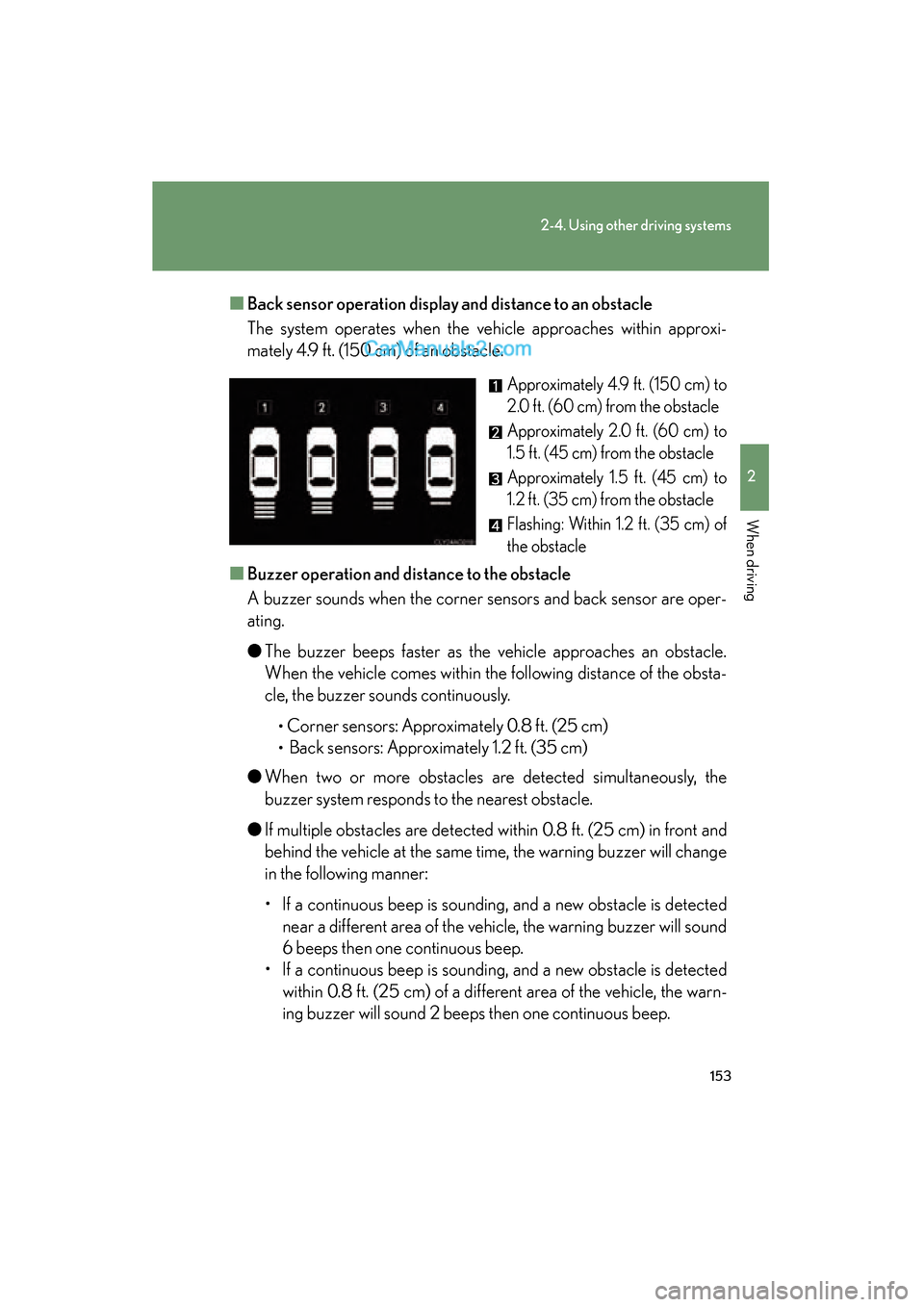
Back sensor operation display and distance to an obstacle
The system operates when the vehicle approaches within approxi-
mately 4.9 ft. (150 cm) of an obstacle.
Approximately 4.9 ft. (150 cm) to
2.0 ft. (60 cm) from the obstacle
Approximately 2.0 ft. (60 cm) to
1.5 ft. (45 cm) from the obstacle
Approximately 1.5 ft. (45 cm) to
1.2 ft. (35 cm) from the obstacle
Flashing: Within 1.2 ft. (35 cm) of
the obstacle
■ Buzzer operation and di stance to the obstacle
A buzzer sounds when the corner sensors and back sensor are oper-
ating.
● The buzzer beeps faster as the vehicle approaches an obstacle.
When the vehicle comes within the following distance of the obsta-
cle, the buzzer sounds continuously.
•Corner sensors: Approximately 0.8 ft. (25 cm)
• Back sensors: Approximately 1.2 ft. (35 cm)
● When two or more obstacles are detected simultaneously, the
buzzer system responds to the nearest obstacle.
● If multiple obstacles are detected within 0.8 ft. (25 cm) in front and
behind the vehicle at the same time, the warning buzzer will change
in the following manner:
• If a continuous beep is sounding, and a new obstacle is detected
near a different area of the vehicle, the warning buzzer will sound
6 beeps then one continuous beep.
• If a continuous beep is sounding, and a new obstacle is detected within 0.8 ft. (25 cm) of a different area of the vehicle, the warn-
ing buzzer will sound 2 beeps then one continuous beep.
Page 191 of 459

189
3-1. Using the air conditioning system and defogger
3
Interior features
ES350_U_(L/O_0708)
Rear window and outside rear view mirror defoggers
CAUTION
■When the outside rear view mirror defoggers are on
Do not touch the outside surface of the rear view mirror, as it can become very hot
and burn you.
These features are used to defog the rear window, and to remove rain-
drops, dew and frost from the outside rear view mirrors.
Without navigation system ON/OFF
The defoggers will automatically
turn off after 15 to 60 minutes.
The operation time changes
according to the ambient tem-
perature and vehicle speed.
With navigation systemON/OFF
The defoggers will automatically
turn off after 15 to 60 minutes.
The operation time changes
according to the ambient tem-
perature and vehicle speed.
Page 195 of 459
193
3-2. Using the audio system
3
Interior features
ES350_U_(L/O_0708)■
Scanning all radio stations within range
Press .
All stations with reception will be played for 5 seconds each.
When the desired station is reached, press the switch once again.
RDS (Radio Data System)
This feature allows your radio to receive station identification information
and program information (classical, jazz, etc.) from radio stations which
broadcast this information.
■ Receiving RDS broadcasts
Press ∧ or ∨ on during FM reception.
The type of program changes each time the button is pressed.
●ROCK
● EASY LIS (Easy listening)
● CLS/JAZZ (Classical music and Jazz)
● R & B (Rhythm and Blues)
● INFORM (Information)
● RELIGION
● MISC (Miscellaneous)
● ALERT (Emergency messages)
If the system receives no RDS stations, NO PTY appears on the display.
Press , or ∧ or ∨ on .
The radio seeks or scans the station by the relevant program type.
■Displaying radio station names
Press .
STEP1
STEP2
STEP1
STEP2
Page 196 of 459
194
3-2. Using the audio system
ES350_U_(L/O_0708)■
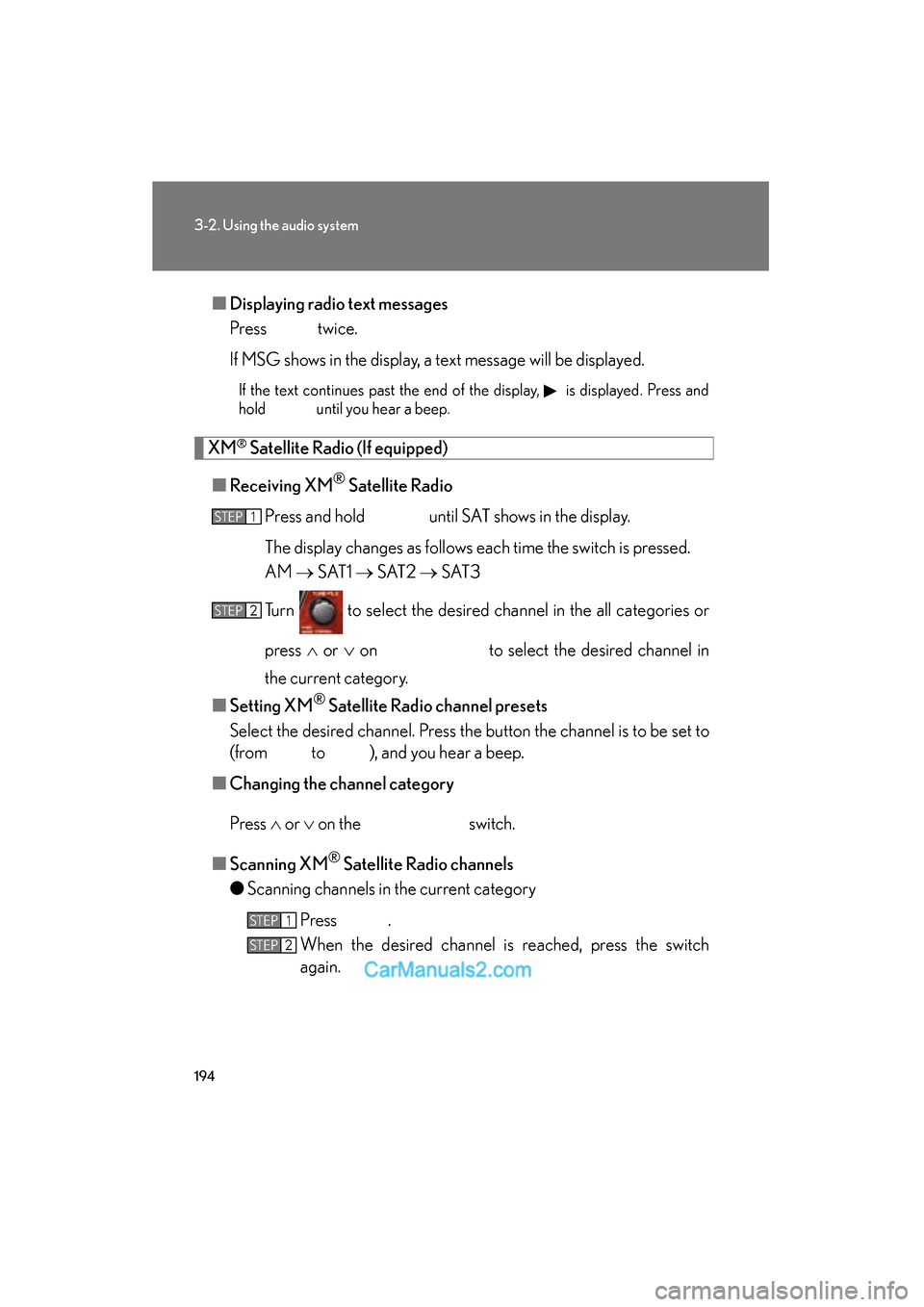
Displaying radio text messages
Press twice.
If MSG shows in the display, a text message will be displayed.
If the text continues past the end of the display, is displayed. Press and
hold until you hear a beep.
XM® Satellite Radio (If equipped)
■ Receiving XM
® Satellite Radio
Press and hold until SAT shows in the display.
The display changes as follows each time the switch is pressed.
AM → S AT 1 → S AT 2 → S AT 3
Turn to select the desired channel in the all categories or
press ∧ or ∨ on to select the desired channel in
the current category.
■ Setting XM
® Satellite Radio channel presets
Select the desired channel. Press the button the channel is to be set to
(from to ), and you hear a beep.
■ Changing the channel category
Press ∧ or ∨ on the switch.
■ Scanning XM
® Satellite Radio channels
● Scanning channels in the current category
Press .
When the desired channel is reached, press the switch
again.
STEP1
STEP2
STEP1
STEP2
Page 197 of 459
195
3-2. Using the audio system
3
Interior features
ES350_U_(L/O_0708)●
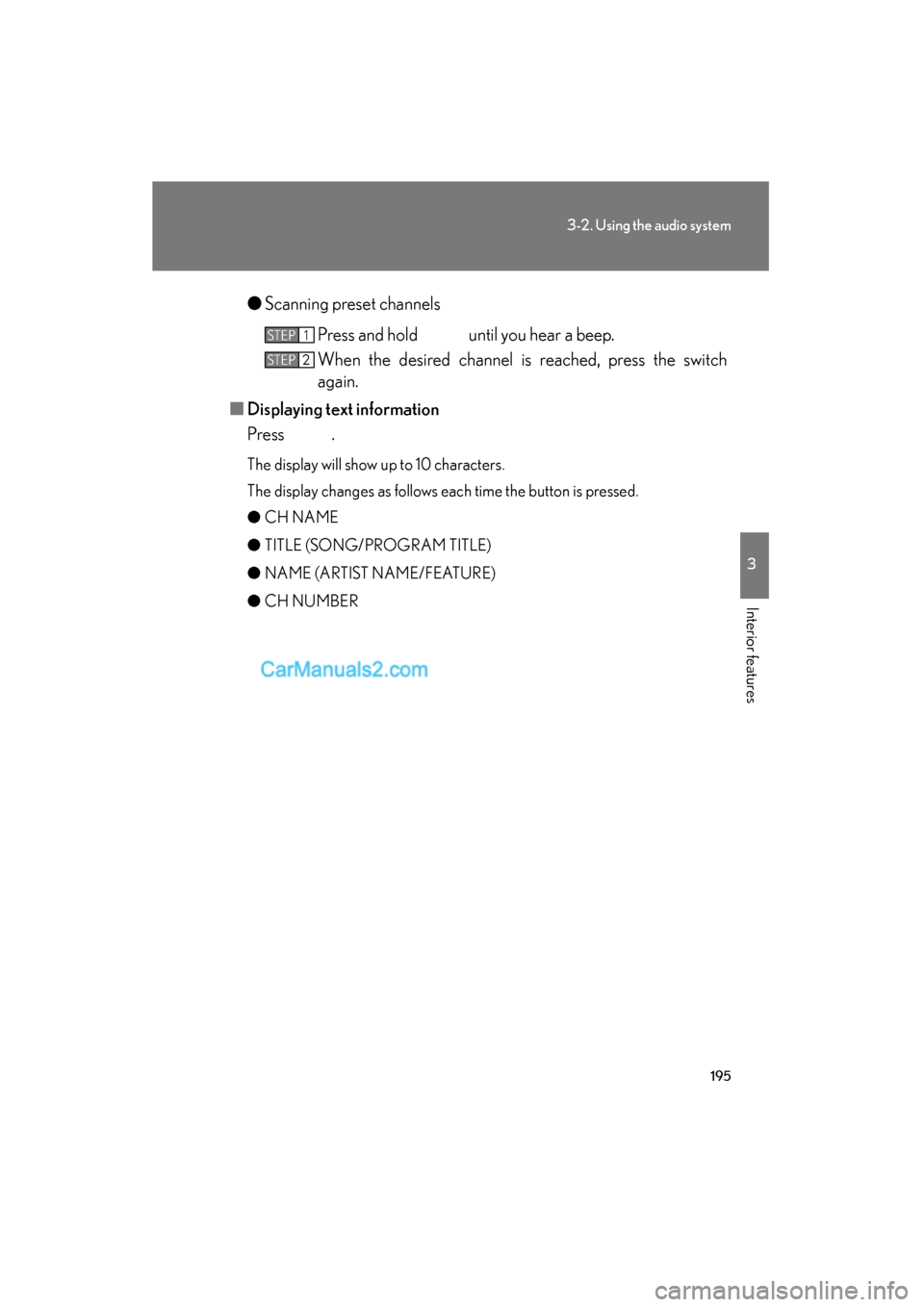
Scanning preset channels
Press and hold until you hear a beep.
When the desired channel is reached, press the switch
again.
■ Displaying text information
Press .
The display will show up to 10 characters.
The display changes as follows each time the button is pressed.
● CH NAME
● TITLE (SONG/PROGRAM TITLE)
● NAME (ARTIST NAME/FEATURE)
● CH NUMBER
STEP1
STEP2
Page 198 of 459
196
3-2. Using the audio system
ES350_U_(L/O_0708)
■When the battery is disconnected
Stations presets are erased.
■Reception sensitivity
●Maintaining perfect radio reception at all times is difficult due to the continually
changing position of the antenna, differences in signal strength and surrounding
objects, such as trains, transmitters, etc.
●The radio antenna is mounted inside the rear window. To maintain clear radio
reception, do not attach metallic window tinting or other metallic objects to the
antenna wire mounted inside the rear window.
■XM® Satellite Radio
An XM
® Satellite Radio is a tuner designed exclusively to receive broadcasts pro-
vided under a separate subscription. Availability is limited to the 48 contiguous
states and 10 Canadian provinces.
●XM® subscriptions
For detailed information about XM® Satellite Radio or to subscribe:
U.S.A.
Visit on the web at www.xmradio.com
or call 1-877-515-3987.
Canada
Visit on the web at www.xmradio.ca
or call 1-877-438-9677.
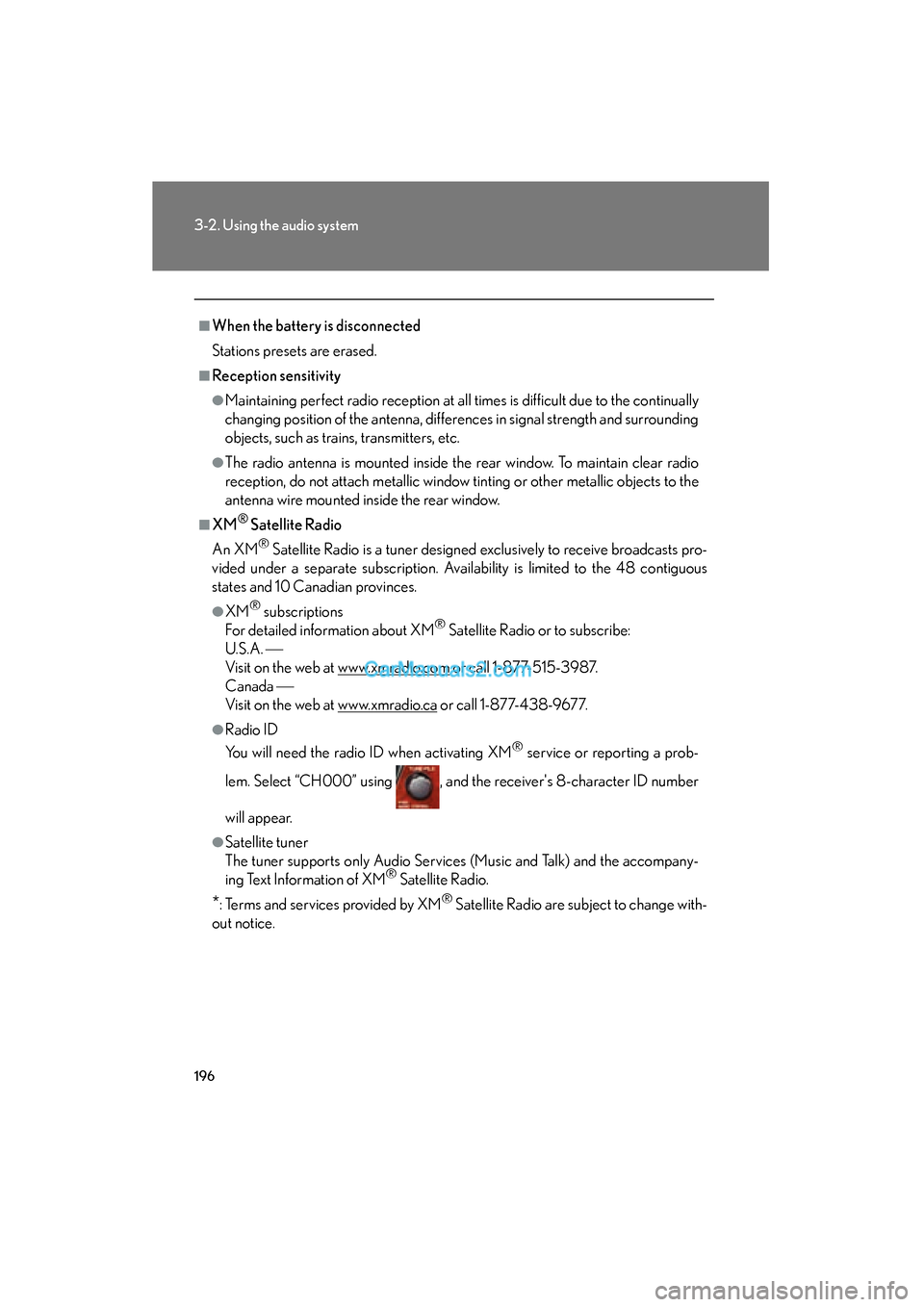
●Radio ID
You will need the radio ID when activating XM
® service or reporting a prob-
lem. Select “CH000” using , and the receiver's 8-character ID number
will appear.
●Satellite tuner
The tuner supports only Audio Services (Music and Talk) and the accompany-
ing Text Information of XM
® Satellite Radio.
*: Terms and services provided by XM® Satellite Radio are subject to change with-
out notice.
Page 199 of 459
197
3-2. Using the audio system
3
Interior features
ES350_U_(L/O_0708)
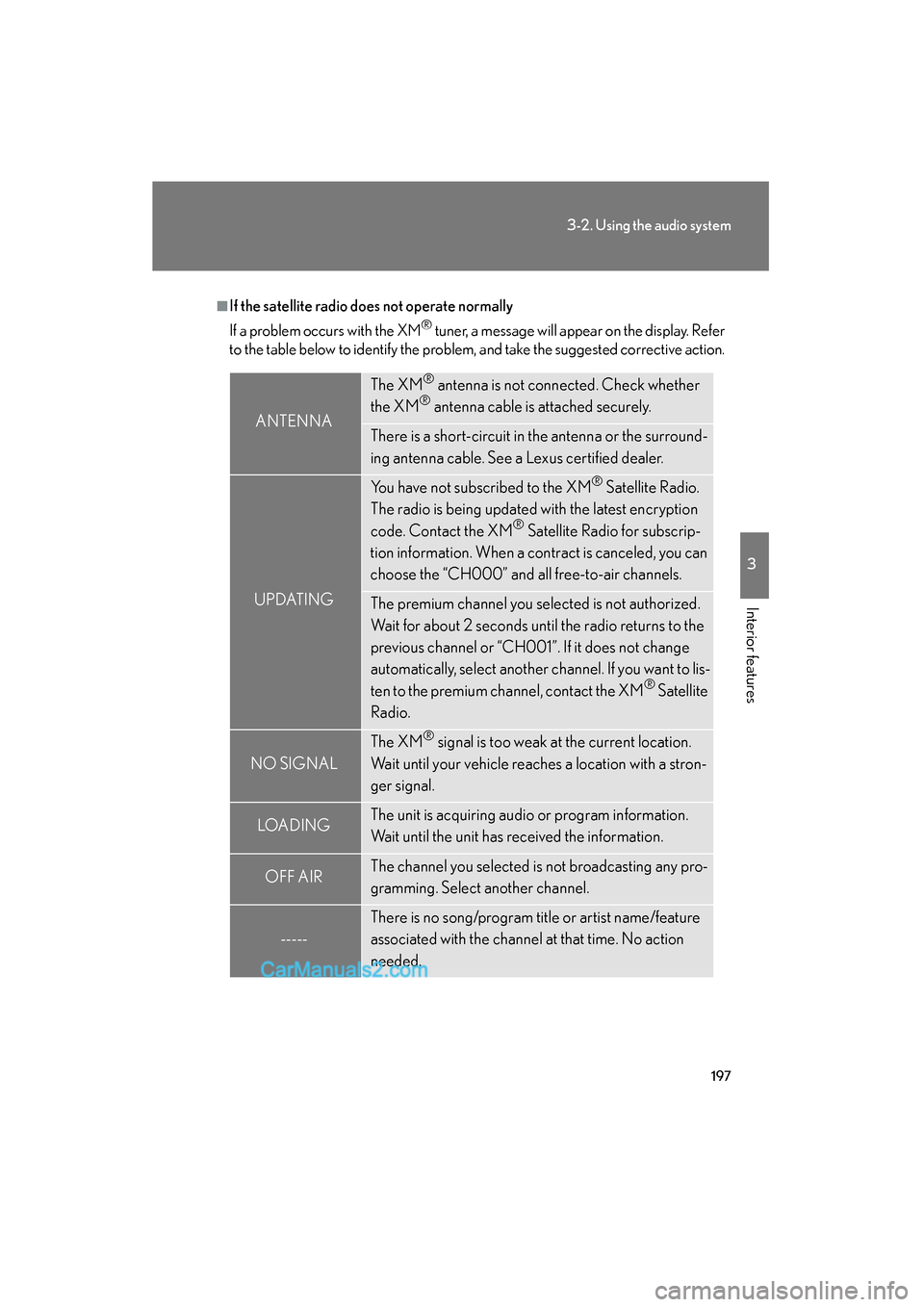
■If the satellite radio does not operate normally
If a problem occurs with the XM
® tuner, a message will appear on the display. Refer
to the table below to identify the problem, and take the suggested corrective action.
ANTENNA
The XM® antenna is not connected. Check whether
the XM® antenna cable is attached securely.
There is a short-circuit in the antenna or the surround-
ing antenna cable. See a Lexus certified dealer.
UPDATING
You have not subscribed to the XM® Satellite Radio.
The radio is being updated with the latest encryption
code. Contact the XM
® Satellite Radio for subscrip-
tion information. When a contract is canceled, you can
choose the “CH000” and all free-to-air channels.
The premium channel you selected is not authorized.
Wait for about 2 seconds until the radio returns to the
previous channel or “CH001”. If it does not change
automatically, select another channel. If you want to lis-
ten to the premium channel, contact the XM
® Satellite
Radio.
NO SIGNAL
The XM® signal is too weak at the current location.
Wait until your vehicle reaches a location with a stron-
ger signal.
LOAD INGThe unit is acquiring audio or program information.
Wait until the unit has received the information.
OFF AIRThe channel you selected is not broadcasting any pro-
gramming. Select another channel.
-----
There is no song/program title or artist name/feature
associated with the channel at that time. No action
needed.
Page 203 of 459
201
3-2. Using the audio system
3
Interior features
ES350_U_(L/O_0708)
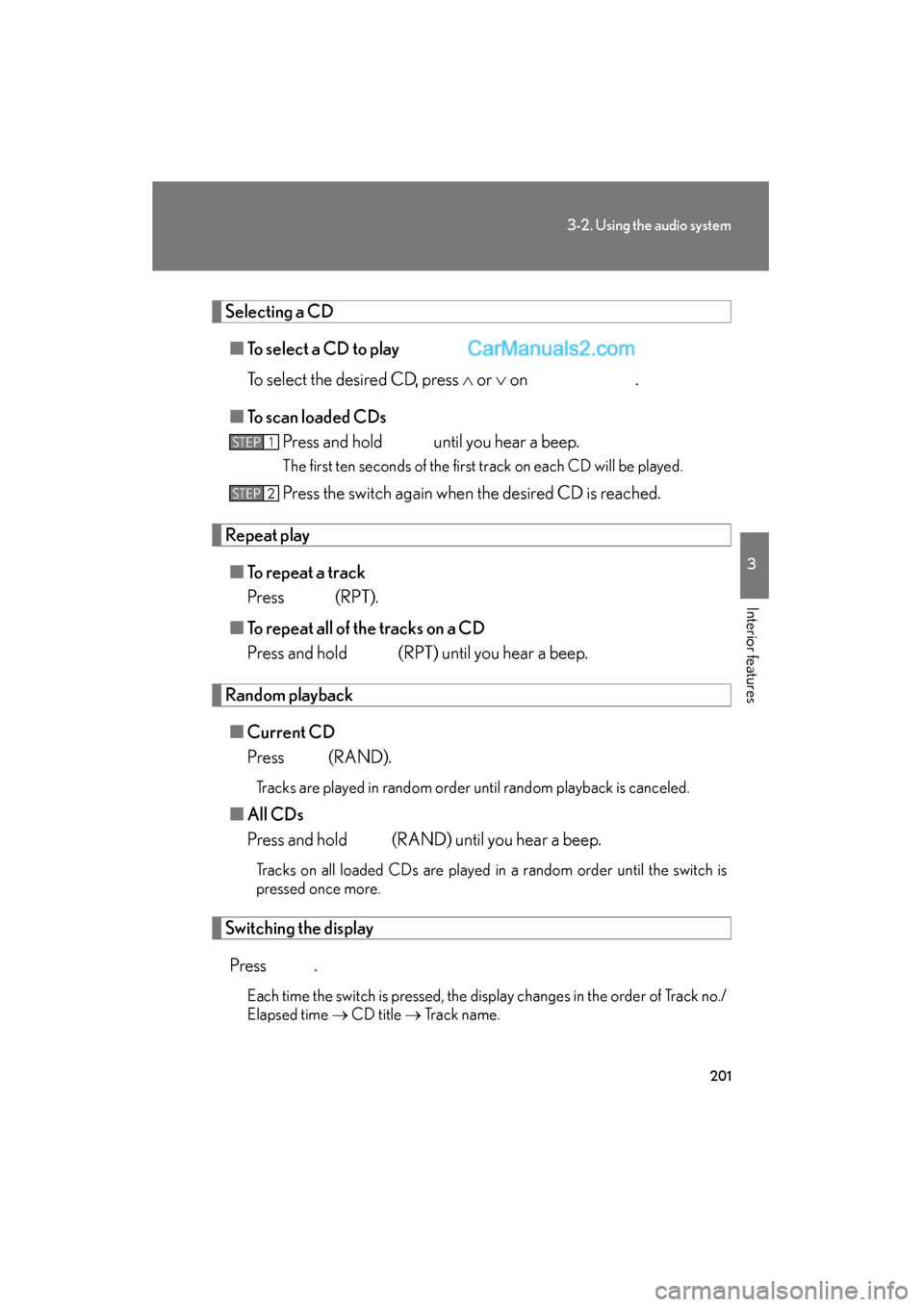
Selecting a CD■ To select a CD to play
To select the desired CD, press ∧ or ∨ on .
■ To scan loaded CDs
Press and hold until you hear a beep.
The first ten seconds of the first track on each CD will be played.
Press the switch again when the desired CD is reached.
Repeat play
■ To repeat a track
Press (RPT).
■ To repeat all of the tracks on a CD
Press and hold (RPT) until you hear a beep.
Random playback
■ Current CD
Press (RAND).
Tracks are played in random order until random playback is canceled.
■All CDs
Press and hold (RAND) until you hear a beep.
Tracks on all loaded CDs are played in a random order until the switch is
pressed once more.
Switching the display
Press .
Each time the switch is pressed, the display changes in the order of Track no./
Elapsed time → CD title → Track name.
STEP1
STEP2