tran Lexus ES350 2008 Owner's Manual
[x] Cancel search | Manufacturer: LEXUS, Model Year: 2008, Model line: ES350, Model: Lexus ES350 2008Pages: 459, PDF Size: 5.93 MB
Page 4 of 459
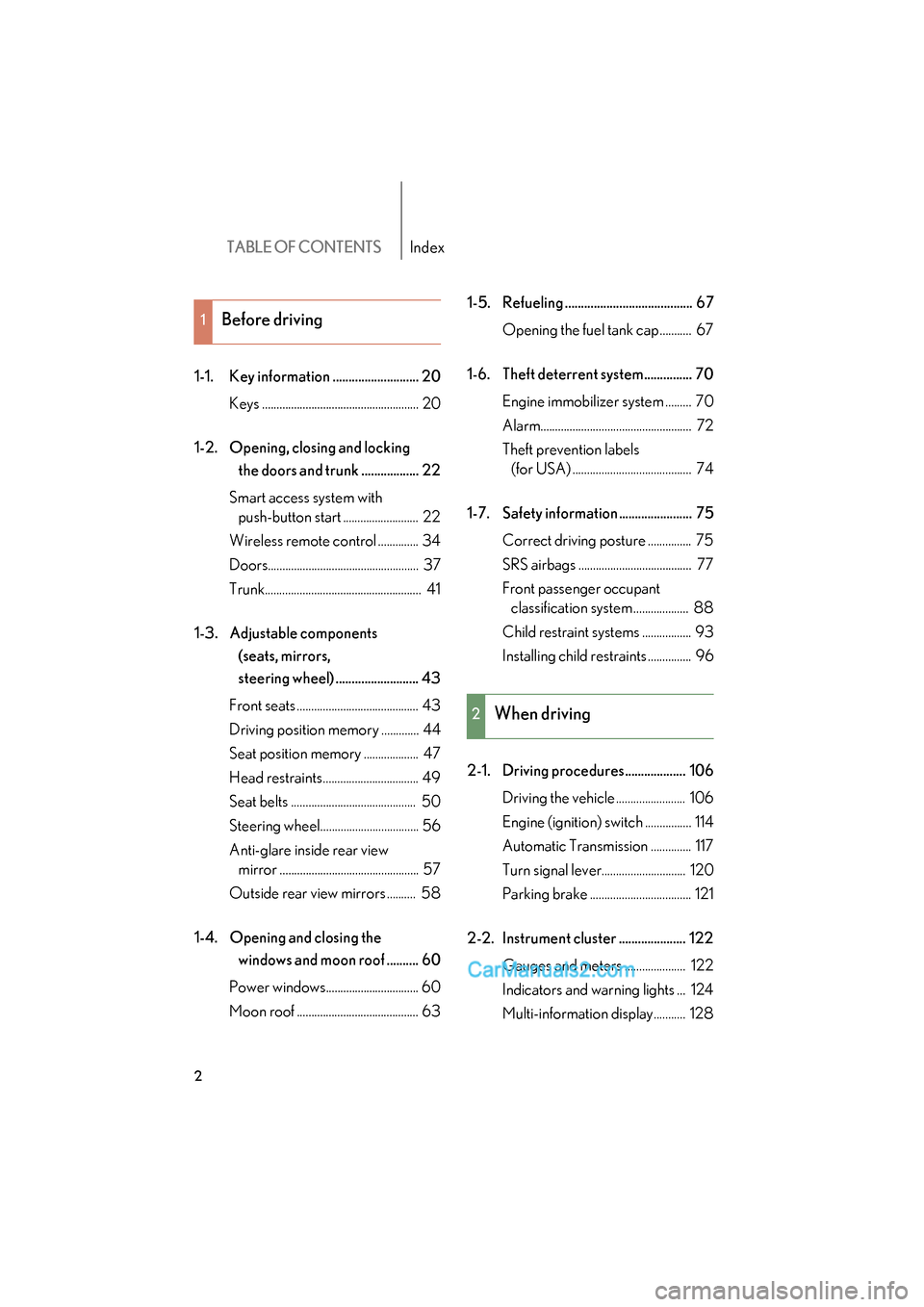
TABLE OF CONTENTSIndex
ES350_U_(L/O_0708)
2
1-1. Key information ........................... 20Keys ...................................................... 20
1-2. Opening, closing and locking the doors and trunk .................. 22
Smart access system with push-button start .......................... 22
Wireless remote control .............. 34
Doors.................................................... 37
Trunk...................................................... 41
1-3. Adjustable components (seats, mirrors,
steering wheel) .......................... 43
Front seats .......................................... 43
Driving position memory ............. 44
Seat position memory ................... 47
Head restraints................................. 49
Seat belts ........................................... 50
Steering wheel.................................. 56
Anti-glare inside rear view mirror ................................................ 57
Outside rear view mirrors .......... 58
1-4. Opening and closing the windows and moon roof .......... 60
Power windows................................ 60
Moon roof .......................................... 63 1-5. Refueling ........................................ 67
Opening the fuel tank cap........... 67
1-6. Theft deterrent system............... 70 Engine immobilizer system ......... 70
Alarm.................................................... 72
Theft prevention labels (for USA) ......................................... 74
1-7. Safety information ....................... 75 Correct driving posture ............... 75
SRS airbags ....................................... 77
Front passenger occupant classification system ................... 88
Child restraint systems ................. 93
Installing child restraints ............... 96
2-1. Driving procedures................... 106 Driving the vehicle ........................ 106
Engine (ignition) switch ................ 114
Automatic Transmission .............. 117
Turn signal lever............................. 120
Parking brake ................................... 121
2-2. Instrument cluster ..................... 122 Gauges and meters ..................... 122
Indicators and warning lights ... 124
Multi-information display........... 128
1Before driving
2When driving
Page 13 of 459
11
C
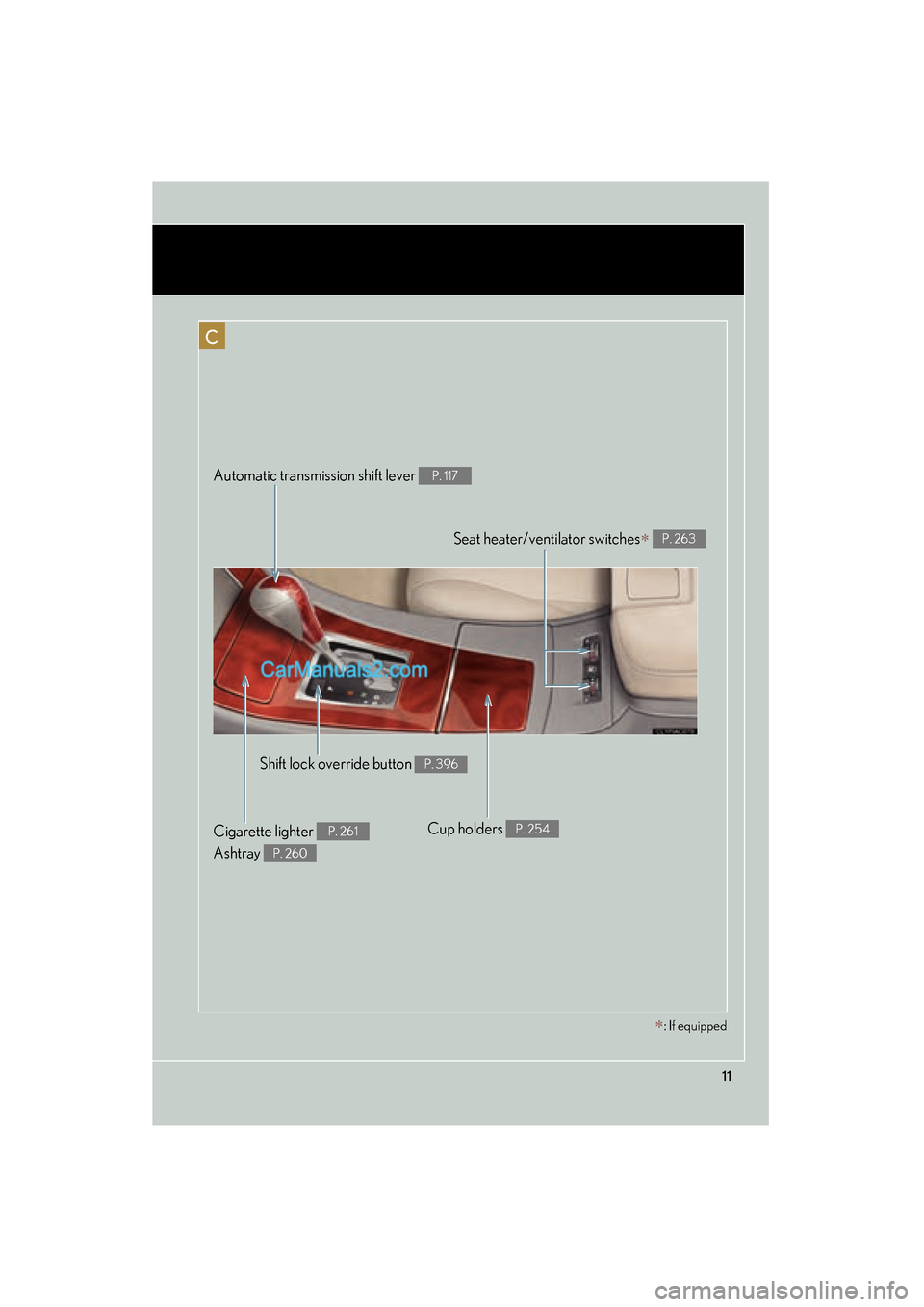
Seat heater/ventilator switches∗ P. 263
Automatic transmission shift lever P. 117
Shift lock override button P. 396
Cigarette lighter
Ashtray P. 261
P. 260
Cup holders P. 254
∗: If equipped
Page 30 of 459
28
1-2. Opening, closing and locking the doors and trunk
ES350_U_(L/O_0708)
■Battery-saving function
In the following circumstances, the entry function is disabled in order to prevent the
vehicle and electronic key batteries from discharging.
●When the entry function has not been used for 2 weeks or more
●When the electronic key has been left within approximately 6 ft. (2 m) of the
vehicle for 10 minutes or more
The system will resume operation when...
●The vehicle is locked using the door handle lock switch.
●The vehicle is locked/unlocked using the wireless remote control function.
( → P. 3 4 )
●The vehicle is locked/unlocked using the mechanical key. ( →P. 3 9 8 )
■Electronic key battery depletion
●The standard battery life is 1 to 2 years.
●The battery becomes depleted even if the electronic key is not used because
the key always transmits radio waves. If the smart access system with push-but-
ton start or the wireless remote control does not operate, or the detection area
becomes smaller, the battery may be depleted. Replace the battery when nec-
essary. ( → P. 3 3 2 )
●To avoid serious deterioration, do not leave the electronic key within 3 ft. (1 m) of
the following electrical appliances that produce a magnetic field.
• T Vs
• Personal computers
• Cellular phones, cordless phones and battery chargers
• Recharging cellular phones or cordless phones
• Glass top ranges
• Table lamps
■To operate the system properly
Make sure to carry the electronic key when operating the system. Do not get the
electronic key too close to the vehicle when operating the system from the outside
of the vehicle.
Depending on the position and holding condition of the electronic key, the key may
not be detected correctly and the system may not operate properly. (The alarm may
go off accidentally, or the door lock prevention may not function.)
Page 72 of 459
70
ES350_U_(L/O_0708)
1-6. Theft deterrent system
Engine immobilizer system
■System maintenance
The vehicle has a maintenance-free type of engine immobilizer system.
■Conditions that may cause the system to malfunction
●If the grip portion of the key is in contact with a metallic object
●If the key is in close proximity to or touching a key to the security system (key
with a built-in transponder chip) of another vehicle
■Certifications for the engine immobilizer system
For vehicles sold in the USA
This device complies with Part 15 of the FCC Rules. Operation is subject to the fol-
lowing two conditions: (1) this device may not cause harmful interference, and (2)
this device must accept any interference received, including interference that may
cause undesired operation. For vehicles sold in Canada
Operation is subject to the following two conditions: (1) this device may not cause
interference, and (2) this device must accept any interference, including interfer-
ence that may cause undesired operation of the device.
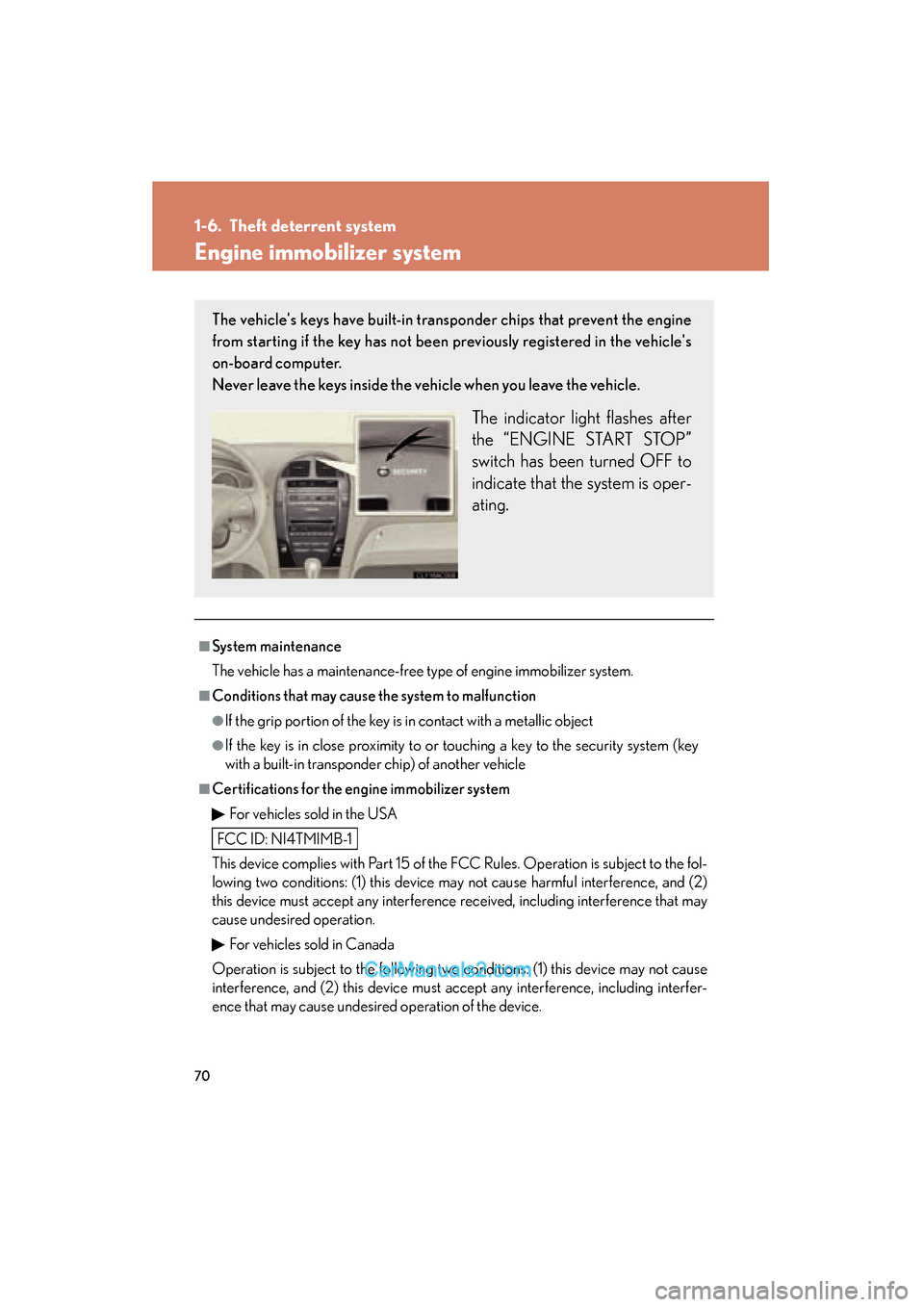
The vehicle's keys have built-in tran sponder chips that prevent the engine
from starting if the key has not been previously registered in the vehicle's
on-board computer.
Never leave the keys inside the vehicle when you leave the vehicle.
The indicator light flashes after
the “ENGINE START STOP”
switch has been turned OFF to
indicate that the system is oper-
ating.
FCC ID: NI4TMIMB-1
Page 107 of 459
When driving2
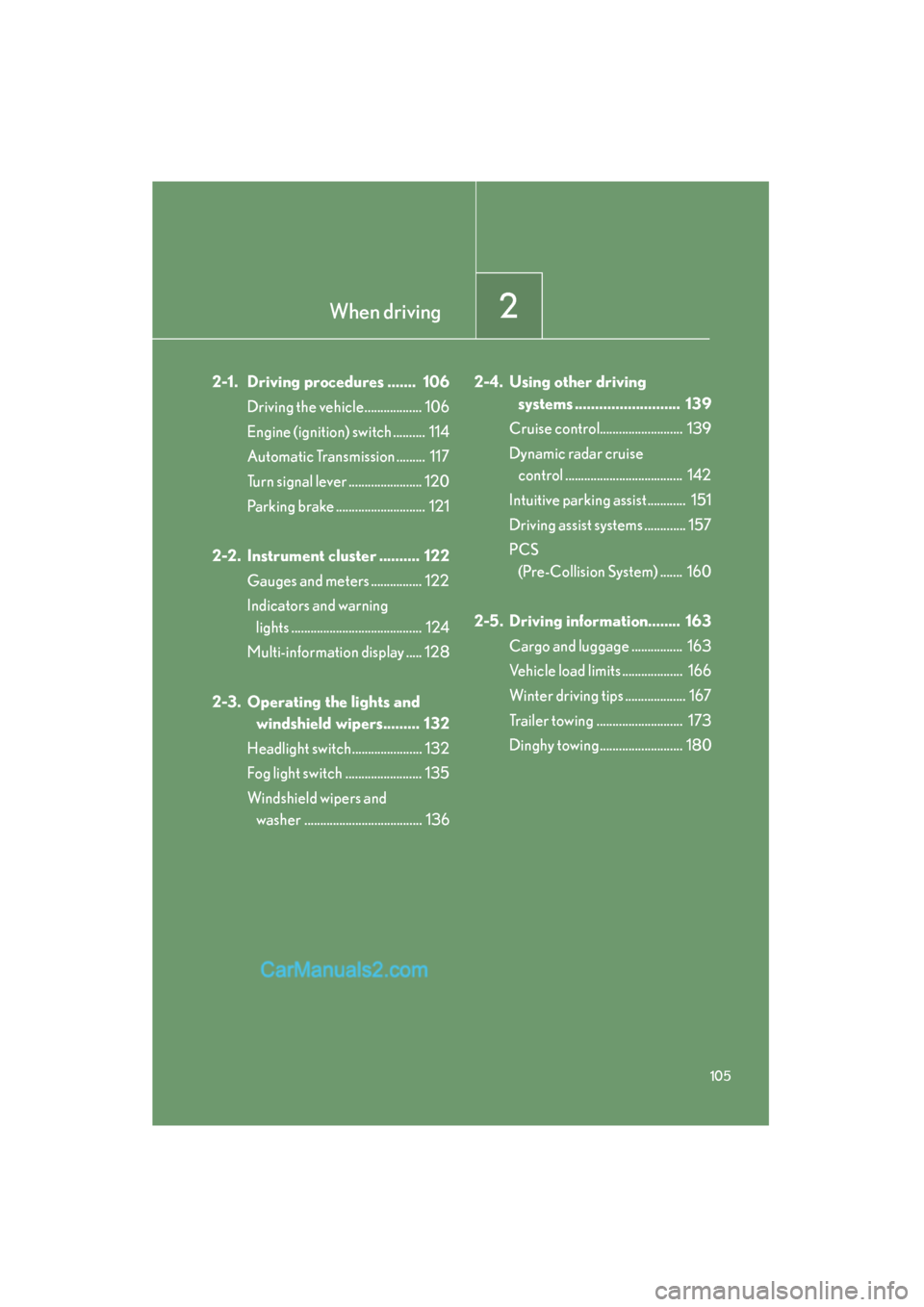
105
ES350_U_(L/O_0708)
2-1. Driving procedures ....... 106Driving the vehicle.................. 106
Engine (ignition) switch .......... 114
Automatic Transmission ......... 117
Turn signal lever ....................... 120
Parking brake ............................ 121
2-2. Instrument cluster .......... 122 Gauges and meters ................ 122
Indicators and warning lights ......................................... 124
Multi-information display ..... 128
2-3. Operating the lights and windshield wipers......... 132
Headlight switch...................... 132
Fog light switch ........................ 135
Windshield wipers and washer ..................................... 136 2-4. Using other driving
systems .......................... 139
Cruise control.......................... 139
Dynamic radar cruise control ..................................... 142
Intuitive parking assist ............ 151
Driving assist systems ............. 157
PCS (Pre-Collision System) ....... 160
2-5. Driving information........ 163 Cargo and luggage ................ 163
Vehicle load limits ................... 166
Winter driving tips ................... 167
Trailer towing ........................... 173
Dinghy towing.......................... 180
Page 110 of 459
108
2-1. Driving procedures
ES350_U_(L/O_0708)
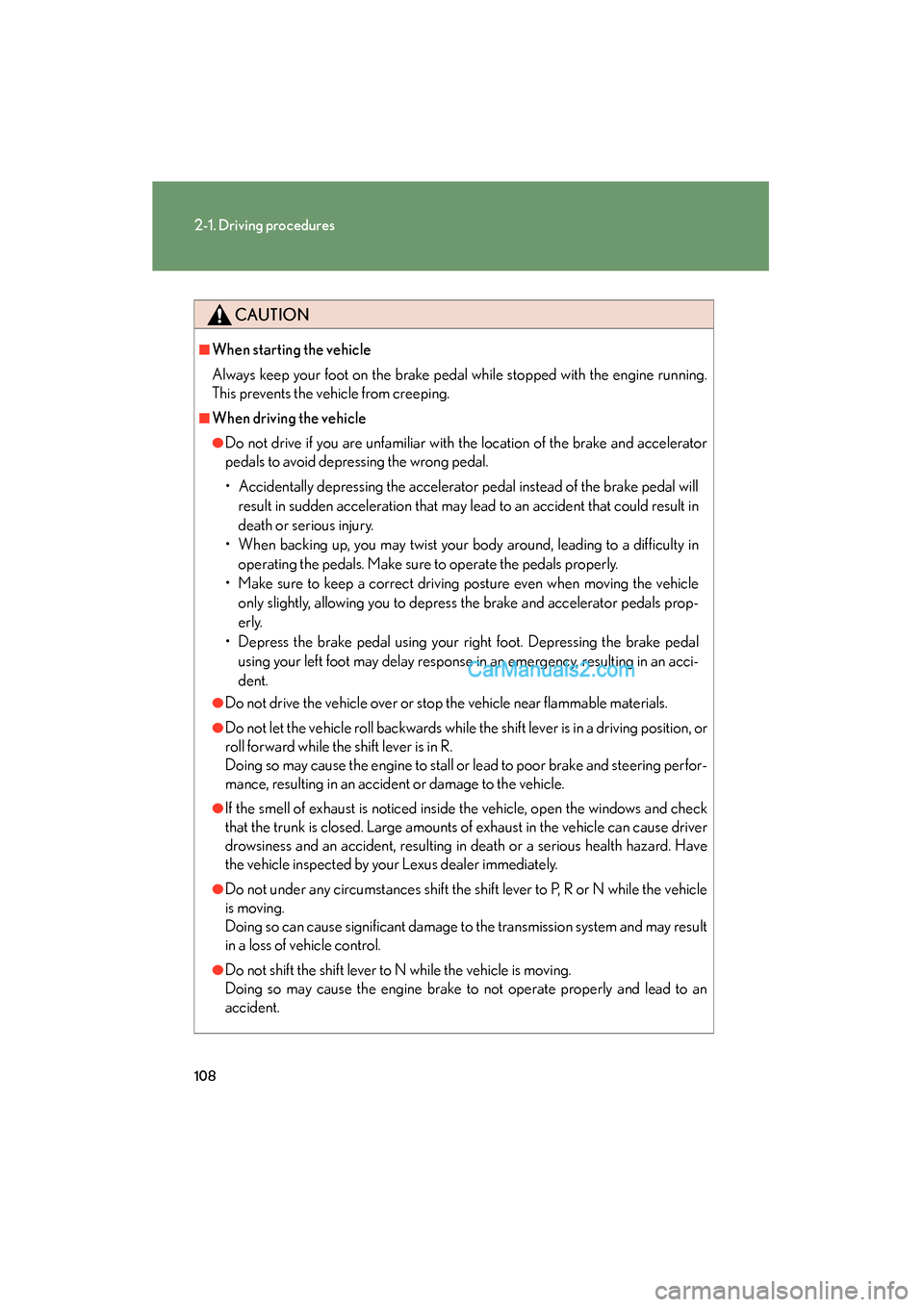
CAUTION
■When starting the vehicle
Always keep your foot on the brake pedal while stopped with the engine running.
This prevents the vehicle from creeping.
■When driving the vehicle
●Do not drive if you are unfamiliar with the location of the brake and accelerator
pedals to avoid depressing the wrong pedal.
• Accidentally depressing the accelerator pedal instead of the brake pedal willresult in sudden acceleration that may lead to an accident that could result in
death or serious injury.
• When backing up, you may twist your body around, leading to a difficulty in operating the pedals. Make sure to operate the pedals properly.
• Make sure to keep a correct driving posture even when moving the vehicle only slightly, allowing you to depress the brake and accelerator pedals prop-
erly.
• Depress the brake pedal using your right foot. Depressing the brake pedal using your left foot may delay response in an emergency, resulting in an acci-
dent.
●Do not drive the vehicle over or stop the vehicle near flammable materials.
●Do not let the vehicle roll backwards while the shift lever is in a driving position, or
roll forward while the shift lever is in R.
Doing so may cause the engine to stall or lead to poor brake and steering perfor-
mance, resulting in an accident or damage to the vehicle.
●If the smell of exhaust is noticed inside the vehicle, open the windows and check
that the trunk is closed. Large amounts of exhaust in the vehicle can cause driver
drowsiness and an accident, resulting in death or a serious health hazard. Have
the vehicle inspected by your Lexus dealer immediately.
●Do not under any circumstances shift the shift lever to P, R or N while the vehicle
is moving.
Doing so can cause significant damage to the transmission system and may result
in a loss of vehicle control.
●Do not shift the shift lever to N while the vehicle is moving.
Doing so may cause the engine brake to not operate properly and lead to an
accident.
Page 115 of 459

113
2-1. Driving procedures
2
When driving
ES350_U_(L/O_0708)
NOTICE
■When encountering flooded roads
Do not drive on a road that has flooded after heavy rain etc. Doing so may cause the
following serious damage to the vehicle.
●Engine stalling
●Short in electrical components
●Engine damage caused by water immersion
In the event that you drive on a flooded road and the vehicle is flooded, be sure to
have your Lexus dealer check the following.
●Brake function
●Changes in quantity and quality of engine oil, transaxle fluid, etc.
●Lubricant condition for the bearings and suspension joints (where possible) and
the function of all joints, bearings, etc.
Page 119 of 459
117
2-1. Driving procedures
2
When driving
ES350_U_(L/O_0708)
Automatic Transmission
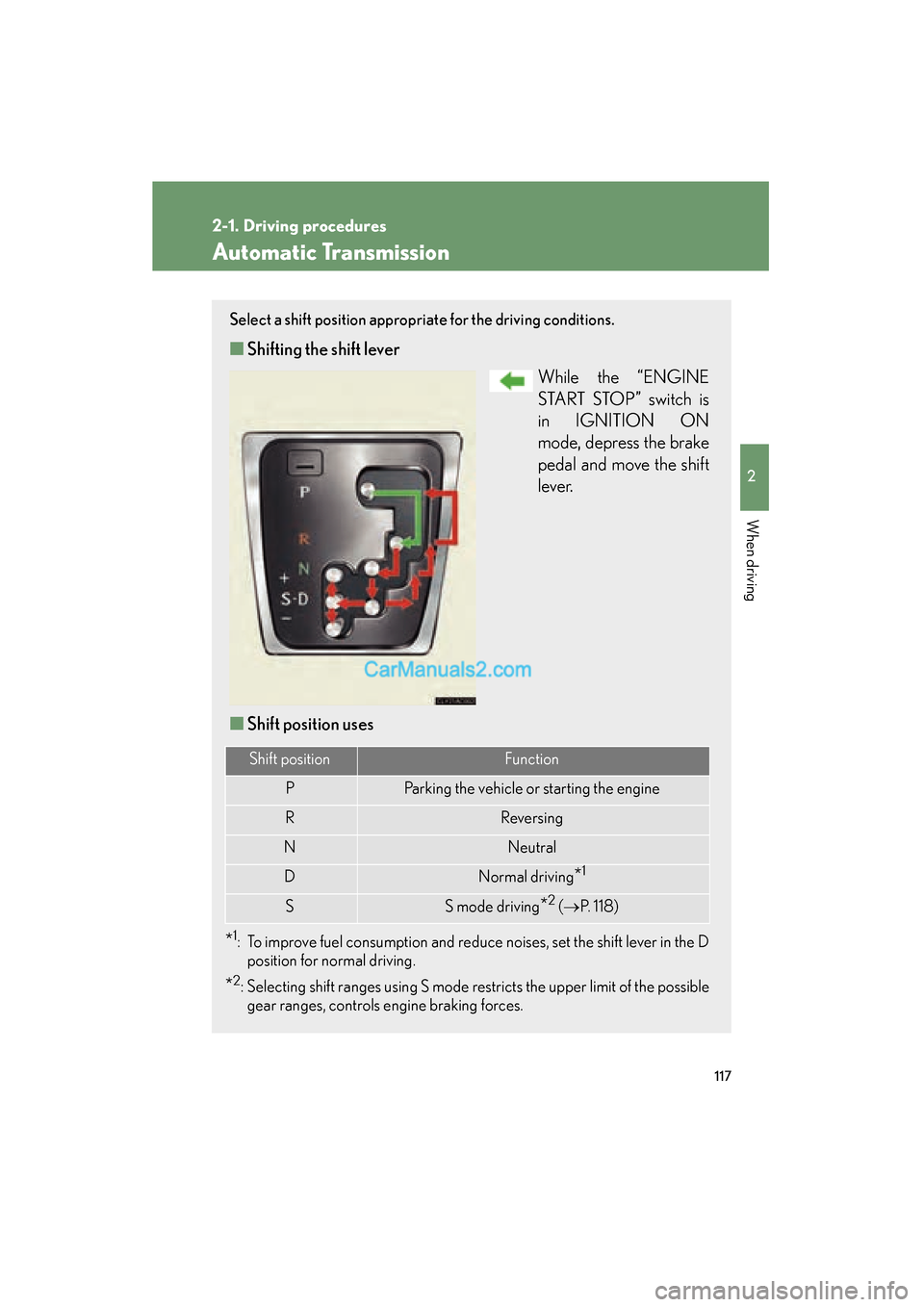
Select a shift position appropriate for the driving conditions.
■Shifting the shift lever
While the “ENGINE
START STOP” switch is
in IGNITION ON
mode, depress the brake
pedal and move the shift
l e v e r.
■ Shift position uses
*1: To improve fuel consumption and reduce noises, set the shift lever in the D
position for normal driving.
*2: Selecting shift ranges using S mode restricts the upper limit of the possiblegear ranges, controls engine braking forces.
Shift positionFunction
PParking the vehicle or starting the engine
RReversing
NNeutral
DNormal driving*1
SS mode driving*2 ( → P. 118)
Page 121 of 459
119
2-1. Driving procedures
2
When driving
ES350_U_(L/O_0708)
■Downshifting restrictions warning buzzer (in the S mode)
To help ensure safety and driving performance, downshifting operation may some-
times be restricted. In some circumstances, downshifting may not be possible even
when the shift lever is operated. (The warning buzzer will sound twice.)
■When driving with the cruise control system or dynamic radar cruise control sys-
tem
The engine brake will not operate in the S mode, even when downshifting to 5 or 4.
(→ P. 139, 142)
■If the shift lever cannot be shifted from P
→ P. 3 9 6
■If the indicator does not come on even after shifting the shift lever to S
This may indicate a malfunction in the automatic transmission system. Have the
vehicle inspected by your Lexus dealer immediately.
(In this situation, the vehicle will operate as if the shift lever is in D.)
■AI-SHIFT (Artificial Intelligence Shift)
The AI-SHIFT automatically shifts the gear to the optimal position according to the
driver performance and driving conditions.
The AI-SHIFT automatically operates when the shift lever is in the D position. (Shift-
ing the shift lever to the S position cancels the function.)
Page 151 of 459
149
2-4. Using other driving systems
2
When driving
ES350_U_(L/O_0708)
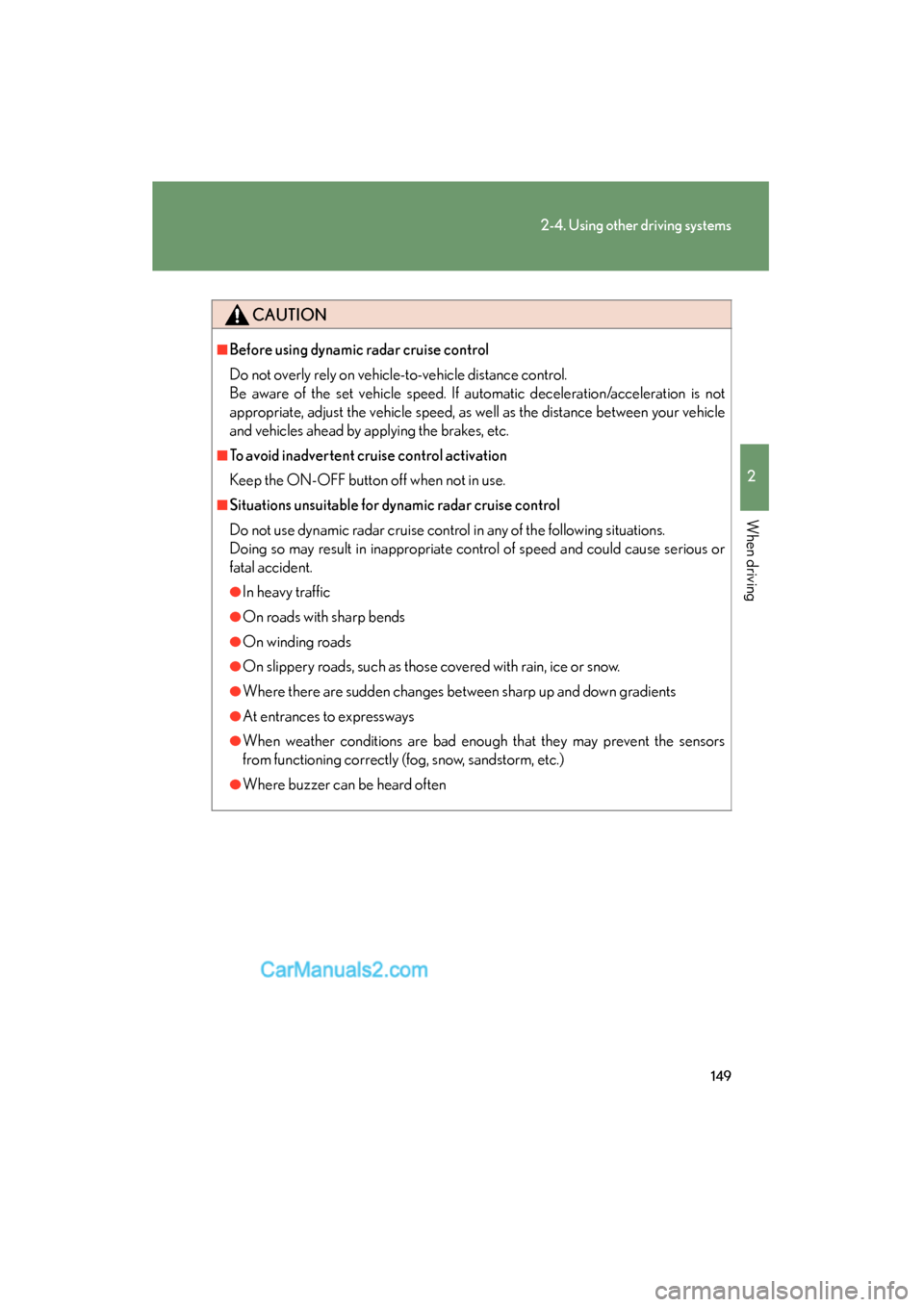
CAUTION
■Before using dynamic radar cruise control
Do not overly rely on vehicle-to-vehicle distance control.
Be aware of the set vehicle speed. If automatic deceleration/acceleration is not
appropriate, adjust the vehicle speed, as well as the distance between your vehicle
and vehicles ahead by applying the brakes, etc.
■To avoid inadvertent cruise control activation
Keep the ON-OFF button off when not in use.
■Situations unsuitable for dynamic radar cruise control
Do not use dynamic radar cruise control in any of the following situations.
Doing so may result in inappropriate control of speed and could cause serious or
fatal accident.
●In heavy traffic
●On roads with sharp bends
●On winding roads
●On slippery roads, such as those covered with rain, ice or snow.
●Where there are sudden changes between sharp up and down gradients
●At entrances to expressways
●When weather conditions are bad enough that they may prevent the sensors
from functioning correctly (fog, snow, sandstorm, etc.)
●Where buzzer can be heard often